format Seat Exeo 2012 MEDIA SYSTEM E
[x] Cancel search | Manufacturer: SEAT, Model Year: 2012, Model line: Exeo, Model: Seat Exeo 2012Pages: 167, PDF Size: 5.48 MB
Page 120 of 167
Navigation (NAV)*119
Operating
RADIO, MEDIA (audiovisual
systems)
NAME, TEL
NAV, INFO
CAR, SETUP
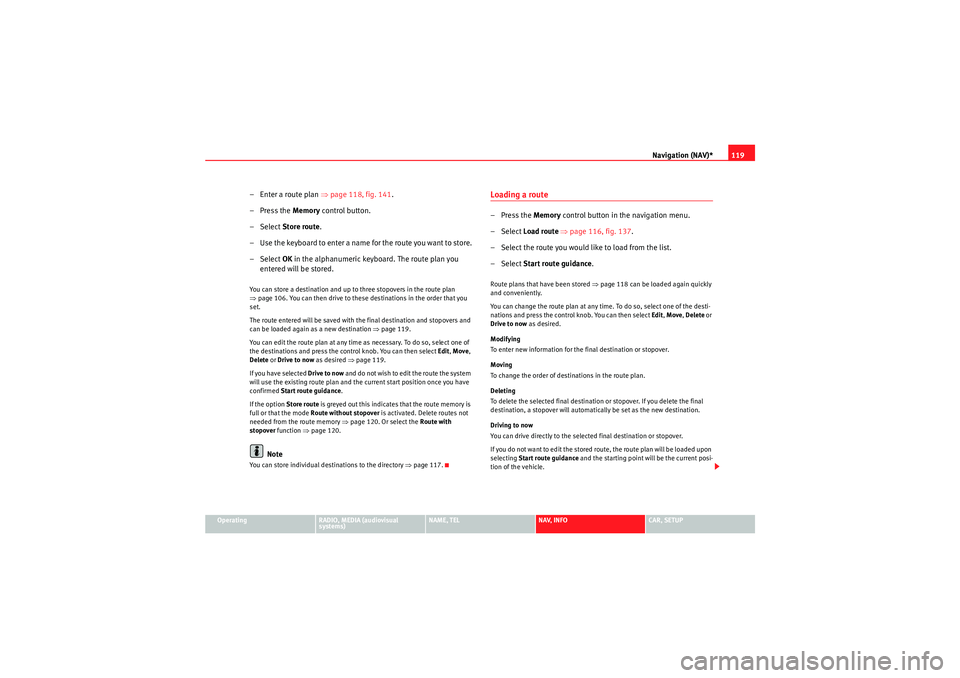
– Enter a route plan ⇒page 118, fig. 141 .
– Press the Memory control button.
–Select Store route .
– Use the keyboard to enter a name for the route you want to store.
–Select OK in the alphanumeric keyboard. The route plan you
entered will be stored.You can store a destination and up to three stopovers in the route plan
⇒ page 106. You can then drive to these destinations in the order that you
set.
The route entered will be saved with the final destination and stopovers and
can be loaded again as a new destination ⇒page 119.
You can edit the route plan at any time as necessary. To do so, select one of
the destinations and press the control knob. You can then select Edit, Move ,
Delete or Drive to now as desired ⇒ page 119.
If you have selected Drive to now and do not wish to edit the route the system
will use the existing route plan and the current start position once you have
confirmed Start route guidance .
If the option Store route is greyed out this indicates that the route memory is
full or that the mode Route without stopover is activated. Delete routes not
needed from the route memory ⇒page 120. Or select the Route with
stopover function ⇒page 120.
Note
You can store individual destinations to the directory ⇒page 117.
Loading a route–Press the Memory control button in the navigation menu.
– Select Load route ⇒ page 116, fig. 137 .
– Select the route you would like to load from the list.
– Select Start route guidance .Route plans that have been stored ⇒page 118 can be loaded again quickly
and conveniently.
You can change the route plan at any time. To do so, select one of the desti-
nations and press the control knob. You can then select Edit, Move , Delete or
Drive to now as desired.
Modifying
To enter new information for the final destination or stopover.
Moving
To change the order of destinations in the route plan.
Deleting
To delete the selected final destination or stopover. If you delete the final
destination, a stopover will automatically be set as the new destination.
Driving to now
You can drive directly to the selected final destination or stopover.
If you do not want to edit the stored route, the route plan will be loaded upon
selecting Start route guidance and the starting point will be the current posi-
tion of the vehicle.
media_systemE_EN.book Seite 119 Montag, 21. September 2009 1:48 13
Page 122 of 167

Navigation (NAV)*121
Operating
RADIO, MEDIA (audiovisual
systems)
NAME, TEL
NAV, INFO
CAR, SETUP
Stopovers already entered can be deleted, changed or moved. You can also
drive to them immediately ⇒
page 119.
Route without stopover
Select this option to navigate directly to your destination.
Note
If you switch to the navigation function and you are shown the menu for Route
planning ⇒ page 120, fig. 143 , you are in Route guidance with stopover. If
you would like to navigate directly to a final destination, select and confirm
Route without stopover in the Route function menu.Route list– Press the Route control button in the navigation menu.
–Select Route list ⇒ page 120, fig. 142 . The route will be shown
in detail ⇒fig. 144 .The route list contains the following information:
•Notes on the route•Distances•Street names•City namesNote
If route guidance is not activated, Route list will be greyed out.Route criteria
Route calculation depends on the route criteria selected.–Press the Route control button in the navigation menu.
– Select Route criteria ⇒ page 120, fig. 142 .
– Select the desired route criteria ⇒fig. 145 .During route guidance, route criteria can be changed as desired and the route
will be recalculated.
Fig. 144 Navigation
system: route
Fig. 145 Navigation
system: Listing of the
possible route criteria
media_systemE_EN.book Seite 121 Montag, 21. September 2009 1:48 13
Page 123 of 167

Navigation (NAV)*
122The following route criteria are available:
Dynamic navigation
Select on or off. The dynamic navigation function optimises a route plan by
using the most current TMC traffic messages to recalculate routes and avoid
traffic jams etc.
For more information about the dynamic navigation function, please refer to
⇒ page 100.
Route options
If you select fast , the system will calculate a route that takes you to your desti-
nation as quickly as possible. If you select short the system will calculate a
route that is as short as possible.
Motorway
Comprising the options include or exclude from the route. By choosing avoid
Motorway , the system will attempt to plan a route without motorway
sections. However, if the final destination is more than 300 km away,
motorway sections will not be avoided.
Ferry
Comprising the options include or exclude from the route. By choosing avoid
Ferry , the system will attempt to plan a route without using ferry connections.
Toll road
Comprising the options include or exclude from the route. By choosing avoid
toll road , the system will attempt to plan a route without using toll roads.
Time-restricted road
Comprising the options include or exclude from the route. If you select avoid
time-restricted road the system will try to exclude such roads when calcu-
lating the route. However, only those roads stored on the navigation DVD as
time-restricted roads can be avoided.
When avoid has been selected these roads will be avoided regardless of the
time of day and the day of the week. This means that roads which are blocked at night and therefore listed as time-restricted, will always be excluded from
the route if this option is activated.
Season-restricted road
Comprising the options include
or exclude from the route. If you select avoid
season-restricted road the system will try to exclude such roads when calcu-
lating the route. However, only those roads stored on the navigation DVD as
season-restricted roads can be avoided.
When avoid has been selected these roads will be avoided regardless of the
season. If a road is, for example, closed in winter, it will be excluded in the
route calculation even during the summer months.
Motorrail
Comprising the options include or exclude from the route. When you have
selected avoid Motorrail , the system will attempt to plan a route without
using Motorrail sections. However, only those sections stored on the naviga-
tion DVD as Motorrail can be avoided.
Note
•If you would like to avoid a route criterion but this makes route guidance
impossible, this criterion is still included when calculating the route (e.g.
ferry to Ireland). A voice message will inform you of this.•If the navigation does not display a detour route, although dynamic navi-
gation function is on and a traffic jam has been reported on the planned
route, this is because the estimated time required for the detour is longer
than the estimated time required for remaining on the route with the traffic
jam.
media_systemE_EN.book Seite 122 Montag, 21. September 2009 1:48 13
Page 124 of 167
Navigation (NAV)*123
Operating
RADIO, MEDIA (audiovisual
systems)
NAME, TEL
NAV, INFO
CAR, SETUP
Avoiding route sectionsThis function is available once you start travelling on a calculated
route.
– Press the Route control button in the navigation menu.
–Select Avoid route from here ⇒ page 120, fig. 142 .
– Turn the control knob to select the appropriate section on the current route.
– Confirm the section to be avoided by pressing the control knob.The navigation system will attempt to calculate an alternative route plan for
the section you want to avoid.
If you stop and then restart the route guidance, it will be necessary to re-enter
the route section to avoid.
Note
•If the function Avoid route from here is greyed out and the navigation
system is not able to offer an alternative route, this indicates that there is no
suitable detour.•If you do not follow the calculated route or if you leave the route, the
system will automatically calculate a new route plan based on your current
location.
Map control buttonIntroduction
There are various displays for maps and information with
different options possible.Map representation:•Map and information representation during route guidance with inactive
side menu ⇒ page 124•Map representation with active side menu ⇒ page 125Note
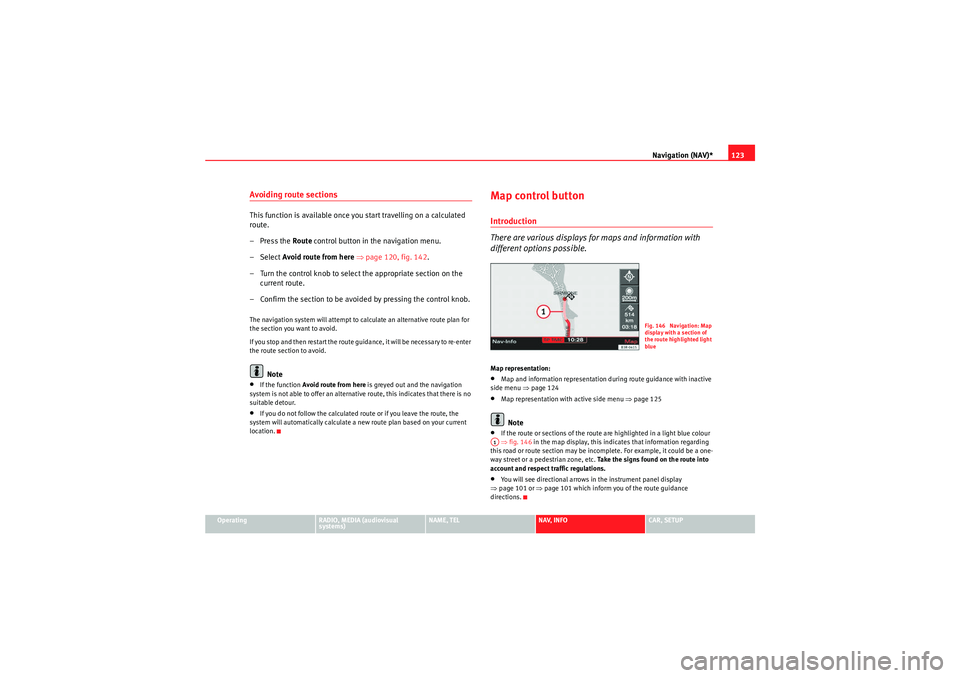
•If the route or sections of the route are highlighted in a light blue colour
⇒ fig. 146 in the map display, this indicates that information regarding
this road or route section may be incomplete. For example, it could be a one-
way street or a pedestrian zone, etc. Take the signs found on the route into
account and respect traffic regulations.•You will see directional arrows in the instrument panel display
⇒ page 101 or ⇒page 101 which inform you of the route guidance
directions.
Fig. 146 Navigation: Map
display with a section of
the route highlighted light
blue
A1
media_systemE_EN.book Seite 123 Montag, 21. September 2009 1:48 13
Page 125 of 167

Navigation (NAV)*
124Map and information displayThe figures ⇒fig. 147 and ⇒fig. 148 show the possible types of information
in the map display:
Map orientation
Map scale
Estimated distance to the next destination/stopover
Estimated time of arrival at the next destination/stopover
Route (marked blue)
Examples of selected map contents ⇒page 134
Motorway exits are shown for a scale ranging from 500 m to 6 km Vehicle symbol
Turn list inserted in the Setup menu
⇒page 135
The map display modes can be changed ⇒page 131.
Traffic jam announcements are shown automatically, showing the traffic jam
symbol on the map and marking the roads affected. If the dynamic navigation
⇒ page 121 is activated, the route will, if possible, be recalculated in order
to avoid the traffic jam.
You can select a destination directly from the map using the cursor
⇒ page 128.
You will see directional arrows in the instrument panel display ⇒page 101
which inform you of the route guidance directions.
The degrees of latitude and longitude ⇒page 125, fig. 149 and the current
altitude of the vehicle are shown when the map is displayed with the side
menu activated.
Note
A tunnel or underpass is displayed on the map as a broken line up to a scale
of 750 m.
Fig. 147 Navigation:
Example of map represen-
tationFig. 148 Navigation
system: Map representa-
tion with activated turn
list
A1A2A3A4A5A6A7
A8A9
media_systemE_EN.book Seite 124 Montag, 21. September 2009 1:48 13
Page 126 of 167

Navigation (NAV)*125
Operating
RADIO, MEDIA (audiovisual
systems)
NAME, TEL
NAV, INFO
CAR, SETUP
Map representation with active side menu
The map representation can be changed through the active
side menu.– Press the Map control button in the navigation menu.
– Press the control knob to switch to the side menu.
– Select the desired submenu item by rotating and pressing the control knob and make your changes.
– Press the ⇒page 9 button to leave the map side menu.If you have activated the zoom function ⇒page 126 or the cursor
⇒ page 129 in the active side menu, you have to press the button
twice to leave the map side menu.
After you have activated the side menu, you are shown information
(city/street names and longitude/latitude) for the position you reached at the
time of activation. The following functions can be carried out using the active map side menu:
Note
Any setting adjustments you make using the active side menu are not kept
after deactivation. You can enter permanent settings for the map display
using navigation setup
⇒page 131.
Fig. 149 Navigation
system: Map representa-
tion with active side menu
RETURN
RETURN
Legend
FunctionMap orientation
⇒page 126Map scale
⇒page 126Map position menu
⇒page 128Activation of map cursor
⇒page 129Scroll
⇒page 129 FunctionPresentation of map cursor
⇒page 129Vehicle symbol
A1A2A3A4A5A6A7
media_systemE_EN.book Seite 125 Montag, 21. September 2009 1:48 13
Page 129 of 167

Navigation (NAV)*
128Map position– Press the Map control button in the navigation menu.
– Press the control knob to switch to the map side menu.
– Rotate the control knob to the third menu item ⇒fig. 153 .
– Press the control knob.
– Select Detail info , Set as destination , Set as stopover or Store in
directory as desired.
You can set the point on the map currently marked with the cursor as a desti-
nation or stopover, or store it to the directory. If additional information is
available for the selected point on the map, you can display it by selecting the
Detail info function.
You can also select a new point on the map by moving the cursor
⇒ page 129. You can then choose between the options Set as destination,
Set as stopover or Store in directory for the new point as desired.
You can use the option Set as stopover if you have selected the “route with
stopover” mode ⇒page 120.
Fig. 153 Navigation
system: Map positionFig. 154 Navigation
system: Map position
media_systemE_EN.book Seite 128 Montag, 21. September 2009 1:48 13
Page 130 of 167

Navigation (NAV)*129
Operating
RADIO, MEDIA (audiovisual
systems)
NAME, TEL
NAV, INFO
CAR, SETUP
Moving the cursor over the map
A new destination or stopover can be set using the map by
moving the cursor vertically or horizontally.– Press the Map control button in the navigation menu.
– Press the control knob to switch to the map side menu.
– Rotate the control knob to to the fourth menu item. – Press the control knob, the vertical line in the cursor is high-
lighted in white ⇒fig. 155 .
– Turn the rotary pushbutton to mark the point you wish to select.
– Press the control knob, the vertical line in the cursor is high- lighted in white ⇒fig. 156 .
– By pressing the control knob you can switch back and forth between horizontal and vertical movement.
If the cursor remains in a new position, detailed information (e.g. street or city
name) will be displayed for the current position.
Press the button once to leave the cursor setting and use other map
menu items via the active side menu. Press the button again to deac-
tivate the side menu.Scroll Function–Press the Map control button in the navigation menu.
Fig. 155 Navigation
system: Moving the
cursor horizontallyFig. 156 Navigation
system: Moving the
cursor vertically
RETURN
RETURN
Fig. 157 Navigation
system: Scrolling the map
media_systemE_EN.book Seite 129 Montag, 21. September 2009 1:48 13
Page 131 of 167

Navigation (NAV)*
130
– Press the control knob to switch to the map side menu.
– Rotate the control knob to to the fifth menu option apart from the map.
– Press the control knob to activate the scroll function by following the route established ⇒ page 129, fig. 157
– Press the ⇒page 9 button to leave the map side
menu.Nav-Info control buttonNavigation information
–Press the Navi-Info control button in the navigation menu. You
are shown the final destination or next stopover with address,
distance and estimated time of arrival ⇒fig. 158 .
– Rotate the control knob counter-clockwise. The data for the next stopovers or destination will be displayed.
– Rotate the control knob clockwise. The data for your current loca-
tion with its geographic data and the number of receivable satel-
lites will be displayed ⇒fig. 159 .The following data is provided:•City•Stopovers•Estimated time of arrival•Distance to destination•Location of your vehicle•Geographic location of your vehicle (longitude and latitude)•Receivable satellites
The last navigation announcement will also be repeated.
RETURN
Fig. 158 Navigation
system: Destination infor-
mation
Fig. 159 Navigation
system: Geographic data
(longitude and latitude)
media_systemE_EN.book Seite 130 Montag, 21. September 2009 1:48 13
Page 132 of 167

Navigation (NAV)*131
Operating
RADIO, MEDIA (audiovisual
systems)
NAME, TEL
NAV, INFO
CAR, SETUP
Navigation settingsOpening and closing navigation settings menu– In a Navigation menu, press the function button to open
the main navigation setup menu ⇒fig. 160 .
– Press the button again to close the main setup menu.The following settings are possible in navigation setup menu:•Map scheme ⇒ page 132
•Orientation ⇒page 132•Map type ⇒ page 133•Voice information ⇒ page 134•Map contents ⇒page 134•Delete last destinations ⇒page 135•Turn list ⇒page 135•Motorway info ⇒ page 136•Intersection map ⇒page 137•Auto intersection zoom ⇒page 137•Compass ⇒page 138•Version information ⇒page 138•Demo mode ⇒page 139•Set position/direction ⇒page 139
The sound and tuning settings and the brightness of the display can be
altered using the control buttons ⇒page 153.Note
We recommend that you enter these settings when the vehicle is stationary.
Please note ⇒ page 6, “Notes on road safety”.
Fig. 160 Navigation
settings: Main menu
(page 1)Fig. 161 Navigation
settings: Main menu
(page 2)
SETUP
SETUP
media_systemE_EN.book Seite 131 Montag, 21. September 2009 1:48 13