park assist Seat Mii 2013 User Guide
[x] Cancel search | Manufacturer: SEAT, Model Year: 2013, Model line: Mii, Model: Seat Mii 2013Pages: 306, PDF Size: 4.3 MB
Page 149 of 306
147
Starting, changing gears, parking
Steering Introduction
The power steering* is not hydraulic but electromechanical. The advantage
of this steering system is that it disposes of hydraulic tubes, hydraulic oil,
the pump, filter and other components. The electromechanical system
saves fuel. While a hydraulic system requires oil pressure to be maintained,
electromechanical steering only requires energy when the steering wheel is
turned.
With the power steering system, the assisted steering function automatical-
ly adjusts according to the vehicle speed, the steering torque and the wheel
turning angle. The power steering only works when the engine is running.
Additional information and warnings:
● Start and stop the engine ⇒ page 119
● Vehicle battery ⇒ page 193
● Tow starting and towing away ⇒ page 278
WARNING
If the power steering is not working then the steering wheel is much
more difficult to turn and the vehicle more difficult to control.
● The power steering only works when the engine is running.
● Never allow the vehicle to move when the engine is switched off.
● Never remove the key from the ignition if the vehicle is in motion. The
steering may lock and it will not be possible to turn the steering wheel.
Control and warning lamps
lights upPossible causeSolution
(red)Power steering faulty.The steering system should be
checked by a specialised
workshop as soon as possible.
(yellow)Power steering operation
reduced.
The steering system should be
checked by a specialised
workshop as soon as possible.
If, after restarting the engine
and driving for a short dis-
tance, the yellow warning
lamp no longer comes on, it
will not be necessary to take
the vehicle to a specialised
workshop.
flashesPossible causeSolution
(red)Fault in the steering column
electronic lock. Do not drive on!
Seek professional advice.
(yellow)
Steering column deviation.Gently turn the steering wheel
to and fro.
Steering wheel not un-
locked or locked.
Remove the key from the igni-
tion and then switch the igni-
tion back on. If necessary,
check the messages displayed
on the instrument panel dis-
play.
Do not drive on, if the steering
column remains locked after
the ignition has been switched
on. Seek specialist assistance.
Vehicle diagramPrior to a journey...While drivingCare, cleaning and mainte-
nanceIf and whenTechnical specifications
Page 150 of 306
148Starting, changing gears, parking
Several warning and control lamps should light up for a few seconds when
the ignition is switched on, signalling that the function is being verified.
They will switch off after a few seconds.
WARNING
If the warning lamps are ignored, the vehicle may stall in traffic, or may
cause accidents and severe injuries.
● Never ignore the warning lamps.
● Stop the vehicle safely as soon as possible.
CAUTION
Failure to heed the warning lamps when they appear may result in faults in
the vehicle.
Information on the steering
To prevent theft, we recommend you lock the steering before leaving the ve-
hicle.
Mechanical steering lock
Lock the steering column by removing the key from the ignition when the
vehicle is stopped.
Please engage steering lockUnlocking the steeringParking the vehicle ⇒ page 134.Insert the key in the ignition lock.Remove the key from the ignition.Turn the steering wheel slightly to
release the steering lock.
Turn the steering wheel slightly until
you hear the steering lock.Hold the steering wheel in this posi-
tion and switch on the ignition.
Electromechanical power steering
With the power steering system, the assisted steering function automatical-
ly adjusts according to the vehicle speed, the steering torque and the wheel
turning angle. The power steering only works when the engine is running.
You should remember that you will need considerably more power than nor-
mal to steer the vehicle if the power steering is not working correctly or not
at all.
Page 151 of 306
149
Driver assistance systems
Driver assistance systems
Parking sensor system*
Introduction
The parking sensor system assists the driver when parking. If the rear of the
vehicle is approaching an obstacle, an intermittent audible warning is emit-
ted. The shorter the distance, the shorter the intervals between tones. If the
vehicle is too close to the obstacle, the audible warning becomes constant.
If you continue to approach an obstacle when the sound is continuous, this
means the system can no longer measure the distance.
Sensors situated on the rear bumper transmit and receive ultrasound. Using
the ultrasound signal (transmission, reflection from the obstacles and re-
ception), this system continuously calculates the distance between the
bumper and the obstacle.
Additional information and warnings:
● Exterior detail ⇒ page 6
● Accessories, parts replacement, repairs and modifications ⇒ page 222
WARNING
The parking distance warning system cannot replace the driver's assess-
ment of the situation.
● The sensors have blind spots in which obstacles and people are not
registered.
● Always observe the area around the vehicle, as the sensors do not al-
ways detect small children, animals or objects.
WARNING (Continued)
● The surface of certain objects and some clothing do not reflect the ul-
trasound signals from the parking distance system. The system cannot
detect or incorrectly detects these objects and people wearing these
types of clothes.
● External sound sources can affect the parking distance aid signals. In
this case, under certain circumstances, people and objects will not be de-
tected.
CAUTION
● The sensors may not always be able to detect objects such as trailer
draw bars, thin rails, fences, posts, trees and open luggage compartments,
etc. This could result in damage to your car.
● Although the parking sensor system detects and warns of the presence
of an obstacle, the obstacle could disappear from the angle of measure-
ment of the sensors if it is too high or low and the system would no longer
indicate it. Therefore, it will not warn you of these objects. Ignoring the
warnings of the parking sensor system could cause considerable damage to
the vehicle.
● The bumper sensors may become damaged or misaligned, for example,
when parking.
● To ensure that the system works properly, the bumper sensors must be
kept clean, free of ice and snow and uncovered.
● When cleaning the sensors with high-pressure or steam cleaning equip-
ment, spray the sensors briefly at a distance of no less than 10 cm.
● Different sources of noise can produce errors in the parking distance
warning system, e.g. parking distance warning systems from other vehicles,
inductive loops or construction works machines.
● Retrofitting of components to the vehicle, such as a bicycle carrier, may
interfere with the function of the parking distance warning system.
Vehicle diagramPrior to a journey...While drivingCare, cleaning and mainte-
nanceIf and whenTechnical specifications
Page 152 of 306
150Driver assistance systems
Parking distance warning system
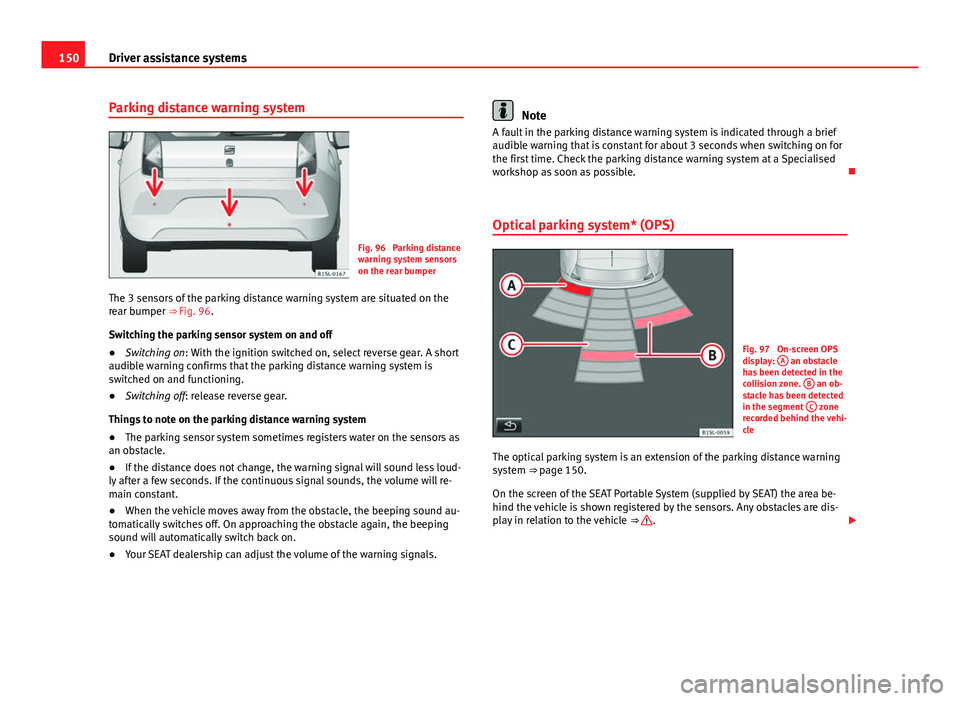
Fig. 96 Parking distance
warning system sensors
on the rear bumper
The 3 sensors of the parking distance warning system are situated on the
rear bumper ⇒ Fig. 96. Switching the parking sensor system on and off
● Switching on: With the ignition switched on, select reverse gear. A short
audible warning confirms that the parking distance warning system is
switched on and functioning.
● Switching off: release reverse gear.
Things to note on the parking distance warning system
● The parking sensor system sometimes registers water on the sensors as
an obstacle.
● If the distance does not change, the warning signal will sound less loud-
ly after a few seconds. If the continuous signal sounds, the volume will re-
main constant.
● When the vehicle moves away from the obstacle, the beeping sound au-
tomatically switches off. On approaching the obstacle again, the beeping
sound will automatically switch back on.
● Your SEAT dealership can adjust the volume of the warning signals.
Note
A fault in the parking distance warning system is indicated through a brief
audible warning that is constant for about 3 seconds when switching on for
the first time. Check the parking distance warning system at a Specialised
workshop as soon as possible.
Optical parking system* (OPS)
Fig. 97 On-screen OPS
display: A an obstacle
has been detected in the
collision zone. B
an ob-
stacle has been detected
in the segment C
zone
recorded behind the vehi-
cle
The optical parking system is an extension of the parking distance warning
system ⇒ page 150. On the screen of the SEAT Portable System (supplied by SEAT) the area be-
hind the vehicle is shown registered by the sensors. Any obstacles are dis-
play in relation to the vehicle ⇒
.
Page 153 of 306
151
Driver assistance systems
effectNecessary operations
Switching the display
on:Switching on the ⇒ page 150 parking distance
warning system. The OPS switches on automati-
cally.
Switching the display
off manually:Press the button on the Portable Navigation
System.
Switching the display
off manually:release reverse gear.
Zones explored
Behind the vehicle ⇒ Fig. 97 C, the zone analysed reaches a distance of up
to 150 cm and around 60 cm to the sides.
Screen display
The image displayed represents the supervised zones in several segments.
As the vehicle moves closer to an obstacle, the segment moves closer to the
vehicle displayed A
or B. When the penultimate segment is displayed,
this means that the vehicle has reached the collision zone. Stop the vehi-
cle!
Distance from the vehicle
to the obstacleAudible warn- ingDisplayed in colour on thescreen: colour of the seg-
ment if an obstacle is recog- nised
behind:
approx. 31-150 cmbeeping soundYellow
behind:
approx. 0-30 cmpermanentsoundRed
WARNING
Do not be distracted from the traffic when looking at the screen.
Note
SEAT recommends practising using parking distance warning system in a
traffic free zone or in a car park to familiarise yourself with the system and
its operation.
Note
Representation of the registered area on the screen of the portable naviga-
tion system may take up to 5 seconds.
Note
Note the Instruction Manual provided for the device of the additional infor-
mation relating to the Portable Navigation System (supplied by SEAT)
⇒ page 222.
Vehicle diagramPrior to a journey...While drivingCare, cleaning and mainte-
nanceIf and whenTechnical specifications
Page 162 of 306
160Driver assistance systems
Malfunction in the laser sensor
If the laser sensor operation is impaired, for example due to heavy rain,
spray, snow or dirt, the City Safety Assist system function is temporarily
switched off. On the instrument panel display the control lamp flashes.
When the fault in the laser sensor has been rectified, the City Safety Assist
system function automatically becomes available. The control lamp
switches off.
The following conditions could prevent the City Safety Assist system from
functioning:
● Tight bends.
● Accelerator pressed all the way down to the floor.
● If the City Safety Assist system is switched off or there is a fault
⇒ page 156.
● If the laser sensor is dirty, covered or overheated ⇒ page 157.
● In the event of snow, heavy rain or dense fog.
● If there are vehicles in front.
● Vehicles changing lanes.
● Vehicles moving in the opposite direction in the same lane.
● Very dirty vehicles with a low degree of reflection.
● Presence of thick dust.
Hill hold
Introduction
Additional information and warnings:
● SEAT information system ⇒ page 22
● Braking, stopping and parking ⇒ page 134 ●
Vehicle battery ⇒ page 193
● Wheels and tyres ⇒ page 210
● Accessories, parts replacement, repairs and modifications ⇒ page 222
● Jump starting ⇒ page 275
WARNING
The smart technology included in the hill hold cannot change the laws of
physics. Do not let the extra convenience afforded by the hill hold tempt
you into taking any risks when driving.
● Any accidental movement of the vehicle could result in serious injury.
● The hill hold is not a replacement for driver awareness.
● Adjust your speed and driving style to visibility, weather, road and
traffic conditions.
● The hill hold cannot always keep the vehicle at a standstill on a slope
or brake sufficiently when travelling downhill (e.g. on slippery or frozen
surfaces).
Warning lamps
lights upPossible causeSolution
The Start-Stop system is ena-
bled.
The Start-Stop system is ena-
bled but the engine cannot be
automatically stopped.Contact a specialised
workshop.
The Start-Stop system cannot
start the engine.Start the engine by hand
using the vehicle's key
⇒ page 120.
There is a fault in the alternator.⇒ page 193
Page 175 of 306
173
At the filling station
lights upGauge position
⇒ Fig. 108Possible cause ⇒ Solution
a)Red mark (ar-
row)The fuel tank is almost
empty.
The reserve tank is being
used ⇒ page 288.Refuel as soon as
possible ⇒ .
–The vehicle is running in
natural gas operating
mode.–
a)This only applies to vehicles with the fuel gauge on the instrument panel ⇒ Fig. 108.
flashes
for about 10 sec- ondsState of the barsPossible cause ⇒ Solution
and
the seg-
ments re-
maining a)Reserve zone
(four small seg- ments)The fuel tank is almost
empty.
The reserve tank is being
used ⇒ page 288.Refuel as soon as
possible ⇒ .
–The vehicle is running in
natural gas operating
mode.–
a)This only applies to vehicles with the fuel gauge on the instrument panel display.
Several warning and control lamps should light up for a few seconds when
the ignition is switched on, signalling that the function is being verified.
They will switch off after a few seconds.
In natural gas engines
The warning lamp lights up when both fuel types (petrol and natural gas)
have reached reserve level.
The warning lamp lights up when the vehicle is running in natural gas op-
erating mode. The warning lamp
switches off when the natural gas is exhausted. The
engine changes to operate with petrol.
Problem: If the vehicle is left parked for a long time immediately after refuel-
ling, the gas level indicator does not accurately indicate the same level
shown after refuelling when the vehicle is started up again. This is not due
to a leak in the system, but to a drop in pressure in the gas tank for techni-
cal reasons after a cooling phase immediately after refuelling.
WARNING
Driving with insufficient fuel reserve could result in the vehicle breaking
down in traffic and a serious accident.
● If the fuel level is too low then the fuel supply to the engine can be-
come irregular especially on slopes.
● If the engine “is choked” or stalls due to lack of or irregularity of the
fuel supply, the power steering as well as all of the driver assistance sys-
tems including braking assistance will stop working.
● Always refuel when there is only one quarter of the fuel tank left to
avoid running out of fuel.
CAUTION
● Always pay attention to any lit control lamps and to the corresponding
descriptions and instructions to avoid damage to the vehicle.
● Never run the fuel tank completely dry. An irregular fuel supply may lead
to ignition faults and unburnt fuel could enter the exhaust system. This
could damage the catalytic converter.
Note
The arrow next to the fuel pump symbol on the instrument panel ⇒ Fig. 108
indicates the side of the vehicle on which the tank flap is located.
Vehicle diagramPrior to a journey...While drivingCare, cleaning and mainte-
nanceIf and whenTechnical specifications
Page 180 of 306
178At the filling station
Not all petrol additives have been shown to be effective. The use of unsuita-
ble petrol additives may cause significant damage to the engine and the
catalytic converter. Metal additives should never be used. Metal additives
may also be contained in petrol additives for improving anti-detonation rat-
ings or octane ratings ⇒
.
SEAT recommends “genuine Volkswagen Group fuel additives for petrol en-
gines”. These additives can be bought at SEAT Authorised Services, where
information on how to use them can also be obtained.
CAUTION
● Do not refuel if the filler indicates that the fuel contains metal. LRP (lead
replacement petrol) fuels contain high concentrations of metal additives.
Using them may damage the engine!
● Only use fuel with an octane rating that is in line with the norm EN 228,
otherwise significant damage could be caused to the engine and fuel sys-
tem. Furthermore, it could lead to a loss of performance with the conse-
quent engine fault.
● The use of unsuitable petrol additives could seriously damage the en-
gine and the catalytic converter.
● If, in exceptional circumstances, petrol with a lower octane rating to that
recommended is used, only use moderate engine speeds and a light throt-
tle. Avoid using full throttle and overloading the engine. Otherwise engine
damage may occur. Fill up with fuel of a suitable octane rating as soon as
possible.
● Just filling one full tank of leaded fuel or with other metal additives
would seriously impair the efficiency of the catalytic converter and could
damage it.
Natural gas
Natural gas, in addition to others, can be in liquid form. Liquefied natural gas (LNG) is the result of heavy cooling of natural gas.
Therefore its volume is considerably reduced compared with compressed
natural gas (CNG). In vehicles with a natural gas engine, liquefied natural
gas cannot be directly refilled, given that the gas would expand excessively
in the vehicle gas tank.
Therefore, vehicles with a natural gas engine must only be refuelled using
compressed natural gas
⇒
.
Natural gas quality and consumption
Natural gas is divided into the groups H and L depending on its quality.
Gas type H has a superior heating power and inferior nitrogen and carbon
dioxide content than type L. The higher the heating power of the natural
gas, the lower the consumption will be.
However, the heating power and the proportion of nitrogen and carbon di-
oxide can fluctuate within the quality groups. Therefore, vehicle consump-
tion can also vary when using one type of gas only.
The engine management automatically adapts to the natural gas used ac-
cording to its quality. Therefore, different quality gases can be mixed in the
tank, without the need for comprehensive draining before applying a differ-
ent quality gas.
Natural gas and safety
If you can smell gas or suspect that there is a leak ⇒
:
● Stop the vehicle immediately.
● Switch the ignition off.
● Open the doors to appropriately ventilate the vehicle.
● Immediately extinguish cigarettes.
● Move away from the vehicle or switch off objects that may cause sparks
or a fire.
● If you continue to smell gas, do not continue driving!
● Seek specialist assistance. Have the fault repaired.
Page 212 of 306
210Vehicle care and maintenance
Wheels and tyres
Introduction
SEAT recommend that all work on tyres and wheels is carried out by a speci-
alised workshop. They have the necessary special tools and replacement
parts, trained personnel and facilities for disposing of the old tyres. SEAT
recommends visiting a Technical Service.
Additional information and warnings:
● Transporting ⇒ page 95
● Braking, stopping and parking ⇒ page 134
● Caring for and cleaning the vehicle exterior ⇒ page 197
● Notes for the user ⇒ page 233
● Vehicle tool kit ⇒ page 247
● Wheel trims ⇒ page 250
● Change wheel ⇒ page 252
● Tire Mobility Set ⇒ page 258
WARNING
The vehicle cannot be totally controlled or braked if the tyres (new or
used) are worn or damaged.
● Incorrect use of wheels and tyres could make driving more dangerous
and result in serious accidents and damage.
● All four wheels must be fitted with radial tyres of the same type, size
(rolling circumference) and the same tread pattern.
● New tyres do not give maximum grip and will not have reached their
maximum braking capacity to start with, and therefore need running in.
To prevent accidents and major damage, extreme caution should be tak-
en for the first 600 km (400 miles).
WARNING (Continued)
● Check tyre pressures regularly and ensure they are maintained at the
pressures indicated. If the tyre pressure is too low, the tyres could over-
heat, resulting in tread detachment or even burst tyres.
● Never drive on damaged (punctured, cut, cracked or dented) or worn
tyres. Driving on damaged or worn tyres could result in burst tyres, seri-
ous accidents or damage. Worn or damaged tyres must be replaced im-
mediately.
● Never exceed the maximum permitted speed or loads specified for the
type of tyre fitted on your vehicle.
● The effectiveness of driver and brake assist systems also depends on
the grip of the tyres.
● If you notice unusual vibration or if the vehicle pulls to one side when
driving, stop the car immediately and check the tyres and wheels for
damage.
● To minimise the risk of losing control of the vehicle or causing a seri-
ous accident, never undo the bolted joints of beadlock wheels.
● Never mount used tyres or wheels if you are not sure of their previous
history. They may be damaged, although the damage is not immediately
visible.
● Old tyres, even if they have never been used, may lose air or burst un-
expectedly while driving, especially at high speeds, resulting in serious
accident and injury. If tyres are over six years old, they should only be
used in an emergency and with extreme caution.
Note
For technical reasons, it is not generally possible to use the wheels from
other vehicles. In some cases, this may also be true for the same model of
wheel. Please refer to the vehicle documentation or ask at a Technical Serv-
ice.
Page 254 of 306

252Practical information
Changing a wheel
Introduction
Some vehicle versions and models do not have a factory-fitted jack or box
spanner. In this case, we recommend consulting a Specialised workshop to
change the wheel.
You should only change the wheels yourself if the vehicle is parked in a safe
place, you are familiar with the procedure and you have all the necessary
tools! Otherwise, you should seek professional assistance.
Additional information and warnings:
● Exterior detail ⇒ page 6
● Vehicle key set ⇒ page 28
● Wheels and tyres ⇒ page 210
● In case of emergency ⇒ page 241
● Vehicle tools ⇒ page 247
● Wheel trims ⇒ page 250
WARNING
Changing a wheel can be dangerous, especially on the hard shoulder.
Please observe the following rules to minimise the risk of injury:
● Stop the vehicle safely as soon as possible. Park your vehicle as safe
distance from surrounding traffic to change a wheel.
● When changing a wheel, keep all passengers and particularly chil-
dren a safe distance away from the work area.
● Turn on the hazard warning lights to warn other road users.
● Ensure the ground on which you park is flat and solid. If necessary,
support the jack on a wide solid base.
WARNING (Continued)
● If you are changing a wheel yourself, you should be familiar with the
required procedure. Otherwise, you should seek professional assistance.
● Only use suitable tools that are not damaged when changing a wheel.
● Always stop the engine, apply the handbrake lever firmly and place
the selector lever in position P, or engage a gear for a manual gearbox to
reduce the risk of the vehicle moving accidentally.
● Have the tightening torque of the wheel bolts checked as soon as
possible with a reliable torque wrench.