door lock SKODA FABIA 2015 3.G / NJ User Guide
[x] Cancel search | Manufacturer: SKODA, Model Year: 2015, Model line: FABIA, Model: SKODA FABIA 2015 3.G / NJPages: 220, PDF Size: 32.46 MB
Page 57 of 220
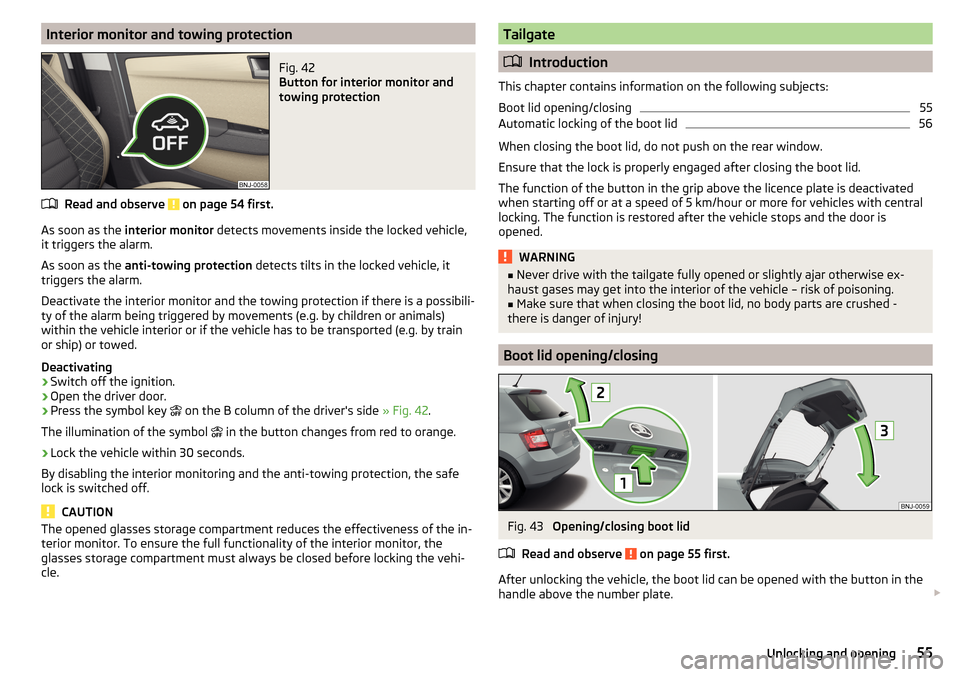
Interior monitor and towing protectionFig. 42
Button for interior monitor and
towing protection
Read and observe on page 54 first.
As soon as the interior monitor detects movements inside the locked vehicle,
it triggers the alarm.
As soon as the anti-towing protection detects tilts in the locked vehicle, it
triggers the alarm.
Deactivate the interior monitor and the towing protection if there is a possibili-
ty of the alarm being triggered by movements (e.g. by children or animals)
within the vehicle interior or if the vehicle has to be transported (e.g. by train
or ship) or towed.
Deactivating
›
Switch off the ignition.
›
Open the driver door.
›
Press the symbol key on the B column of the driver's side
» Fig. 42.
The illumination of the symbol in the button changes from red to orange.
›
Lock the vehicle within 30 seconds.
By disabling the interior monitoring and the anti-towing protection, the safe
lock is switched off.
CAUTION
The opened glasses storage compartment reduces the effectiveness of the in-
terior monitor. To ensure the full functionality of the interior monitor, the
glasses storage compartment must always be closed before locking the vehi-
cle.Tailgate
Introduction
This chapter contains information on the following subjects:
Boot lid opening/closing
55
Automatic locking of the boot lid
56
When closing the boot lid, do not push on the rear window.
Ensure that the lock is properly engaged after closing the boot lid.
The function of the button in the grip above the licence plate is deactivated
when starting off or at a speed of 5 km/hour or more for vehicles with central
locking. The function is restored after the vehicle stops and the door is
opened.
WARNING■ Never drive with the tailgate fully opened or slightly ajar otherwise ex-
haust gases may get into the interior of the vehicle – risk of poisoning.■
Make sure that when closing the boot lid, no body parts are crushed -
there is danger of injury!
Boot lid opening/closing
Fig. 43
Opening/closing boot lid
Read and observe
on page 55 first.
After unlocking the vehicle, the boot lid can be opened with the button in the
handle above the number plate.
55Unlocking and opening
Page 58 of 220
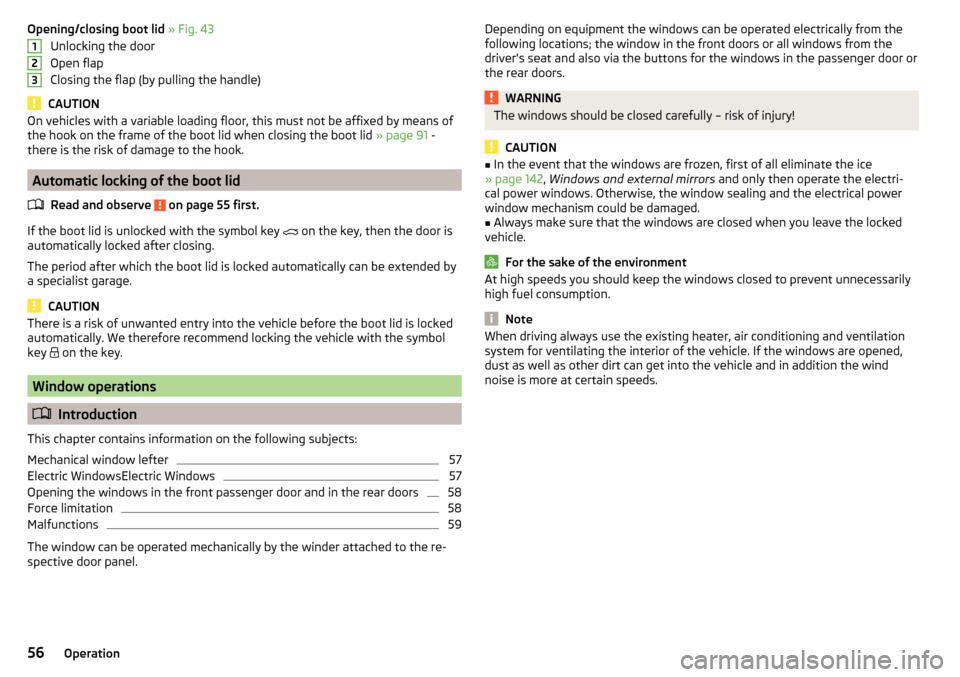
Opening/closing boot lid » Fig. 43
Unlocking the door
Open flap
Closing the flap (by pulling the handle)
CAUTION
On vehicles with a variable loading floor, this must not be affixed by means of
the hook on the frame of the boot lid when closing the boot lid » page 91 -
there is the risk of damage to the hook.
Automatic locking of the boot lid
Read and observe
on page 55 first.
If the boot lid is unlocked with the symbol key on the key, then the door is
automatically locked after closing.
The period after which the boot lid is locked automatically can be extended by
a specialist garage.
CAUTION
There is a risk of unwanted entry into the vehicle before the boot lid is locked
automatically. We therefore recommend locking the vehicle with the symbol
key
on the key.
Window operations
Introduction
This chapter contains information on the following subjects:
Mechanical window lefter
57
Electric WindowsElectric Windows
57
Opening the windows in the front passenger door and in the rear doors
58
Force limitation
58
Malfunctions
59
The window can be operated mechanically by the winder attached to the re-
spective door panel.
123Depending on equipment the windows can be operated electrically from the
following locations; the window in the front doors or all windows from the
driver's seat and also via the buttons for the windows in the passenger door or
the rear doors.WARNINGThe windows should be closed carefully – risk of injury!
CAUTION
■ In the event that the windows are frozen, first of all eliminate the ice
» page 142 , Windows and external mirrors and only then operate the electri-
cal power windows. Otherwise, the window sealing and the electrical power
window mechanism could be damaged.■
Always make sure that the windows are closed when you leave the locked
vehicle.
For the sake of the environment
At high speeds you should keep the windows closed to prevent unnecessarily high fuel consumption.
Note
When driving always use the existing heater, air conditioning and ventilation
system for ventilating the interior of the vehicle. If the windows are opened,
dust as well as other dirt can get into the vehicle and in addition the wind
noise is more at certain speeds.56Operation
Page 59 of 220
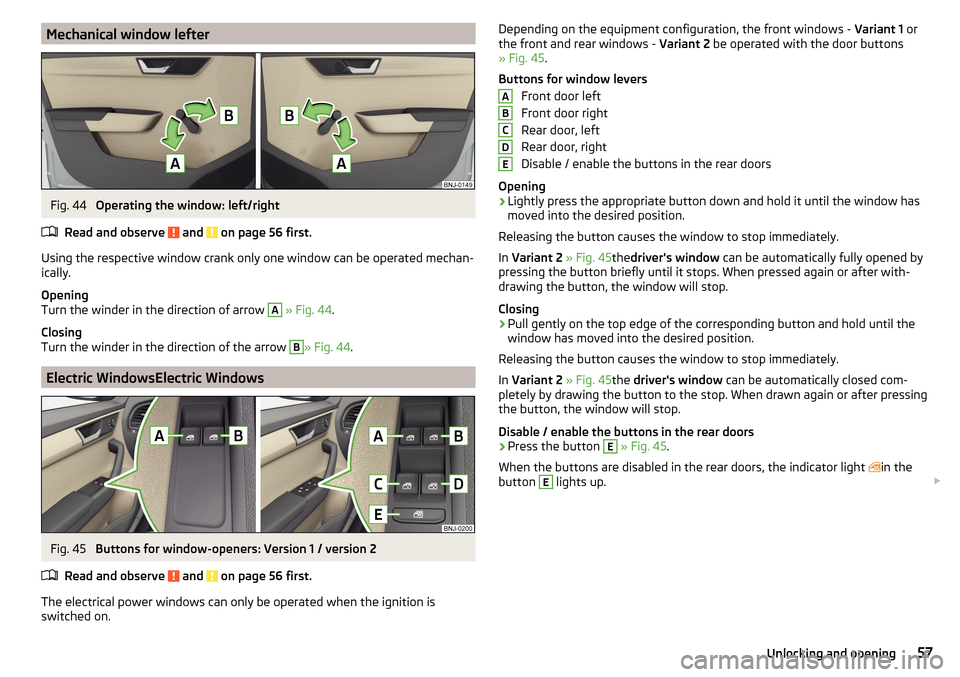
Mechanical window lefterFig. 44
Operating the window: left/right
Read and observe
and on page 56 first.
Using the respective window crank only one window can be operated mechan-
ically.
Opening
Turn the winder in the direction of arrow
A
» Fig. 44 .
Closing
Turn the winder in the direction of the arrow
B
» Fig. 44 .
Electric WindowsElectric Windows
Fig. 45
Buttons for window-openers: Version 1 / version 2
Read and observe
and on page 56 first.
The electrical power windows can only be operated when the ignition is
switched on.
Depending on the equipment configuration, the front windows - Variant 1 or
the front and rear windows - Variant 2 be operated with the door buttons
» Fig. 45 .
Buttons for window levers Front door left
Front door right
Rear door, left
Rear door, right
Disable / enable the buttons in the rear doors
Opening›
Lightly press the appropriate button down and hold it until the window has
moved into the desired position.
Releasing the button causes the window to stop immediately.
In Variant 2 » Fig. 45thedriver's window can be automatically fully opened by
pressing the button briefly until it stops. When pressed again or after with-
drawing the button, the window will stop.
Closing
›
Pull gently on the top edge of the corresponding button and hold until the
window has moved into the desired position.
Releasing the button causes the window to stop immediately.
In Variant 2 » Fig. 45the driver's window can be automatically closed com-
pletely by drawing the button to the stop. When drawn again or after pressing
the button, the window will stop.
Disable / enable the buttons in the rear doors
›
Press the button
E
» Fig. 45 .
When the buttons are disabled in the rear doors, the indicator light in the
button
E
lights up.
ABCDE57Unlocking and opening
Page 65 of 220
COMING HOME / LEAVING HOMERead and observe
on page 59 first.
The function COMING HOME ensures that the vehicle's environment is illumi-
nated after switching off the ignition and opening the driver's door.
The function LEAVING HOME ensures that the vehicle's environment is illumi-
nated after unlocking the vehicle with the radio remote control unit.
The function switches the light on only if there is poorer visibility and the light
switch is in the position
.
Enabling / disabling and setting functions
The functions and setting of the lighting duration can be activated or deactiva-
ted in the Infotainment system » Owner´s Manual Infotainment , chap-
ter CARVehicle settings .
CAUTION
■
Poorer visibility is detected by a sensor mounted below the windscreen in
the holder of the inside mirror or in the control panel. Do not attach any stick-
ers or similar objects in front of the sensor in order to avoid impairing the func-
tion or its reliability.■
If this option is always enabled, then the battery is heavily loaded.
Hazard warning light system
Fig. 51
Hazard warning light system
button
Read and observe on page 59 first.
The hazard warning lights make other road users aware of your vehicle.
The function switches on all indicators.
Switching on/off
›
Press the button
» Fig. 51 .
When you turn it on the warning light flashes in the button and at the same
time the warning lights in the instrument cluster.
The hazard warning light system can also be operated if the ignition is switch-
ed off.
The hazard warning light system will switch on automatically if one of the air-
bags is deployed.
When the hazard warning system is on and the indicator light is switched on
(e.g. when turning), the hazard warning lights are switched off temporarily and
only the turn signal flashes on the relevant side of the vehicle.
Parking lights
Read and observe
on page 59 first.
The side light is provided for lighting of the parked vehicle.
Switching on the side light on one side
›
Switch off the ignition.
›
Press the control lever to position
A
or
B
as far as the stop
» Fig. 48 on
page 61 .
The parking lights on the right or left side of the vehicle are turned on.
Switching on the parking lights on both sides
›
With the ignition switched on turn the light switch to position .
›
Switch off the ignition.
›
Lock the vehicle.
After pulling out the ignition key and opening the driver's door, an audible
warning sounds.
After a few seconds or after closing the driver's door, the audible alarm is
turned off, but the parking lights will remain switched on.
CAUTION
■ Turning on the parking light means the battery is heavily loaded.■The parking light cannot be turned off automatic due to the low battery
charge level.■
If the two-sided parking lights are switched on when the ignition is off, then
there is no automatic switching off of the parking light.
63Lights and visibility
Page 66 of 220
Driving abroadRead and observe
on page 59 first.
When driving in countries with opposing traffic system (traffic on the
left/right), your headlights may dazzle oncoming traffic. To prevent oncoming
traffic from being dazzled, the headlights must be adjusted by a specialist ga-
rage.
Interior lights
Introduction
This chapter contains information on the following subjects:
Front interior light
64
Rear interior light
64
The inner lighting also works if the ignition is switched off.
The light turns off automatically 10 minutes after switching off the ignition or
opening a door unless otherwise specified.
Front interior light
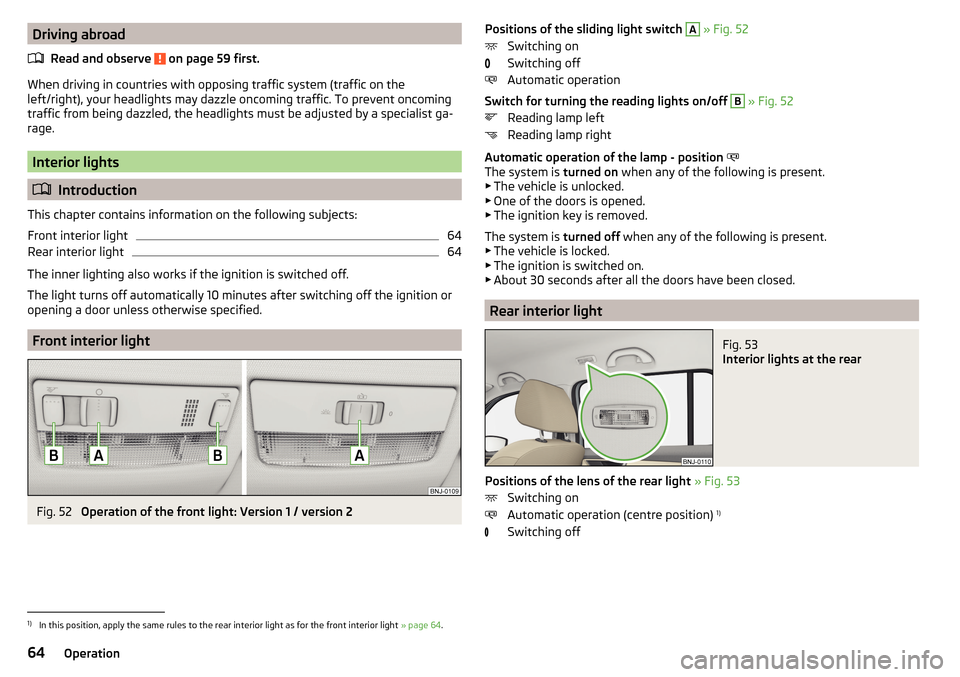
Fig. 52
Operation of the front light: Version 1 / version 2
Positions of the sliding light switch A » Fig. 52
Switching on
Switching off
Automatic operation
Switch for turning the reading lights on/off B
» Fig. 52
Reading lamp left
Reading lamp right
Automatic operation of the lamp - position
The system is turned on when any of the following is present.
▶ The vehicle is unlocked.
▶ One of the doors is opened.
▶ The ignition key is removed.
The system is turned off when any of the following is present.
▶ The vehicle is locked.
▶ The ignition is switched on.
▶ About 30 seconds after all the doors have been closed.
Rear interior light
Fig. 53
Interior lights at the rear
Positions of the lens of the rear light » Fig. 53
Switching on
Automatic operation (centre position) 1)
Switching off
1)
In this position, apply the same rules to the rear interior light as for the front interior light » page 64.
64Operation
Page 80 of 220
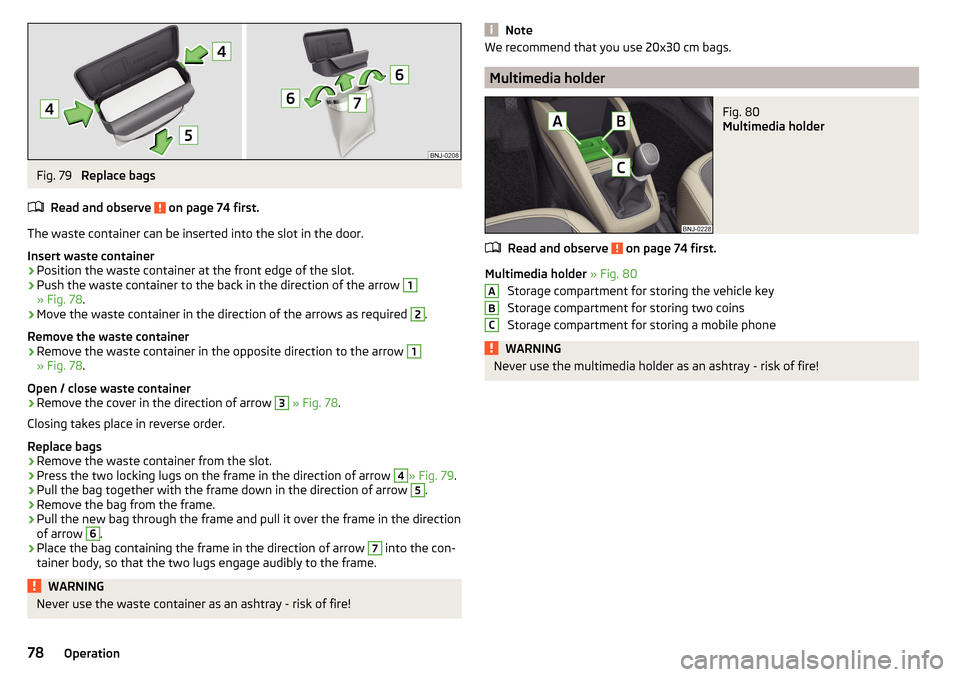
Fig. 79
Replace bags
Read and observe
on page 74 first.
The waste container can be inserted into the slot in the door.
Insert waste container
›
Position the waste container at the front edge of the slot.
›
Push the waste container to the back in the direction of the arrow
1
» Fig. 78 .
›
Move the waste container in the direction of the arrows as required
2
.
Remove the waste container
›
Remove the waste container in the opposite direction to the arrow
1
» Fig. 78 .
Open / close waste container
›
Remove the cover in the direction of arrow
3
» Fig. 78 .
Closing takes place in reverse order.
Replace bags
›
Remove the waste container from the slot.
›
Press the two locking lugs on the frame in the direction of arrow
4
» Fig. 79 .
›
Pull the bag together with the frame down in the direction of arrow
5
.
›
Remove the bag from the frame.
›
Pull the new bag through the frame and pull it over the frame in the direction
of arrow
6
.
›
Place the bag containing the frame in the direction of arrow
7
into the con-
tainer body, so that the two lugs engage audibly to the frame.
WARNINGNever use the waste container as an ashtray - risk of fire!NoteWe recommend that you use 20x30 cm bags.
Multimedia holder
Fig. 80
Multimedia holder
Read and observe on page 74 first.
Multimedia holder » Fig. 80
Storage compartment for storing the vehicle key
Storage compartment for storing two coins
Storage compartment for storing a mobile phone
WARNINGNever use the multimedia holder as an ashtray - risk of fire!ABC78Operation
Page 104 of 220
Starting and stopping the engine at the push of the button
Introduction
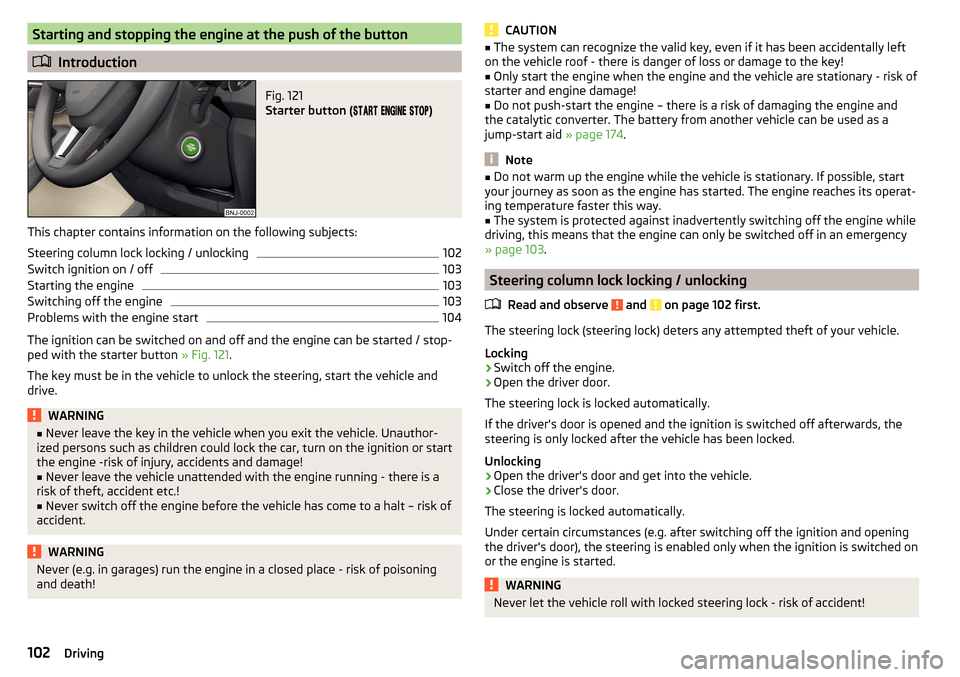
Fig. 121
Starter button (
)
This chapter contains information on the following subjects:
Steering column lock locking / unlocking
102
Switch ignition on / off
103
Starting the engine
103
Switching off the engine
103
Problems with the engine start
104
The ignition can be switched on and off and the engine can be started / stop-
ped with the starter button » Fig. 121.
The key must be in the vehicle to unlock the steering, start the vehicle and
drive.
WARNING■ Never leave the key in the vehicle when you exit the vehicle. Unauthor-
ized persons such as children could lock the car, turn on the ignition or start
the engine -risk of injury, accidents and damage!■
Never leave the vehicle unattended with the engine running - there is a
risk of theft, accident etc.!
■
Never switch off the engine before the vehicle has come to a halt – risk of
accident.
WARNINGNever (e.g. in garages) run the engine in a closed place - risk of poisoning
and death!CAUTION■ The system can recognize the valid key, even if it has been accidentally left
on the vehicle roof - there is danger of loss or damage to the key!■
Only start the engine when the engine and the vehicle are stationary - risk of
starter and engine damage!
■
Do not push-start the engine – there is a risk of damaging the engine and
the catalytic converter. The battery from another vehicle can be used as a
jump-start aid » page 174.
Note
■
Do not warm up the engine while the vehicle is stationary. If possible, start
your journey as soon as the engine has started. The engine reaches its operat-
ing temperature faster this way.■
The system is protected against inadvertently switching off the engine while
driving, this means that the engine can only be switched off in an emergency
» page 103 .
Steering column lock locking / unlocking
Read and observe
and on page 102 first.
The steering lock (steering lock) deters any attempted theft of your vehicle.
Locking
›
Switch off the engine.
›
Open the driver door.
The steering lock is locked automatically.
If the driver's door is opened and the ignition is switched off afterwards, the
steering is only locked after the vehicle has been locked.
Unlocking
›
Open the driver's door and get into the vehicle.
›
Close the driver's door.
The steering is locked automatically.
Under certain circumstances (e.g. after switching off the ignition and opening
the driver's door), the steering is enabled only when the ignition is switched on
or the engine is started.
WARNINGNever let the vehicle roll with locked steering lock - risk of accident!102Driving
Page 105 of 220
Switch ignition on / offRead and observe
and on page 102 first.
›
Press the button » Fig. 121 on page 102 briefly.
The ignition is switched on or off.
On vehicles fitted with a manual transmission, the clutch pedal must not be
depressed while switching the ignition on or off, otherwise the system would
try to start.
On vehicles fitted with a automatic transmission, the brake pedal must not be
depressed while switching the ignition on or off, otherwise the system would
try to start.
If the driver's door is opened while the ignition is on, an audible signal sounds
and the following message appears in the instrument cluster display.
Ignition switched on.IGNITION STILL ON
When leaving the vehicle always switch off the ignition.
Starting the engine
Read and observe
and on page 102 first.
Procedure for starting the engine
›
Firmly apply the handbrake.
›
For vehicles with manual transmission , shift gear lever to neutral, depress
the clutch pedal and hold it there until the engine starts.
›
On vehicles with automatic transmission , place the selector lever in position
P or N and depress the brake pedal until the engine starts.
›
Press the starter button » Fig. 121 on page 102 briefly – the engine starts au-
tomatically.
In vehicles with diesel engines the glow plug warning light
lights up after
pressing the button. The engine can be started after the indicator light goes
out.
Note
■ The engine running noises may at first be louder for a short time after start-
ing the cold engine. This is quite normal and is not an operating problem.■
You should not switch on any major electrical components during the heat-
ing period otherwise the vehicle battery will be drained unnecessarily.
Switching off the engine
Read and observe
and on page 102 first.
Switching off
›
Stop the vehicle » page 108, Parking .
›
Press the button » Fig. 121 on page 102 briefly.
The engine and the ignition are switched off simultaneously.
Emergency shutdown
If necessary and in exceptional cases, the engine may even be turned off while
driving.
›
Press the starter button » Fig. 121 on page 102 for longer than 1 second or
twice within 1 second.
After the emergency stop of the engine, the steering lock will remain un-
locked.
CAUTION
Do not switch the engine off immediately at the end of your journey after the
engine has been operated over a prolonged period at high loads but leave it to
run at an idling speed for about 1 minute. This prevents any possible accumula-
tion of heat when the engine is switched off.
Note
The radiator fan can intermittently continue to run for approximately 10 mi-
nutes after the ignition has been switched off.103Starting-off and driving
Page 111 of 220
CAUTION■If not in the process of changing gear, do not leave your hand on the gear-
shift lever while driving. The pressure from the hand can cause the gearshift
mechanism to wear excessively.■
When stopping on a slope, never try to keep the vehicle in position by using
the accelerator pedal – this may lead to damage of clutch parts.
Pedals
The operation of the pedals must not be hindered under any circumstances!
In the driver's foot well, only a foot mat, which is attached to the two corre-
sponding attachment points, may be used.
Only use factory-supplied foot mats or foot mats from the range of
ŠKODAOriginal Accessories, which are fitted to two the two required attach-
ment points.
WARNINGNo objects are allowed in the driver's footwell – there is a risk of obstruct-
ing or restriction pedal operation.
Automatic transmission
Introduction
This chapter contains information on the following subjects:
Modes and use of selector lever
109
Selector lever lock
110
Manual shifting (Tiptronic)
110
Starting-off and driving
111
The automatic transmission performs automatic gear changes.
The modes for the automatic transmission can be adjusted by the driver by
means of the selector lever.
WARNING■ Never accelerate when the mode for moving forward is set with the se-
lector lever - there is a risk of accident!■
Never shift the selector lever to R or P modes when driving – there is a
risk of an accident.
■
If the vehicle is in the mode selected D, S , R or Tiptronic and the engine
stops when at idle speed, then the brake pedal must be pressed. Even
when the engine is idling, power transmission is never completely interrup-
ted – the vehicle will creep.
■
When leaving the vehicle, the selector lever is always to be put in the P
mode. Otherwise, the vehicle may start to move - risk of accident.
CAUTION
■ If the selector lever is moved to mode N while driving, the accelerator pedal
must be released and you will need to wait until the engine has reached its
idling speed before moving the selector lever to a forward driving mode again.■
When the outdoor temperature is below -10 ° C, the selector lever, when
starting, must always be in P mode.
■
When stopping on a slope, never try to keep the vehicle in position by using
the accelerator pedal – this may lead to gear damage.
Note
After the ignition is switched off, the ignition key can only be withdrawn if the
selector lever is in the position P.
Modes and use of selector lever
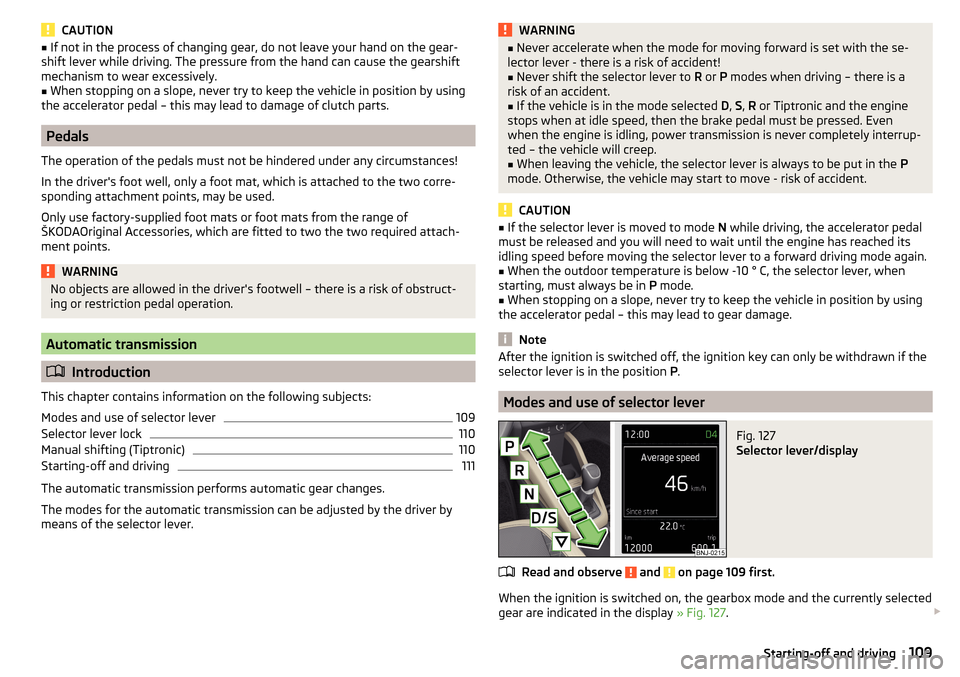
Fig. 127
Selector lever/display
Read and observe and on page 109 first.
When the ignition is switched on, the gearbox mode and the currently selected
gear are indicated in the display » Fig. 127.
109Starting-off and driving
Page 118 of 220
Electronic differential lock (EDL and XDS)Read and observe
on page 115 first.
EDL
EDL prevents the turning of the respective wheel of the driven axle. EDL
brakes the spinning wheel, if necessary, and transmits the driving force to the
other driving wheel. Driving becomes easier on road surfaces with different
traction under each wheel of the driven axle.
EDL switches off automatically to avoid excessive heat generation on the
brake of the wheel being braked. Once the brakes have cooled down, there is
an automatic re-activation of EDL.
XDS
XDL is an extension to the electronic differential lock. XDL does not respond to
traction, but to the load relief of the inner front wheel of the driving axle dur-
ing fast cornering.
The automatic brake intervention on the brake of the wheel with reduced load
prevents the wheel from spinning. Thus, the traction is improved and the vehi-
cle can continue to follow the desired track.
Brake Assist (HBA)
Read and observe
on page 115 first.
HBA increases the braking effect and helps to shorten the braking distance.The HBA is activated by very rapid depression of the brake pedal. To achieve
the shortest possible braking distance, the brake pedal must be applied firmly
until the vehicle has come to a complete standstill.
HBA is automatically switched off when the brake pedal is released.
Hill Start Assist (HHC)
Read and observe
on page 115 first.
HHC allows you to move your foot from the brake pedal to the accelerator ped-al without having to use the handbrake when pulling away on a gradient.
The system holds the brake pressure produced by the activation of the brake
pedal for approx. 2 seconds after the brake pedal is released.
HHC is active on slopes of >5 % when the driver door is closed. HHC is always
only active on slopes pulling away forwards or in reverse.
Multi collision brake (MCB)
Read and observe
on page 115 first.
The MCB helps to decrease speed after a collision through automatic brakinginterventions and to stabilize the vehicle. This reduces the risk of a subse-
quent crash due to uncontrolled vehicle movement.
The automatic brake interventions can take place only if the following condi-
tions are met.
There was a front, side and rear-end collision of a certain severity.
The impact speed was higher than approx. 10 km/h.
The brakes, the ESL and other required electrical systems remain function-
al after impact.
The accelerator pedal is not actuated.
Parking assistance (ParkPilot)
Introduction
This chapter contains information on the following subjects:
Function
117
Display in the Infotainment display
118
Activation / deactivation
118
Automatic system activation when moving forward
119
The parking aid (hereinafter referred to as "system") draws attention to obsta-
cles in the vicinity of the vehicle via acoustic signals or on the Infotainment
display when manoeuvring.
WARNING■ The general information relating to the use of assistance systems must
be observed » page 114, in section Introduction .■
Moving persons or objects may not be recognised by the system sensors.
■
Under certain circumstances, surfaces of certain objects and types of
clothing cannot reflect the system signals. For this reason, such people or
objects may not be recognised by the system sensors.
116Driving