wheel SKODA SUPERB 2010 2.G / (B6/3T) User Guide
[x] Cancel search | Manufacturer: SKODA, Model Year: 2010, Model line: SUPERB, Model: SKODA SUPERB 2010 2.G / (B6/3T)Pages: 287, PDF Size: 16.59 MB
Page 36 of 287
Instruments and warning lights35
Using the system
Safety
Driving Tips
General Maintenance
Breakdown assistance
Technical Data
On vehicles with information display* this
warning light is replaced by a vehicle
symbol.
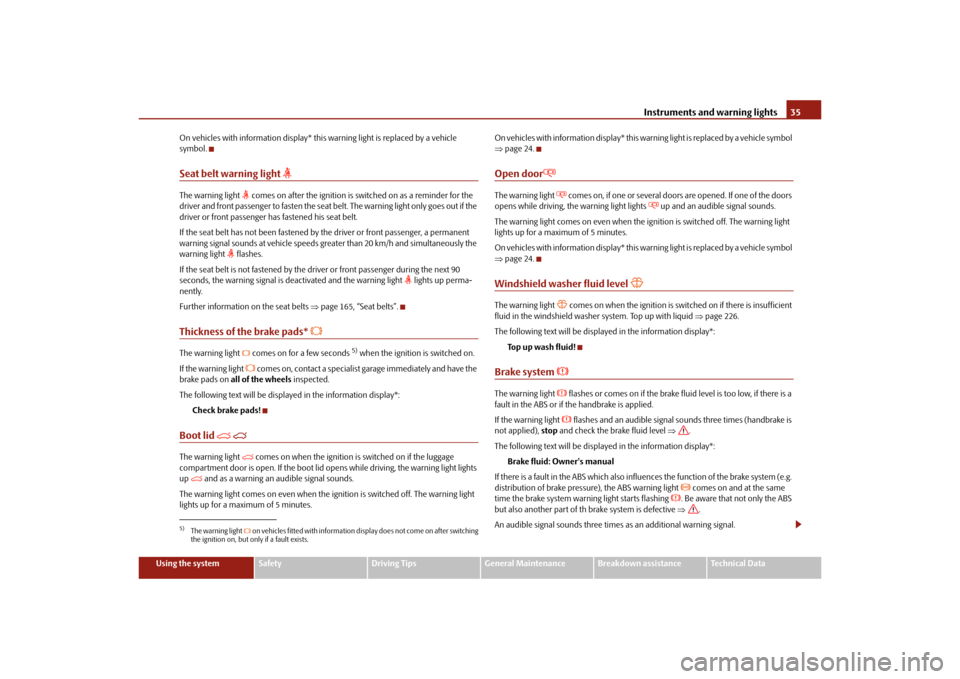
Seat belt warning light
The warning light
comes on after the ignition is sw itched on as a reminder for the
driver and front passenger to fasten the seat belt. The warning light only goes out if the
driver or front passenger has fastened his seat belt.
If the seat belt has not been fastened by the driver or front passenger, a permanent
warning signal sounds at vehicle speeds gr eater than 20 km/h and simultaneously the
warning light
flashes.
If the seat belt is not fastened by the dr iver or front passenger during the next 90
seconds, the warning signal is deactivated and the warning light
lights up perma-
nently.
Further information on the seat belts page 165, “Seat belts”.
Thickness of the brake pads*
The warning light comes on for a few seconds
5) when the ignition is switched on.
If the warning light
comes on, contact a specialist garage immediately and have the
brake pads on all of the wheels inspected.
The following text will be displayed in the information display*: Check brake pads!
Boot lid
The warning light
comes on when the ignition is switched on if the luggage
compartment door is open. If the boot lid op ens while driving, the warning light lights
up
and as a warning an audible signal sounds.
The warning light comes on even when the ig nition is switched off. The warning light
lights up for a maximum of 5 minutes. O n v e h i c l e s w i t h i n f o r m a t i o n d i s p l a y * t h i s w a
rning light is replaced by a vehicle symbol
page 24.
Open door
The warning light
comes on, if one or several doors are opened. If one of the doors
opens while driving, th e warning light lights
up and an audible signal sounds.
The warning light comes on even when the ig nition is switched off. The warning light
lights up for a maximum of 5 minutes.
O n v e h i c l e s w i t h i n f o r m a t i o n d i s p l a y * t h i s w a rning light is replaced by a vehicle symbol
page 24.
Windshield washer fluid level
The warning light
comes on when the ignition is swit ched on if there is insufficient
fluid in the windshield washer system. Top up with liquid page 226.
The following text will be displayed in the information display*: To p u p w a s h f l u i d !
Brake system
The warning light
flashes or comes on if the brake fluid level is too low, if there is a
fault in the ABS or if the handbrake is applied.
If the warning light flashes and an audible signal so unds three times (handbrake is
not applied), stop and check the brake fluid level .
The following text will be displayed in the information display*: Brake fluid: Owner's manual
If there is a fault in the ABS which also infl uences the function of the brake system (e.g.
distribution of brake pressure), the ABS warning light
comes on and at the same
time the brake system warn ing light starts flashing
. Be aware that not only the ABS
but also another part of th brake system is defective .
An audible signal sounds three times as an additional warning signal.
5)The warning light on vehicles fitted with information display does not come on after switching
the ignition on, but only if a fault exists.
s3fg.2.book Page 35 Friday, April 30, 2010 12:17 PM
Page 61 of 287
Lights and Visibility
60
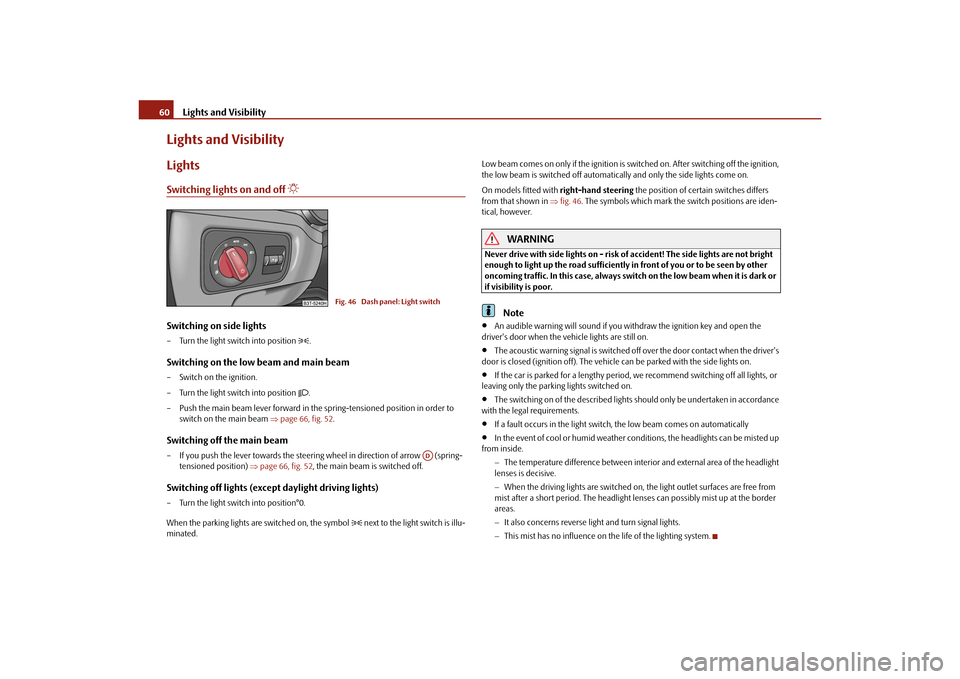
Lights and VisibilityLightsSwitching lights on and off
Switching on side lights– Turn the light switch into position
.
Switching on the low beam and main beam– Switch on the ignition.
– Turn the light switch into position
.
– Push the main beam lever forward in the spring-tensioned position in order to switch on the main beam page 66, fig. 52 .
Switching off the main beam– If you push the lever towards the steering wheel in direction of arrow (spring-
tensioned position) page 66, fig. 52, the main beam is switched off.Switching off lights (except daylight driving lights)– Turn the light switch into position°0.
When the parking lights are switched on, the symbol
next to the light switch is illu-
minated. Low beam comes on only if the ignition is switched on. After switching off the ignition,
the low beam is switched off automatica
lly and only the side lights come on.
On models fitted with right-hand steering the position of certain switches differs
from that shown in fig. 46 . The symbols which mark the switch positions are iden-
tical, however.
WARNING
Never drive with side lights on - risk of accident! The side lights are not bright
enough to light up the road sufficiently in front of you or to be seen by other
oncoming traffic. In this case, always switch on the low beam when it is dark or
if visibility is poor.
Note
An audible warning will sound if you wi thdraw the ignition key and open the
driver's door when the vehicle lights are still on.
The acoustic warning signal is switched off over the door contact when the driver's
door is closed (ignition off). The vehicle can be parked with the side lights on.
If the car is parked for a lengthy period, we recommend switching off all lights, or
leaving only the parking lights switched on.
The switching on of the described lights should only be undertaken in accordance
with the legal requirements.
If a fault occurs in the light switch , the low beam comes on automatically
In the event of cool or humid weather conditions, the headlights can be misted up
from inside.
The temperature difference between interior and external area of the headlight
lenses is decisive.
When the driving lights are switched on, the light outlet surfaces are free from
mist after a short period. The headlight lens es can possibly mist up at the border
areas.
It also concerns reverse light and turn signal lights.
This mist has no influence on th e life of the lighting system.
Fig. 46 Dash panel: Light switch
AD
s3fg.2.book Page 60 Friday, April 30, 2010 12:17 PM
Page 62 of 287
Lights and Visibility61
Using the system
Safety
Driving Tips
General Maintenance
Breakdown assistance
Technical Data
Daylight driving lightsSwitching on daylight driving lights– Switch on the ignition without turning the light switch out of the position 0.Deactivating the function daylight driving lights– Pull the turn signal light lever towards the steering wheel up to 3 seconds after
switching on the ignition and at the same time, slide it to the bottom and hold it in
this position for at least 3 seconds.Activating the function daylight driving lights– Pull the turn signal light lever towards the steering wheel up to 3 seconds after
switching on the ignition and at the same time, slide it to the top and hold it in this
position for at least 3 seconds.
In some countries, the national legal provisions require that the rear parking lights
come on together with the bulbs for daylight driving lights when activating the function
daylight driving lights.
On vehicles which are fitted with bulbs for daylight driving lights in the fog lights, the
parking lights do not come on when activa ting the function daylight driving lights.
When the daylight driving lights are switched on, the lighting of the instrument cluster
is switched on as well.
On vehicles fitted with an information displa y*, you can also activate or deactivate in
the menu the function da ylight driving lights:
SETUP
Lights & Vision (Lights & Vision)
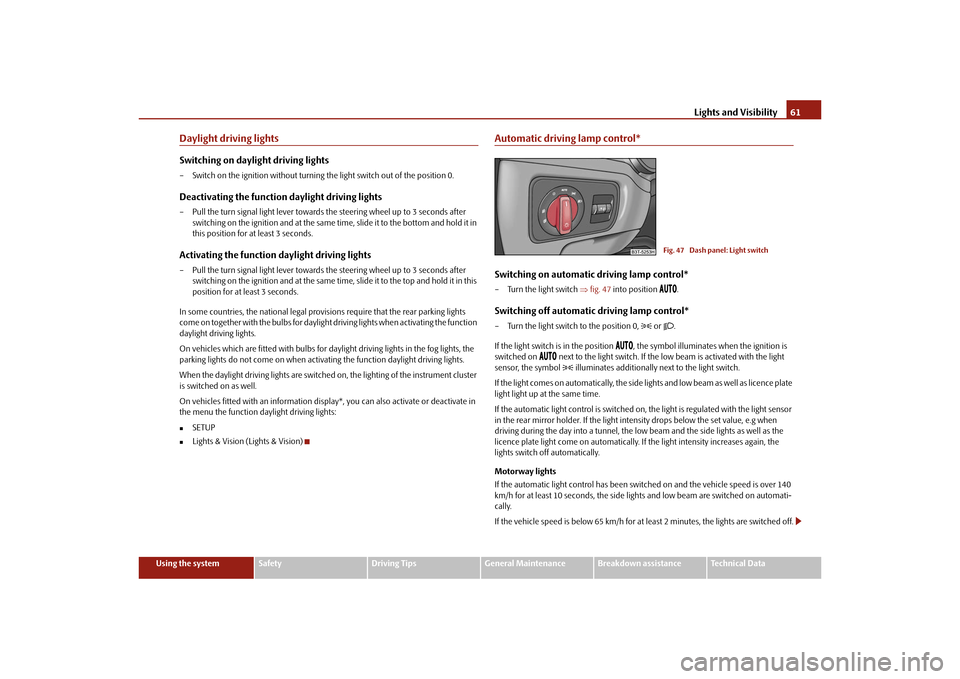
Automatic driving lamp control*Switching on automatic driving lamp control*– Turn the light switch fig. 47 into position
.
Switching off automatic driving lamp control*– Turn the light switch to the position 0,
or .
If the light switch is in the position
, the symbol illuminates when the ignition is
switched on
next to the light switch. If the low beam is activated with the light
sensor, the symbol illuminates additionally next to the light switch.
If the light comes on automatically, the side lights and low beam as well as licence plate
light light up at the same time.
If the automatic light control is switched on, the light is regulated with the light sensor
in the rear mirror holder. If the light intensity drops below the set value, e.g when
driving during the day into a tunnel, the low beam and the side lights as well as the
licence plate light come on automatically. If the light intensity increases again, the
lights switch off automatically.
Motorway lights
If the automatic light control has been swit ched on and the vehicle speed is over 140
km/h for at least 10 seconds, the side ligh ts and low beam are switched on automati-
cally.
If the vehicle speed is below 65 km/h for at least 2 minutes, the lights are switched off.
Fig. 47 Dash panel: Light switch
s3fg.2.book Page 61 Friday, April 30, 2010 12:17 PM
Page 66 of 287
Lights and Visibility65
Using the system
Safety
Driving Tips
General Maintenance
Breakdown assistance
Technical Data
the daylight driving lights are not switched on,
the low beam is switched on or th e light switch is in the position
and the
intensity of the ambient light causes the low beam to be switched on,
the fog lights are not switched on,
no reverse gear is engaged.Note
If you engage the reverse gear during the active function “CORNER”, both fog lights
illuminate.Rear fog light
Switching on the rear fog light– First of all turn the light switch into position
or page 64, fig. 48 .
– Pull the switch into position .
The warning light
lights up in the instrument cluster when the rear fog light is
switched on page 27.
Only the rear fog light of the trailer lights up automatically when you are towing a trailer
using a factory-fitted towing device from Škoda original accessories which is
fitted with the rear fog light.
The rear fog light is located in the rear light array on the driver's side.
Caution
The rear fog light should only be switched on if visibility is particularly poor (conform
with any varying legal provisions) to avoi d dazzling vehicles behind your vehicle.
Instrument lighting
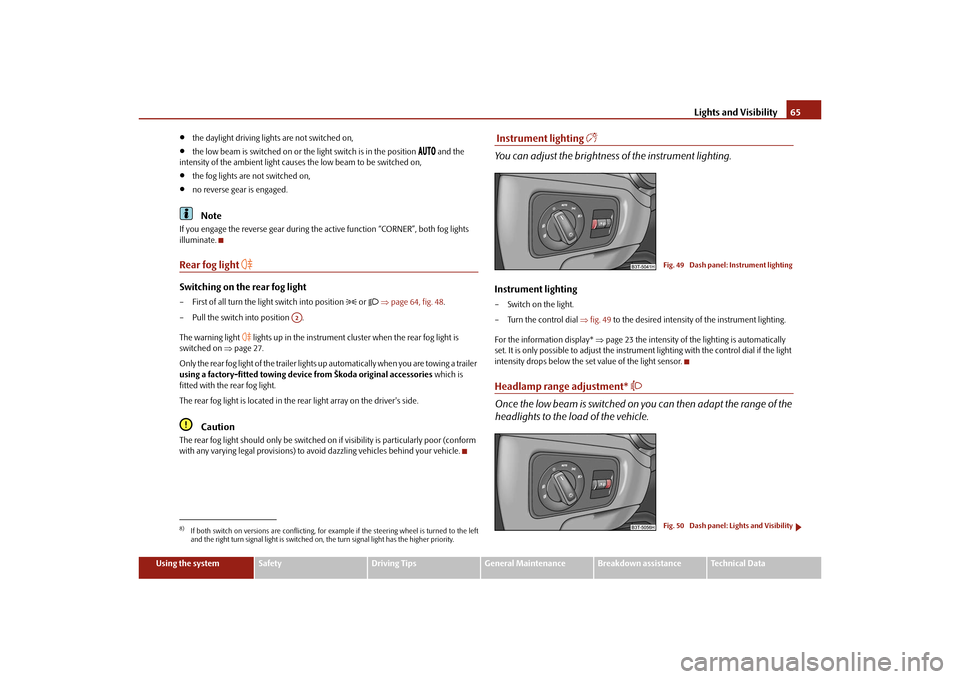
You can adjust the brightness of the instrument lighting.Instrument lighting– Switch on the light.
– Turn the control dial fig. 49 to the desired intensity of the instrument lighting.
For the information display* page 23 the intensity of the lighting is automatically
set. It is only possible to adjust the instrume nt lighting with the control dial if the light
intensity drops below the set value of the light sensor.Headlamp range adjustment*
Once the low beam is switched on you can then adapt the range of the
headlights to the load of the vehicle.
8)If both switch on versions are conflicting, for ex ample if the steering wheel is turned to the left
and the right turn signal light is switched on, the turn signal light has the higher priority.
A2
Fig. 49 Dash panel: Instrument lightingFig. 50 Dash panel: Lights and Visibility
s3fg.2.book Page 65 Friday, April 30, 2010 12:17 PM
Page 68 of 287
Lights and Visibility67
Using the system
Safety
Driving Tips
General Maintenance
Breakdown assistance
Technical Data
– Turn signal for changing lanes - in order to
only flash briefly, move the lever up or
down to the pressure point and hold it in this position.
Main beam
– Switch on the low beam.
– Push the lever forwards in direction of arrow (spring-tensioned position).
– If you push the lever towards the steering wheel in direction of arrow (spring-
tensioned position) the main beam is switched off.Headlight flasher
– Pull the lever towards the steering wheel (spring-tensioned position) in direction
of arrow - the main beam and warning light
in the instrument cluster come
on.
Parking light
– Switch off the ignition.
– Push the lever up or down - the right-hand or left-hand parking light is switched
on.
Information concerning the function of the lights.
The turn signal system only operates when the igniti on is switched on. The corre-
sponding warning light
or in the instrument cluster also flashes.
The turn signal is automatically cancelled after negotiating a curve.
The indicator light flashes at twice its normal rate if a bulb of the turn signal light
fails.
The side light and rear light on the appropriate side of the vehicle are switched on
when the parking light is selected. The parking light only operates if the ignition is
switched off.Caution
Use main beam or the headlight flasher only if this does not risk dazzling other road
users.
Note
If you have switched on the right or left turn signal light and you switch off the igni-
tion, the parking light is not automatically switched on.
Use only in accordance with the legal requirements the described lighting and
signal systems.
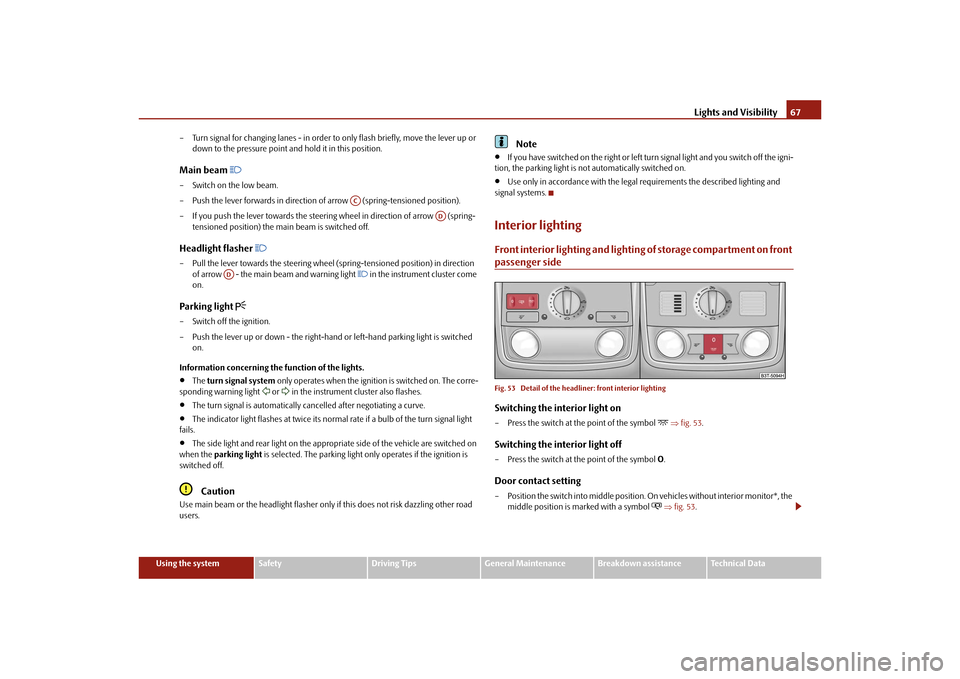
Interior lightingFront interior lighting and lighting of storage compartment on front passenger sideFig. 53 Detail of the headliner: front interior lightingSwitching the interior light on– Press the switch at the point of the symbol
fig. 53 .
Switching the interior light off– Press the switch at the point of the symbol O.Door contact setting– Position the switch into middle position. On vehicles without interior monitor*, the
middle position is marked with a symbol
fig. 53 .
AC
AD
AD
s3fg.2.book Page 67 Friday, April 30, 2010 12:17 PM
Page 75 of 287
Lights and Visibility
74
Automatic wipe/wash for windscreen
– Pull the lever towards the steering wheel into sprung position , the wash system
sprays immediately, the windscreen wiper starts wiping a little later. The wash
system and the windscreen wiper operate simultaneously at a speed of more than
120 km/h.
– Release the lever. The windscreen wash system stops and the wiper continues for another 3 - 4 wiper strokes (depending on the period of spraying of the wind-
screen). At a speed of more than 2 km/h , the wiper wipes once again* 5 seconds
after the last wiper stroke in order to wipe the last drops from the windscreen. This
function can be activated/deacti vated by a specialist garage.Rain sensor*– Move the lever into position .
– You can set the sensitivity of the sensor individually with switch .Wiping the rear window pane* (Combi)– Push the lever away from the st eering wheel into position page 73, fig. 63,
the widescreen wiper will operate every 6 seconds.Automatic wipe/wash for the rear window pane* (Combi)– Press the lever from the steering wheel forward into the sprung position , the wash system sprays immediately, the windscreen wiper starts wiping a little later.
As long as you hold the lever in this position, the wiper operates as well as the wash
system.
– Letting go of the lever will cause the windscreen wash system to stop and the wiper to continue for another 2 - 3 wiper strokes (depending on the period of spraying of
the windscreen). The lever will stay in position after releasing it.Switching windscreen wipers off– Move the lever back into its home position .
After the windscreen wiper switches off each time or the ignition switches off for the
third time, the position of the windscreen wiper changes, this counteracts an early
fatigue of the wiper rubbers. The windscreen wipers and the wash system on
ly operate if the ignition is switched on
and the bonnet is closed.
The rear window wiper operates only if the boot lid is closed.
If the intermittent wipe is switched on, the intervals are also controlled depending on
speed.
The rain sensor* automatically regulates the break between the individual wiper
strokes depending on the intensity of the rain.
The rear window will be wiped again if the front window wipers are on when reverse
gear is selected.
The windscreen washer nozzles are heated* when the ignition is switched on.
Top up with wash liquid page 226.
Winter position
If the windscreen wipers are in rest position, they cannot be folded out from the wind-
screen. For this reason we recommend adjust ing the windscreen wipers in winter so
that they can be folded out from the windscre en easily. You can set this rest position as
follows.
Switch on the windscreen wipers.
Switch off the ignition. The windscreen wipers remain in the position in which they
were when switching off the ignition.
You can also use the service position as a winter position.
WARNING
Properly maintained windscreen wiper blades are essential for clear visi-
bility and safe driving page 76.
Do not use the windscreen washer sy stem at low temperatures, without
heating the windscreen beforehand. Otherwise the window cleaner could
freeze on the windscreen and re strict the view to the front.
The rain sensor only operates as a su pport. The driver is not released from
the responsibility to set the function of the windscreen wipers manually
depending on the visibility conditions.
A5
A1
AA
A6
A7
A6
A0
s3fg.2.book Page 74 Friday, April 30, 2010 12:17 PM
Page 81 of 287
Seats and Stowage
80
Seats and StowageFront seatsBasic informationThe front seats have a wide range of differ ent settings and can thus be matched to the
physical characteristics of the driver and front passenger. Correct adjustment of the
seats is particularly important for:
safely and quickly reaching the controls,
a relaxed, fatigue-free body position,
achieving the maximum protection offered by the seat belts and the airbag
system.
WARNING
Never transport more occupants than the maximum seating in the vehicle.
Each occupant must correctly fasten the seat belt belonging to the seat.
Children must be fastened page 180, “Transporting children safely” with a
suitable restraint system.
The front seats and the head restraints must always be adjusted to match
the body size of the seat occupant as well as the seat belts must always be
correctly fastened in order to provide an optimal protection for you and your
occupants.
Always keep your feet in the footwell when the vehicle is being driven -
never place your feet on the instrument panel, out of the window or on the
surfaces of the seats. This is particular ly important for the front seat passenger.
You will be exposed to increased risk of injury if it becomes necessary to apply
the brake or in the event of an accident. If an airbag is deployed, you may suffer
fatal injuries when adopting an incorrect seated position!
It is important for the driver and front passenger to maintain a distance of at
least 25 cm from the steering wheel or dash panel. Not maintaining this
minimum distance will mean that the airbag system will not be able to properly
protect you - hazard! The front seats and the head restraints must always also
be correctly adjusted to match the body size of the occupant.
Ensure that there are no objects in the footwell as any objects may get
behind the pedals during a driving or braking manoeuvre. You would then no
longer be able to operate the clutch, to brake or accelerate.
Do not transport any objects on the front passenger seat except those
provided for this purpose (e.g. child safety seat) - risk of accident!
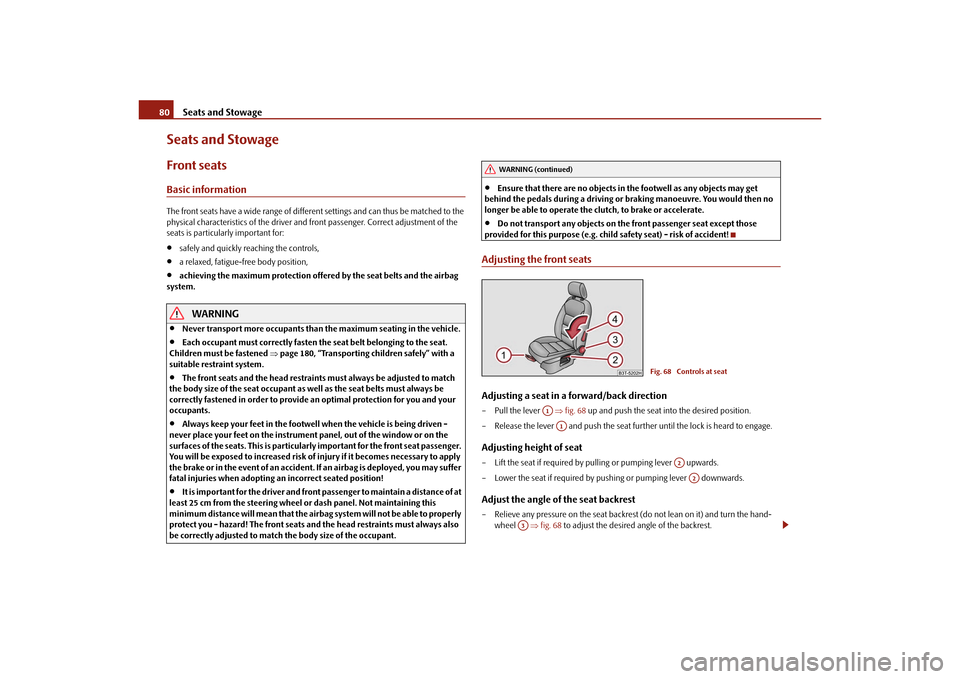
Adjusting the front seatsAdjusting a seat in a forward/back direction– Pull the lever fig. 68 up and push the seat into the desired position.
– Release the lever and push the seat further until the lock is heard to engage.Adjusting height of seat– Lift the seat if required by pu lling or pumping lever upwards.
– Lower the seat if required by pushing or pumping lever downwards.Adjust the angle of the seat backrest– Relieve any pressure on the seat backrest (do not lean on it) and turn the hand- wheel fig. 68 to adjust the desired angle of the backrest.
WARNING (continued)
Fig. 68 Controls at seat
A1A1
A2A2
A3
s3fg.2.book Page 80 Friday, April 30, 2010 12:17 PM
Page 82 of 287
Seats and Stowage81
Using the system
Safety
Driving Tips
General Maintenance
Breakdown assistance
Technical Data
Adjusting lumbar support*– Turn the lever until you have set the most comfortable curvature of the seat
upholstery in the area of your spine.
The driver's seat should be adjusted in such a way that the pedals can be fully pressed
to the floor with slightly bent legs.
The seat backrest on the driver's seat should be adjusted in such a way that the upper
point of the steering wheel can be easi ly reached with slightly bent arms.
WARNING
Only adjust the driver seat when the vehicle is stationary - risk of injury!
Take care when adjusting the seat! Adjusting the seat without care can lead
to bruises or injuries.
The seat backrests must not be angled too far back when driving otherwise
this will affect proper operation of the se at belts and of the airbag system - risk
of injury!
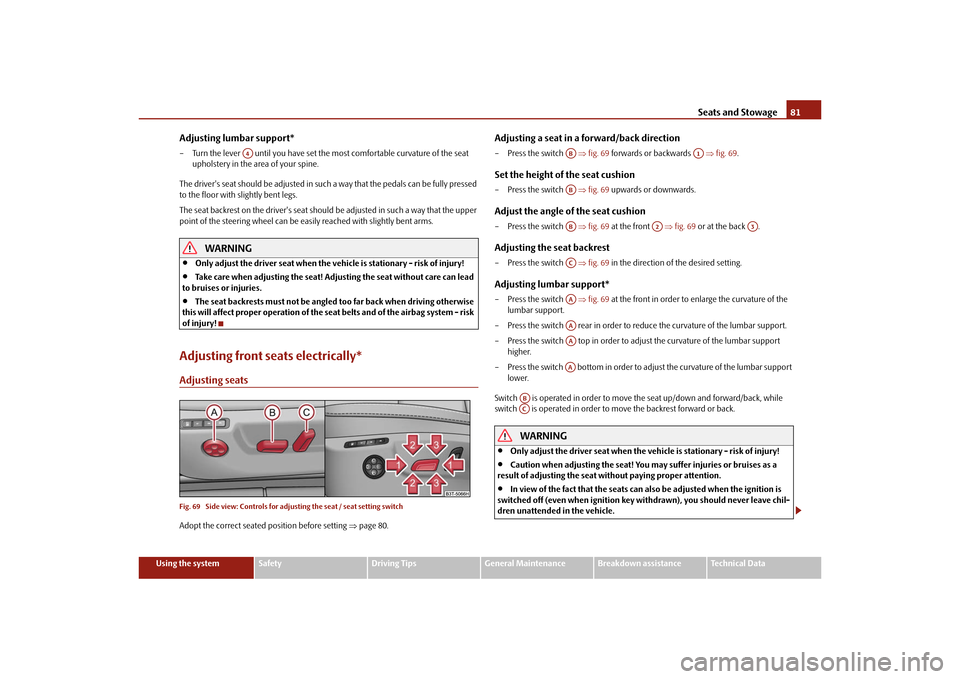
Adjusting front seats electrically*Adjusting seatsFig. 69 Side view: Controls for adju sting the seat / seat setting switchAdopt the correct seated position before setting page 80.
Adjusting a seat in a forward/back direction– Press the switch fig. 69 forwards or backwards fig. 69 .Set the height of the seat cushion– Press the switch fig. 69 upwards or downwards.Adjust the angle of the seat cushion– Press the switch fig. 69 at the front fig. 69 or at the back .Adjusting the seat backrest– Press the switch fig. 69 in the direction of the desired setting.Adjusting lumbar support*– Press the switch fig. 69 at the front in order to enlarge the curvature of the
lumbar support.
– Press the switch rear in order to reduce the curvature of the lumbar support.
– Press the switch top in order to adjust the curvature of the lumbar support higher.
– Press the switch bottom in order to adjust the curvature of the lumbar support lower.
Switch is operated in order to move the seat up/down and forward/back, while
switch is operated in order to move the backrest forward or back.
WARNING
Only adjust the driver seat when the vehicle is stationary - risk of injury!
Caution when adjusting the seat! You ma y suffer injuries or bruises as a
result of adjusting the seat without paying proper attention.
In view of the fact that the seats can also be adjusted when the ignition is
switched off (even when ignition key withdrawn), you should never leave chil-
dren unattended in the vehicle.
A4
AB
A1
ABAB
A2
A3
ACAAAAAAAA
ABAC
s3fg.2.book Page 81 Friday, April 30, 2010 12:17 PM
Page 91 of 287

Seats and Stowage
90
Fixing floor covering of the luggage compartmentFig. 81 Luggage compartment: Fixing of the fl oor covering / luggage compartment: Fixing of
the floor covering (Combi)A loop fig. 81 left is located on the floor covering of the luggage compartment and
a hook fig. 81 right is located on the underside of the floor covering. When handling
the spare wheel*, you can raise the floor covering and fix it on a hook at the luggage
compartment cover.Luggage net*The luggage net is designed for the tranportation of lighter objects.
WARNING
In the storage net you must only stow objects (up to a total weight of 1.5 kg).
Heavy objects are not secured sufficiently - risk of injury!
No objects with sharp edges should be stowed in the luggage net, because
they can damage the luggage net.
Luggage compartment cover
You can use the luggage compartment cover behind the head
restraints for storing light and soft items.The luggage compartment cover can be remo ved as required if one must transport
bulky goods.
– Unhook the support straps fig. 83.
– Place the cover in th e horizontal position.
– Pull the cover out of the holder horizontally to the rear.
– Install again by pushing the luggage compartment cover forwards into the holder and hanging the support straps on the boot lid.
You can stow the removed luggage compartmen t cover behind the rear seat backrest.
WARNING
No objects should be placed on the luggage compartment cover, the vehicle
occupants could be endangered if th ere is sudden braking or the vehicle
collides with something.
Fig. 82 Luggage compartment: Luggage
net
WARNING (continued)
Fig. 83 Removing the luggage compart-
ment cover
A1
A2
A2
A1
s3fg.2.book Page 90 Friday, April 30, 2010 12:17 PM
Page 122 of 287
Starting-off and Driving121
Using the system
Safety
Driving Tips
General Maintenance
Breakdown assistance
Technical Data
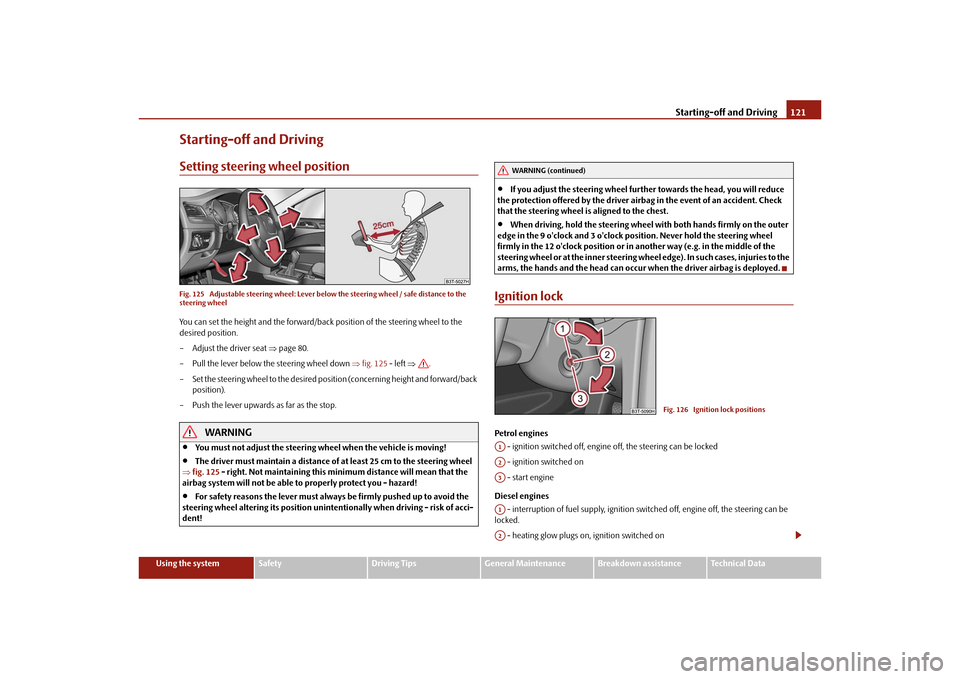
Starting-off and DrivingSetting steering wheel positionFig. 125 Adjustable steering wheel: Lever belo w the steering wheel / safe distance to the
steering wheelYou can set the height and the forward/back position of the steering wheel to the
desired position.
– Adjust the driver seat page 80.
– Pull the lever below the steering wheel down fig. 125 - left .
– Set the steering wheel to the desired position (concerning height and forward/back position).
– Push the lever upwards as far as the stop.
WARNING
You must not adjust the steering wheel when the vehicle is moving!
The driver must maintain a distance of at least 25 cm to the steering wheel
fig. 125 - right. Not maintaining this minimum distance will mean that the
airbag system will not be able to properly protect you - hazard!
For safety reasons the lever must always be firmly pushed up to avoid the
steering wheel altering its po sition unintentionally when driving - risk of acci-
dent!
If you adjust the steering wheel furthe r towards the head, you will reduce
the protection offered by the driver airbag in the event of an accident. Check
that the steering wheel is aligned to the chest.
When driving, hold the steering wheel with both hands firmly on the outer
edge in the 9 o'clock and 3 o'clock po sition. Never hold the steering wheel
firmly in the 12 o'clock position or in another way (e.g. in the middle of the
steering wheel or at the inne r steering wheel edge). In such cases, injuries to the
arms, the hands and the head can occur when the driver airbag is deployed.
Ignition lockPetrol engines
- ignition switched off, engine off, the steering can be locked
- ignition switched on
- start engine
Diesel engines - interruption of fuel supply, ignition swit ched off, engine off, the steering can be
locked.
- heating glow plugs on, ignition switched on
WARNING (continued)
Fig. 126 Ignition lock positions
A1A2A3A1A2
s3fg.2.book Page 121 Friday, April 30, 2010 12:17 PM