lane assist SUBARU SOLTERRA 2023 Owner's Manual
[x] Cancel search | Manufacturer: SUBARU, Model Year: 2023, Model line: SOLTERRA, Model: SUBARU SOLTERRA 2023Pages: 628, PDF Size: 11.91 MB
Page 302 of 628
3025-4. Using the driving support systems
Owners Manual_USA_M42C01_en
*: If equipped
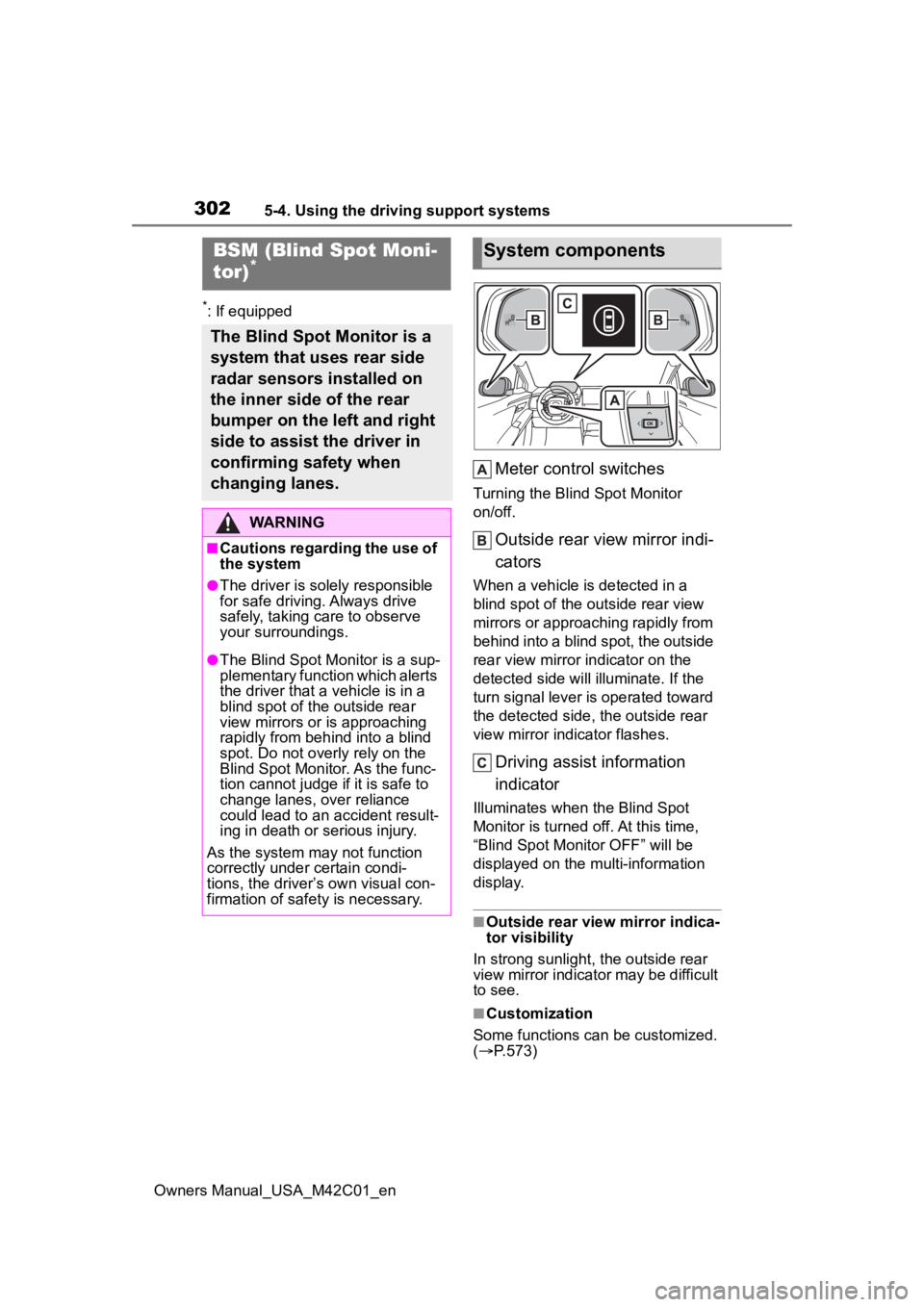
Meter control switches
Turning the Blind Spot Monitor
on/off.
Outside rear view mirror indi-
cators
When a vehicle is detected in a
blind spot of the outside rear view
mirrors or approaching rapidly from
behind into a blind spot, the outside
rear view mirror indicator on the
detected side will illuminate. If the
turn signal lever is operated toward
the detected side, the outside rear
view mirror indicator flashes.
Driving assist information
indicator
Illuminates when the Blind Spot
Monitor is turned off. At this time,
“Blind Spot Monitor OFF” will be
displayed on the multi-information
display.
■Outside rear view mirror indica-
tor visibility
In strong sunlight, the outside rear
view mirror indicator may be difficult
to see.
■Customization
Some functions can be customized.
( P.573)
BSM (Blind Spot Moni-
tor)*
The Blind Spot Monitor is a
system that uses rear side
radar sensors installed on
the inner side of the rear
bumper on the left and right
side to assist the driver in
confirming safety when
changing lanes.
WARNING
■Cautions regarding the use of
the system
●The driver is solely responsible
for safe driving. Always drive
safely, taking care to observe
your surroundings.
●The Blind Spot Monitor is a sup-
plementary function which alerts
the driver that a vehicle is in a
blind spot of the outside rear
view mirrors or is approaching
rapidly from behind into a blind
spot. Do not overly rely on the
Blind Spot Monitor. As the func-
tion cannot judge if it is safe to
change lanes, over reliance
could lead to an accident result-
ing in death or serious injury.
As the system may not function
correctly under certain condi-
tions, the driver’s own visual con-
firmation of safety is necessary.
System components
Page 390 of 628
3905-4. Using the driving support systems
Owners Manual_USA_M42C01_entem is reduced to prevent the sys-
tem from overheating when there is
frequent steering input over an
extended period of time. The steer-
ing wheel may feel heavy as a
result. Should this occur, refrain
from excessive steering input or
stop the vehicle and turn the EV
system off. The E
PS system should
return to normal wit hin 10 minutes.
■Secondary Collision Brake
operating conditions
The system operates when the SRS
airbag sensor detects a collision
while the vehicle is in motion. How-
ever, the system does not operate
when the components are dam-
aged.
■Secondary Collision Brake
automatic cancellation
The system is automatically can-
celed in any of th e following situa-
tions.
●The vehicle speed drops to
approximately 0 mph (0 km/h)
●A certain amount o f time elapses
during operation
●The accelerator pedal is
depressed a large amount
WARNING
■The ABS does not operate
effectively when
●The limits of tire gripping perfor-
mance have been exceeded
(such as excessively worn tires
on a snow covered road).
●The vehicle hydroplanes while
driving at high speed on wet or
slick roads.
■Stopping distance when the
ABS is operating may exceed
that of normal conditions
The ABS is not designed to
shorten the vehicle’s stopping dis-
tance. Always maintain a safe dis-
tance from the veh icle in front of
you, especially in the following sit-
uations:
●When driving on dirt, gravel or
snow-covered roads
●When driving with tire chains
●When driving over bumps in the
road
●When driving over roads with
potholes or uneven surfaces
■TRAC/VSC may not operate
effectively when
Directional control and power may
not be achievable while driving on
slippery road surfaces, even if the
TRAC/VSC system is operating.
Drive the vehicle carefully in con-
ditions where stability and power
may be lost.
■Active Cornering Assist does
not operate effectively when
●Do not overly rely on Active
Cornering Assist. Active Corner-
ing Assist may not operate
effectively when accelerating
down slopes or driving on slip-
pery road surfaces.
●When Active Corn ering Assist
frequently operates, Active Cor-
nering Assist may temporarily
stop operating to ensure proper
operation of the brakes, TRAC
and VSC.
■Hill-start assist control does
not operate effectively when
●Do not overly rely on hill-start
assist control. Hill-start assist
control may not operate effec-
tively on steep inclines and
roads covered with ice.
Page 393 of 628
3935-5. Driving tips
Owners Manual_USA_M42C01_en
5
Driving
5-5.Driving tips
Use fluids that are appropriate
to the prevailing outside tem-
peratures.
• Power control unit coolant
• Heater coolant
• Washer fluid
Have a service technician
inspect the condition of the
12-volt battery.
Have the vehicle fitted with
four snow tires or purchase a
set of tire chains for the front
tires.
Ensure that all tires are the same
size and brand, and that chains
match the size of the tires.
Perform the following according
Winter driving tips
Carry out the necessary
preparations and inspec-
tions before driving the
vehicle in winter. Always
drive the vehicle in a man-
ner appropriate to the pre-
vailing weather conditions.
Pre-winter preparations
WARNING
■Driving with snow tires
Observe the following precautions
to reduce the risk of accidents.
Failure to do so m ay result in a
loss of vehicle control and cause
death or serious injury.
●Use tires of the specified size.
●Maintain the recommended
level of air pressure.
●Do not drive in excess of 75
mph (120 km/h), regardless of
the type of snow tires being
used.
●Use snow tires on all, not just
some wheels.
■Driving with tire chains
Observe the following precautions
to reduce the risk of accidents.
Failure to do so may result in the
vehicle being unable to be driven
safely, and may cause death or
serious injury.
●Do not drive in excess of the
speed limit specifi ed for the tire
chains being used, or 30 mph
(50 km/h), whichever is lower.
●Avoid driving on bumpy road
surfaces or over potholes.
●Avoid sudden acceleration,
abrupt steering, sudden brak-
ing and shifting operations that
cause sudden regenerative
braking.
●Slow down sufficiently before
entering a curve to ensure that
vehicle control is maintained.
●Do not use LTA (Lane Tracing
Assist).
NOTICE
■Repairing or replacing snow
tires
Request repairs or replacement of
snow tires from your Toyota
dealer or legitimate tire retailers.
This is because the removal and
attachment of snow tires affects
the operation of the tire pressure
warning valves and transmitters.
Before driving the vehicle
Page 516 of 628
5168-2. Steps to take in an emergency
Owners Manual_USA_M42C01_en
■Rear passengers’ seat belt reminder lights (warning buzzer*)
*: Rear passengers’ seat belt warning buzzer:
The rear passengers’ seat belt warning buzzer sounds to alert t he rear pas-
senger that his or he r seat belt is not fastened. If the seat b elt is unfas-
tened, the buzzer sounds intermittently for a certain period of time after the
vehicle reaches a certain speed.
■Tire pressure warning light
■LDA indicator (warning buzzer)
■LTA indicator (warning buzzer)
Warning lightDetails/Actions
Warns the rear passengers to fasten their seat belts
Fasten the seat belt.
Warning lightDetails/Actions
When the light comes on after b linking for approximately 1
minute (a buzzer does not sounds):
Malfunction in the tire pressure warning system
Have the system checked by your Toyota dealer.
When the light comes on (a buzzer sounds):
Low tire inflation pressu re from natural causes
After the temperature of the tires has lowered suffi-
ciently, check the inflation pressure of each tire and
adjust them to the specified level.( P.513)
Low tire inflation pres sure from flat tire
Immediately stop the vehic le in a safe place and per-
form the necessary actions ( P.519)
Warning lightDetails/Actions
(Orange)
Indicates a malfunction in the LDA (Lane Departure Alert).
Follow the instructions dis played on the multi-infor-
mation display.
Warning lightDetails/Actions
(Orange)
Indicates a malfunction in t he LTA (Lane Tracing Assist)
Follow the instructions dis played on the multi-infor-
mation display.
Page 517 of 628
5178-2. Steps to take in an emergency
Owners Manual_USA_M42C01_en
8
When trouble arises
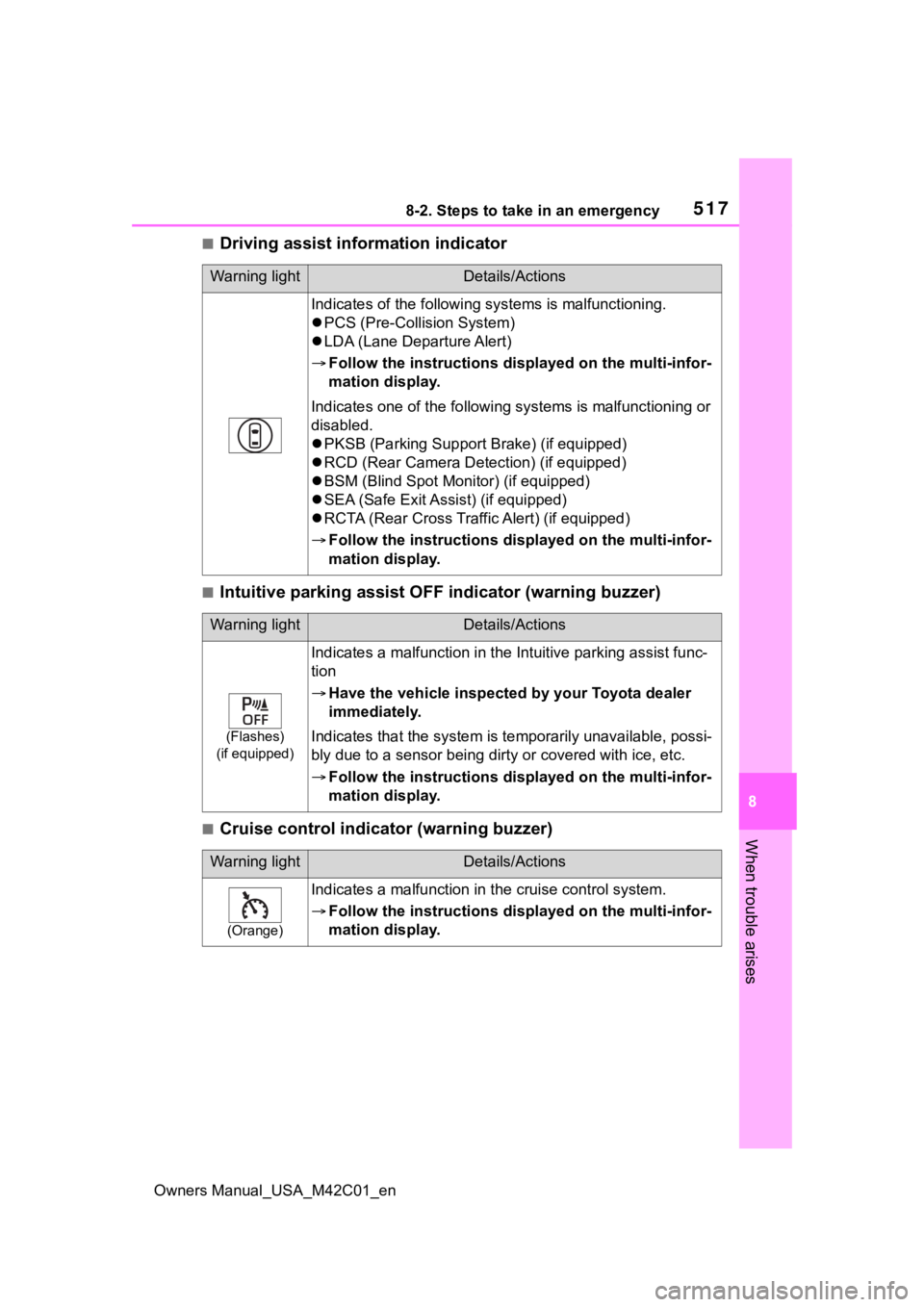
■Driving assist information indicator
■Intuitive parking assist OFF indicator (warning buzzer)
■Cruise control indicator (warning buzzer)
Warning lightDetails/Actions
Indicates of the following systems is malfunctioning.
PCS (Pre-Collis ion System)
LDA (Lane Departure Alert)
Follow the instructions dis played on the multi-infor-
mation display.
Indicates one of the following systems is malfunctioning or
disabled.
PKSB (Parking Support Brake) (if equipped)
RCD (Rear Camera Det ection) (if equipped)
BSM (Blind Spot Monitor) (if equipped)
SEA (Safe Exit Assist) (if equipped)
RCTA (Rear Cross Traffic Alert) (if equipped)
Follow the instructions dis played on the multi-infor-
mation display.
Warning lightDetails/Actions
(Flashes)
(if equipped)
Indicates a malfunction in the Intuitive parking assist func-
tion
Have the vehicle inspecte d by your Toyota dealer
immediately.
Indicates that the system is te mporarily unavailable, possi-
bly due to a sensor being dirt y or covered with ice, etc.
Follow the instructions dis played on the multi-infor-
mation display.
Warning lightDetails/Actions
(Orange)
Indicates a malfunction in t he cruise control system.
Follow the instructions dis played on the multi-infor-
mation display.
Page 523 of 628
5238-2. Steps to take in an emergency
Owners Manual_USA_M42C01_en
8
When trouble arises
■If “Regenerative Braking Lim-
ited Press Brake to Decelerate”
is displayed
Regenerative br aking may be
restricted in the following situations.
Firmly depress the brake pedal to
decelerate the vehicle.
●When electrical energy cannot be
regenerated any more as the trac-
tion battery is fully charged
●When the temperature of the trac-
tion battery is extremely high or
extremely low
●When the temperature of the elec-
tric motor or power control unit,
etc., is extremely high
■If “High Power Consumption
Power to Climate Temporarily
Limited” is displayed
Turn off unnecessary electronic
equipment to reduce power con-
sumption.
Please wait until th e power supply
returns to normal.
■If “Headlight System Malfunc-
tion Visit Your Dealer” is dis-
played
The following systems may be mal-
functioning. Have the vehicle
inspected by your Toyota dealer
immediately.
●The LED headlight system
●Automatic High Beam
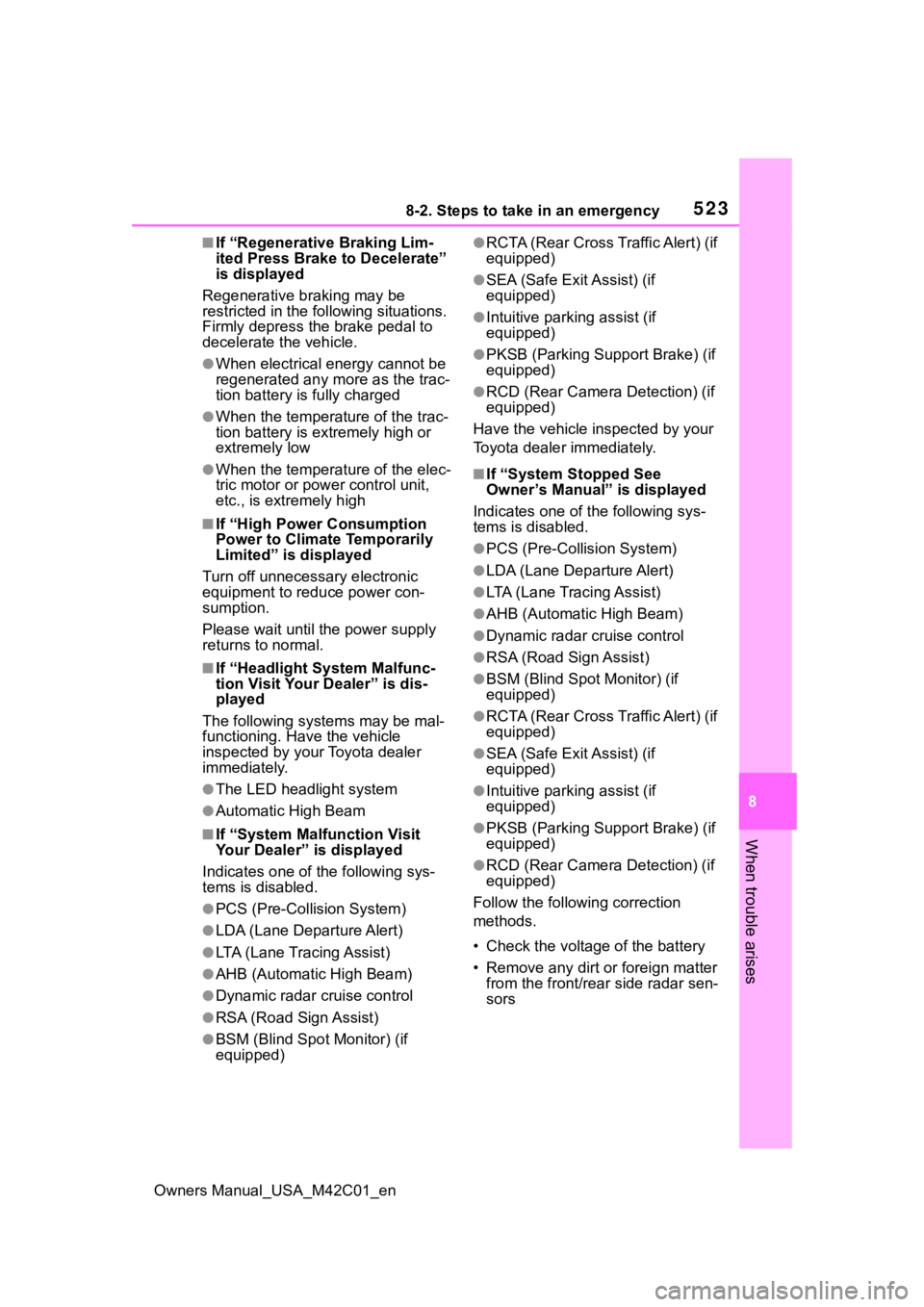
■If “System Malfunction Visit
Your Dealer” is displayed
Indicates one of the following sys-
tems is disabled.
●PCS (Pre-Collis ion System)
●LDA (Lane Departure Alert)
●LTA (Lane Tracing Assist)
●AHB (Automatic High Beam)
●Dynamic radar cruise control
●RSA (Road Sign Assist)
●BSM (Blind Spot Monitor) (if
equipped)
●RCTA (Rear Cross Traffic Alert) (if
equipped)
●SEA (Safe Exit Assist) (if
equipped)
●Intuitive parking assist (if
equipped)
●PKSB (Parking Suppor t Brake) (if
equipped)
●RCD (Rear Camera Detection) (if
equipped)
Have the vehicle inspected by your
Toyota dealer immediately.
■If “System Stopped See
Owner’s Manual” is displayed
Indicates one of the following sys-
tems is disabled.
●PCS (Pre-Collision System)
●LDA (Lane Departure Alert)
●LTA (Lane Tracing Assist)
●AHB (Automatic High Beam)
●Dynamic radar cruise control
●RSA (Road Sign Assist)
●BSM (Blind Spot Monitor) (if
equipped)
●RCTA (Rear Cross Traffic Alert) (if
equipped)
●SEA (Safe Exit Assist) (if
equipped)
●Intuitive parking assist (if
equipped)
●PKSB (Parking Suppor t Brake) (if
equipped)
●RCD (Rear Camera Detection) (if
equipped)
Follow the following correction
methods.
• Check the voltage of the battery
• Remove any dirt or foreign matter from the front/rear side radar sen-
sors
Page 524 of 628
5248-2. Steps to take in an emergency
Owners Manual_USA_M42C01_en
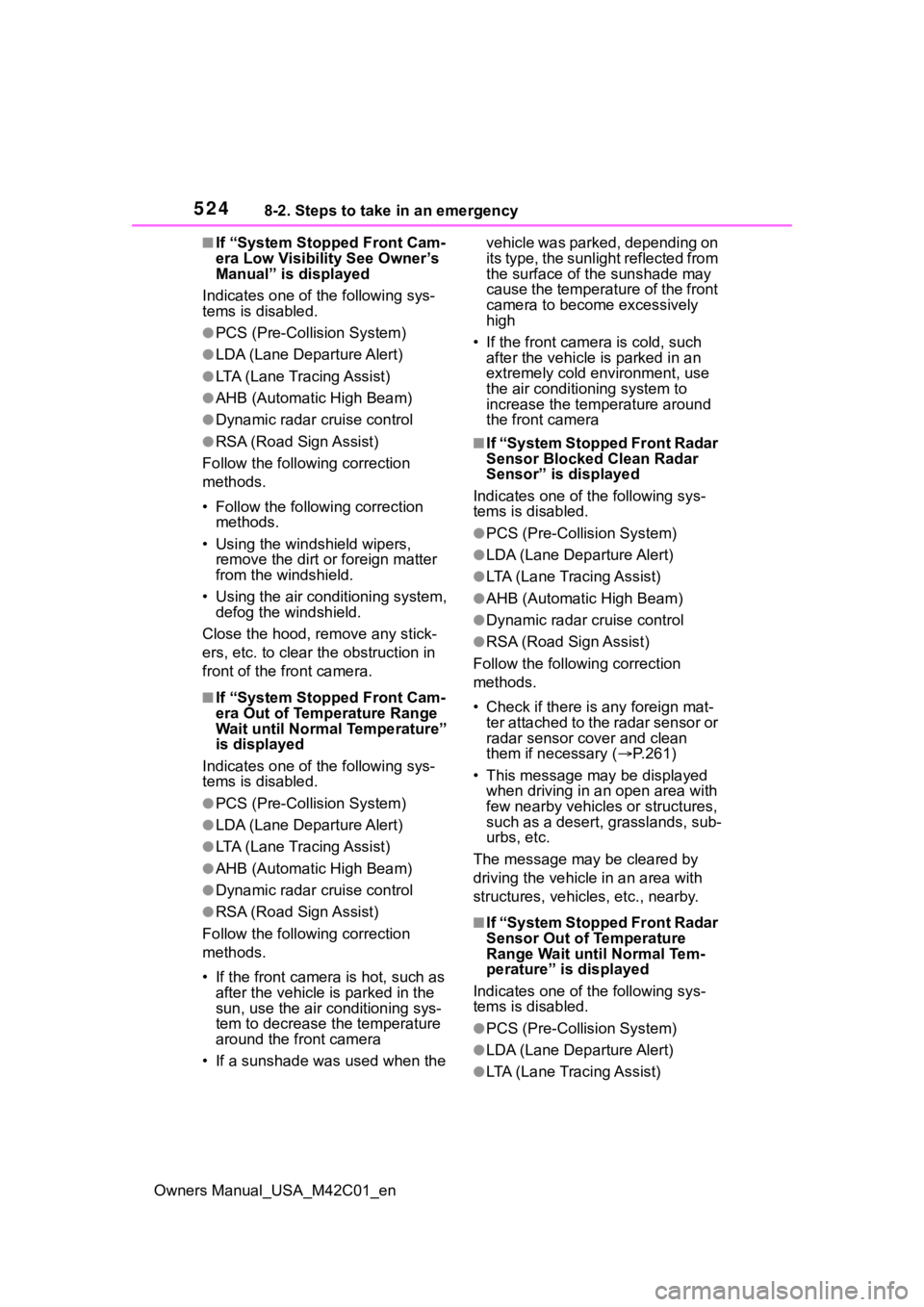
■If “System Stopped Front Cam-
era Low Visibility See Owner’s
Manual” is displayed
Indicates one of the following sys-
tems is disabled.
●PCS (Pre-Collis ion System)
●LDA (Lane Departure Alert)
●LTA (Lane Tracing Assist)
●AHB (Automatic High Beam)
●Dynamic radar cruise control
●RSA (Road Sign Assist)
Follow the followi ng correction
methods.
• Follow the follo wing correction
methods.
• Using the windshield wipers, remove the dirt o r foreign matter
from the windshield.
• Using the air conditioning system, defog the windshield.
Close the hood, remove any stick-
ers, etc. to clear th e obstruction in
front of the front camera.
■If “System Stopped Front Cam-
era Out of Temperature Range
Wait until Normal Temperature”
is displayed
Indicates one of the following sys-
tems is disabled.
●PCS (Pre-Collis ion System)
●LDA (Lane Departure Alert)
●LTA (Lane Tracing Assist)
●AHB (Automatic High Beam)
●Dynamic radar cruise control
●RSA (Road Sign Assist)
Follow the followi ng correction
methods.
• If the front camera is hot, such as after the vehicle is parked in the
sun, use the air conditioning sys-
tem to decrease the temperature
around the front camera
• If a sunshade was used when the vehicle was parked, depending on
its type, the sunlight reflected from
the surface of the sunshade may
cause the temperature of the front
camera to become excessively
high
• If the front camera is cold, such after the vehicle is parked in an
extremely cold environment, use
the air conditioning system to
increase the temperature around
the front camera
■If “System Stopped Front Radar
Sensor Blocked Clean Radar
Sensor” is displayed
Indicates one of the following sys-
tems is disabled.
●PCS (Pre-Collision System)
●LDA (Lane Departure Alert)
●LTA (Lane Tracing Assist)
●AHB (Automatic High Beam)
●Dynamic radar cruise control
●RSA (Road Sign Assist)
Follow the following correction
methods.
• Check if there is any foreign mat- ter attached to the radar sensor or
radar sensor cover and clean
them if necessary ( P.261)
• This message may be displayed when driving in an open area with
few nearby vehicles or structures,
such as a desert, grasslands, sub-
urbs, etc.
The message may be cleared by
driving the vehicle in an area with
structures, vehicles, etc., nearby.
■If “System Stopped Front Radar
Sensor Out of Temperature
Range Wait until Normal Tem-
perature” is displayed
Indicates one of the following sys-
tems is disabled.
●PCS (Pre-Collision System)
●LDA (Lane Departure Alert)
●LTA (Lane Tracing Assist)
Page 525 of 628
5258-2. Steps to take in an emergency
Owners Manual_USA_M42C01_en
8
When trouble arises
●AHB (Automatic High Beam)
●Dynamic radar cruise control
●RSA (Road Sign Assist)
Follow the followi ng correction
methods.
• The temperature of the radar sen- sor is outside of the operating
range. Wait for the temperature to
become appropriate.
■If “System Stopped Front Radar
In Self Calibration See Owner’s
Manual” is displayed
Indicates one of the following sys-
tems is disabled.
●PCS (Pre-Collis ion System)
●LDA (Lane Departure Alert)
●LTA (Lane Tracing Assist)
●AHB (Automatic High Beam)
●Dynamic radar cruise control
●RSA (Road Sign Assist)
Follow the followi ng correction
methods.
• Check if there is any foreign mat- ter attached to the radar sensor or
radar sensor cover and clean
them if necessary ( P.261)
• The radar sensor may be mis- aligned and will be adjusted auto-
matically while driving. Continue
driving for a while.
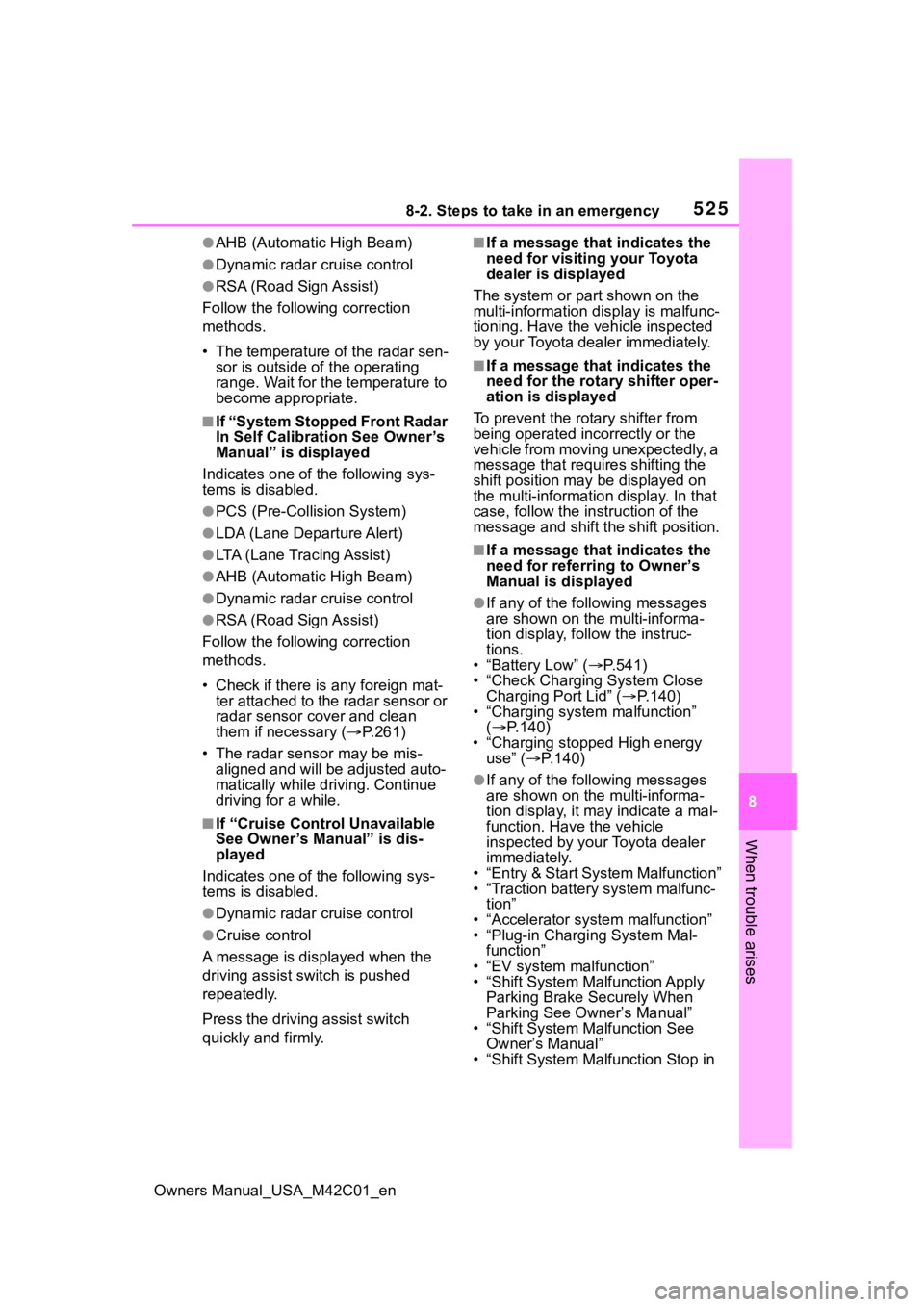
■If “Cruise Control Unavailable
See Owner’s Manual” is dis-
played
Indicates one of the following sys-
tems is disabled.
●Dynamic radar cruise control
●Cruise control
A message is displayed when the
driving assist s witch is pushed
repeatedly.
Press the driving assist switch
quickly and firmly.
■If a message that indicates the
need for visiting your Toyota
dealer is displayed
The system or part shown on the
multi-information di splay is malfunc-
tioning. Have the vehicle inspected
by your Toyota dealer immediately.
■If a message that indicates the
need for the rotary shifter oper-
ation is displayed
To prevent the rota ry shifter from
being operated incorrectly or the
vehicle from moving unexpectedly, a
message that requires shifting the
shift position may be displayed on
the multi-informatio n display. In that
case, follow the in struction of the
message and shift the shift position.
■If a message that indicates the
need for referring to Owner’s
Manual is displayed
●If any of the following messages
are shown on the multi-informa-
tion display, follow the instruc-
tions.
• “Battery Low” ( P.541)
• “Check Charging System Close Charging Port Lid” ( P.140)
• “Charging system malfunction”
( P.140)
• “Charging stopped High energy use” ( P.140)
●If any of the following messages
are shown on the multi-informa-
tion display, it may indicate a mal-
function. Have the vehicle
inspected by your Toyota dealer
immediately.
• “Entry & Start System Malfunction”
• “Traction battery system malfunc- tion”
• “Accelerator system malfunction”
• “Plug-in Charging System Mal- function”
• “EV system malfunction”
• “Shift System Mal function Apply
Parking Brake Securely When
Parking See Owner’s Manual”
• “Shift System M alfunction See
Owner’s Manual”
• “Shift System Malfunction Stop in
Page 604 of 628
604Alphabetical Index
Owners Manual_USA_M42C01_en
L
Lane Departure A lert (LDA) ... 281
Operation ............................. 281
Warning lights....................... 516
Lane Tracing Assist (LTA)...... 276 Operation ............................. 276
Warning lights....................... 516
Language (multi-information dis- play) ............................... 158, 567
LATCH anchors ........................ 59
LDA (Lane Departure Alert) ... 281 Operation ............................. 281
Warning lights....................... 516
Lever Auxiliary catch lever ............. 462
Hood lock release lever........ 462
Turn signal lever ................... 242
Wiper lever ........................... 253
License plate lights Light switch .......................... 248
Replacing light bulbs ............ 502
Light bulbs Replacing ............................. 502
Lights Automatic High Beam (AHB) 250
Emergency flasher switch .... 504
Headlight switch ................... 248
Interior light list ..................... 415
Interior lights......................... 416
Luggage compartment light 174, 178
Personal lights...................... 417
Replacing light bulbs ............ 502
Turn signal lever ................... 242
Vanity lights .......................... 428
Load capacity ......................... 228
Locking and unlocking the AC charging c onnector................ 93
LTA (Lane Tracing Assist) ...... 276 Operation ............................. 276
Warning lights....................... 516 Luggage compartment light 174,
178
Luggage cover ........................423
M
Maintenance AC charging cable ..................92
Do-it-yourself maintenance ..460
General maintenance ...........456
Maintenance data .................550
Maintenance requirements ...455
Menu icons ..............................156
Meter Clock ....................................152
Indicators ..............................149
Instrument panel light control155
Meter control switches..........156
Meters ..................................152
Multi-information display.......155
Settings ........................158, 566
Units .....................................567
Warning lights .......................513
Warning message.................522
Mirrors Digital Rear-view Mirror ........201
Inside rear view mirror ..........200
Outside rear view mirror defog-gers ....................................404
Outside rear view mirrors .....210
Vanity mirrors........................428
Motor Compartment........................465
Multi-information display .......155
Audio system-linked display .157
Charging101, 121, 129, 131, 140
Clock ....................................154
Convenience Services (Sugges- tion function) .......................567
Cruise control .......................297
Driving information display ...157
Driving support system informa- tion display .........................157
Page 605 of 628
Owners Manual_USA_M42C01_en
Alphabetical Index605
Dynamic radar cruise control 291
Language ............................. 567
LDA (Lane Departure Alert) .. 285
LTA (Lane Tracing Assist) ..... 280
Menu icons ........................... 156
Meter control switches ......... 156
Navigation system-linked display........................................... 157
Power consumption.............. 157
Settings ........................ 158, 566
Suggestion function.............. 159
Tire pressure ........................ 474
Units ..................................... 567
Vehicle information display... 158
Warning message ................ 522
My Room Mode ....................... 129 Display ................................. 129
Starting My Room Mode ...... 129
Warning messages............... 131
N
Navigation system-linked display............................................... 157
O
Odometer ................................ 154
Odometer and trip meter display Display items ........................ 154
Open tray ................................ 420
Opener Back door ..................... 174, 176
Garage door ......................... 439
Outer foot lights ..................... 415
Outside rear view mirrors ...... 210 Adjusting and folding ............ 210
BSM (Blind Spot Monitor)..... 302
Outside rear view mirror defog-gers .................................... 404
RCTA (Rear Cross Traffic Alert) ........................................... 322
SEA (Safe Exit Assist) .......... 307 Outside temperatur
e ..............152
P
Panic mode .............................164
Parking assist sens ors (intuitive
parking assist) ...................... 311
Parking brake ..........................243 Operation..............................243
Parking brake engaged warning buzzer.................................245
Warning light.........................518
Warning message.................245
Parking lights Light switch...........................248
Parking Support Brake (PKSB) ...............................................331Enabling/disabling the system ...........................................333
PCS (Pre-Collision System) ...265 Enabling/disabling the system...........................................275
Function................................265
Warning light.........................518
Personal lights ................415, 417 Switch ...................................417
PKSB (Parking Support Brake) ...............................................331Enabling/disabling the system ...........................................333
Moving Vehicle Rear of the Vehi- cle .......................................339
Pedestrians Rear of the Vehicle ...........................................340
Static Objects Around the Vehi- cle .......................................342
Static Objects Front and Rear of the vehicle ..........................336
Power back door... ..................175
Power back door switch ........176
Power consumption ...............157 Average power consumption 157
Current power consumption .157