Control system SUZUKI ERTIGA 2013 1.G Owner's Manual
[x] Cancel search | Manufacturer: SUZUKI, Model Year: 2013, Model line: ERTIGA, Model: SUZUKI ERTIGA 2013 1.GPages: 207, PDF Size: 5.14 MB
Page 102 of 207
Downloaded from www.Manualslib.com manuals search engine 5-7OTHER CONTROLS AND EQUIPMENT
60MK0-14E
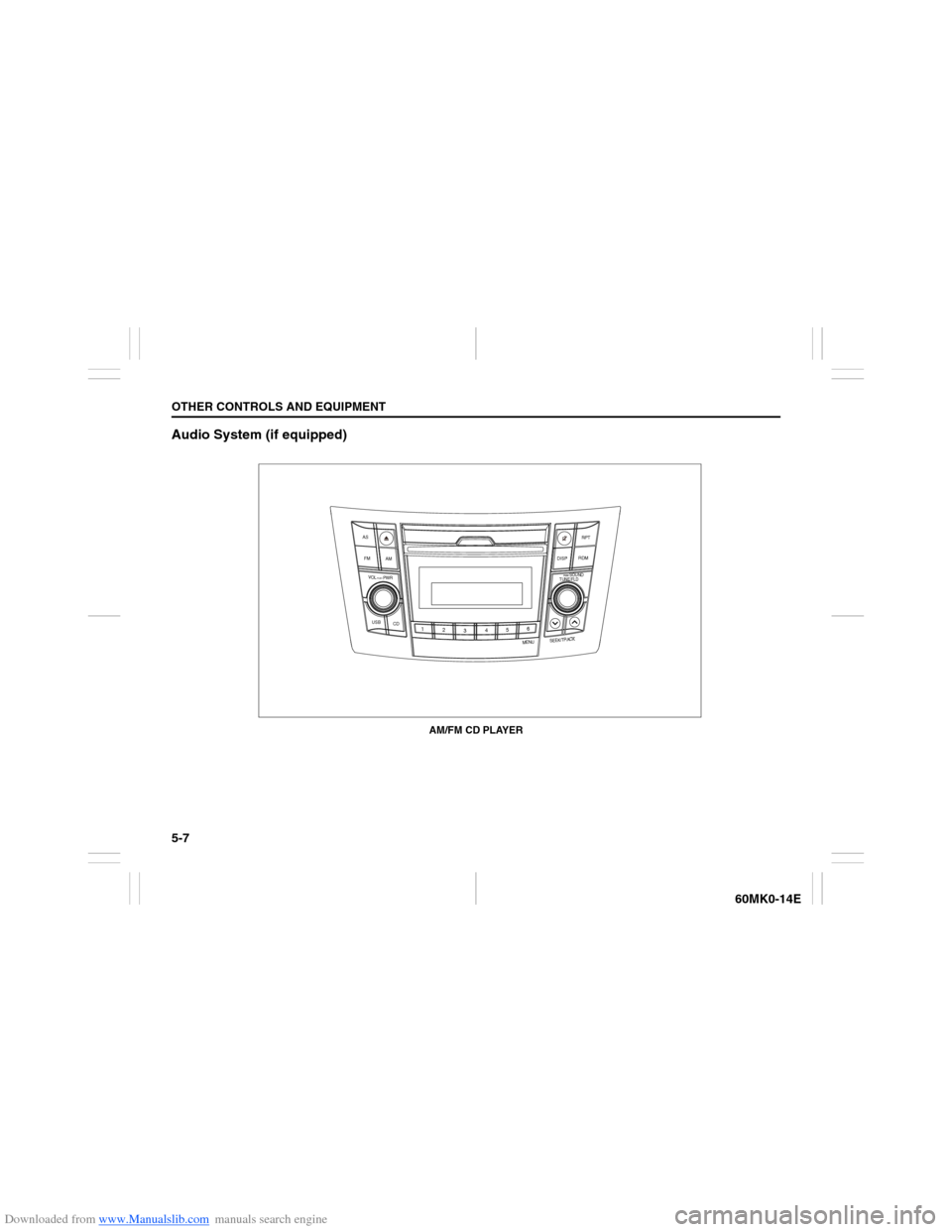
Audio System (if equipped)
USB
CD
1
2
3456
MENU
SEEK/TRACK
AS
AM FMRPT
RDM
DISP
PUSH SOUND
TUNE/FLD
VOL PUSH PWR
AM/FM CD PLAYER
Page 103 of 207
Downloaded from www.Manualslib.com manuals search engine 5-8
OTHER CONTROLS AND EQUIPMENT
60MK0-14E
Safety Information Notes on Discs
Precautions
When the inside of the vehicle is very
cold and the player is used soon after
switching on the heater, condensation
may form on the disc or the optical
parts of the player and proper playback
may not be possible. If condensation
forms on the disc, wipe it off with a soft
cloth. If condensation forms on the opti-
cal parts of the player, do not use the
player for about one hour. This will
allow the condensation to disappear
normally.
Driving on extremely bumpy roads
which cause severe vibrations may
cause sound to skip.
This unit uses a precision mechanism.
Even in the event that trouble arises,
never open the case, disassemble the
unit, or lubricate the rotating parts.
Please bring the unit to an authorized
SUZUKI dealer.Cautions on Handling
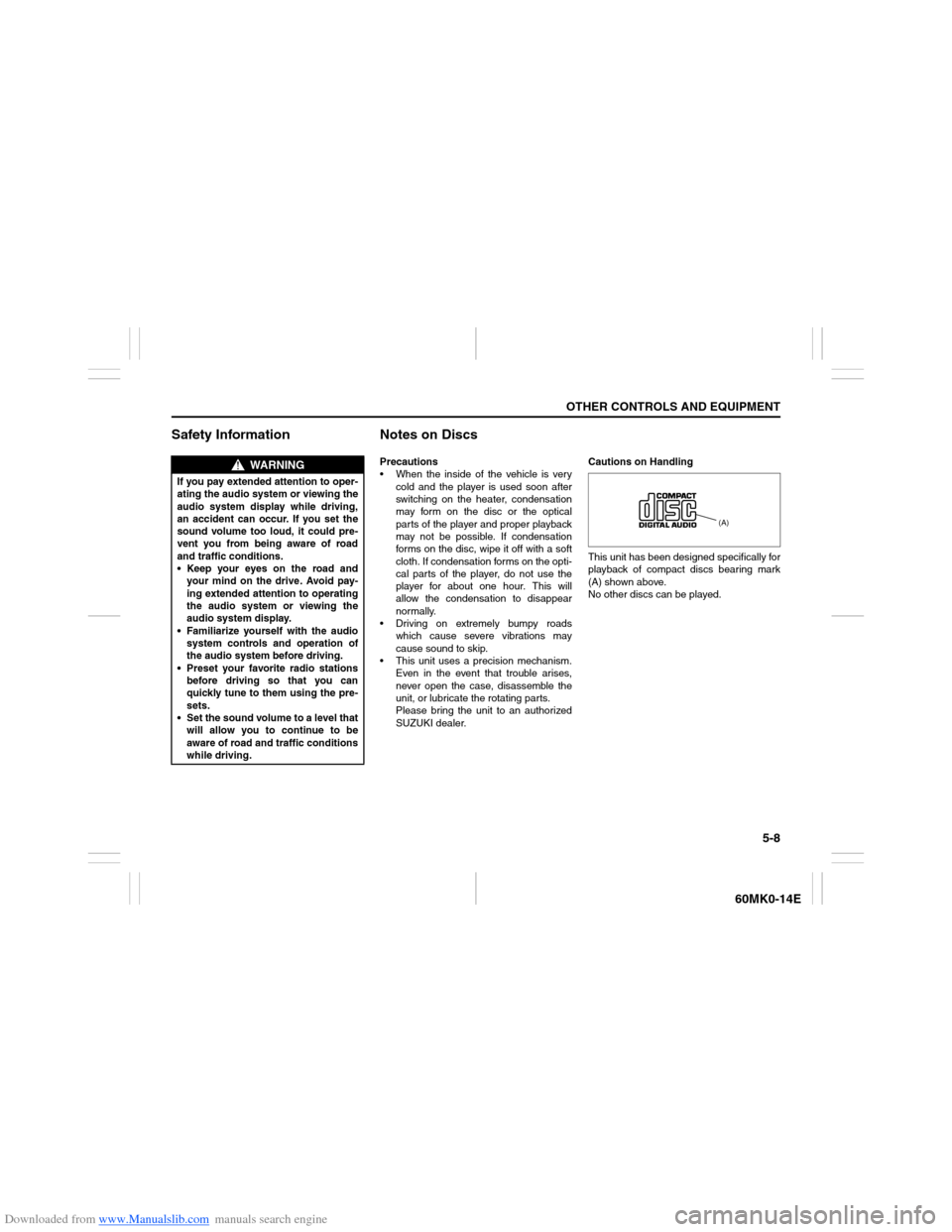
This unit has been designed specifically for
playback of compact discs bearing mark
(A) shown above.
No other discs can be played.
WARNING
If you pay extended attention to oper-
ating the audio system or viewing the
audio system display while driving,
an accident can occur. If you set the
sound volume too loud, it could pre-
vent you from being aware of road
and traffic conditions.
Keep your eyes on the road and
your mind on the drive. Avoid pay-
ing extended attention to operating
the audio system or viewing the
audio system display.
Familiarize yourself with the audio
system controls and operation of
the audio system before driving.
Preset your favorite radio stations
before driving so that you can
quickly tune to them using the pre-
sets.
Set the sound volume to a level that
will allow you to continue to be
aware of road and traffic conditions
while driving.
(A)
Page 105 of 207
Downloaded from www.Manualslib.com manuals search engine 5-10
OTHER CONTROLS AND EQUIPMENT
60MK0-14E
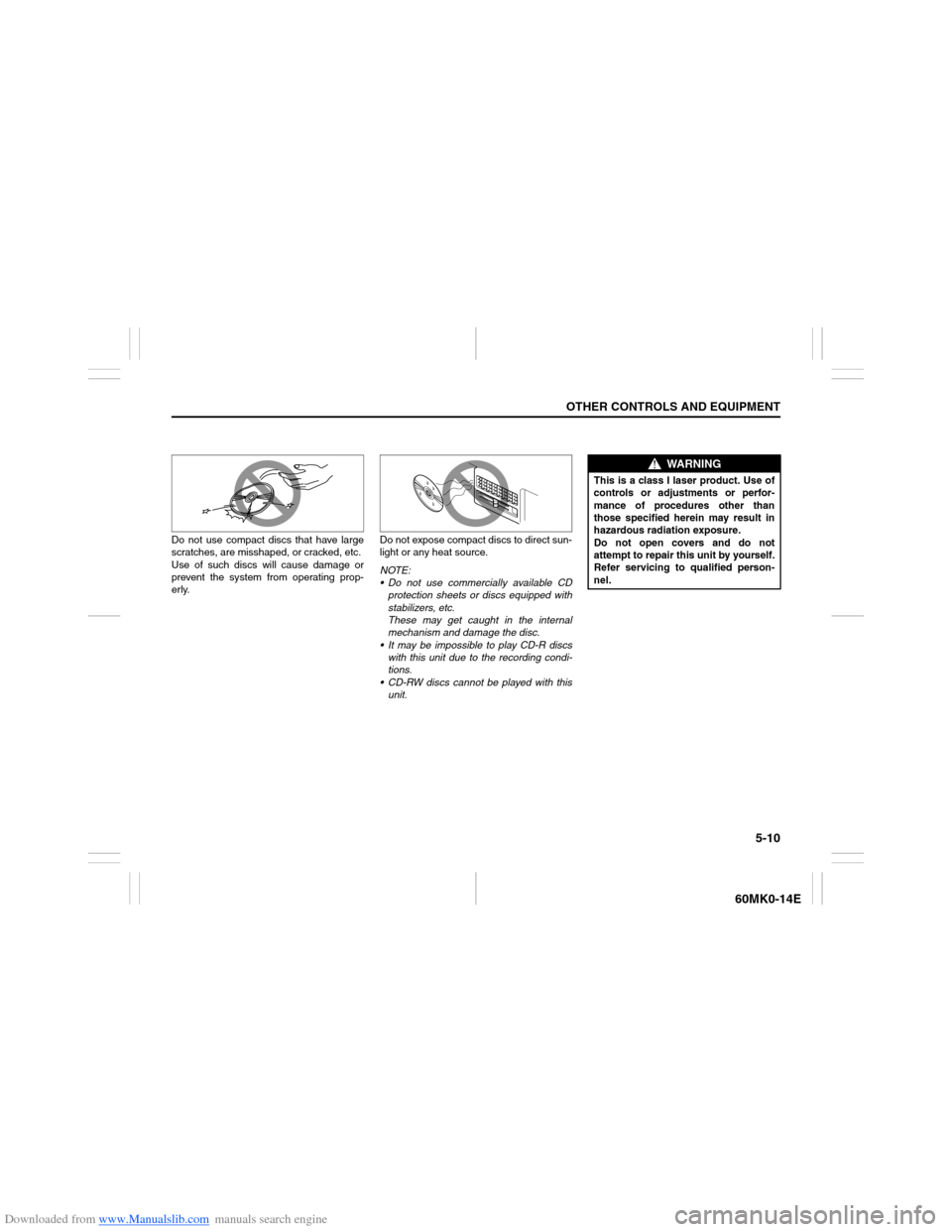
Do not use compact discs that have large
scratches, are misshaped, or cracked, etc.
Use of such discs will cause damage or
prevent the system from operating prop-
erly.Do not expose compact discs to direct sun-
light or any heat source.
NOTE:
Do not use commercially available CD
protection sheets or discs equipped with
stabilizers, etc.
These may get caught in the internal
mechanism and damage the disc.
It may be impossible to play CD-R discs
with this unit due to the recording condi-
tions.
CD-RW discs cannot be played with this
unit.
WARNING
This is a class I laser product. Use of
controls or adjustments or perfor-
mance of procedures other than
those specified herein may result in
hazardous radiation exposure.
Do not open covers and do not
attempt to repair this unit by yourself.
Refer servicing to qualified person-
nel.
Page 116 of 207
Downloaded from www.Manualslib.com manuals search engine 5-21OTHER CONTROLS AND EQUIPMENT
60MK0-14E
Notes on MP3/WMAWhat is MP3/WMA?
MP3 (MPEG1/2 Audio Layer-III) and WMA
(Windows Media
TM
Audio) are the com-
pression formats of digital audio. The
former is developed by MPEG (Motion Pic-
ture Experts Group), and the latter is
developed by Microsoft Corporation.
Using these compression formats, you can
record contents of about 10 music CDs on
a single CD media. (This figure refers to
data recorded on a 650 MB CD-R or CD-
RW at a fixed bit rate of 128 kbps and a
sampling frequency of 44.1 kHz.)
Points to remember when making MP3/
WMA files
Common
High bit rate and high sampling fre-
quency are recommended for high
quality sounds.
Selecting VBR (Variable Bit Rate) is not
recommended. Selecting VBR may
cause display of incorrect playing time
and jumpiness of playback.
Playback sound quality varies depend-
ing on the encoding environment. For
details, refer to the user manual of the
encoding software and the writing soft-
ware in use.MP3
It is recommended to set the bit rate to
“128 kbps or more” and “fixed”.
WMA
It is recommended to set the bit rate to
“64 kbps or more” and “fixed”.
Do not set the copy protect attribute on
the WMA file to enable this unit to play-
back.
Recording MP3/WMA files on a CD
media
It is recommended not to write both
CD-DA files and MP3/WMA files on a
disc.
If both CD-DA files and MP3/WMA files
are on the same disc, tracks may not
be played in the correct order or some
tracks may not be played at all.
When storing both MP3 data and WMA
data on the same disc, sort and place
them in different folders. Do not write files other than MP3/WMA
files and unnecessary folders on a disc.
MP3/WMA files should be named to
meet the standards and the file system
specifications as shown below.
The file extension “.mp3” or “.wma”
should be assigned to files based on
their format independently.
You may encounter a trouble in playing
MP3/WMA files or displaying informa-
tion of MP3/WMA files depending on
the writing software or CD recorder in
use.
This unit does not have a play list func-
tion.
It is recommended to write discs in
Disc-at-Once mode even though Multi-
session mode is supported.
Compression formats
MP3
Bit rate
:
MPEG1 Audio Layer III: 64 k - 320 kbps
MPEG2 Audio Layer III: 64 k - 160 kbps
Sampling frequency
:
MPEG1 Audio Layer III: 32 k/44.1 k/48 kHz
MPEG2 Audio Layer III: 16 k/22.05 k/24 kHz
WMA (Ver.7, Ver.8) Bit rate: CBR 48 k -192 kbps
Sampling frequency: 32 k/44.1 k/48 kHz
NOTICE
Never assign the “.mp3”, or “.wma”
file name extension to a file if it is not
in the MP3/WMA format file. Failure to
observe this may result in damage to
the speaker due to noise production.
Page 117 of 207
Downloaded from www.Manualslib.com manuals search engine 5-22
OTHER CONTROLS AND EQUIPMENT
60MK0-14E
WMA (Ver. 9*) Bit rate: CBR 48 k - 320 kbps
Sampling frequency: 32 k/44.1 k/48 kHz* WMA 9 Professional/LossLess/Voice are
not supported.
Supported file systems
ISO 9660 Level 1/Level 2, Joliet, Romeo
Maximum number of files/folders
Maximum number of files: 512 (files +
folders)
Maximum number of files in a folder:
512
Maximum depth of tree structure: 8
Maximum number of folders: 255
(Root folder is included.)
Page 120 of 207
Downloaded from www.Manualslib.com manuals search engine 5-25OTHER CONTROLS AND EQUIPMENT
60MK0-14E
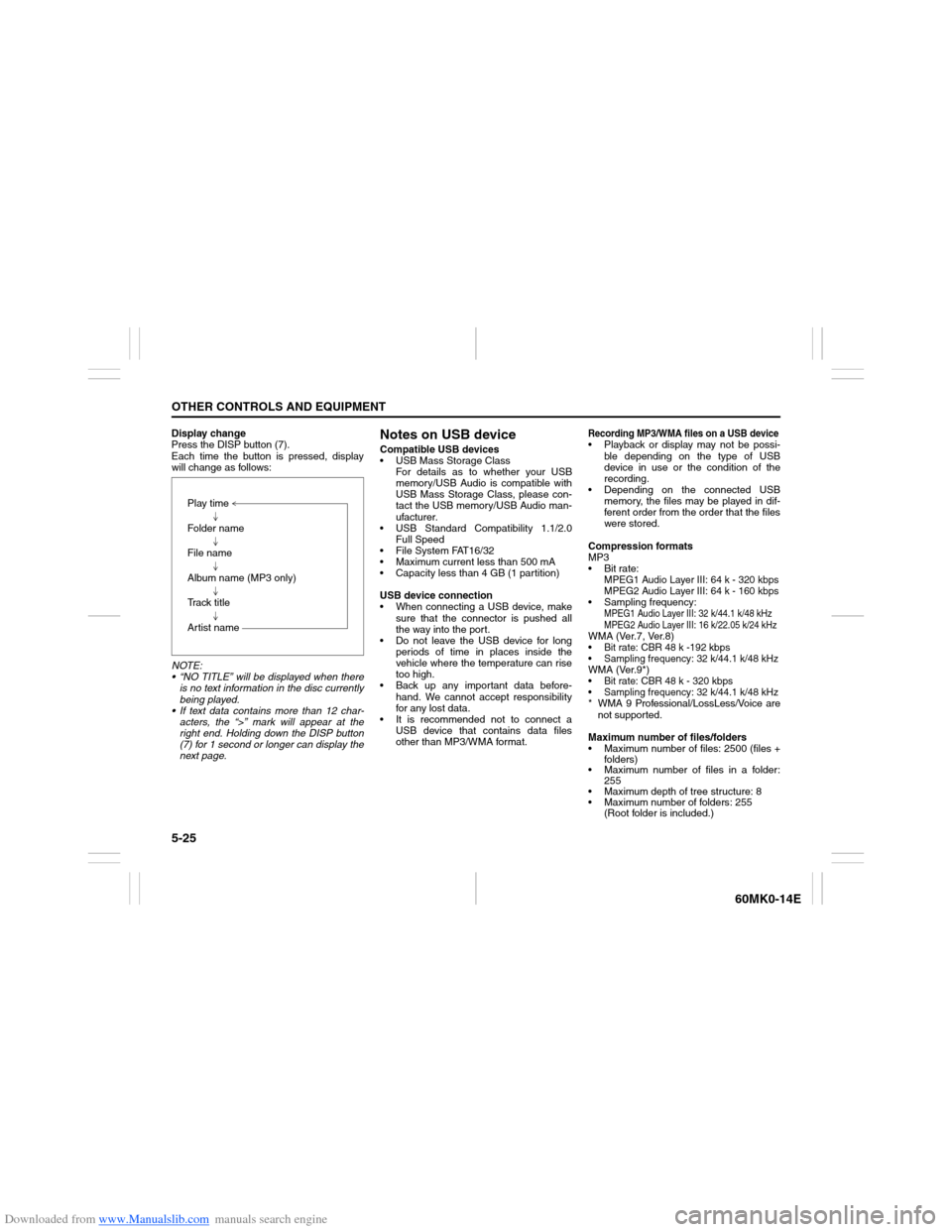
Display change
Press the DISP button (7).
Each time the button is pressed, display
will change as follows:
NOTE:
“NO TITLE” will be displayed when there
is no text information in the disc currently
being played.
If text data contains more than 12 char-
acters, the “>” mark will appear at the
right end. Holding down the DISP button
(7) for 1 second or longer can display the
next page.
Notes on USB deviceCompatible USB devices
USB Mass Storage Class
For details as to whether your USB
memory/USB Audio is compatible with
USB Mass Storage Class, please con-
tact the USB memory/USB Audio man-
ufacturer.
USB Standard Compatibility 1.1/2.0
Full Speed
File System FAT16/32
Maximum current less than 500 mA
Capacity less than 4 GB (1 partition)
USB device connection
When connecting a USB device, make
sure that the connector is pushed all
the way into the port.
Do not leave the USB device for long
periods of time in places inside the
vehicle where the temperature can rise
too high.
Back up any important data before-
hand. We cannot accept responsibility
for any lost data.
It is recommended not to connect a
USB device that contains data files
other than MP3/WMA format.
Recording MP3/WMA files on a USB device Playback or display may not be possi-
ble depending on the type of USB
device in use or the condition of the
recording.
Depending on the connected USB
memory, the files may be played in dif-
ferent order from the order that the files
were stored.
Compression formats
MP3
Bit rate
:
MPEG1 Audio Layer III: 64 k - 320 kbps
MPEG2 Audio Layer III: 64 k - 160 kbps
Sampling frequency
:
MPEG1 Audio Layer III: 32 k/44.1 k/48 kHz
MPEG2 Audio Layer III: 16 k/22.05 k/24 kHz
WMA (Ver.7, Ver.8) Bit rate: CBR 48 k -192 kbps Sampling frequency: 32 k/44.1 k/48 kHzWMA (Ver.9*) Bit rate: CBR 48 k - 320 kbps Sampling frequency: 32 k/44.1 k/48 kHz* WMA 9 Professional/LossLess/Voice are
not supported.
Maximum number of files/folders
Maximum number of files: 2500 (files +
folders)
Maximum number of files in a folder:
255
Maximum depth of tree structure: 8
Maximum number of folders: 255
(Root folder is included.) Play time
Folder name
File name
Album name (MP3 only)
Track title
Artist name
Page 125 of 207
Downloaded from www.Manualslib.com manuals search engine 5-30
OTHER CONTROLS AND EQUIPMENT
60MK0-14E
Remote Audio Controls
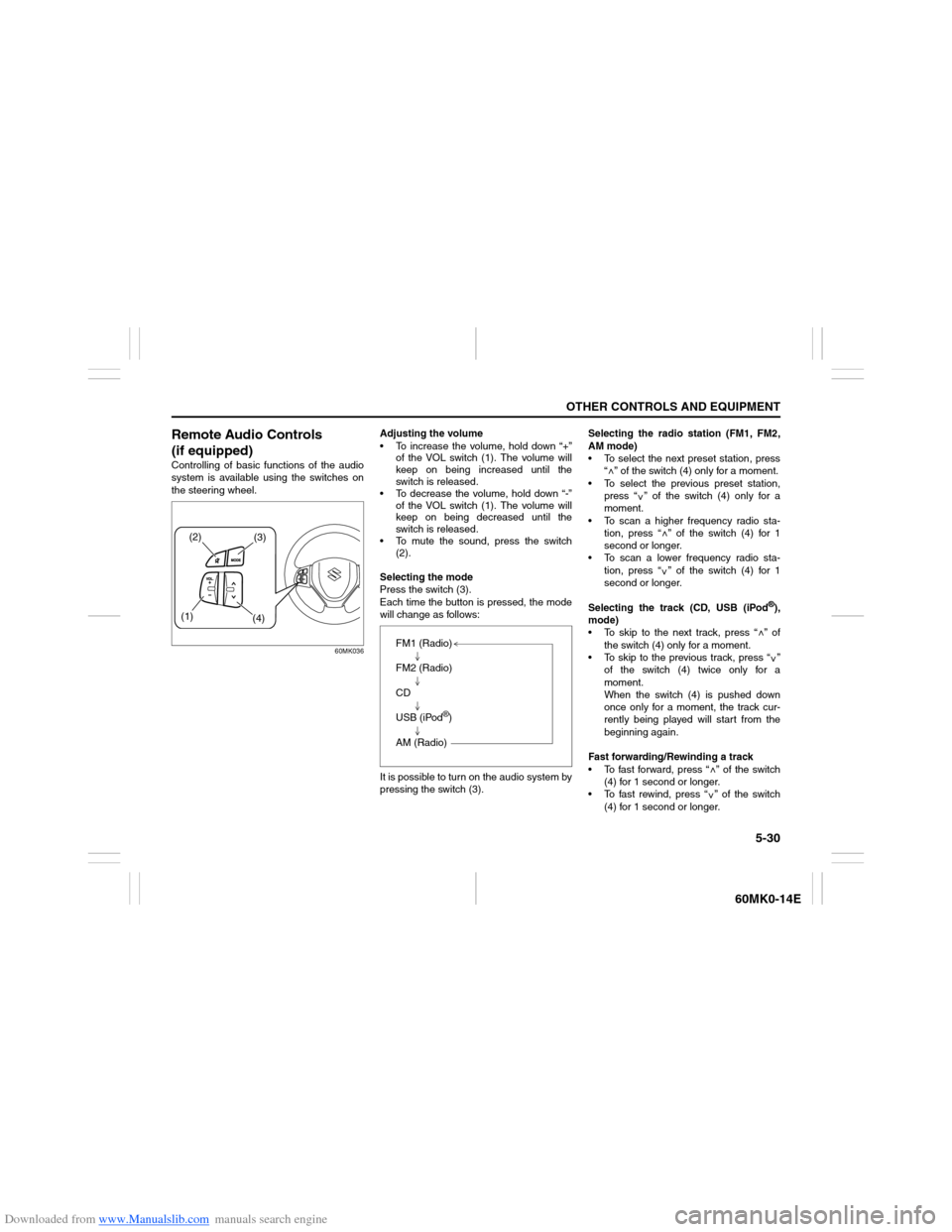
(if equipped)Controlling of basic functions of the audio
system is available using the switches on
the steering wheel.
60MK036
Adjusting the volume
To increase the volume, hold down “+”
of the VOL switch (1). The volume will
keep on being increased until the
switch is released.
To decrease the volume, hold down “-”
of the VOL switch (1). The volume will
keep on being decreased until the
switch is released.
To mute the sound, press the switch
(2).
Selecting the mode
Press the switch (3).
Each time the button is pressed, the mode
will change as follows:
It is possible to turn on the audio system by
pressing the switch (3).Selecting the radio station (FM1, FM2,
AM mode)
To select the next preset station, press
“ ” of the switch (4) only for a moment.
To select the previous preset station,
press “ ” of the switch (4) only for a
moment.
To scan a higher frequency radio sta-
tion, press “ ” of the switch (4) for 1
second or longer.
To scan a lower frequency radio sta-
tion, press “ ” of the switch (4) for 1
second or longer.
Selecting the track (CD, USB (iPod
®),
mode)
To skip to the next track, press “ ” of
the switch (4) only for a moment.
To skip to the previous track, press “ ”
of the switch (4) twice only for a
moment.
When the switch (4) is pushed down
once only for a moment, the track cur-
rently being played will start from the
beginning again.
Fast forwarding/Rewinding a track
To fast forward, press “ ” of the switch
(4) for 1 second or longer.
To fast rewind, press “ ” of the switch
(4) for 1 second or longer.
(2)
(3)
(1)
(4)
FM1 (Radio)
FM2 (Radio)
CD
USB (iPod
®)
AM (Radio)
<
<
<<
<
<
<<
Page 127 of 207
Downloaded from www.Manualslib.com manuals search engine 5-32
OTHER CONTROLS AND EQUIPMENT
60MK0-14E
The anti-theft function is intended to dis-
courage thefts, such as that the audio sys-
tem becomes inoperable when it is
installed on other vehicles.
This function works by entering a Personal
Identification Number (PIN).
When the unit is disconnected from its
power source, such as when the audio
system is removed or the battery is discon-
nected, the unit will become inoperable
until the PIN is reentered.Setting the Anti-Theft Function
1) Press the VOL PUSH POWER knob (1)
to power off.
2) Hold down the buttons numbered [1]
and [6] of the Preset buttons (2) and
press the VOL PUSH POWER knob
(1).
“SECURITY” will be displayed.
3) Press the Up button (3) and the button
numbered [1] of the Preset buttons (2)
simultaneously.
4) Enter a 4-digit number to be registered
as PIN using the buttons numbered [1] -
[4] of the Preset buttons (2).
5) Hold down the TUNE FOLDER PUSH
SOUND knob (4) for 1 second or longer
to set the anti-theft function.
NOTE:
Take a note of the registered PIN and keep
it for the future use.Canceling the anti-theft feature
To cancel the anti-theft function, delete the
registered PIN.
1) Press the VOL PUSH POWER knob (1)
to power off.
2) Hold down the buttons numbered [1]
and [6] of the Preset buttons (2) and
press the VOL PUSH POWER knob
(1).
“PIN ENTRY” will be displayed.
3) Press the Up button (3) and the button
numbered [1] of the Preset buttons (2)
simultaneously.
4) Enter a 4-digit number to be registered
as PIN using the buttons numbered [1] -
[4] of the Preset buttons (2).
5) Hold down the TUNE FOLDER PUSH
SOUND knob (4) for 1 second or longer
to delete the registered PIN. The indi-
cation “----” will be displayed and the
anti-theft function will be canceled.
NOTE:
To change your PIN, first delete your cur-
rent PIN, then set a new one.
Page 128 of 207
Downloaded from www.Manualslib.com manuals search engine 5-33OTHER CONTROLS AND EQUIPMENT
60MK0-14E
Confirming the Personal Identification
Number (PIN)
When the main power source is discon-
nected such as when the battery is
replaced, etc, it is required to enter the PIN
to make the unit operable again.
1) Set the ignition switch to the “ACC”
position.
“SECURITY” will be displayed.
2) Press the Up button (3) and the button
numbered [1] of the Preset buttons (2)
simultaneously.
3) Enter a 4-digit number to be registered
as PIN using the buttons numbered [1] -
[4] of the Preset buttons (2).
4) Hold down TUNE FOLDER PUSH
SOUND knob (4) for 1 second or
longer.
When the PIN same as registered is
entered, the power of the audio system
will be turned off automatically and it
will become operable again.
NOTE:
If an incorrect PIN is entered, “ERROR”
and the total number of incorrect entry
attempts will be displayed.
If an incorrect PIN is entered 10 times or
more, “HELP” will be displayed and the
audio system will become inoperable.
Page 133 of 207
Downloaded from www.Manualslib.com manuals search engine 5-38
OTHER CONTROLS AND EQUIPMENT
60MK0-14E
60MH031
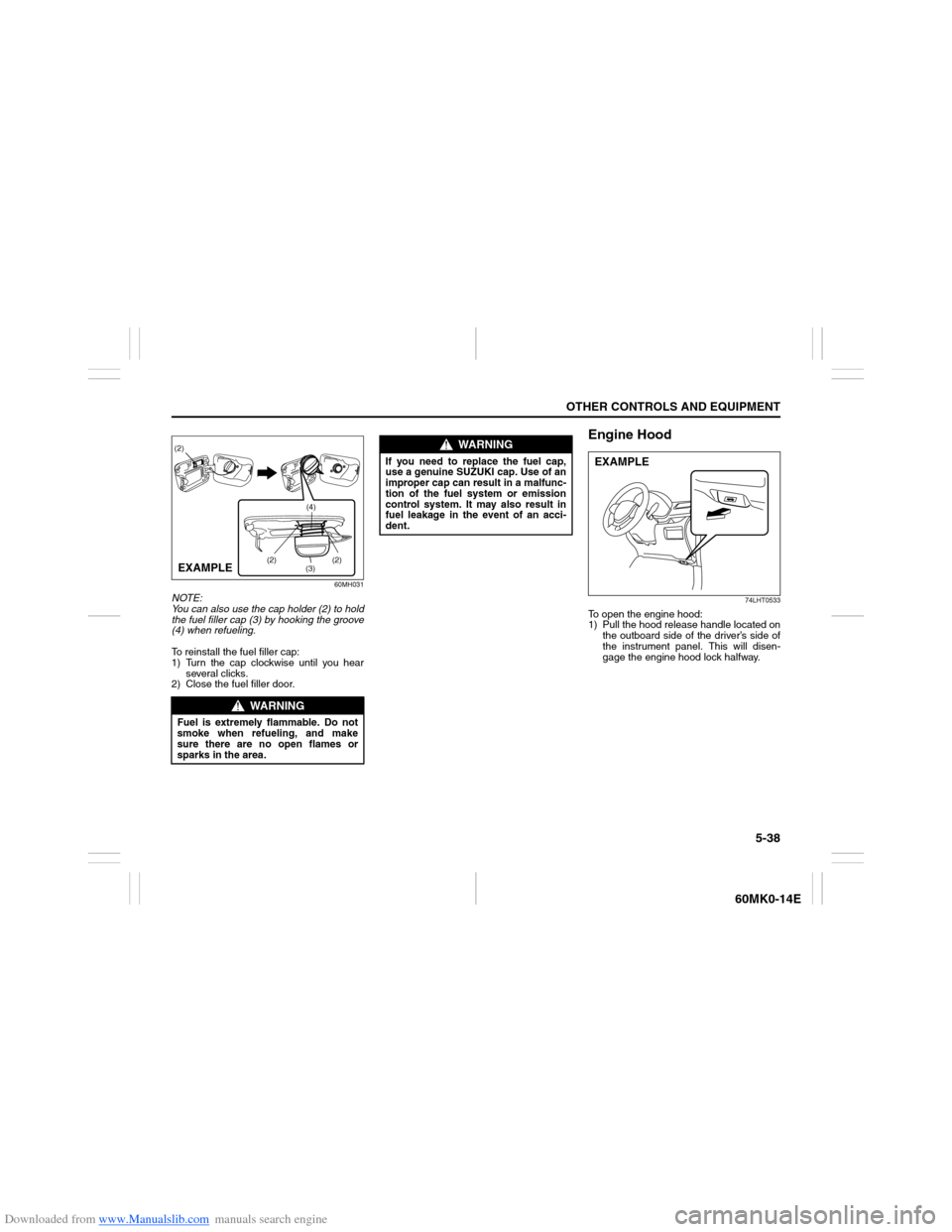
NOTE:
You can also use the cap holder (2) to hold
the fuel filler cap (3) by hooking the groove
(4) when refueling.
To reinstall the fuel filler cap:
1) Turn the cap clockwise until you hear
several clicks.
2) Close the fuel filler door.
Engine Hood
74LHT0533
To open the engine hood:
1) Pull the hood release handle located on
the outboard side of the driver’s side of
the instrument panel. This will disen-
gage the engine hood lock halfway.
WARNING
Fuel is extremely flammable. Do not
smoke when refueling, and make
sure there are no open flames or
sparks in the area.
(2)
(3)(4) (2)
(2)
EXAMPLE
WARNING
If you need to replace the fuel cap,
use a genuine SUZUKI cap. Use of an
improper cap can result in a malfunc-
tion of the fuel system or emission
control system. It may also result in
fuel leakage in the event of an acci-
dent.
EXAMPLE