door lock SUZUKI JIMNY 2020 User Guide
[x] Cancel search | Manufacturer: SUZUKI, Model Year: 2020, Model line: JIMNY, Model: SUZUKI JIMNY 2020Pages: 421, PDF Size: 6.35 MB
Page 80 of 421
BEFORE DRIVING
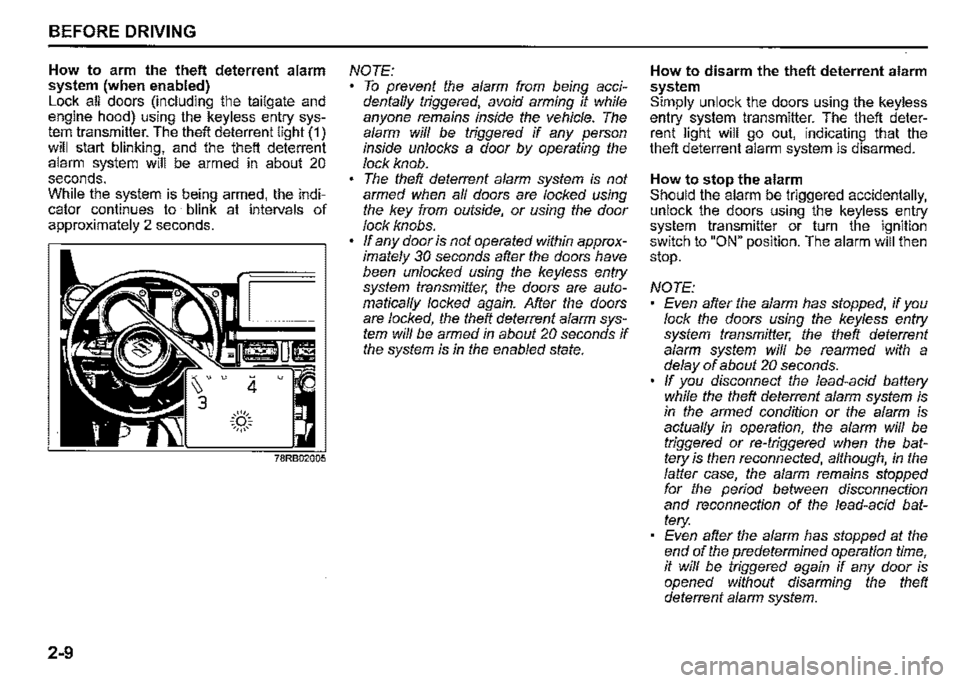
How to arm the theft deterrent alarm system (when enabled) Lock all doors (including the tailgate and engine hood) using the keyless entry system transmitter. The theft deterrent light (1) will start blinking, and the theft deterrent alarm system will be armed in about 20 seconds. While the system is being armed, the indicator continues to blink at intervals of approximately 2 seconds.
2-9
4 u
.::(')::. ~,,,,,~
NOTE: To prevent the alarm from being accidentaffy triggered, avoid arming it while anyone remains inside the vehicle. The alarm wiff be triggered if any person inside unlocks a door by operating the lock knob. The theft deterrent alarm system is not armed when af/ doors are locked using the key from outside, or using the door lock knobs. ff any door is not operated within approximately 30 seconds after the doors have been unlocked using the keyless entry system transmitter, the doors are automaticaf/y locked again. After the doors are locked, the theft deterrent alarm system wiff be armed in about 20 seconds if the system is in the enabled state.
How to disarm the theft deterrent alarm system Simply unlock the doors using the keyless entry system transmitter. The theft deterrent light will go out, indicating that the theft deterrent alarm system is disarmed.
How to stop the alarm Should the alarm be triggered accidentally, unlock the doors using the keyless entry system transmitter or turn the ignition switch to "ON" position. The alarm will then stop.
NOTE: Even after the alarm has stopped, if you lock the doors using the keyless entry system transmitter, the theft deterrent alarm system wiff be rearmed with a delay of about 20 seconds. ff you disconnect the lead-acid battery while the theft deterrent alarm system is in the armed condition or the alarm is actuaf/y in operation, the alarm will be triggered or re-triggered when the battery is then reconnected, although, in the falter case, the alarm remains stopped for the period between disconnection and reconnection of the lead-acid battery: Even after the alarm has stopped at the end of the predetermined operation time, it wiff be triggered again if any door is opened without disarming the theft deterrent alarm system.
Page 81 of 421

Checking whether the alarm has been triggered during parking If the alarm was triggered due to an unauthorized entry into the vehicle and you then turn the ignition switch to "ON" position, the theft deterrent light will blink rapidly for about 8 seconds and a buzzer will beep 4 times during this period. If this happens, check whether your vehicle has been broken into while you were away from it.
Theft deterrent light
(if equipped)
This light will blink with the ignition switch in "LOCK" or "ACC" position. The blinking light is intended to deter theft by leading others to believe that the vehicle is equipped with a security system.
BEFORE DRIVING
Windows
Manual window control
(if equipped)
~
{J
60G010A
Raise or lower the door windows by turning the handle located on the door panel.
2-10
Page 105 of 421
(Selecting 12H/24H format) Switch the time indication between 12-hour and 24-hour format by selecting "Clock setting" in "Setting mode". Then, select "12H" or "24H".
Door lock (Door unlock setting) You can choose either once or twice operation(s) to unlock all doors (including the tailgate) by turning the key or operating the keyless entry system transmitter.
You can also turn off or on the buzzer sound when the door(s) is (are) locked or unlocked.
Lights (Lane change setting) The turn signal and its indicator can be set whether they flash three times even if you return the turn signal control lever shortly after operating it. To change the lane change setting, select "Lane change" in "Setting mode". Then, select "ON" or "OFF" If you want to change the number of flashing, consult a SUZUKI dealer.
Guide me light setting (Light setting) (if equipped) You can change the lighting time of "To car" function or "To home" function.
Oil change (Oil life monitoring system reset setting) (if equipped) The oil life monitoring system must be reset after changing the engine oil and oil filter. To reset the system, push and hold the indicator selector knob (3) for a while.
TPMS (Tyre pressure monitoring system setting) (if equipped) You can check the current tyre pressure on the information display. You can set one of the initial values of tyre pressure below that are indicated on the tyre information label. -Comfort Mode -Load Mode
Refer to "Tyre pressure monitoring system (TPMS)" in the "OPERATING YOUR VEHICLE" section for details.
Traffic sign recognition (Traffic sign recognition setting) (if equipped) If you select "ON" the traffic sign recognition function can be activated.
Refer to "Traffic sign recognition" in the "OPERATING YOUR VEHICLE" section for details.
BEFORE DRIVING
Default (Initialization setting) If you select "YES" and push the indicator selector knob (3), all settings will be reinitialized.
2-34
Page 118 of 421
-----------------------------------------
BEFORE DRIVING
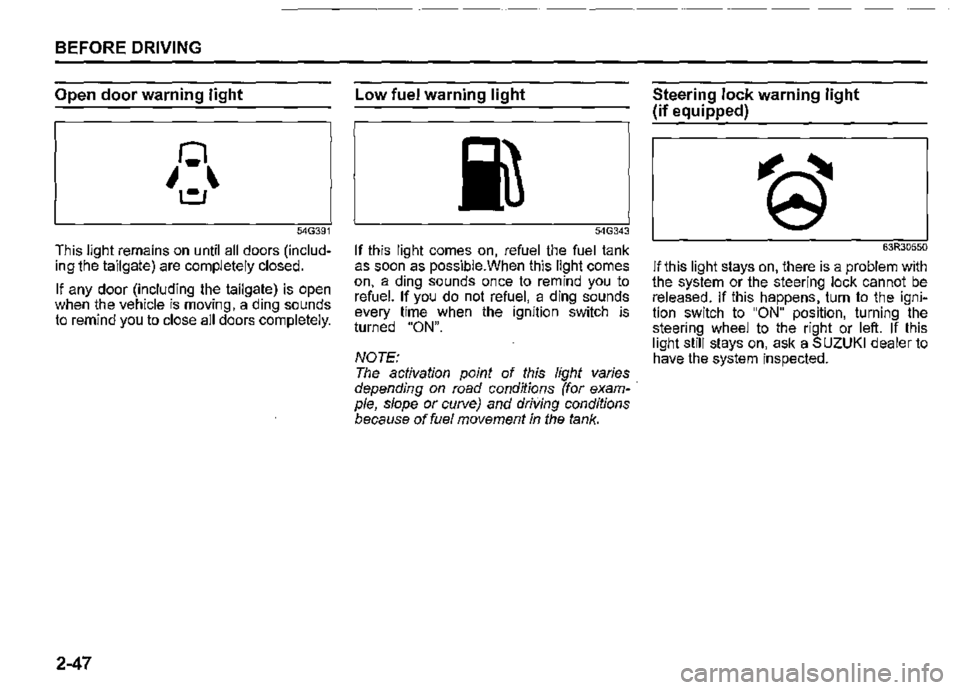
Open door warning light
54G391
This light remains on until all doors (including the tailgate) are completely closed.
If any door (including the tailgate) is open when the vehicle is moving, a ding sounds to remind you to close all doors completely.
2-47
Low fuel warning light
54G343
If this light comes on, refuel the fuel tank as soon as possible.When this light comes on, a ding sounds once to remind you to refuel. If you do not refuel, a ding sounds every time when the ignition switch is turned "ON".
NOTE: The activation point of this light varies depending on road conditions (for example, slope or curve) and driving conditions because of fuel movement in the tank.
Steering lock warning light
(if equipped)
63R30550
If this light stays on, there is a problem with the system or the steering lock cannot be released. If this happens, turn to the ignition switch to "ON" position, turning the steering wheel to the right or left. If this light still stays on, ask a SUZUKI dealer to have the system inspected.
Page 130 of 421
BEFORE DRIVING
Guide me light (if equipped)
Guide me light has two functions of "To home" and "To car" for improving your visibility in the dark.
"To home" function Even after you leave the car, the ground will be illuminated for a short while with this function. You can turn on the front position lights and the headlights in the low beam setting for about 1 O seconds after the ignition switch is turned "LOCK".
To set the function: 1) Turn the lighting switch to "AUTO" position. 2) Turn the ignition switch to "LOCK" position. 3) Pull the lighting control lever toward you once and open the driver's side door within 60 seconds. Or pull the lighting control lever toward you once while the driver's side door is open.
2-59
To cancel the function: Perform any of the following operations. · If your vehicle is equipped with the keyless entry system (if equipped), it is necessary to insert the ignition key in the ignition switch. Pull the lighting control lever toward you once. Turn the ignition switch to "ACC" or "ON" position. Turn the lighting switch to any other position than "AUTO" position.
NOTE: When the "To home" is functioning, the front fog lights (if equipped), rear fog light and the headlights (high beam) are not turned on. Lighting time of the "To home" function can be changed on the information display. Refer to "Information display" in this section.
"To car" function Before you get in the vehicle, the ground will be illuminated for a short while to easily lead the driver to the vehicle. If "UNLOCK" button of the keyless entry system transmitter (if equipped) is pressed while the lighting switch is positioned in "AUTO", the front position lights and the headlights in the low beam are turned on for 1 O seconds. This function will operate only when it is dark outside the vehicle.
To cancel the function: Perform any of the following operations. If your vehicle is equipped with the keyless entry system (if equipped), it is necessary to insert the ignition key in the ignition switch. Lock the doors by using the keyless entry system transmitter, or the key in the driver's door lock. Turn the ignition switch to "ACC" or "ON" position. Turn the lighting switch to any other position than "AUTO" position.
NOTE: When the ''To car'' is functioning, the front fog lights (if equipped), rear fog fight and the headlights (high beam) are not turned on. Lighting time of the "To car'' function can be changed on the information display. Refer to "Information display" in this section.
Page 154 of 421
OPERATING YOUR VEHICLE
68PH00310
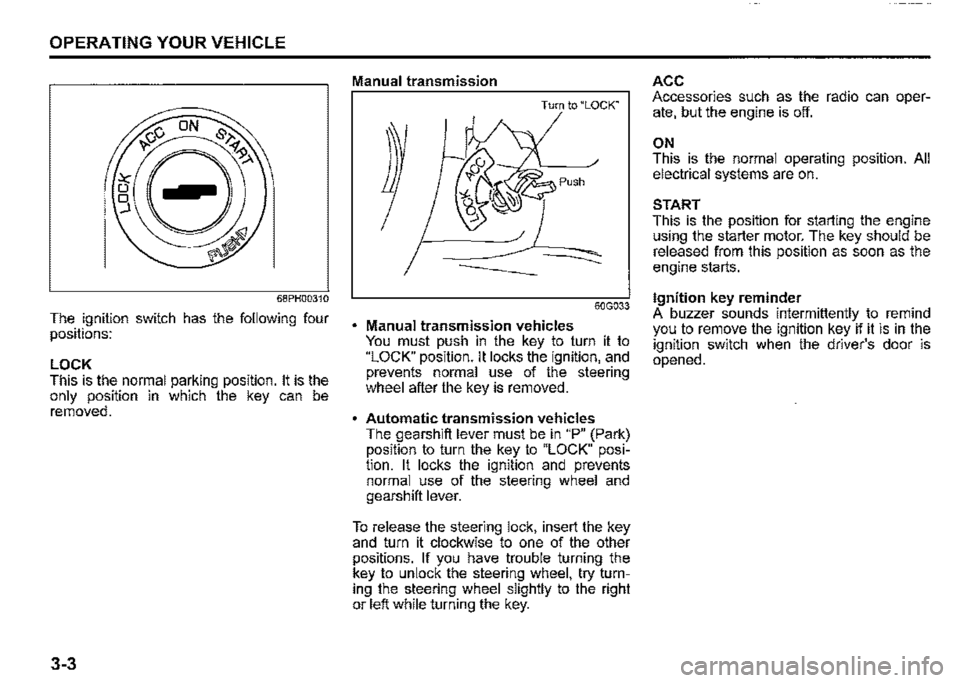
The ignition switch has the following four positions:
LOCK This is the normal parking position. It is the only position in which the key can be removed.
3-3
Manual transmission
Turn to "LOCK"
60G033
Manual transmission vehicles You must push in the key to turn it to "LOCK" position. It locks the ignition, and prevents normal use of the steering wheel after the key is removed.
Automatic transmission vehicles The gearshift lever must be in "P" (Park) position to turn the key to "LOCK" position. It locks the ignition and prevents normal use of the steering wheel and gearshift lever.
To release the steering lock, insert the key and turn it clockwise to one of the other positions. If you have trouble turning the key to unlock the steering wheel, try turning the steering wheel slightly to the right or left while turning the key.
ACC Accessories such as the radio can operate, but the engine is off.
ON This is the normal operating position. All electrical systems are on.
START This is the position for starting the engine using the starter motor. The key should be released from this position as soon as the engine starts.
Ignition key reminder A buzzer sounds intermittently to remind you to remove the ignition key if it is in the ignition switch when the driver's door is opened.
Page 229 of 421
A WARNING
In addition to following the driving tips in this section, it is important to observe the following precautions. • Check that your tyres are in good condition and always maintain the specified tyre pressure. Refer to "Tyres" in "INSPECTION AND MAINTENANCE" section for details. (Continued)
A WARNING
(Continued) Do not use tyres other than those specified by SUZUKI. Never use different sizes or types of tyres on the front and rear wheels. For information regarding the specified tyres, refer to the tyre information label located on the driver's door lock pillar. Never use oversized tyres or spe~ cial shock absorbers and springs to raise uack up) your vehicle. This will change the handling characteristics. Oversized tyres may also rub against the fender over bumps, causing vehicle damage, drive train damage or tyre failure. After driving through water, test the brakes while driving at a slow speed to see if they have maintained their normal effectiveness. If the brakes are less effective than normal, dry them by repeatedly applying the brakes while driving slowly until the brakes have regained their normal effectiveness.
DRIVING TIPS
When encountering a flooded area
80J042
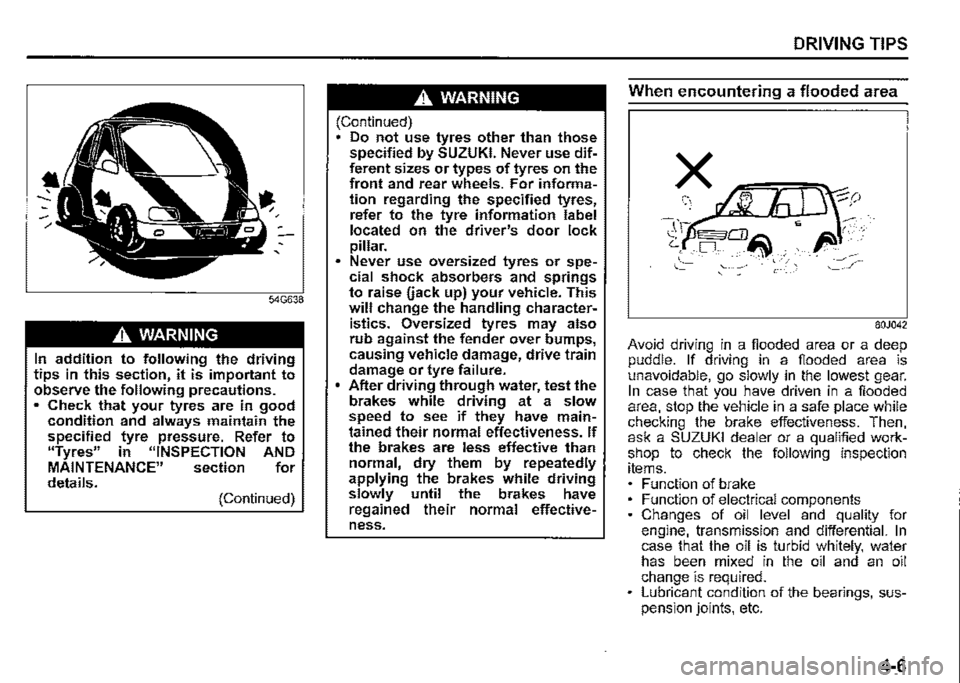
Avoid driving in a flooded area or a deep puddle. If driving in a flooded area is unavoidable, go slowly in the lowest gear. In case that you have driven in a flooded area, stop the vehicle in a safe place while checking the brake effectiveness. Then, ask a SUZUKI dealer or a qualified workshop to check the following inspection items. Function of brake Function of electrical components Changes of oil level and quality for engine, transmission and differential. In case that the oil is turbid whitely, water has been mixed in the oil and an oil change is required. Lubricant condition of the bearings, suspension joints, etc.
4-6
Page 233 of 421
Improving fuel economy
The following instructions will help you improve fuel economy.
Avoid excessive idling If you park your vehicle for more than one minute, stop the engine and start it again later. When warming up a cold engine, do not allow the engine to idle or apply full throttle until the engine has reached operating temperature. Allow the engine to warm up by driving.
Avoid fast starts F~st starts away from lights or stop signs will consume fuel unnecessarily and shorten engine life. Start off slowly.
Avoid unnecessary stops Avoid unnecessary deceleration and stopping. Try to maintain a moderate, steady speed whenever possible. Slowing down and then accelerating again uses more fuel.
Keep a steady cruising speed Drive at a constant speed that road and traffic conditions will permit.
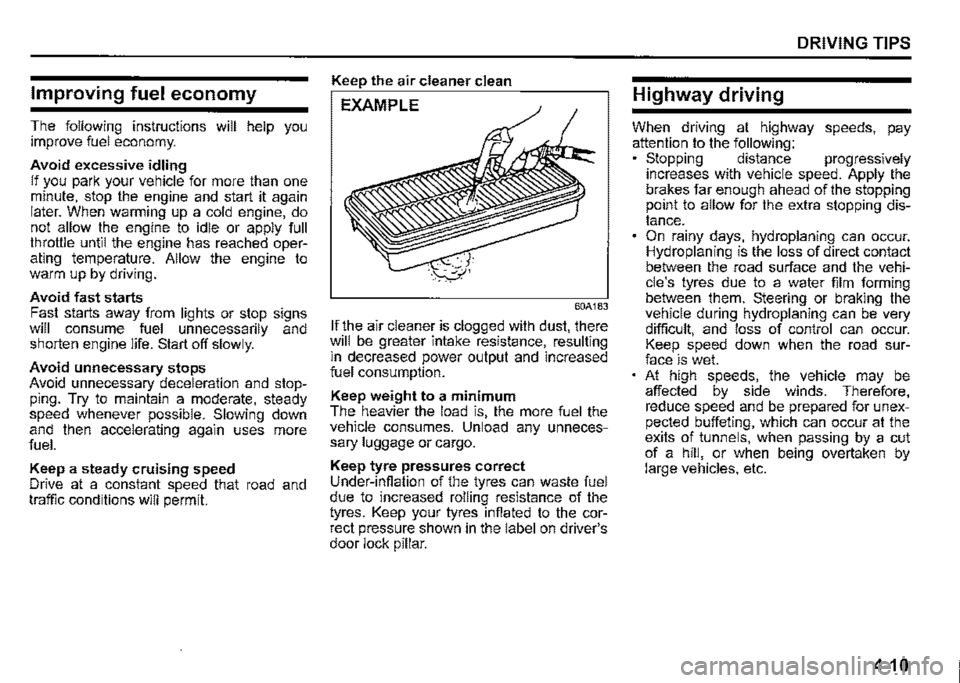
Keep the air cleaner clean
EXAMPLE
60A183
If the air cleaner is clogged with dust, there will be greater intake resistance, resulting m decreased power output and increased fuel consumption.
Keep weight to a minimum The heavier the load is, the more fuel the vehicle consumes. Unload any unnecessary luggage or cargo.
Keep tyre pressures correct Under-infiation of the tyres can waste fuel due to increased rolling resistance of the tyres. Keep your tyres infiated to the correct pressure shown in the label on driver's door lock pillar.
DRIVING TIPS
Highway driving
When driving at highway speeds, pay attention to the following: • Stopping distance progressively increases with vehicle speed. Apply the brakes far enough ahead of the stopping prnnt to allow for the extra stopping distance. On rainy days, hydroplaning can occur. Hydroplaning is the loss of direct contact between the road surface and the vehicle's tyres due to a water film forming between them. Steering or braking the vehicle during hydroplaning can be very difficult, and loss of control can occur. Keep speed down when the road surface is wet. At high speeds, the vehicle may be affected by side winds. Therefore, reduce speed and be prepared for unexpected buffeting, which can occur at the exits of tunnels, when passing by a cut of a hill, or when being overtaken by large vehicles, etc.
4-10
Page 236 of 421
OTHER CONTROLS AND EQUIPMENT
Fuel filler cap
78RB05001
5-1
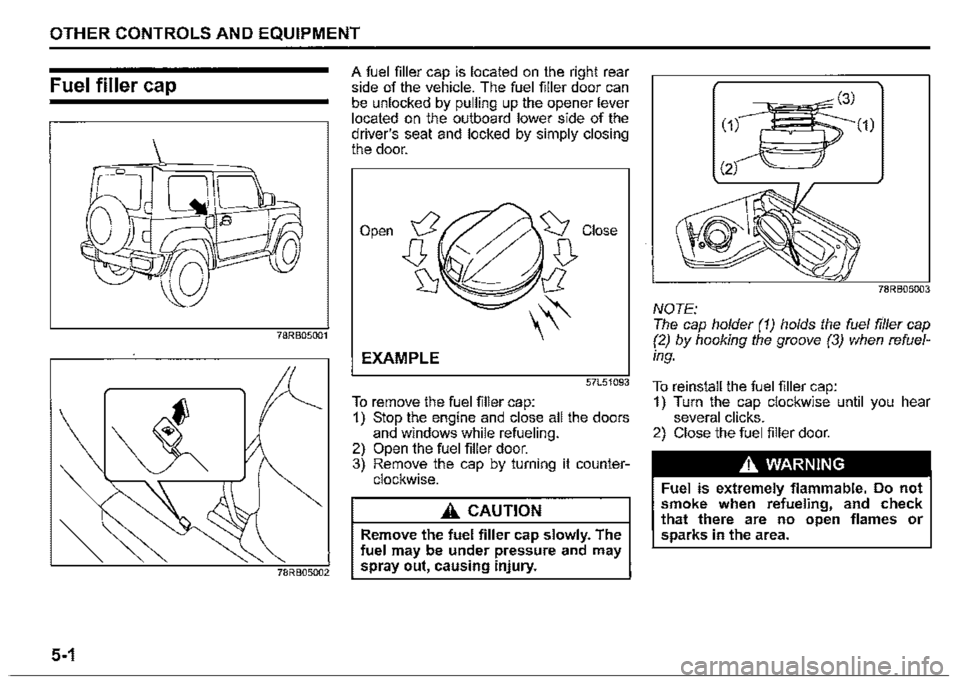
A fuel filler cap is located on the right rear side of the vehicle. The fuel filler door can be unlocked by pulling up the opener lever located on the outboard lower side of the driver's seat and locked by simply closing the door.
Open
EXAMPLE
57L51093
To remove the fuel filler cap: 1) Stop the engine and close all the doors and windows while refueling. 2) Open the fuel filler door. 3) Remove the cap by turning it counterclockwise.
A CAUTION
Remove the fuel filler cap slowly. The fuel may be under pressure and may spray out, causing injury.
78RB05003
NOTE: The cap holder (1) holds the fuel filler cap (2) by hooking the groove (3) when refuel
ing.
To reinstall the fuel filler cap: 1) Turn the cap clockwise until you hear several clicks. 2) Close the fuel filler door.
A WARNING
Fuel is extremely flammable. Do not smoke when refueling, and check that there are no open flames or sparks in the area.
Page 239 of 421

Sun visor
79J161
The sun visors can be pulled down to block glare coming through the windshield, or they can be unhooked and turned to the side to block glare coming through the side window.
NOTICE
When unhooking and hooking a sun visor, handle it by the hard plastic parts or the sun visor can be dam
aged.
OTHER CONTROLS AND EQUIPMENT
Card holder (if equipped)
(1)
(2)
78RB05008
(1) Mirror cover (2) Card holder
You can put a card in the card holder (2) on the back of the sun visor.
NOTICE
When you park your vehicle outdoors in direct sunlight or in hot weather, do not leave plastic cards in the holder. The heat may distort them.
Vanity mirror (if equipped)
(3)
78RB05009
(3) Vanity mirror
To use the vanity mirror (3) on the back of the sun visor, pull up the mirror cover (1).
A WARNING
• Do not use the mirror while driving your vehicle or you lose control of the vehicle. • When using the vanity mirror, do not move too close to a front airbag location or lean against it. If the front airbag is accidentally inflated it could hit you hard. '
5-4