change time SUZUKI JIMNY 2022 Owner's Manual
[x] Cancel search | Manufacturer: SUZUKI, Model Year: 2022, Model line: JIMNY, Model: SUZUKI JIMNY 2022Pages: 421, PDF Size: 6.35 MB
Page 231 of 421

A WARNING
In addition to following the driving tips in this section, it is important to observe the following precautions for on-road and off-road driving. Driver and passengers should wear seat belts at all times. Do not let anyone else drive your vehicle unless they are also aware of the vehicle characteristics and handling differences described in this section. Avoid loaning your vehicle to any• one unless you accompany them. Make sure your tyres are in good condition and always maintain the specified tyre pressure. Refer to "Tyres" in the "INSPECTION AND MAINTENANCE" section for details. Do not use tyres other than those specified by SUZUKI. Never use dif• ferent sizes or types of tyres on the front and rear wheels. For informa• lion regarding the specified tyres, refer to the "SPECIFICATIONS" section. Never use oversized tyres or special shock absorbers and springs to raise uack up) your vehicle. This will raise the center of gravity of the vehicle and change its handling characteristics. (Continued)
A WARNING
(Continued) After driving through water, mud, or sandy ground, test the brakes while driving at a slow speed to see if they have maintained their nor• mal effectiveness. If the brakes are less effective than normal, dry them by repeatedly applying the brakes while driving slowly until the brakes have regained their nor• mal effectiveness. After extended operation in mud, sand, or water, have the brakes, bearings and joint parts etc. inspected by a SUZUKI dealer as soon as possible.
DRIVING TIPS
Running-in
NOTICE
The future performance and reliabil• ity of the engine depends on the care and restraint exercised during its early life. It is especially important to observe the following precautions during the first 960 km (600 miles) of vehicle operation. • After starting, do not race the engine. Warm ii up gradually. • Avoid prolonged vehicle operation at a constant speed. Moving parts will break in better if you vary your speed. Start off from a stop slowly. Avoid full throttle starts. Avoid hard braking, especially during the first 320 km (200 miles) of driving. Do not drive slowly with the !rans• mission in a high gear. Drive the vehicle at moderate engine speeds. Do not tow a trailer during the first 960 km (600 miles) of vehicle oper• ation.
4-8
Page 240 of 421

OTHER CONTROLS AND EQUIPMENT
Interior light
Front
52RM50070
This light switch has three positions which function as described below:
ON (1) The light comes on and stays on regardless of whether the door is open or closed.
NOTE: The light will automatically be turned off to prevent the lead-acid battery from discharging when the following conditions are simultaneously met: The ignition switch is in "LOCK" position. The hazard warning lights, the position lights and the headlights are off.
5-5
• After 15 minutes from the light on.
DOOR (2) The light comes on when the door is opened. After closing all doors, the light will remain on for about 15 seconds and then fade out. If you insert the key to change the ignition mode to "ACC" or "ON" during this time, the light will start to fade out immediately. After removing the key from the ignition switch, the light will turn on for about 15 seconds and then fade out.
NOTE: The light will automatically be turned off to prevent the lead-acid battery from discharging when the following conditions are simultaneously met: • The ignition switch is in "LOCK" position. • After about 15 minutes of the light on.
OFF (3) The light remains off even when the door is opened.
Luggage compartment
(if equipped)
ON @l) o @i OFF
(1) (2)
78RB05010
This light switch has three positions which function as described below:
ON (1) The light comes on and stays on regardless of whether the tailgate is open or closed.
NOTE: The light will automatically be turned off to prevent the lead-acid battery from discharging when the following conditions are simultaneously met: The ignition switch is in "LOCK" position. The hazard warning lights, the position lights and the headlights are off. After 15 minutes from the light on.
Page 241 of 421

DOOR (2) The light comes on when the tailgate is opened. After closing the tailgate, the light will remain on for about 15 seconds and then fade out. If you insert the key to change the ignition mode to "ACC" or "ON" during this time, the light will start to fade out immediately. After removing the key from the ignition switch, the light will turn on for about 15 seconds and then fade out.
NOTE: The light will automatically be turned off to prevent the lead-acid battery from discharging when the following conditions are
simultaneously met: • The ignition switch is in "LOCK" position. • After about 15 minutes of the light on.
OFF (3) The light remains off even when the tailgate is opened.
NOTICE
Do not leave the tailgate open with the luggage · compartment light switch in ON position for a long time, or the lead-acid battery will discharge.
OTHER CONTROLS AND EQUIPMENT
NOTE: The light will automatically be turned off to prevent the lead-acid battery from discharging when after 15 minutes of the tail
gate open.
78RB05011
NOTE: The number of doors involved in the lighting operation of the interior light depends on the vehicle specification. If there is a switch (rubber protrusion) at the door opening as shown, the door is involved in the lighting operation. The tailgate is also involved in this operation even without the rubber protrusion.
Accessory socket
Luggage compartment (if equipped)
5-6
Page 255 of 421
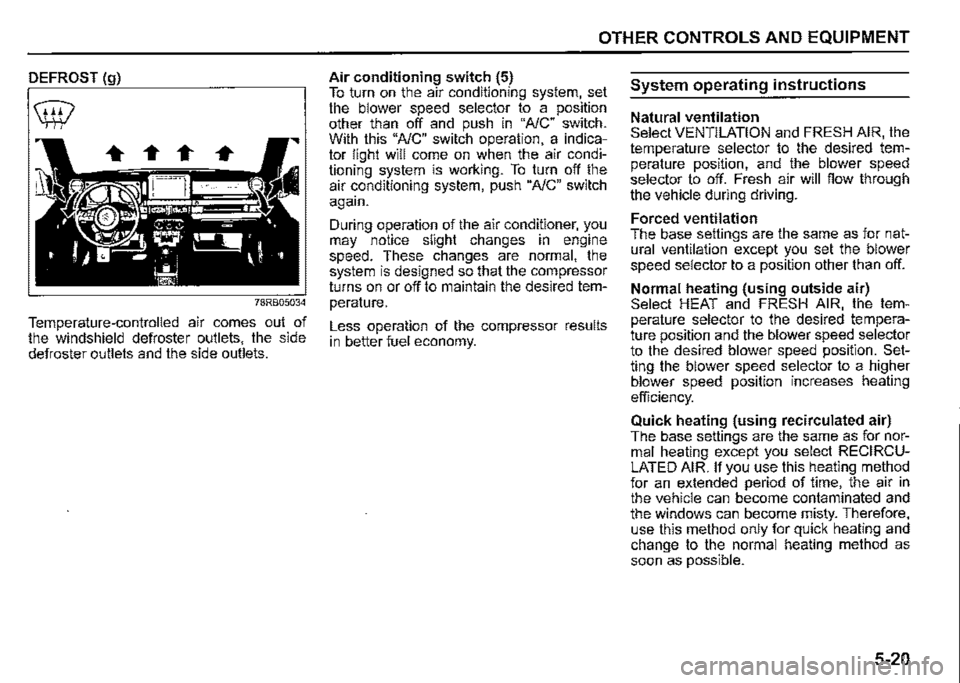
DEFROST (g)
78RB05034
Temperature-controlled air comes out of the windshield defroster outlets, the side defroster outlets and the side outlets.
OTHER CONTROLS AND EQUIPMENT
Air conditioning switch (5) To turn on the air conditioning system, set the blower speed selector to a position other than off and push in "NC" switch. With this "NC" switch operation, a indicator light will come on when the air conditioning system is working. To turn off the air conditioning system, push "NC" switch again.
During operation of the air conditioner, you may notice slight changes in engine speed. These changes are normal, the system is designed so that the compressor turns on or off to maintain the desired temperature.
Less operation of the compressor results in better fuel economy.
System operating instructions
Natural ventilation Select VENTILATION and FRESH AIR, the temperature selector to the desired temperature position, and the blower speed selector to off. Fresh air will flow through the vehicle during driving.
Forced ventilation The base settings are the same as for natural ventilation except you set the blower speed selector to a position other than off.
Normal heating (using outside air) Select HEAT and FRESH AIR, the temperature selector to the desired temperature position and the blower speed selector to the desired blower speed position. Setting the blower speed selector to a higher blower speed position increases heating
efficiency.
Quick heating (using recirculated air) The base settings are the same as for normal heating except you select RECIRCULATED AIR. If you use this heating method for an extended period of time, the air in the vehicle can become contaminated and the windows can become misty. Therefore, use this method only for quick heating and change to the normal heating method as soon as possible.
5-20
Page 260 of 421

OTHER CONTROLS AND EQUIPMENT
RECIRCULATED AIR (a) When this mode is selected, outside air is shut off and inside air is recirculated. This mode is suitable when driving through dusty or polluted air such as a tunnel, or when attempting to quickly cool down or warm up the interior.
FRESH AIR (b) When this mode is selected, outside air is introduced.
FRESH AIR and RECIRCULATED AIR are selected alternately each time the air intake selector is pushed.
NOTE: If you select RECIRCULATED AIR for an extended period of time, the air in the vehicle can become contaminated and the windows tend to get misted. Therefore, you should select FRESH AIR whenever possible.
5-25
Air flow selector (4)
(c) ~
!
(d) •~
!
(e) •,J
!
(f) 'f,;
8
~-ffi
78RB05040
Push the air fiow selector (4) to change among the following functions. The indication of the selected mode appears in the display.
If "AUTO" switch (8) is pushed, the air fiow will vary automatically as the climate control system maintains the selected temperature.
VENTILATION (c)
... ,.,
78RB05041
Temperature-controlled air comes out of the canter and side outlets.
Page 275 of 421

Adjusting bass/treble/balance/fader 1) Press "TUNE/FLD PUSH SOUND" knob (2). Each time the knob is pressed, sound adjustment will change as follows:
Preset-EQ (EQ OFF) -!, Bass adjustment (BASS 0) -!, Treble adjustment (TREBLE 0) -!, Balance adjustment (BALANCE 0) -!, Fader adjustment (FADER 0) -!, AVC adjustment (AVC LEVEL 2) -
2) Turn "TUNE/FLD PUSH SOUND" knob (2) to adjust the sound.
OTHER CONTROLS AND EQUIPMENT
Adjusting the AVC (Auto volume control) The Auto Volume Control (AVC) function automatically adjusts (increases/ decreases) the sound volume in accordance with vehicle speed. The AVC control is provided with three selectable levels (LEVEL OFF, 1, 2, 3). The range of volume adjustment increases together with the LEVEL number. 1) Press "TUNEIFLD PUSH SOUND" knob (2) until the AVC adjustment mode is selected. 2) Turn "TUNEIFLD PUSH SOUND" knob (2) to select the desired AVC adjustment level. (Initial setting: LEVEL 2)
Preset-EQ Preset-EQ calls up various sound types in accordance with the listening music type. 1) Press "TUNEIFLD PUSH SOUND" knob (2) several times until "PRESETEQ" appears. 2) Turn "TUNEIFLD PUSH SOUND" knob (2). Each time the knob is turned, preset EQ mode will change as follows:
OFF (FLAT)
$ ROCK
$ POP
$ CLASSIC
$ HIP-HOP
5-40
Page 277 of 421
Selecting the reception band
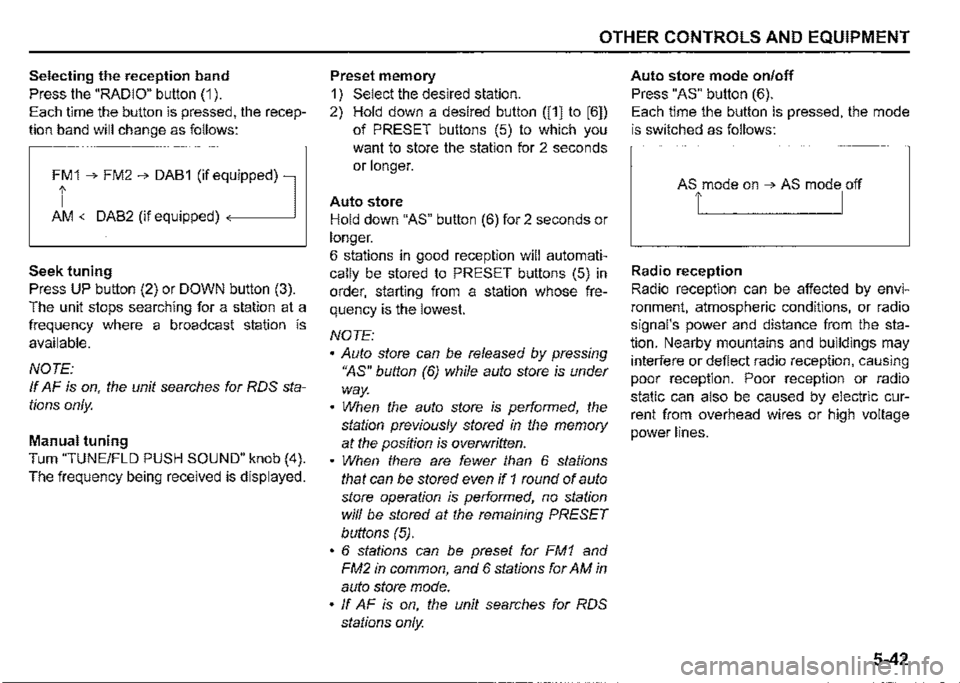
Press the "RADIO" button (1 ).
Each time the button is pressed, the recep
tion band will change as follows:
Ff 1 ➔ FM2 ➔ DAB1 (if eq,uipped) l
AM <-DAB2 (if equipped)
Seek tuning
Press UP button (2) or DOWN button (3).
The unit stops searching for a station at a
frequency where a broadcast station is
available.
NOTE:
If AF is on, the unit searches for RDS sta
tions only.
Manual tuning
Turn "TUNE/FLO PUSH SOUND" knob (4).
The frequency being received is displayed.
OTHER CONTROLS AND EQUIPMENT
Preset memory
1) Select the desired station.
2) Hold down a desired button ([1] to [6])
of PRESET buttons (5) to which you
want to store the station for 2 seconds
or longer.
Auto store
Hold down "AS" button (6) for 2 seconds or
longer.
6 stations in good reception will automati
cally be stored to PRESET buttons (5) in
order, starting from a station whose fre
quency is the lowest.
NOTE:
• Auto store can be released by pressing
"AS" button (6) while auto store is under
way.
• When the auto store is performed, the
station previously stored in the memory
at the position is overwritten.
• When there are fewer than 6 stations
that can be stored even if 1 round of auto
store operation is performed, no station
will be stored at the remaining PRESET
buttons (5).
• 6 stations can be preset for FM1 and
FM2 in common, and 6 stations for AM in
auto store mode.
• ff AF is on, the unit searches for RDS
stations only.
Auto store mode on/off
Press "AS" button (6).
Each time the button is pressed, the mode
is switched as follows:
Radio reception
Radio reception can be affected by envi
ronment, atmospheric conditions, or radio
signal's power and distance from the sta
tion. Nearby mountains and buildings may
interfere or deflect radio reception, causing
poor reception. Poor reception or radio
static can also be caused by electric cur
rent from overhead wires or high voltage
power lines.
5-42
Page 279 of 421
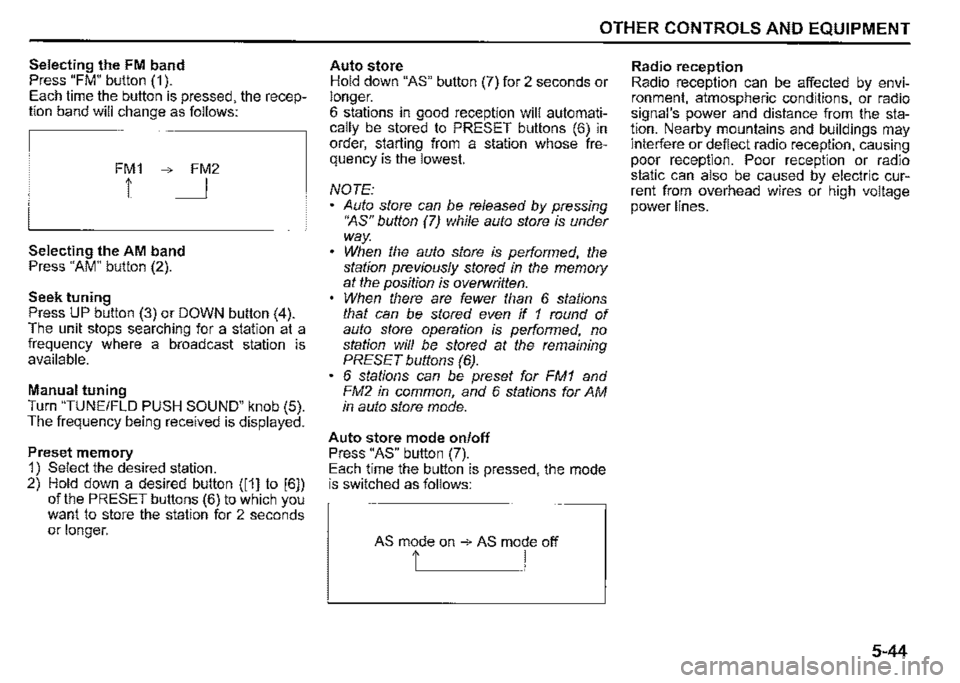
Selecting the FM band Press "FM" button (1 ). Each time the button is pressed, the reception band will change as follows:
FM1 ➔ FM2
1 I
Selecting the AM band Press "AM" button (2).
Seek tuning Press UP button (3) or DOWN button (4). The unit stops searching for a station at a frequency where a broadcast station is available.
Manual tuning Turn "TUNE/FLO PUSH SOUND" knob (5). The frequency being received is displayed.
Preset memory 1) Select the desired station. 2) Hold down a desired button ([1] to [6]) of the PRESET buttons (6) to which you want to store the station for 2 seconds or longer.
OTHER CONTROLS AND EQUIPMENT
Auto store Hold down "AS" button (7) for 2 seconds or longer. 6 stations in good reception will automatically be stored to PRESET buttons (6) in order, starting from a station whose frequency is the lowest.
NOTE: Auto store can be released by pressing •~s" button (7) while auto store is under way. When the auto store is performed, the station previously stored in the memory at the position is overwritten. When there are fewer than 6 stations that can be stored even if 1 round of auto store operation is performed, no station will be stored at the remaining PRESET buttons (6). 6 stations can be preset for FM1 and FM2 in common, and 6 stations for AM in auto store mode.
Auto store mode on/off Press "AS" button (7). Each time the button is pressed, the mode is switched as follows:
AS mode on ➔ AS mode off
t I
Radio reception Radio reception can be affected by environment, atmospheric conditions, or radio signal's power and distance from the station. Nearby mountains and buildings may interfere or deflect radio reception, causing poor reception. Poor reception or radio static can also be caused by electric current from overhead wires or high voltage power lines.
5-44
Page 281 of 421

TA (Traffic Announcement) on/off
Press "TA" button (1 ).
Each time it is pressed, TA adjustment is
changed as follows:
NOTE:
• For listening to only traffic information,
activate TA. Once traffic information
starts, the volume changes automati
cally.
• "TP" indicator lights up when TP (Traffic
Program) is on. It blinks when no TP data
is received.
• "TA" indicator lights while TA is activated.
On the other hand, "TA" indicator blinks if
the TP data cannot be received.
• If UP button (4) or DOWN button (5) is
pressed while TA or TP is set to on, the
unit searches for a TP station.
• If no TP station is received, the unit dis
plays "TP NOTHING".
OTHER CONTROLS AND EQUIPMENT
PTY (Program Type) search
1) Press "RDM/PTY" button (2) to select
PTY mode.
2) Press "RDM/PTY" button (2) while PTY
is displayed.
Each time it is pressed, PTY adjust
ment is changed as follows:
NEWS~-------
,!,
SPORTS
,I,
TALK
,I,
POP
,I,
CLASSICS-------'
3) Press UP button (4) or DOWN button
(5) while PTY is displayed.
Search begins.
NOTE:
If no PTY information is received, the unit
displays "NOPTY".
AF (Alternative Frequency) on/off
Press "RPT/AF" button (3).
Each time it is pressed, AF adjustment is
changed as follows:
AF-ON/REG-OFF , ··~ ,I,
AF-ONIREG-ON
AF-OtFIREG-OFF
AF: If the reception condition becomes
poor, the frequency of the same program
with good reception is automatically
searched.
REG: With regard to the automatically
searched frequency with AF activated, the
alternative frequency of the same program
is searched within the present region when
REG is activated.
NOTE:
''AF" indicator lights up when AF is on. In
addition, "REG" indicator lights up when
REG ison.
5-46
Page 285 of 421

Random playback Press "ROM" button (7). Each time the button is pressed, the mode will change as follows:
OFF ➔ TRACK RANDOM
t I
TRACK RANDOM The random indicator "ROM" will light. The tracks in the loaded disc will be played in random order.
Repeat playback Press "RPT" button (6). Each time the button is pressed, the mode will change as follows:
OFF ➔ TRACK REPEAT
t I
• TRACK REPEAT The repeat indicator "RPT" will light. The track currently being played will be played repeatedly.
OTHER CONTROLS AND EQUIPMENT
Display change Press "DISP" button (8). Each time the button is pressed, display will change as follows:
Play time --------,!, Disc title .J, Track title --------~
NOTE: "NO TITLE" will be displayed when there is no text information in the disc currently being played. If text data contains more than 16 characters, ">" mark will appear at the right end. Holding down "DISP" button /8) for 1 second or longer can display the next
page.
5-50