battery TESLA MODEL S 2021 Owner´s Manual
[x] Cancel search | Manufacturer: TESLA, Model Year: 2021, Model line: MODEL S, Model: TESLA MODEL S 2021Pages: 281, PDF Size: 7.63 MB
Page 189 of 281

NOTE: In addition to cooling the interior, the
air conditioning compressor also cools the
Battery. Therefore, in hot weather, the air
conditioning compressor can turn on even if
you turned it
off. This is normal because the
system
Page 199 of 281
CAUTION: Do not use cutting pastes, color restoration compounds, or polishes containing harsh abrasives. These can scour the surface and permanently damage the paint.
CAUTION: Do not use chrome polish or other abrasive cleaners.
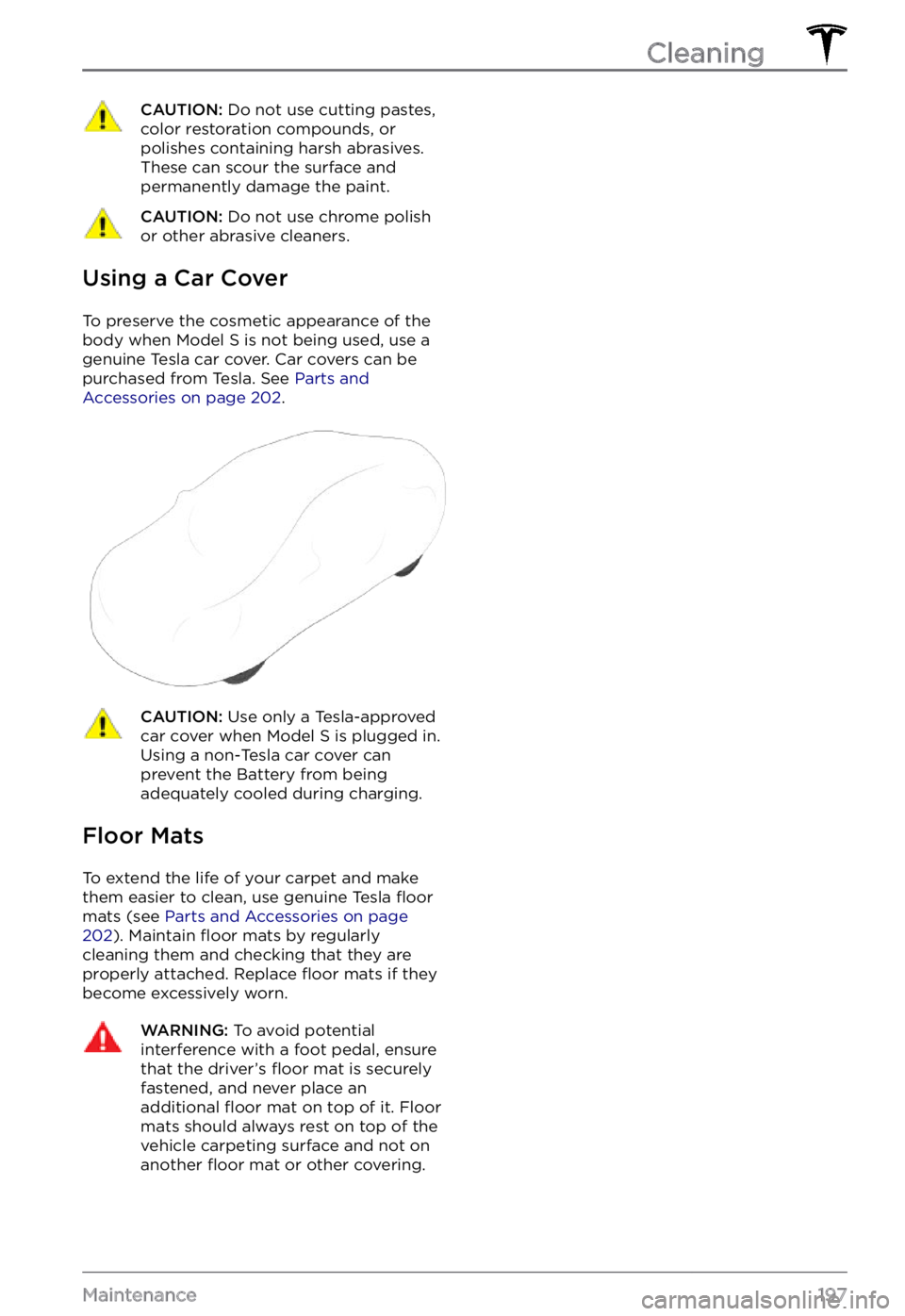
Using a Car Cover
To preserve the cosmetic appearance of the
body when Model S is not being used, use a
genuine Tesla car cover. Car covers can be
purchased from Tesla. See
Parts and Accessories on page 202.
CAUTION: Use only a Tesla-approved car cover when Model S is plugged in. Using a non-Tesla car cover can prevent the Battery from being adequately cooled during charging.
Floor Mats
To extend the life of your carpet and make
them easier to clean, use genuine Tesla floor
mats (see Parts and Accessories on page 202). Maintain floor mats by regularly
cleaning them and checking that they are
properly attached. Replace
floor mats if they
become excessively worn.
WARNING: To avoid potential interference with a foot pedal, ensure that the driver
Page 201 of 281
Removing the Maintenance
Panel
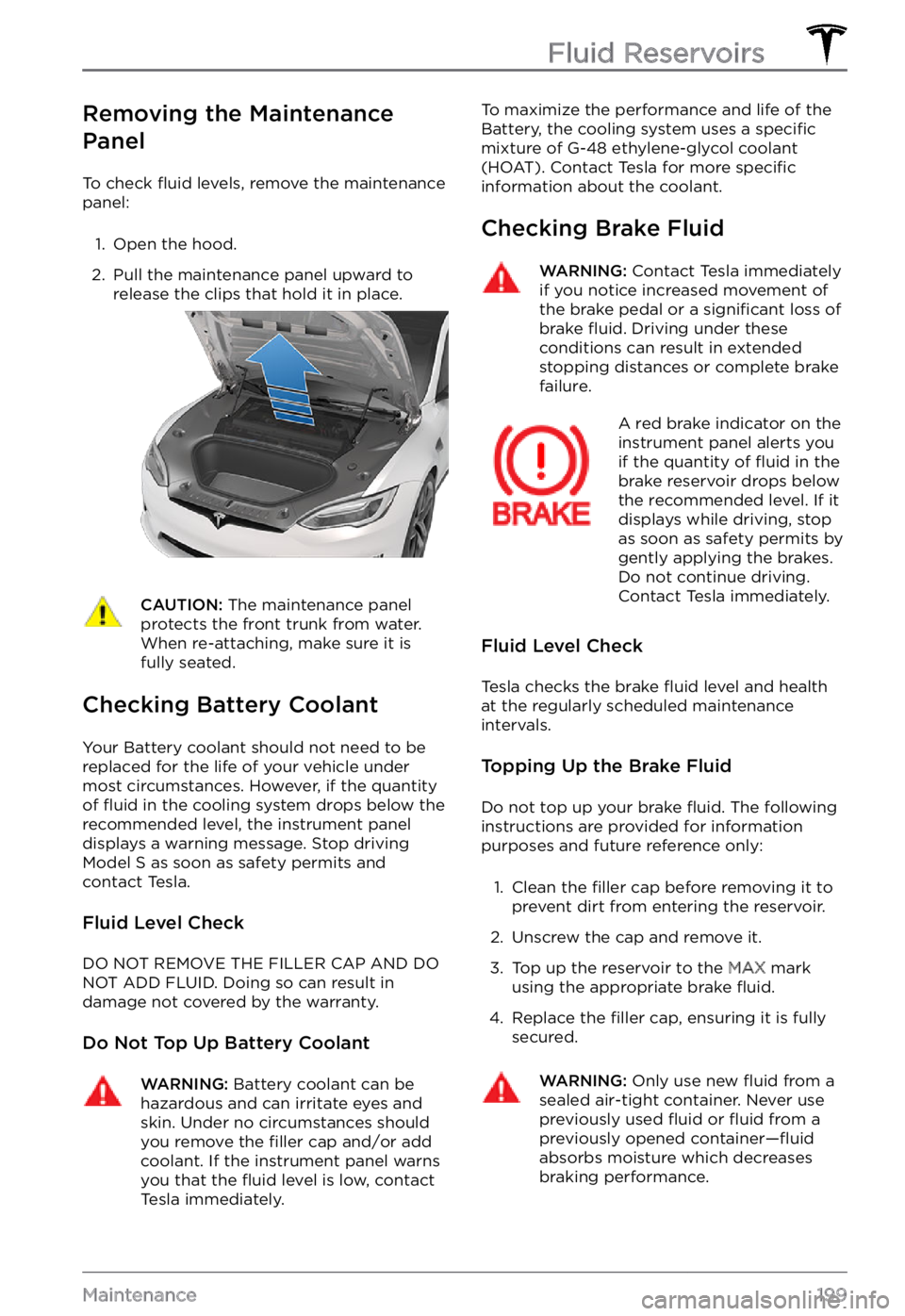
To check fluid levels, remove the maintenance
panel:
1.
Open the hood.
2.
Pull the maintenance panel upward to
release the clips that hold it in place.
CAUTION: The maintenance panel protects the front trunk from water. When re-attaching, make sure it is fully seated.
Checking Battery Coolant
Your Battery coolant should not need to be
replaced for the life of your vehicle under
most circumstances. However, if the quantity
of
fluid in the cooling system drops below the
recommended level, the instrument panel displays a warning message. Stop driving Model S as soon as safety permits and
contact Tesla.
Fluid Level Check
DO NOT REMOVE THE FILLER CAP AND DO NOT ADD FLUID. Doing so can result in damage not covered by the warranty.
Do Not Top Up Battery Coolant
WARNING: Battery coolant can be hazardous and can irritate eyes and skin. Under no circumstances should you remove the filler cap and/or add coolant. If the instrument panel warns you that the fluid level is low, contact Tesla immediately.
To maximize the performance and life of the
Battery, the cooling system uses a specific
mixture of G-48 ethylene-glycol coolant
(HOAT). Contact Tesla for more specific information about the coolant.
Checking Brake Fluid
WARNING: Contact Tesla immediately if you notice increased movement of the brake pedal or a significant loss of brake fluid. Driving under these conditions can result in extended stopping distances or complete brake failure.
A red brake indicator on the instrument panel alerts you
if the quantity of fluid in the
brake reservoir drops below
the recommended level. If it
displays while driving, stop
as soon as safety permits by
gently applying the brakes.
Do not continue driving.
Contact Tesla immediately.
Fluid Level Check
Tesla checks the brake fluid level and health
at the regularly scheduled maintenance intervals.
Topping Up the Brake Fluid
Do not top up your brake fluid. The following
instructions are provided for information purposes and future reference only:
1.
Clean the filler cap before removing it to
prevent dirt from entering the reservoir.
2.
Unscrew the cap and remove it.
3.
Top up the reservoir to the MAX mark
using the appropriate brake fluid.
4.
Replace the filler cap, ensuring it is fully
secured.
WARNING: Only use new fluid from a sealed air-tight container. Never use previously used fluid or fluid from a previously opened container
Page 211 of 281
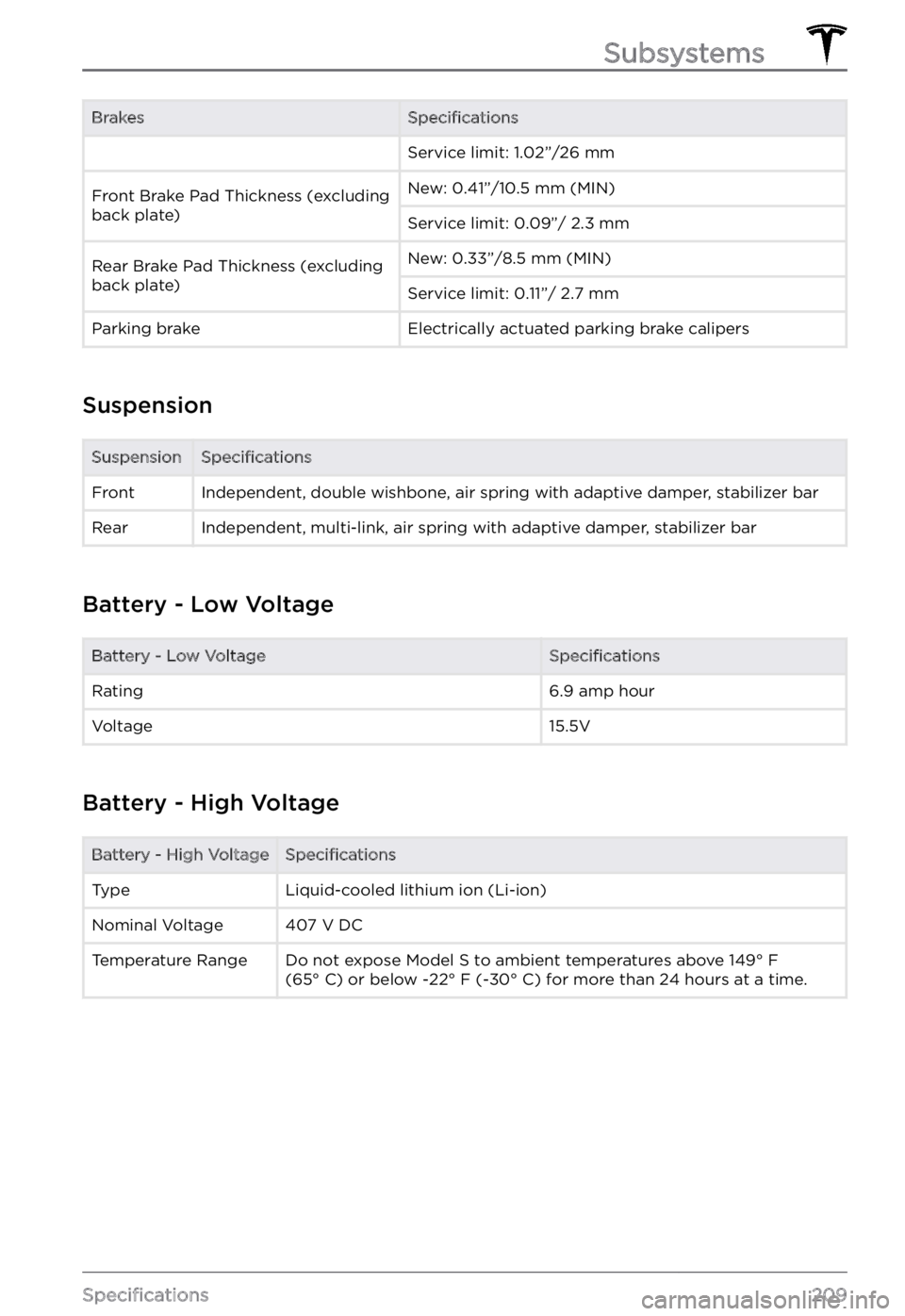
BrakesSpecificationsService limit: 1.02”/26 mmFront Brake Pad Thickness (excluding
back plate)New: 0.41”/10.5 mm (MIN)Service limit: 0.09”/ 2.3 mmRear Brake Pad Thickness (excluding
back plate)New: 0.33”/8.5 mm (MIN)Service limit: 0.11”/ 2.7 mmParking brakeElectrically actuated parking brake calipers
Suspension
SuspensionSpecificationsFrontIndependent, double wishbone, air spring with adaptive damper, stabilizer barRearIndependent, multi-link, air spring with adaptive damper, stabilizer bar
Battery - Low Voltage
Battery - Low VoltageSpecificationsRating6.9 amp hourVoltage15.5V
Battery - High Voltage
Battery - High VoltageSpecificationsTypeLiquid-cooled lithium ion (Li-ion)Nominal Voltage407 V DCTemperature RangeDo not expose Model S to ambient temperatures above 149
Page 224 of 281

If Vehicle Has No Power
If Model S has no 12V power, perform the
following steps to open the hood or jump start the auxiliary 12V battery.
Jump Starting the 12V Battery
CAUTION: Model S cannot be used to jump start another vehicle. Doing so can result in damage.
NOTE: If jump starting Model S using another
vehicle, refer to that vehicle manufacturer
Page 268 of 281

(VCBATT_a191)
Electrical system power reduced
Vehicle shutting down
The low voltage battery cannot provide the electrical support necessary to drive or continue driving. Your vehicle is shutting down to preserve energy for essential functions other than
driving.
Your vehicle cannot be driven or continue driving while this condition continues.
If this alert is present while you are driving, your vehicle needs to come to a stop immediately. It
is recommended that you:
Page 269 of 281

(VCBATT_a402)
Electrical system backup power is unavailable
Vehicle will consume more energy while idle
The backup power source for the electrical system, the low voltage battery, is not available or
cannot provide the voltage required to support all vehicle features.
The primary source of electrical power, the high voltage battery system, will continue to support
vehicle functions, even when your vehicle is idle. For more information on the high voltage
battery, see
About the Battery on page 177.
You may notice that your vehicle consumes more energy than usual when you are not driving it, or that your vehicle displays a lower projected range than you would normally expect after
charging. This is normal vehicle behavior when this alert is present, and it will continue until the
backup power source is restored.
You may also notice that some nonessential features are not available. This is expected behavior
due to your vehicle preserving energy for essential functions.
It is recommended that you limit or avoid the use of any nonessential features. This can help
your vehicle maintain adequate electrical power for essential functions.
There is a chance that an issue affecting the primary power source could cause your vehicle to
shut down unexpectedly.
It is recommended that you schedule service at your earliest opportunity, so the backup power source for the electrical system can be restored.
(VCBATT_a478)
Low voltage battery service is required
Schedule service - Vehicle may not restart
The low voltage battery cannot provide the electrical support necessary to drive or continue driving.
If this alert is present while you are driving, your vehicle needs to come to a stop as soon as
possible. Pull over safely at your earliest opportunity.
It is possible your vehicle will shut down unexpectedly. It is also possible that your vehicle will
not restart after the current drive.
You may notice that some nonessential features are not available. This is expected behavior due
to your vehicle preserving energy for essential functions.
It is recommended that you eliminate or reduce your use of any nonessential features. This can
help your vehicle maintain adequate electrical power for essential functions other than driving,
until it can be serviced.
If this alert remains present, it is recommended that you schedule service immediately. Without
service, your vehicle may not drive, may shut down unexpectedly, or may not restart.
(VCBATT_a496)
Vehicle is preparing to shut down
PULL OVER SAFELY
The electrical system cannot provide adequate support to drive or continue driving. Your vehicle
is preparing to shut down to preserve energy for essential functions other than driving.
Troubleshooting Alerts
267Consumer Information
Page 271 of 281
If the 12V battery is too low to turn on the vehicle or open the doors, follow the instructions in Jump Starting the 12V Battery on page .
For more information on the battery system, see Battery Information on page 177.
(VCFRONT_a192)
Electrical system is unable to support all features
Shutting down features to conserve energy
The electrical system cannot support all vehicle features. Your vehicle is shutting down all
nonessential features to preserve energy for essential functions.
Your vehicle cannot be driven or continue driving while this condition continues.
If this alert is present while you are driving, your vehicle needs to come to a stop as soon as
possible. It is recommended that you:
Page 274 of 281
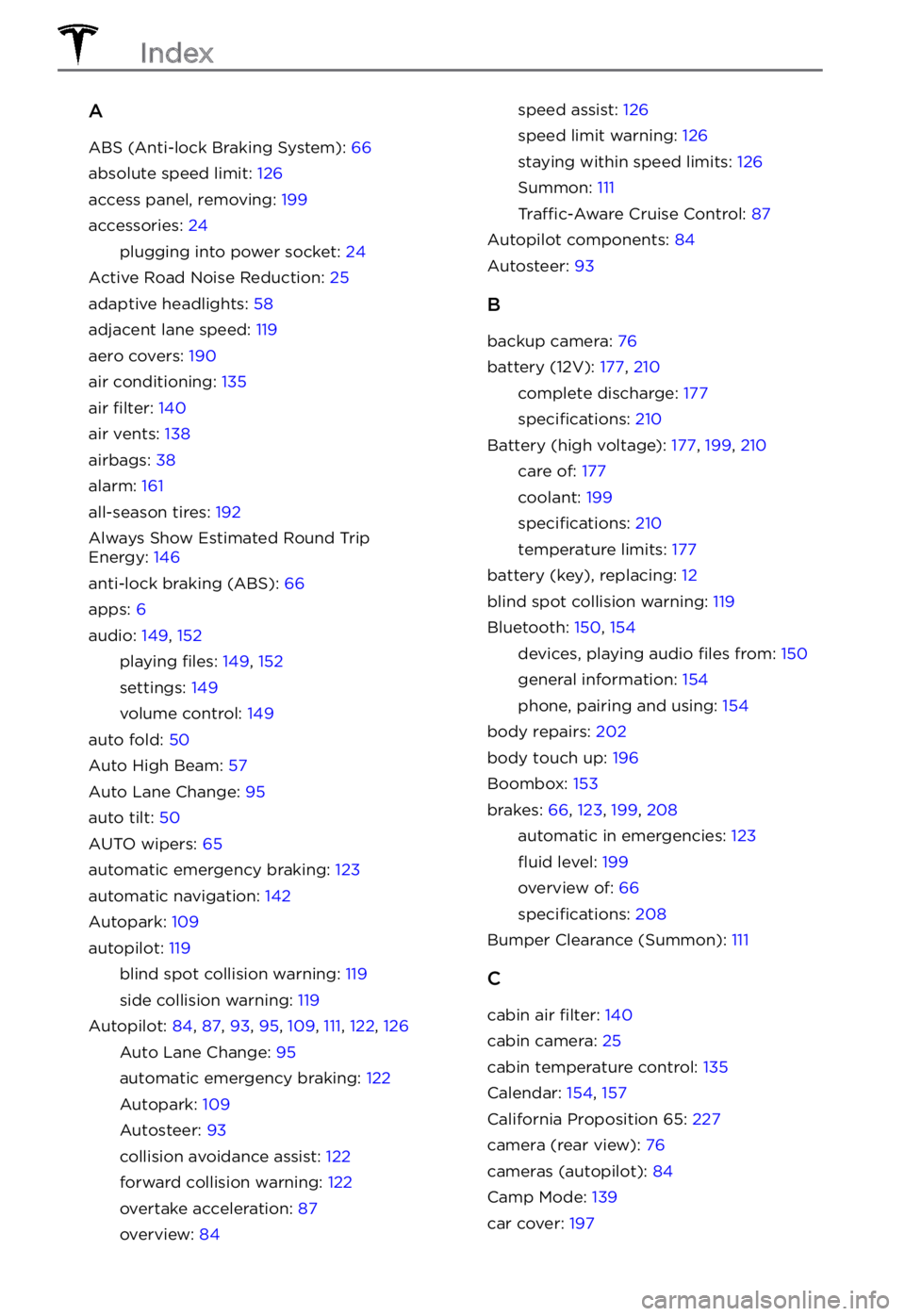
A
ABS (Anti-lock Braking System): 66
absolute speed limit: 126
access panel, removing: 199
accessories: 24
plugging into power socket: 24
Active Road Noise Reduction: 25
adaptive headlights: 58
adjacent lane speed: 119
aero covers: 190
air conditioning: 135
air filter: 140
air vents: 138
airbags: 38
alarm: 161
all-season tires: 192
Always Show Estimated Round Trip Energy: 146
anti-lock braking (ABS): 66
apps: 6
audio: 149, 152
playing files: 149, 152
settings: 149
volume control: 149
auto fold: 50
Auto High Beam: 57
Auto Lane Change: 95
auto tilt: 50
AUTO wipers: 65
automatic emergency braking: 123
automatic navigation: 142
Autopark: 109
autopilot: 119
blind spot collision warning: 119
side collision warning: 119
Autopilot: 84, 87, 93, 95, 109, 111, 122, 126
Auto Lane Change: 95
automatic emergency braking: 122
Autopark: 109
Autosteer: 93
collision avoidance assist: 122
forward collision warning: 122
overtake acceleration: 87
overview: 84
speed assist: 126
speed limit warning: 126
staying within speed limits: 126
Summon: 111
Traffic-Aware Cruise Control: 87
Autopilot components: 84
Autosteer: 93
B
backup camera: 76
battery (12V): 177, 210
complete discharge: 177
specifications: 210
Battery (high voltage): 177, 199, 210
care of: 177
coolant: 199
specifications: 210
temperature limits: 177
battery (key), replacing: 12
blind spot collision warning: 119
Bluetooth: 150, 154
devices, playing audio files from: 150
general information: 154
phone, pairing and using: 154
body repairs: 202
body touch up: 196
Boombox: 153
brakes: 66, 123, 199, 208
automatic in emergencies: 123
fluid level: 199
overview of: 66
specifications: 208
Bumper Clearance (Summon): 111
C
cabin air filter: 140
cabin camera: 25
cabin temperature control: 135
Calendar: 154, 157
California Proposition 65: 227
camera (rear view): 76
cameras (autopilot): 84
Camp Mode: 139
car cover: 197
Index
Page 276 of 281
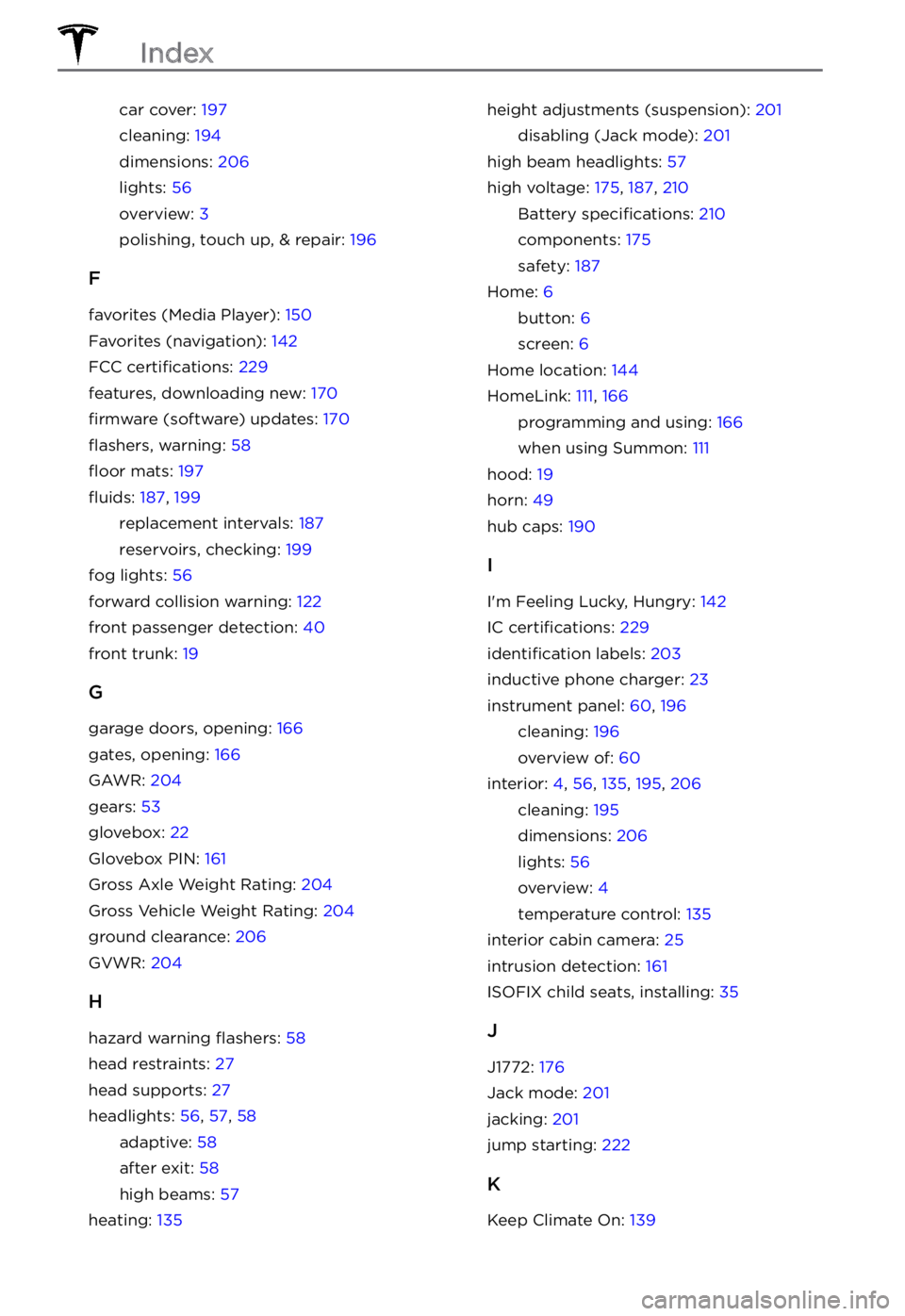
car cover: 197
cleaning: 194
dimensions: 206
lights: 56
overview: 3
polishing, touch up, & repair: 196
F
favorites (Media Player): 150
Favorites (navigation): 142
FCC certifications: 229
features, downloading new: 170
firmware (software) updates: 170
flashers, warning: 58
floor mats: 197
fluids: 187, 199
replacement intervals: 187
reservoirs, checking: 199
fog lights: 56
forward collision warning: 122
front passenger detection: 40
front trunk: 19
G
garage doors, opening: 166
gates, opening: 166
GAWR: 204
gears: 53
glovebox: 22
Glovebox PIN: 161
Gross Axle Weight Rating: 204
Gross Vehicle Weight Rating: 204
ground clearance: 206
GVWR: 204
H
hazard warning flashers: 58
head restraints: 27
head supports: 27
headlights: 56, 57, 58
adaptive: 58
after exit: 58
high beams: 57
heating: 135
height adjustments (suspension): 201
disabling (Jack mode): 201
high beam headlights: 57
high voltage: 175, 187, 210
Battery specifications: 210
components: 175
safety: 187
Home: 6
button: 6
screen: 6
Home location: 144
HomeLink: 111, 166
programming and using: 166
when using Summon: 111
hood: 19
horn: 49
hub caps: 190
I
I