air condition TOYOTA 4RUNNER 2022 User Guide
[x] Cancel search | Manufacturer: TOYOTA, Model Year: 2022, Model line: 4RUNNER, Model: TOYOTA 4RUNNER 2022Pages: 616, PDF Size: 12.01 MB
Page 248 of 616
2484-5. Using the driving support systems
4RUNNER (U)
■If a warning message is displayed on the multi-information disp lay
A system may be temporarily unavailable or there may be a malfu nction in
the system.
● In the following situations, perform the actions specified in t he table. When
the normal operating conditions are detected, the message will disappear
and the system will become operational.
If the message does not disappear, contact your Toyota dealer.
SituationActions
When the area around a cam-
era is covered with dirt, mois-
ture (fogged up, covered with
condensation, ice, etc.), or
other foreign matter
Using the wiper and A/C function,
remove the dirt and other attached mat-
ter. ( P. 354, 361)
When the temperature around
the front camera is outside of
the operational range, such as
when the vehicle is in the sun or
in an extremely cold environ-
ment
If the front camera is hot, such as after
the vehicle had been parked in the sun,
use the air conditioning system to
decrease the temperature around the
front camera.
If a sunshade was used when the vehi-
cle was parked, depending on its type,
the sunlight reflected from the surface
of the sunshade may cause the tem-
perature of the front camera to become
excessively high.
If the front camera is cold, such after the
vehicle is parked in an extremely cold
environment, use the air conditioning
system to increase the temperature
around the front camera.
The area in front of the front
camera is obstructed, such as
when the hood is open or a
sticker is attached to the part of
the windshield in front of the
front camera.
Close the hood, remove the sticker, etc.
to clear the obstruction.
When “Pre-Collision System
Unavailable” is displayed.Check whether there is attached materi-
als on the radar sensor and radar sensor
cover, and if there is, remove it.
Page 262 of 616

2624-5. Using the driving support systems
4RUNNER (U)
WARNING
■Before using LDA system
Do not rely solely upon the LDA system. The LDA system does not auto-
matically drive the vehicle or reduce the amount of attention that must be
paid to the area in front of the vehicle. The driver must always assume full
responsibility for driving safely by paying careful attention to the surround-
ing conditions and operating the steering wheel to correct the path of the
vehicle. Also, the driver must take adequate breaks when fatigu ed, such as
from driving for a long period of time.
Failure to perform appropriate driving operations and pay careful attention
may lead to an accident, resulting in death or serious injury.
■ To avoid operating LDA system by mistake
When not using the LDA system, use the LDA switch to turn the system off.
■ Situations unsuitable for LDA system
Do not use the LDA system in the following situations.
The system may not operate properly and lead to an accident, re sulting in
death or serious injury.
● A spare tire, tire chains, etc. are equipped.
● Objects or patterns that could be mistaken for white (yellow) l ines are
present on the side of the road (guardrails, curbs, reflective poles, etc.).
● Vehicle is driven on a snow-covered road.
● White (yellow) lines are difficult to see due to rain, snow, fog, dust, etc.
● Asphalt repair marks, white (yellow) line marks, etc. are prese nt due to
road repair.
● Vehicle is driven in a temporary lane or restricted lane due to construction
work.
● Vehicle is driven in a construction zone.
■ Preventing LDA system malfunctions and operations performed by
mistake
● Do not modify the headlights or place stickers, etc. on the sur face of the
lights.
● Do not modify the suspension etc. If the suspension etc. needs to be
replaced, contact your Toyota dealer.
● Do not install or place anything on the hood or grille. Also, d o not install a
grille guard (bull bars, kangaroo bar, etc.).
● If your windshield needs repairs, contact your Toyota dealer.
Page 283 of 616
2834-5. Using the driving support systems
4
Driving
4RUNNER (U)
WARNING
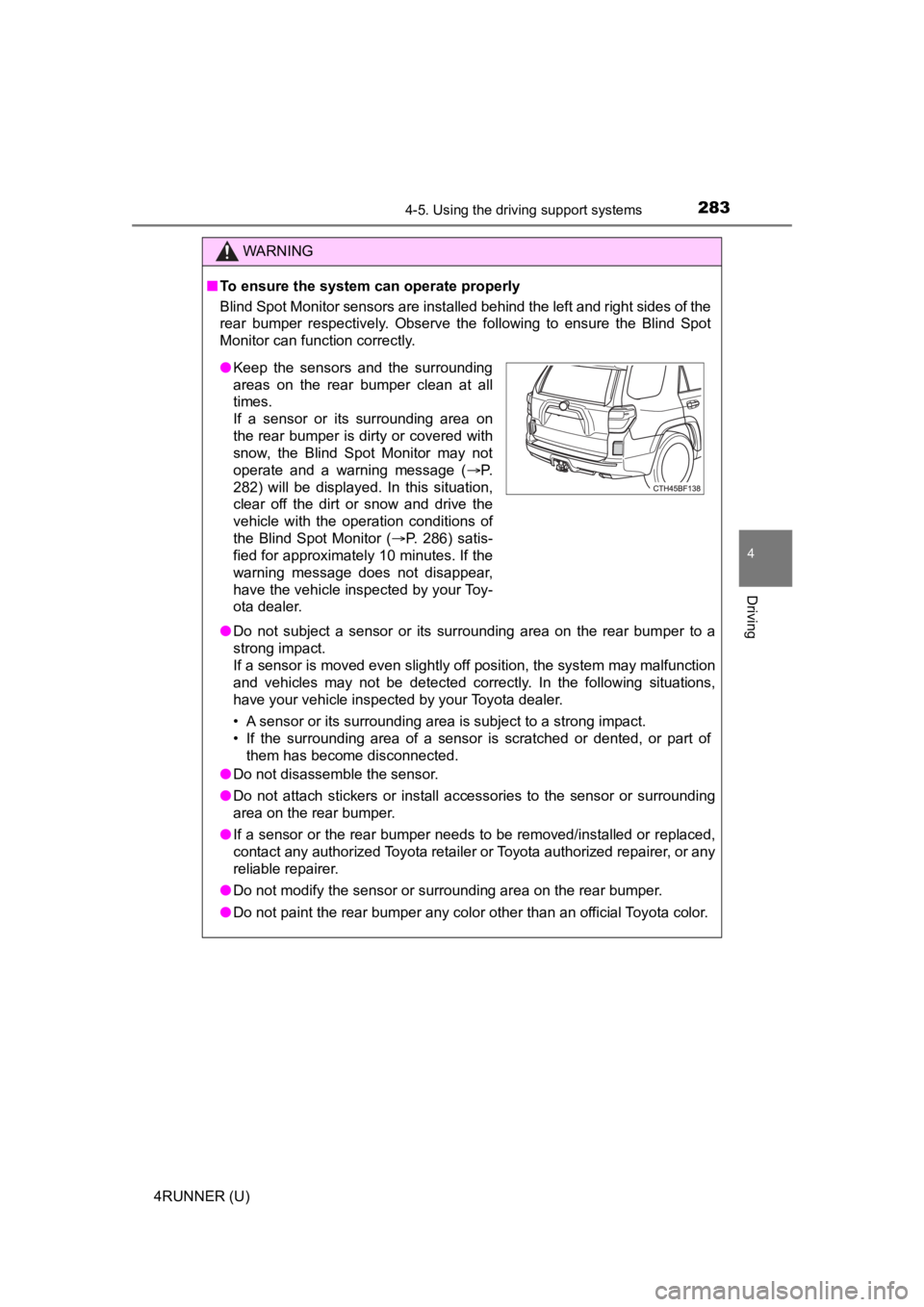
■To ensure the system can operate properly
Blind Spot Monitor sensors are installed behind the left and ri ght sides of the
rear bumper respectively. Observe the following to ensure the Blind Spot
Monitor can function correctly.
● Do not subject a sensor or its surrounding area on the rear bumper to a
strong impact.
If a sensor is moved even slightly off position, the system may malfunction
and vehicles may not be detected correctly. In the following si tuations,
have your vehicle inspected by your Toyota dealer.
• A sensor or its surrounding area is subject to a strong impact .
• If the surrounding area of a sensor is scratched or dented, or part of them has become disconnected.
● Do not disassemble the sensor.
● Do not attach stickers or install accessories to the sensor or surrounding
area on the rear bumper.
● If a sensor or the rear bumper needs to be removed/installed or replaced,
contact any authorized Toyota retailer or Toyota authorized rep airer, or any
reliable repairer.
● Do not modify the sensor or surrounding area on the rear bumper .
● Do not paint the rear bumper any color other than an official Toyota color.
●Keep the sensors and the surrounding
areas on the rear bumper clean at all
times.
If a sensor or its surrounding area on
the rear bumper is dirty or covered with
snow, the Blind Spot Monitor may not
operate and a warning message ( P.
282) will be displayed. In this situation,
clear off the dirt or snow and drive the
vehicle with the operation conditions of
the Blind Spot Monitor ( P. 286) satis-
fied for approximately 10 minutes. If the
warning message does not disappear,
have the vehicle inspected by your Toy-
ota dealer.
Page 292 of 616

2924-5. Using the driving support systems
4RUNNER (U)
■Intuitive parking assist can be operated when
●Front corner sensors:
• The engine switch is in the “ON” position (without a smart key system) or
the engine switch is in IGNITION ON mode (with a smart key syst em).
• The shift lever is in a position other than P.
• The vehicle speed is less than approximately 6 mph (10 km/h).
● Rear corner and rear center sensors:
• The engine switch is in the “ON” position (without a smart key system) or
the engine switch is in IGNITION ON mode (with a smart key syst em).
• The shift lever is in R.
■ Intuitive parking assist display
When an obstacle is detected while the Toyota parking assist mo nitor is in
use, the warning indicator will appear in the upper part of the screen even if
the display setting has been set to off.
■ Sensor detection information
●The sensor’s detection areas are limited to the areas around th e vehicle’s
front corner and rear bumpers.
● The following situations may occur during use.
• Depending on the shape of the obstacle and other factors, the detection
distance may shorten, or detection may be impossible.
• Obstacles may not be detected if they are too close to the sen sor.
• There will be a short delay between obstacle detection and dis play. Even
at slow speeds, there is a possibility that the obstacle will c ome within the
sensor’s detection areas before the display is shown and the wa rning
beep sounds.
• Thin posts or objects lower than the sensor may not be detected for colli-
sion when approached, even if they have been detected once.
• It might be difficult to hear beeps due to the volume of audio system or air
flow noise of air conditioning system.
■ Objects which the system may not be properly detected
●Wires, fences, ropes, etc.
● Cotton, snow and other materials that absorb sound waves
● Sharply-angled objects
● Low obstacles
● Tall obstacles with upper sections projecting outwards in the d irection of
your vehicle
Page 293 of 616
2934-5. Using the driving support systems
4
Driving
4RUNNER (U)■
Situations in which the syst em may not operate properly
Certain vehicle conditions and the surrounding environment may affect the
ability of a sensor to correctly detect objects. Particular instances where this
may occur are listed below.
● There is dirt, snow, water drops or ice on a sensor. (Cleaning the sensors
will resolve this problem.)
● A sensor is frozen. (Thawing t he area will resolve this problem .)
In especially cold weather, if a sensor is frozen the sensor di splay may be
displayed abnormally, or objects, such as a wall, may not be detected.
● On an extremely bumpy road, on an incline, on gravel, or on grass.
● When vehicle horns, vehicle detectors, motorcycle engines, air brakes of
large vehicles, the clearance sonar of other vehicles or other devices which
produce ultrasonic waves are near the vehicle
● A sensor is coated with a sheet of spray or heavy rain.
● If objects draw too close to the sensor.
● When a pedestrian is wearing clothing that does not reflect ult rasonic waves
(ex. skirts with gathers or frills).
● When objects that are not perpendicular to the ground, not perpendicular to
the vehicle traveling direction, uneven, or waving are in the d etection range.
● Strong wind is blowing
● When driving in inclement weather such as fog, snow or a sandst orm
● When an object that cannot be detected is between the vehicle a nd a
detected object
● If an object such as a vehicle, motorcycle, bicycle or pedestrian cuts in front
of the vehicle or runs out from the side of the vehicle
● If the orientation of a sensor has been changed due to a collis ion or other
impact
● When equipment that may obstruct a sensor is installed, such as a towing
eyelet, bumper protector (an additional trim strip, etc.), bicy cle carrier, or
snow plow
● If the front of the vehicle is raised or lowered due to the car ried load
● If the vehicle cannot be driven in a stable manner, such as whe n the vehicle
has been in an accident or is malfunctioning
● When a tire chains, compact spare tire or an emergency tire pun cture repair
kit is used
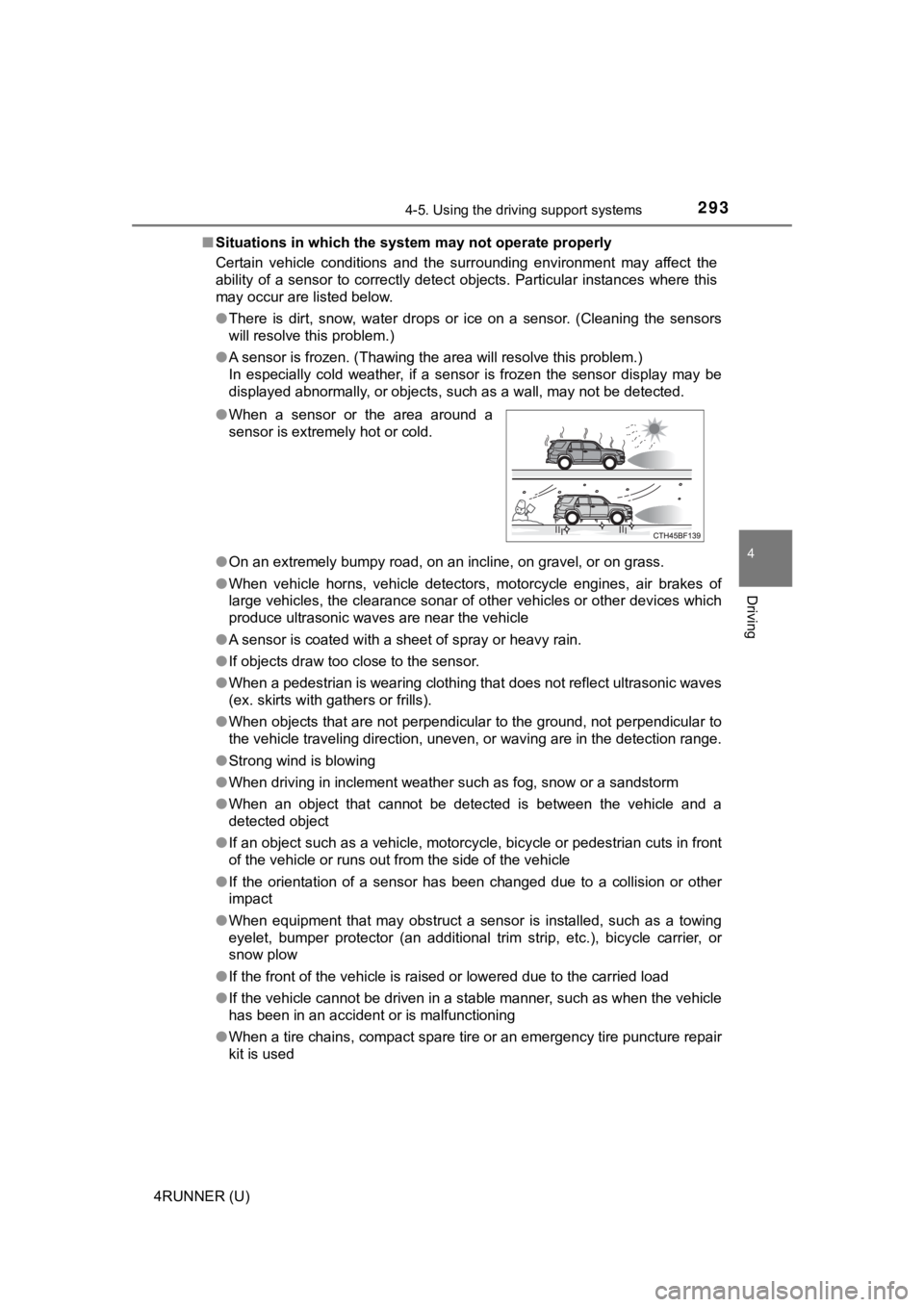
●
When a sensor or the area around a
sensor is extremely hot or cold.
Page 295 of 616
2954-5. Using the driving support systems
4
Driving
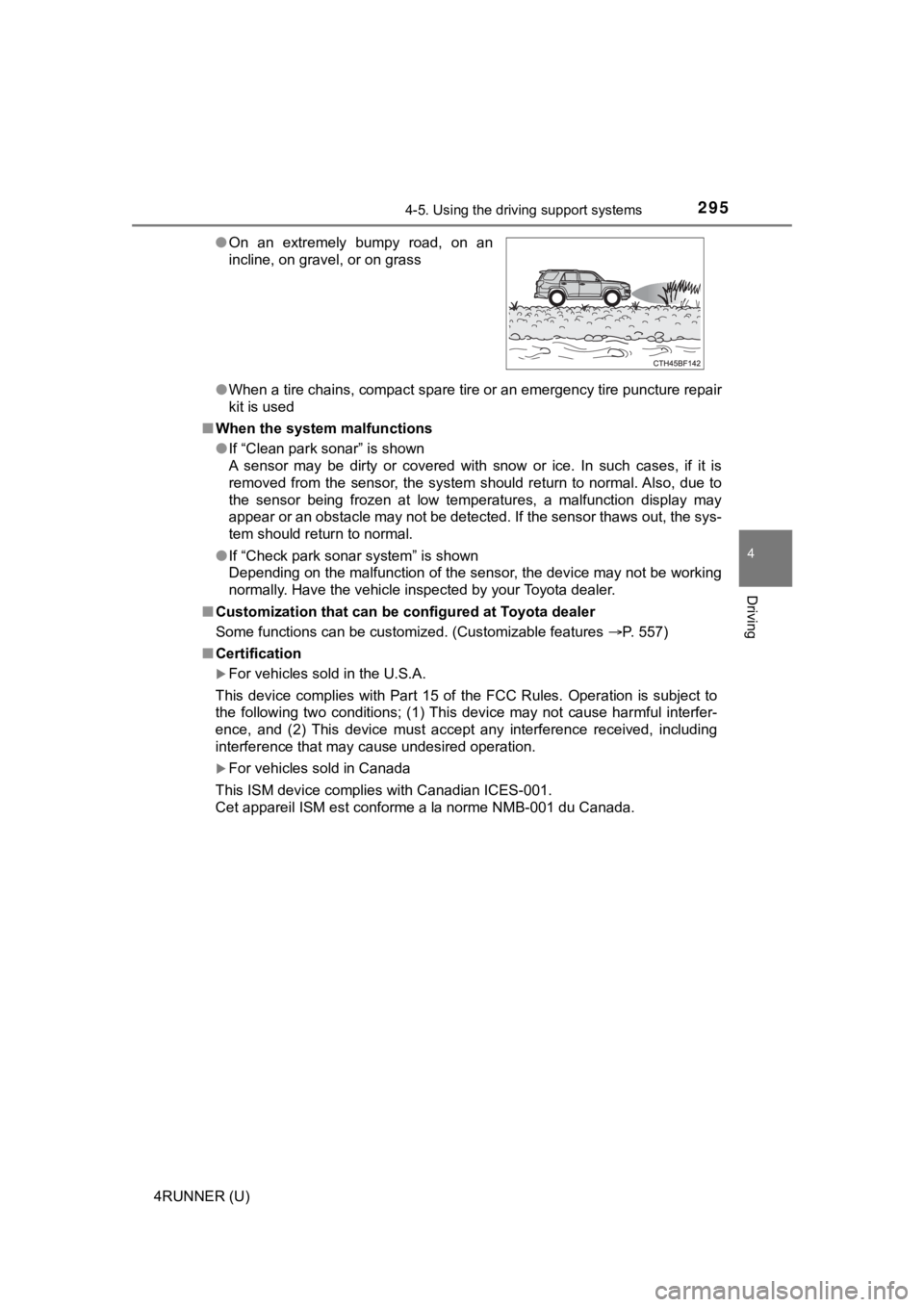
4RUNNER (U)●
When a tire chains, compact spare tire or an emergency tire pun cture repair
kit is used
■ When the system malfunctions
●If “Clean park sonar” is shown
A sensor may be dirty or covered with snow or ice. In such case s, if it is
removed from the sensor, the system should return to normal. Al so, due to
the sensor being frozen at low temperatures, a malfunction disp lay may
appear or an obstacle may not be detected. If the sensor thaws out, the sys-
tem should return to normal.
● If “Check park sonar system” is shown
Depending on the malfunction of the sensor, the device may not be working
normally. Have the vehicle inspected by your Toyota dealer.
■ Customization that can be configured at Toyota dealer
Some functions can be customized. (Customizable features P. 557)
■ Certification
For vehicles sold in the U.S.A.
This device complies with Part 15 of the FCC Rules. Operation i s subject to
the following two conditions; (1) This device may not cause har mful interfer-
ence, and (2) This device must accept any interference received, including
interference that may cause undesired operation.
For vehicles sold in Canada
This ISM device complies with Canadian ICES-001.
Cet appareil ISM est conforme a la norme NMB-001 du Canada. ● On an extremely bumpy road, on an
incline, on gravel, or on grass
Page 304 of 616
3044-5. Using the driving support systems
4RUNNER (U)●
When there are spinning objects near your vehicle such as the f an of an air
conditioning unit
● When water is splashed or sprayed toward the rear bumper, such as from a
sprinkler
● Moving objects (flags, exhaust fumes, large rain droplets or snowflakes, rain
water on the road surface, etc.)
● When the distance between your vehicle and a guardrail, wall, etc., that
enters the detection area is short
● Gratings and gutters
● When a sensor or the area around a sensor is extremely hot or c old
● If the suspension has been modified or tires of a size other th an specified
are installed
● If the front of the vehicle is raised or lowered due to the car ried load
●
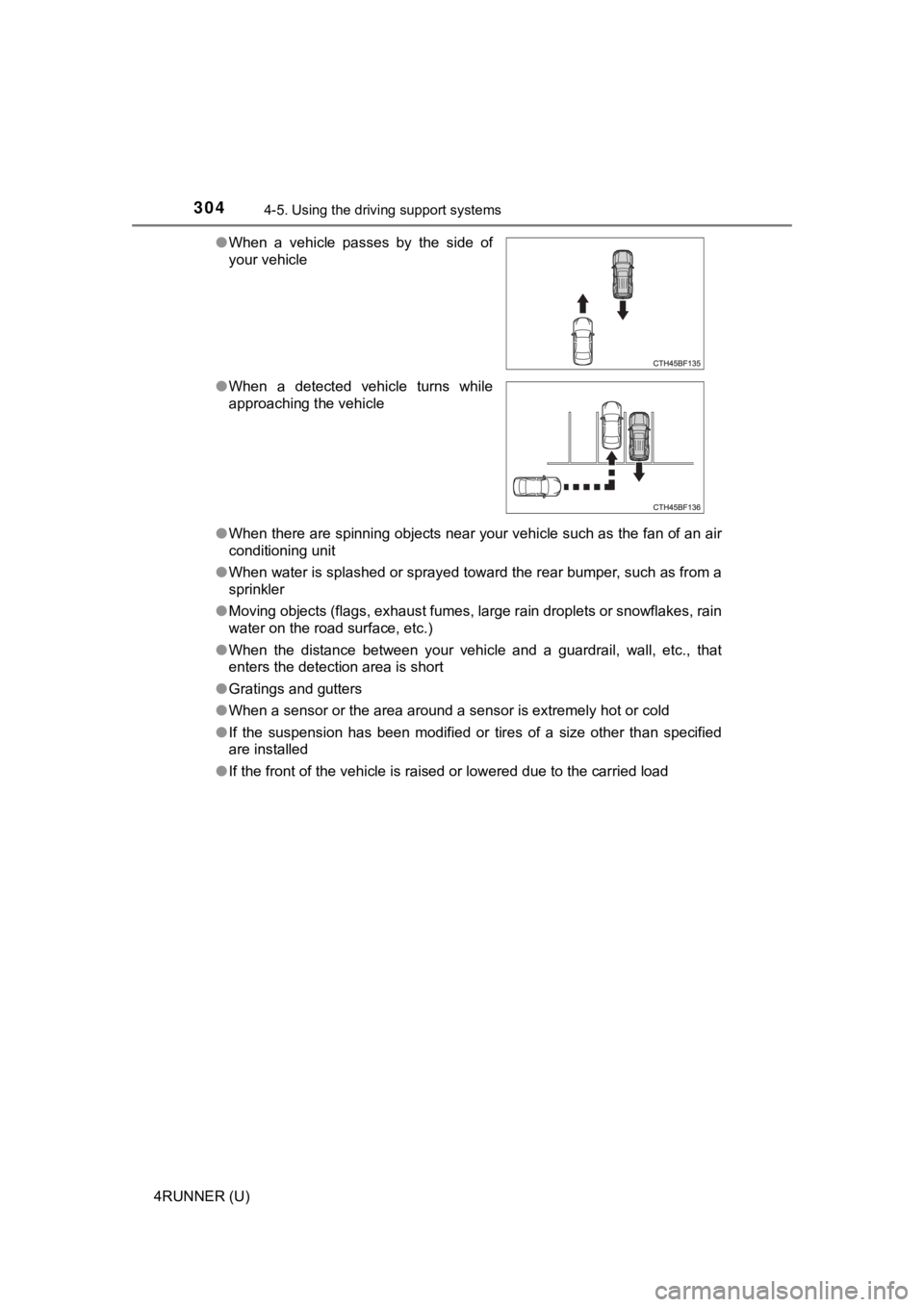
When a vehicle passes by the side of
your vehicle
● When a detected vehicle turns while
approaching the vehicle
Page 343 of 616
3434-6. Driving tips
4
Driving
4RUNNER (U)
Perform the following according to the driving conditions:
● Do not try to forcibly open a window or move a wiper that is fr ozen.
Pour warm water over the frozen area to melt the ice. Wipe away
the water immediately to p revent it from freezing.
● To ensure proper operation of the climate control system fan,
remove any snow that has accumulated on the air inlet vents in
front of the windshield.
● Check for and remove any excess ic e or snow that may have accu-
mulated on the exterior lights, vehicle’s roof, chassis, around the
tires or on the brakes.
● Remove any snow or mud from the bottom of your shoes before
getting in the vehicle.
Accelerate the vehicle slowly, keep a safe distance between you and
the vehicle ahead, and drive at a reduced speed suitable to roa d con-
ditions.
● Park the vehicle and move the shift lever to P without setting the
parking brake. The parking brake may freeze up, preventing it from
being released. If the vehicle is parked without setting the pa rking
brake, make sure t o block the wheels.
Failure to do so may be dangerou s because it may cause the vehi-
cle to move unexpectedly, pos sibly leading to an accident.
● If the vehicle is parked without setting the parking brake, confirm
that the shift lever c annot be moved out of P
*.
*: The shift lever will be locked if it is attempted to be shifte d from P to any
other position without depressing the brake pedal. If the shift lever can be
shifted from P, there may be a problem with the shift lock syst em. Have the
vehicle inspected by your Toyota dealer immediately.
Before driving the vehicle
When driving the vehicle
When parking the vehicle
Page 351 of 616

351
Interior features5
4RUNNER (U)5-1. Using the air conditioning
system and defogger
Manual air conditioning system ............................ 352
Automatic air conditioning system ............................ 359
Seat heaters/ seat ventilators ................ 367
5-2. Using the interior lights Interior lights list ................ 369
• Interior lights ................. 370
• Personal lights .............. 370
5-3. Using the storage features
List of storage features ..... 372
• Glove box...................... 373
• Console box .................. 373
• Cup holders .................. 374
• Auxiliary box ................. 376
• Coin holder/tissue pocket/
pen holder ..................... 377
• Bottle holders ................ 378
Luggage compartment features ........................... 379
5-4. Other interior features Other interior features ....... 384
• Sun visors ..................... 384
• Vanity mirrors................ 384
• Clock ............................. 385
• Power outlets (120 V AC) .................... 386
• Power outlets ................ 390
• USB charging ports....... 393
• Armrest ......................... 395
• Assist grips ................... 395
Garage door opener.......... 396
Page 352 of 616
352
4RUNNER (U)
5-1. Using the air conditioning system and defogger
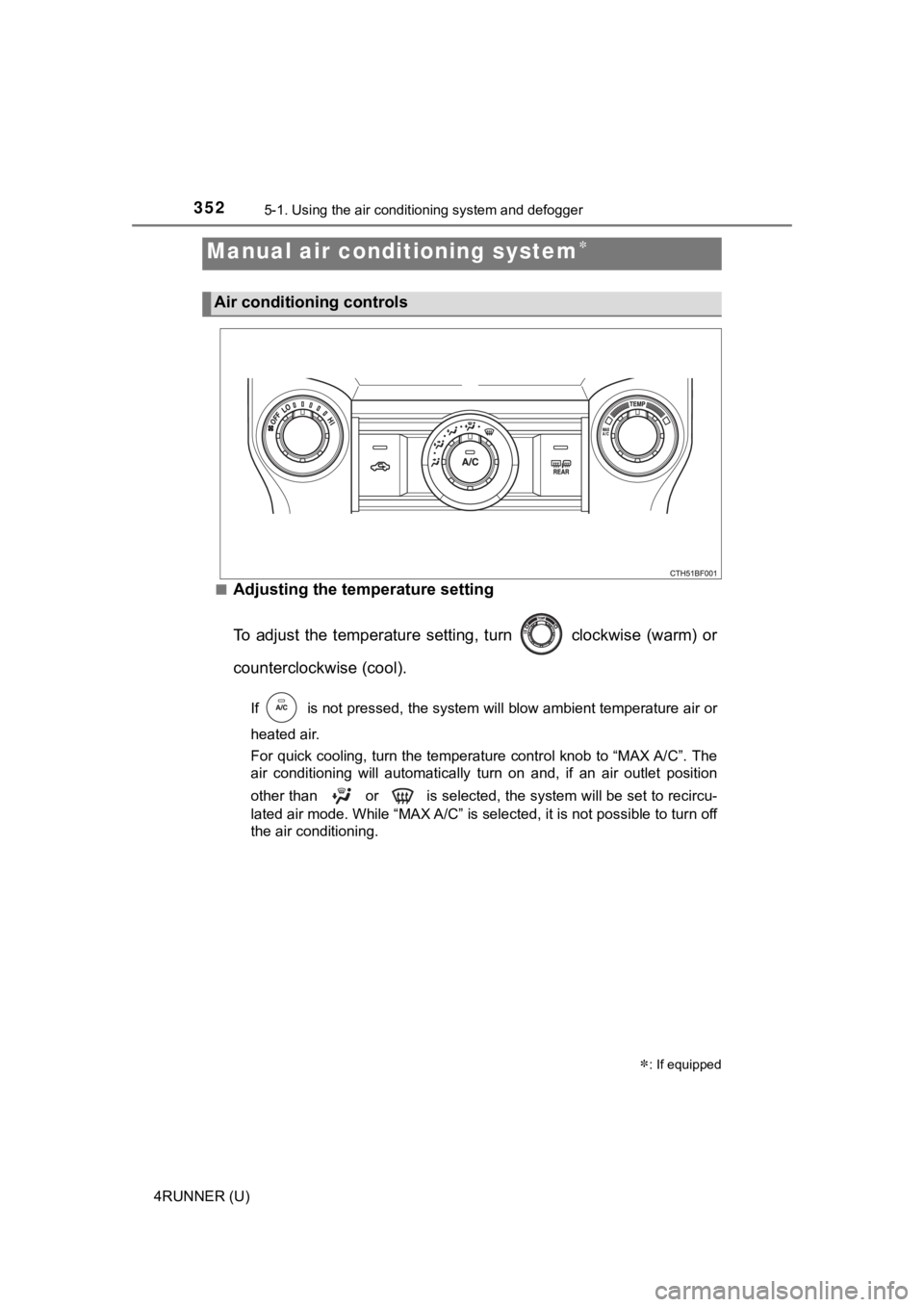
■Adjusting the temperature setting
To adjust the temperature setting, turn clockwise (warm) or
counterclockwise (cool).
If is not pressed, the system will blow ambient temperature air o r
heated air.
For quick cooling, turn the temperature control knob to “MAX A/ C”. The
air conditioning will automatically turn on and, if an air outl et position
other than or is selected, the system will be set to recircu-
lated air mode. While “MAX A/C” is selected, it is not possible to turn off
the air conditioning.
Manual air conditioning system
: If equipped
Air conditioning controls