battery TOYOTA AURIS 2012 (in English) User Guide
[x] Cancel search | Manufacturer: TOYOTA, Model Year: 2012, Model line: AURIS, Model: TOYOTA AURIS 2012Pages: 750, PDF Size: 20.05 MB
Page 92 of 750
901-2. Hybrid system
UK_AURIS/AURIS_HV_EE (OM12E33E)
NOTICE
Hybrid battery air vents
Do not put foreign objects over or in front of the air vents. The hybrid bat-
tery (traction battery) may overheat and be damaged.
Clean the air vents regularly to prevent the hybrid battery (traction battery)
from overheating.
Do not wet or allow foreign substances to enter the air vents as this may
cause a short circuit and damage the hybrid battery (traction battery).
Do not put in foreign objects into the air vents. The cooling blower may be
damaged.
Do not carry large amounts of water such as water cooler bottles in the
vehicle. If water spills onto the hybrid battery (traction battery), the battery
may be damaged. Have the vehicle inspected by any authorized Toyota
dealer or repairer, or another duly qualified and equipped professional.
Page 107 of 750
1051-3. Theft deterrent system
1
For safety and security
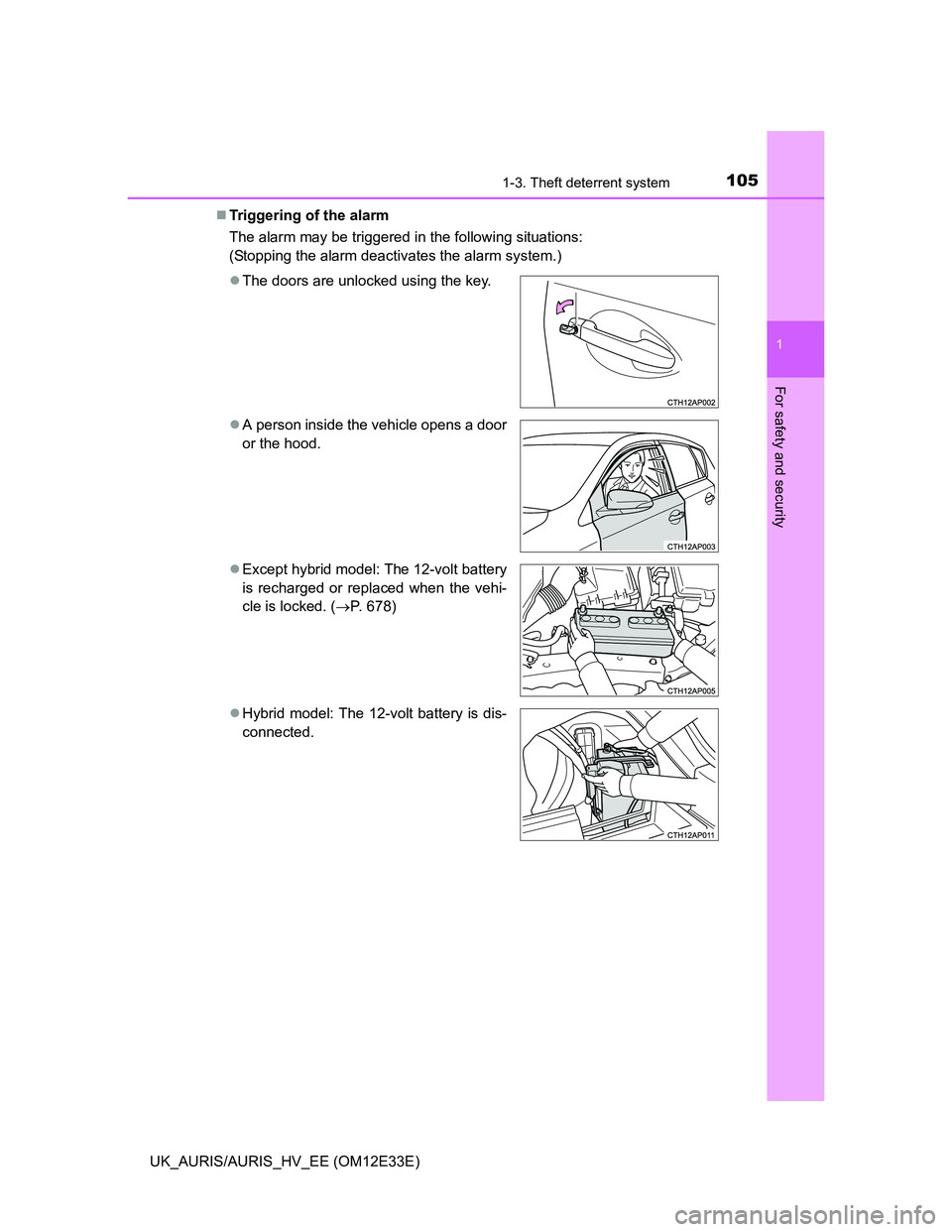
UK_AURIS/AURIS_HV_EE (OM12E33E)Triggering of the alarm
The alarm may be triggered in the following situations:
(Stopping the alarm deactivates the alarm system.)
The doors are unlocked using the key.
A person inside the vehicle opens a door
or the hood.
Except hybrid model: The 12-volt battery
is recharged or replaced when the vehi-
cle is locked. (P. 678)
Hybrid model: The 12-volt battery is dis-
connected.
Page 108 of 750
1061-3. Theft deterrent system
UK_AURIS/AURIS_HV_EE (OM12E33E)Alarm-operated door lock
When the alarm is operating, the doors are locked automatically to prevent
intruders.
Do not leave the key inside the vehicle when the alarm is operating, and
make sure the key is not inside the vehicle when recharging or replacing the
12-volt battery.
NOTICE
To ensure the system operates correctly
Do not modify or remove the system. If modified or removed, the proper
operation of the system cannot be guaranteed.
Page 127 of 750
1252. Instrument cluster
UK_AURIS/AURIS_HV_EE (OM12E33E)
2
Instrument cluster
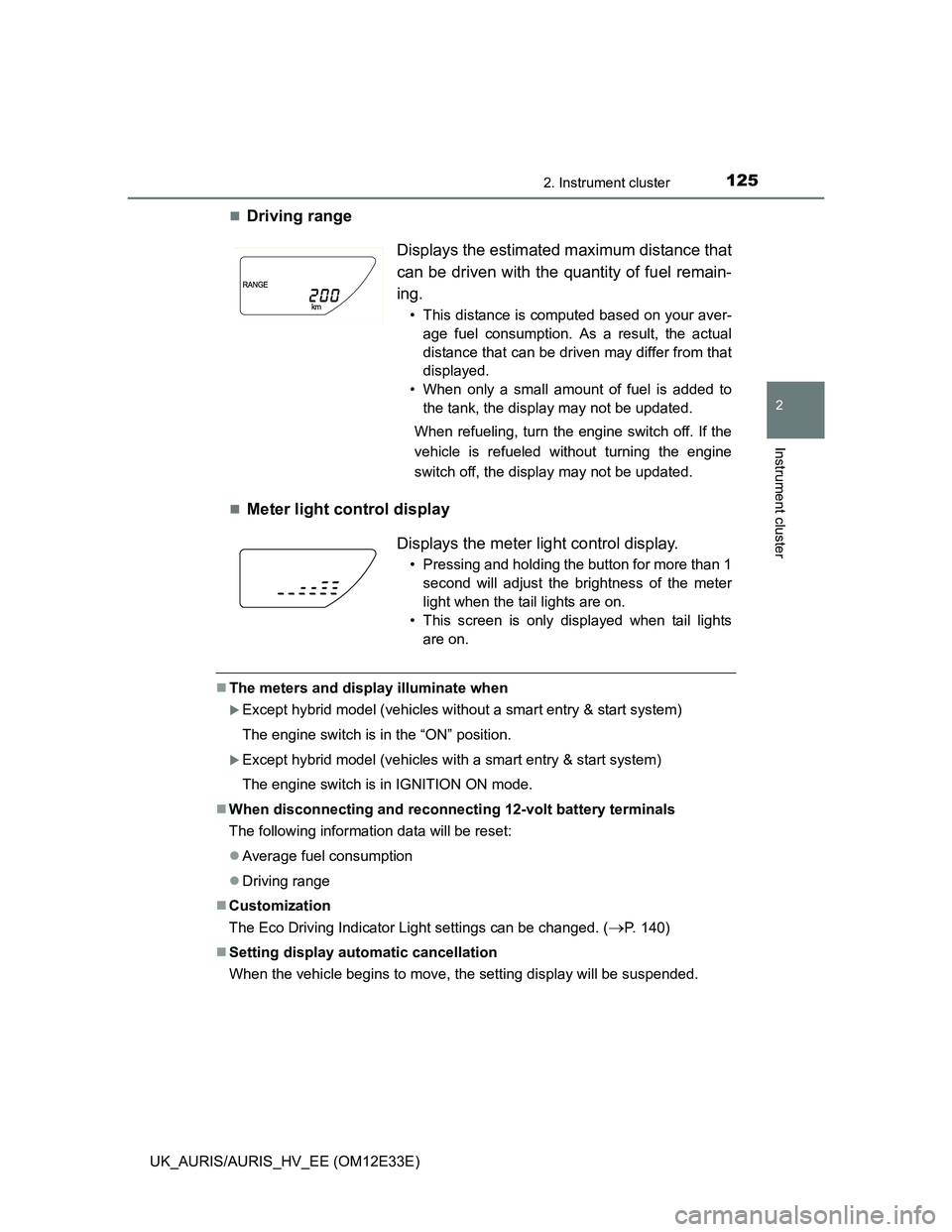
Driving range
Meter light control display
The meters and display illuminate when
Except hybrid model (vehicles without a smart entry & start system)
The engine switch is in the “ON” position.
Except hybrid model (vehicles with a smart entry & start system)
The engine switch is in IGNITION ON mode.
When disconnecting and reconnecting 12-volt battery terminals
The following information data will be reset:
Average fuel consumption
Driving range
Customization
The Eco Driving Indicator Light settings can be changed. (
P. 140)
Setting display automatic cancellation
When the vehicle begins to move, the setting display will be suspended.
Displays the estimated maximum distance that
can be driven with the quantity of fuel remain-
ing.
• This distance is computed based on your aver-
age fuel consumption. As a result, the actual
distance that can be driven may differ from that
displayed.
• When only a small amount of fuel is added to
the tank, the display may not be updated.
When refueling, turn the engine switch off. If the
vehicle is refueled without turning the engine
switch off, the display may not be updated.
Displays the meter light control display.
• Pressing and holding the button for more than 1
second will adjust the brightness of the meter
light when the tail lights are on.
• This screen is only displayed when tail lights
are on.
Page 138 of 750
1362. Instrument cluster
UK_AURIS/AURIS_HV_EE (OM12E33E)
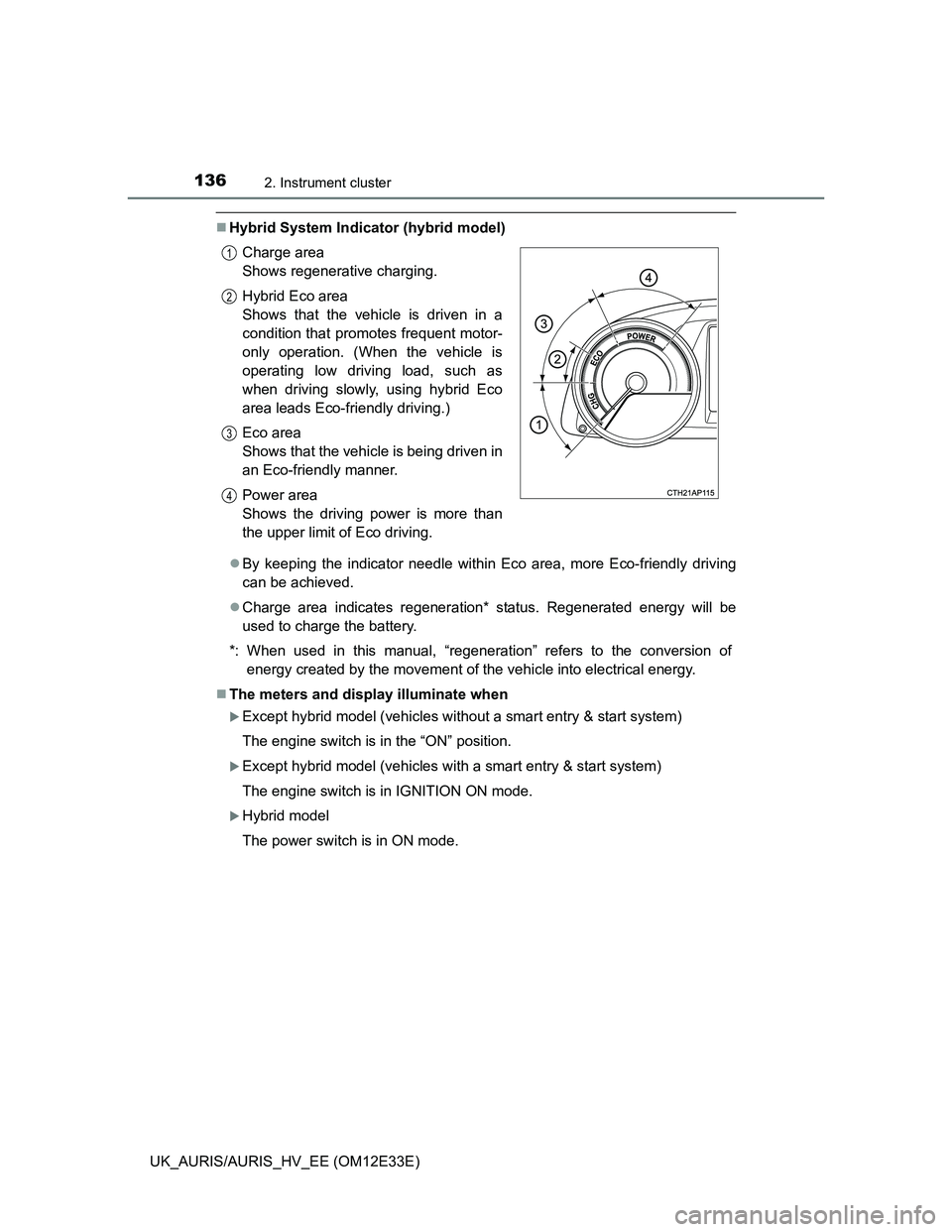
Hybrid System Indicator (hybrid model)
By keeping the indicator needle within Eco area, more Eco-friendly driving
can be achieved.
Charge area indicates regeneration* status. Regenerated energy will be
used to charge the battery.
*: When used in this manual, “regeneration” refers to the conversion of
energy created by the movement of the vehicle into electrical energy.
The meters and display illuminate when
Except hybrid model (vehicles without a smart entry & start system)
The engine switch is in the “ON” position.
Except hybrid model (vehicles with a smart entry & start system)
The engine switch is in IGNITION ON mode.
Hybrid model
The power switch is in ON mode. Charge area
Shows regenerative charging.
Hybrid Eco area
Shows that the vehicle is driven in a
condition that promotes frequent motor-
only operation. (When the vehicle is
operating low driving load, such as
when driving slowly, using hybrid Eco
area leads Eco-friendly driving.)
Eco area
Shows that the vehicle is being driven in
an Eco-friendly manner.
Power area
Shows the driving power is more than
the upper limit of Eco driving.
1
2
3
4
Page 139 of 750
1372. Instrument cluster
UK_AURIS/AURIS_HV_EE (OM12E33E)
2
Instrument cluster
When disconnecting and reconnecting 12-volt battery terminals
The following information data will be reset:
Elapsed time
Average fuel consumption
Driving range
Average vehicle speed
Liquid crystal display
Small spots or light spots may appear on the display. This phenomenon is
characteristic of liquid crystal displays, and there is no problem continuing to
use the display.
Engine speed (hybrid model)
On hybrid vehicles, engine speed is precisely controlled in order to help
improve fuel efficiency and reduce exhaust emissions etc.
There are times when the engine speed that is displayed may differ even
when vehicle operation and driving conditions are the same.
Setting display automatic suspension
In the following situations, the setting display will be suspended.
When a warning message appears.
When the vehicle begins to move.
Page 145 of 750
1432. Instrument cluster
UK_AURIS/AURIS_HV_EE (OM12E33E)
2
Instrument cluster
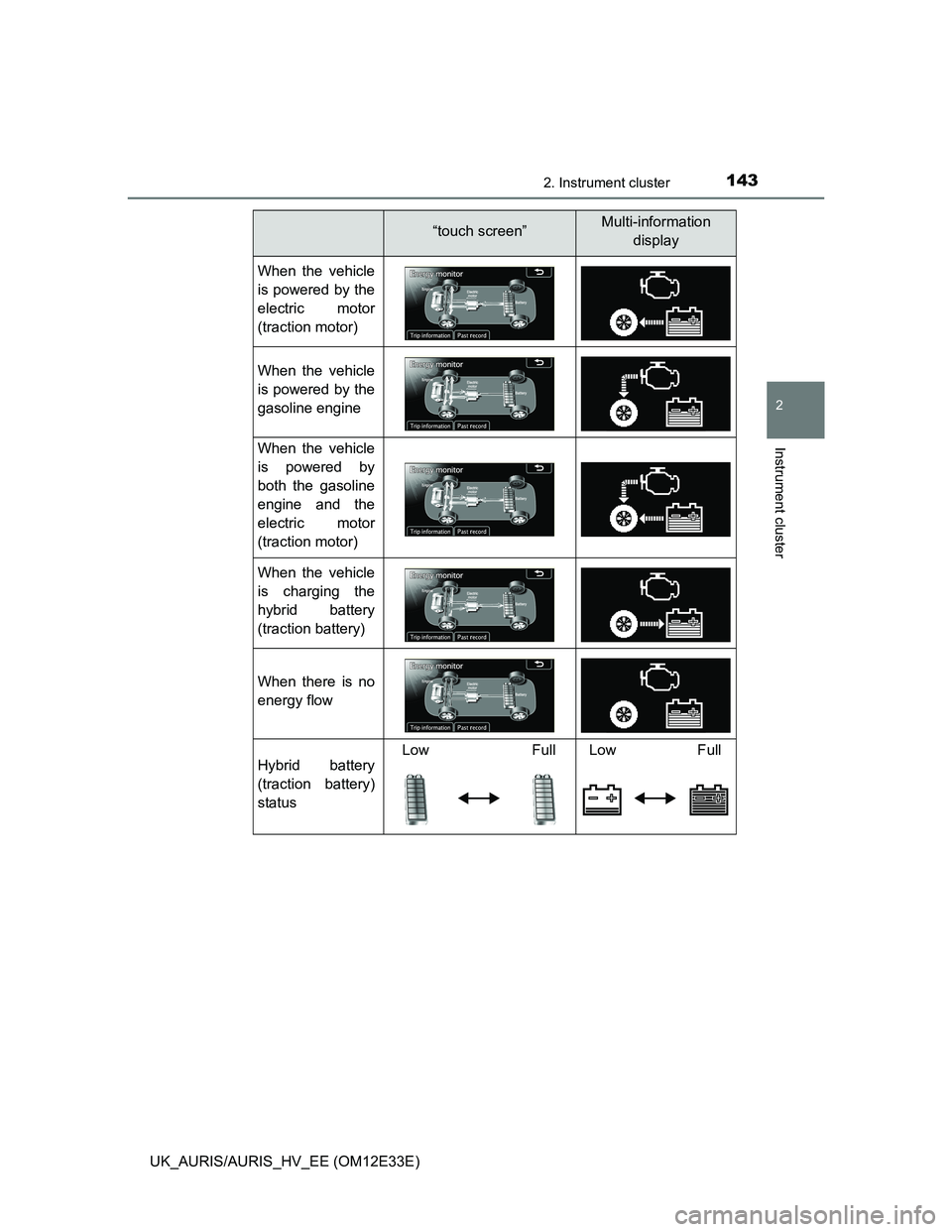
“touch screen”Multi-information
display
When the vehicle
is powered by the
electric motor
(traction motor)
When the vehicle
is powered by the
gasoline engine
When the vehicle
is powered by
both the gasoline
engine and the
electric motor
(traction motor)
When the vehicle
is charging the
hybrid battery
(traction battery)
When there is no
energy flow
Hybrid battery
(traction battery)
statusLow Full Low Full
Page 151 of 750
1493-1. Key information
UK_AURIS/AURIS_HV_EE (OM12E33E)
3
Operation of each component
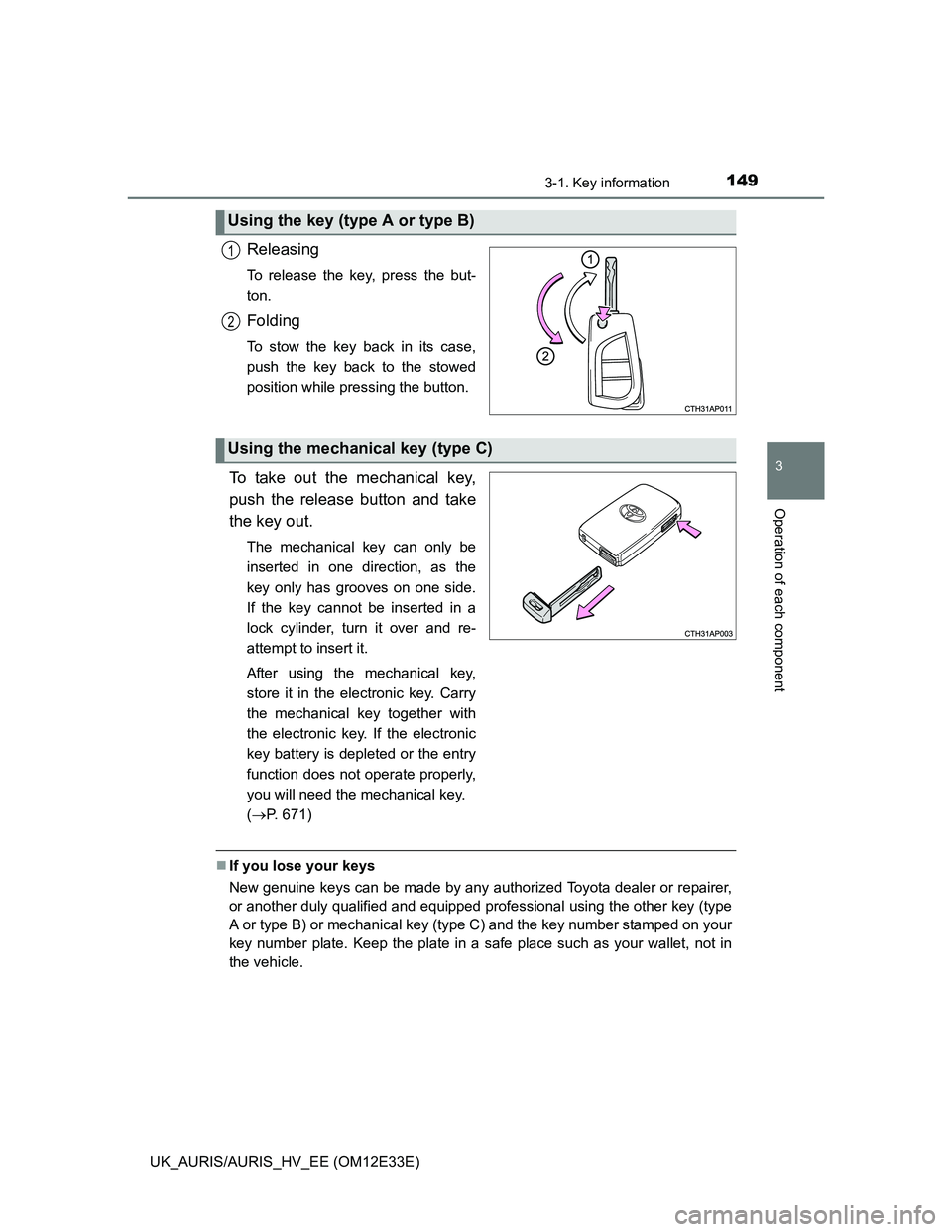
Releasing
To release the key, press the but-
ton.
Folding
To stow the key back in its case,
push the key back to the stowed
position while pressing the button.
To take out the mechanical key,
push the release button and take
the key out.
The mechanical key can only be
inserted in one direction, as the
key only has grooves on one side.
If the key cannot be inserted in a
lock cylinder, turn it over and re-
attempt to insert it.
After using the mechanical key,
store it in the electronic key. Carry
the mechanical key together with
the electronic key. If the electronic
key battery is depleted or the entry
function does not operate properly,
you will need the mechanical key.
(P. 671)
If you lose your keys
New genuine keys can be made by any authorized Toyota dealer or repairer,
or another duly qualified and equipped professional using the other key (type
A or type B) or mechanical key (type C) and the key number stamped on your
key number plate. Keep the plate in a safe place such as your wallet, not in
the vehicle.
Using the key (type A or type B)
1
2
Using the mechanical key (type C)
Page 159 of 750
1573-2. Opening, closing and locking the doors
UK_AURIS/AURIS_HV_EE (OM12E33E)
3
Operation of each component
Battery-saving function
The battery-saving function will be activated in order to prevent the electronic
key battery and the vehicle battery from being discharged while the vehicle is
not in operation for a long time.
In the following situations, the smart entry & start system may take some
time to unlock the doors.
• The electronic key has been left in an area of approximately 2 m (6 ft.) of
the outside of the vehicle for 10 minutes or longer.
• The smart entry & start system has not been used for 5 days or longer.
If the smart entry & start system has not been used for 14 days or longer,
the doors cannot be unlocked at any doors except the driver’s door. In this
case, take hold of the driver’s door handle, or use the wireless remote con-
trol or the mechanical key, to unlock the doors.
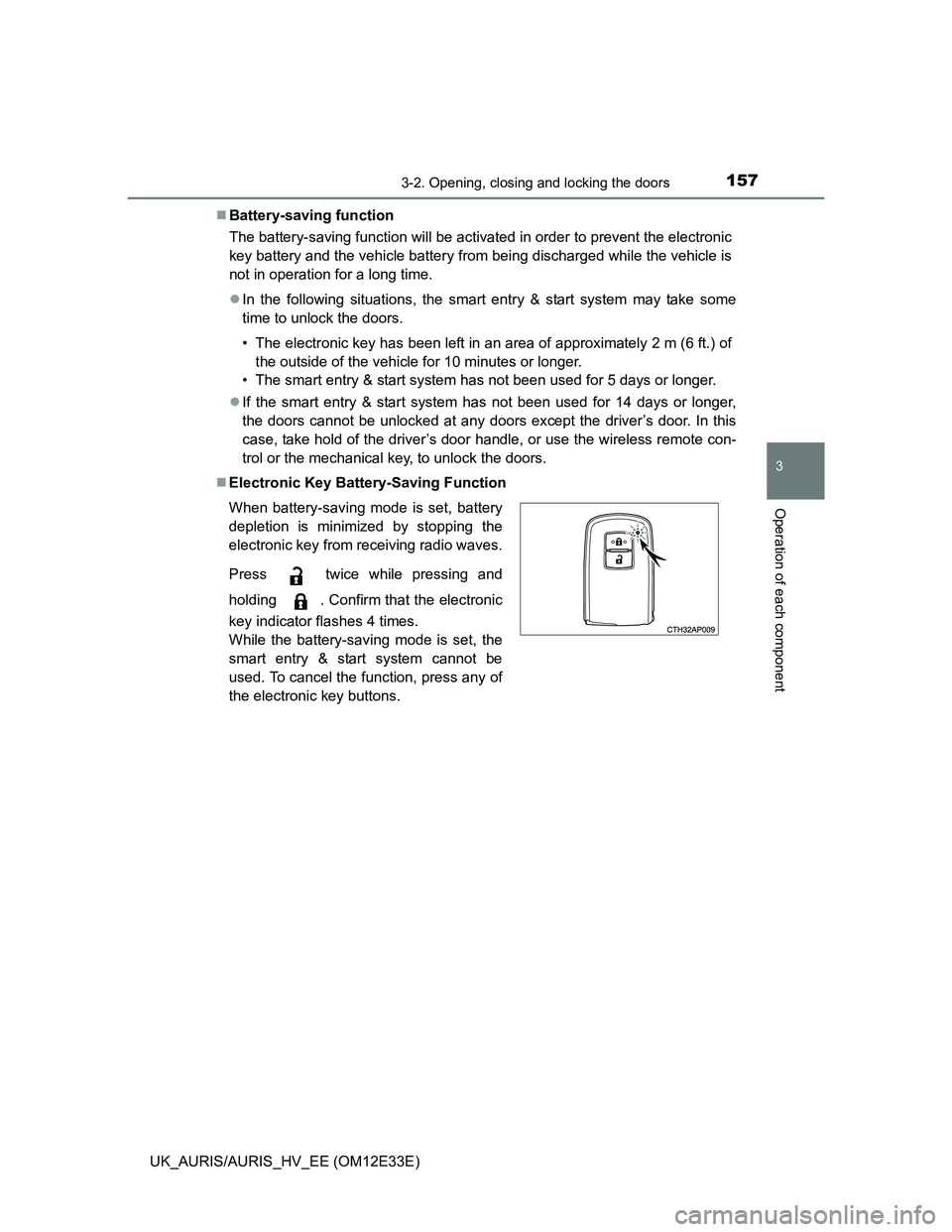
Electronic Key Battery-Saving Function
When battery-saving mode is set, battery
depletion is minimized by stopping the
electronic key from receiving radio waves.
Press twice while pressing and
holding . Confirm that the electronic
key indicator flashes 4 times.
While the battery-saving mode is set, the
smart entry & start system cannot be
used. To cancel the function, press any of
the electronic key buttons.
Page 160 of 750
1583-2. Opening, closing and locking the doors
UK_AURIS/AURIS_HV_EE (OM12E33E)Conditions affecting operation
The smart entry & start system uses weak radio waves. In the following situa-
tions, the communication between the electronic key and the vehicle may be
affected, preventing the smart entry & start system, wireless remote control
and immobilizer system from operating properly.
(Ways of coping: P. 670)
When the electronic key battery is depleted
Near a TV tower, electric power plant, gas station, radio station, large dis-
play, airport or other facility that generates strong radio waves or electrical
noise
When carrying a portable radio, cellular phone, cordless phone or other
wireless communication devices
When the electronic key is in contact with, or is covered by the following
metallic objects
• Cards to which aluminum foil is attached
• Cigarette boxes that have aluminum foil inside
• Metallic wallets or bags
• Coins
• Hand warmers made of metal
• Media such as CDs and DVDs
When other wireless keys (that emit radio waves) are being used nearby
When carrying the electronic key together with the following devices that
emit radio waves
• Another vehicle’s electronic key or a wireless key that emits radio waves
• Personal computers or personal digital assistants (PDAs)
• Digital audio players
• Portable game systems
If window tint with a metallic content or metallic objects are attached to the
rear window
When the electronic key is placed near a battery charger or electronic
devices