change time TOYOTA AVALON 2008 XX30 / 3.G Owners Manual
[x] Cancel search | Manufacturer: TOYOTA, Model Year: 2008, Model line: AVALON, Model: TOYOTA AVALON 2008 XX30 / 3.GPages: 452, PDF Size: 7.59 MB
Page 16 of 452
16
AVALON_U_(L/O_0802)
For your information
Main Owner’s Manual
Please note that this manual applies to all models and explains all equip-
ment, including options. Therefore, you may find some explanations for
equipment not installed on your vehicle.
All specifications provided in this manual are current at the time of printing.
However, because of the Toyota policy of continual product improvement, we
reserve the right to make changes at any time without notice.
Depending on specifications, the vehicle shown in the illustration may differ
from your vehicle in terms of equipment.
Accessories, spare parts and modification of your Toyota
A wide variety of non-genuine spare parts and accessories for Toyota vehi-
cles are currently available in the market. You should know that Toyota does
not warrant these products and is not responsible for their performance,
repair, or replacement, or for any damage they may cause to, or adverse
effect they may have on, your Toyota vehicle.
This vehicle should not be modified with non-genuine Toyota products. Mod-
ification with non-genuine Toyota products could affect its performance,
safety or durability, and may even violate governmental regulations. In addi-
tion, damage or performance problems resulting from the modification may
not be covered under warranty.
Page 29 of 452
29
1-2. Opening, closing and locking the doors and trunk
1
Before driving
AVALON_U_(L/O_0802)
■
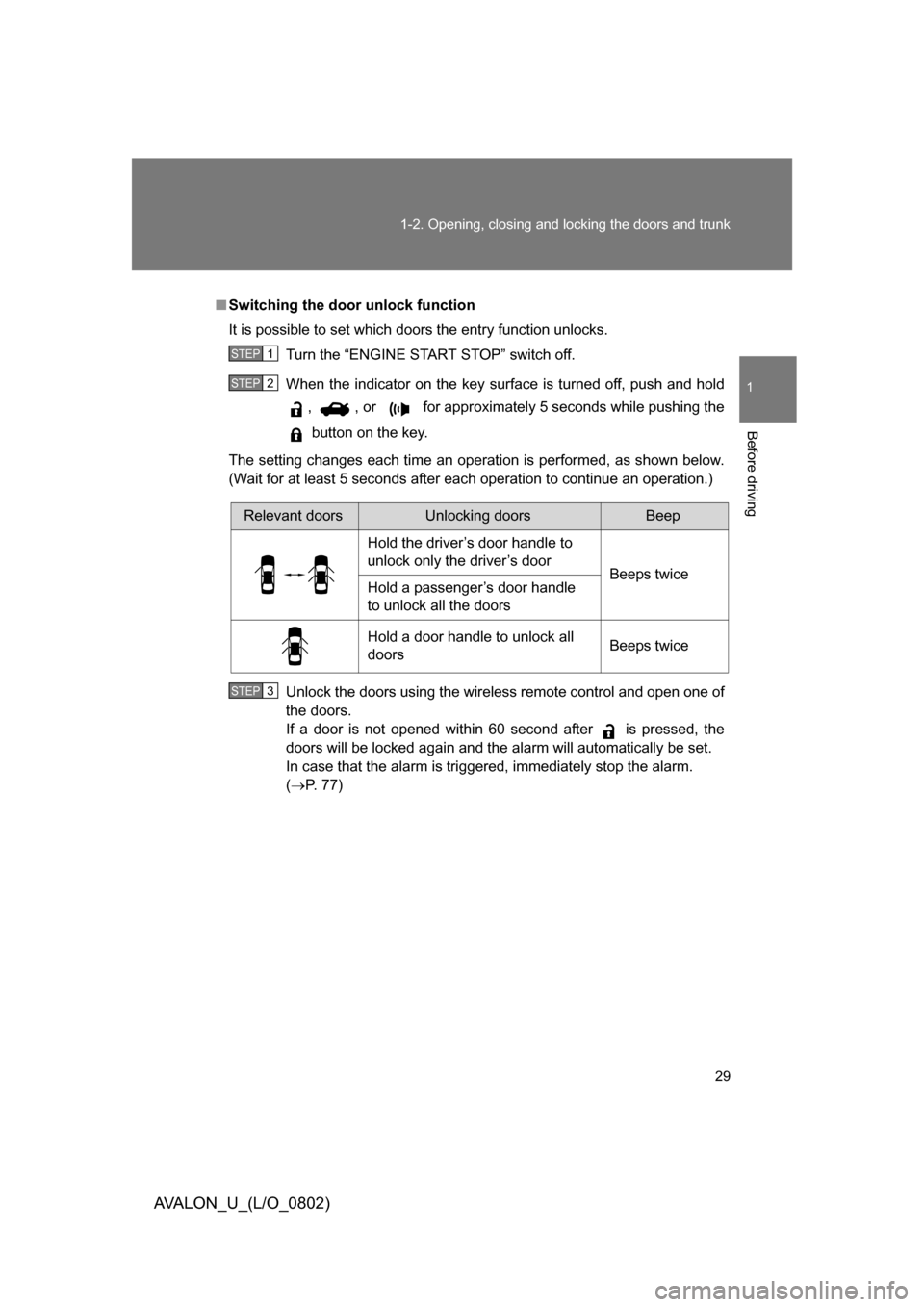
Switching the door unlock function
It is possible to set which doors the entry function unlocks.
Turn the “ENGINE START STOP” switch off.
When the indicator on the key surface is turned off, push and hold , , or for approximately 5 seconds while pushing the
button on the key.
The setting changes each time an operation is performed, as shown below.
(Wait for at least 5 seconds after each operation to continue an operation.)
Unlock the doors using the wireless remote control and open one of
the doors.
If a door is not opened within 60 second after is pressed, the
doors will be locked again and the alarm will automatically be set.
In case that the alarm is triggered, immediately stop the alarm.
( P. 77)
STEP1
STEP2
Relevant doorsUnlocking doorsBeep
Hold the driver’s door handle to
unlock only the driver’s door Beeps twice
Hold a passenger’s door handle
to unlock all the doors
Hold a door handle to unlock all
doors Beeps twice
STEP3
Page 118 of 452
118 2-1. Driving procedures
AVALON_U_(L/O_0802)
CAUTION
■When driving on slippery road surfaces
● Sudden braking, acceleration and steering may cause tire slippage and
reduce your ability to control the vehicle, resulting in an accident.
● Sudden changes in engine speed, such as engine braking caused by up-
shifting or down-shifting, may cause the vehicle to skid, resulting in an
accident.
● After driving through a puddle, lightly depress the brake pedal to make
sure that the brakes are functioning properly. Wet brake pads may prevent
the brakes from functioning properly. If the brakes on only one side are wet
and not functioning properly, steering control may be affected, resulting in
an accident.
■ When shifting the shift lever
Be careful not to shift the shift lever with the accelerator pedal depressed.
This may lead to unexpected rapid acceleration of the vehicle that may
cause an accident and result in death or serious injury.
■ When the vehicle is stopped
● Do not race the engine.
If the vehicle is in any gear other than “P” or “N” the vehicle may acceler-
ate suddenly and unexpectedly, and may cause an accident.
● Do not leave the vehicle with the engine on for a long time.
If such a situation cannot be avoided, park the vehicle in an open space
and check that exhaust fumes do not enter the vehicle interior.
● Always keep a foot on the brake pedal while the engine is running to pre-
vent an accident caused by the vehicle moving.
Page 121 of 452
121
2-1. Driving procedures
2
When driving
AVALON_U_(L/O_0802)
NOTICE
■
Avoiding damage to vehicle parts
● Do not turn the steering wheel fully in either direction and hold it there for a
long time.
Doing so may damage the power steering pump.
● When driving over bumps in the road, drive as slowly as possible to avoid
damaging the wheels, underside of the vehicle, etc.
■ If you hear a squealing or scrapin g noise (brake pad wear limit indica-
tors)
Have your Toyota dealer check and replace the brake pads as soon as pos-
sible.
The rotor damage can result if the pads are not replaced when needed.
■ If you get a flat tire while driving
A flat or damaged tire may cause the following situations. Hold the steering
wheel firmly and gradually press the brake pedal to slow down the vehicle.
● It may be difficult to control your vehicle.
● The vehicle will make abnormal sounds.
● The vehicle will behave abnormally.
Replace a flat tire with a new one. ( P. 385)
■ When encountering flooded roads
Do not drive on a road that has flooded after heavy rain etc. Doing so may
cause the following serious damage to the vehicle.
● Engine stalling
● Short in electrical components
● Engine damage caused by water immersion
In the event that you drive on a flooded road and the vehicle is flooded, be
sure to have your Toyota dealer check the following.
● Brake function
● Changes in quantity and quality of oil and fluid used for the engine, trans-
mission, differentials, etc.
● Lubricant condition for the bearings and suspension joints (where possi-
ble) and the function of all joints, bearings, etc.
Page 142 of 452
142 2-2. Instrument cluster
AVALON_U_(L/O_0802)
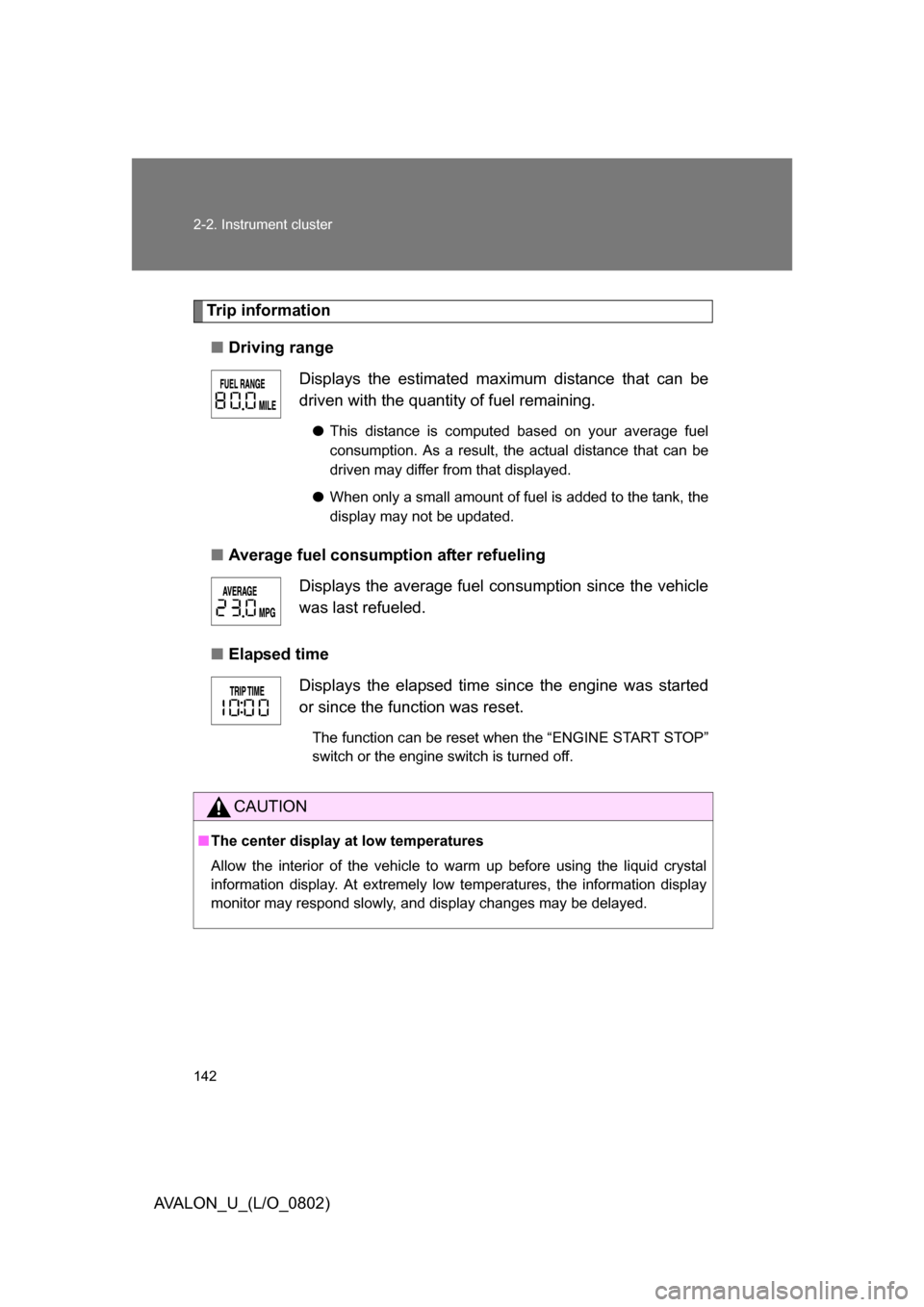
Trip information■ Driving range
■ Average fuel consumption after refueling
■ Elapsed time Displays the estimated maximum distance that can be
driven with the quantity of fuel remaining.
●
This distance is computed based on your average fuel
consumption. As a result, the actual distance that can be
driven may differ from that displayed.
● When only a small amount of fuel is added to the tank, the
display may not be updated.
Displays the average fuel consumption since the vehicle
was last refueled.
Displays the elapsed time since the engine was started
or since the function was reset.
The function can be reset when the “ENGINE START STOP”
switch or the engine switch is turned off.
CAUTION
■The center display at low temperatures
Allow the interior of the vehicle to warm up before using the liquid crystal
information display. At extremely low temperatures, the information display
monitor may respond slowly, and display changes may be delayed.
Page 144 of 452
144 2-3. Operating the lights and windshield wipers
AVALON_U_(L/O_0802)
■Daytime running light system (if equipped)
To make your vehicle more visible to other drivers, the headlights turn on
automatically (at a reduced intensity) whenever the engine is started and the
parking brake is released. Daytime r unning lights are not designed for use at
night.
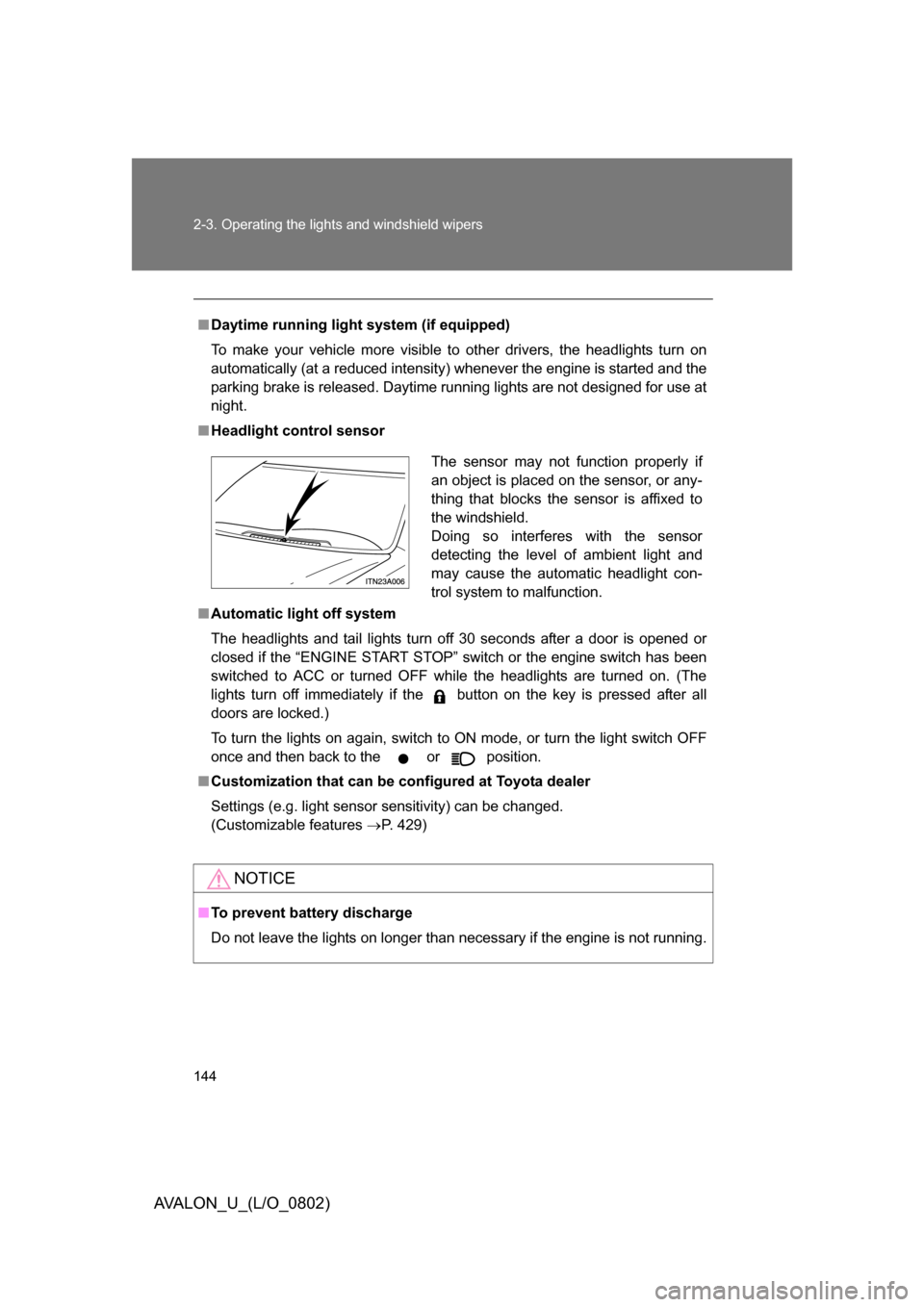
■ Headlight control sensor
■ Automatic light off system
The headlights and tail lights turn off 30 seconds after a door is opened or
closed if the “ENGINE START STOP” switch or the engine switch has been
switched to ACC or turned OFF while the headlights are turned on. (The
lights turn off immediately if the button on the key is pressed after all
doors are locked.)
To turn the lights on again, switch to ON mode, or turn the light switch OFF
once and then back to the
or position.
■ Customization that can be co nfigured at Toyota dealer
Settings (e.g. light sensor sensitivity) can be changed.
(Customizable features P. 429)
NOTICE
■To prevent battery discharge
Do not leave the lights on longer than necessary if the engine is not running.
The sensor may not function properly if
an object is placed on the sensor, or any-
thing that blocks the sensor is affixed to
the windshield.
Doing so interferes with the sensor
detecting the level of ambient light and
may cause the automatic headlight con-
trol system to malfunction.
Page 187 of 452
187
3-1. Using the air conditioning system and defogger
3
Interior features
AVALON_U_(L/O_0802)
Rear window and outside rear view mirror defoggers
■Operating conditions
The “ENGINE START STOP” switch or the engine switch must be in the ON
mode.
CAUTION
■When the outside rear view mirr or defoggers are on (if equipped)
Do not touch the rear view mirror surfaces, as they can become very hot and
burn you.
NOTICE
■ To prevent battery discharge
Turn the defoggers off when the engine is not running.
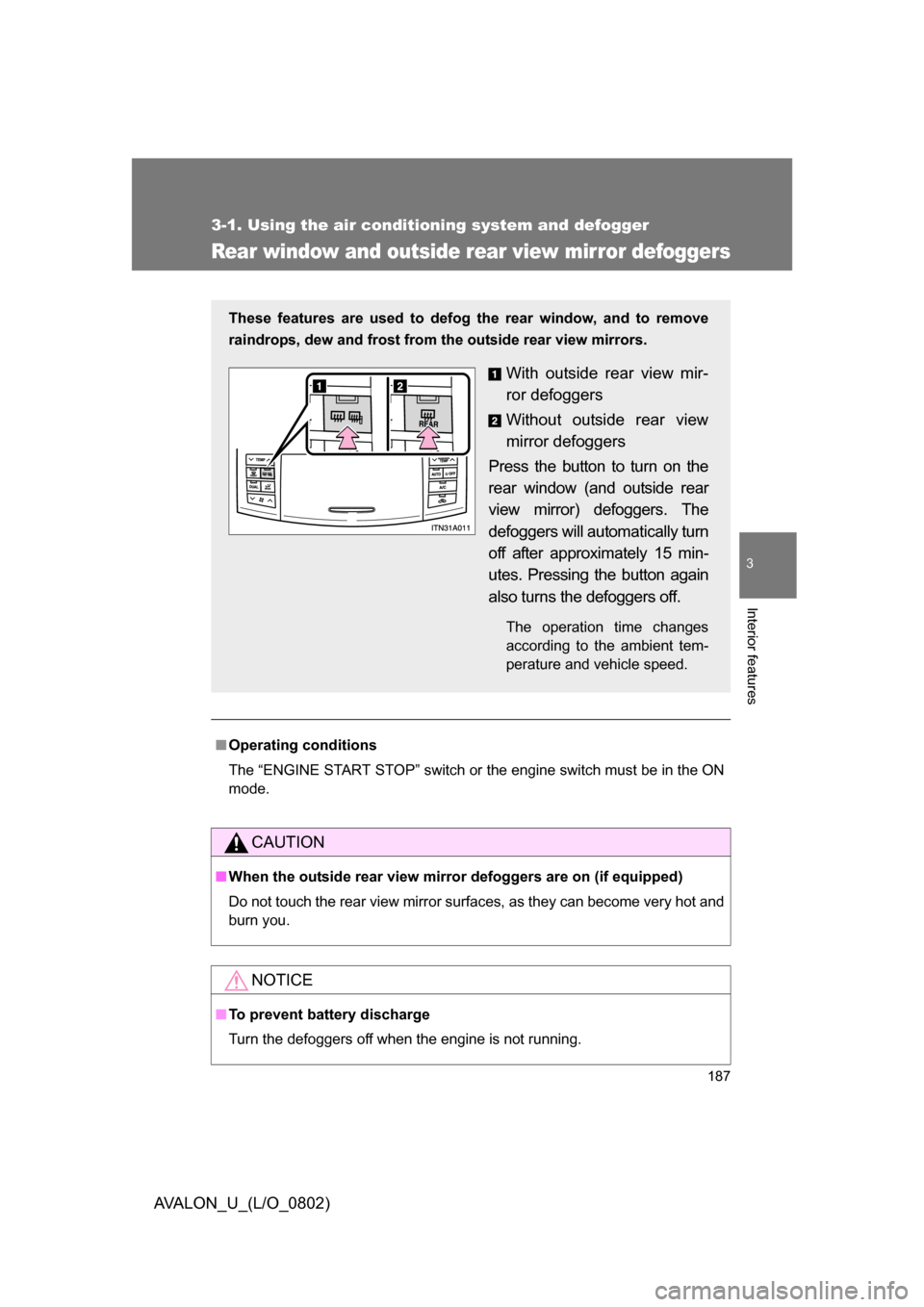
These features are used to defog the rear window, and to remove
raindrops, dew and frost from the outside rear view mirrors.
With outside rear view mir-
ror defoggers
Without outside rear view
mirror defoggers
Press the button to turn on the
rear window (and outside rear
view mirror) defoggers. The
defoggers will automatically turn
off after approximately 15 min-
utes. Pressing the button again
also turns the defoggers off.
The operation time changes
according to the ambient tem-
perature and vehicle speed.
Page 193 of 452
193
3-2. Using the audio system
3
Interior features
AVALON_U_(L/O_0802)
XM® Satellite Radio (if equipped)
■ Receiving XM
® Satellite Radio
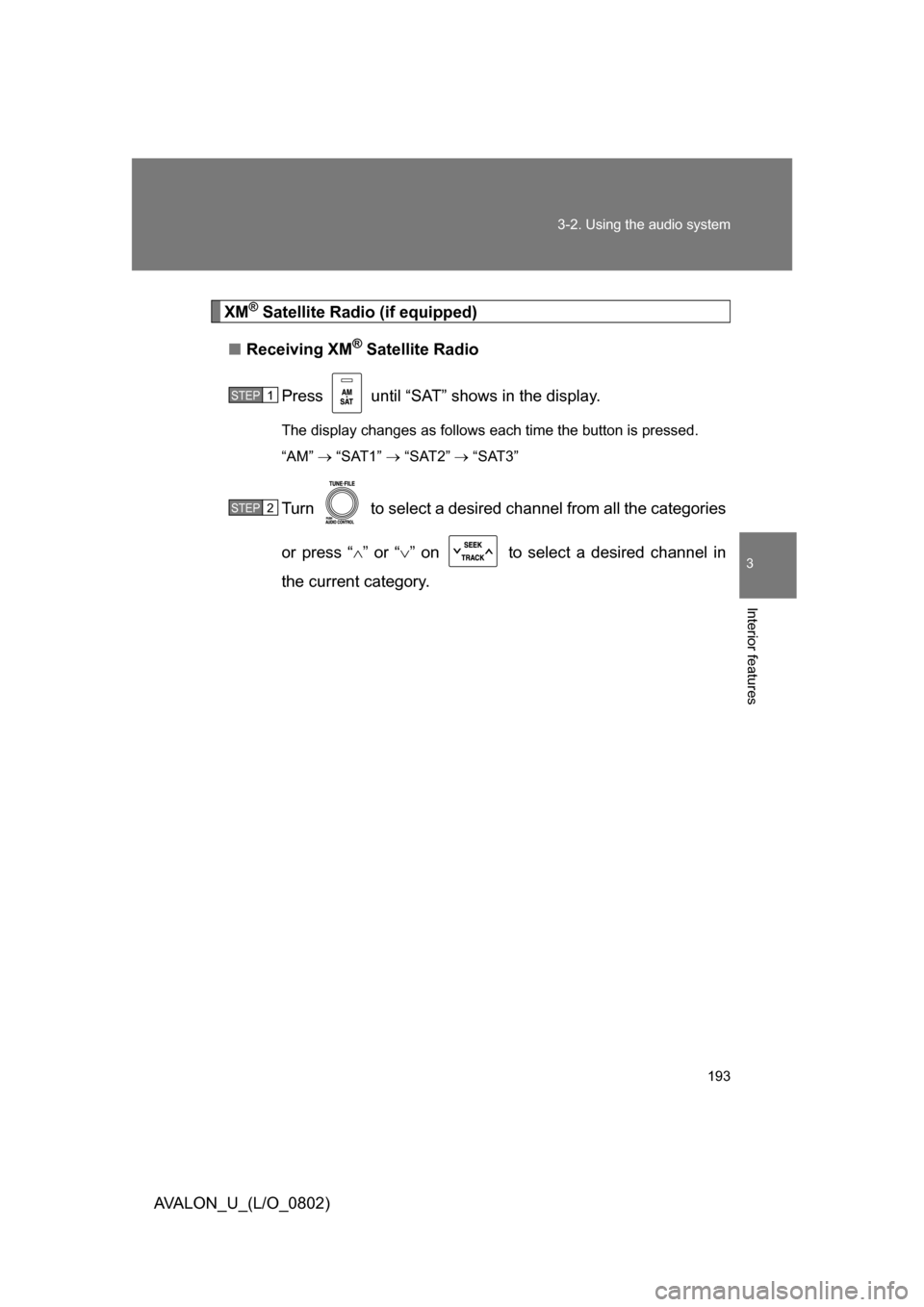
Press until “SAT” shows in the display.
The display changes as follows each time the button is pressed.
“AM” “SAT1” “SAT2” “SAT3”
Turn to select a desired channel from all the categories
or press “ ” or “ ” on to select a desired channel in
the current category.
STEP1
STEP2
Page 194 of 452
194 3-2. Using the audio system
AVALON_U_(L/O_0802)■
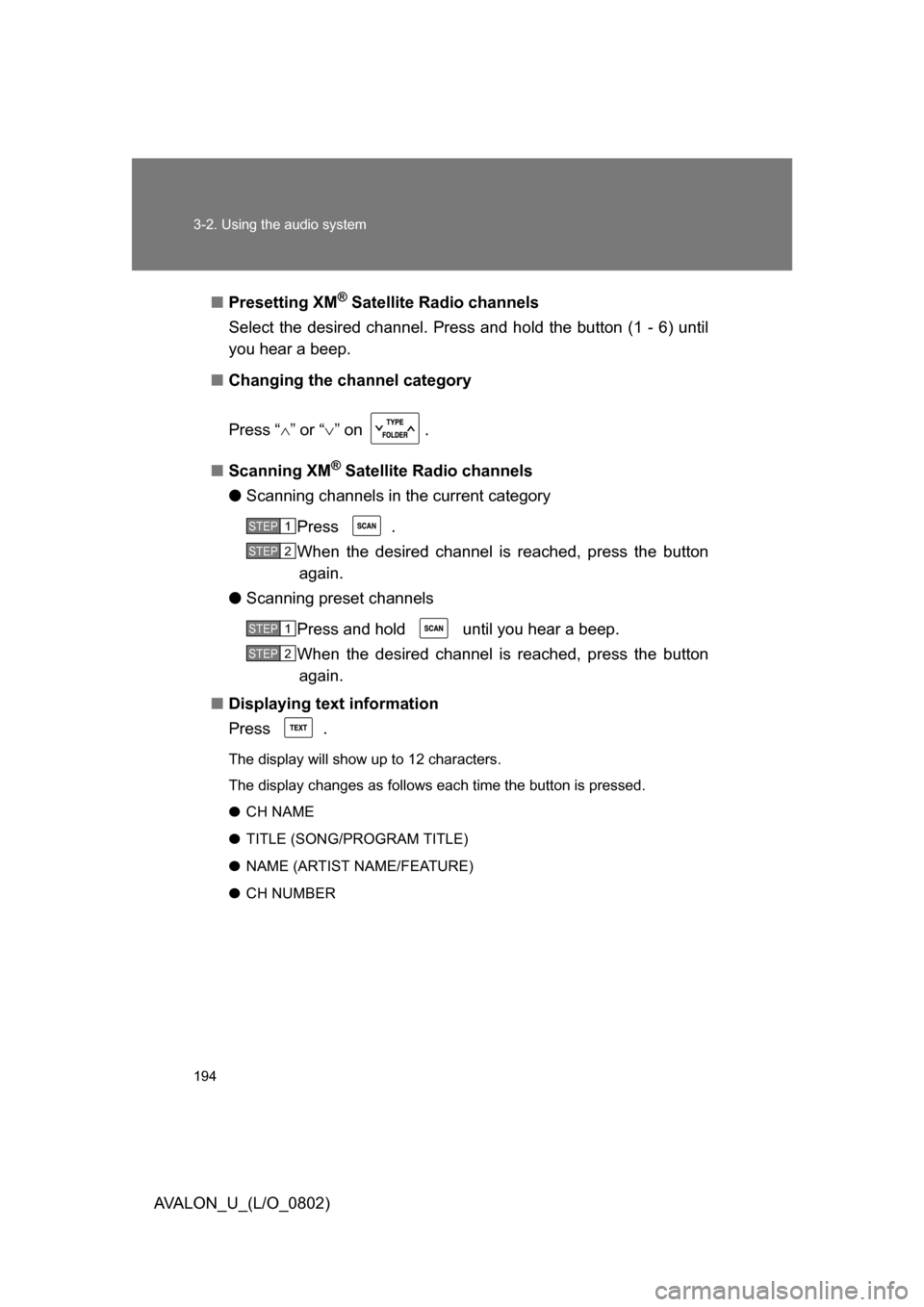
Presetting XM
® Satellite Radio channels
Select the desired channel. Press and hold the button (1 - 6) until
you hear a beep.
■ Changing the channel category
Press “ ” or “ ” on .
■ Scanning XM
® Satellite Radio channels
● Scanning channels in the current category
Press .
When the desired channel is reached, press the button again.
● Scanning preset channels
Press and hold until you hear a beep.
When the desired channel is reached, press the button again.
■ Displaying text information
Press .
The display will show up to 12 characters.
The display changes as follows each time the button is pressed.
● CH NAME
● TITLE (SONG/PROGRAM TITLE)
● NAME (ARTIST NAME/FEATURE)
● CH NUMBER
STEP1
STEP2
STEP1
STEP2
Page 196 of 452
196 3-2. Using the audio system
AVALON_U_(L/O_0802)
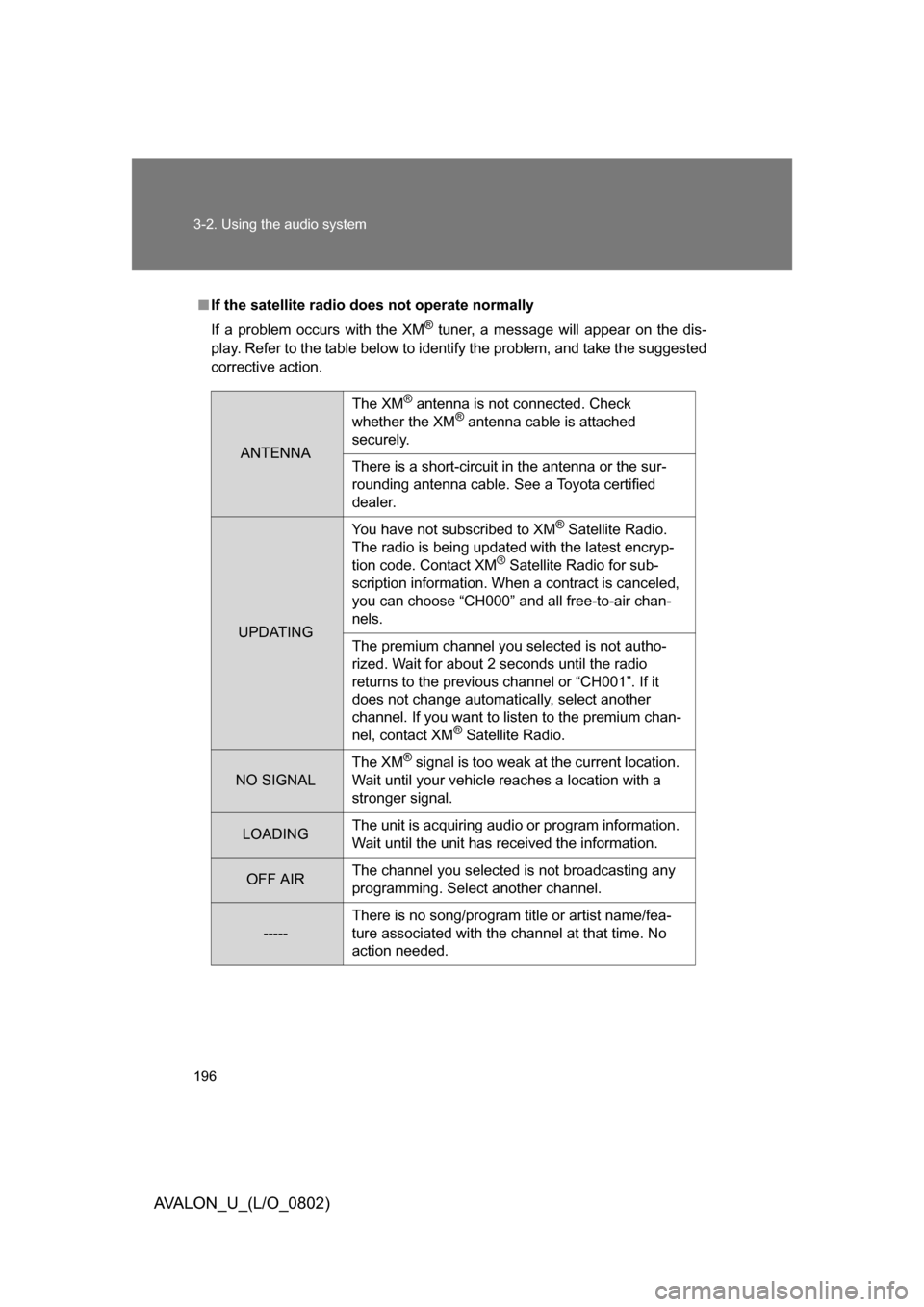
■If the satellite radio does not operate normally
If a problem occurs with the XM
® tuner, a message will appear on the dis-
play. Refer to the table below to identify the problem, and take the suggested
corrective action.
ANTENNA
The XM® antenna is not connected. Check
whether the XM® antenna cable is attached
securely.
There is a short-circuit in the antenna or the sur-
rounding antenna cable. See a Toyota certified
dealer.
UPDATING You have not subscribed to XM
® Satellite Radio.
The radio is being updated with the latest encryp-
tion code. Contact XM
® Satellite Radio for sub-
scription information. When a contract is canceled,
you can choose “CH000” and all free-to-air chan-
nels.
The premium channel you selected is not autho-
rized. Wait for about 2 seconds until the radio
returns to the previous channel or “CH001”. If it
does not change automatically, select another
channel. If you want to listen to the premium chan-
nel, contact XM
® Satellite Radio.
NO SIGNAL The XM
® signal is too weak at the current location.
Wait until your vehicle reaches a location with a
stronger signal.
LOADING The unit is acquiring audio or program information.
Wait until the unit has received the information.
OFF AIRThe channel you selected is not broadcasting any
programming. Select another channel.
-----There is no song/program title or artist name/fea-
ture associated with the channel at that time. No
action needed.