turn signal TOYOTA BZ4X 2022 (in English) User Guide
[x] Cancel search | Manufacturer: TOYOTA, Model Year: 2022, Model line: BZ4X, Model: TOYOTA BZ4X 2022Pages: 674, PDF Size: 120.02 MB
Page 292 of 674
290
Owners Manual_Europe_M42D76_en
5-4. Using the driving support systems
●Acceleration Suppression at Low Speed
The Acceleration Suppression at Low Speed function will not ope rate when the turn signal lights are flashing.
While the Acceleration Suppression at Low Speed function is ope rating, if any of the following are performed, the low speed sudden acceleration supp ression function operation will be canceled:
• The accelerator pedal is released
• The steering wheel is operated heavily or suddenly
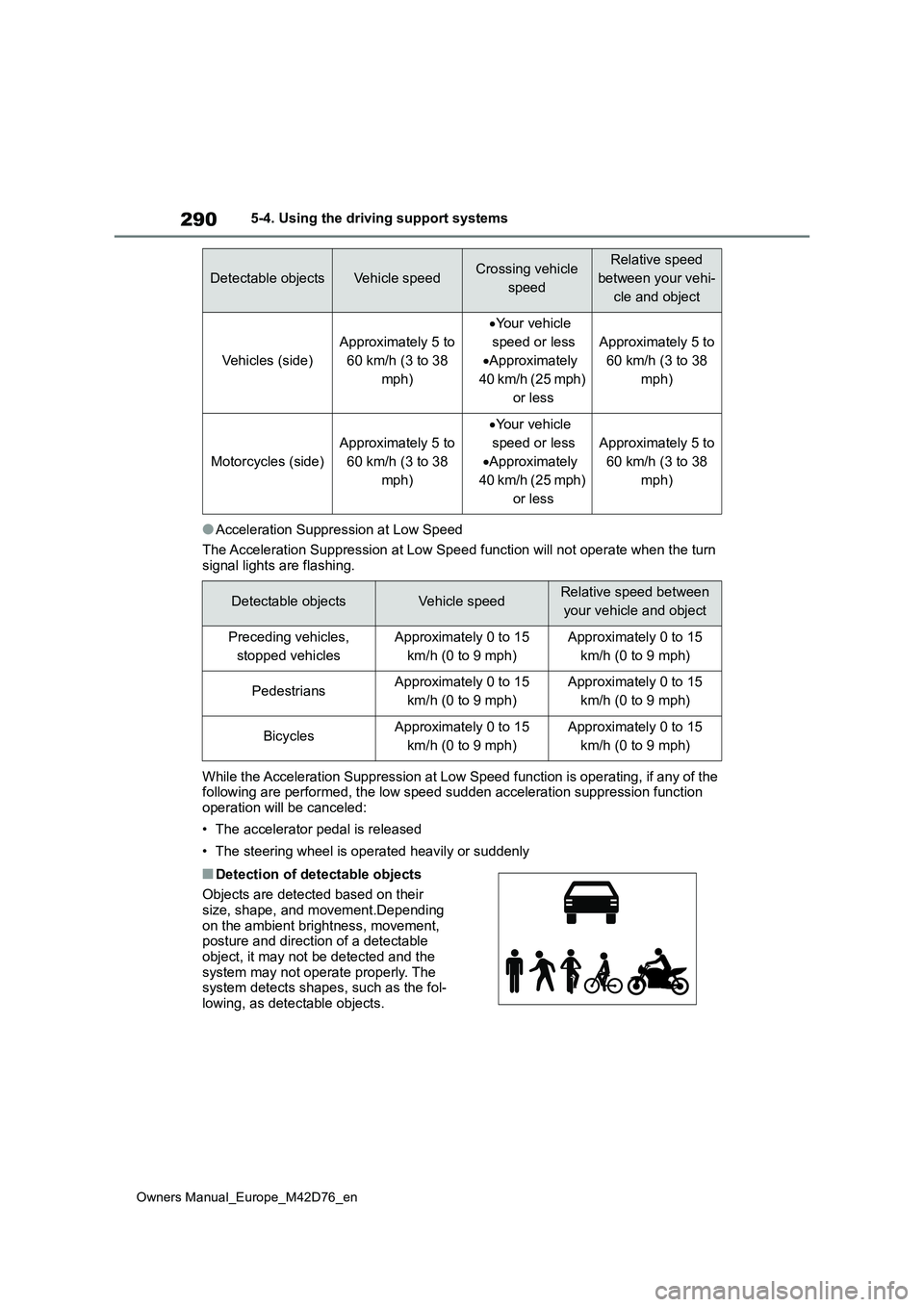
■Detection of detectable objects
Objects are detected based on their size, shape, and movement.Depending
on the ambient brightness, movement, posture and direction of a detectable object, it may not be detected and the
system may not operate properly. The system detects shapes, such as the fol-lowing, as detectable objects.
Detectable objectsVehicle speedCrossing vehicle
speed
Relative speed
between your vehi-
cle and object
Vehicles (side)
Approximately 5 to
60 km/h (3 to 38
mph)
Your vehicle
speed or less
Approximately
40 km/h (25 mph)
or less
Approximately 5 to
60 km/h (3 to 38
mph)
Motorcycles (side)
Approximately 5 to
60 km/h (3 to 38
mph)
Your vehicle
speed or less
Approximately
40 km/h (25 mph)
or less
Approximately 5 to
60 km/h (3 to 38
mph)
Detectable objectsVehicle speedRelative speed between
your vehicle and object
Preceding vehicles,
stopped vehicles
Approximately 0 to 15
km/h (0 to 9 mph)
Approximately 0 to 15
km/h (0 to 9 mph)
PedestriansApproximately 0 to 15
km/h (0 to 9 mph)
Approximately 0 to 15
km/h (0 to 9 mph)
BicyclesApproximately 0 to 15
km/h (0 to 9 mph)
Approximately 0 to 15
km/h (0 to 9 mph)
Page 297 of 674
295
5
Owners Manual_Europe_M42D76_en
5-4. Using the driving support systems
Driving
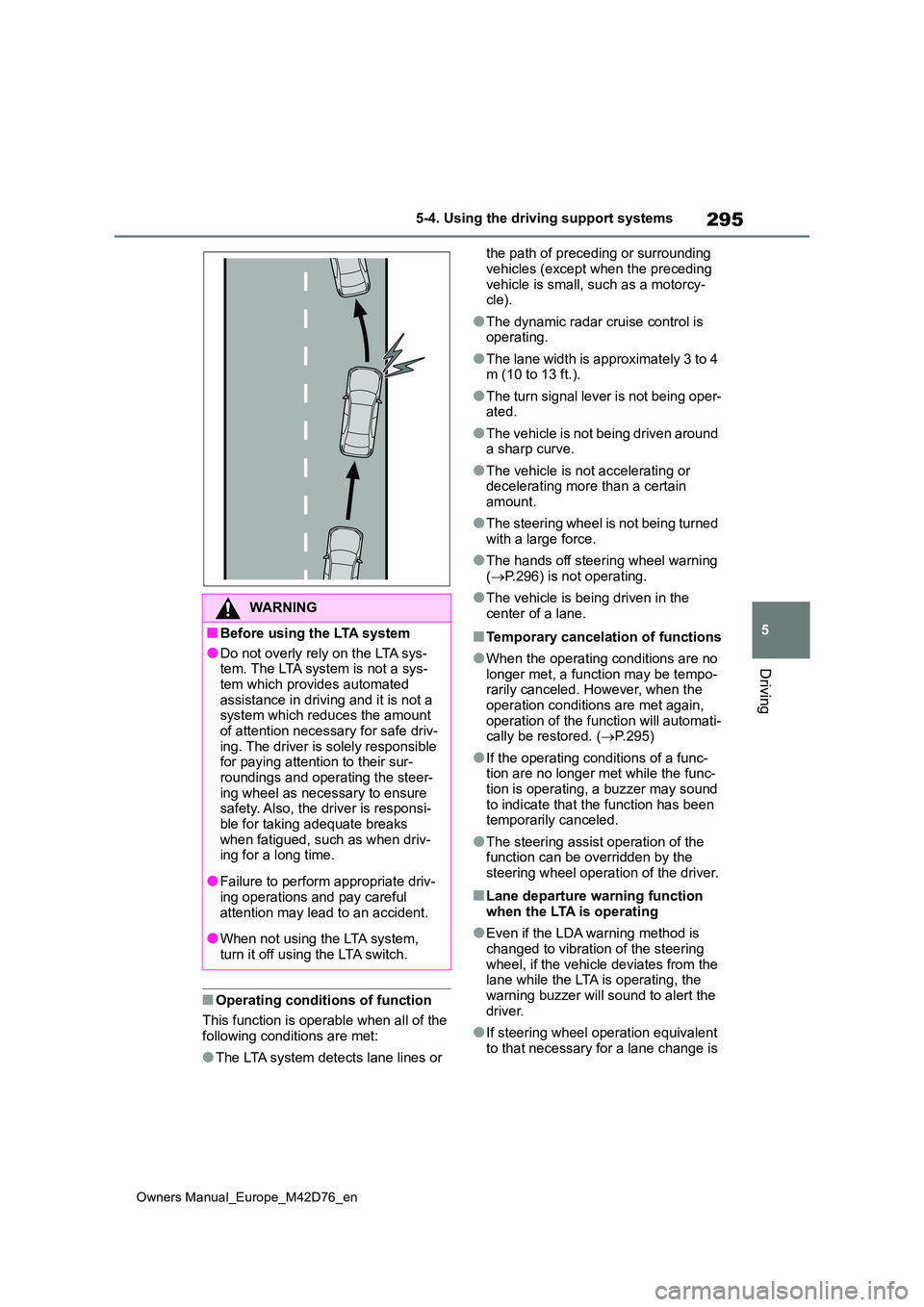
■Operating conditions of function
This function is operable when all of the following conditions are met:
●The LTA system detects lane lines or
the path of preceding or surrounding
vehicles (except when the preceding vehicle is small, such as a motorcy-cle).
●The dynamic radar cruise control is operating.
●The lane width is approximately 3 to 4 m (10 to 13 ft.).
●The turn signal lever is not being oper-ated.
●The vehicle is not being driven around a sharp curve.
●The vehicle is not accelerating or decelerating more than a certain
amount.
●The steering wheel is not being turned
with a large force.
●The hands off steering wheel warning
( P.296) is not operating.
●The vehicle is being driven in the
center of a lane.
■Temporary cancelation of functions
●When the operating conditions are no
longer met, a function may be tempo- rarily canceled. However, when the operation conditions are met again,
operation of the function will automati- cally be restored. ( P.295)
●If the operating conditions of a func- tion are no longer met while the func-tion is operating, a buzzer may sound
to indicate that the function has been temporarily canceled.
●The steering assist operation of the function can be overridden by the steering wheel operation of the driver.
■Lane departure warning function
when the LTA is operating
●Even if the LDA warning method is
changed to vibration of the steering wheel, if the vehicle deviates from the lane while the LTA is operating, the
warning buzzer will sound to alert the driver.
●If steering wheel operation equivalent to that necessary for a lane change is
WARNING
■Before using the LTA system
●Do not overly rely on the LTA sys-tem. The LTA system is not a sys-
tem which provides automated assistance in driving and it is not a system which reduces the amount
of attention necessary for safe driv- ing. The driver is solely responsible for paying attention to their sur-
roundings and operating the steer- ing wheel as necessary to ensure safety. Also, the driver is responsi-
ble for taking adequate breaks when fatigued, such as when driv-ing for a long time.
●Failure to perform appropriate driv-ing operations and pay careful
attention may lead to an accident.
●When not using the LTA system,
turn it off using the LTA switch.
Page 301 of 674
299
5
Owners Manual_Europe_M42D76_en
5-4. Using the driving support systems
Driving
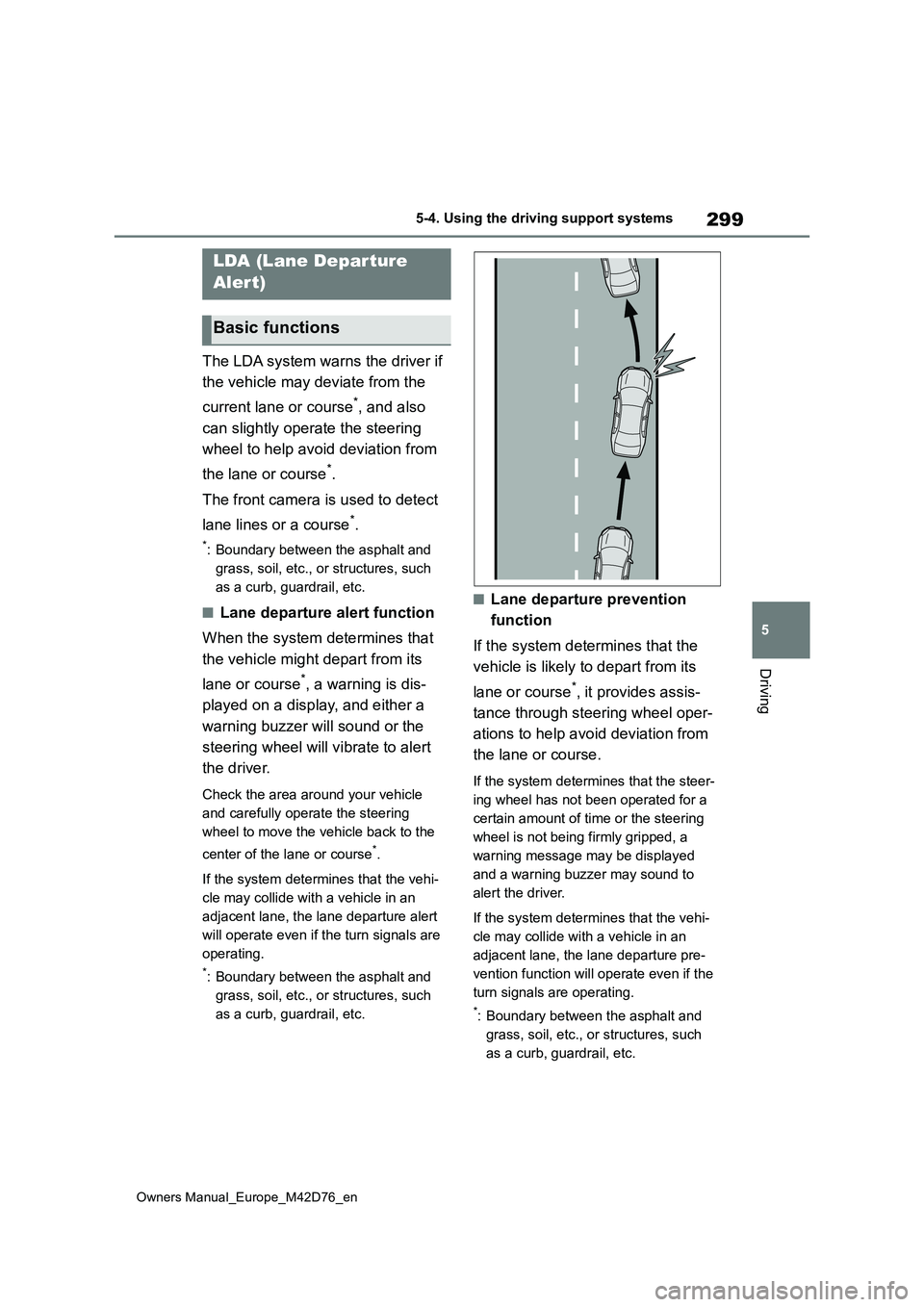
The LDA system warns the driver if
the vehicle may deviate from the
current lane or course*, and also
can slightly operate the steering
wheel to help avoid deviation from
the lane or course*.
The front camera is used to detect
lane lines or a course*.
*: Boundary between the asphalt and
grass, soil, etc., or structures, such
as a curb, guardrail, etc.
■Lane departure alert function
When the system determines that
the vehicle might depart from its
lane or course*, a warning is dis-
played on a display, and either a
warning buzzer will sound or the
steering wheel will vibrate to alert
the driver.
Check the area around your vehicle
and carefully operate the steering
wheel to move the vehicle back to the
center of the lane or course*.
If the system determines that the vehi-
cle may collide with a vehicle in an
adjacent lane, the lane departure alert
will operate even if the turn signals are
operating.
*: Boundary between the asphalt and
grass, soil, etc., or structures, such
as a curb, guardrail, etc.
■Lane departure prevention
function
If the system determines that the
vehicle is likely to depart from its
lane or course*, it provides assis-
tance through steering wheel oper-
ations to help avoid deviation from
the lane or course.
If the system determines that the steer-
ing wheel has not been operated for a
certain amount of time or the steering
wheel is not being firmly gripped, a
warning message may be displayed
and a warning buzzer may sound to
alert the driver.
If the system determines that the vehi-
cle may collide with a vehicle in an
adjacent lane, the lane departure pre-
vention function will operate even if the
turn signals are operating.
*: Boundary between the asphalt and
grass, soil, etc., or structures, such
as a curb, guardrail, etc.
LDA (Lane Departure
Alert)
Basic functions
Page 302 of 674
300
Owners Manual_Europe_M42D76_en
5-4. Using the driving support systems
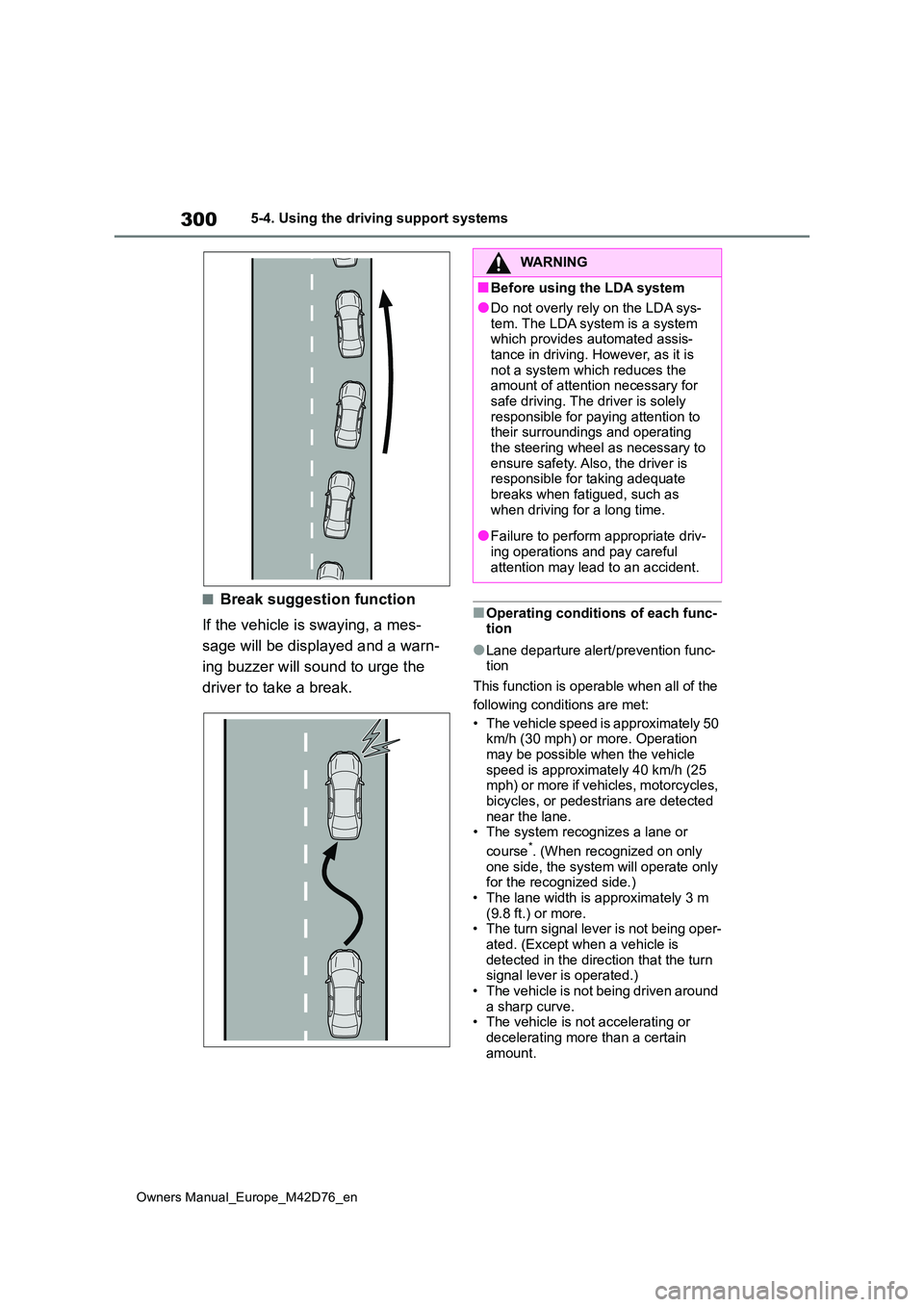
■Break suggestion function
If the vehicle is swaying, a mes-
sage will be displayed and a warn-
ing buzzer will sound to urge the
driver to take a break.
■Operating conditions of each func- tion
●Lane departure alert/prevention func-tion
This function is operable when all of the
following conditions are met:
• The vehicle speed is approximately 50 km/h (30 mph) or more. Operation may be possible when the vehicle
speed is approximately 40 km/h (25 mph) or more if vehicles, motorcycles, bicycles, or pedestrians are detected
near the lane. • The system recognizes a lane or
course*. (When recognized on only
one side, the system will operate only for the recognized side.)• The lane width is approximately 3 m
(9.8 ft.) or more. • The turn signal lever is not being oper-ated. (Except when a vehicle is
detected in the direction that the turn signal lever is operated.)• The vehicle is not being driven around
a sharp curve. • The vehicle is not accelerating or decelerating more than a certain
amount.
WARNING
■Before using the LDA system
●Do not overly rely on the LDA sys-
tem. The LDA system is a system which provides automated assis-tance in driving. However, as it is
not a system which reduces the amount of attention necessary for safe driving. The driver is solely
responsible for paying attention to their surroundings and operating the steering wheel as necessary to
ensure safety. Also, the driver is responsible for taking adequate breaks when fatigued, such as
when driving for a long time.
●Failure to perform appropriate driv-
ing operations and pay careful attention may lead to an accident.
Page 309 of 674
307
5
Owners Manual_Europe_M42D76_en
5-4. Using the driving support systems
Driving
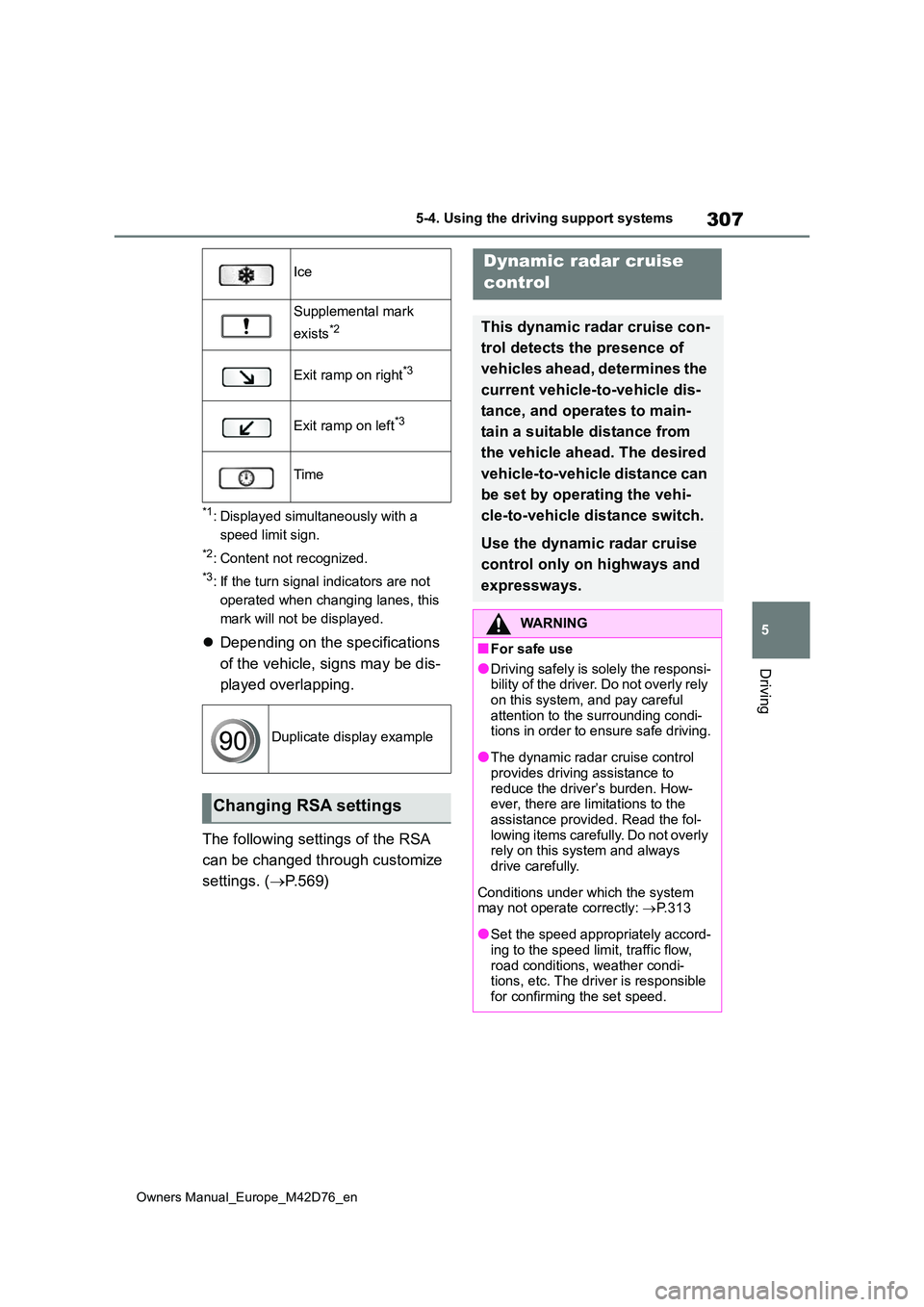
*1: Displayed simultaneously with a
speed limit sign.
*2: Content not recognized.
*3: If the turn signal indicators are not
operated when changing lanes, this
mark will not be displayed.
Depending on the specifications
of the vehicle, signs may be dis-
played overlapping.
The following settings of the RSA
can be changed through customize
settings. ( P. 5 6 9 )
Ice
Supplemental mark
exists*2
Exit ramp on right*3
Exit ramp on left*3
Time
Duplicate display example
Changing RSA settings
Dynamic radar cruise
control
This dynamic radar cruise con-
trol detects the presence of
vehicles ahead, determines the
current vehicle-to -vehicle dis-
tance, and operates to main-
tain a suitable distance from
the vehicle ahead. The desired
vehicle-to-vehicle distance can
be set by operating the vehi-
cle-to-vehicle distance switch.
Use the dynamic radar cruise
control only on highways and
expressways.
WARNING
■For safe use
●Driving safely is solely the responsi- bility of the driver. Do not overly rely
on this system, and pay careful attention to the surrounding condi-tions in order to ensure safe driving.
●The dynamic radar cruise control provides driving assistance to
reduce the driver’s burden. How- ever, there are limitations to the assistance provided. Read the fol-
lowing items carefully. Do not overly rely on this system and always drive carefully.
Conditions under which the system may not operate correctly: P.313
●Set the speed appropriately accord- ing to the speed limit, traffic flow,
road conditions, weather condi- tions, etc. The driver is responsible for confirming the set speed.
Page 316 of 674
314
Owners Manual_Europe_M42D76_en
5-4. Using the driving support systems
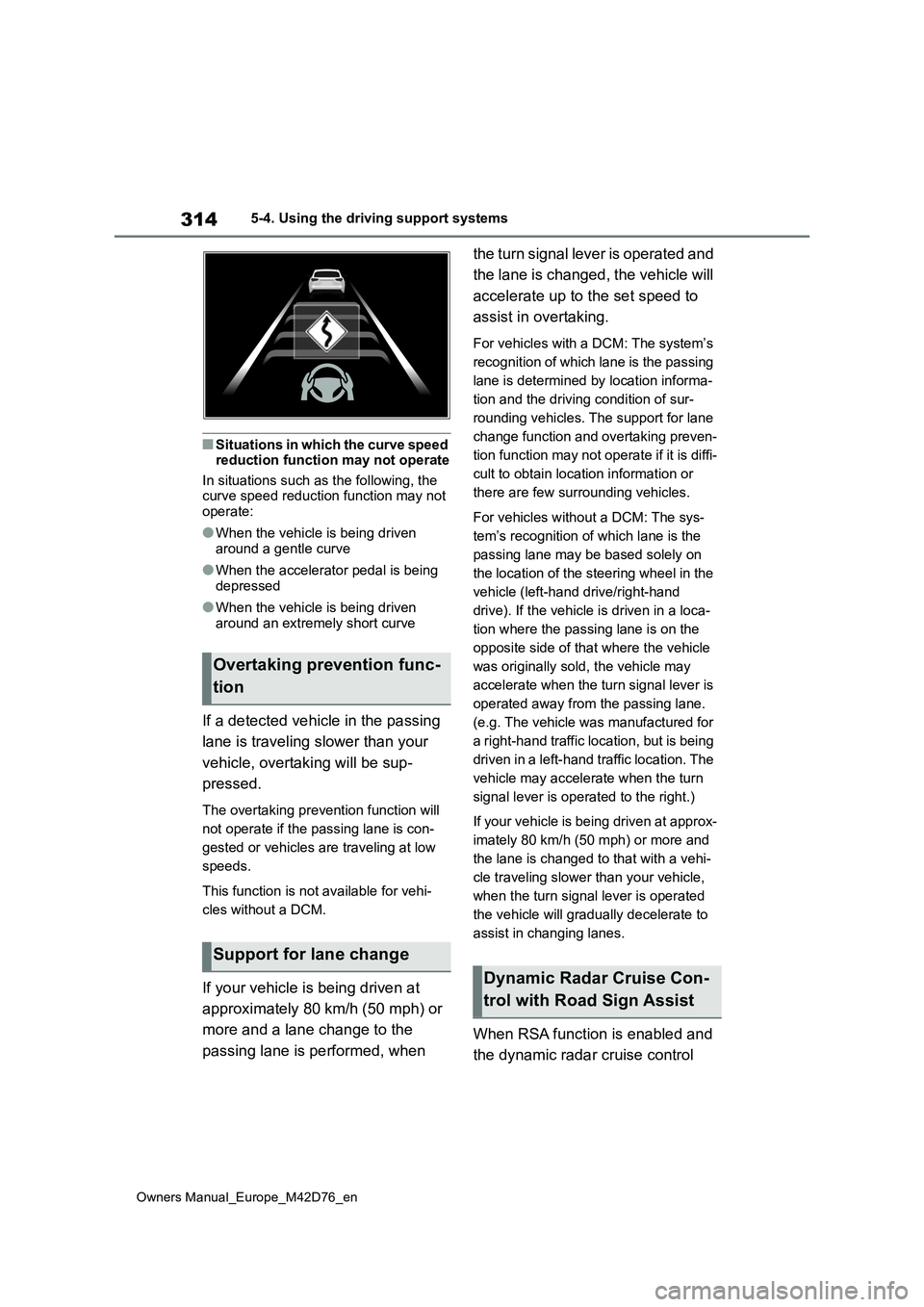
■Situations in which the curve speed reduction function may not operate
In situations such as the following, the curve speed reduction function may not operate:
●When the vehicle is being driven around a gentle curve
●When the accelerator pedal is being depressed
●When the vehicle is being driven around an extremely short curve
If a detected vehicle in the passing
lane is traveling slower than your
vehicle, overtaking will be sup-
pressed.
The overtaking prevention function will
not operate if the passing lane is con-
gested or vehicles are traveling at low
speeds.
This function is not available for vehi-
cles without a DCM.
If your vehicle is being driven at
approximately 80 km/h (50 mph) or
more and a lane change to the
passing lane is performed, when
the turn signal lever is operated and
the lane is changed, the vehicle will
accelerate up to the set speed to
assist in overtaking.
For vehicles with a DCM: The system’s
recognition of which lane is the passing
lane is determined by location informa-
tion and the driving condition of sur-
rounding vehicles. The support for lane
change function and overtaking preven-
tion function may not operate if it is diffi-
cult to obtain location information or
there are few surrounding vehicles.
For vehicles without a DCM: The sys-
tem’s recognition of which lane is the
passing lane may be based solely on
the location of the steering wheel in the
vehicle (left-hand drive/right-hand
drive). If the vehicle is driven in a loca-
tion where the passing lane is on the
opposite side of that where the vehicle
was originally sold, the vehicle may
accelerate when the turn signal lever is
operated away from the passing lane.
(e.g. The vehicle was manufactured for
a right-hand traffic location, but is being
driven in a left-hand traffic location. The
vehicle may accelerate when the turn
signal lever is operated to the right.)
If your vehicle is being driven at approx-
imately 80 km/h (50 mph) or more and
the lane is changed to that with a vehi-
cle traveling slower than your vehicle,
when the turn signal lever is operated
the vehicle will gradually decelerate to
assist in changing lanes.
When RSA function is enabled and
the dynamic radar cruise control
Overtaking prevention func-
tion
Support for lane change
Dynamic Radar Cruise Con-
trol with Road Sign Assist
Page 326 of 674
324
Owners Manual_Europe_M42D76_en
5-4. Using the driving support systems
*: If equipped
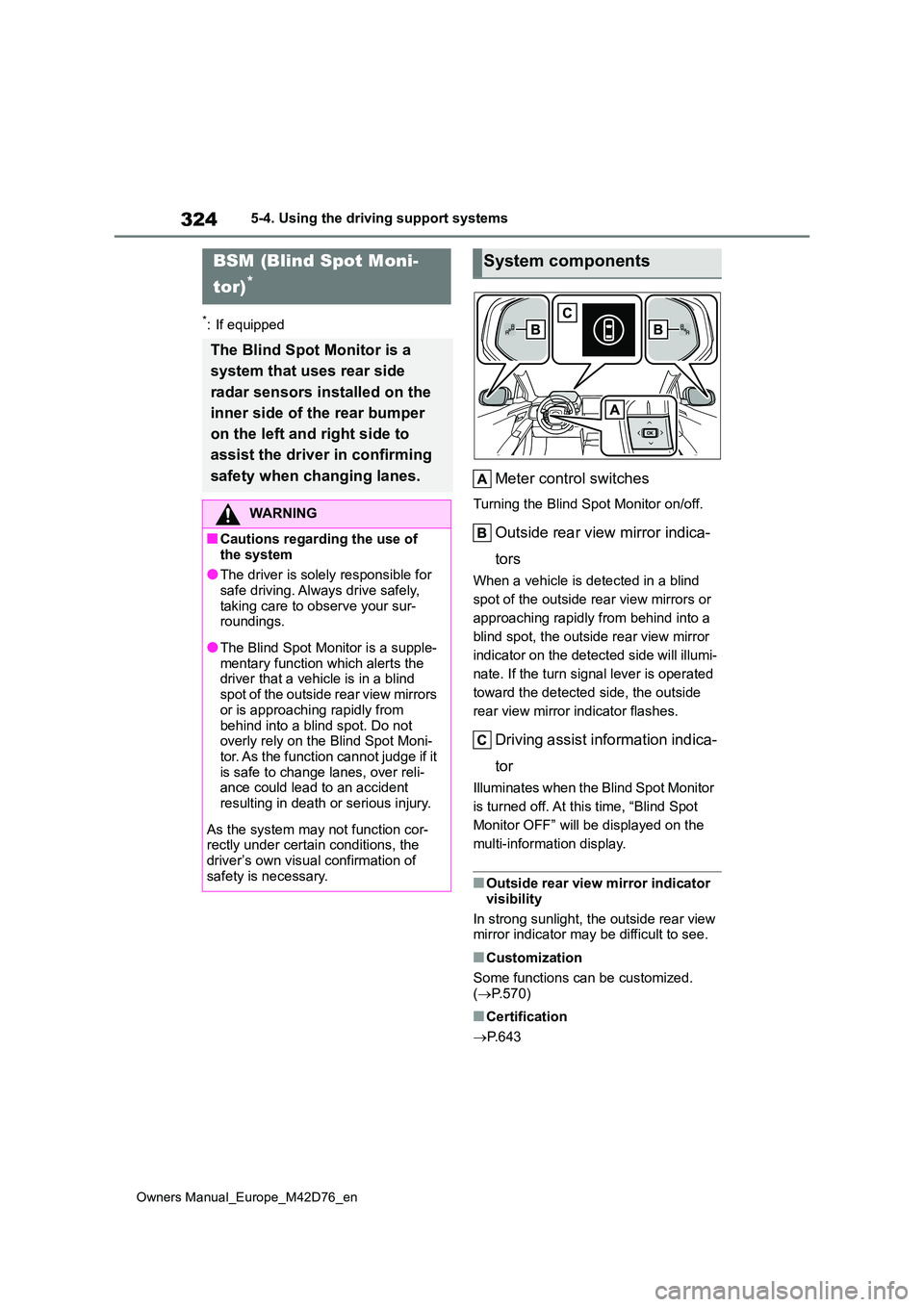
Meter control switches
Turning the Blind Spot Monitor on/off.
Outside rear view mirror indica-
tors
When a vehicle is detected in a blind
spot of the outside rear view mirrors or
approaching rapidly from behind into a
blind spot, the outside rear view mirror
indicator on the detected side will illumi-
nate. If the turn signal lever is operated
toward the detected side, the outside
rear view mirror indicator flashes.
Driving assist information indica-
tor
Illuminates when the Blind Spot Monitor
is turned off. At this time, “Blind Spot
Monitor OFF” will be displayed on the
multi-information display.
■Outside rear view mirror indicator
visibility
In strong sunlight, the outside rear view mirror indicator may be difficult to see.
■Customization
Some functions can be customized. ( P.570)
■Certification
P. 6 4 3
BSM (Blind Spot Moni-
tor)*
The Blind Spot Monitor is a
system that uses rear side
radar sensors installed on the
inner side of the rear bumper
on the left and right side to
assist the driver in confirming
safety when changing lanes.
WARNING
■Cautions regarding the use of
the system
●The driver is solely responsible for safe driving. Always drive safely,
taking care to observe your sur- roundings.
●The Blind Spot Monitor is a supple-mentary function which alerts the driver that a vehicle is in a blind
spot of the outside rear view mirrors or is approaching rapidly from
behind into a blind spot. Do not overly rely on the Blind Spot Moni-tor. As the function cannot judge if it
is safe to change lanes, over reli- ance could lead to an accident resulting in death or serious injury.
As the system may not function cor- rectly under certain conditions, the
driver’s own visual confirmation of safety is necessary.
System components
Page 382 of 674
380
Owners Manual_Europe_M42D76_en
5-4. Using the driving support systems
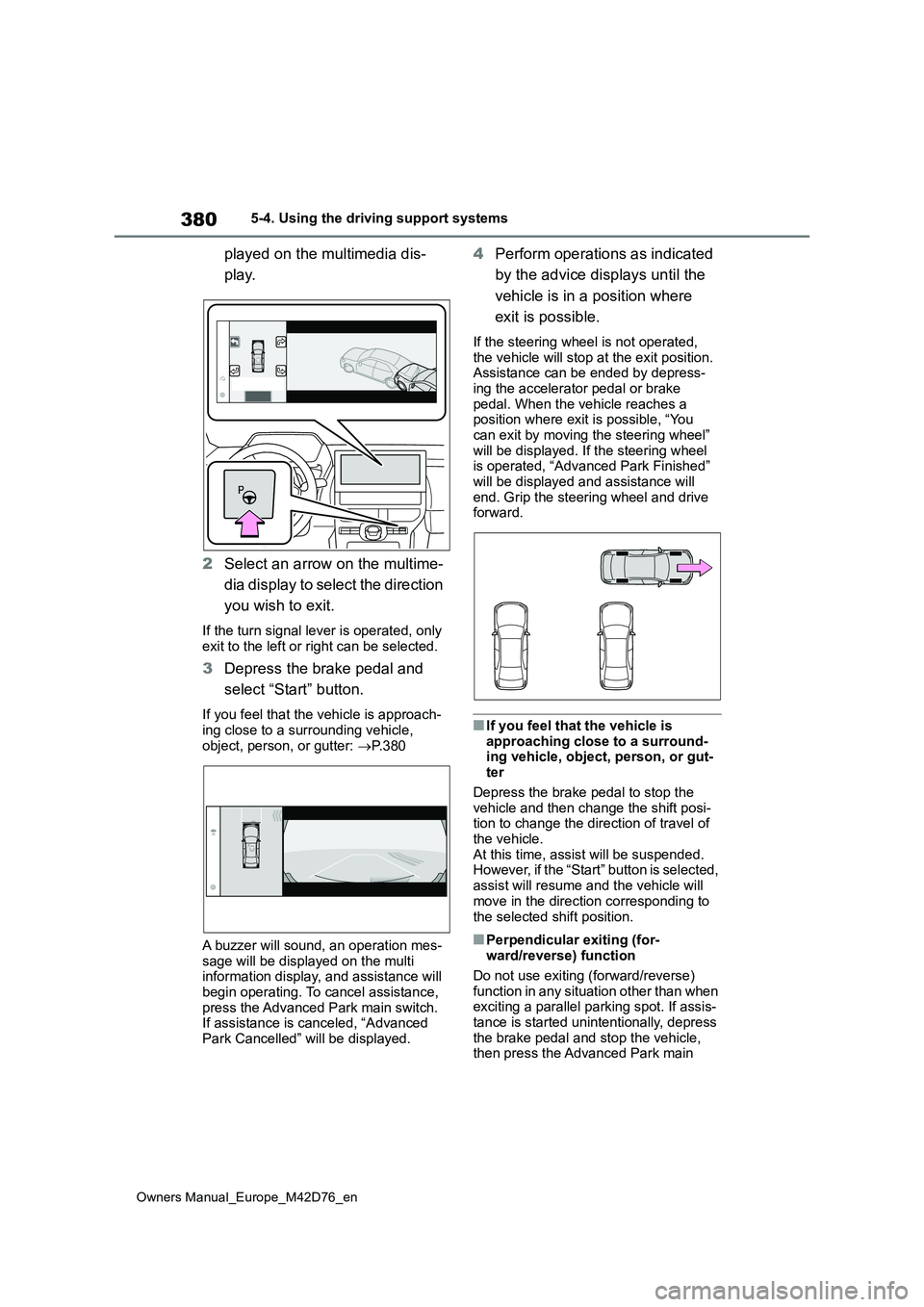
played on the multimedia dis-
play.
2 Select an arrow on the multime-
dia display to select the direction
you wish to exit.
If the turn signal lever is operated, only exit to the left or right can be selected.
3 Depress the brake pedal and
select “Start” button.
If you feel that the vehicle is approach- ing close to a surrounding vehicle,
object, person, or gutter: P. 3 8 0
A buzzer will sound, an operation mes-
sage will be displayed on the multi information display, and assistance will begin operating. To cancel assistance,
press the Advanced Park main switch. If assistance is canceled, “Advanced Park Cancelled” will be displayed.
4 Perform operations as indicated
by the advice displays until the
vehicle is in a position where
exit is possible.
If the steering wheel is not operated,
the vehicle will stop at the exit position. Assistance can be ended by depress-ing the accelerator pedal or brake
pedal. When the vehicle reaches a position where exit is possible, “You can exit by moving the steering wheel”
will be displayed. If the steering wheel is operated, “Advanced Park Finished” will be displayed and assistance will
end. Grip the steering wheel and drive forward.
■If you feel that the vehicle is
approaching close to a surround- ing vehicle, object, person, or gut-ter
Depress the brake pedal to stop the vehicle and then change the shift posi-tion to change the direction of travel of
the vehicle. At this time, assist will be suspended. However, if the “Start” button is selected,
assist will resume and the vehicle will move in the direction corresponding to
the selected shift position.
■Perpendicular exiting (for- ward/reverse) function
Do not use exiting (forward/reverse)
function in any situation other than when exciting a parallel parking spot. If assis-tance is started unintentionally, depress
the brake pedal and stop the vehicle, then press the Advanced Park main
Page 387 of 674
385
5
Owners Manual_Europe_M42D76_en
5-4. Using the driving support systems
Driving
If the turn signal lever is operated, only
exit to the left or right can be selected.
3 Depress the brake pedal and
select “Start” button.
A buzzer will sound, an operation mes-
sage will be displayed on the multi- information display, and assistance will begin operating.
To cancel assistance, press the Advanced Park main switch.
If assistance is canceled, “Advanced
Park Cancelled” will be displayed.
If you feel that the vehicle is approach- ing close to a surrounding vehicle,
object, person, or gutter: P. 3 8 5
4Perform operations as indicated
by the advice displays until the
vehicle is in a position where
exit is possible.
If the steering wheel is not operated,
the vehicle will stop at the exit position. When the vehicle reaches a position where exit is possible, “You can exit by
moving the steering wheel” will be dis- played. If the steering wheel is oper-ated, “Advanced Park Finished” will be
displayed and assistance will end. Grip
the steering wheel and drive forward.
■If you feel that the vehicle is
approaching close to a surround- ing vehicle, object, person, or gut-ter
Depress the brake pedal to stop the vehicle and then change the shift posi-tion to change the direction of travel of
the vehicle. At this time, assist will be suspended. However, if the “Start” button is selected,
assist will resume and the vehicle will move in the direction corresponding to the selected shift position.
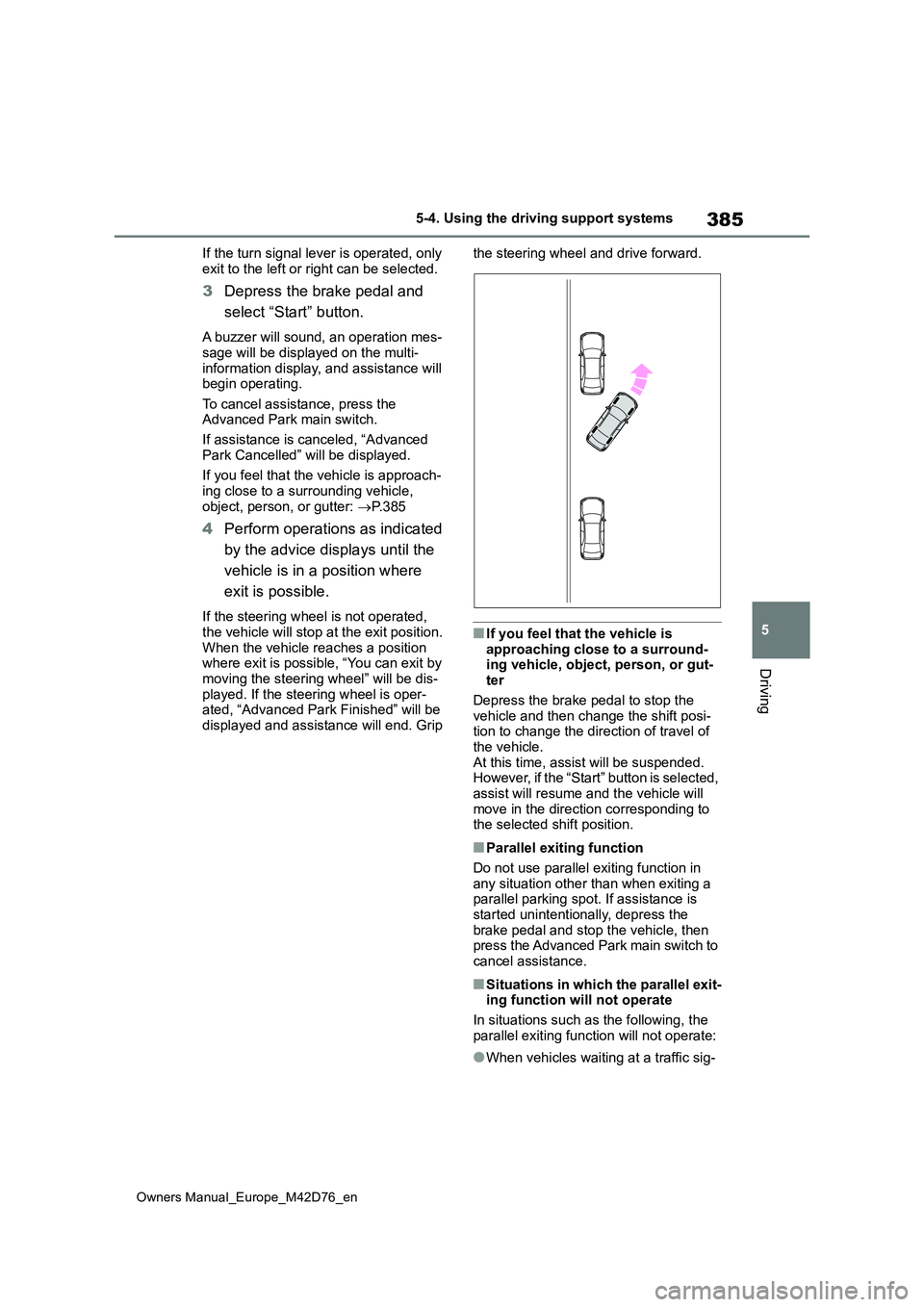
■Parallel exiting function
Do not use parallel exiting function in any situation other than when exiting a parallel parking spot. If assistance is
started unintentionally, depress the brake pedal and stop the vehicle, then press the Advanced Park main switch to
cancel assistance.
■Situations in which the parallel exit- ing function will not operate
In situations such as the following, the
parallel exiting function will not operate:
●When vehicles waiting at a traffic sig-
Page 408 of 674
406
Owners Manual_Europe_M42D76_en
5-4. Using the driving support systems
■ECB (Electronically Con-
trolled Brake System)
The electronically controlled sys-
tem generates braking force corre-
sponding to the brake operation
■ABS (Anti-lock Brake System)
Helps to prevent wheel lock when
the brakes are applied suddenly, or
if the brakes are applied while driv-
ing on a slippery road surface
■Brake assist
Generates an increased level of
braking force after the brake pedal
is depressed when the system
detects a panic stop situation
■VSC (Vehicle Stability Control)
Helps the driver to control skidding
when swerving suddenly or turning
on slippery road surfaces.
■Trailer Sway Control
Helps the driver to control trailer
sway by selectively applying brake
pressure for individual wheels and
reducing driving torque when trailer
sway is detected.
■TRC (Traction Control)
Helps to maintain drive power and
prevent the drive wheels from spin-
ning when starting the vehicle or
accelerating on slippery roads
■Active Cornering Assist (ACA)
Helps to prevent the vehicle from
drifting to the outer side by perform-
ing inner wheel brake control when
attempting to accelerate while turn-
ing
■Hill-start assist control
Helps to reduce the backward
movement of the vehicle when
starting on an uphill
■EPS (Electric Power Steering)
Employs an electric motor to
reduce the amount of effort needed
to turn the steering wheel
■Emergency brake signal
When the brakes are applied sud-
denly, the stop lights automatically
flash to alert the vehicle behind.
■The Secondary Collision
Brake
When the SRS airbag sensor
detects a collision and the system
operates, the brakes and brake
lights are automatically controlled
to reduce the vehicle speed and
help reduce the possibility of further
damage due to a secondary colli-
Driving assist systems
To keep driving safety and per-
formance, the f ollowing sys-
tems operate automatically in
response to various driving
situations. Be aware, however,
that these systems are supple-
mentary and should not be
relied upon too heavily when
operating the vehicle.
Summary of the driving
assist systems