lock TOYOTA BZ4X 2022 (in English) Manual Online
[x] Cancel search | Manufacturer: TOYOTA, Model Year: 2022, Model line: BZ4X, Model: TOYOTA BZ4X 2022Pages: 674, PDF Size: 120.02 MB
Page 216 of 674
214
Owners Manual_Europe_M42D76_en
4-3. Adjusting the seats
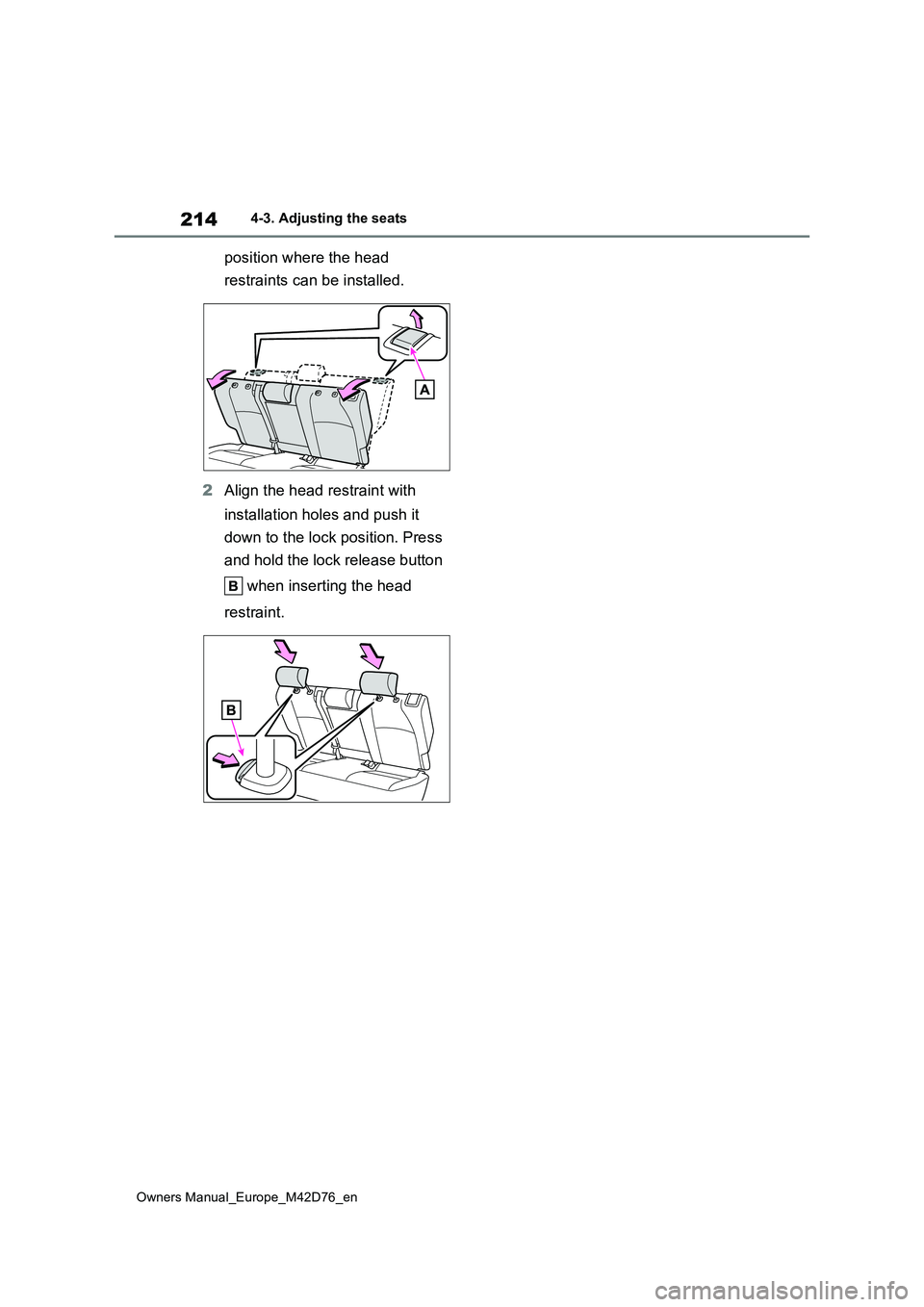
position where the head
restraints can be installed.
2 Align the head restraint with
installation holes and push it
down to the lock position. Press
and hold the lock release button
when inserting the head
restraint.
Page 217 of 674
215
4
Owners Manual_Europe_M42D76_en
4-4. Adjusting the steering wheel and mirrors
Before driving
4-4.Adjusting the steering whe el an d mirrors
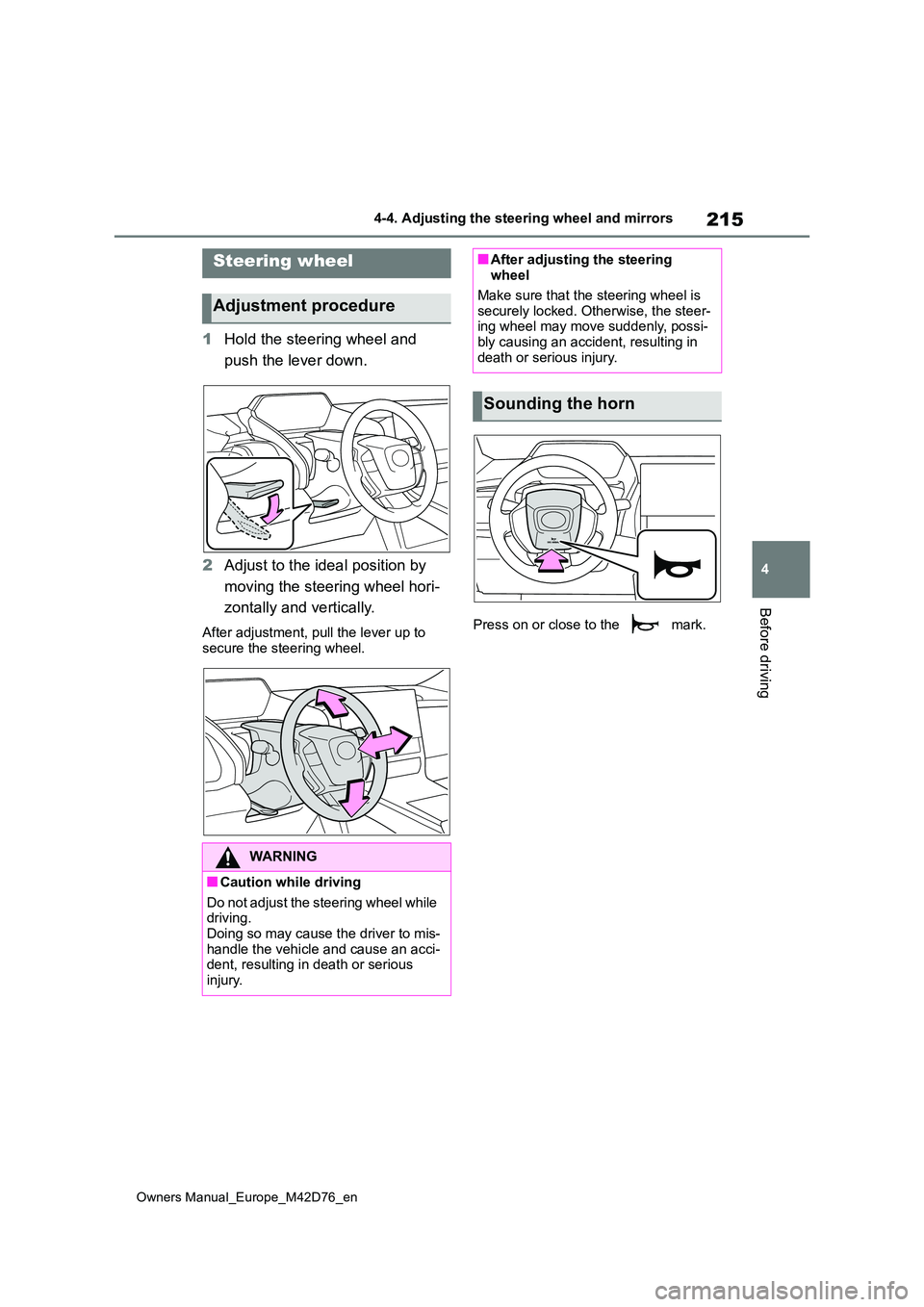
1Hold the steering wheel and
push the lever down.
2 Adjust to the ideal position by
moving the steering wheel hori-
zontally and vertically.
After adjustment, pull the lever up to
secure the steering wheel.
Press on or close to the mark.
Steering wheel
Adjustment procedure
WARNING
■Caution while driving
Do not adjust the steering wheel while driving.Doing so may cause the driver to mis-
handle the vehicle and cause an acci- dent, resulting in death or serious injury.
■After adjusting the steering wheel
Make sure that the steering wheel is
securely locked. Otherwise, the steer- ing wheel may move suddenly, possi-bly causing an accident, resulting in
death or serious injury.
Sounding the horn
Page 220 of 674
218
Owners Manual_Europe_M42D76_en
4-4. Adjusting the steering wheel and mirrors
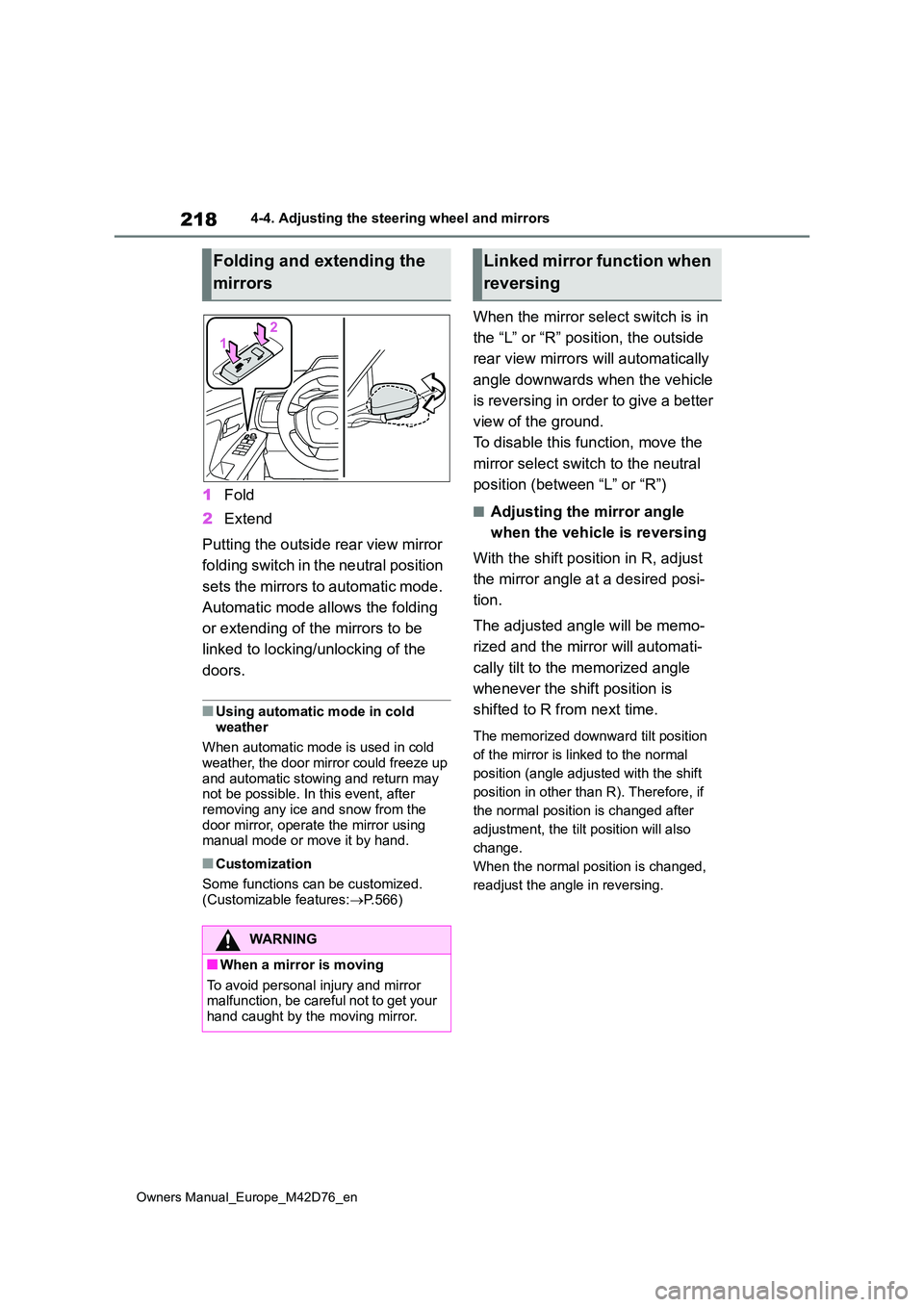
1Fold
2 Extend
Putting the outside rear view mirror
folding switch in the neutral position
sets the mirrors to automatic mode.
Automatic mode allows the folding
or extending of the mirrors to be
linked to locking/unlocking of the
doors.
■Using automatic mode in cold
weather
When automatic mode is used in cold weather, the door mirror could freeze up
and automatic stowing and return may not be possible. In this event, after removing any ice and snow from the
door mirror, operate the mirror using manual mode or move it by hand.
■Customization
Some functions can be customized.
(Customizable features: P.566)
When the mirror select switch is in
the “L” or “R” position, the outside
rear view mirrors will automatically
angle downwards when the vehicle
is reversing in order to give a better
view of the ground.
To disable this function, move the
mirror select switch to the neutral
position (between “L” or “R”)
■Adjusting the mirror angle
when the vehicle is reversing
With the shift position in R, adjust
the mirror angle at a desired posi-
tion.
The adjusted angle will be memo-
rized and the mirror will automati-
cally tilt to the memorized angle
whenever the shift position is
shifted to R from next time.
The memorized downward tilt position
of the mirror is linked to the normal
position (angle adjusted with the shift
position in other than R). Therefore, if
the normal position is changed after
adjustment, the tilt position will also
change.
When the normal position is changed,
readjust the angle in reversing.
Folding and extending the
mirrors
WARNING
■When a mirror is moving
To avoid personal injury and mirror malfunction, be careful not to get your hand caught by the moving mirror.
Linked mirror function when
reversing
Page 222 of 674
220
Owners Manual_Europe_M42D76_en
4-5. Opening, closing the windows
holding the switch for a further 1 sec-
ond or more.
If you release the switch while the win- dow is moving, start again from the
beginning. If the window reverses and cannot be fully closed or opened, have the vehicle
inspected by any authorized Toyota retailer or Toyota authorized repairer, or any reliable repairer.
■Door lock linked window operation
●The power windows can be opened
and closed using the mechanical key.*
( P.543)
●The power windows can be opened
and closed using the wireless remote
control.* ( P.185)*: These settings must be customized at
any authorized Toyota retailer or
Toyota authorized repairer, or any reli-
able repairer.
■Power windows open warning
buzzer
The buzzer sounds and message is shown on the multi-information display
in the instrument cluster when the power switch is turned off and the driver’s door is opened with the power windows open.
■Customization
Some functions can be customized. (Customizable features: P.566)
WARNING
Observe the following precautions. Failing to do so may result in death or
serious injury.
■Closing the windows
●The driver is responsible for all the
power window operations, including the operation for the passengers. In order to prevent accidental opera-
tion, especially by a child, do not let a child operate the power windows. It is possible for children and other
passengers to have body parts caught in the power window. Also, when riding with a child, it is recom-
mended to use the window lock switch. ( P.221)
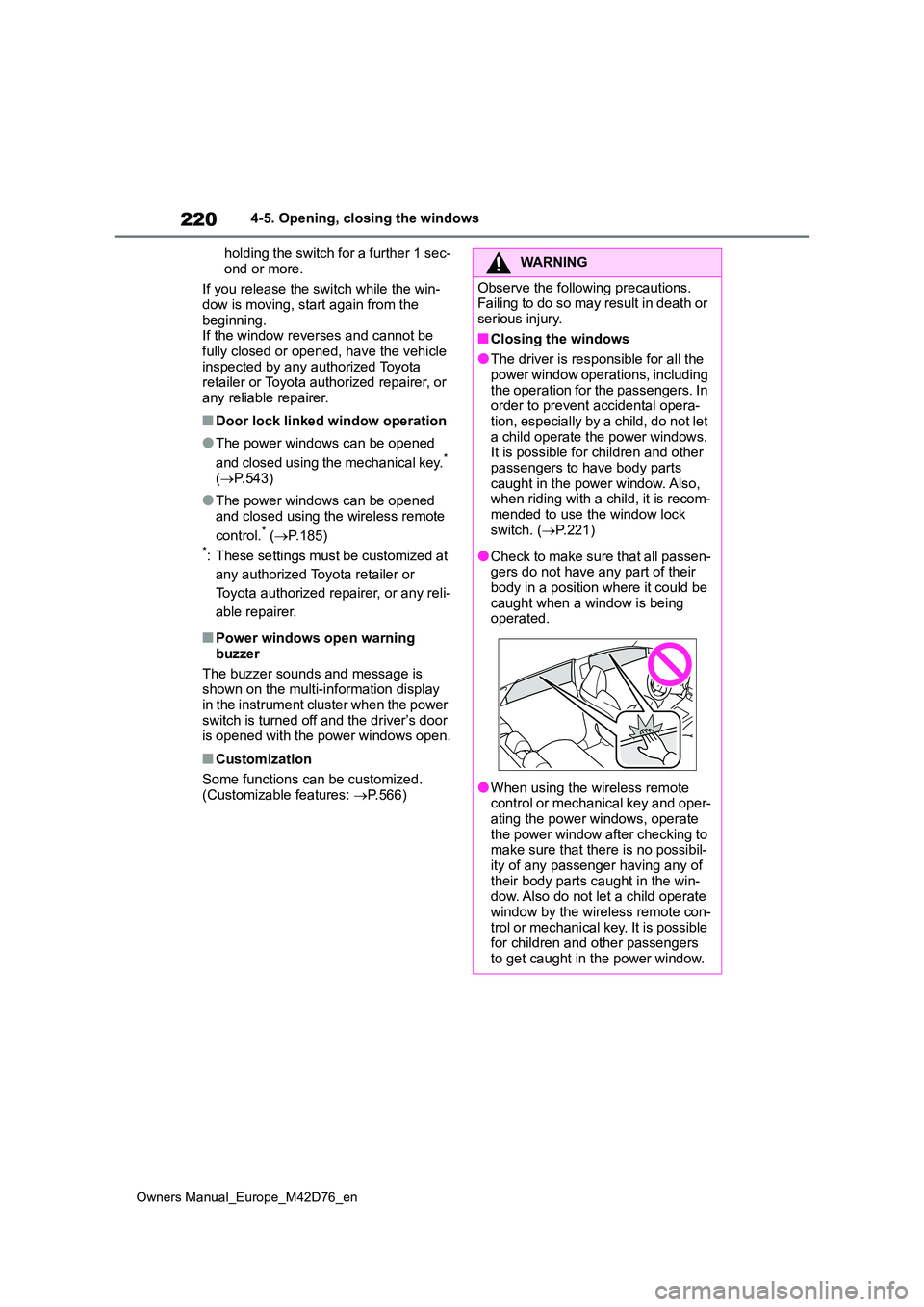
●Check to make sure that all passen- gers do not have any part of their body in a position where it could be
caught when a window is being operated.
●When using the wireless remote control or mechanical key and oper-ating the power windows, operate
the power window after checking to make sure that there is no possibil-ity of any passenger having any of
their body parts caught in the win- dow. Also do not let a child operate window by the wireless remote con-
trol or mechanical key. It is possible for children and other passengers to get caught in the power window.
Page 223 of 674
221
4
Owners Manual_Europe_M42D76_en
4-5. Opening, closing the windows
Before driving
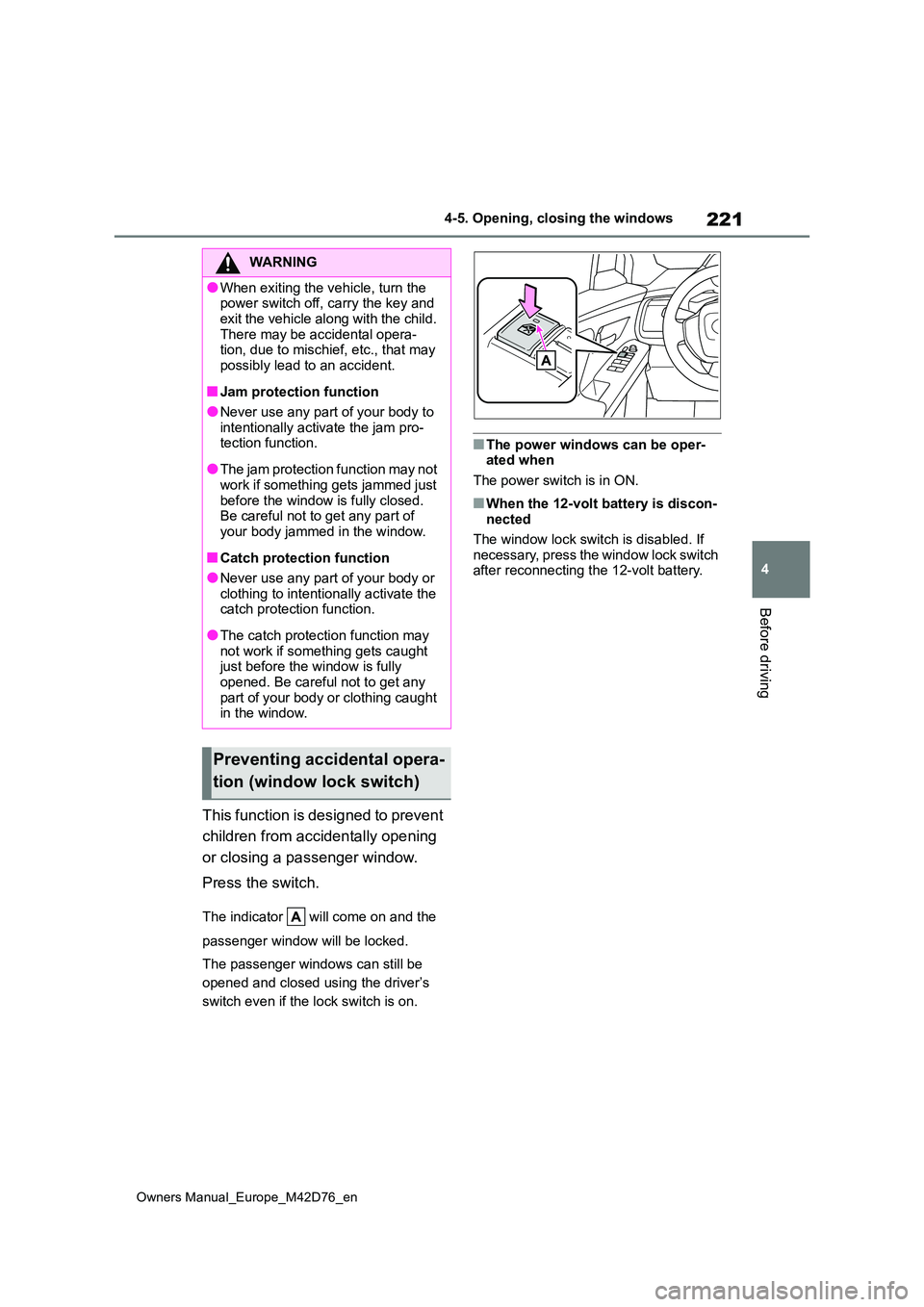
This function is designed to prevent
children from accidentally opening
or closing a passenger window.
Press the switch.
The indicator will come on and the
passenger window will be locked.
The passenger windows can still be
opened and closed using the driver’s
switch even if the lock switch is on.
■The power windows can be oper- ated when
The power switch is in ON.
■When the 12-volt battery is discon- nected
The window lock switch is disabled. If
necessary, press the window lock switch after reconnecting the 12-volt battery.
WARNING
●When exiting the vehicle, turn the power switch off, carry the key and
exit the vehicle along with the child. There may be accidental opera-tion, due to mischief, etc., that may
possibly lead to an accident.
■Jam protection function
●Never use any part of your body to intentionally activate the jam pro-tection function.
●The jam protection function may not work if something gets jammed just
before the window is fully closed. Be careful not to get any part of your body jammed in the window.
■Catch protection function
●Never use any part of your body or
clothing to intentionally activate the catch protection function.
●The catch protection function may not work if something gets caught just before the window is fully
opened. Be careful not to get any part of your body or clothing caught in the window.
Preventing accidental opera-
tion (window lock switch)
Page 226 of 674
224
Owners Manual_Europe_M42D76_en
4-6. Favorite settings
shift position is in P)
For details, refer to the “Multimedia owner’s manual”.
■Seat positions that can be memo-rized ( P.208)
The adjusted positions other than the position adjusted by lumbar support switch can be recorded.
■Operating the driving position
memory after turning the power switch to OFF
Recorded seat positions can be acti-
vated up to 180 seconds after the driver’s door is opened and another 60 seconds after it is closed again.
■In order to correctly use the driving
position memory function
If a seat position is already in the fur- thest possible position and the seat is
operated in the same direction, the recorded position may be slightly differ-ent when it is recalled.
■When recalling the driving position
Take care so that a head restraint does not contact the ceiling or a sun visor.
■If the 12-volt battery is discon-nected
The memorized positions are erased.
■When the recorded seat position cannot be recalled
The seat position may not be recalled in
some situations when the seat position is recorded in a certain range. For details, contact any authorized Toyota
retailer or Toyota authorized repairer, or any reliable repairer.
■Jam protection function
While the driving position is recalled or
the power easy access system is oper- ating, if an object is stuck behind the front seat, the front seat will stop and
then slightly move forward. When the jam protection function operates, the seat stops at a position other than the
set seat position. Check the seat posi- tion.
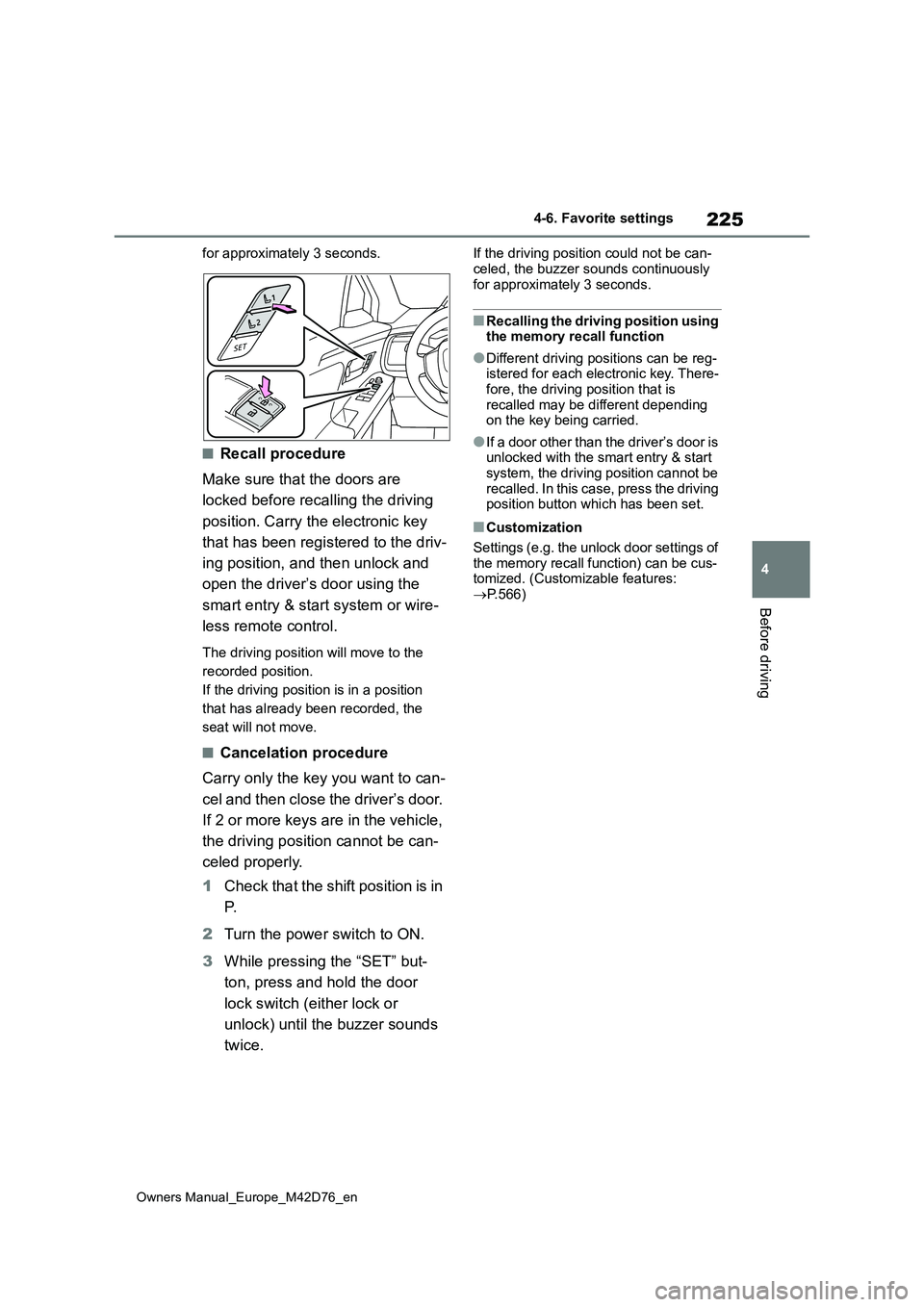
■Registering procedure
Record your driving position to but-
ton “1” or “2” before performing the
following:
Carry only the key you want to reg-
ister, and then close the driver’s
door.
If 2 or more keys are in the vehicle,
the driving position cannot be
recorded properly.
1 Check that the shift position is in
P.
2 Turn the power switch to ON.
3 Recall the driving position that
you want to record.
4 While pressing the recalled but-
ton, press and hold the door
lock switch (either lock or
unlock) until the buzzer sounds.
If the driving position could not be regis-
tered, the buzzer sounds continuously
WARNING
■Seat adjustment caution
Take care during seat adjustment so
that the seat does not strike the rear passenger or squeeze your body against the steering wheel.
Registering/recall/canceling
an electronic key to driving
position (memory recall
function)
Page 227 of 674
225
4
Owners Manual_Europe_M42D76_en
4-6. Favorite settings
Before driving
for approximately 3 seconds.
■Recall procedure
Make sure that the doors are
locked before recalling the driving
position. Carry the electronic key
that has been registered to the driv-
ing position, and then unlock and
open the driver’s door using the
smart entry & start system or wire-
less remote control.
The driving position will move to the
recorded position.
If the driving position is in a position
that has already been recorded, the
seat will not move.
■Cancelation procedure
Carry only the key you want to can-
cel and then close the driver’s door.
If 2 or more keys are in the vehicle,
the driving position cannot be can-
celed properly.
1 Check that the shift position is in
P.
2 Turn the power switch to ON.
3 While pressing the “SET” but-
ton, press and hold the door
lock switch (either lock or
unlock) until the buzzer sounds
twice.
If the driving position could not be can-
celed, the buzzer sounds continuously for approximately 3 seconds.
■Recalling the driving position using the memory recall function
●Different driving positions can be reg-istered for each electronic key. There-fore, the driving position that is
recalled may be different depending on the key being carried.
●If a door other than the driver’s door is unlocked with the smart entry & start system, the driving position cannot be
recalled. In this case, press the driving position button which has been set.
■Customization
Settings (e.g. the unlock door settings of
the memory recall function) can be cus- tomized. (Customizable features: P.566)
Page 228 of 674
226
Owners Manual_Europe_M42D76_en
4-6. Favorite settings
An individual can be identified
using the following authentication
devices.
Electronic key
An individual is identified when the
smart entry & start system detects their
electronic key.
Face identification
Individuals are identified by detecting
the face from the driver monitor.
Bluetooth devices
An individual can be detected if the
same Bluetooth device that was used
as a handsfree phone the last time the
vehicle was entered is connected to the
audio system.
When an individual is identified
from an authentication device, set-
tings for the following functions are
recalled.
Driving position (memory recall
function)*1
After an individual is identified, the driv-
ing position that was set when driving
was last completed is recalled when the
following operation is performed.
The door is unlocked and opened using
the smart entry & start system or wire-
less remote control.
Meter display and multimedia
information*2
When an individual is identified, the
vehicle settings used when the power
switch was last turned off are recalled.
Vehicle settings that can be set
using the multimedia display*2
When an individual is identified, the
vehicle settings used when the power
switch was last turned off are recalled.
Safe driving support function*2
When an individual is identified, the
vehicle settings used when the power
switch was last turned off are recalled.
*1: If equipped
*2: Some settings are excluded
My Settings
By recognizing an individual
through a device, such as an
electronic key, the driving
position and vehicle settings
recorded for that driver can be
recalled when the vehicle is
entered. By assigning an
authentication device to a
driver in advance, the driver
can enter the vehicle with their
preferred settings. Settings for
u p t o 3 d riv ers c an be r ec or d ed
by My Settings. For details on
how to assign/delete electronic
keys, set driver names, per-
form initialization, change driv-
ers manually, or delete a driver,
refer to the “Multimedia
owner’s manual”.
Types of assigned authenti-
cation devices
Recalled functions
Page 231 of 674
229
5
Owners Manual_Europe_M42D76_en
5-1. Before driving
Driving
5-1.Before driv in g
■Before starting the EV system
Check that the charging cable is
disconnected. ( P.121, 129)
■Starting the EV system
P. 2 4 3
■Driving
1 With the brake pedal depressed,
shift the shift position to D.
Check that the shift position indicator
shows D.
2 If the parking brake is set,
release the parking brake.
( P.254)
If the parking brake is in automatic mode, the parking brake will be released automatically. ( P.254)
3Gradually release the brake
pedal and gently depress the
accelerator pedal to accelerate
the vehicle.
■Stopping
1 Depress the brake pedal.
2 If necessary, set the parking
brake. ( P.254)
If the vehicle is to be stopped for an extended period of time, shift the shift position to P. ( P.248)
■Parking the vehicle
1 Depress the brake pedal to stop
the vehicle completely.
2 If the parking brake is released,
set the parking brake. ( P.254)
3 Shift the shift position to P.
( P.248)
Check that the shift position indicator shows P and the parking brake indica-
tor is illuminated.
4 Press the power switch to stop
the EV system.
5 Slowly release the brake pedal.
6 Lock the door, making sure that
you have the electronic key on
your person.
If parking on a hill, block the wheels as needed.
■Starting off on a steep uphill
1 Firmly depress the brake pedal
and shift the shift position to D.
The hill-start assist control will be acti-
vated.
2 Set the parking brake. (P.254)
3 Release the brake pedal and
gently depress the accelerator
pedal to accelerate the vehicle.
4 Release the parking brake.
( P.254)
■When starting off on a uphill
The hill-start assist control will be acti- vated. ( P.406)
■Driving in the rain
●Drive carefully when it is raining, because visibility will be reduced, the
windows may become fogged-up, and the road will be slippery.
Driving the vehicle
The specified procedures
should be observed to ensure
safe driving:
Driving procedure
Page 235 of 674
233
5
Owners Manual_Europe_M42D76_en
5-1. Before driving
Driving
WARNING
●Always apply the parking brake, shift the shift position to P, stop the
EV system and lock the vehicle. Do not leave the vehicle unat-tended while the “READY” indicator
is illuminated. If the vehicle is parked with the shift position in P but the parking brake
is not set, the vehicle may start to move, possibly leading to an acci-dent.
■When taking a nap in the vehicle
Always turn the EV system off. Other-
wise, you may accidentally move the shift position or depress the accelera-tor pedal, causing the vehicle to unin-
tentionally move, which can lead to an accident, resulting in death or serious injury.
■When braking
●When the brakes are wet, drive
more cautiously. Braking distance increases when the brakes are wet, and this may
cause one side of the vehicle to brake differently than the other side. Also, the parking brake may
not securely hold the vehicle.
●If the electronically controlled brake
system does not operate, do not fol- low other vehicles closely and avoid hills or sharp turns that require
braking. In this case, braking is still possible, but the brake pedal should be
depressed more firmly than usual. Also, the braking distance will increase. Have your brakes fixed
immediately.
●The brake system consists of 2 or more individual hydraulic systems; if one of the systems fails, the
other(s) will still operate. In this case, the brake pedal should be depressed more firmly than usual
and the braking distance will increase. Have your brakes fixed immediately.
■If the vehicle becomes stuck (AWD models)
Do not spin the wheels excessively when any of the tires is up in the air, or the vehicle is stuck in sand, mud,
etc. This may damage the driveline components or propel the vehicle for-ward or backward, causing an acci-
dent.
NOTICE
■When driving the vehicle
●Do not depress the accelerator and
brake pedals at the same time during driving, as this may restrain the EV system output.
●Do not use the accelerator pedal or depress the accelerator and brake
pedals at the same time to hold the vehicle on a hill.
■Avoiding damage to vehicle parts
●Do not turn the steering wheel fully in either direction and hold it there
for an extended period of time. Doing so may damage the power steering motor.
●When driving over bumps in the road, drive as slowly as possible to
avoid damaging the wheels, under- side of the vehicle, etc.