alarm TOYOTA BZ4X 2022 Owners Manual (in English)
[x] Cancel search | Manufacturer: TOYOTA, Model Year: 2022, Model line: BZ4X, Model: TOYOTA BZ4X 2022Pages: 674, PDF Size: 120.02 MB
Page 4 of 674
2
Owners Manual_Europe_M42D76_en
TABLE OF CONTENTS
For your information ........................6
Reading this manual........................ 9
How to search ............................... 10
Pictorial index ................................ 12
1-1. For safe use
Before driving........................ 32
For safe driving ..................... 33
Seat belts .............................. 35
SRS airbags.......................... 39
1-2. Child safety
Airbag manual on-off system 47
Riding with children............... 48
Child restraint systems ......... 49
1-3. Emergency assistance
eCall...................................... 65
1-4. Theft deterrent system
Immobilizer system ............... 75
Double locking system .......... 76
Alarm .................................... 77
2-1. Electric vehicle system
Electric Vehicle system features
............................................ 82
Electric Vehicle system precau-
tions .................................... 86
Battery Electric Vehicle driving
tips ...................................... 91
Driving range ........................ 93
2-2. Charging
Charging equipment ............. 95
AC charging cable ................ 98
Locking and unlocking AC
charging connector ........... 110
Power sources that can be used
.......................................... 112
Charging methods .............. 114
Charging tips....................... 116
Things to know before charging
.......................................... 118
How to use AC charging ..... 121
How to use DC charging ..... 129
Using the charging schedule
function ............................. 134
Using My Room Mode ........ 145
Solar charging system ........ 148
When charging cannot be car-
ried out.............................. 152
3-1. Instrument cluster
Warning lights and indicators
.......................................... 168
Gauges and meters ............ 172
Multi-information display ..... 175
4-1. Key information
Keys .................................... 182
4-2. Opening, closing and locking
the doors
Side doors........................... 185
Back door............................ 189
1For safety and security
2Electric Vehicle system
3Vehicle status information
and indicators
4Before driving
Page 33 of 674
1
31
Owners Manual_Europe_M42D76_en
1
For safety and security
For safety and security
1-1. For safe use
Before driving ..................... 32
For safe driving ................... 33
Seat belts............................ 35
SRS airbags ....................... 39
1-2. Child safety
Airbag manual on-off system
......................................... 47
Riding with children ............ 48
Child restraint systems ....... 49
1-3. Emergency assistance
eCall ................................... 65
1-4. Theft deterrent system
Immobilizer system ............. 75
Double locking system........ 76
Alarm .................................. 77
Page 79 of 674
77
1
Owners Manual_Europe_M42D76_en
1-4. Theft deterrent system
For safety and security
*: If equipped
■Items to check before locking
the vehicle
To prevent unexpected triggering of
the alarm and vehicle theft, make
sure of the following.
Nobody is in the vehicle.
The windows are closed before
the alarm is set.
No valuables or other personal
items are left in the vehicle.
■Setting
Close the doors and hood, and lock
all the doors using the entry func-
tion or wireless remote control. The
system will be set automatically
after 30 seconds.
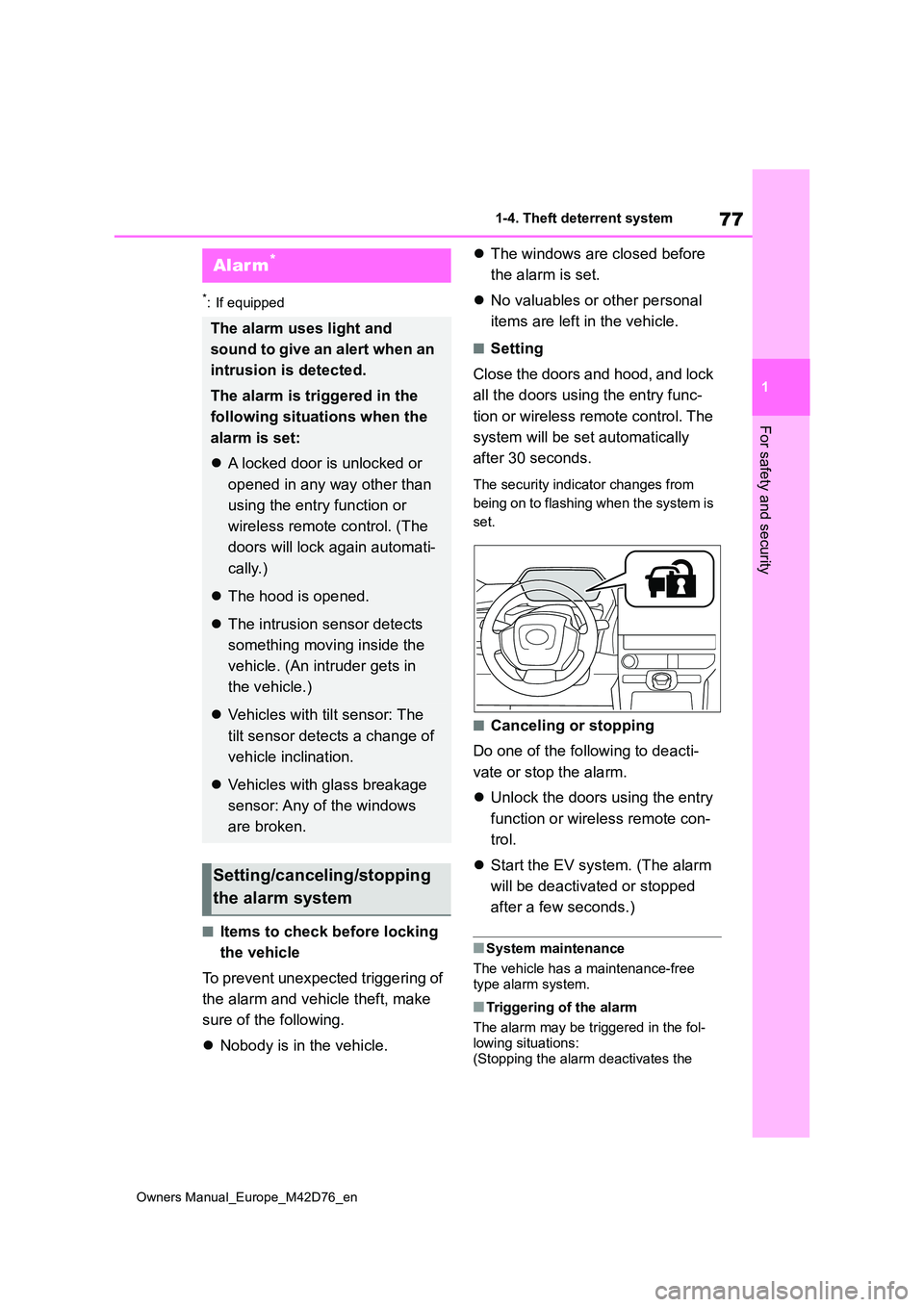
The security indicator changes from
being on to flashing when the system is
set.
■Canceling or stopping
Do one of the following to deacti-
vate or stop the alarm.
Unlock the doors using the entry
function or wireless remote con-
trol.
Start the EV system. (The alarm
will be deactivated or stopped
after a few seconds.)
■System maintenance
The vehicle has a maintenance-free type alarm system.
■Triggering of the alarm
The alarm may be triggered in the fol-
lowing situations: (Stopping the alarm deactivates the
Alarm*
The alarm uses light and
sound to give an alert when an
intrusion is detected.
The alarm is triggered in the
following situations when the
alarm is set:
A locked door is unlocked or
opened in any way other than
using the entry function or
wireless remote control. (The
doors will lock again automati-
cally.)
The hood is opened.
The intrusion sensor detects
something moving inside the
vehicle. (An intruder gets in
the vehicle.)
Vehicles with tilt sensor: The
tilt sensor detects a change of
vehicle inclination.
Vehicles with glass breakage
sensor: Any of the windows
are broken.
Setting/canceling/stopping
the alarm system
Page 80 of 674
78
Owners Manual_Europe_M42D76_en
1-4. Theft deterrent system
alarm system.)
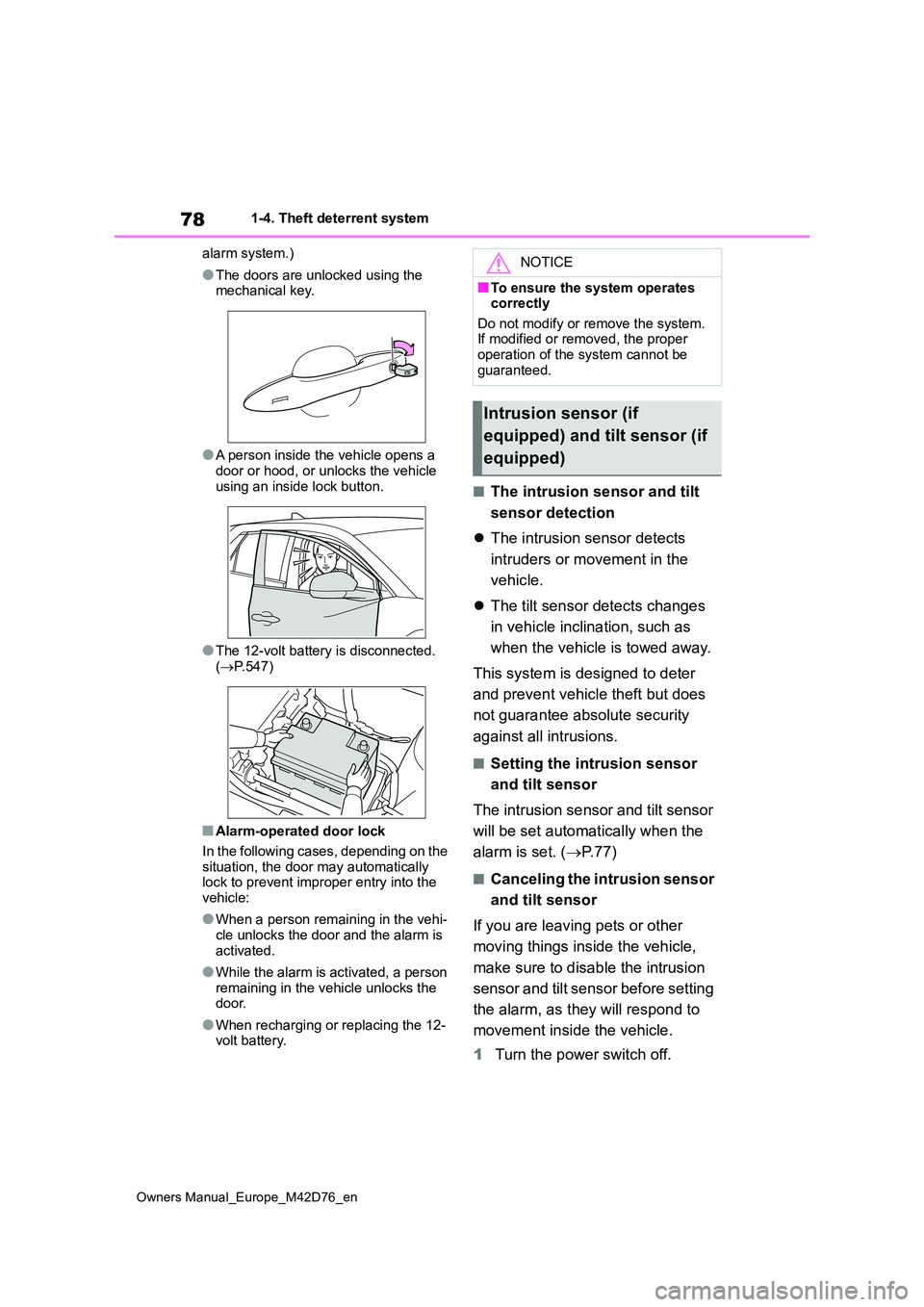
●The doors are unlocked using the mechanical key.
●A person inside the vehicle opens a door or hood, or unlocks the vehicle
using an inside lock button.
●The 12-volt battery is disconnected.
( P.547)
■Alarm-operated door lock
In the following cases, depending on the situation, the door may automatically lock to prevent improper entry into the
vehicle:
●When a person remaining in the vehi-
cle unlocks the door and the alarm is activated.
●While the alarm is activated, a person remaining in the vehicle unlocks the door.
●When recharging or replacing the 12-volt battery.
■The intrusion sensor and tilt
sensor detection
The intrusion sensor detects
intruders or movement in the
vehicle.
The tilt sensor detects changes
in vehicle inclination, such as
when the vehicle is towed away.
This system is designed to deter
and prevent vehicle theft but does
not guarantee absolute security
against all intrusions.
■Setting the intrusion sensor
and tilt sensor
The intrusion sensor and tilt sensor
will be set automatically when the
alarm is set. ( P. 7 7 )
■Canceling the intrusion sensor
and tilt sensor
If you are leaving pets or other
moving things inside the vehicle,
make sure to disable the intrusion
sensor and tilt sensor before setting
the alarm, as they will respond to
movement inside the vehicle.
1 Turn the power switch off.
NOTICE
■To ensure the system operates correctly
Do not modify or remove the system. If modified or removed, the proper operation of the system cannot be
guaranteed.
Intrusion sensor (if
equipped) and tilt sensor (if
equipped)
Page 81 of 674
79
1
Owners Manual_Europe_M42D76_en
1-4. Theft deterrent system
For safety and security
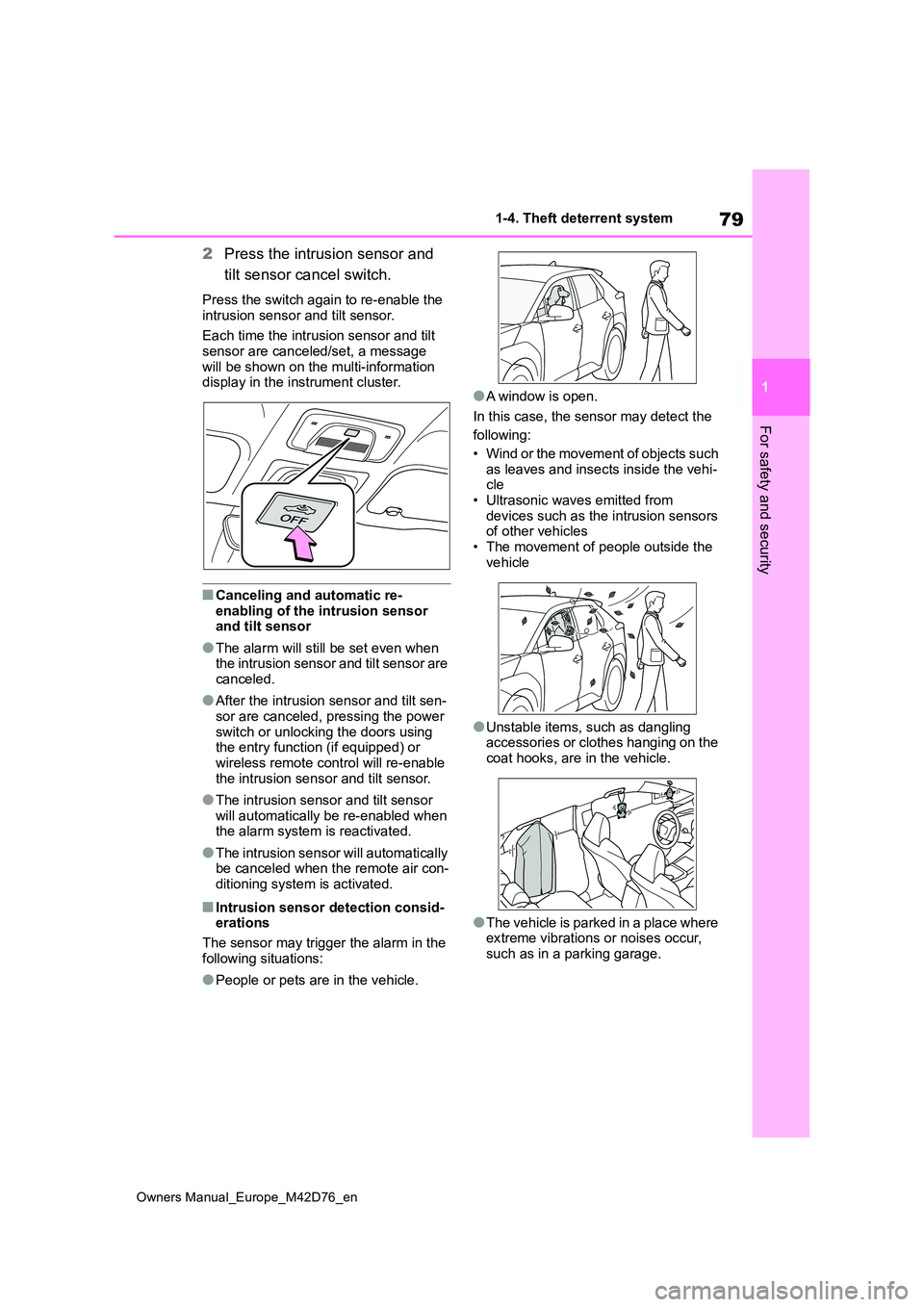
2Press the intrusion sensor and
tilt sensor cancel switch.
Press the switch again to re-enable the
intrusion sensor and tilt sensor.
Each time the intrusion sensor and tilt sensor are canceled/set, a message
will be shown on the multi-information display in the instrument cluster.
■Canceling and automatic re-
enabling of the intrusion sensor and tilt sensor
●The alarm will still be set even when the intrusion sensor and tilt sensor are canceled.
●After the intrusion sensor and tilt sen-sor are canceled, pressing the power
switch or unlocking the doors using the entry function (if equipped) or wireless remote control will re-enable
the intrusion sensor and tilt sensor.
●The intrusion sensor and tilt sensor
will automatically be re-enabled when the alarm system is reactivated.
●The intrusion sensor will automatically be canceled when the remote air con-ditioning system is activated.
■Intrusion sensor detection consid-erations
The sensor may trigger the alarm in the
following situations:
●People or pets are in the vehicle.
●A window is open.
In this case, the sensor may detect the
following:
• Wind or the movement of objects such as leaves and insects inside the vehi-cle
• Ultrasonic waves emitted from devices such as the intrusion sensors of other vehicles
• The movement of people outside the vehicle
●Unstable items, such as dangling accessories or clothes hanging on the coat hooks, are in the vehicle.
●The vehicle is parked in a place where extreme vibrations or noises occur,
such as in a parking garage.
Page 82 of 674
80
Owners Manual_Europe_M42D76_en
1-4. Theft deterrent system
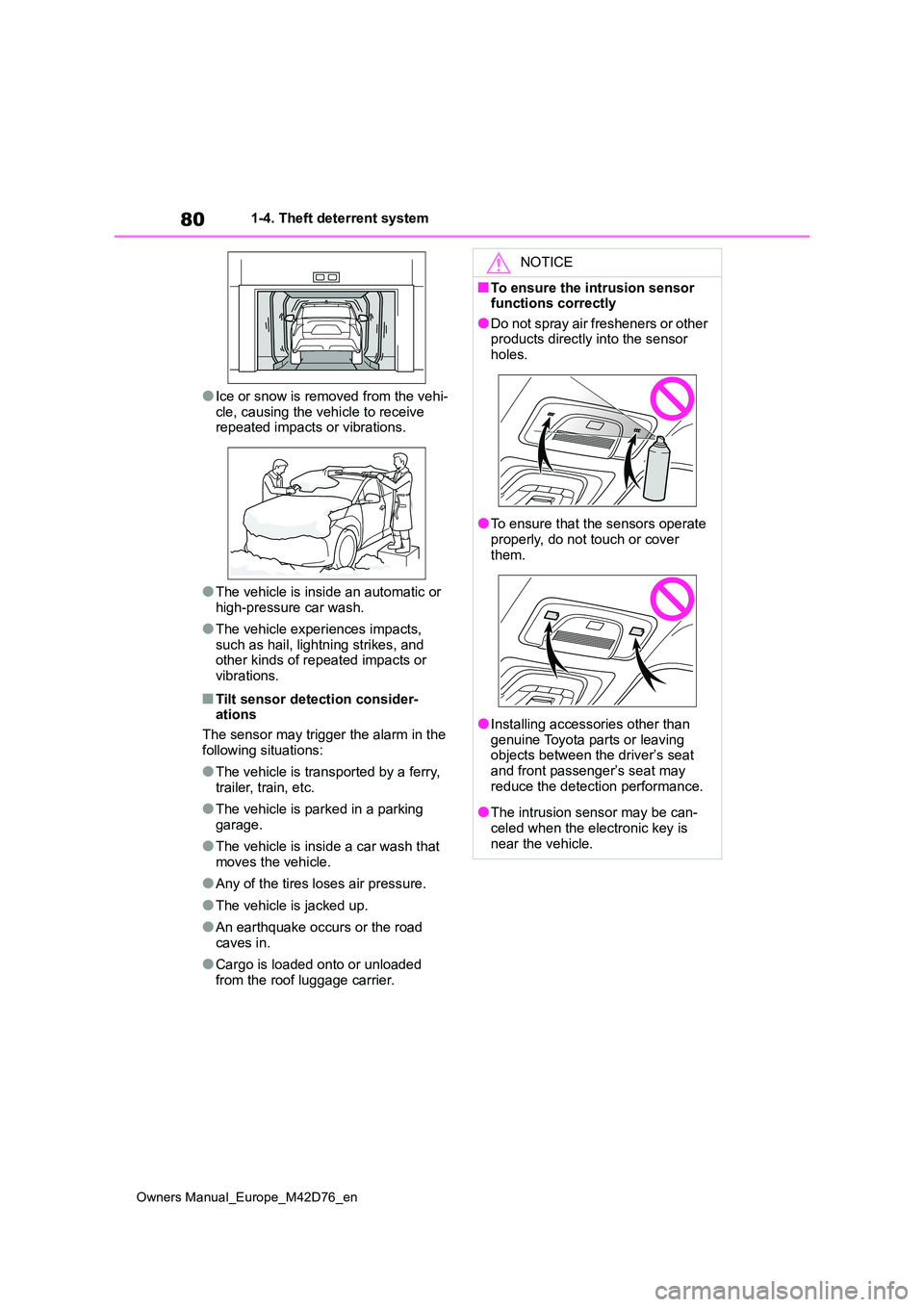
●Ice or snow is removed from the vehi-
cle, causing the vehicle to receive repeated impacts or vibrations.
●The vehicle is inside an automatic or high-pressure car wash.
●The vehicle experiences impacts, such as hail, lightning strikes, and other kinds of repeated impacts or
vibrations.
■Tilt sensor detection consider- ations
The sensor may trigger the alarm in the
following situations:
●The vehicle is transported by a ferry,
trailer, train, etc.
●The vehicle is parked in a parking
garage.
●The vehicle is inside a car wash that
moves the vehicle.
●Any of the tires loses air pressure.
●The vehicle is jacked up.
●An earthquake occurs or the road caves in.
●Cargo is loaded onto or unloaded from the roof luggage carrier.
NOTICE
■To ensure the intrusion sensor functions correctly
●Do not spray air fresheners or other products directly into the sensor holes.
●To ensure that the sensors operate properly, do not touch or cover
them.
●Installing accessories other than
genuine Toyota parts or leaving objects between the driver’s seat and front passenger’s seat may
reduce the detection performance.
●The intrusion sensor may be can-
celed when the electronic key is near the vehicle.
Page 184 of 674
182
Owners Manual_Europe_M42D76_en
4-1. Key information
4-1.Key info rmation
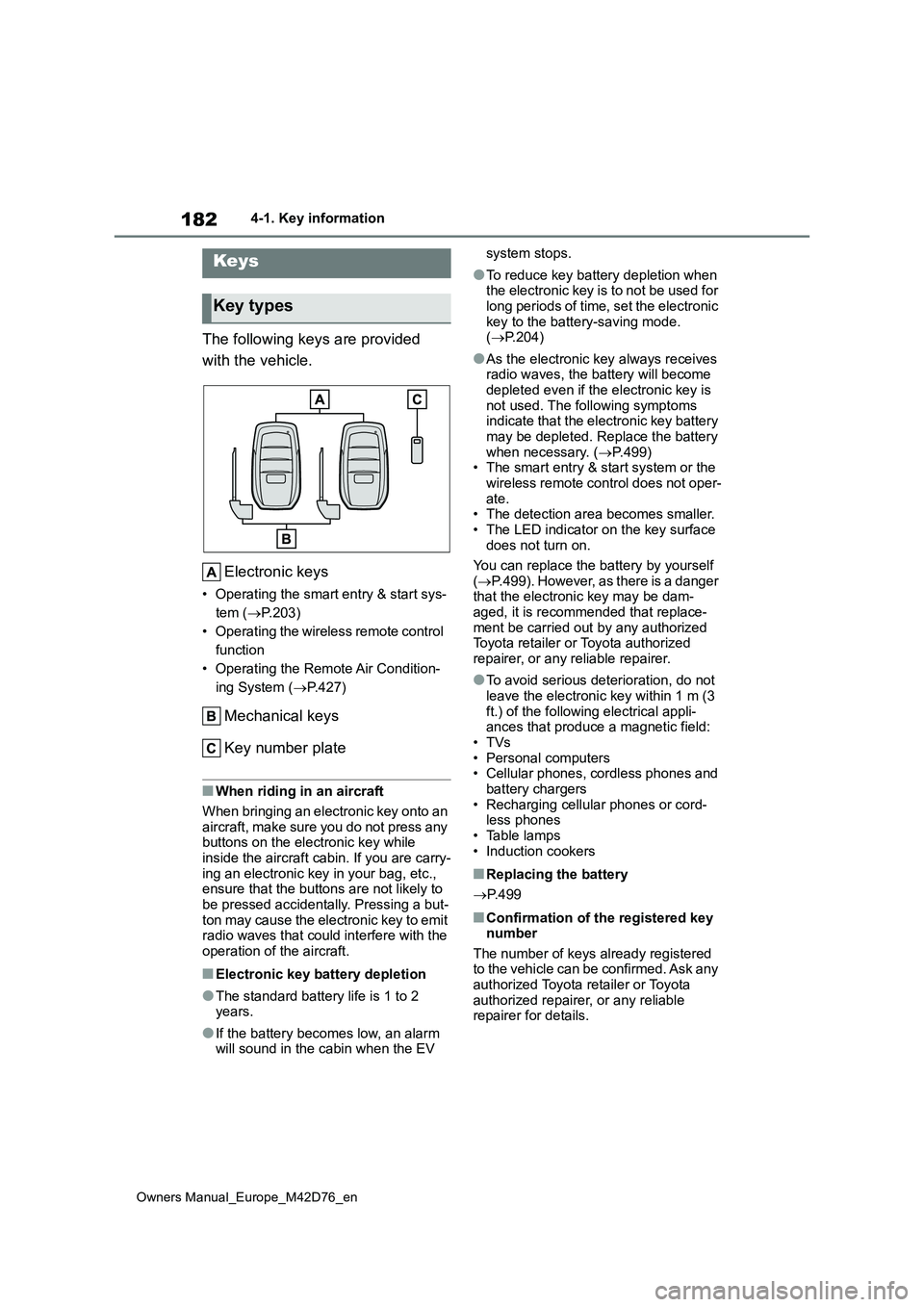
The following keys are provided
with the vehicle.
Electronic keys
• Operating the smart entry & start sys-
tem ( P.203)
• Operating the wireless remote control
function
• Operating the Remote Air Condition-
ing System ( P.427)
Mechanical keys
Key number plate
■When riding in an aircraft
When bringing an electronic key onto an
aircraft, make sure you do not press any buttons on the electronic key while inside the aircraft cabin. If you are carry-
ing an electronic key in your bag, etc., ensure that the buttons are not likely to be pressed accidentally. Pressing a but-
ton may cause the electronic key to emit radio waves that could interfere with the operation of the aircraft.
■Electronic key battery depletion
●The standard battery life is 1 to 2 years.
●If the battery becomes low, an alarm will sound in the cabin when the EV
system stops.
●To reduce key battery depletion when the electronic key is to not be used for
long periods of time, set the electronic key to the battery-saving mode. ( P.204)
●As the electronic key always receives radio waves, the battery will become
depleted even if the electronic key is not used. The following symptoms indicate that the electronic key battery
may be depleted. Replace the battery when necessary. ( P.499) • The smart entry & start system or the
wireless remote control does not oper- ate.• The detection area becomes smaller.
• The LED indicator on the key surface does not turn on.
You can replace the battery by yourself
( P.499). However, as there is a danger that the electronic key may be dam-aged, it is recommended that replace-
ment be carried out by any authorized Toyota retailer or Toyota authorized repairer, or any reliable repairer.
●To avoid serious deterioration, do not leave the electronic key within 1 m (3
ft.) of the following electrical appli- ances that produce a magnetic field:•TVs
• Personal computers • Cellular phones, cordless phones and battery chargers
• Recharging cellular phones or cord- less phones• Table lamps
• Induction cookers
■Replacing the battery
P. 4 9 9
■Confirmation of the registered key number
The number of keys already registered to the vehicle can be confirmed. Ask any authorized Toyota retailer or Toyota
authorized repairer, or any reliable repairer for details.
Keys
Key types
Page 187 of 674
185
4
Owners Manual_Europe_M42D76_en
4-2. Opening, closing and locking the doors
Before driving
4-2.Opening, closing and lo cking th e d oors
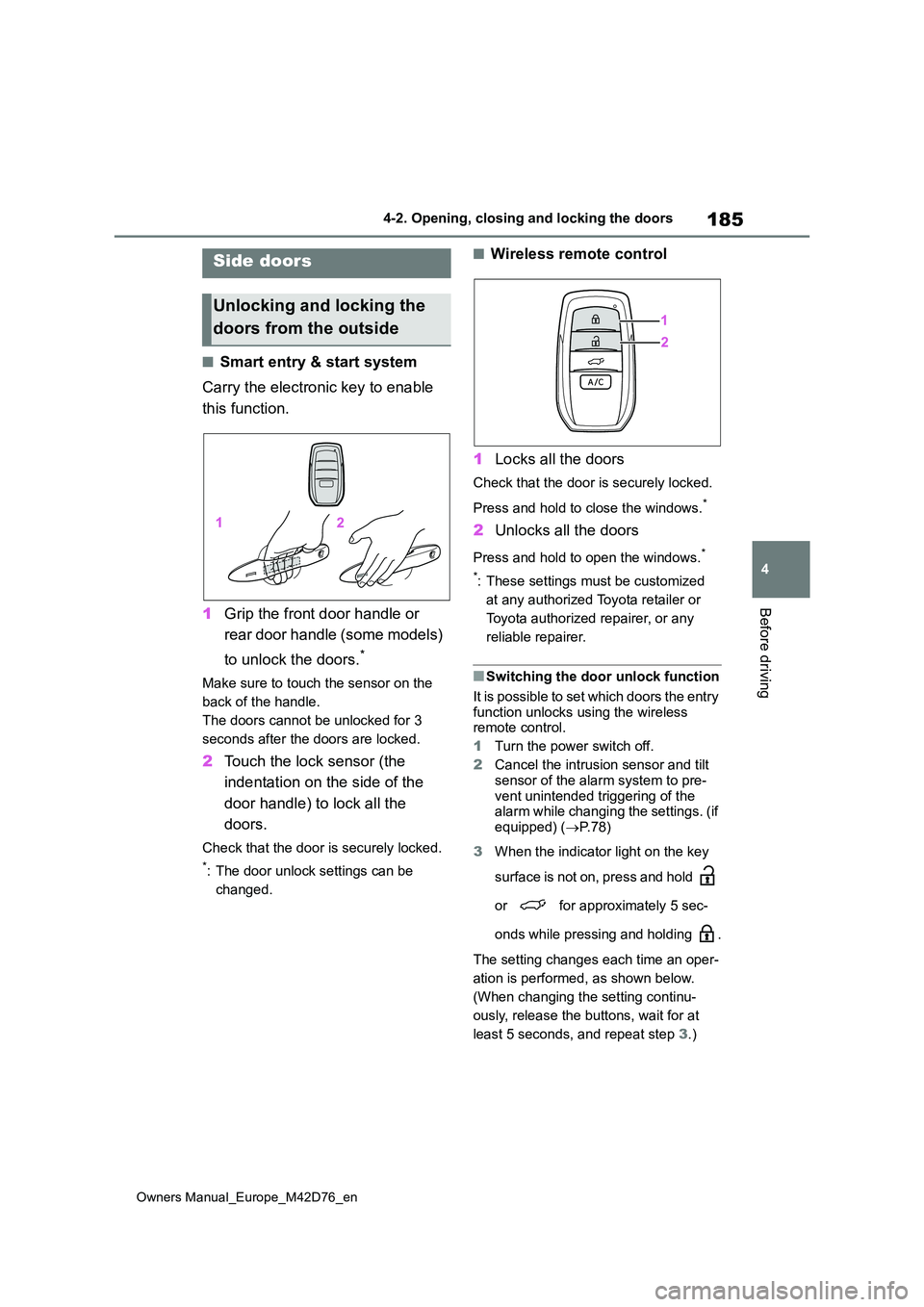
■Smart entry & start system
Carry the electronic key to enable
this function.
1 Grip the front door handle or
rear door handle (some models)
to unlock the doors.*
Make sure to touch the sensor on the
back of the handle.
The doors cannot be unlocked for 3
seconds after the doors are locked.
2 Touch the lock sensor (the
indentation on the side of the
door handle) to lock all the
doors.
Check that the door is securely locked.
*: The door unlock settings can be
changed.
■Wireless remote control
1 Locks all the doors
Check that the door is securely locked.
Press and hold to close the windows.*
2 Unlocks all the doors
Press and hold to open the windows.*
*: These settings must be customized
at any authorized Toyota retailer or
Toyota authorized repairer, or any
reliable repairer.
■Switching the door unlock function
It is possible to set which doors the entry function unlocks using the wireless remote control.
1 Turn the power switch off.
2 Cancel the intrusion sensor and tilt
sensor of the alarm system to pre- vent unintended triggering of the alarm while changing the settings. (if
equipped) ( P. 7 8 )
3 When the indicator light on the key
surface is not on, press and hold
or for approximately 5 sec-
onds while pressing and holding .
The setting changes each time an oper-
ation is performed, as shown below.
(When changing the setting continu-
ously, release the buttons, wait for at
least 5 seconds, and repeat step 3.)
Side doors
Unlocking and locking the
doors from the outside
Page 188 of 674
186
Owners Manual_Europe_M42D76_en
4-2. Opening, closing and locking the doors
For vehicles with alarm: To prevent unin-
tended triggering of the alarm, unlock
the doors using the wireless remote
control and open and close a door once
after the settings have been changed. (If
a door is not opened within 30 seconds
after is pressed, the doors will be
locked again and the alarm will automat-
ically be set.)
In a case that the alarm is triggered,
immediately stop the alarm. ( P.77)
■Locking the front doors from the outside without a key
1 Move the inside lock button to the lock position. ( P.188)
2 Close the door while pulling the door
handle.
The door cannot be locked if the power switch is in ACC or ON, or the electronic
key is left inside the vehicle.
The key may not be detected correctly and the door may be locked.
■Impact detection door lock release
system
In the event that the vehicle is subject to a strong impact, all the doors are
unlocked. Depending on the force of the impact or the type of accident, however, the system may not operate.
■Operation signals
The emergency flashers flash to indicate that the doors have been locked/unlocked. (Locked: once;
Unlocked: twice)
A buzzer sounds to indicate that the win- dows are operating.
■Security feature
If a door is not opened within approxi- mately 30 seconds after the vehicle is unlocked, the security feature automati-
cally locks the vehicle again.
■When the door cannot be locked by the lock sensor on the surface of the door handle
When the door cannot be locked even if the lock sensor on the surface of the door handle is touched by a finger, touch
the lock sensor with the palm. When gloves are being worn, remove the gloves.
■Open door warning buzzer
If an attempt to lock the doors is made
when a door is not fully closed, a buzzer sounds continuously for 5 seconds. Fully close the door to stop the buzzer,
and lock the vehicle once more.
■Setting the alarm (if equipped)
Locking the doors will set the alarm sys- tem. ( P.77)
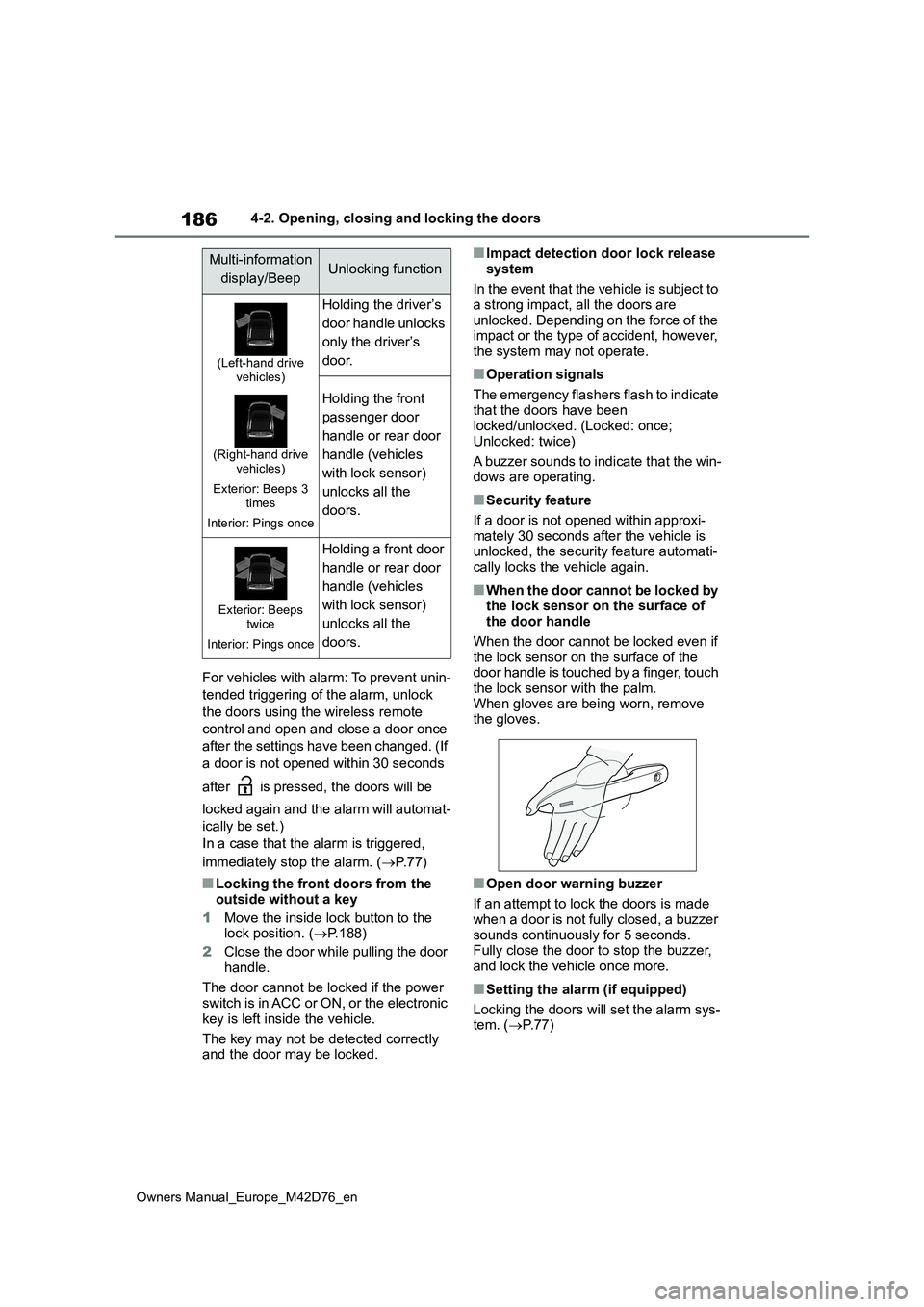
Multi-information
display/BeepUnlocking function
(Left-hand drive vehicles)
(Right-hand drive vehicles)
Exterior: Beeps 3 times
Interior: Pings once
Holding the driver’s
door handle unlocks
only the driver’s
door.
Holding the front
passenger door
handle or rear door
handle (vehicles
with lock sensor)
unlocks all the
doors.
Exterior: Beeps twice
Interior: Pings once
Holding a front door
handle or rear door
handle (vehicles
with lock sensor)
unlocks all the
doors.
Page 205 of 674

203
4
Owners Manual_Europe_M42D76_en
4-2. Opening, closing and locking the doors
Before driving
■Antenna location
Antennas outside the cabin (front)
Antennas outside the cabin (rear) (if
equipped)
Antennas inside the cabin
Antenna inside the luggage compart-
ment
Antenna outside the luggage com-
partment
■Effective range (areas within which
the electronic key is detected)
When locking or unlocking the doors
The system can be operated when the
electronic key is within about 0.7 m (2.3
ft.) of the front door handles, rear door
handles (if equipped) and back door
opener switch. (Only the doors detecting
the key can be operated.)
When starting the EV system or
changing power switch modes
The system can be operated when the
electronic key is inside the vehicle.
■If an alarm sounds or a warning
message is displayed
An alarm sounds and warning mes- sages are displayed on the multi-infor-
mation display to protect against unexpected accidents or theft of the vehicle resulting from erroneous opera-
tion. When a warning message is dis- played, take appropriate measures based on the displayed message.
When only an alarm sounds, circum- stances and correction procedures are as follows.
Smart entr y & start sys-
tem
The following operations can
be performed simply by carry-
ing the electronic key on your
person, for example in your
pocket. The driver should
always carry the electronic
key.
Locks and unlocks the side
doors ( P.185)
Locks and unlocks the back
door ( P.185)
Starts the EV system (P.243)