battery TOYOTA CAMRY 2008 XV40 / 8.G Owner's Manual
[x] Cancel search | Manufacturer: TOYOTA, Model Year: 2008, Model line: CAMRY, Model: TOYOTA CAMRY 2008 XV40 / 8.GPages: 476, PDF Size: 7.27 MB
Page 203 of 476

203
3-2. Using the audio system
3
Interior features
NOTICE
■
To prevent battery discharge
Do not leave the audio system on longer than necessary with the engine o\
ff.
■ To avoid damaging the audio system
Take care not to spill drinks or other fluids over the audio system.
Page 207 of 476
207
3-2. Using the audio system
3
Interior features
■
When the battery is disconnected
Station presets are erased.
■ Reception sensitivity
Maintaining perfect radio reception at all times is difficult due to the continu-
ally changing position of the antenna, differences in signal strength and sur-
rounding objects, such as trains, transmitters, etc.
■ XM
® Satellite Radio
An XM
® Satellite Radio is a tuner designed exclusively to receive broadcasts
provided under a separate subscription. Availability is limited to the 48 con-
tiguous states and 10 Canadian provinces.
● XM
® subscriptions
For detailed information about XM® Satellite Radio or to subscribe:
U.S.A.
Visit on the web at www.xmradio.com
or call 1-800-967-2346.
Canada
Visit on the web at www.xmradio.ca
or call 1-877-438-9677.
● Radio ID
You will need the radio ID when activating XM
® service or reporting a
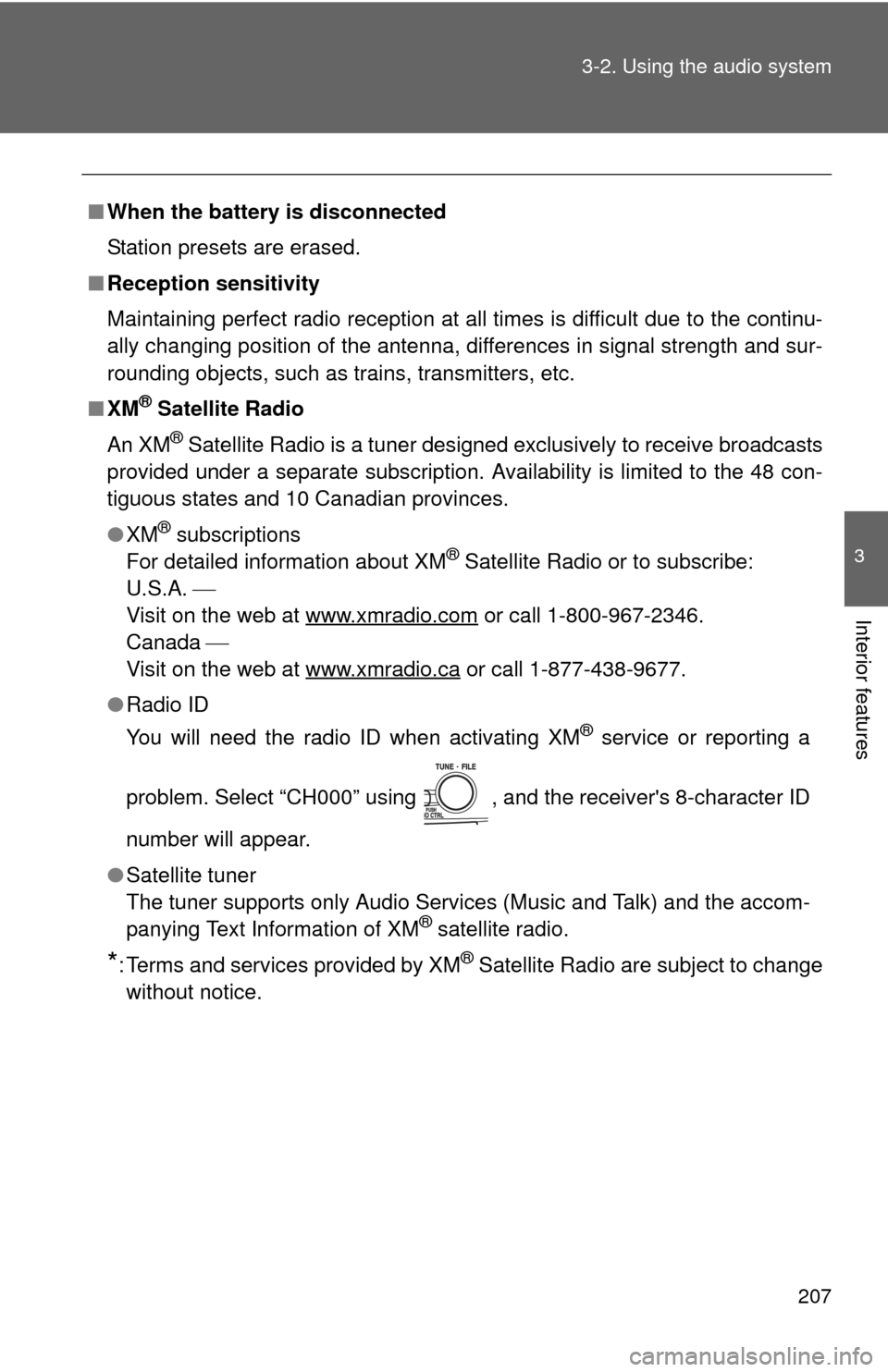
problem. Select “CH000” using , and the receiver's 8-character ID
number will appear.
● Satellite tuner
The tuner supports only Audio Services (Music and Talk) and the accom-
panying Text Information of XM
® satellite radio.
*: Terms and services provided by XM® Satellite Radio are subject to change
without notice.
Page 232 of 476
232
3-3. Using the hands-free phone system (for cellular phone)
Hands-free phone system (for cellular phone) features (CD player with changer only)
■Conditions affecting operation
The hands-free phone system may not operate normally in the following situ-
ations:
●The cellular phone is turned off, or located outside the service area.
● The cellular phone has a low battery.
● The cellular phone is not connected to the system.
● The cellular phone is behind the seat or in the glove box, or metal mate-
rial covers or touches the phone.
■ When transferring ownership of the vehicle
Be sure to initialize the system to prevent personal data from being improp-
erly accessed.
■ Required profiles for the cellular phone
●HFP (Hands Free Profile) Ver. 1.0
● OPP (Object Push Profile) Ver. 1.1
This system supports Bluetooth®, which allows you to make or
receive calls without using cables to connect a cellular phone and
the system, and without oper ating the cellular phone.
Owners of models equipped with a navigation system should refer to
the “Navigation System Owner's Manual”.
TitlePage
Using the hands-free phone system P. 235
Making a phone call P. 244
Setting a cellular phone P. 248
Security and system setup P. 253
Using the phone book P. 257
Page 265 of 476
265
3-4. Using the interior lights
3
Interior features
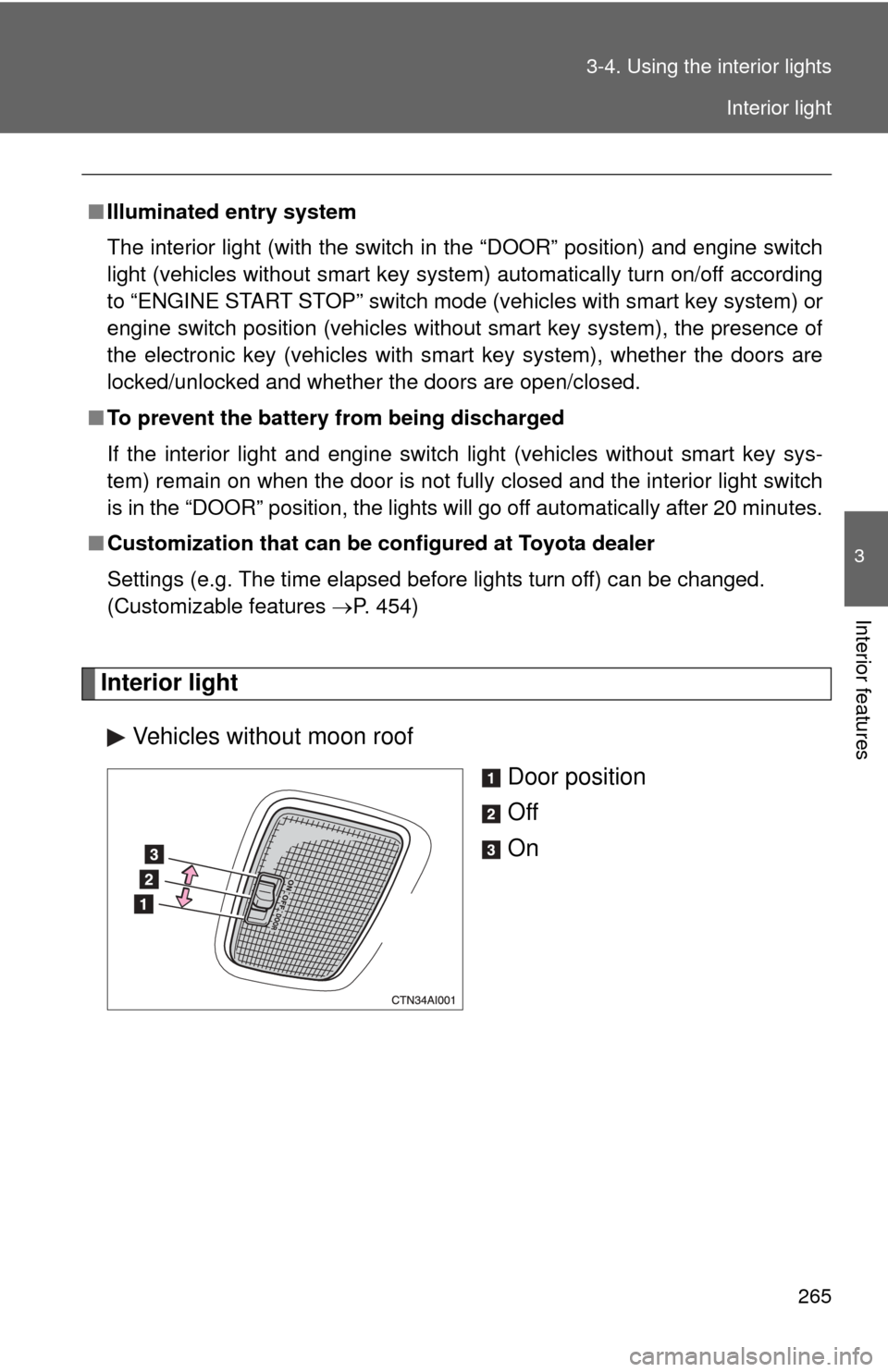
Interior light
Vehicles without moon roof Door position
Off
On
■Illuminated entry system
The interior light (with the switch in the “DOOR” position) and engine switch
light (vehicles without smart key system) automatically turn on/off according
to “ENGINE START STOP” switch m ode (vehicles with smart key system) or
engine switch position (vehicles without smart key system), the presence of
the electronic key (vehicles with smart key system), whether the doors are
locked/unlocked and whether the doors are open/closed.
■ To prevent the battery from being discharged
If the interior light and engine switch light (vehicles without smart key sys-
tem) remain on when the door is not fully closed and the interior light switch
is in the “DOOR” position, the lights will go off automatically after 20 minutes.
■ Customization that can be co nfigured at Toyota dealer
Settings (e.g. The time elapsed before lights turn off) can be changed.
(Customizable features P. 454)
Interior light
Page 280 of 476
280 3-6. Other interior features
■The power outlet can be used when
Vehicles with smart key system
The “ENGINE START STOP” switch is in ACCESSORY or IGNITION ON
mode.
Vehicles without smart key system
The engine switch is in “ACC” or “ON” position.
■ Cable pass-through
Connected cables can be passed through the hole in the auxiliary box to the
front passenger’s side of the auxiliary box. ( P. 274)
NOTICE
■To avoid damaging the power outlet
Close the power outlet lid when the power outlet is not in use.
Foreign objects or liquids that enter the power outlet may cause a short cir-
cuit.
■ To prevent the fuse from being blown
Do not use an accessory that uses more than 12 V 10 A.
■ To prevent the battery from being discharged
Do not use the power outlet longer than necessary when the engine is not\
running.
Page 282 of 476

282 3-6. Other interior features
NOTICE
■To prevent seat heater damage
Do not put unevenly weighted objects on the seat and do not stick sharp
objects (needles, nails, etc.) into the seat.
■ To prevent battery discharge
Turn the switches off when the engine is not running.
Page 292 of 476
292 3-6. Other interior features
■Before programming
●Install a new battery in the transmitter.
● The battery side of the transmitter must be pointed away from
HomeLink
.
■ Certification for the garage door opener
This device complies with Part 15 of the FCC Rules and with RSS-210 of the
IC Rules.
Operation is subject to the following two conditions: (1) This device may not
cause harmful interference, and (2) this device must accept any interference
received, including interference that may cause undesired operation.
WARNING: This transmitter has been tested and complies with FCC and IC
rules. Changes or modifications not expressly approved by the party respon-
sible for compliance could void the user's authority to operate the device.
CAUTION
■When programming a garage door or other remote control device
The garage door may operate, so ensure people and objects are out of dan-
ger to prevent potential harm.
■ Conforming to federal safety standards
Do not use the HomeLink
compatible transceiver with any garage door
opener or device that lacks safety stop and reverse features as required by
federal safety standards.
This includes any garage door that cannot detect an obstruction object. A
door or device without these features increases the risk of death or serious
injury.
Page 295 of 476
295
3-6. Other interior features
3
Interior features
■
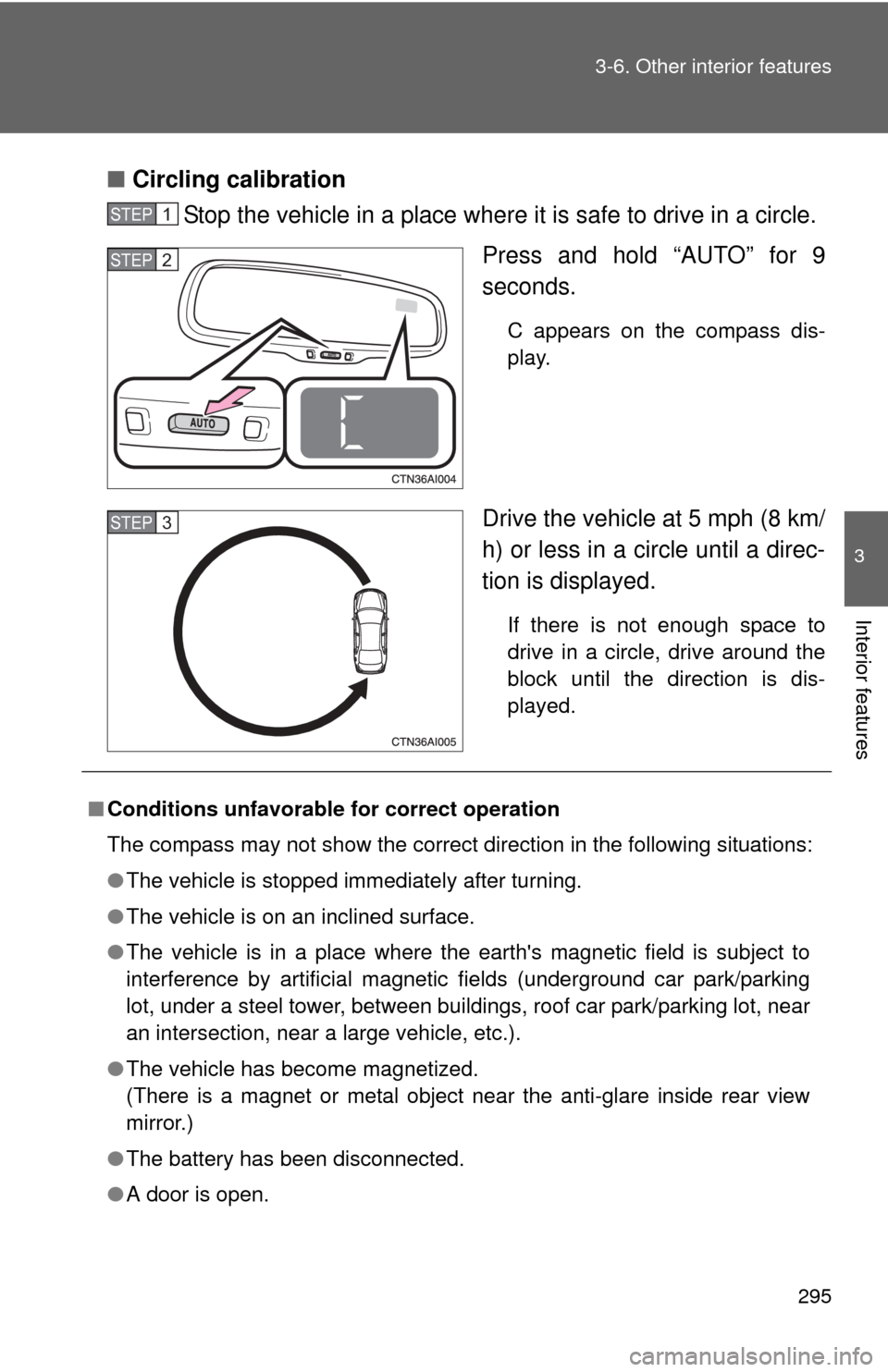
Circling calibration
Stop the vehicle in a place where it is safe to drive in a circle.
Press and hold “AUTO” for 9
seconds.
C appears on the compass dis-
play.
Drive the vehicle at 5 mph (8 km/
h) or less in a circle until a direc-
tion is displayed.
If there is not enough space to
drive in a circle, drive around the
block until the direction is dis-
played.
STEP1
STEP2
STEP3
■Conditions unfavorable for correct operation
The compass may not show the correct direction in the following situations:
●The vehicle is stopped immediately after turning.
● The vehicle is on an inclined surface.
● The vehicle is in a place where the earth's magnetic field is subject to
interference by artificial magnetic fields (underground car park/parking
lot, under a steel tower, between buildings, roof car park/parking lot, near
an intersection, near a large vehicle, etc.).
● The vehicle has become magnetized.
(There is a magnet or metal object near the anti-glare inside rear view
mirror.)
● The battery has been disconnected.
● A door is open.
Page 297 of 476
Maintenance and care4
297
4-1. Maintenance and care ............................... 298
Cleaning and protecting the vehicle exterior......... 298
Cleaning and protecting the vehicle interior.......... 300
4-2. Maintenance ................... 303 Maintenance requirements .................. 303
General maintenance....... 305
Emission inspection and maintenance (I/M)
programs........................ 308 4-3. Do-it-yourself
maintenance ................. 309
Do-it-yourself service precautions .................... 309
Hood ................................ 313
Positioning the jack .......... 314
Engine compartment ........ 316
Tires ................................. 334
Tire inflation pressure ...... 344
Wheels ............................. 348
Air conditioning filter......... 350
Key battery ....................... 353
Checking and replacing fuses .............................. 357
Light bulbs........................ 368
Page 304 of 476
304 4-2. Maintenance
■Allow inspection and repairs to be performed by a Toyota dealer
●Toyota technicians are well-trained specialists and are kept up to date
with the latest service information. They are well informed about the
operations of all systems on your vehicle.
● Keep a copy of the repair order. It proves that the maintenance that has
been performed is under warranty coverage. If any problem should arise
while your vehicle is under warranty, your Toyota dealer will promptly
take care of it.
CAUTION
■Warning in handling of battery
●Engine exhaust, some of its constituents, and a wide variety of automobile
components contain or emit chemicals known to the State of California to
cause cancer and birth defects and other reproductive harm. Work in a
well ventilated area.
● Oils, fuels and fluids contained in vehicles as well as waste produced by
component wear contain or emit chemicals known to the State of
California to cause cancer and birth defects or other reproductive harm.
Avoid exposure and wash any affected area immediately.
● Battery posts, terminals and related accessories contain lead and lead
compounds which are known to cause brain damage. Wash your hands
after handling. ( P. 330)