instrument panel TOYOTA CAMRY 2013 XV50 / 9.G User Guide
[x] Cancel search | Manufacturer: TOYOTA, Model Year: 2013, Model line: CAMRY, Model: TOYOTA CAMRY 2013 XV50 / 9.GPages: 540, PDF Size: 7 MB
Page 170 of 540
170
2-2. Instrument cluster
Gauges and meters
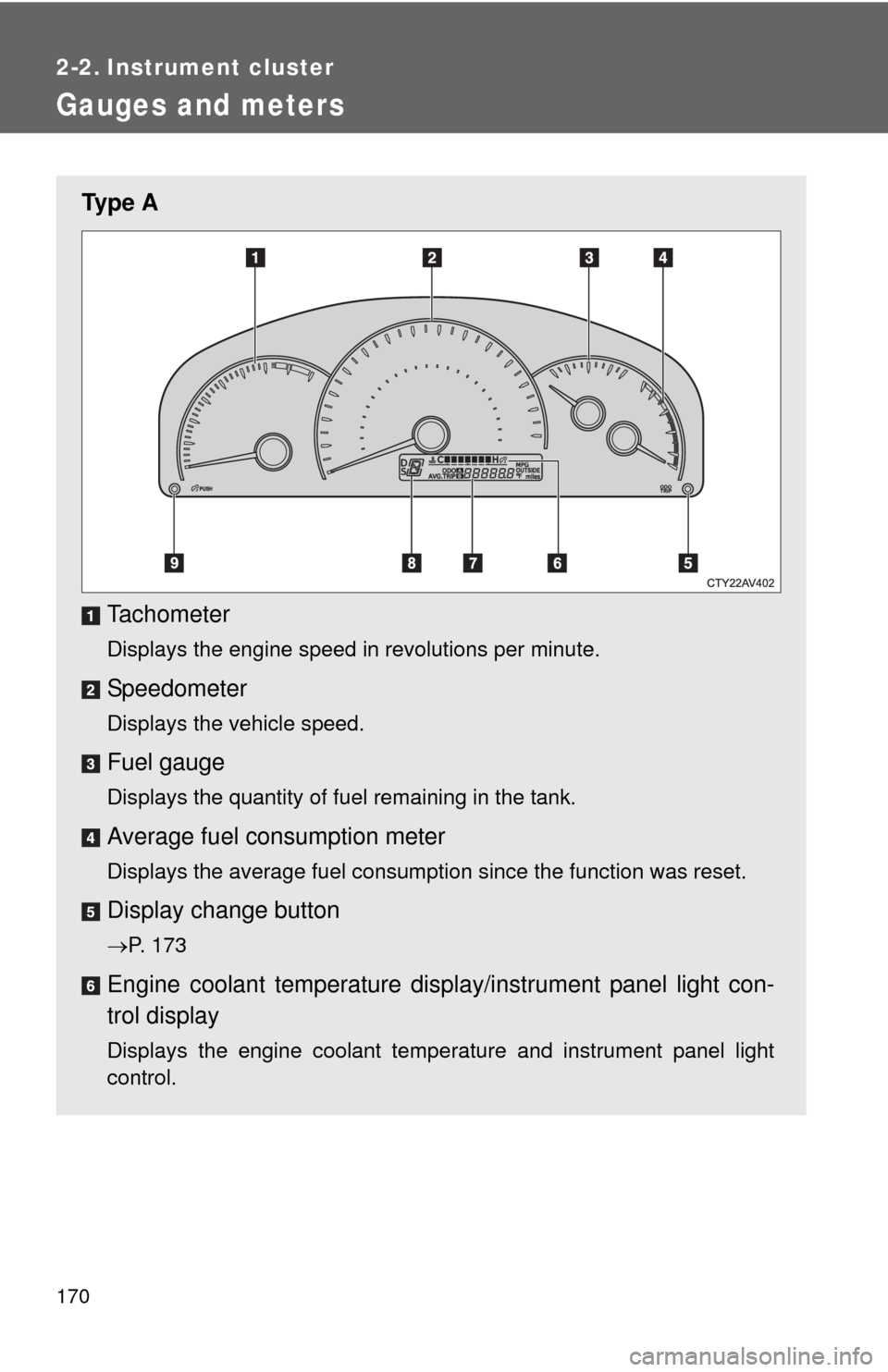
Ty p e ATachometer
Displays the engine speed in revolutions per minute.
Speedometer
Displays the vehicle speed.
Fuel gauge
Displays the quantity of fuel remaining in the tank.
Average fuel consumption meter
Displays the average fuel consumption since the function was reset.
Display change button
P. 173
Engine coolant temperature displa y/instrument panel light con-
trol display
Displays the engine coolant temperature and instrument panel light
control.
Page 171 of 540
171
2-2. Instrument cluster
2
When driving
Odometer/trip meter/outside temperature/average fuel con-
sumption/current fuel
consumption display.
P. 173
Shift position/shift range display
Displays the currently selected shift position and the shift range.
P. 155
Instrument panel light control button
P. 176
Page 173 of 540
173
2-2. Instrument cluster
2
When driving
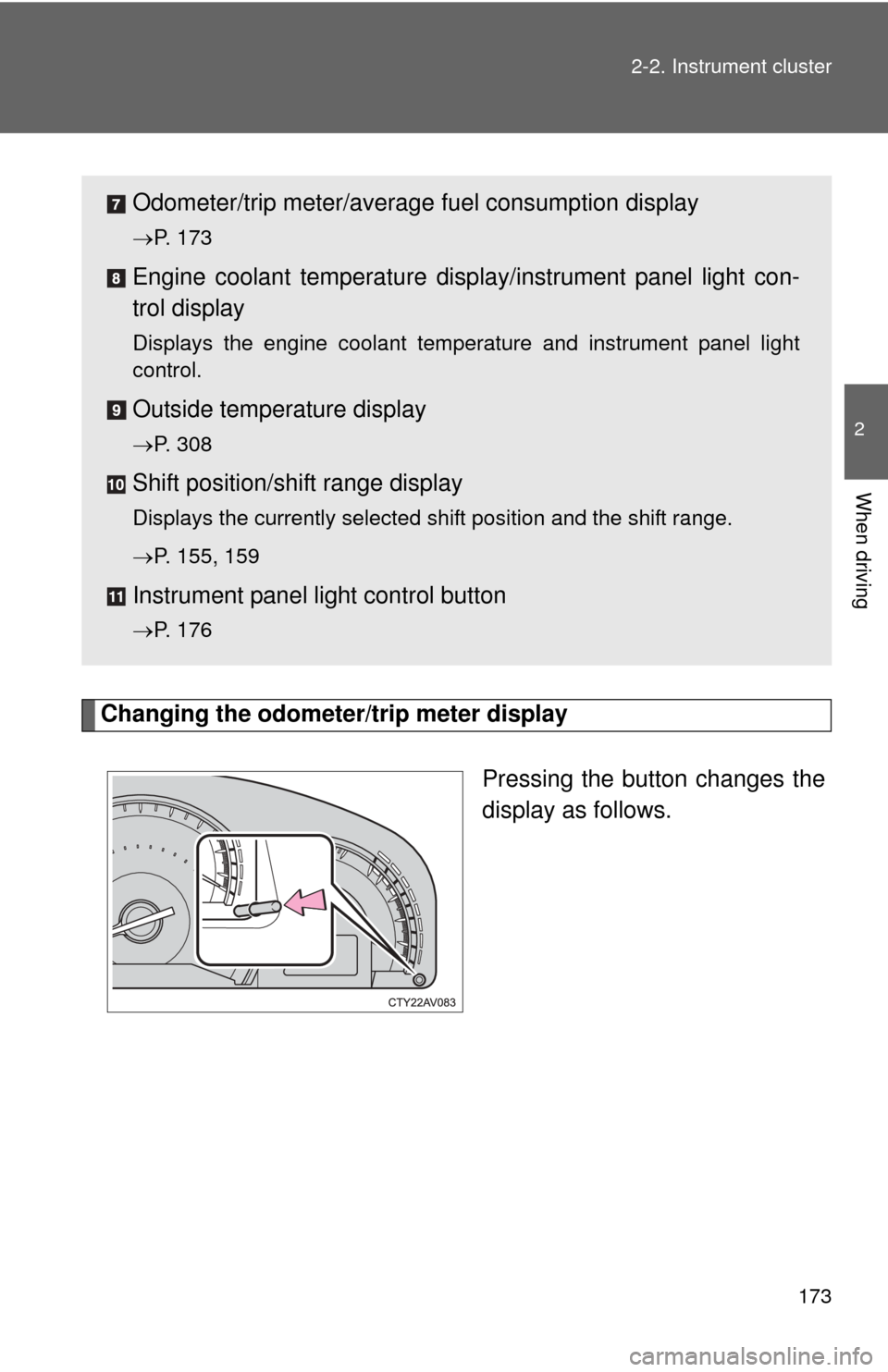
Changing the odometer/trip meter display
Pressing the button changes the
display as follows.
Odometer/trip meter/average fuel consumption display
P. 173
Engine coolant temperature displa y/instrument panel light con-
trol display
Displays the engine coolant temperature and instrument panel light
control.
Outside temperature display
P. 308
Shift position/shift range display
Displays the currently selected shift position and the shift range.
P. 155, 159
Instrument panel light control button
P. 176
Page 176 of 540
176 2-2. Instrument cluster
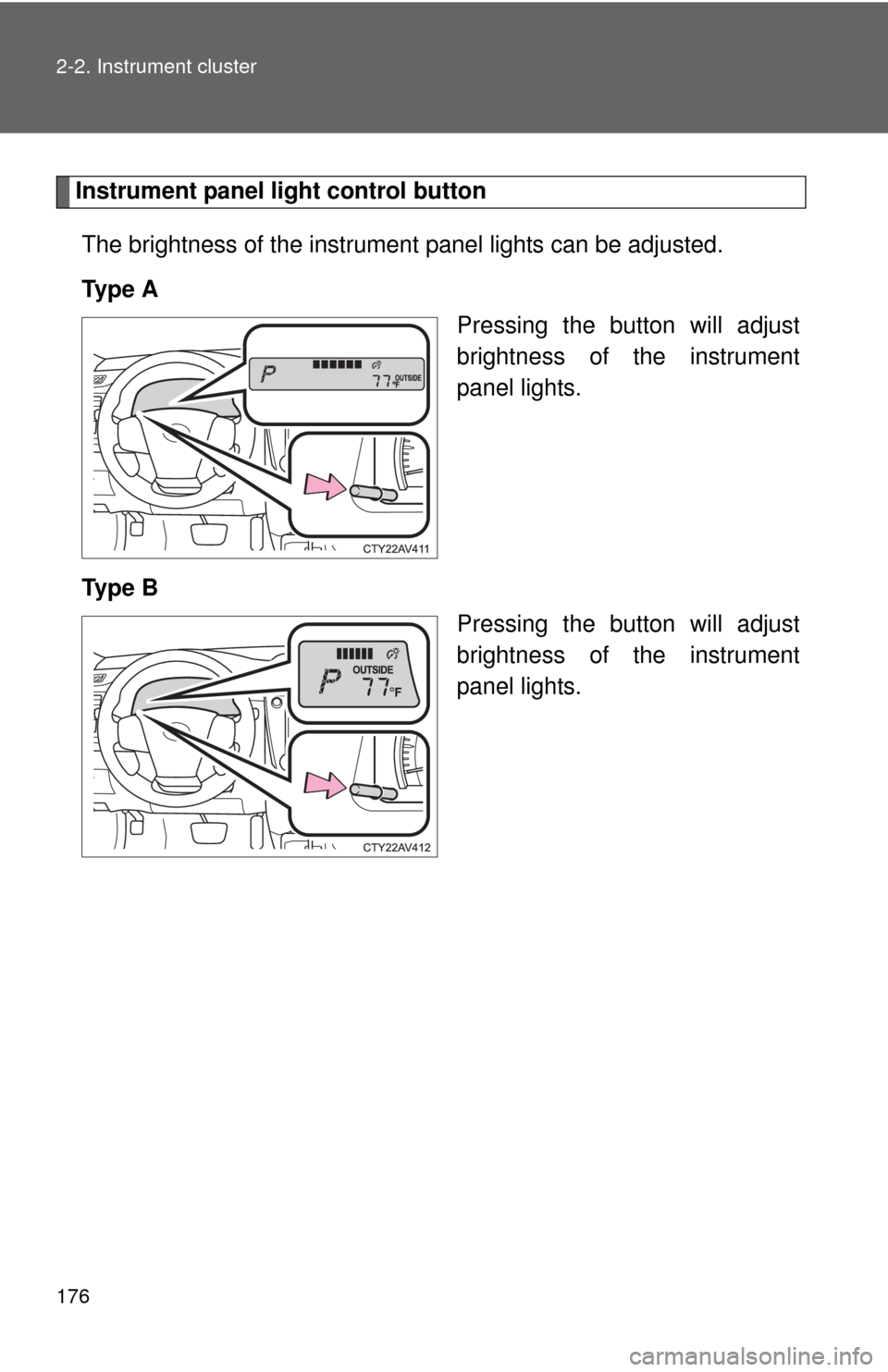
Instrument panel light control buttonThe brightness of the instrument panel lights can be adjusted.
Ty p e A Pressing the button will adjust
brightness of the instrument
panel lights.
Ty p e B Pressing the button will adjust
brightness of the instrument
panel lights.
Page 179 of 540
179
2-2. Instrument cluster
2
When driving
■
The brightness of the instrument panel lights
When the tail lights are turned on, the meter’s brightness will be reduced
slightly unless the meter brightness level adjustment is set to the brightest
setting.
On some models: If the tail lights are turned on when the surroundings are
dark, the meter’s brightness will reduce slightly. However, when the sur-
roundings are bright, such as during the daytime, the meter’s brightness will
not be reduced even if the tail lights are turned on.
■ Fuel gauge and odometer/trip meter display remain on mode
Vehicles without a smart key system:
After the engine switch has been turned off, the fuel gauge and odometer/
trip meter display remain on for 10 minutes, enabling the fuel gauge and
odometer/trip meter values to be checked again without having to turn the
engine switch to the “ON” position.
When confirming the gauges and meters, turn the headlight switch to the
position. Press the display change button to change between the
odometer and trip meter displays.
Vehicles with a smart key system:
After the “ENGINE START STOP” switch has been turned off, the fuel gauge
and odometer/trip meter display remain on for 10 minutes, enabling the fuel
gauge and odometer/trip meter values to be checked again without having to
turn the “ENGINE START STOP” switch to IGNITION ON mode.
When confirming the gauges and meters, turn the headlight switch to the
position. Press the display change button to change between the
odometer and trip meter displays.
NOTICE
■ To prevent damage to the engine and its components
●Do not let the indicator needle of the tachometer enter the red zone, which
indicates the maximum engine speed.
● The engine may be overheating if the rightmost segment of the engine
coolant temperature display is flashing. In this case, immediately stop the
vehicle in a safe place, and check the engine after it has cooled com-
pletely. ( P. 465)
Page 180 of 540
180
2-2. Instrument cluster
Indicators and warning lights
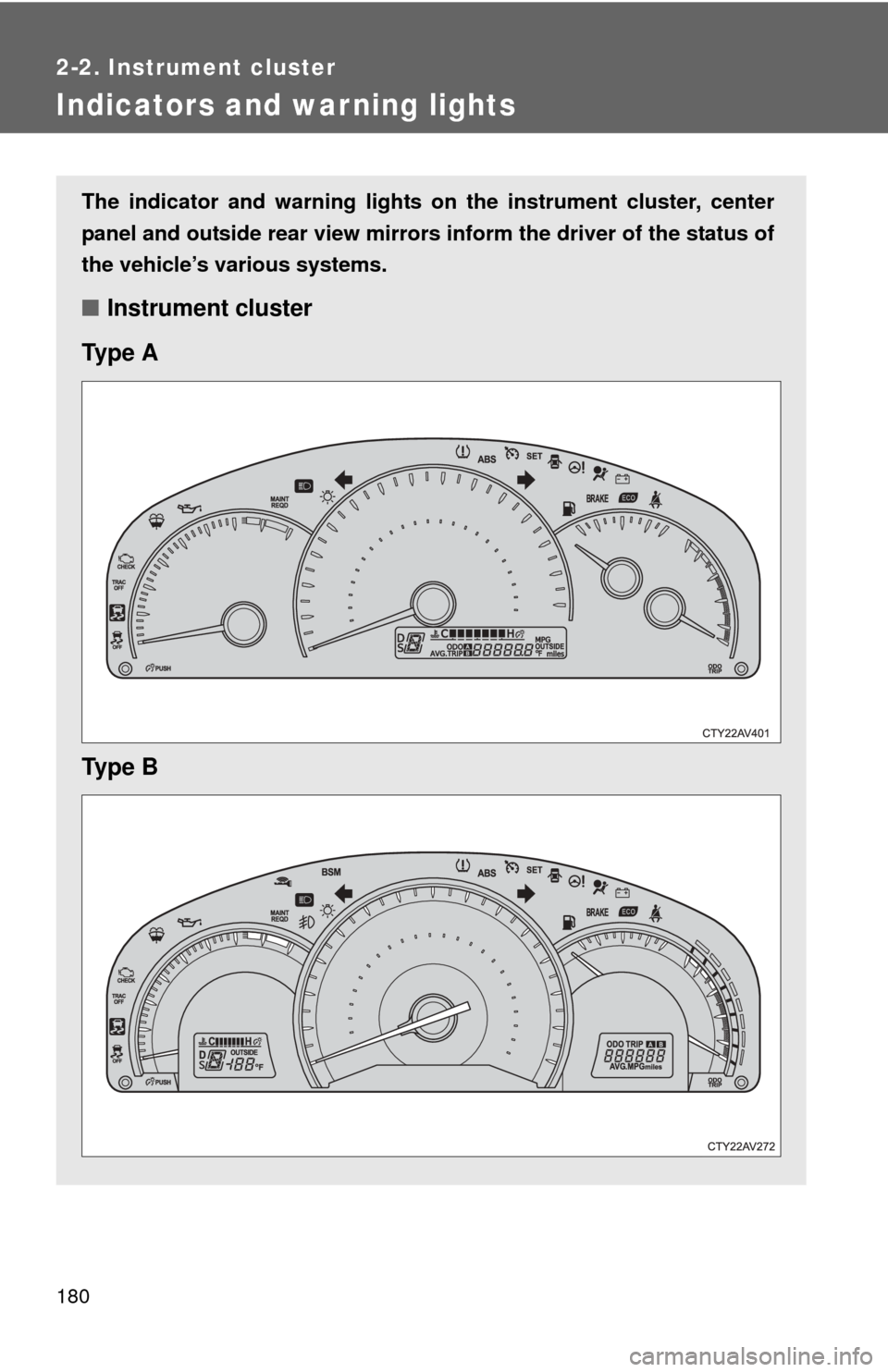
The indicator and warning lights on the instrument cluster, center
panel and outside rear view mirrors inform the driver of the status of
the vehicle’s various systems.
■ Instrument cluster
Ty p e A
Ty p e B
Page 181 of 540
181
2-2. Instrument cluster
2
When driving
■
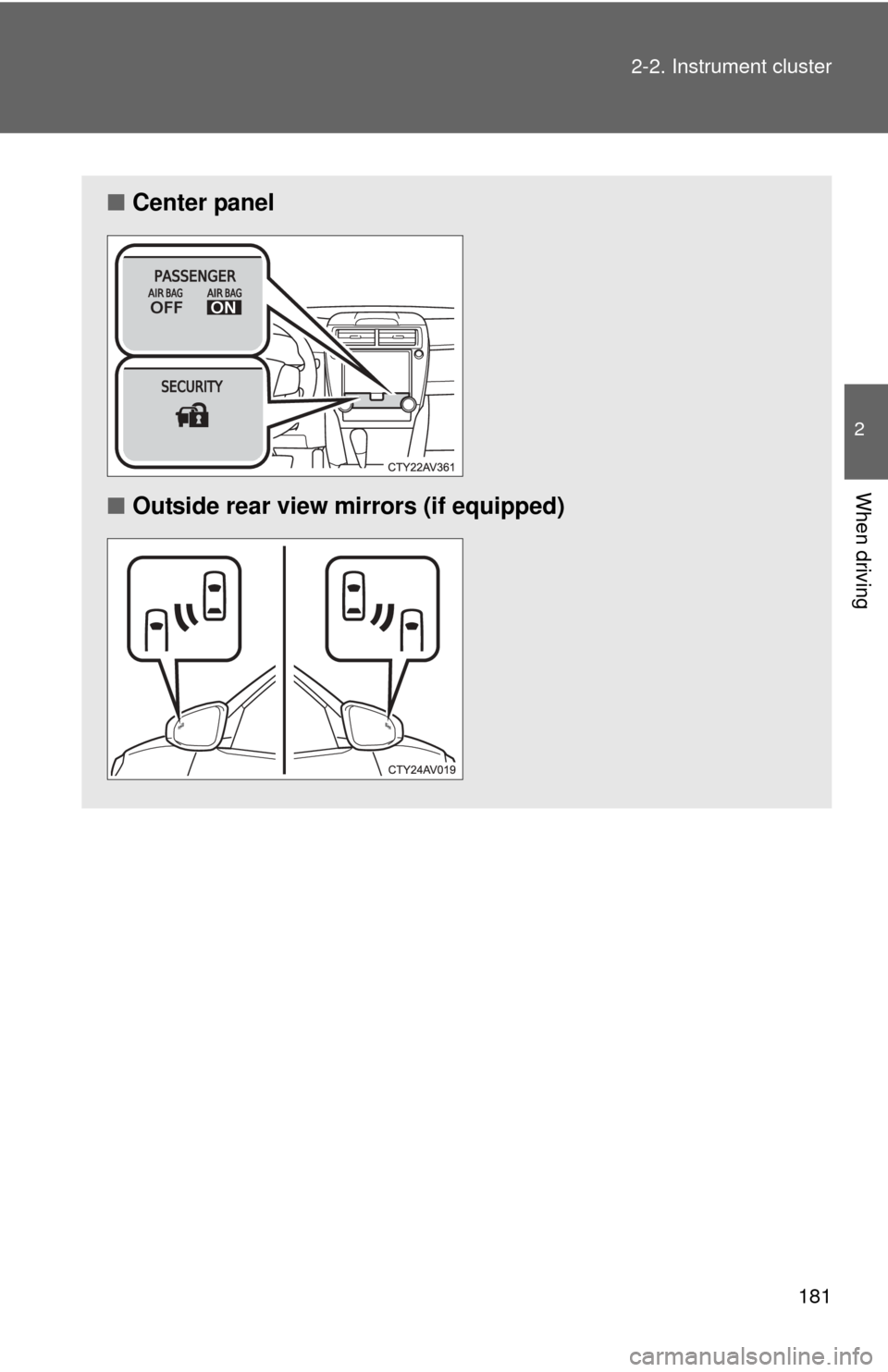
Center panel
■ Outside rear view mirrors (if equipped)
Page 186 of 540
186
2-3. Operating the lights and wipers
Headlight switch
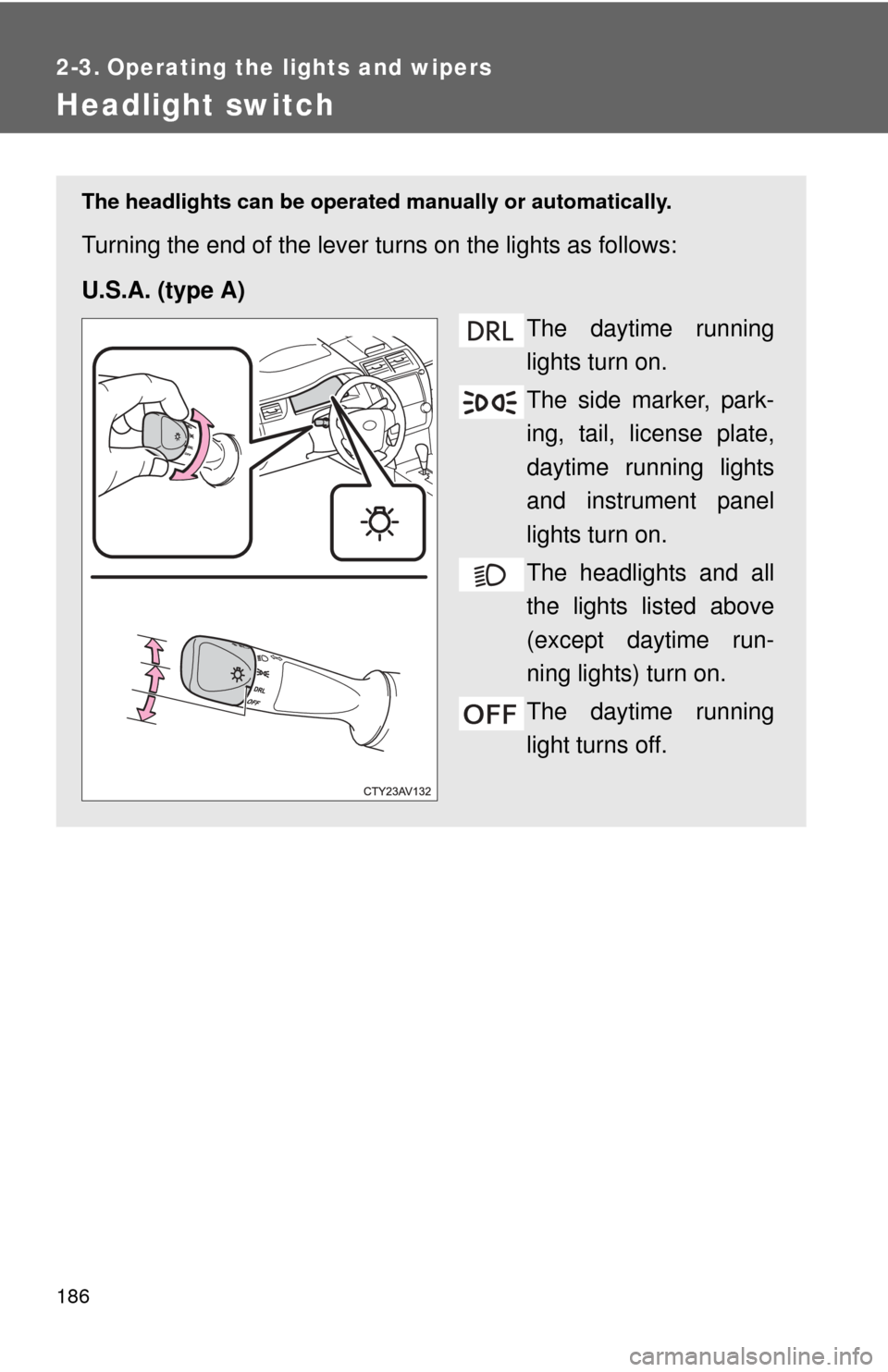
The headlights can be operated manually or automatically.
Turning the end of the lever turns on the lights as follows:
U.S.A. (type A)
The daytime running
lights turn on.
The side marker, park-
ing, tail, license plate,
daytime running lights
and instrument panel
lights turn on.
The headlights and all
the lights listed above
(except daytime run-
ning lights) turn on.
The daytime running
light turns off.
DRL
Page 187 of 540
187
2-3. Operating the lights and wipers
2
When driving
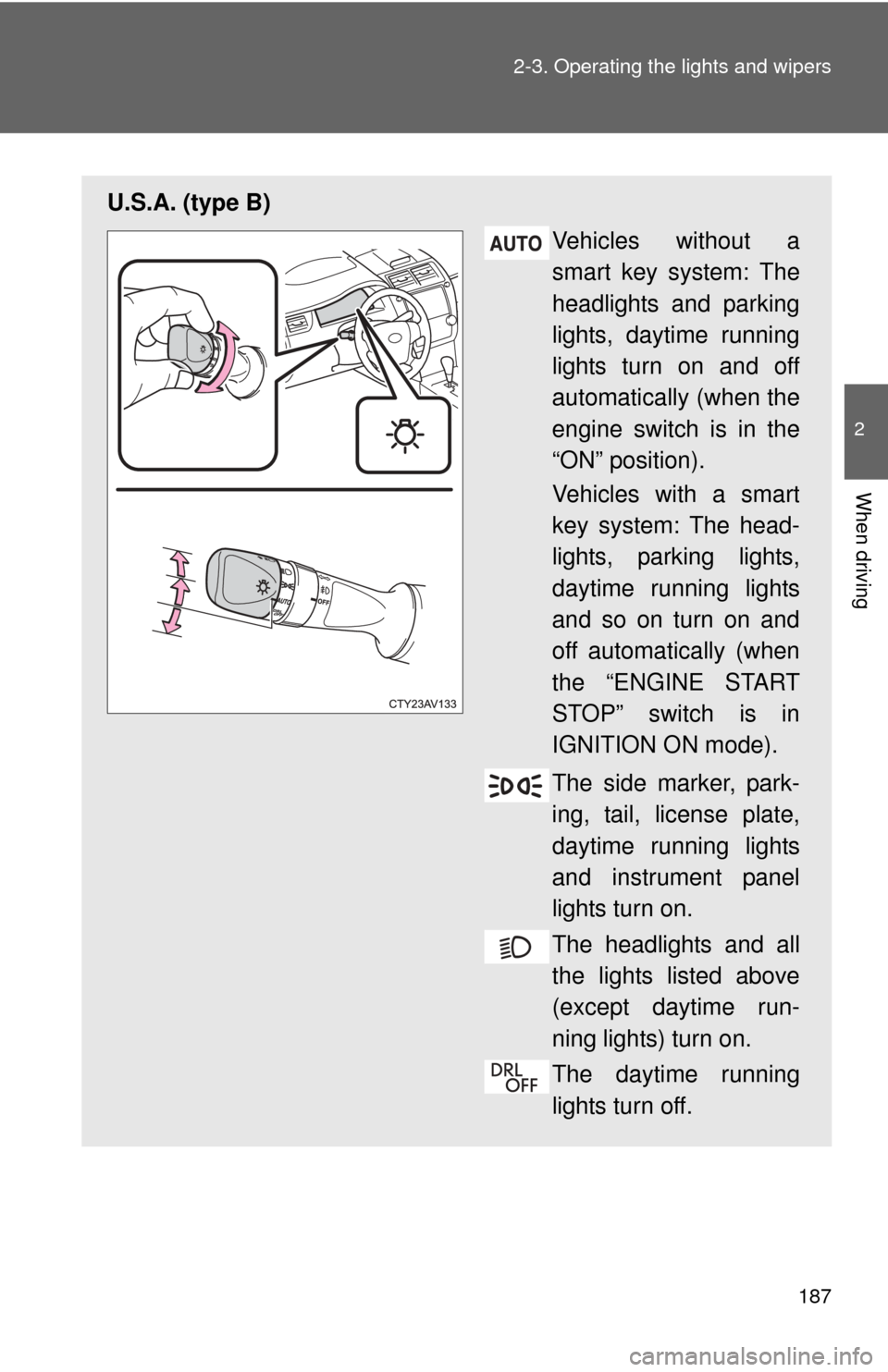
U.S.A. (type B)
Vehicles without a
smart key system: The
headlights and parking
lights, daytime running
lights turn on and off
automatically (when the
engine switch is in the
“ON” position).
Vehicles with a smart
key system: The head-
lights, parking lights,
daytime running lights
and so on turn on and
off automatically (when
the “ENGINE START
STOP” switch is in
IGNITION ON mode).
The side marker, park-
ing, tail, license plate,
daytime running lights
and instrument panel
lights turn on.
The headlights and all
the lights listed above
(except daytime run-
ning lights) turn on.
The daytime running
lights turn off.
Page 188 of 540
188 2-3. Operating the lights and wipers
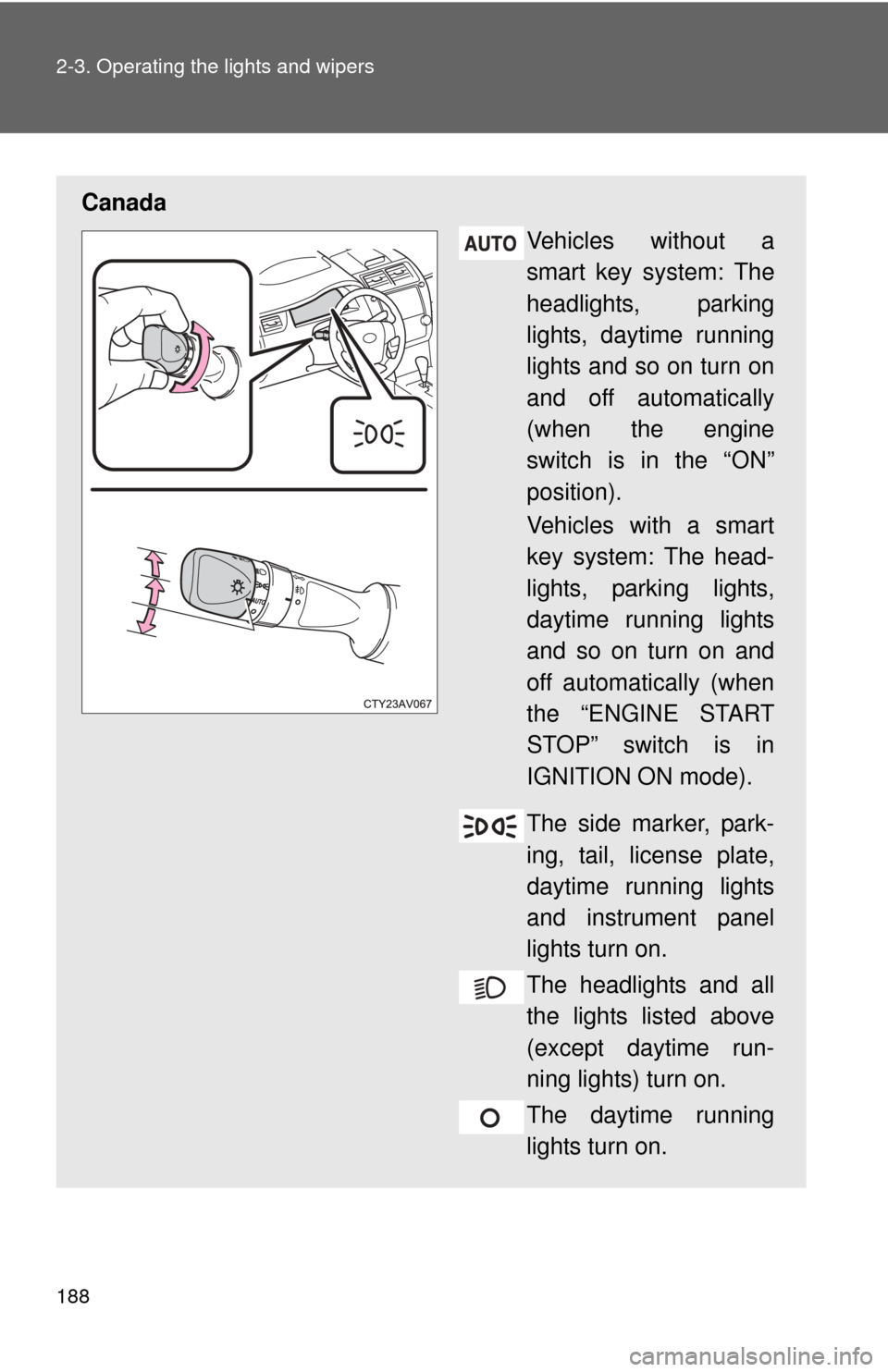
CanadaVehicles without a
smart key system: The
headlights, parking
lights, daytime running
lights and so on turn on
and off automatically
(when the engine
switch is in the “ON”
position).
Vehicles with a smart
key system: The head-
lights, parking lights,
daytime running lights
and so on turn on and
off automatically (when
the “ENGINE START
STOP” switch is in
IGNITION ON mode).
The side marker, park-
ing, tail, license plate,
daytime running lights
and instrument panel
lights turn on.
The headlights and all
the lights listed above
(except daytime run-
ning lights) turn on.
The daytime running
lights turn on.