phone TOYOTA COROLLA 2020 Owners Manual (in English)
[x] Cancel search | Manufacturer: TOYOTA, Model Year: 2020, Model line: COROLLA, Model: TOYOTA COROLLA 2020Pages: 588, PDF Size: 13.49 MB
Page 1 of 588
1
2
3
4
5
6
7
8
9
9
10
COROLLA_U
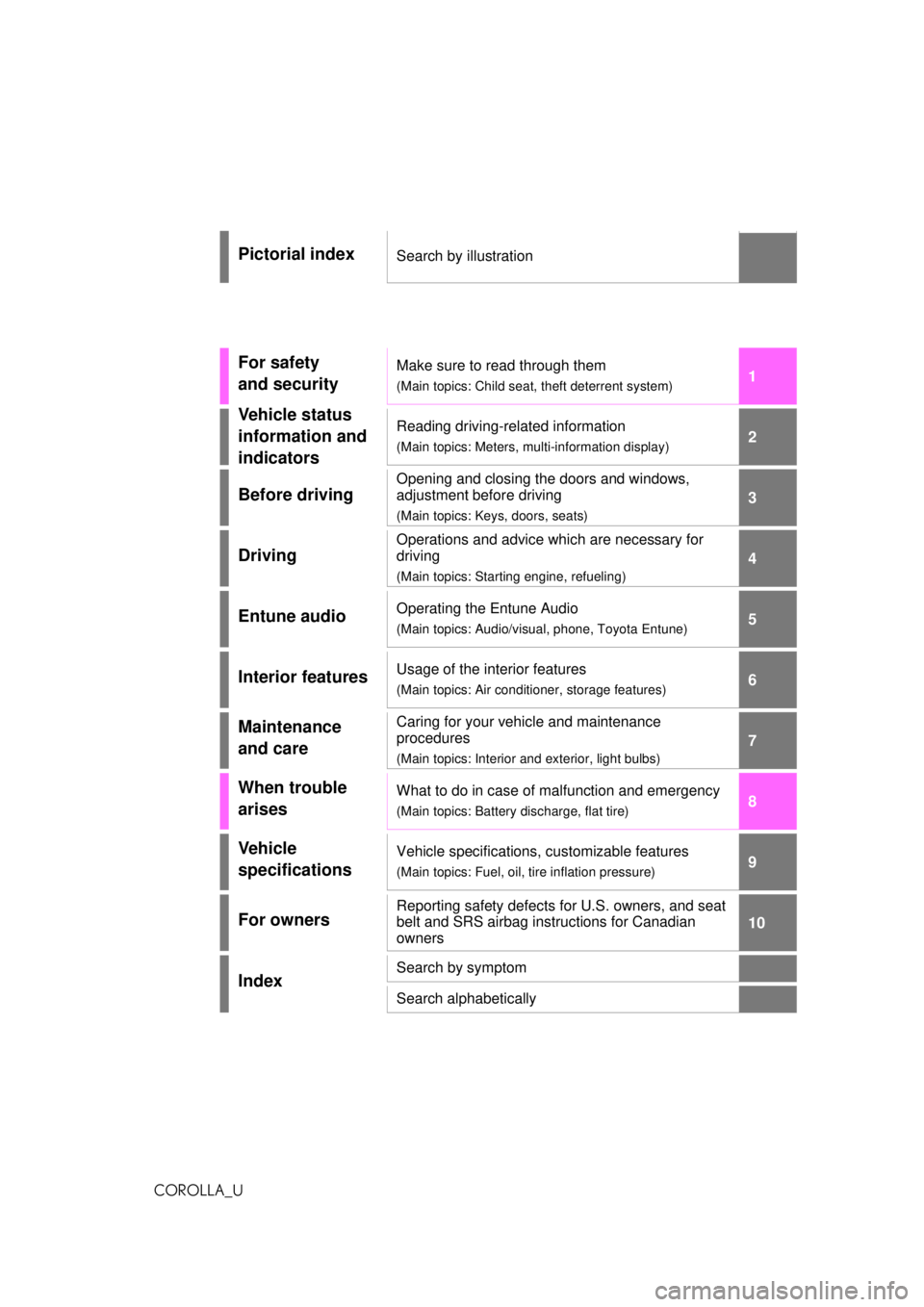
Pictorial indexSearch by illustration
For safety
and securityMake sure to read through them
(Main topics: Child seat, theft deterrent system)
Vehicle status
information and
indicatorsReading driving-related information
(Main topics: Meters, multi-information display)
Before driving
Opening and closing the doors and windows,
adjustment before driving
(Main topics: Keys, doors, seats)
Driving
Operations and advice which are necessary for
driving
(Main topics: Starting engine, refueling)
Entune audioOperating the Entune Audio
(Main topics: Audio/visual, phone, Toyota Entune)
Interior featuresUsage of the interior features
(Main topics: Air conditioner, storage features)
Maintenance
and careCaring for your vehicle and maintenance
procedures
(Main topics: Interior and exterior, light bulbs)
When trouble
arisesWhat to do in case of malfunction and emergency
(Main topics: Battery discharge, flat tire)
Vehicle
specificationsVehicle specifications, customizable features
(Main topics: Fuel, oil, tire inflation pressure)
For ownersReporting safety defects for U.S. owners, and seat
belt and SRS airbag instructions for Canadian
owners
IndexSearch by symptom
Search alphabetically
Page 3 of 588
3TABLE OF CONTENTS
COROLLA_U
1
2
3
4
5
6
7
8
9
10
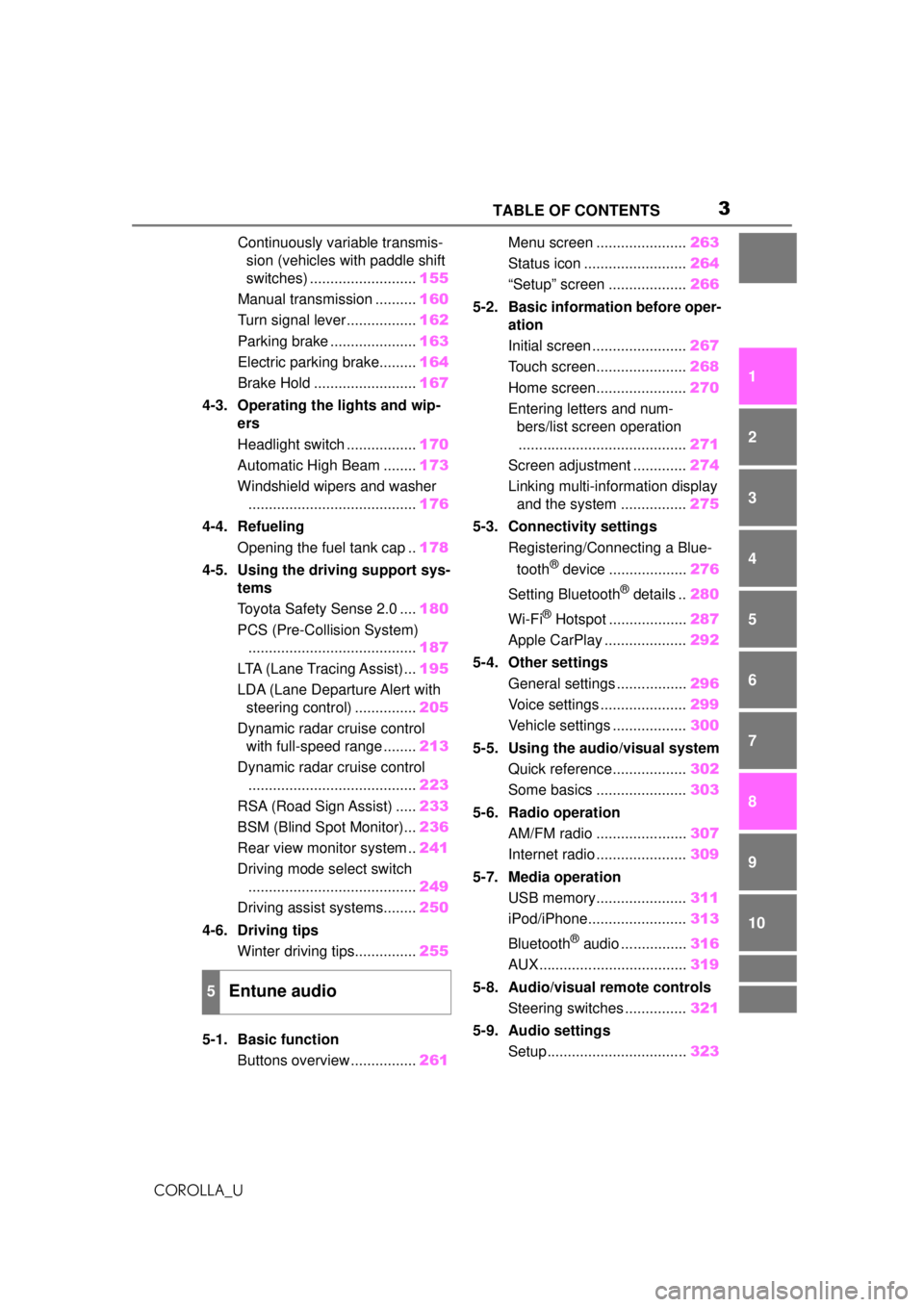
Continuously variable transmis- sion (vehicles with paddle shift
switches) .......................... 155
Manual transmission .......... 160
Turn signal lever................. 162
Parking brake ..................... 163
Electric parking brake......... 164
Brake Hold ......................... 167
4-3. Operating the lights and wip- ers
Headlight switch ................. 170
Automatic High Beam ........ 173
Windshield wipers and washer ......................................... 176
4-4. Refueling Opening the fuel tank cap .. 178
4-5. Using the driving support sys- tems
Toyota Safety Sense 2.0 .... 180
PCS (Pre-Collision System) ......................................... 187
LTA (Lane Tracing Assist)... 195
LDA (Lane Departure Alert with steering control) ............... 205
Dynamic radar cruise control with full-speed range ........ 213
Dynamic radar cruise control ......................................... 223
RSA (Road Sign Assist) ..... 233
BSM (Blind Spot Monitor)... 236
Rear view monitor system .. 241
Driving mode select switch ......................................... 249
Driving assist systems........ 250
4-6. Driving tips Winter driving tips............... 255
5-1. Basic function Buttons overview ................ 261Menu screen ......................
263
Status icon ......................... 264
“Setup” screen ................... 266
5-2. Basic information before oper- ation
Initial screen ....................... 267
Touch screen...................... 268
Home screen...................... 270
Entering letters and num- bers/list screen operation
......................................... 271
Screen adjustment ............. 274
Linking multi-information display and the system ................ 275
5-3. Connectivity settings Registering/Connecting a Blue-
tooth
® device ................... 276
Setting Bluetooth
® details .. 280
Wi-Fi
® Hotspot ................... 287
Apple CarPlay .................... 292
5-4. Other settings General settings ................. 296
Voice settings ..................... 299
Vehicle settings .................. 300
5-5. Using the audio/visual system Quick reference.................. 302
Some basics ...................... 303
5-6. Radio operation AM/FM radio ...................... 307
Internet radio ...................... 309
5-7. Media operation USB memory...................... 311
iPod/iPhone........................ 313
Bluetooth
® audio ................ 316
AUX.................................... 319
5-8. Audio/visual remote controls Steering switches ............... 321
5-9. Audio settings Setup.................................. 323
5Entune audio
Page 4 of 588
4TABLE OF CONTENTS
COROLLA_U
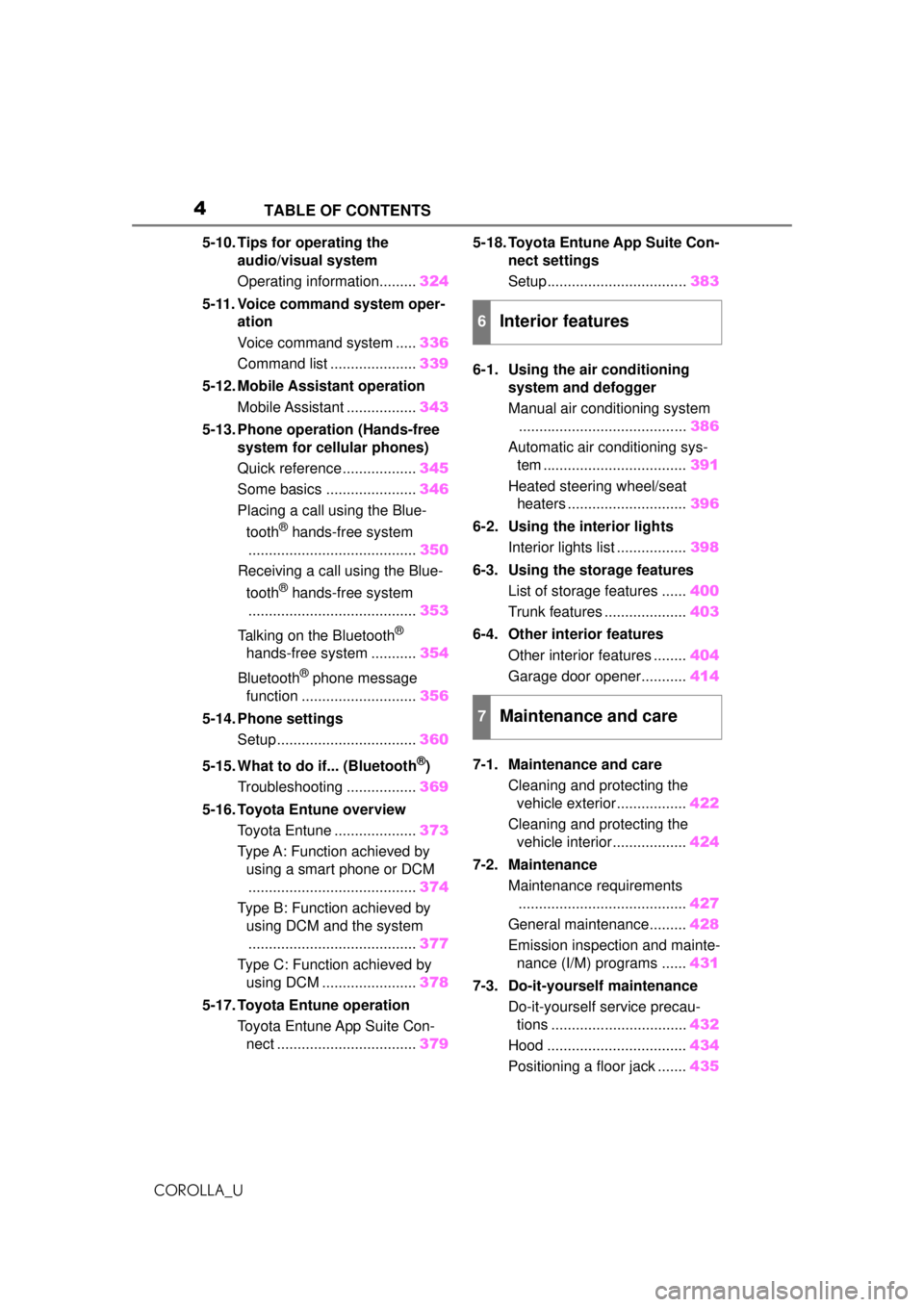
5-10. Tips for operating the audio/visual system
Operating information......... 324
5-11. Voice command system oper- ation
Voice command system ..... 336
Command list ..................... 339
5-12. Mobile Assistant operation Mobile Assistant ................. 343
5-13. Phone operation (Hands-free system for cellular phones)
Quick reference .................. 345
Some basics ...................... 346
Placing a call using the Blue-
tooth
® hands-free system
......................................... 350
Receiving a call using the Blue-
tooth
® hands-free system
......................................... 353
Talking on the Bluetooth
®
hands-free system ........... 354
Bluetooth
® phone message
function ............................ 356
5-14. Phone settings Setup .................................. 360
5-15. What to do if... (Bluetooth
®)
Troubleshooting ................. 369
5-16. Toyota Entune overview Toyota Entune .................... 373
Type A: Function achieved by using a smart phone or DCM
......................................... 374
Type B: Function achieved by using DCM and the system......................................... 377
Type C: Function achieved by using DCM ....................... 378
5-17. Toyota Entune operation Toyota Entune App Suite Con-nect .................................. 3795-18. Toyota Entune App Suite Con-
nect settings
Setup.................................. 383
6-1. Using the air conditioning system and defogger
Manual air conditioning system......................................... 386
Automatic air conditioning sys- tem ................................... 391
Heated steering wheel/seat heaters ............................. 396
6-2. Using the interior lights Interior lights list ................. 398
6-3. Using the storage features List of storage features ...... 400
Trunk features .................... 403
6-4. Other interior features Other interior features ........ 404
Garage door opener........... 414
7-1. Maintenance and care Cleaning and protecting the vehicle exterior................. 422
Cleaning and protecting the vehicle interior.................. 424
7-2. Maintenance Maintenance requirements......................................... 427
General maintenance......... 428
Emission inspection and mainte- nance (I/M) programs ...... 431
7-3. Do-it-yourself maintenance Do-it-yourself service precau-tions ................................. 432
Hood .................................. 434
Positioning a floor jack ....... 435
6Interior features
7Maintenance and care
Page 9 of 588
9
COROLLA_Uvehicle safety performance
• Disclose the data to a third party for research purposes without
disclosing information about the
specific vehicle or vehicle owner
The SRS airbag and seat belt
pretensioner devices in your
Toyota contain explosive chemi-
cals. If the vehicle is scrapped
with the airbags and seat belt
pretensioners left as they are,
this may cause an accident such
as fire. Be sure to have the sys-
tems of the SRS airbag and seat
belt pretensioner removed and
disposed of by a qualified ser-
vice shop or by your Toyota
dealer before you scrap your
vehicle.
Special handling may apply, See
www.dtsc.ca.gov/
hazardouswaste/perchlorate.
Your vehicle has components
that may contain perchlorate.
These components may include
the airbags, seat belt preten-
sioners, wireless remote control
batteries, and the batteries in
the tire pressure warning valve
and transmitters.
Scrapping of your Toyota
Perchlorate Material
WARNING
■General precautions while
driving
Driving under the influence: Never
drive your vehicle when under the
influence of alcohol or drugs that
have impaired your ability to oper-
ate your vehicle. Alcohol and cer-
tain drugs delay reaction time,
impair judgment and reduce coor-
dination, which could lead to an
accident that could result in death
or serious injury.
Defensive driving: Always drive
defensively. Anticipate mistakes
that other drivers or pedestrians
might make and be ready to avoid
accidents.
Driver distraction: Always give
your full attention to driving. Any-
thing that distracts the driver, such
as adjusting controls, talking on a
cellular phone or reading can
result in a collisio n with resulting
death or serious injury to you,
your occupants or others.
■General precaution regarding
children’s safety
Never leave children unattended
in the vehicle, and never allow
children to have or use the key.
Children may be able to start the
vehicle or shift the vehicle into
neutral. There is also a danger
that children ma y injure them-
selves by playing with the win-
dows, the moon roof, or other
features of the vehicle. In addi-
tion, heat build-up or extremely
cold temperatures inside the vehi-
cle can be fatal to children.
Page 17 of 588
17Pictorial index
COROLLA_U
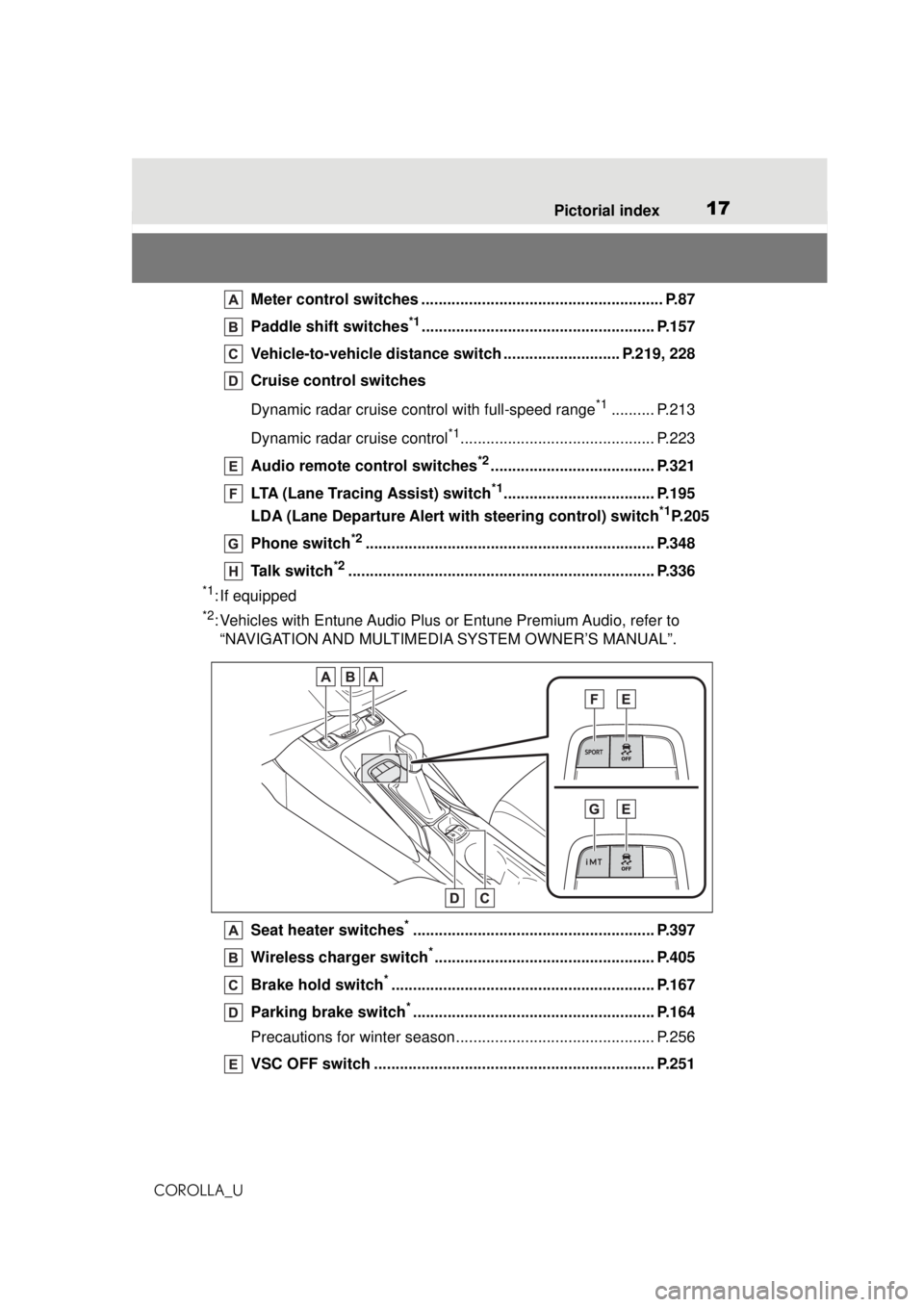
Meter control switches ............... ......................................... P.87
Paddle shift switches
*1...................................................... P.157
Vehicle-to-vehicle distance swit ch ........................... P.219, 228
Cruise control switches
Dynamic radar cruise control with full-speed range
*1.......... P.213
Dynamic radar cruise control
*1............................................. P.223
Audio remote control switches
*2...................................... P.321
LTA (Lane Tracing Assist) switch
*1................................... P.195
LDA (Lane Departure Alert with steering control) switch
*1P.205
Phone switch
*2................................................................... P.348
Talk switch
*2....................................................................... P.336
*1: If equipped
*2: Vehicles with Entune Audio Plus or Entune Premium Audio, refer to “NAVIGATION AND MULTIMEDIA SYSTEM OWNER’S MANUAL”.
Seat heater switches
*........................................................ P.397
Wireless charger switch
*................................................... P.405
Brake hold switch
*............................................................. P.167
Parking brake switch
*........................................................ P.164
Precautions for winter season.... .......................................... P.256
VSC OFF switch ................................................................. P.251
Page 61 of 588
611-3. Emergency assistance
COROLLA_U
1
For safety and security
1-3.Emergency assistance
*: If equipped
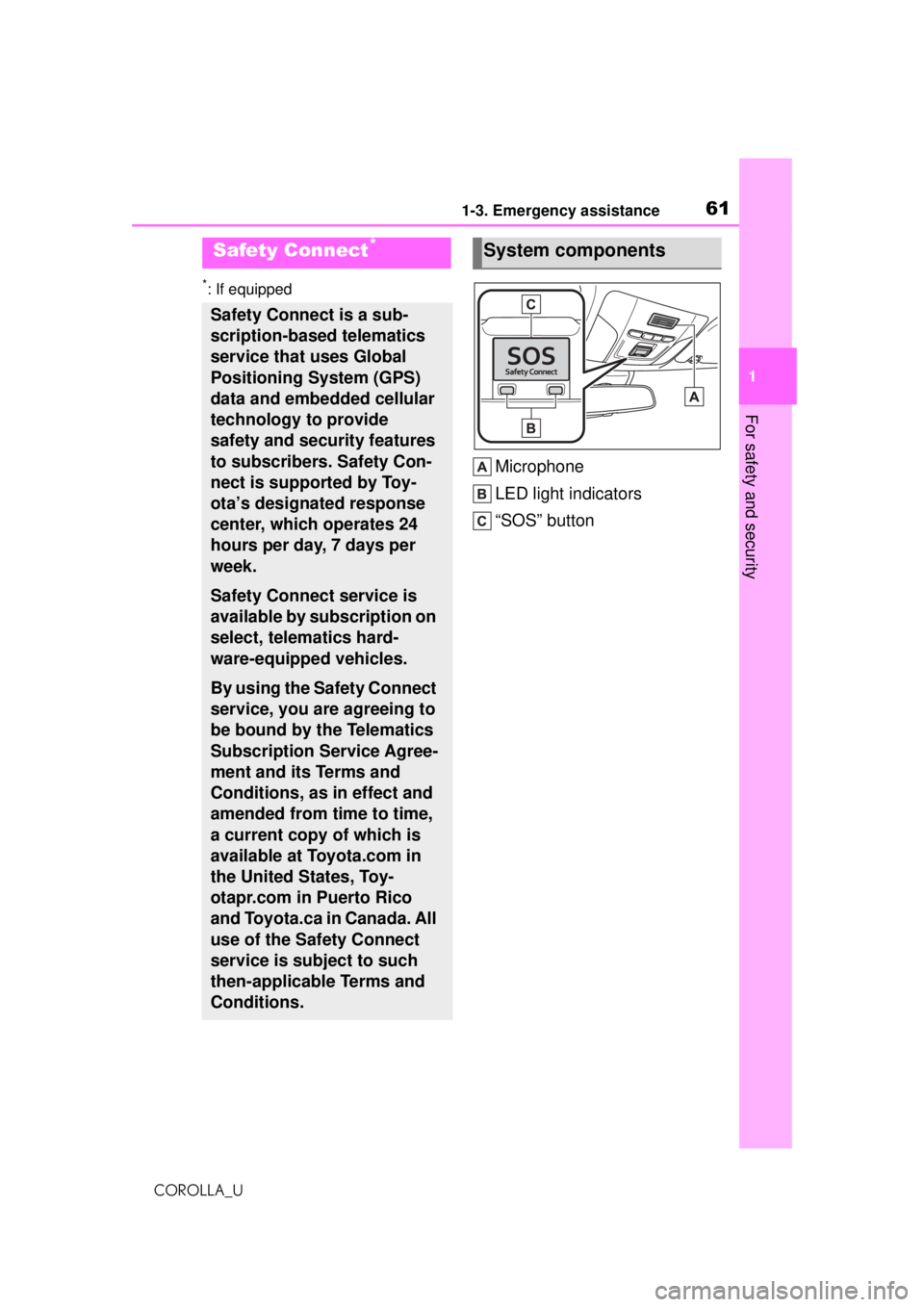
Microphone
LED light indicators
“SOS” button
Safety Connect*
Safety Connect is a sub-
scription-based telematics
service that uses Global
Positioning System (GPS)
data and embedded cellular
technology to provide
safety and security features
to subscribers. Safety Con-
nect is supported by Toy-
ota’s designated response
center, which operates 24
hours per day, 7 days per
week.
Safety Connect service is
available by subscription on
select, telematics hard-
ware-equipped vehicles.
By using the Safety Connect
service, you are agreeing to
be bound by the Telematics
Subscription Service Agree-
ment and its Terms and
Conditions, as in effect and
amended from time to time,
a current copy of which is
available at Toyota.com in
the United States, Toy-
otapr.com in Puerto Rico
and Toyota.ca in Canada. All
use of the Safety Connect
service is subject to such
then-applicable Terms and
Conditions.
System components
Page 63 of 588
631-3. Emergency assistance
COROLLA_U
1
For safety and security
Subscribers have the following
Safety Connect services avail-
able:
Automatic Collision Notifica-
tion
*
Helps drivers re ceive necessary
response from emergency service
providers. (
P. 6 4)
*: U.S. Patent No. 7,508,298 B2
Stolen Vehicle Location
Helps drivers in the event of vehicle
theft. (
P. 6 4)
Emergency Assistance Button
(“SOS”)
Connects drivers to response-cen-
ter support. (
P. 6 5)
Enhanced Roadside Assis-
tance
Provides drivers various on-road
assistance. (
P. 6 5)
After you have signed the
Telematics Subscription Service
Agreement and are enrolled,
you can begin receiving ser-
vices.
A variety of subscription terms
are available for purchase. Con-
tact your Toyota dealer, call the
following appropriate Safety
Connect response center or
push the “SOS” button in your
vehicle for further subscription
details. • The United States
1-855-405-6500
• Canada
1-888-869-6828
• Puerto Rico
1-877-855-8377
■Safety Connect Services Infor-
mation
●Phone calls using the vehicle’s
Bluetooth® technology will not be
possible during Safety Connect.
●Safety Connect is available begin-
ning Fall 2009 on select Toyota
models (in the contiguous United
States only). Contact with the
Safety Connect response center
is dependent upon the telematics
device being in operative condi-
tion, cellular con nection availabil-
ity, and GPS satellite signal
reception, which can limit the abil-
ity to reach the response center or
receive emergency service sup-
port. Enrollment and Telematics
Subscription Service Agreement
are required. A variety of subscrip-
tion terms are available; charges
vary by subscripti on term selected
and location.
●Automatic Collision Notification,
Emergency Assistance and Stolen
Vehicle Location are available in
the United States, including
Hawaii and Alaska, Puerto Rico
and Canada, and Enhanced
Roadside Assistance are avail-
able in the United States, Puerto
Rico and Canada.
●Automatic Collision Notification,
Emergency Assistance, Stolen
Vehicle and Enhanced Road
Assistance are not available in the
U.S. Virgin Islands.
For vehicles first sold in the U.S.
Virgin Islands, no Safety Connect
services will function in or outside
the U.S. Virgin Islands.
Services
Subscription
Page 65 of 588
651-3. Emergency assistance
COROLLA_U
1
For safety and security
enforcement with recovery of a
stolen vehicle, Safety-Con-
nect-equipped vehicle location
data may, under certain circum-
stances, be shared with third
parties to locate your vehicle.
Further information is available
at Toyota.com in the United
States, Toyotapr.com in Puerto
Rico and Toyota.ca in Canada.
■Emergency Assistance But-
ton (“SOS”)
In the event of an emergency on
the road, push the “SOS” button
to reach the Safety Connect
response center. The answer-
ing agent will determine your
vehicle’s location, assess the
emergency, and dispatch the
necessary assistance required.
If you accidentally press the “SOS”
button, tell the response-center
agent that you are not experiencing
an emergency.
■Enhanced Roadside Assis-
tance
Enhanced Roadside Assistance
adds GPS data to the already
included warranty-based Toyota
roadside service.
Subscribers can press the
“SOS” button to reach a Safety
Connect response-center agent,
who can help with a wide range
of needs, such as: towing, flat
tire, fuel delivery, etc. For a
description of the Enhanced
Roadside Assistance services
and their limitations, please see the Safety Connect Terms and
Conditions, which are available
at Toyota.com in the United
States, Toyotapr.com in Puerto
Rico and Toyota.ca in Canada.
Important! Read this informa-
tion before using Safety Con-
nect.
■Exposure to radio fre-
quency signals
The Safety Connect system
installed in your vehicle is a
low-power radio transmitter and
receiver. It receives and also
sends out radio frequency (RF)
signals.
In August 1996, the Federal
Communications Commission
(FCC) adopted RF exposure
guidelines with sa fety levels for
mobile wireless phones. Those
guidelines are consistent with
the safety standards previously
set by the following U.S. and
international standards bodies.
ANSI (American National
Standards Institute) C95.1
[1992]
NCRP (National Council on
Radiation Protection and
Measurement) Report 86
[1986]
ICNIRP (International Com-
mission on Non-Ionizing Radi-
Safety information for
Safety Connect
Page 97 of 588
973-1. Key information
COROLLA_U
3
Before driving
the key in your bag, etc., ensure that
the buttons are not likely to be
pressed accidentally. Pressing a
button may cause the key to emit
radio waves that could interfere with
the operation of the aircraft.
■Key battery depletion (with a
wireless remote control func-
tion)
Vehicles without a smart key sys-
tem
●The standard battery life is 1 to 2
years.
●The battery will be come depleted
even if the key is not used. The
following symptoms indicate that
the key battery may be depleted.
Replace the battery when neces-
sary. ( P.458)
• The wireless remote control does not operate.
• The detection area becomes
smaller.
Vehicles with a smart key system
●The standard battery life is 1 to 2
years.
●If the battery becomes low, an
alarm will sound in the cabin and a
message will be shown on the
multi-information display when the
engine is stopped.
●To reduce key battery depletion
when the electronic key is to not
be used for long periods of time,
set the electronic key to the bat-
tery-saving mode. ( P.113)
●As the electronic key always
receives radio waves, the battery
will become depleted even if the
electronic key is not used. The fol-
lowing symptoms indicate that the
electronic key battery may be
depleted. Replace the battery
when necessary. ( P.458)
• The smart key system or the wire-
less remote control does not oper-
ate.
• The detection area becomes
smaller.
• The LED indicator on the key sur- face does not turn on.
●To avoid serious deterioration, do
not leave the electronic key within
3 ft. (1 m) of the following electri-
cal appliances that produce a
magnetic field:
•TVs
• Personal computers
• Cellular phones, cordless phones and battery chargers
• Recharging cellular phones or
cordless phones
• Table lamps
• Induction cookers
●If the electronic key is near the
vehicle for longer than necessary,
even if the smart key system is not
operated, the key battery may
become depleted faster than nor-
mal.
■Replacing the battery (with a
wireless remote control func-
tion)
P.458
■If “A New Key has been Regis-
tered Contact Your Dealer for
Details” is shown on the
multi-information display (vehi-
cles with a smart key system)
This message will be displayed
each time the driver’s door is
opened when the doors are
unlocked from the outside for
approximately 10 days after a new
electronic key has been registered.
If this message is displayed but you
have not had a new electronic key
registered, ask your Toyota dealer to
check if an unknown electronic key
(other than those in your posses-
sion) has been registered.
■If a wrong key is used (with a
wireless remote control func-
tion)
The key cylinder rotates freely, iso-
lated from the internal mechanism.
Page 99 of 588
993-1. Key information
COROLLA_U
3
Before driving
Locks the doors ( P.103)
Unlocks the doors ( P.103)
Opens the windows
*1 and
moon roof
*1, 2 ( P.103)
Opens the trunk ( P. 1 1 0 )
Sounds the alarm ( P. 9 9 )
*1: This setting must be customized
at your Toyota dealer.
*2: If equipped
■Panic mode (with a wireless
remote control function)
Vehicles without a smart key sys-
tem
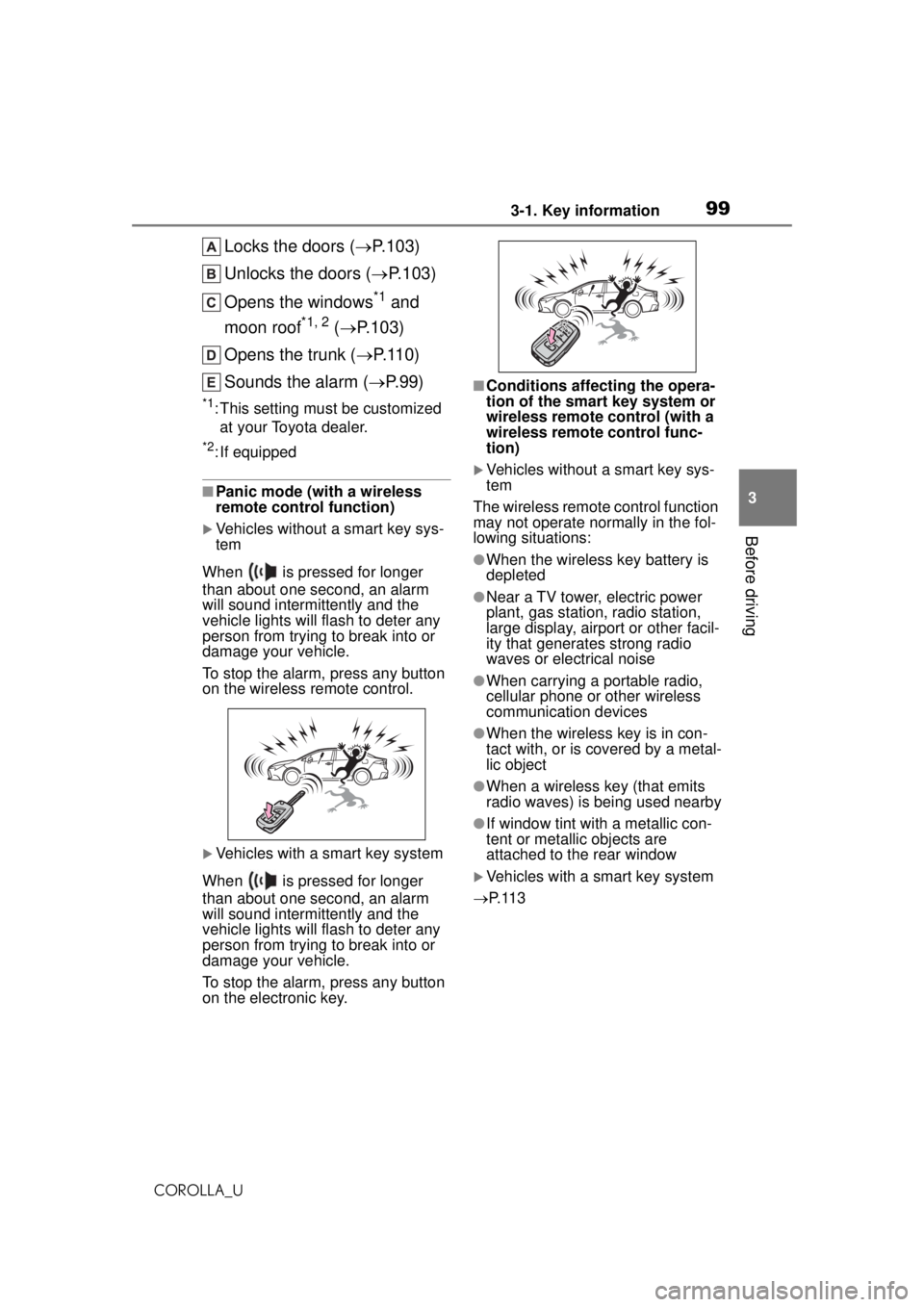
When is pressed for longer
than about one second, an alarm
will sound intermittently and the
vehicle lights will flash to deter any
person from trying to break into or
damage your vehicle.
To stop the alarm, press any button
on the wireless remote control.
Vehicles with a smart key system
When is pressed for longer
than about one second, an alarm
will sound intermittently and the
vehicle lights will flash to deter any
person from trying to break into or
damage your vehicle.
To stop the alarm, press any button
on the electronic key.
■Conditions affecting the opera-
tion of the smart key system or
wireless remote control (with a
wireless remote control func-
tion)
Vehicles without a smart key sys-
tem
The wireless remote control function
may not operate normally in the fol-
lowing situations:
●When the wireless key battery is
depleted
●Near a TV tower, electric power
plant, gas station, radio station,
large display, airport or other facil-
ity that generates strong radio
waves or electrical noise
●When carrying a portable radio,
cellular phone or other wireless
communication devices
●When the wireless key is in con-
tact with, or is covered by a metal-
lic object
●When a wireless key (that emits
radio waves) is being used nearby
●If window tint with a metallic con-
tent or metallic objects are
attached to the rear window
Vehicles with a smart key system
P. 1 1 3