fuel TOYOTA COROLLA CROSS 2022 Owner's Manual
[x] Cancel search | Manufacturer: TOYOTA, Model Year: 2022, Model line: COROLLA CROSS, Model: TOYOTA COROLLA CROSS 2022Pages: 612, PDF Size: 17.18 MB
Page 139 of 612
139
4
4
Driving
Driving
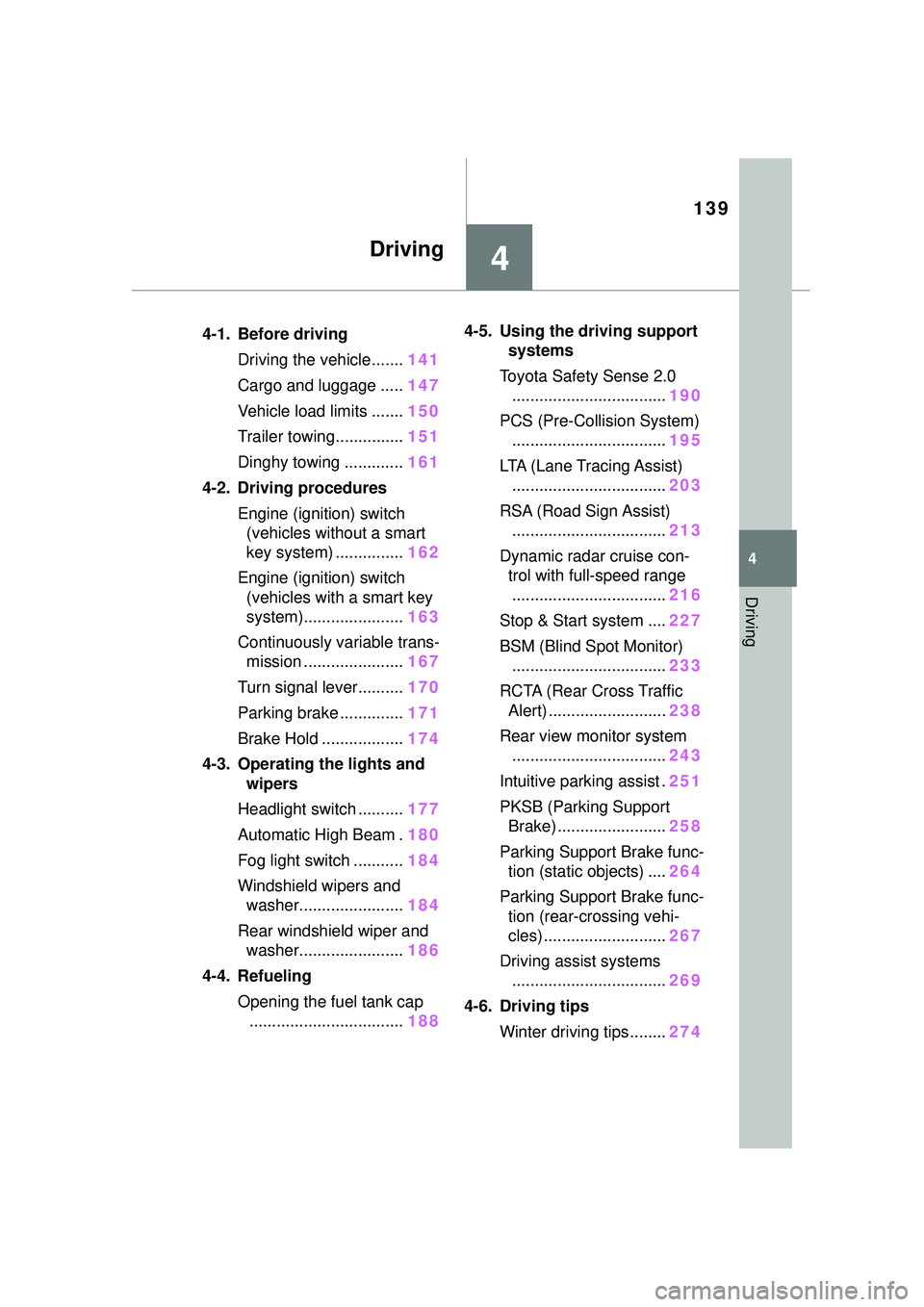
.4-1. Before drivingDriving the vehicle....... 141
Cargo and luggage ..... 147
Vehicle load limits ....... 150
Trailer towing............... 151
Dinghy towing ............. 161
4-2. Driving procedures Engine (ignition) switch (vehicles without a smart
key system) ............... 162
Engine (ignition) switch (vehicles with a smart key
system)...................... 163
Continuously variable trans- mission ...................... 167
Turn signal lever.......... 170
Parking brake .............. 171
Brake Hold .................. 174
4-3. Operating the lights and wipers
Headlight switch .......... 177
Automatic High Beam . 180
Fog light switch ........... 184
Windshield wipers and washer....................... 184
Rear windshield wiper and washer....................... 186
4-4. Refueling Opening the fuel tank cap.................................. 1884-5. Using the driving support
systems
Toyota Safety Sense 2.0 .................................. 190
PCS (Pre-Collision System) .................................. 195
LTA (Lane Tracing Assist) .................................. 203
RSA (Road Sign Assist) .................................. 213
Dynamic radar cruise con- trol with full-speed range
.................................. 216
Stop & Start system .... 227
BSM (Blind Spot Monitor) .................................. 233
RCTA (Rear Cross Traffic Alert) .......................... 238
Rear view monitor system .................................. 243
Intuitive parking assist . 251
PKSB (Parking Support Brake) ........................ 258
Parking Support Brake func- tion (static objects) .... 264
Parking Support Brake func- tion (rear-crossing vehi-
cles) ........................... 267
Driving assist systems .................................. 269
4-6. Driving tips Winter driving tips........ 274
Page 142 of 612
1424-1. Before driving
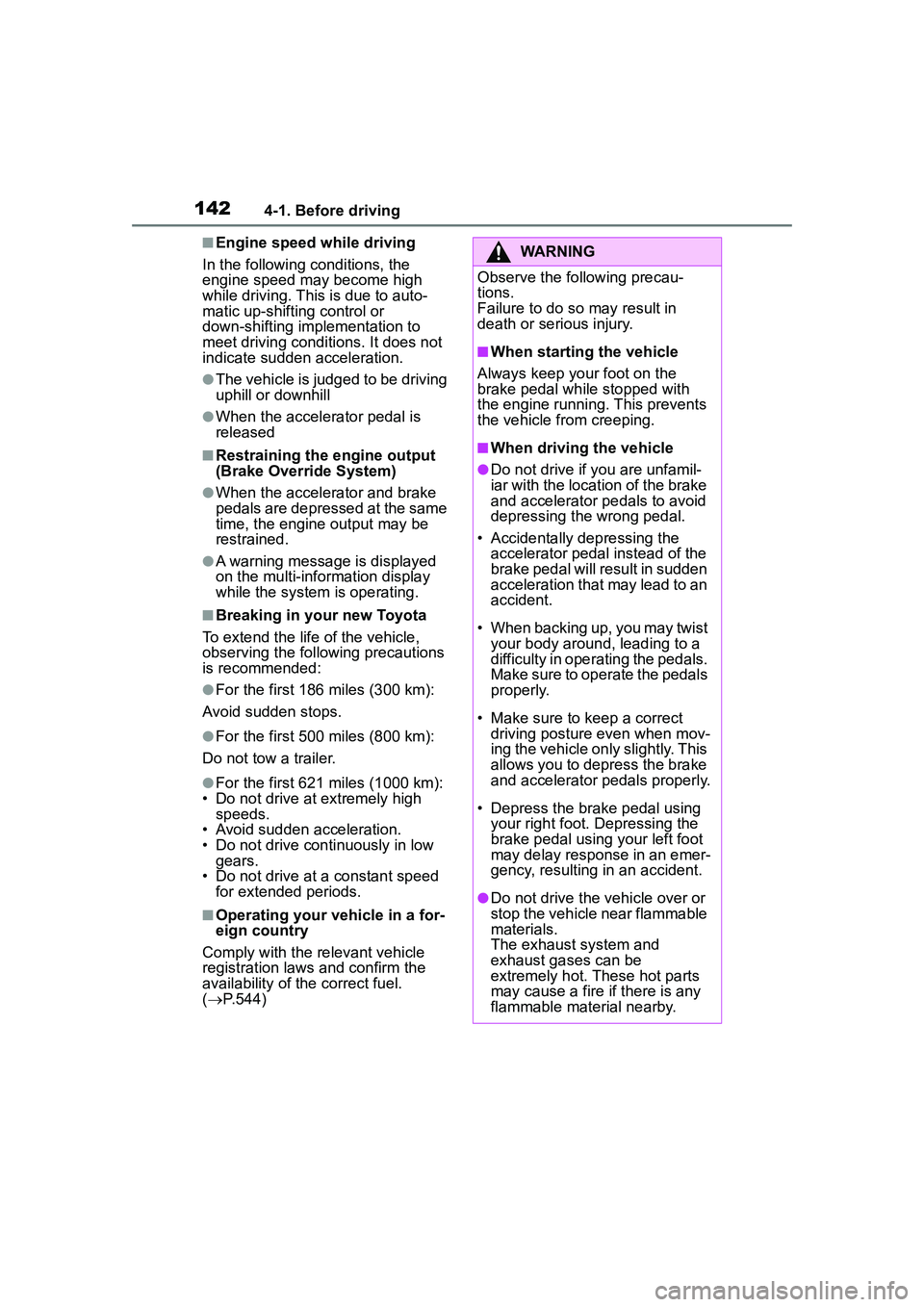
■Engine speed while driving
In the following conditions, the
engine speed may become high
while driving. This is due to auto-
matic up-shifting control or
down-shifting implementation to
meet driving conditions. It does not
indicate sudden acceleration.
●The vehicle is judged to be driving
uphill or downhill
●When the accelerator pedal is
released
■Restraining the engine output
(Brake Override System)
●When the accelerator and brake
pedals are depressed at the same
time, the engine output may be
restrained.
●A warning message is displayed
on the multi-information display
while the system is operating.
■Breaking in your new Toyota
To extend the life of the vehicle,
observing the following precautions
is recommended:
●For the first 186 miles (300 km):
Avoid sudden stops.
●For the first 500 miles (800 km):
Do not tow a trailer.
●For the first 621 miles (1000 km):
• Do not drive at extremely high speeds.
• Avoid sudden acceleration.
• Do not drive continuously in low gears.
• Do not drive at a constant speed for extended periods.
■Operating your vehicle in a for-
eign country
Comply with the relevant vehicle
registration laws and confirm the
availability of the correct fuel.
( P.544)
WARNING
Observe the following precau-
tions.
Failure to do so may result in
death or serious injury.
■When starting the vehicle
Always keep your foot on the
brake pedal while stopped with
the engine running. This prevents
the vehicle from creeping.
■When driving the vehicle
●Do not drive if you are unfamil-
iar with the location of the brake
and accelerator pedals to avoid
depressing the wrong pedal.
• Accidentally depressing the accelerator pedal instead of the
brake pedal will result in sudden
acceleration that may lead to an
accident.
• When backing up, you may twist your body around, leading to a
difficulty in operating the pedals.
Make sure to operate the pedals
properly.
• Make sure to keep a correct driving posture even when mov-
ing the vehicle only slightly. This
allows you to depress the brake
and accelerator pedals properly.
• Depress the brake pedal using your right foot. Depressing the
brake pedal using your left foot
may delay response in an emer-
gency, resulting in an accident.
●Do not drive the vehicle over or
stop the vehicle near flammable
materials.
The exhaust system and
exhaust gases can be
extremely hot. These hot parts
may cause a fire if there is any
flammable material nearby.
Page 151 of 612
1514-1. Before driving
4
Driving
WARNING
■Overloading the vehicle
Do not overload the vehicle.
It may not only cause damage to
the tires, but also degrade steer-
ing and braking ability, resulting in
an accident.
Trailer towing
Your vehicle is designed pri-
marily as a passen-
ger-and-load-carrying
vehicle. Towing a trailer can
have an adverse impact on
handling, performance,
braking, durability, and fuel
consumption. For your
safety and the safety of oth-
ers, you must not overload
your vehicle or trailer. You
must also ensure that you
are using appropriate tow-
ing equipment, that the tow-
ing equipment has been
installed correctly and used
properly, and that you
employ the requisite driv-
ing habits.
Vehicle-trailer stability and
braking performance are
affected by trailer stability,
brake performance and set-
ting, trailer brakes, the hitch
and hitch systems (if
equipped).
To tow a trailer safely, use
extreme care and drive the
vehicle in accordance with
your trailer’s characteris-
tics and operating condi-
tions.
Page 167 of 612
1674-2. Driving procedures
4
Driving
If the engine is stopped with the
shift lever in a position other
than P, the engine switch will not
be turned off but instead be
turned to ACC. Perform the fol-
lowing procedure to turn the
switch off:
1Check that the parking brake
is set.
2 Shift the shift lever to P.
3 Check that “ACCESSORY” is
displayed on the multi-infor-
mation display and press the
engine switch shortly and
firmly.
4 Check that “ACCESSORY”
or “IGNITION ON” on the
multi-information display are
off.
*: To improve fuel efficiency and
reduce noise, shift the shift lever
to D for normal driving.
■To protect the continuously
variable transmission
If the transmission fluid tempera-
ture is high, “Transmission Oil
Temp. High Stop in a Safe Place
and See Owner’s Manual” will be
displayed while driving, make sure
to return to D position driving and
reduce speed by easing off the
accelerator pedal. Stop the vehicle
in a safe place, shift the shift lever to
P and let the engine idle until the
warning message goes out.
When the warning message goes
When stopping the engine
with the shift lever in a
position other than P
NOTICE
■To prevent battery discharge
Do not stop the engine when the
shift lever is in a position other
than P. If the engine is stopped in
another shift lever position, the
engine switch will not be turned
off but instead be turned to ACC
mode. If the vehicle is left in ACC,
battery discharge may occur.
Continuously variable
transmission
Select the shift position
depending on your purpose
and situation.
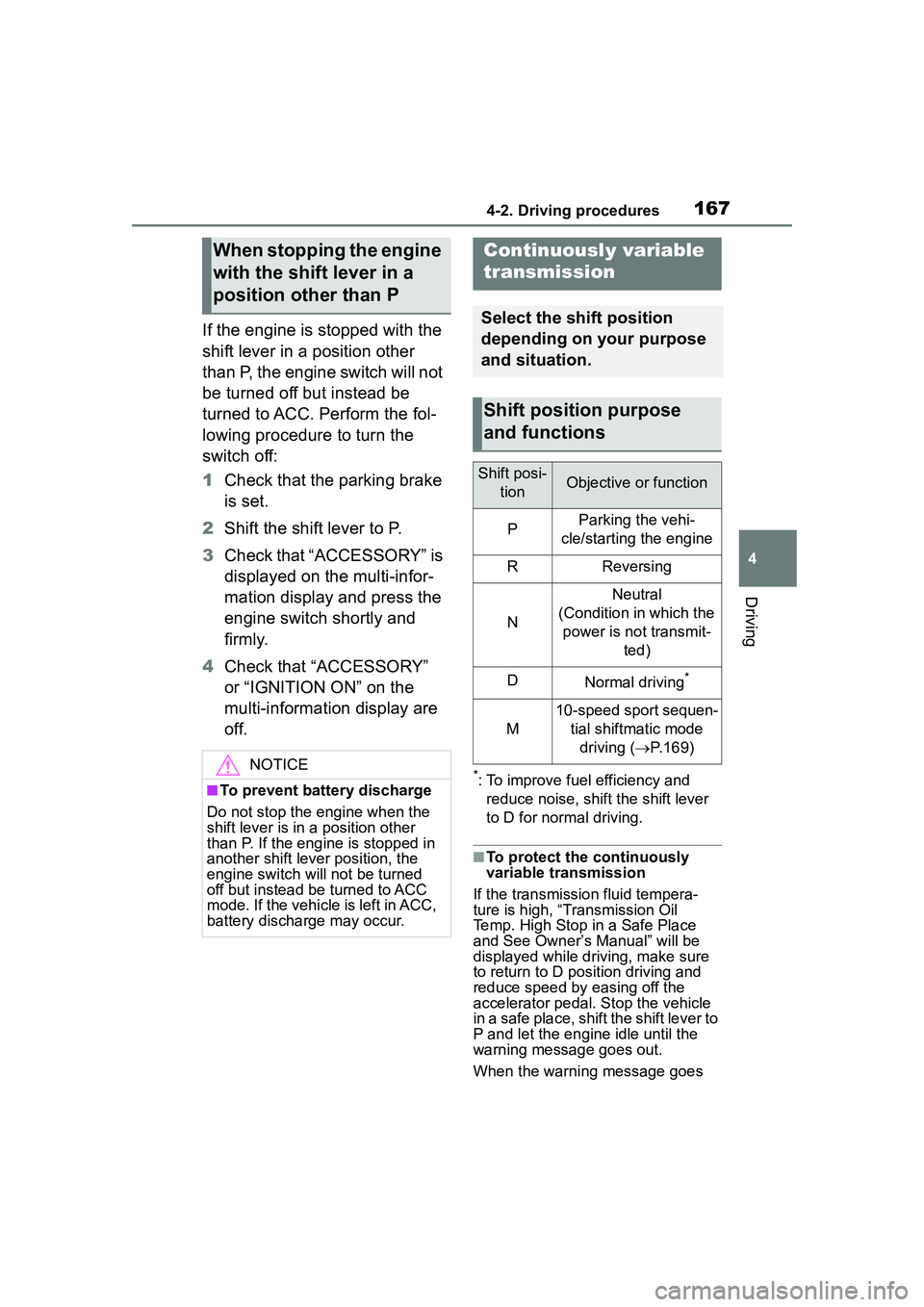
Shift position purpose
and functions
Shift posi- tionObjective or function
PParking the vehi-
cle/starting the engine
RReversing
N
Neutral
(Condition in which the power is not transmit- ted)
DNormal driving*
M
10-speed sport sequen-tial shiftmatic mode driving ( P.169)
Page 178 of 612
1784-3. Operating the lights and wipers
■Daytime running light system
●Vehicles without a smart key sys-
tem :The daytime running lights
illuminate using the same lights as
the headlights and illuminate
darker than the headlights.
Vehicles with a smart key system
:The daytime running lights illumi-
nate using the same lights as the
parking lights and illuminate darker
than the parking lights.
●To make your vehicle more visible
to other drivers during daytime
driving, the daytime running lights
turn on automatically when all of
the following conditions are met.
(The daytime running lights are
not designed for use at night.)
• The engine is running
• The parking brake is released
• Type A: The headlight switch is in
the or
* position
Type B: The headlight switch is in
the or position
*: When the surroundings are bright
The daytime running lights remain
on after they illuminate, even if the
parking brake is set again.
●Daytime running lights can be
turned off by operating the switch.
●Compared to turning on the head-
lights, the daytime running light
system offers greater durability
and consumes less electricity, so
it can help improve fuel economy.
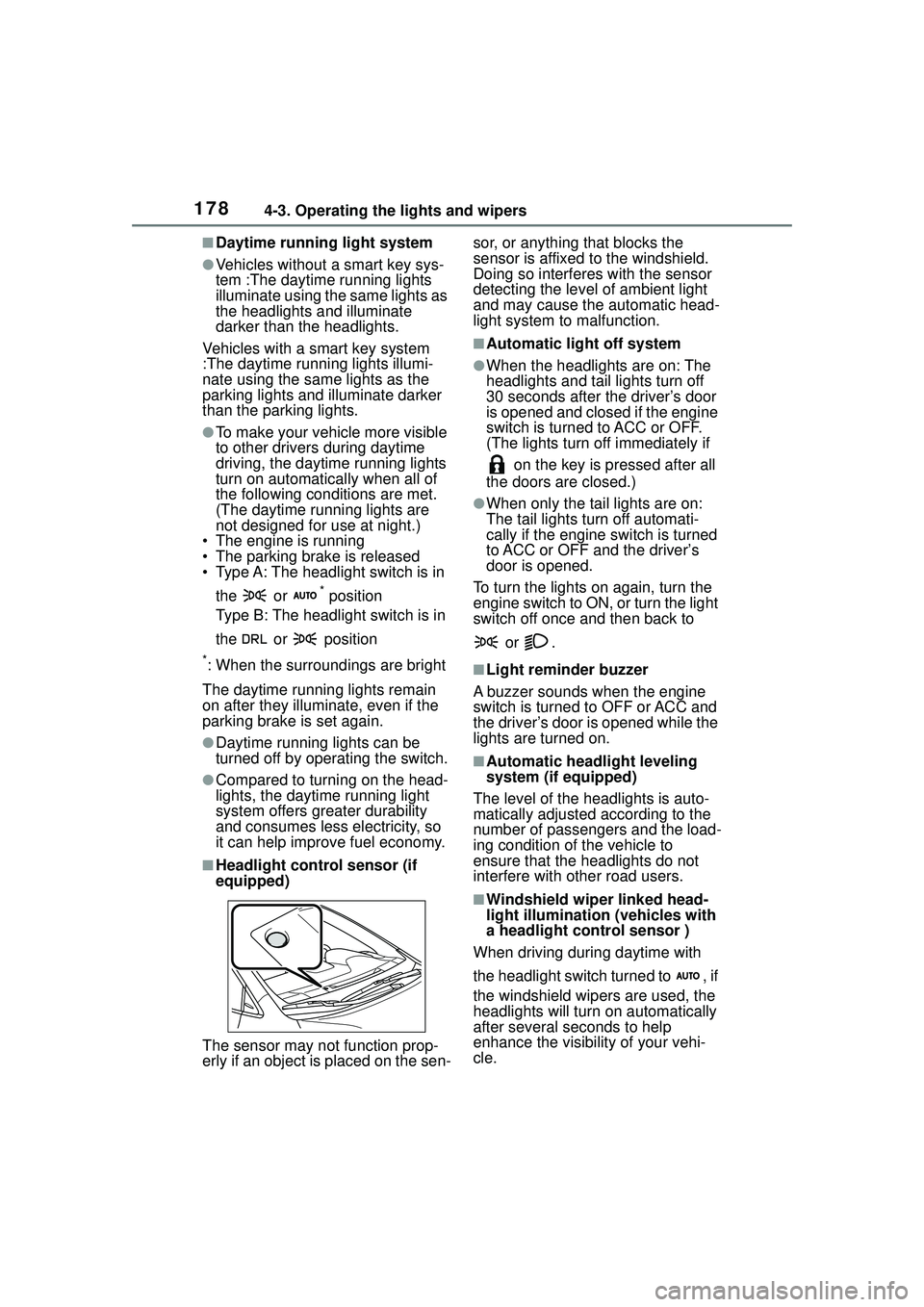
■Headlight control sensor (if
equipped)
The sensor may not function prop-
erly if an object is placed on the sen- sor, or anything that blocks the
sensor is affixed to the windshield.
Doing so interferes with the sensor
detecting the level of ambient light
and may cause the automatic head-
light system to
malfunction.
■Automatic light off system
●When the headlights are on: The
headlights and tail lights turn off
30 seconds after the driver’s door
is opened and closed if the engine
switch is turned to ACC or OFF.
(The lights turn off immediately if
on the key is pressed after all
the doors are closed.)
●When only the tail lights are on:
The tail lights turn off automati-
cally if the engine switch is turned
to ACC or OFF and the driver’s
door is opened.
To turn the lights on again, turn the
engine switch to ON, or turn the light
switch off once and then back to
or .
■Light reminder buzzer
A buzzer sounds when the engine
switch is turned to OFF or ACC and
the driver’s door is opened while the
lights are turned on.
■Automatic headlight leveling
system (if equipped)
The level of the headlights is auto-
matically adjusted according to the
number of passengers and the load-
ing condition of the vehicle to
ensure that the headlights do not
interfere with other road users.
■Windshield wiper linked head-
light illumination (vehicles with
a headlight control sensor )
When driving during daytime with
the headlight switch turned to , if
the windshield wipers are used, the
headlights will turn on automatically
after several se conds to help
enhance the visibility of your vehi-
cle.
Page 188 of 612
1884-4. Refueling
4-4.Refueling
Turn the engine switch off and
ensure that all the doors and
windows are closed.
Confirm the type of fuel.
■Fuel types
P. 5 5 0
■Fuel tank opening for unleaded
gasoline
To help prevent incorrect fueling,
your vehicle has a fuel tank opening
that only accommodates the spe-
cial nozzle on unleaded fuel pumps.
■If the malfunction indicator
lamp illuminates
The malfunction indicator lamp may
illuminate erroneously if refueling is
performed repeatedly when the fuel
tank is nearly full.
Opening the fuel tank
cap
Perform the following steps
to open the fuel tank cap:
Before refueling the vehi-
cle
WARNING
■When refueling the vehicle
Observe the following precautions
while refueling the vehicle. Failure
to do so may result in death or
serious injury.
●After exiting the vehicle and
before opening the fuel door,
touch an unpainted metal sur-
face to discharge any static
electricity. It is important to dis-
charge static electricity before
refueling because sparks result-
ing from static electricity can
cause fuel vapors to ignite while
refueling.
●Always hold the grips on the
fuel tank cap and turn it slowly
to remove it.
A whooshing sound may be
heard when the fuel tank cap is
loosened. Wait until the sound
cannot be heard before fully
removing the cap. In hot
weather, pressurized fuel may
spray out the filler neck and
cause injury.
●Do not allow anyone that has
not discharged static electricity
from their body to come close to
an open fuel tank.
●Do not inhale vaporized fuel.
Fuel contains substances that
are harmful if inhaled.
●Do not smoke while refueling
the vehicle.
Doing so may cause the fuel to
ignite and cause a fire.
●Do not return to the vehicle or
touch any person or object that
is statically charged.
This may cause static electricity
to build up, resulting in a possi-
ble ignition hazard.
■When refueling
Observe the following precautions
to prevent fuel overflowing from
the fuel tank:
●Securely insert the fuel nozzle
into the fuel filler neck.
●Stop filling the tank after the fuel
nozzle automatically clicks off.
Page 189 of 612
1894-4. Refueling
4
Driving
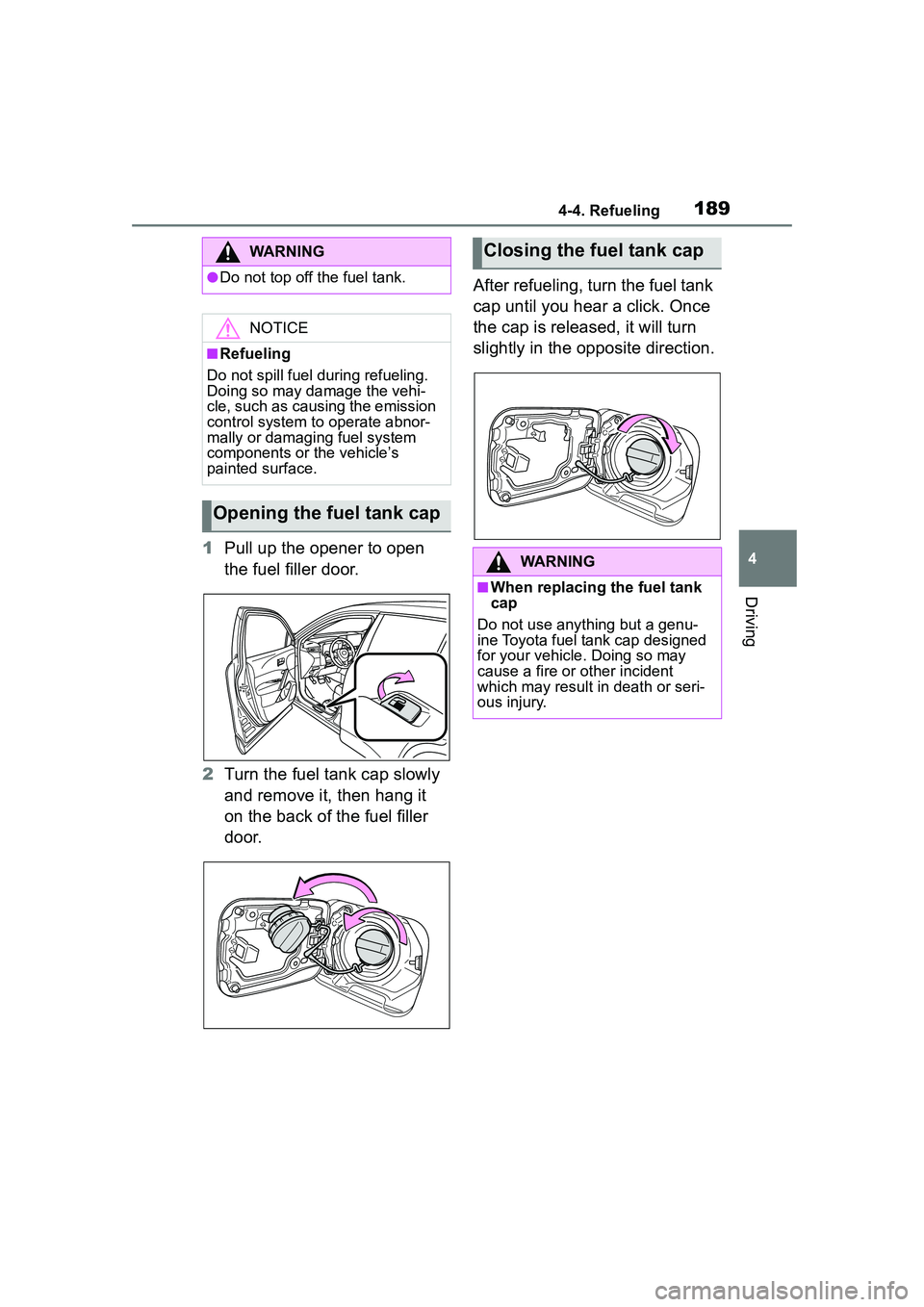
1Pull up the opener to open
the fuel filler door.
2 Turn the fuel tank cap slowly
and remove it, then hang it
on the back of the fuel filler
door. After refueling, turn the fuel tank
cap until you hear a click. Once
the cap is released, it will turn
slightly in the opposite direction.
WARNING
●Do not top off the fuel tank.
NOTICE
■Refueling
Do not spill fuel during refueling.
Doing so may damage the vehi-
cle, such as causing the emission
control system to operate abnor-
mally or damaging fuel system
components or the vehicle’s
painted surface.
Opening the fuel tank cap
Closing the fuel tank cap
WARNING
■When replacing the fuel tank
cap
Do not use anything but a genu-
ine Toyota fuel tank cap designed
for your vehicle. Doing so may
cause a fire or other incident
which may result in death or seri-
ous injury.
Page 227 of 612
2274-5. Using the driving support systems
4
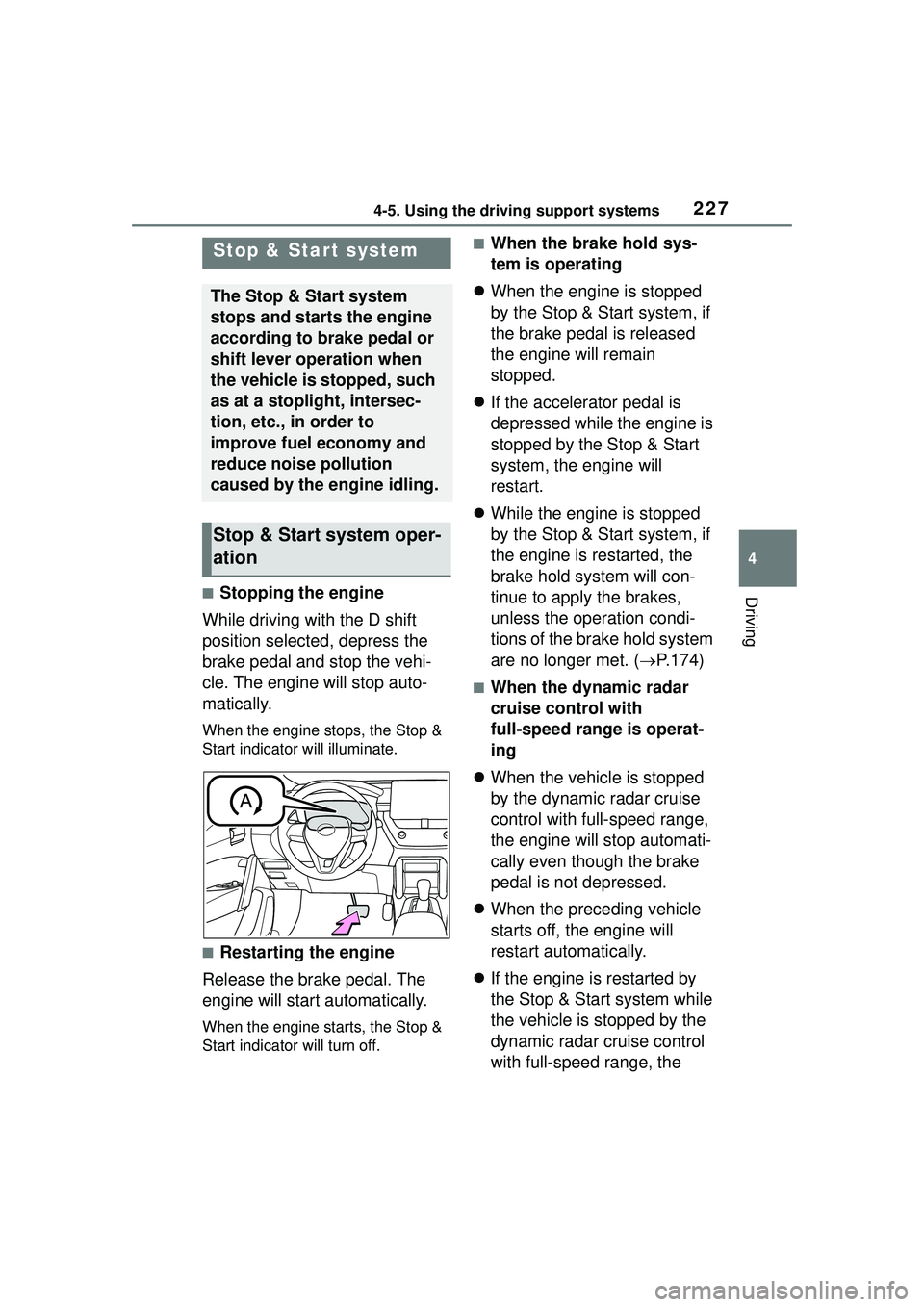
Driving■Stopping the engine
While driving with the D shift
position selected, depress the
brake pedal and stop the vehi-
cle. The engine will stop auto-
matically.
When the engine stops, the Stop &
Start indicator will illuminate.
■Restarting the engine
Release the brake pedal. The
engine will start automatically.
When the engine starts, the Stop &
Start indicator will turn off.
■When the brake hold sys-
tem is operating
When the engine is stopped
by the Stop & Start system, if
the brake pedal is released
the engine will remain
stopped.
If the accelerator pedal is
depressed while the engine is
stopped by the Stop & Start
system, the engine will
restart.
While the engine is stopped
by the Stop & Start system, if
the engine is restarted, the
brake hold system will con-
tinue to apply the brakes,
unless the operation condi-
tions of the brake hold system
are no longer met. ( P.174)
■When the dynamic radar
cruise control with
full-speed range is operat-
ing
When the vehicle is stopped
by the dynamic radar cruise
control with full-speed range,
the engine will stop automati-
cally even though the brake
pedal is not depressed.
When the preceding vehicle
starts off, the engine will
restart automatically.
If the engine is restarted by
the Stop & Start system while
the vehicle is stopped by the
dynamic radar cruise control
with full-speed range, the
Stop & Star t system
The Stop & Start system
stops and starts the engine
according to brake pedal or
shift lever operation when
the vehicle is stopped, such
as at a stoplight, intersec-
tion, etc., in order to
improve fuel economy and
reduce noise pollution
caused by the engine idling.
Stop & Start system oper-
ation
Page 283 of 612
2835-1. Basic function
5
Audio
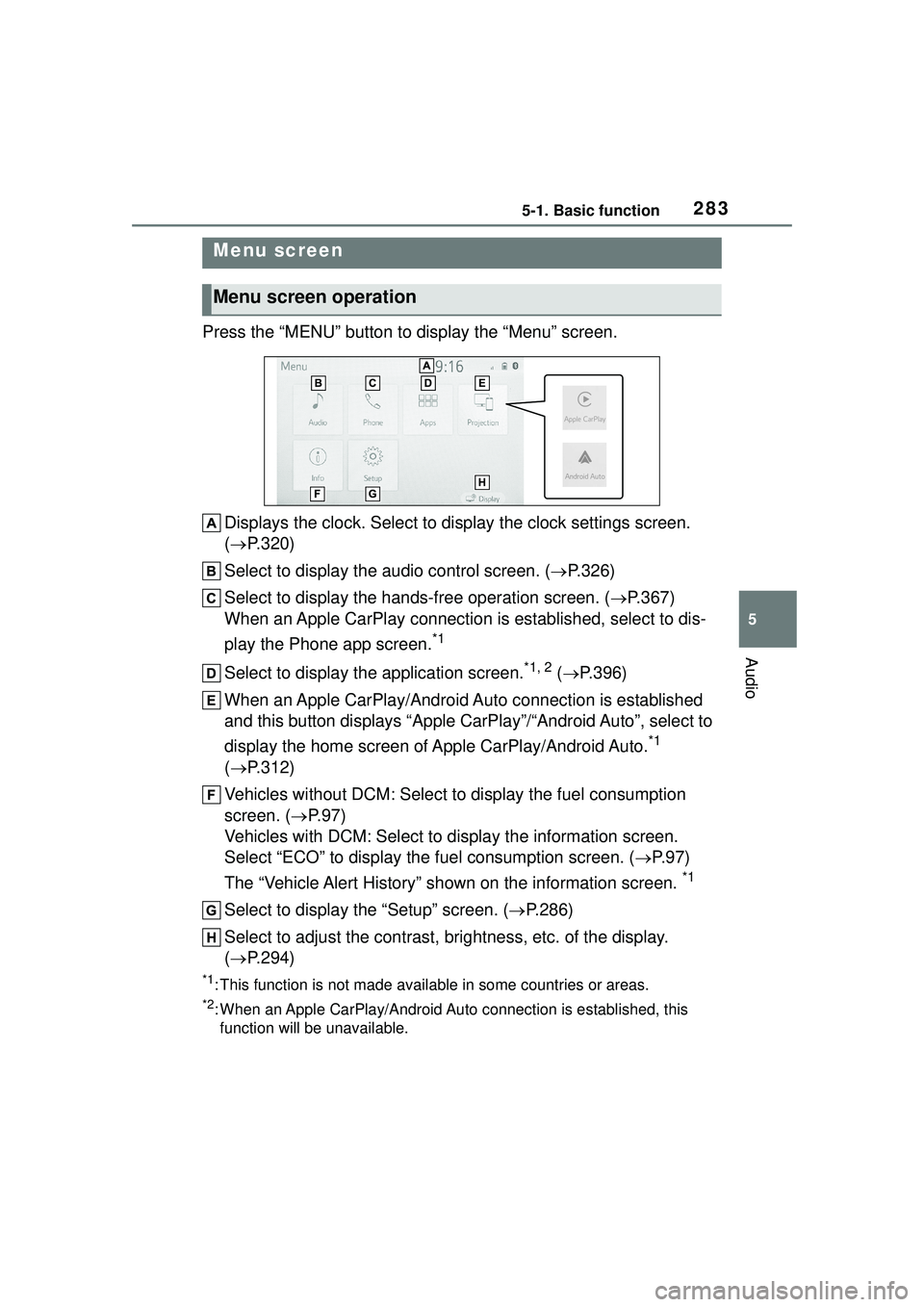
Press the “MENU” button to display the “Menu” screen.Displays the clock. Select to display the clock settings screen.
( P.320)
Select to display the audio control screen. ( P.326)
Select to display the hands-free operation screen. ( P.367)
When an Apple CarPlay connection is established, select to dis-
play the Phone app screen.
*1
Select to display the application screen.*1, 2 ( P.396)
When an Apple CarPlay/Android Auto connection is established
and this button displays “Apple CarPlay”/“Android Auto”, select to
display the home screen of Apple CarPlay/Android Auto.
*1
( P.312)
Vehicles without DCM: Select to display the fuel consumption
screen. ( P.97)
Vehicles with DCM: Select to display the information screen.
Select “ECO” to display the fuel consumption screen. ( P.97)
The “Vehicle Alert History” shown on the information screen.
*1
Select to display the “Setup” screen. ( P.286)
Select to adjust the contrast, brightness, etc. of the display.
( P.294)
*1: This function is not made available in some countries or areas.
*2: When an Apple CarPlay/Android Auto connection is established, this
function will be unavailable.
Menu screen
Menu screen operation
Page 319 of 612
3195-4. Other settings
5
Audio
5-4.Other settings
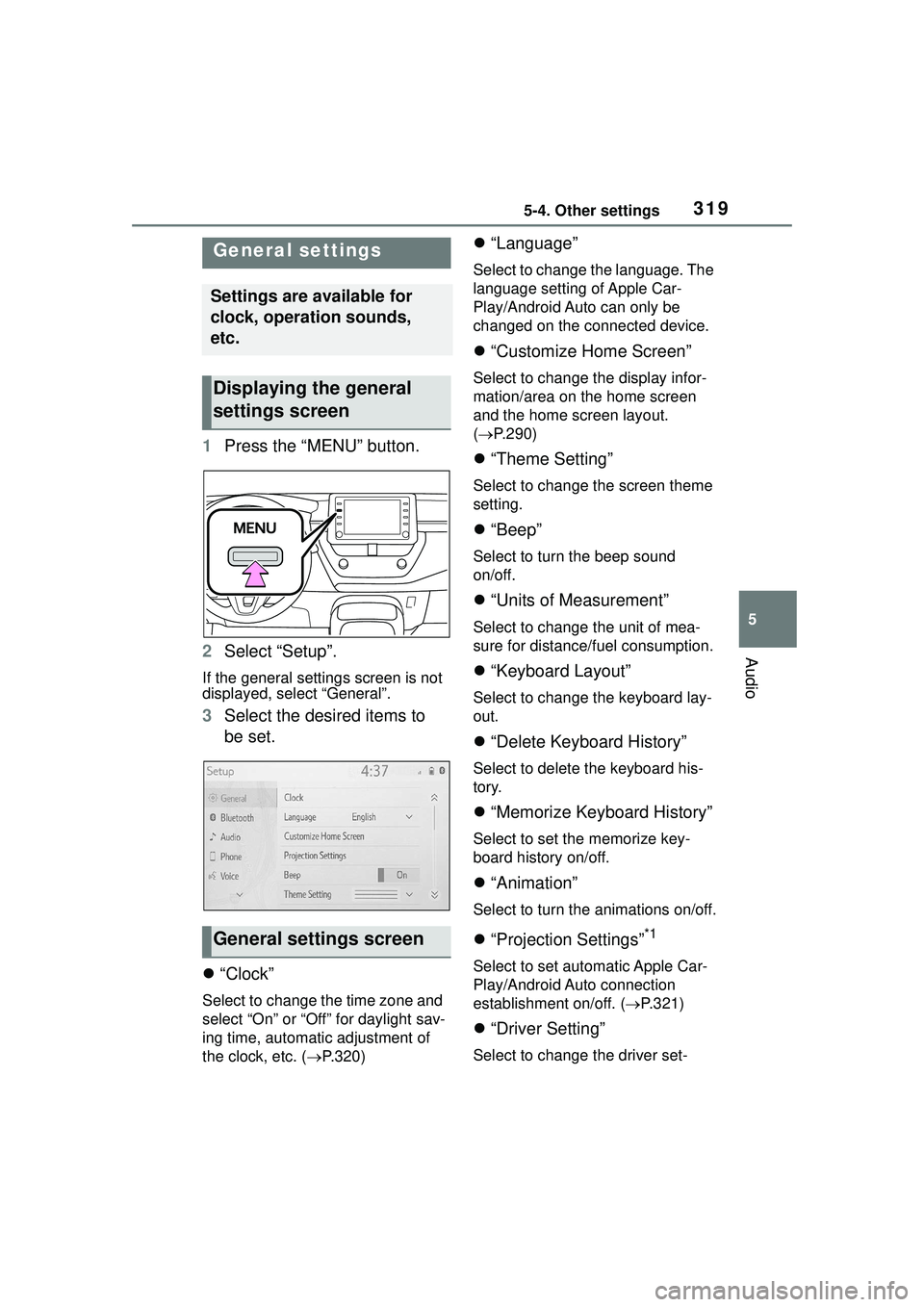
1Press the “MENU” button.
2 Select “Setup”.
If the general settings screen is not
displayed, select “General”.
3Select the desired items to
be set.
“Clock”
Select to change the time zone and
select “On” or “Off” for daylight sav-
ing time, automatic adjustment of
the clock, etc. ( P.320)
“Language”
Select to change the language. The
language setting of Apple Car-
Play/Android Auto can only be
changed on the connected device.
“Customize Home Screen”
Select to change the display infor-
mation/area on the home screen
and the home screen layout.
( P.290)
“Theme Setting”
Select to change the screen theme
setting.
“Beep”
Select to turn the beep sound
on/off.
“Units of Measurement”
Select to change the unit of mea-
sure for distance/fuel consumption.
“Keyboard Layout”
Select to change the keyboard lay-
out.
“Delete Keyboard History”
Select to delete the keyboard his-
tory.
“Memorize Keyboard History”
Select to set the memorize key-
board history on/off.
“Animation”
Select to turn the animations on/off.
“Projection Settings”*1
Select to set automatic Apple Car-
Play/Android Auto connection
establishment on/off. ( P.321)
“Driver Setting”
Select to change the driver set-
General settings
Settings are available for
clock, operation sounds,
etc.
Displaying the general
settings screen
General settings screen