remote control TOYOTA COROLLA CROSS 2022 Owners Manual
[x] Cancel search | Manufacturer: TOYOTA, Model Year: 2022, Model line: COROLLA CROSS, Model: TOYOTA COROLLA CROSS 2022Pages: 612, PDF Size: 17.18 MB
Page 4 of 612
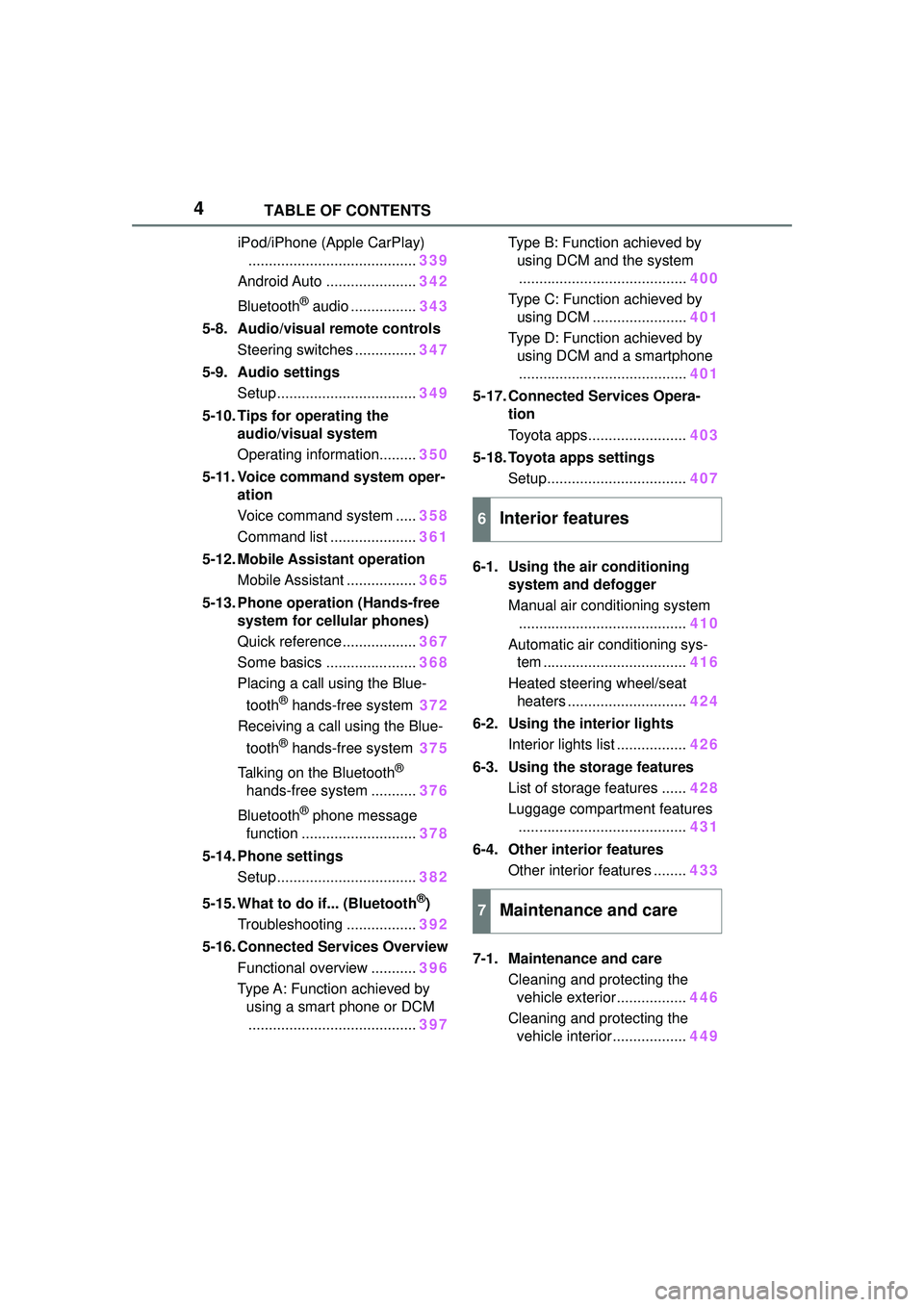
4TABLE OF CONTENTS
iPod/iPhone (Apple CarPlay)......................................... 339
Android Auto ...................... 342
Bluetooth
® audio ................ 343
5-8. Audio/visual remote controls Steering switches ............... 347
5-9. Audio settings Setup .................................. 349
5-10. Tips for operating the audio/visual system
Operating information......... 350
5-11. Voice command system oper- ation
Voice command system ..... 358
Command list ..................... 361
5-12. Mobile Assistant operation Mobile Assistant ................. 365
5-13. Phone operation (Hands-free system for cellular phones)
Quick reference .................. 367
Some basics ...................... 368
Placing a call using the Blue-
tooth
® hands-free system 372
Receiving a call using the Blue-
tooth
® hands-free system 375
Talking on the Bluetooth
®
hands-free system ........... 376
Bluetooth
® phone message
function ............................ 378
5-14. Phone settings Setup .................................. 382
5-15. What to do if... (Bluetooth
®)
Troubleshooting ................. 392
5-16. Connected Services Overview Functional overview ........... 396
Type A: Function achieved by using a smart phone or DCM......................................... 397Type B: Function achieved by
using DCM and the system......................................... 400
Type C: Function achieved by using DCM ....................... 401
Type D: Function achieved by using DCM and a smartphone......................................... 401
5-17. Connected Services Opera- tion
Toyota apps........................ 403
5-18. Toyota apps settings Setup.................................. 407
6-1. Using the air conditioning system and defogger
Manual air conditioning system......................................... 410
Automatic air conditioning sys- tem ................................... 416
Heated steering wheel/seat heaters ............................. 424
6-2. Using the interior lights Interior lights list ................. 426
6-3. Using the storage features List of storage features ...... 428
Luggage compartment features ......................................... 431
6-4. Other interior features Other interior features ........ 433
7-1. Maintenance and care Cleaning and protecting the vehicle exterior................. 446
Cleaning and protecting the vehicle interior.................. 449
6Interior features
7Maintenance and care
Page 5 of 612
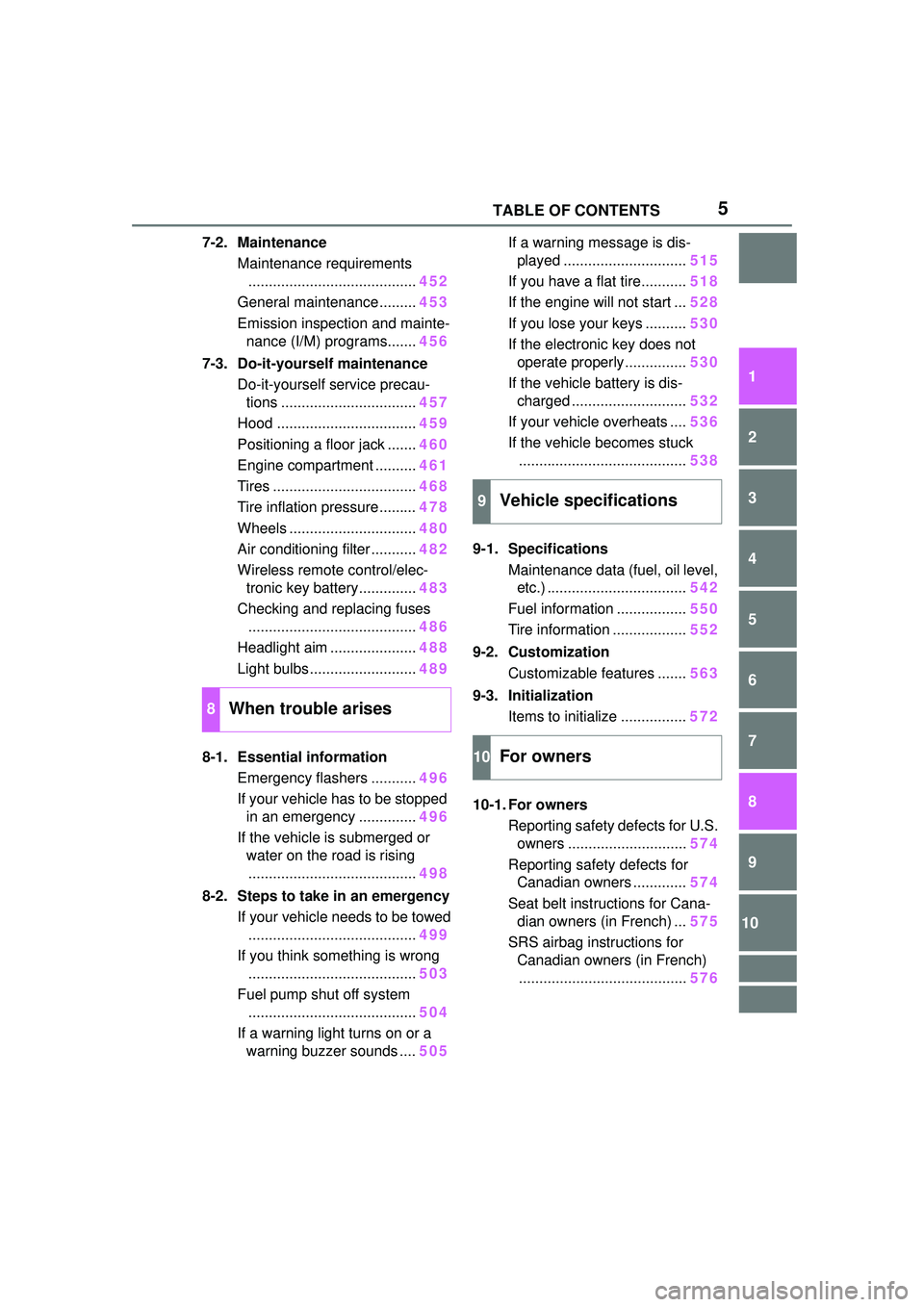
5TABLE OF CONTENTS
1
2
3
4
5
6
7
8
9
10
7-2. MaintenanceMaintenance requirements......................................... 452
General maintenance ......... 453
Emission inspection and mainte- nance (I/M) programs....... 456
7-3. Do-it-yourself maintenance Do-it-yourself service precau-tions ................................. 457
Hood .................................. 459
Positioning a floor jack ....... 460
Engine compartment .......... 461
Tires ................................... 468
Tire inflation pressure......... 478
Wheels ............................... 480
Air conditioning filter ........... 482
Wireless remote control/elec- tronic key battery.............. 483
Checking and replacing fuses ......................................... 486
Headlight aim ..................... 488
Light bulbs .......................... 489
8-1. Essential information Emergency flashers ........... 496
If your vehicle has to be stopped in an emergency .............. 496
If the vehicle is submerged or water on the road is rising
......................................... 498
8-2. Steps to take in an emergency If your vehicle needs to be towed......................................... 499
If you think something is wrong ......................................... 503
Fuel pump shut off system ......................................... 504
If a warning light turns on or a warning buzzer sounds .... 505If a warning message is dis-
played .............................. 515
If you have a flat tire........... 518
If the engine will not start ... 528
If you lose your keys .......... 530
If the electronic key does not operate properly............... 530
If the vehicle battery is dis- charged ............................ 532
If your vehicle overheats .... 536
If the vehicle becomes stuck ......................................... 538
9-1. Specifications Maintenance data (fuel, oil level, etc.) .................................. 542
Fuel information ................. 550
Tire information .................. 552
9-2. Customization Customizable features ....... 563
9-3. Initialization Items to initialize ................ 572
10-1. For owners Reporting safety defects for U.S.
o wners ............................. 574
Reporting safety defects for Canadian owners ............. 574
Seat belt instructions for Cana- di
an owners (in French) ... 575
SRS airbag instructions for Canadian owners (in French)......................................... 576
8When trouble arises
9Vehicle specifications
10For owners
Page 10 of 612
10
information if they have access
to the vehicle or the EDR.
Disclosure of the EDR data
Toyota will not disclose the data
recorded in an EDR to a third party
except when:
• An agreement from the vehicle’s
owner (or the lessee for a leased
vehicle) is obtained
• In response to an official request by the police, a court of law or a
government agency
• For use by Toyota in a lawsuit
However, if necessary, Toyota may:
• Use the data fo r research on
vehicle safety performance
• Disclose the data to a third party for research purposes without
disclosing information about the
specific vehicle or vehicle owner
The SRS airbag and seat belt
pretensioner devices in your
Toyota contain explosive chemi-
cals. If the vehicle is scrapped
with the airbags and seat belt
pretensioners left as they are,
this may cause an accident such
as fire. Be sure to have the sys-
tems of the SRS airbag and seat
belt pretensioner removed and
disposed of by a qualified ser-
vice shop or by your Toyota
dealer before you scrap your
vehicle. Special handling may apply, See
www.dtsc.ca.gov/
hazardouswaste/perchlorate.
Your vehicle has components
that may contain perchlorate.
These components may include
the airbags, seat belt preten-
sioners, wireless remote control
batteries, and the batteries in
the tire pressure warning valve
and transmitters.
Scrapping of your Toyota
Perchlorate Material
WARNING
■General precautions while
driving
Driving under the influence: Never
drive your vehicle when under the
influence of alcohol or drugs that
have impaired your ability to oper-
ate your vehicle. Alcohol and cer-
tain drugs delay reaction time,
impair judgment and reduce coor-
dination, which could lead to an
accident that could result in death
or serious injury.
Defensive driving: Always drive
defensively. Anticipate mistakes
that other drivers or pedestrians
might make and be ready to avoid
accidents.
Driver distraction: Always give
your full attention to driving. Any-
thing that distracts the driver, such
as adjusting controls, talking on a
cellular phone or reading can
result in a collisio n with resulting
death or serious injury to you,
your occupants or others.
Page 19 of 612
19Pictorial index
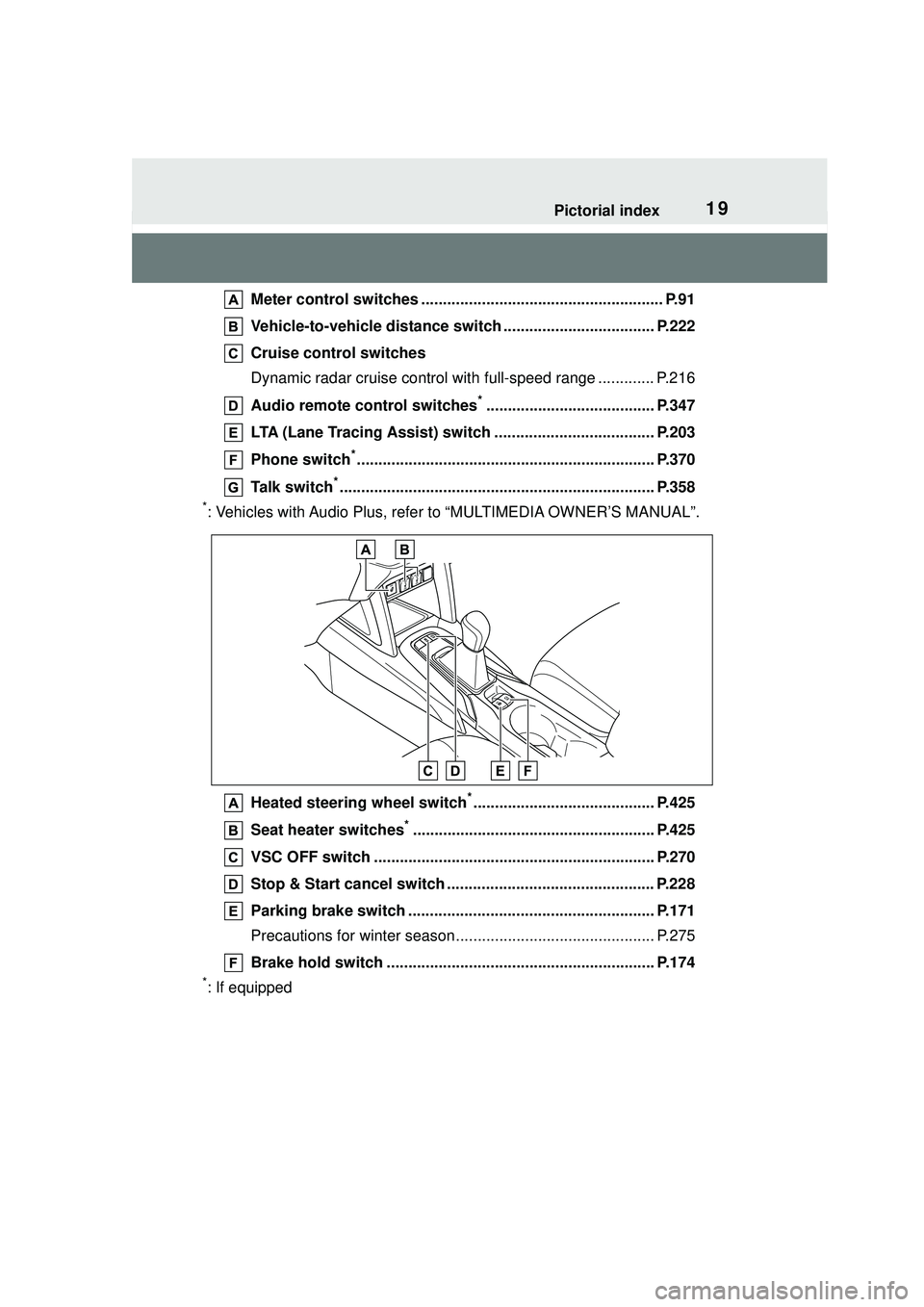
Meter control switches ........................................................ P.91
Vehicle-to-vehicle distance swit ch ................................... P.222
Cruise control switches
Dynamic radar cruise control wit h full-speed range ............. P.216
Audio remote control switches
*....................................... P.347
LTA (Lane Tracing Assist) switch ..................................... P.203
Phone switch
*..................................................................... P.370
Talk switch
*......................................................................... P.358
*: Vehicles with Audio Plus, refer to “MULTIMEDIA OWNER’S MANUAL”.
Heated steering wheel switch
*.......................................... P.425
Seat heater switches
*........................................................ P.425
VSC OFF switch ................................................................. P.270
Stop & Start cancel switch ................................................ P.228
Parking brake switch ......................................................... P.171
Precautions for winter season.... .......................................... P.275
Brake hold switch .............................................................. P.174
*: If equipped
Page 100 of 612
1003-1. Key information
3-1.Key information
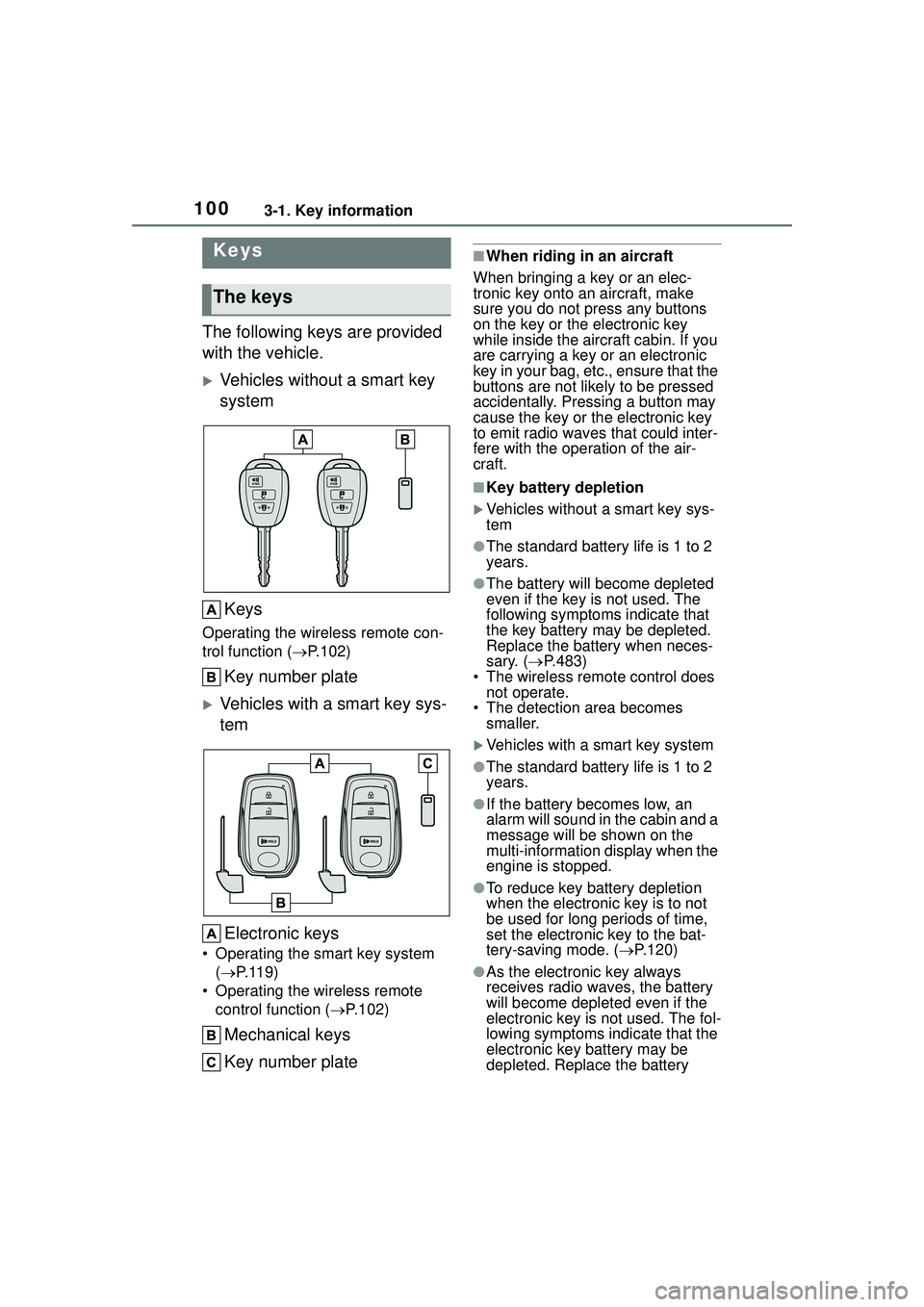
The following keys are provided
with the vehicle.
Vehicles without a smart key
systemKeys
Operating the wireless remote con-
trol function ( P.102)
Key number plate
Vehicles with a smart key sys-
tem
Electronic keys
• Operating the smart key system ( P.119)
• Operating the wireless remote control function ( P.102)
Mechanical keys
Key number plate
■When riding in an aircraft
When bringing a key or an elec-
tronic key onto an aircraft, make
sure you do not press any buttons
on the key or the electronic key
while inside the aircraft cabin. If you
are carrying a key or an electronic
key in your bag, etc., ensure that the
buttons are not likely to be pressed
accidentally. Pressing a button may
cause the key or the electronic key
to emit radio waves that could inter-
fere with the operation of the air-
craft.
■Key battery depletion
Vehicles without a smart key sys-
tem
●The standard battery life is 1 to 2
years.
●The battery will be come depleted
even if the key is not used. The
following symptoms indicate that
the key battery may be depleted.
Replace the battery when neces-
sary. ( P.483)
• The wireless remote control does
not operate.
• The detection area becomes smaller.
Vehicles with a smart key system
●The standard battery life is 1 to 2
years.
●If the battery becomes low, an
alarm will sound in the cabin and a
message will be shown on the
multi-information display when the
engine is stopped.
●To reduce key battery depletion
when the electronic key is to not
be used for long periods of time,
set the electronic key to the bat-
tery-saving mode. ( P.120)
●As the electronic key always
receives radio waves, the battery
will become depleted even if the
electronic key is not used. The fol-
lowing symptoms indicate that the
electronic key battery may be
depleted. Replace the battery
Keys
The keys
Page 101 of 612

1013-1. Key information
3
Before driving
when necessary. (P.483)
• The smart key system or the wire- less remote control does not oper-
ate.
• The detection area becomes smaller.
• The LED indicator on the key sur- face does not turn on.
●To avoid serious deterioration, do
not leave the electronic key within
3 ft. (1 m) of the following electri-
cal appliances that produce a
magnetic field:
• TVs
• Personal computers
• Cellular phones, cordless phones and battery chargers
• Recharging cellular phones or cordless phones
• Table lamps
• Induction cookers
●If the electronic key is near the
vehicle for longer than necessary,
even if the smart key system is not
operated, the key battery may
become depleted faster than nor-
mal.
■Replacing the battery
P. 4 8 3
■If “A New Key has been Regis-
tered Contact Your Dealer for
Details” is shown on the
multi-information display (vehi-
cles with a smart key system)
This message will be displayed
each time the driver’s door is
opened when the doors are
unlocked from the outside for
approximately 10 days after a new
electronic key has been registered.
If this message is displayed but you
have not had a new electronic key
registered, ask your Toyota dealer to
check if an unknown electronic key
(other than those in your posses-
sion) has been registered.
NOTICE
■To prevent key damage
●Do not drop the keys, subject
them to strong shocks or bend
them.
●Do not expose the keys to high
temperatures for long periods of
time.
●Do not get the keys wet or wash
them in an ultrasonic washer
etc.
●Vehicles with a smart key sys-
tem: Do not attach metallic or
magnetic materials to the keys
or place the keys close to such
materials.
●Do not disassemble the keys.
●Do not attach a sticker or any-
thing else to the surface of the
key.
●Vehicles with a smart key sys-
tem: Do not place the keys near
objects that produce magnetic
fields, such as TVs, audio sys-
tems and induction cookers.
●Vehicles with a smart key sys-
tem: Do not place the keys near
medical electrical equipment
such as low-fr equency therapy
equipment or microwave ther-
apy equipment, and do not
receive medical attention with
the keys on your person.
■Carrying the electronic key
on your person (vehicles with
a smart key system)
Carry the electronic key 3.9 in.
(10 cm) or more away from elec-
tric appliances that are turned on.
Radio waves emitted from electric
appliances within 3.9 in. (10 cm)
of the electronic key may interfere
with the key, causing the key to
not function properly.
Page 102 of 612
1023-1. Key information
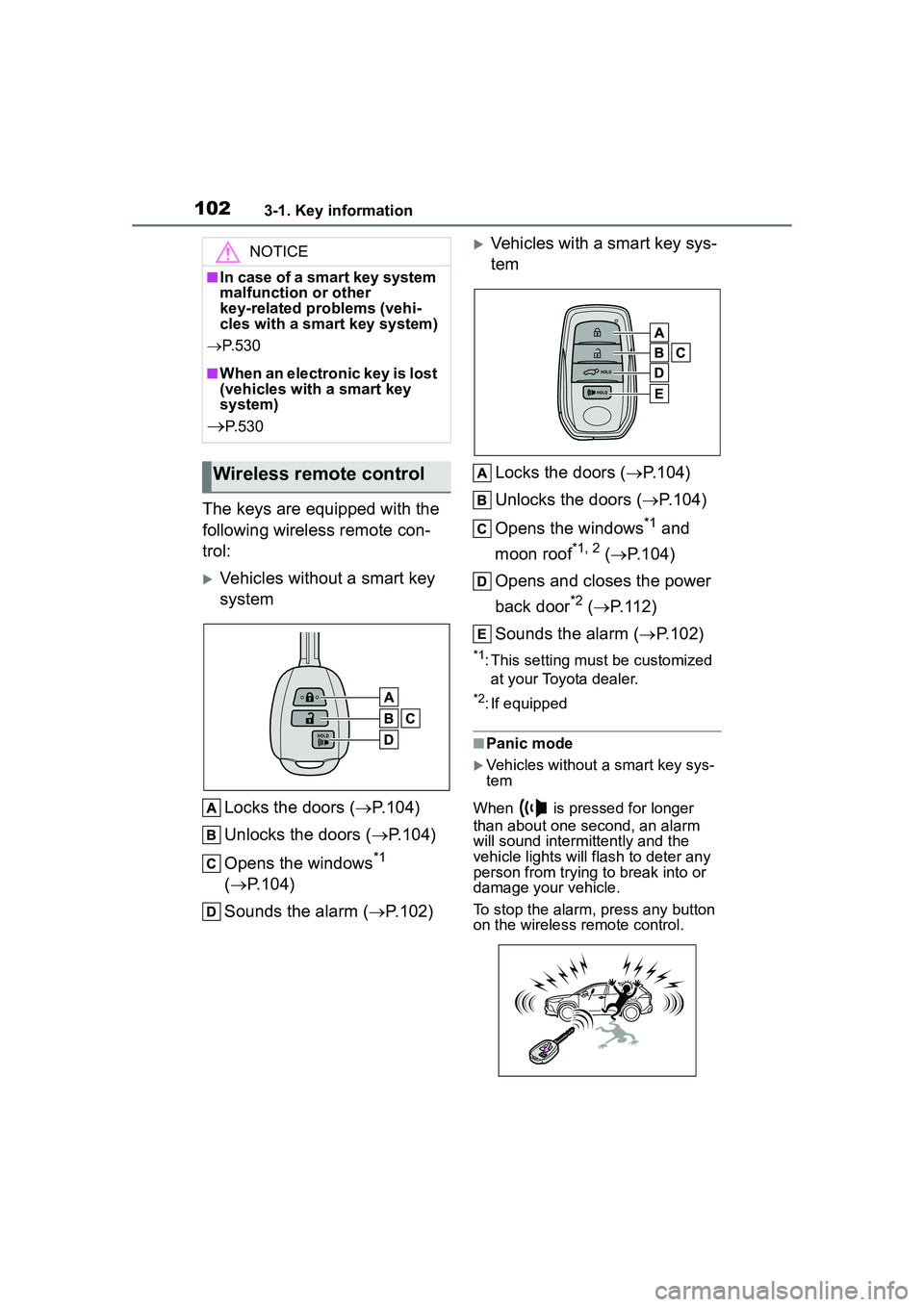
The keys are equipped with the
following wireless remote con-
trol:
Vehicles without a smart key
systemLocks the doors ( P.104)
Unlocks the doors ( P.104)
Opens the windows
*1
( P.104)
Sounds the alarm ( P.102)
Vehicles with a smart key sys-
tem
Locks the doors ( P.104)
Unlocks the doors ( P.104)
Opens the windows
*1 and
moon roof
*1, 2 ( P.104)
Opens and closes the power
back door
*2 ( P.112)
Sounds the alarm ( P.102)
*1: This setting must be customized
at your Toyota dealer.
*2: If equipped
■Panic mode
Vehicles without a smart key sys-
tem
When is pressed for longer
than about one second, an alarm
will sound intermittently and the
vehicle lights will flash to deter any
person from trying to break into or
damage your vehicle.
To stop the alarm, press any button
on the wireless remote control.
NOTICE
■In case of a smart key system
malfunction or other
key-related problems (vehi-
cles with a smart key system)
P. 5 3 0
■When an electronic key is lost
(vehicles with a smart key
system)
P. 5 3 0
Wireless remote control
Page 103 of 612
1033-1. Key information
3
Before driving
Vehicles with a smart key system
When is pressed for longer
than about one second, an alarm
will sound intermittently and the
vehicle lights will flash to deter any
person from trying to break into or
damage your vehicle.
To stop the alarm, press any button
on the electronic key.
■Conditions affecting the opera-
tion of the smart key system or
wireless remo te control
Vehicles without a smart key sys-
tem
The wireless remote control function
may not operate normally in the fol-
lowing situations:
●When the wireless key battery is
depleted
●Near a TV tower, electric power
plant, gas station, radio station,
large display, airport or other facil-
ity that generates strong radio
waves or electrical noise
●When carrying a portable radio,
cellular phone or other wireless
communication devices
●When the wireless key is in con-
tact with, or is covered by a metal-
lic object
●When a wireless key (that emits
radio waves) is being used nearby
●If window tint with a metallic con-
tent or metallic objects are
attached to the rear window
Vehicles with a smart key system
P. 1 2 0
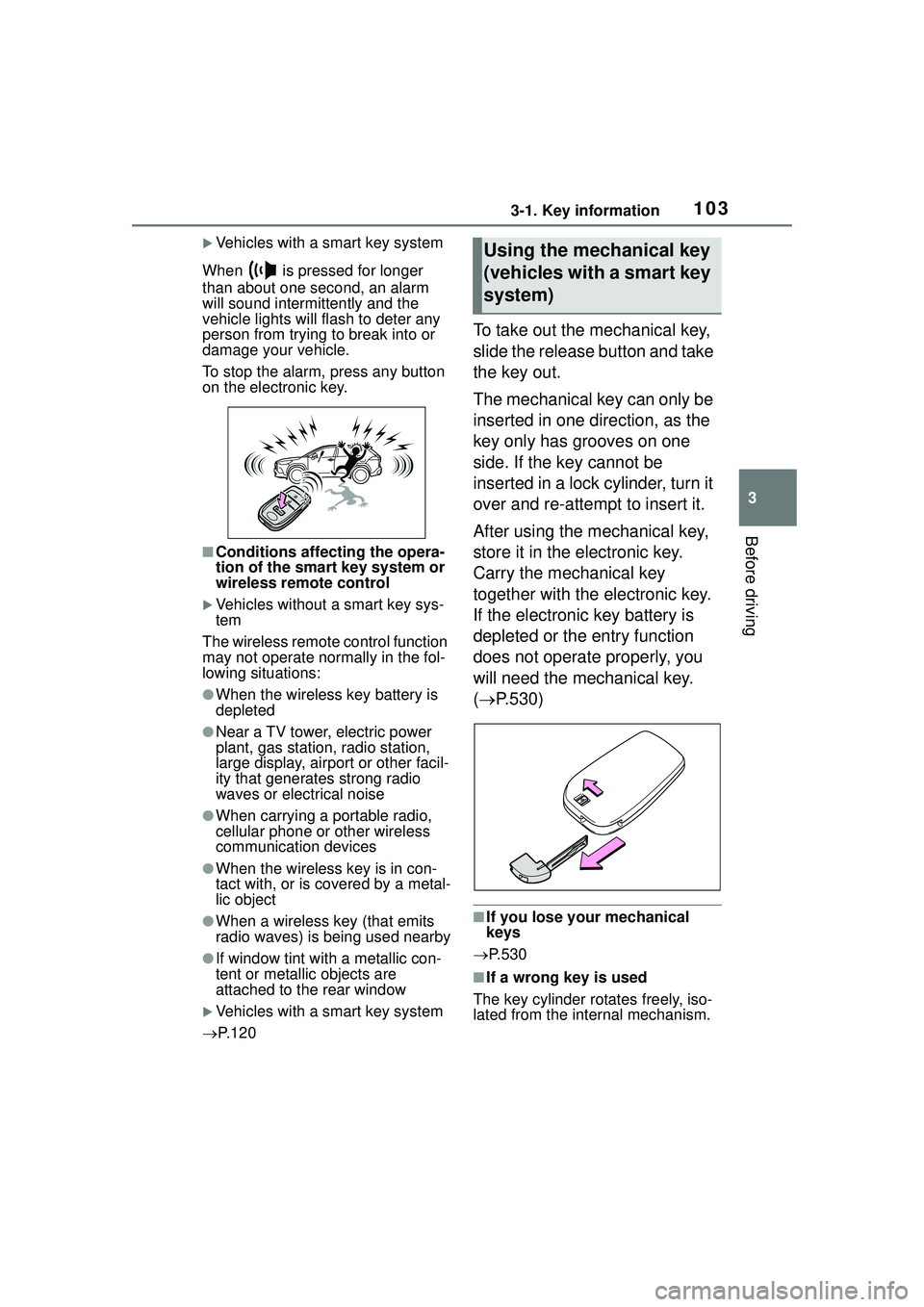
To take out the mechanical key,
slide the release button and take
the key out.
The mechanical key can only be
inserted in one direction, as the
key only has grooves on one
side. If the key cannot be
inserted in a lock cylinder, turn it
over and re-attempt to insert it.
After using the mechanical key,
store it in the electronic key.
Carry the mechanical key
together with the electronic key.
If the electronic key battery is
depleted or the entry function
does not operate properly, you
will need the mechanical key.
( P.530)
■If you lose your mechanical
keys
P.530
■If a wrong key is used
The key cylinder rotates freely, iso-
lated from the internal mechanism.
Using the mechanical key
(vehicles with a smart key
system)
Page 104 of 612
1043-2. Opening, closing and locking the doors
3-2.Opening, closing and locking the doors
■Smart key system (if
equipped)
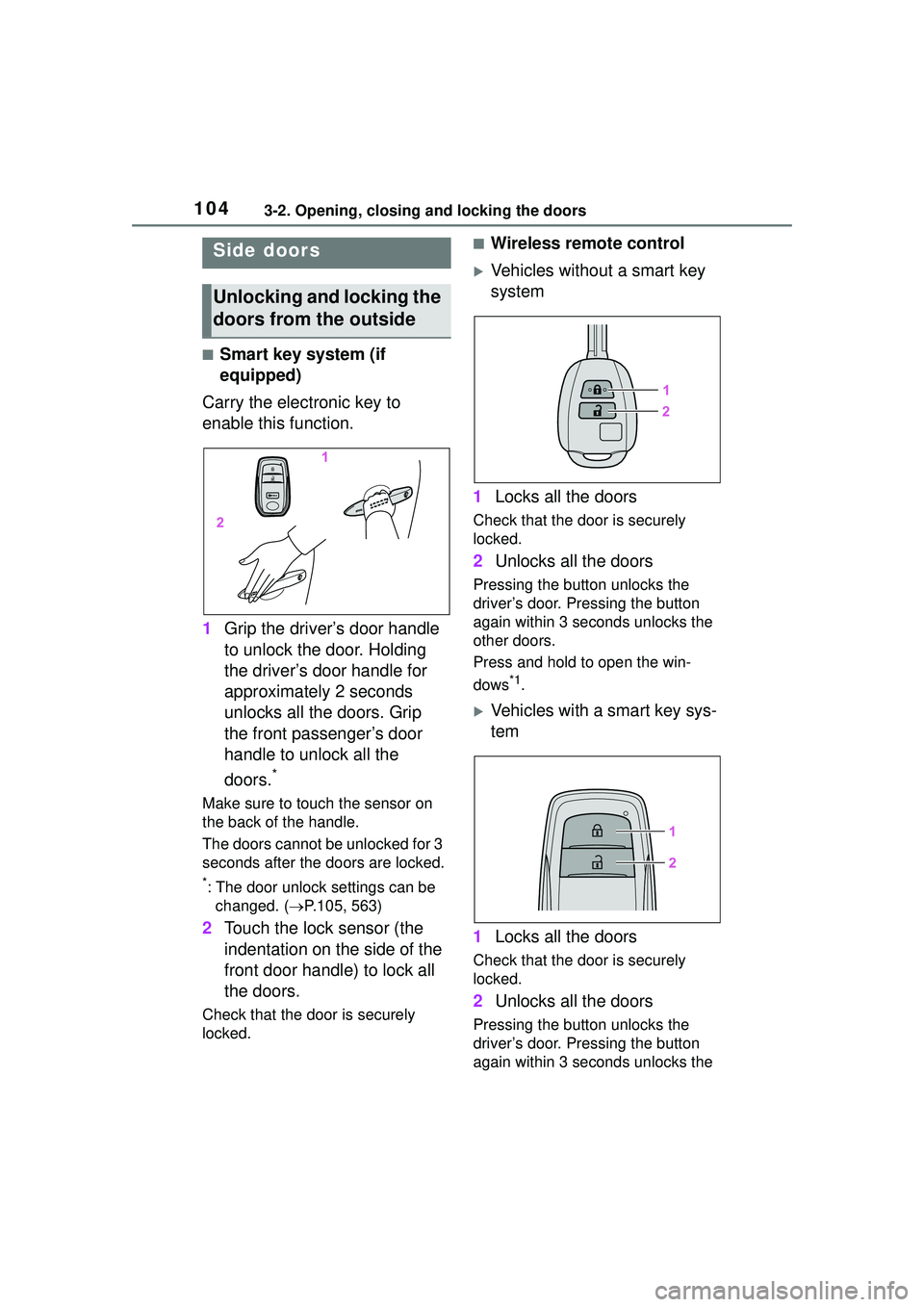
Carry the electronic key to
enable this function.
1 Grip the driver’s door handle
to unlock the door. Holding
the driver’s door handle for
approximately 2 seconds
unlocks all the doors. Grip
the front passenger’s door
handle to unlock all the
doors.
*
Make sure to touch the sensor on
the back of the handle.
The doors cannot be unlocked for 3
seconds after the doors are locked.
*: The door unlock settings can be
changed. ( P.105, 563)
2 Touch the lock sensor (the
indentation on the side of the
front door handle) to lock all
the doors.
Check that the door is securely
locked.
■Wireless remote control
Vehicles without a smart key
system
1 Locks all the doors
Check that the do or is securely
locked.
2 Unlocks all the doors
Pressing the button unlocks the
driver’s door. Pressing the button
again within 3 seconds unlocks the
other doors.
Press and hold to open the win-
dows
*1.
Vehicles with a smart key sys-
tem
1 Locks all the doors
Check that the do or is securely
locked.
2 Unlocks all the doors
Pressing the button unlocks the
driver’s door. Pressing the button
again within 3 seconds unlocks the
Side doors
Unlocking and locking the
doors from the outside
Page 105 of 612
1053-2. Opening, closing and locking the doors
3
Before driving
other doors.
Press and hold to open the win-
dows
*1and moon roof*1, 2.
*1: This setting must be customized at your Toyota dealer.
*2: If equipped
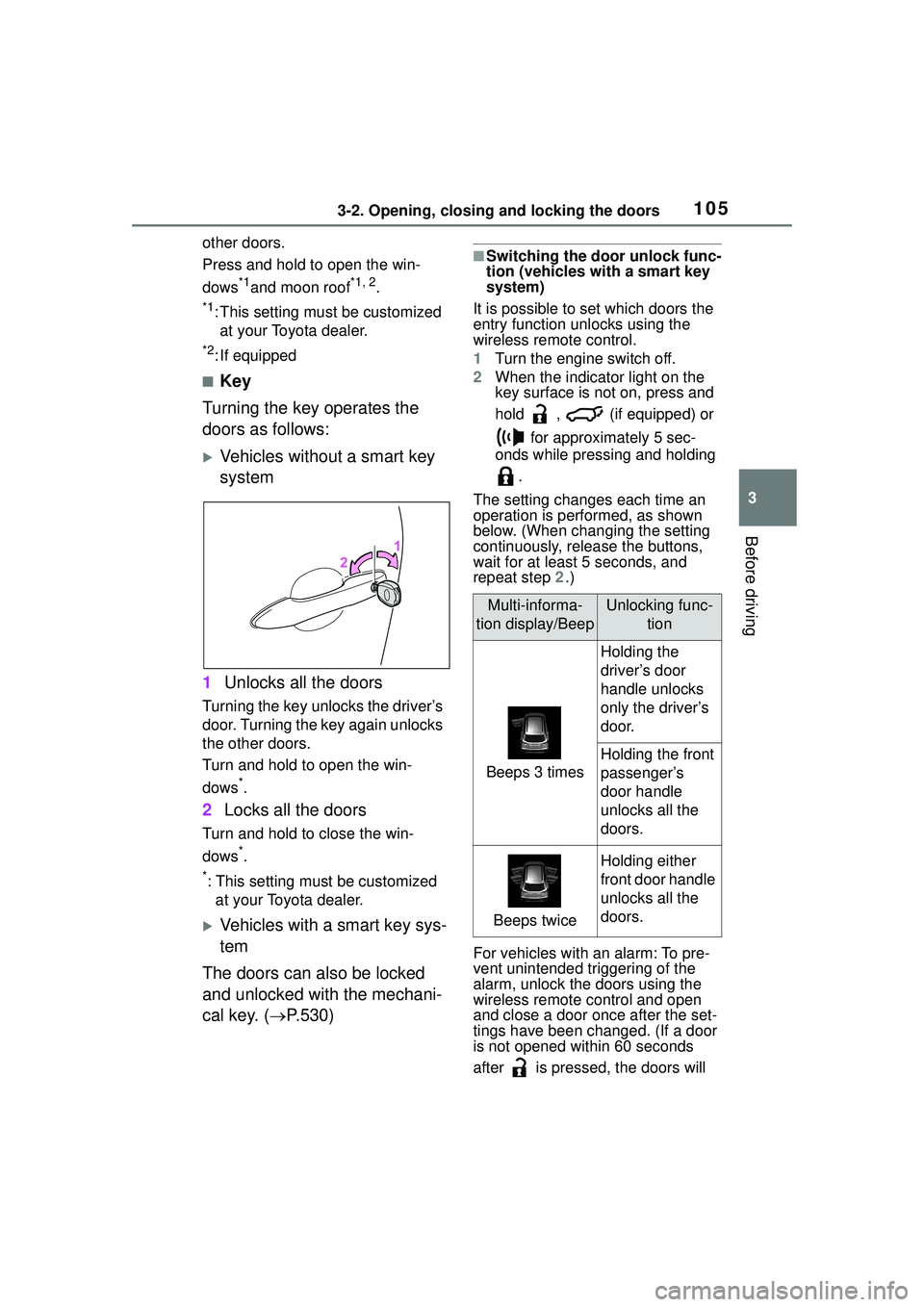
■Key
Turning the key operates the
doors as follows:
Vehicles without a smart key
system
1 Unlocks all the doors
Turning the key unlocks the driver’s
door. Turning the key again unlocks
the other doors.
Turn and hold to open the win-
dows
*.
2Locks all the doors
Turn and hold to close the win-
dows
*.
*: This setting must be customized
at your Toyota dealer.
Vehicles with a smart key sys-
tem
The doors can also be locked
and unlocked with the mechani-
cal key. ( P.530)
■Switching the door unlock func-
tion (vehicles with a smart key
system)
It is possible to set which doors the
entry function unlocks using the
wireless remote control.
1 Turn the engine switch off.
2 When the indicator light on the
key surface is not on, press and
hold , (if equipped) or
for approximately 5 sec-
onds while pressing and holding
.
The setting changes each time an
operation is performed, as shown
below. (When changing the setting
continuously, release the buttons,
wait for at least 5 seconds, and
repeat step 2.)
For vehicles with an alarm: To pre-
vent unintended triggering of the
alarm, unlock the doors using the
wireless remote control and open
and close a door once after the set-
tings have been changed. (If a door
is not opened within 60 seconds
after is pressed, the doors will
Multi-informa-
tion display/BeepUnlocking func- tion
Beeps 3 times
Holding the
driver’s door
handle unlocks
only the driver’s
door.
Holding the front
passenger’s
door handle
unlocks all the
doors.
Beeps twice
Holding either
front door handle
unlocks all the
doors.