radio TOYOTA COROLLA HYBRID 2020 (in English) Owner's Guide
[x] Cancel search | Manufacturer: TOYOTA, Model Year: 2020, Model line: COROLLA HYBRID, Model: TOYOTA COROLLA HYBRID 2020Pages: 556, PDF Size: 19.28 MB
Page 319 of 556
3195-13. Phone operation (Hands-free system for cellular phones)
COROLLA HV_U
5
Entune audio
To use the hands-free system
for cellular phones, it is neces-
sary to register a cellular phone
with the system. ( P.248)
■Connecting a Bluetooth®
device
Registering an additional
device
1 Display the phone top
screen. ( P.317)
2 Select “Select Device”.
3 Select “Add Device”.
When another Bluetooth® device is
connected, a confirmation screen
will be displayed. To disconnect the
Bluetooth
® device, select “Yes”.
4 Follow the steps in “Register-
ing a Bluetooth
® phone for
the first time” from step 5.
( P.248)
Selecting a registered device
1 Display the phone top
screen. ( P.317)
2 Select “Select Device”.
3 Select the desired device to
be connected.
4 Check that a confirmation
screen is displayed when the
connection is complete.
If an error message is displayed,
follow the guidance on the screen
to try again.
■Bluetooth® phone condition
display
The condition of the Bluetooth
®
phone appears on the upper
right side of the screen.
( P.237)
WA R N I N G
●Your audio unit is fitted with
Bluetooth® antennas. People
with implantable cardiac pace-
makers, cardiac resynchroniza-
tion therapy-pacemakers or
implantable cardioverter defibril-
lators should maintain a reason-
able distance between
themselves and the Bluetooth
®
antennas. The radio waves may
affect the operation of such
devices.
●Before using Bluetooth®
devices, users of any electrical
medical device other than
implantable cardiac pacemak-
ers, cardiac resynchronization
therapy-pacemakers or implant-
able cardioverter defibrillators
should consult the manufacturer
of the device for information
about its operation under the
influence of radio waves. Radio
waves could have unexpected
effects on the operation of such
medical devices.
NOTICE
Do not leave your cellular phone
in the vehicle. The temperature
inside may rise to a level that
could damage the phone.
Registering/Connecting a
Bluetooth® phone
Page 344 of 556
3445-15. What to do if... (Bluetooth®)
COROLLA HV_U
tus is displayed at the top of the
screen each time the power
switch is in ACC or ON.
Even though all conceivable
measures have been taken, the
symptom status does not
change.
For details, refer to the owner’s
manual that came with the cellular
phone.
Likely causeSolution
Connection con-
firmation display
on this system is
set to on.
To turn off the
display, set con-
nection confir-
mation display
on this system to
off. ( P.257)
Likely causeSolution
The cellular
phone is not
close enough to
this system.Bring the cellu-
lar phone closer
to this system.
Radio interfer-
ence has
occurred.
Turn off Wi-Fi®
devices or other
devices that may
emit radio
waves.
The cellular
phone is the
most likely cause
of the symptom.
Turn the cellular
phone off,
remove and rein-
stall the battery
pack, and then
restart the cellu-
lar phone.
Enable the cellu-
lar phone’s Blue-
tooth
®
connection.
Stop the cellular
phone’s security
software and
close all applica-
tions.
Before using an
application
installed on the
cellular phone,
carefully check
its source and
how its opera-
tion might affect
this system.
Likely causeSolution
Page 348 of 556
3485-16. Toyota Entune overview
COROLLA HV_U
Washington D.C., Alaska,
Hawaii, Puerto Rico and Can-
ada.
Toyota Entune App Suite
Connect is not available in the
United States Virgin Islands.
●Data usage fees may apply while
using Toyota Entune App Suite
Connect function. Confirm data
usage fees before using this func-
tion.
●For details regarding operation of
the Toyota Entune App Suite Con-
nect and the applications, refer to
http://www.toyota.com/Entune/
in the United States,
http://www.toyota.ca/entune
in Canada, and
http://www.toyo tapr.com/entune
in Puerto Rico.
●These functions are not made
available in some countries or
areas. Availability of functions of
the Toyota Entune App Suite Con-
nect service is dependent on net-
work reception level.
■Initializing personal data
The personal data used in appli-
cations can be reset. ( P.270)
The following personal data can
be deleted and returned to their
default settings:
Downloaded contents
Radio stations that were lis-
tened to
Once initialized, the data and set-
tings will be erased. Pay much
attention when initializing the data.
■Settings required to use
Toyota Entune App Suite
Connect
Perform the settings in the fol-
lowing order.
1 Download the Toyota Entune
App Suite Connect applica-
tion to your smart phone or
the system.
2 Register a Bluetooth
® phone
with the hands-free system.
( P.248)
●Applications can only be used
when the Toyota Entune App
Suite Connect application has
been downloaded to your smart
phone or the system, and the
application is running.
●Toyota Entune App Suite Connect
operational procedures can also
be confirmed by visiting
http://www.toyota.com/Entune/
in the United States,
http://www.toyota.ca/entune
in Canada, and
http://www.toyotapr.com/entune
in Puerto Rico.
●If a Toyota Entune App Suite Con-
nect application is used while iPod
audio/video is being played back,
system operation may become
unstable.
Preparation before using
Toyota Entune App Suite
Connect
Page 377 of 556
3776-4. Other interior features
COROLLA HV_U
6
Interior features
■If a cover or accessory is
attached to the portable device
Do not charge a portable device if a
cover or accessory which is not Qi
compatible is attached. Depending
on the type of cover and/or acces-
sory attached, it may not be possi-
ble to charge the portable device. If
the portable device is placed on the
charging area and does not charge,
remove the cover and/or accesso-
ries.
■If interference is heard in AM
radio broadcasts while
charging
Turn off the wireless charger and
check if the noise is reduced. If
noise is reduced, press and hold the
power supply switch of the wireless
charger for 2 seconds. The fre-
quency of the wireless charger is
changed and noise may be
reduced. When the frequency is
changed, the operation indicator
light will blink (o range) 2 times.
■Charging precautions
●If the electronic key cannot be
detected in the cabin, charging
cannot be performed. When a
door is opened and closed,
charging may be temporarily sus-
pended.
●While charging, the wireless char-
ger and the portable device will
become warm.
This is not a malfunction.If a porta-
ble device becomes warm while
charging and charging stops due
to the protection f unction of the
portable device, wait until the por-
table device cools down and
charge it again.
■Sound generated during opera-
tion
When the power supply switch is
turned on or while a portable device
is being identified, operation sounds
may be heard. This is not a malfunc-
tion.
■Cleaning the wireless charger
P.395
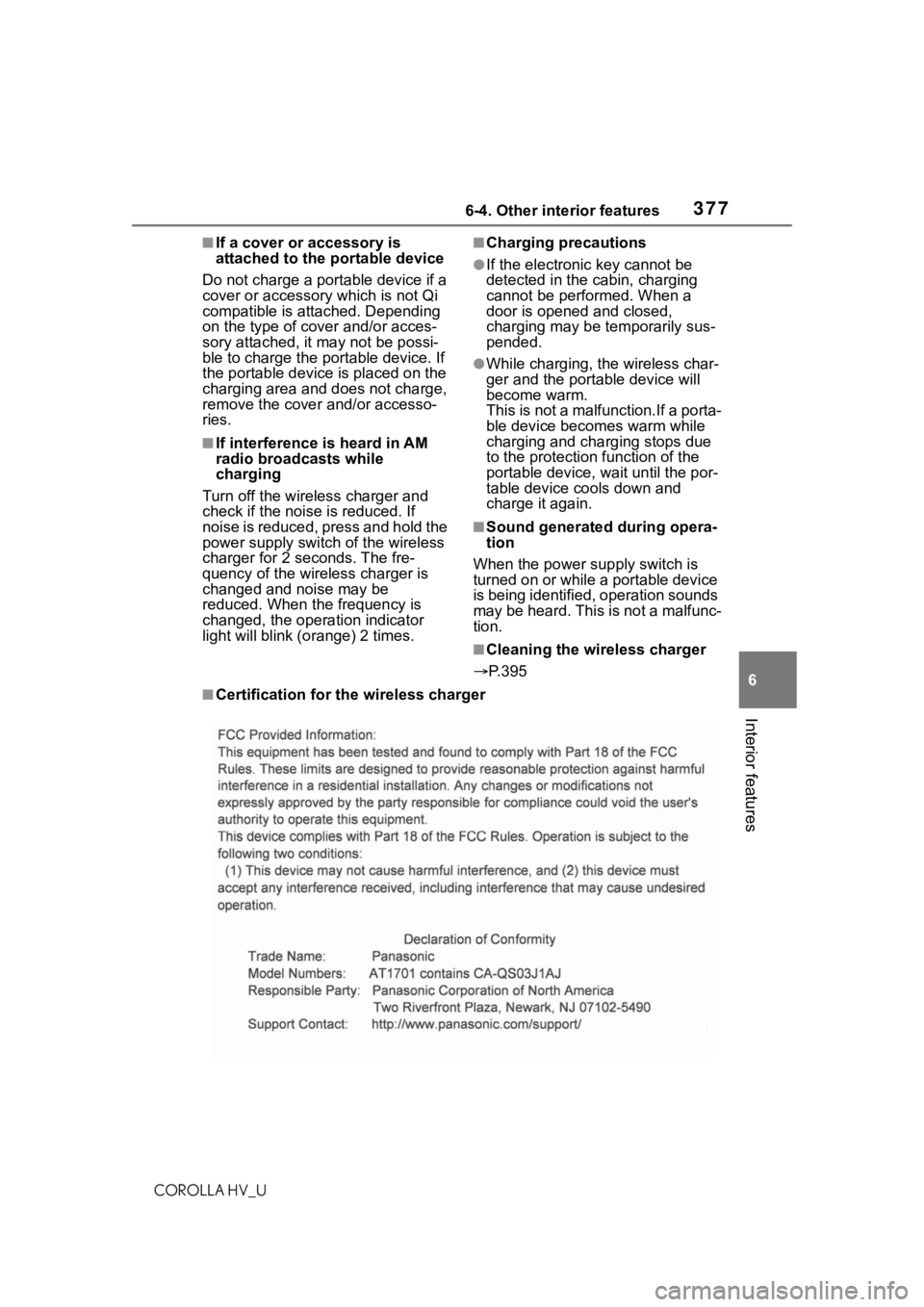
■Certification for the wireless charger
Page 380 of 556
3806-4. Other interior features
COROLLA HV_U
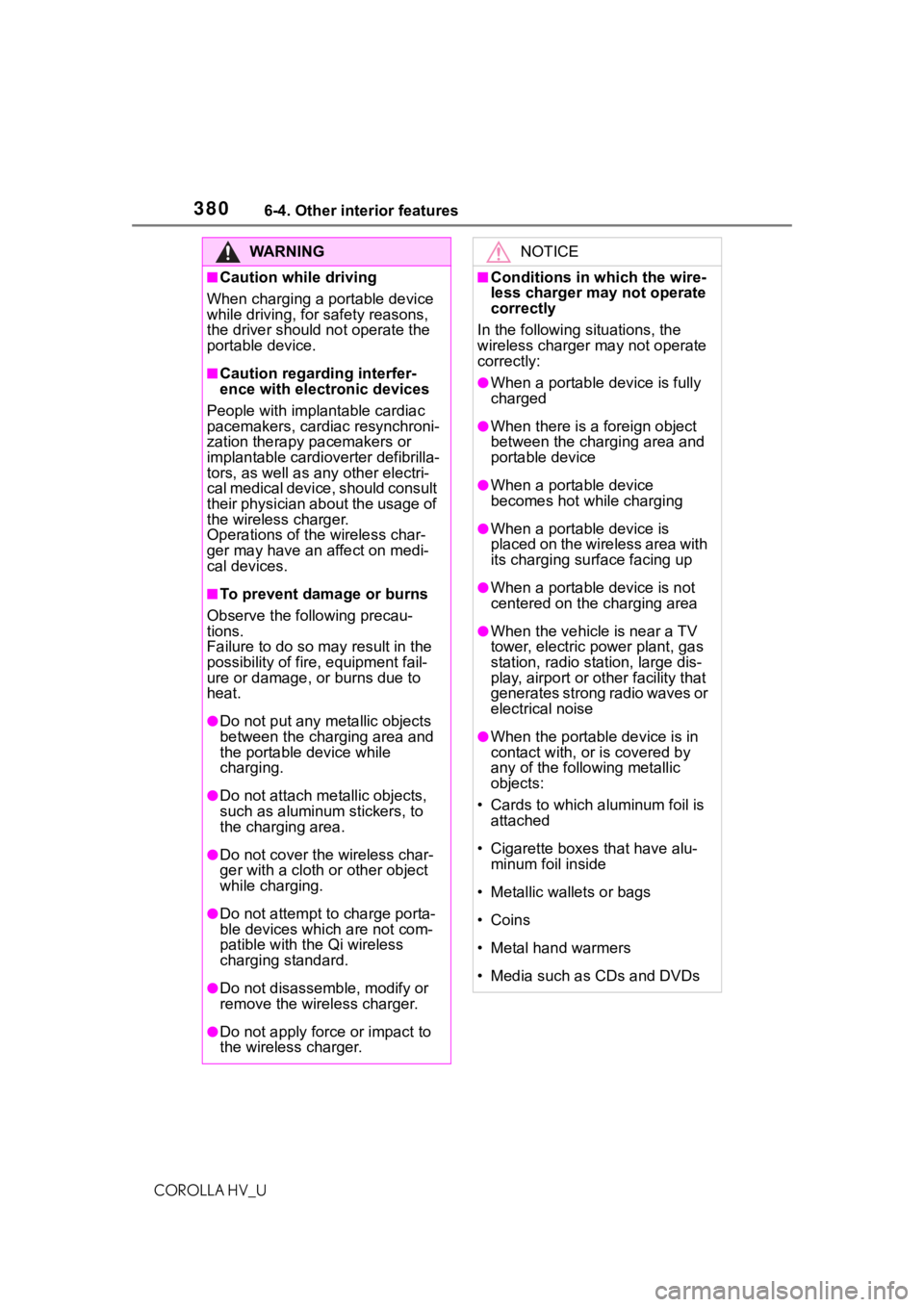
WA R N I N G
■Caution while driving
When charging a portable device
while driving, for safety reasons,
the driver should not operate the
portable device.
■Caution regarding interfer-
ence with electronic devices
People with implantable cardiac
pacemakers, cardiac resynchroni-
zation therapy pacemakers or
implantable cardioverter defibrilla-
tors, as well as any other electri-
cal medical device, should consult
their physician about the usage of
the wireless charger.
Operations of the wireless char-
ger may have an affect on medi-
cal devices.
■To prevent damage or burns
Observe the following precau-
tions.
Failure to do so may result in the
possibility of fire , equipment fail-
ure or damage, or burns due to
heat.
●Do not put any metallic objects
between the charging area and
the portable device while
charging.
●Do not attach me tallic objects,
such as aluminum stickers, to
the charging area.
●Do not cover the wireless char-
ger with a cloth or other object
while charging.
●Do not attempt t o charge porta-
ble devices whic h are not com-
patible with the Qi wireless
charging standard.
●Do not disassemble, modify or
remove the wireless charger.
●Do not apply force or impact to
the wireless charger.
NOTICE
■Conditions in which the wire-
less charger may not operate
correctly
In the following situations, the
wireless charger may not operate
correctly:
●When a portable device is fully
charged
●When there is a foreign object
between the charging area and
portable device
●When a portable device
becomes hot wh ile charging
●When a portable device is
placed on the wireless area with
its charging surface facing up
●When a portable device is not
centered on the charging area
●When the vehicle is near a TV
tower, electric po wer plant, gas
station, radio station, large dis-
play, airport or ot her facility that
generates strong radio waves or
electrical noise
●When the portable device is in
contact with, or is covered by
any of the following metallic
objects:
• Cards to which aluminum foil is attached
• Cigarette boxes that have alu- minum foil inside
• Metallic wallets or bags
• Coins
• Metal hand warmers
• Media such as CDs and DVDs
Page 381 of 556
3816-4. Other interior features
COROLLA HV_U
6
Interior features
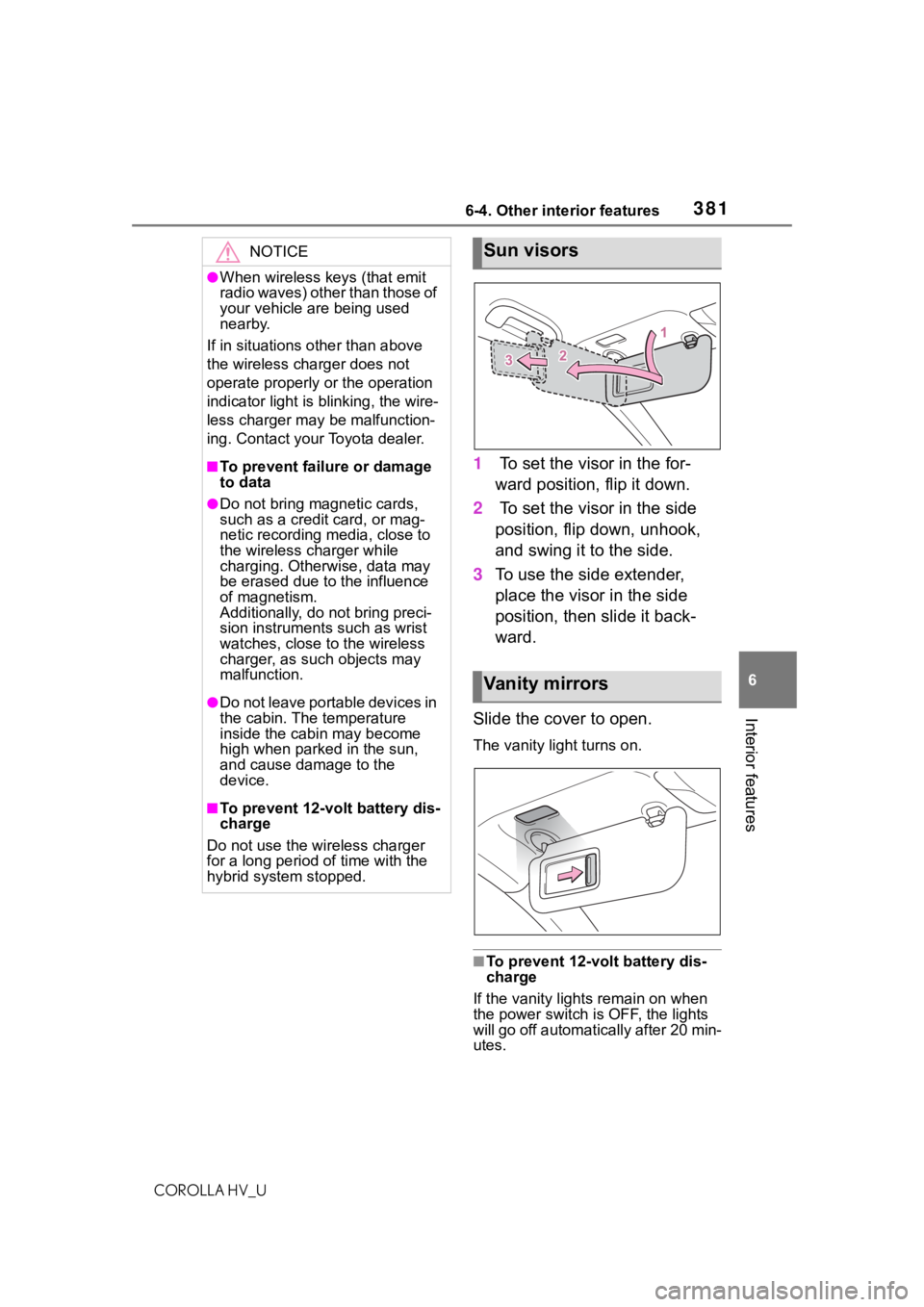
1 To set the visor in the for-
ward position, flip it down.
2 To set the visor in the side
position, flip down, unhook,
and swing it to the side.
3 To use the side extender,
place the visor in the side
position, then slide it back-
ward.
Slide the cover to open.
The vanity lig ht turns on.
■To prevent 12-volt battery dis-
charge
If the vanity lights remain on when
the power switch is OFF, the lights
will go off automatically after 20 min-
utes.
NOTICE
●When wireless keys (that emit
radio waves) other than those of
your vehicle are being used
nearby.
If in situations other than above
the wireless charger does not
operate properly or the operation
indicator light is blinking, the wire-
less charger may be malfunction-
ing. Contact your Toyota dealer.
■To prevent failu re or damage
to data
●Do not bring magnetic cards,
such as a credit card, or mag-
netic recording media, close to
the wireless charger while
charging. Otherwise, data may
be erased due to the influence
of magnetism.
Additionally, do not bring preci-
sion instruments such as wrist
watches, close to the wireless
charger, as such objects may
malfunction.
●Do not leave portable devices in
the cabin. The temperature
inside the cabin may become
high when parked in the sun,
and cause damage to the
device.
■To prevent 12-vo lt battery dis-
charge
Do not use the wireless charger
for a long period of time with the
hybrid system stopped.
Sun visors
Va n i t y m i r r o r s
Page 416 of 556

4167-3. Do-it-yourself maintenance
COROLLA HV_U
low tire inflation pressure before
serious problems arise.
If the tire pressure drops below
a predetermined level, the driver
is warned by a warning light.
(P.454)
■Routine tire inflation pressure
checks
The tire pressure warning system
does not replace routine tire inflation
pressure checks. Make sure to
check tire inflation pressure as part
of your routine of daily vehicle
checks.
■Situations in which the tire
pressure warning system may
not operate properly
●In the following cases, the tire
pressure warning system may not
operate properly.
• If non-genuine Toyota wheels are used.
• A tire has been replaced with a tire that is not an OE (Original
Equipment) tire.
• A tire has been replaced with a tire that is not of the specified size.
• Tire chains, etc. are equipped.
• An auxiliary-supported run-flat tire
is equipped.
• If a window tint that affects the radio wave signals is installed.
• If there is a lot of snow or ice on the vehicle, particularly around the
wheels or wheel housings.
• If the tire inflation pressure is extremely higher than the speci-
fied level.
• If tires not equipped with tire pres- sure warning valves and transmit-
ters are used.
• If the ID code on the tire pressure warning valves and transmitters is
not registered in the tire pressure
warning computer.
●Performance may be affected in
the following situations.
• Near a TV tower, electric power plant, gas station, radio station,
large display, airpo
rt or other facil-
ity that generates strong radio
waves or electrical noise.
• When carrying a portable radio, cellular phone, cordless phone or
other wireless communication
device.
●When the vehicle is parked, the
time taken for the warning to start
or go off could be extended.
●When tire inflation pressure
declines rapidly for example when
a tire has burst, the warning may
not function.
■Warning performance of the tire
pressure warning system
The warning of the tire pressure
warning system w ill change in
accordance with driving conditions.
For this reason, the system may
give a warning even if the tire pres-
sure does not reach a low enough
level, or if the p ressure is higher
than the pressure that was adjusted
to when the system w as initialized.
Page 510 of 556
5109-1. Specifications
COROLLA HV_U
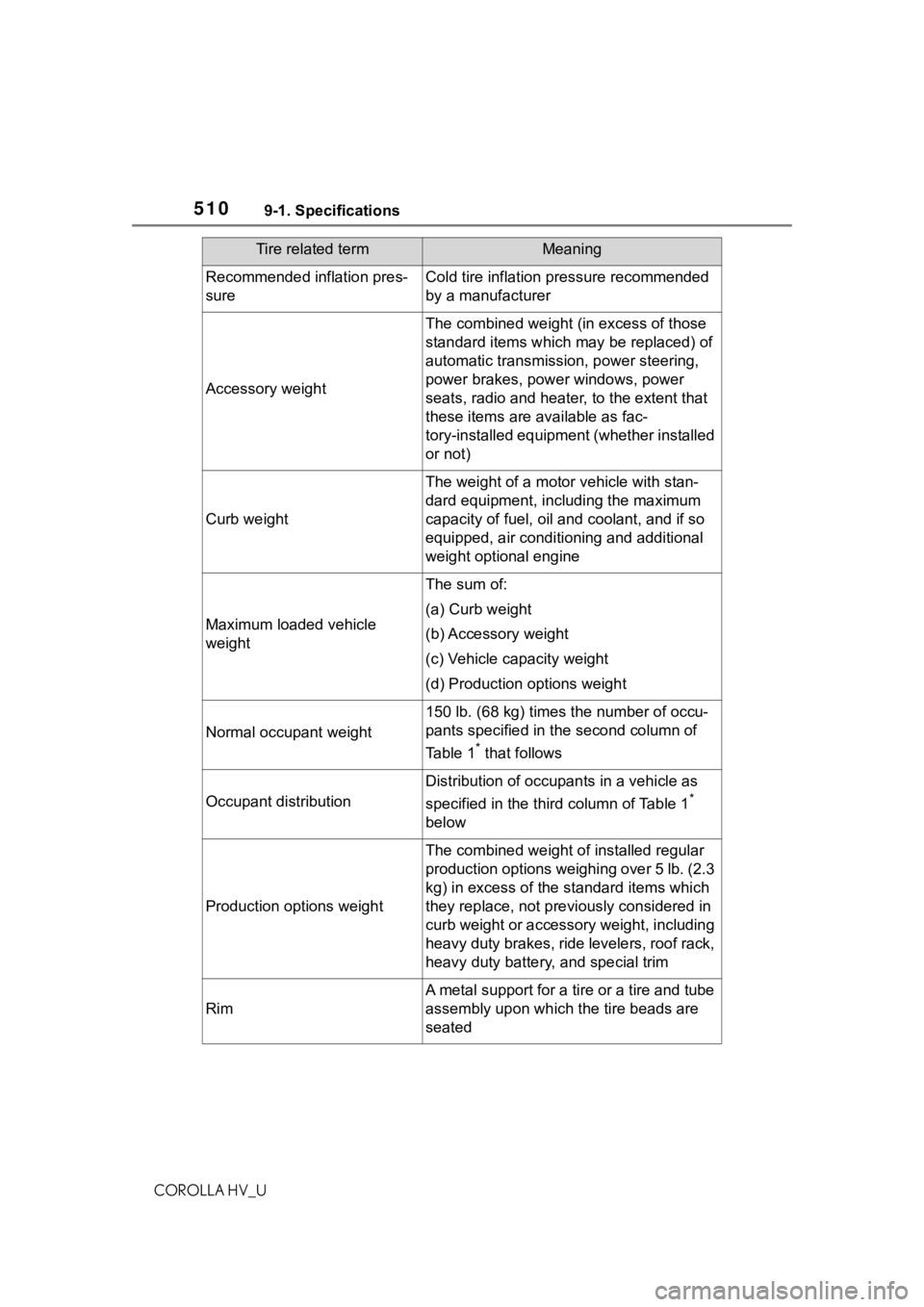
Recommended inflation pres-
sureCold tire inflation pressure recommended
by a manufacturer
Accessory weight
The combined weight (in excess of those
standard items which may be replaced) of
automatic transmission, power steering,
power brakes, power windows, power
seats, radio and heater, to the extent that
these items are available as fac-
tory-installed equipment (whether installed
or not)
Curb weight
The weight of a motor vehicle with stan-
dard equipment, including the maximum
capacity of fuel, oil and coolant, and if so
equipped, air conditioning and additional
weight optional engine
Maximum loaded vehicle
weight
The sum of:
(a) Curb weight
(b) Accessory weight
(c) Vehicle capacity weight
(d) Production options weight
Normal occupant weight
150 lb. (68 kg) times the number of occu-
pants specified in the second column of
Table 1
* that follows
Occupant distribution
Distribution of occupan ts in a vehicle as
specified in the thi rd column of Table 1
*
below
Production options weight
The combined weight o f installed regular
production options weighing over 5 lb. (2.3
kg) in excess of the s tandard items which
they replace, not previously considered in
curb weight or accessory weight, including
heavy duty brakes, ride levelers, roof rack,
heavy duty battery, and special trim
Rim
A metal support for a tire or a tire and tube
assembly upon which the tire beads are
seated
Tire related termMeaning
Page 534 of 556
53410-1. For owners
COROLLA HV_U
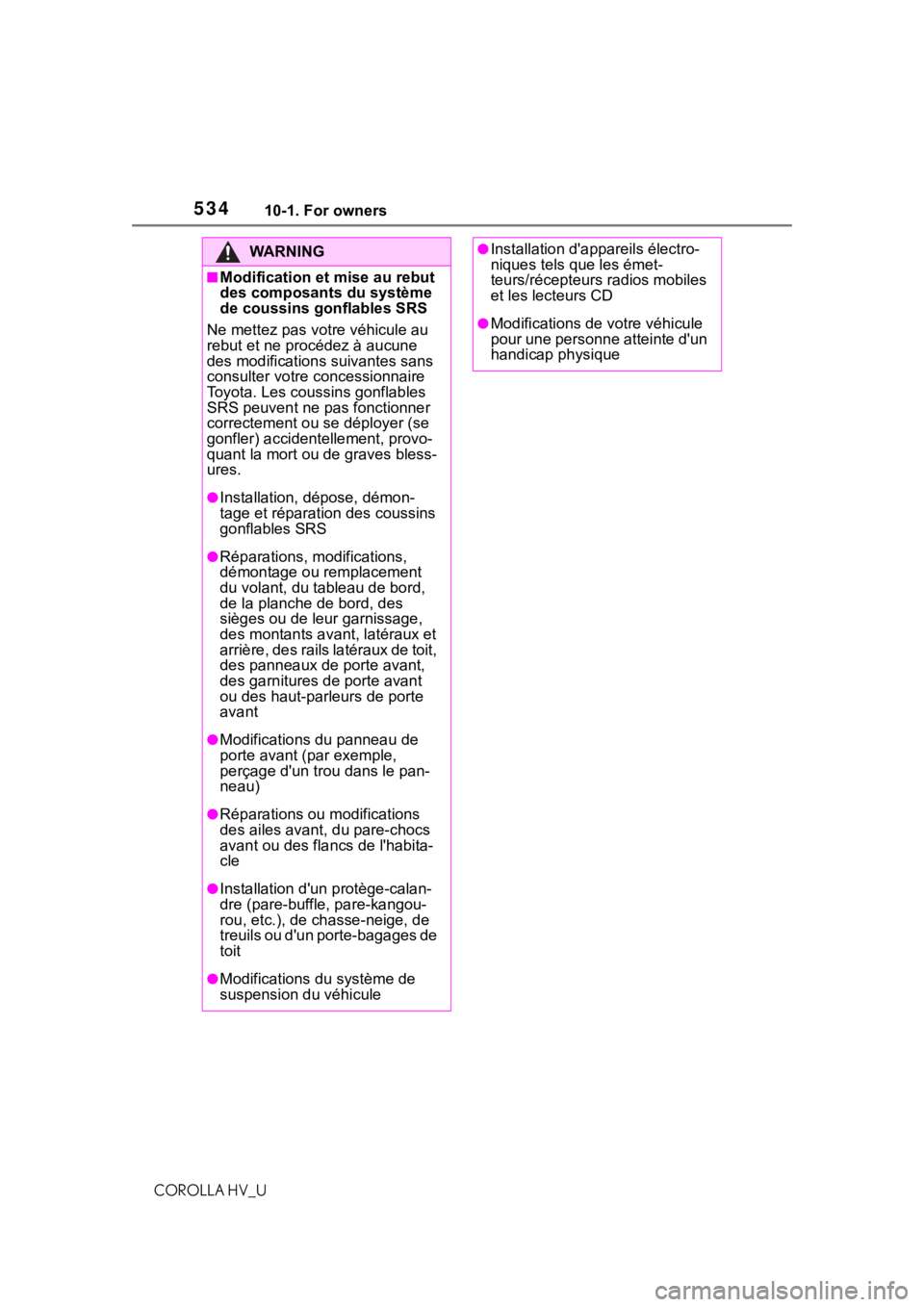
WA R N I N G
■Modification et mise au rebut
des composants du système
de coussins gonflables SRS
Ne mettez pas votre véhicule au
rebut et ne procédez à aucune
des modifications suivantes sans
consulter votre concessionnaire
Toyota. Les coussins gonflables
SRS peuvent ne pas fonctionner
correctement ou se déployer (se
gonfler) acciden tellement, provo-
quant la mort ou de graves bless-
ures.
●Installation, dépose, démon-
tage et réparation des coussins
gonflables SRS
●Réparations, modifications,
démontage ou remplacement
du volant, du tableau de bord,
de la planche de bord, des
sièges ou de leur garnissage,
des montants avant, latéraux et
arrière, des rails latéraux de toit,
des panneaux de porte avant,
des garnitures de porte avant
ou des haut-par leurs de porte
avant
●Modifications du panneau de
porte avant (par exemple,
perçage d'un trou dans le pan-
neau)
●Réparations ou modifications
des ailes avant, du pare-chocs
avant ou des flancs de l'habita-
cle
●Installation d'un protège-calan-
dre (pare-buffle, pare-kangou-
rou, etc.), de chasse-neige, de
treuils ou d'un porte-bagages de
toit
●Modifications du système de
suspension du véhicule
●Installation d'ap pareils électro-
niques tels que les émet-
teurs/récepteurs radios mobiles
et les lecteurs CD
●Modifications de votre véhicule
pour une personne atteinte d'un
handicap physique
Page 536 of 556
536What to do if... (Troubleshooting)
COROLLA HV_U
1-1.What to do if... (Troubleshooting)What to do if... (Troubleshooting)
If you lose your mechanical
keys, new genuine mechani-
cal keys can be made by your
Toyota dealer. ( P.482)
If you lose your electronic
keys, the risk of vehicle theft
increases significantly. Con-
tact your Toyota dealer imme-
diately. ( P.482)
Is the electronic key battery
weak or depleted? ( P.431)
Is the power switch in ON?
When locking the doors, turn the
power switch off. (
P. 1 4 5)
Is the electronic key left inside
the vehicle?
When locking the doors, make sure
that you have the electronic key on
your person.
The function may not operate properly due to the condition
of the radio wave. (
P. 1 1 3 )
Is the child-protector lock set?
The rear door cannot be opened
from inside the vehicle when the
lock is set. Open the rear door from
outside and then unlock the
child-protector lock. (
P. 1 0 8)
Did you press the power
switch while firmly depress-
ing the brake pedal?
( P.143)
Is the shift lever in P?
( P.143)
Is the electronic key any-
where detectable inside the
vehicle? ( P.112)
Is the steering wheel
unlocked? ( P.144)
Is the electronic key battery
weak or depleted?
In this case, the h ybrid system can
be started in a temporary way.
(
P.484)
Is the 12-volt battery dis-
charged? ( P.485)
If you have a problem,
check the following before
contacting your Toyota
dealer.
The doors cannot be
locked, unlocked, opened
or closed
You lose your keys
The doors cannot be
locked or unlocked
The rear door cannot be
opened
If you think something is
wrong
The hybrid system does
not start