air condition TOYOTA GR YARIS 2020 (in English) Owner's Manual
[x] Cancel search | Manufacturer: TOYOTA, Model Year: 2020, Model line: GR YARIS, Model: TOYOTA GR YARIS 2020Pages: 458, PDF Size: 105.69 MB
Page 204 of 458
202
YARIS(GR) Owner's Manual_Europe_M52L09_en
4-5. Using the driving support systems
hot or cold environments.
■When “Blind Spot Monitor Malfunc-
tion Visit Your Dealer” is shown on the multi-information display
There may be a sensor malfunction of
misaligned. Have the vehicle inspected by any authorized Toyota retailer or Toyota authorized repairer, or any reli-
able repairer.
■Customization
Some functions can be customized. ( →P.361)
■Certifications for the Blind Spot
Monitor
→ P. 4 2 1
WARNING
■To ensure the system can oper-
ate properly
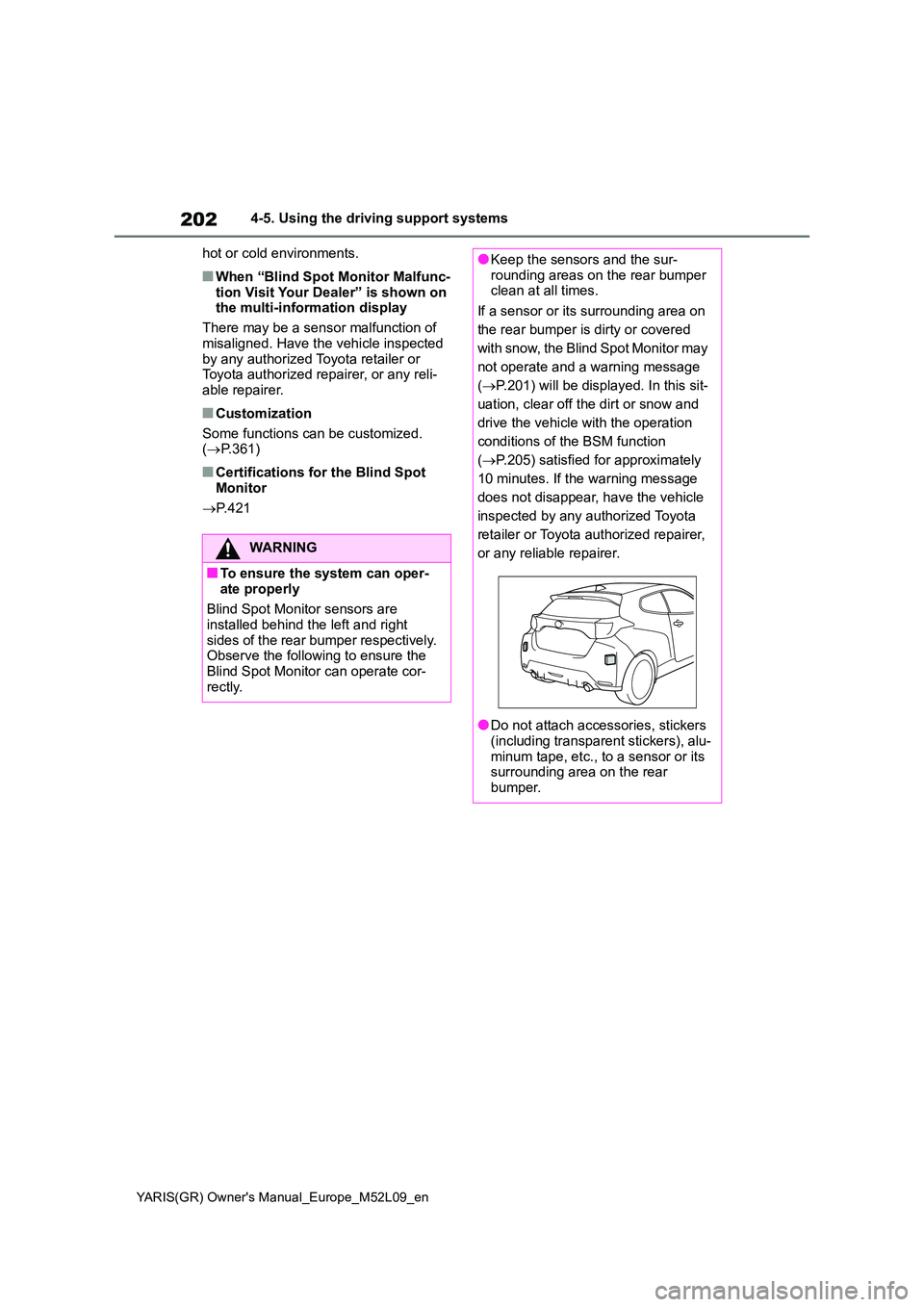
Blind Spot Monitor sensors are installed behind the left and right
sides of the rear bumper respectively. Observe the following to ensure the Blind Spot Monitor can operate cor-
rectly.
●Keep the sensors and the sur- rounding areas on the rear bumper clean at all times.
If a sensor or its surrounding area on
the rear bumper is dirty or covered
with snow, the Blind Spot Monitor may
not operate and a warning message
( →P.201) will be displayed. In this sit-
uation, clear off the dirt or snow and
drive the vehicle with the operation
conditions of the BSM function
( →P.205) satisfied for approximately
10 minutes. If the warning message
does not disappear, have the vehicle
inspected by any authorized Toyota
retailer or Toyota authorized repairer,
or any reliable repairer.
●Do not attach accessories, stickers (including transparent stickers), alu-
minum tape, etc., to a sensor or its surrounding area on the rear bumper.
Page 210 of 458
208
YARIS(GR) Owner's Manual_Europe_M52L09_en
4-5. Using the driving support systems
■The system can be operated when
●The engine switch is in ON.
●Toyota parking assist-sensor function is on.
●The vehicle speed is less than about 10 km/h (6 mph).
●Steering wheel is turned approxi-mately 90° or more (Front side sen-sors, rear side sensors) (if equipped)
●The parking brake is released.
■If “Clean Parking Assist Sensor” is
displayed on the multi-information display
A sensor may be covered with water
drops, ice, snow, dirt, etc. Remove the water drops, ice, snow, dirt, etc., from the sensor to return the system to nor-
mal.
Also, due to ice forming on a sensor at low temperatures, a warning message
may be displayed or the sensor may not be able to detect an object. Once the ice melts, the system will return to normal.
■Sensor detection information
The following situations may occur during use.
●The sensors may be able to only detect objects near the front and rear bumpers.
●Depending on the shape of the object and other factors, the detection dis-
tance may shorten, or detection may be impossible.
●If an object is extremely close to a sensor, it may not be detected.
●There will be a short delay between object detection and display. Even at low speeds, there is a possibility that
the object will come within the sen- sor’s detection areas before the dis-play is shown and the warning beep
sounds.
●It might be difficult to hear the buzzer
due to the volume of the audio system or air flow noise of the air conditioning system.
●It may be difficult to hear the buzzer if buzzers for other systems are sound-
ing.
■Objects which the system may not be properly detected
The shape of the object may prevent the
sensor from detecting it. Pay particular attention to the following objects:
●Wires, fences, ropes, etc.
●Cotton, snow and other materials that
absorb sound waves
WARNING
●Do not modify, disassemble or paint the sensors.
●Do not attach a license plate cover.
●Keep your tires properly inflated.
■When to disable the function
In the following situations, disable the function as it may operate even though there is no possibility of a colli-
sion.
●Failing to observe the warnings
above.
●A non-genuine Toyota suspension
(lowered suspension, etc.) is installed.
■Notes when washing the vehicle
Do not apply intensive bursts of water or steam to the sensor area.
Doing so may result in the sensor malfunctioning.
●When using a high pressure washer to wash the vehicle, do not spray the sensors directly, as doing
so may cause a sensor to malfunc- tion.
●When using steam to clean the vehicle, do not direct steam too close to the sensors as doing so
may cause a sensor to malfunction.
Page 211 of 458
209
4
YARIS(GR) Owner's Manual_Europe_M52L09_en
4-5. Using the driving support systems
Driving
●Sharply-angled objects
●Low objects
●Tall objects with upper sections pro-
jecting outwards in the direction of
your vehicle
■Situations in which the system may
not operate properly
Certain vehicle conditions and the sur-
rounding environment may affect the
ability of a sensor to correctly detect
objects. Particular instances where this
may occur are listed below.
●There is dirt, snow, water drops or ice
on a sensor. (Cleaning the sensors
will resolve this problem.)
●A sensor is frozen. (Thawing the area
will resolve this problem.)
In especially cold weather, if a sensor
is frozen the sensor display may be
displayed abnormally, or objects, such
as a wall, may not be detected.
●When a sensor or the area around a
sensor is extremely hot or cold.
●On an extremely bumpy road, on an
incline, on gravel, or on grass.
●When vehicle horns, vehicle detec-
tors, motorcycle engines, air brakes of
large vehicles, the clearance sonar of
other vehicles or other devices which
produce ultrasonic waves are near the
vehicle
●A sensor is coated with a sheet of
spray or heavy rain.
●If objects draw too close to the sensor.
●Pedestrians that are hard to reflect
ultrasonic waves (ex. skirts with gath-
ers or frills).
●When objects that are not perpendicu-lar to the ground, not perpendicular to
the vehicle traveling direction,
uneven, or waving are in the detection
range.
●Strong wind is blowing
●When driving in inclement weather
such as fog, snow or a sandstorm
●When an object that cannot be
detected is between the vehicle and a
detected object
●If an object such as a vehicle, motor-
cycle, bicycle or pedestrian cuts in
front of the vehicle or runs out from
the side of the vehicle
●If the orientation of a sensor has been
changed due to a collision or other
impact
●When equipment that may obstruct a
sensor is installed, such as a towing
eyelet, bumper protector (an addi-
tional trim strip, etc.), bicycle carrier,
or snow plow
●If the front of the vehicle is raised or
lowered due to the carried load
●If the vehicle cannot be driven in a
stable manner, such as when the
vehicle has been in an accident or is
malfunctioning
●When a tire chains, compact spare tire
or an emergency tire puncture repair
kit is used
■Situations in which the system may
operate even if there is no possibil-
ity of a collision
In some situations, such as the follow-
ing, the system may operate even
though there is no possibility of a colli-
sion.
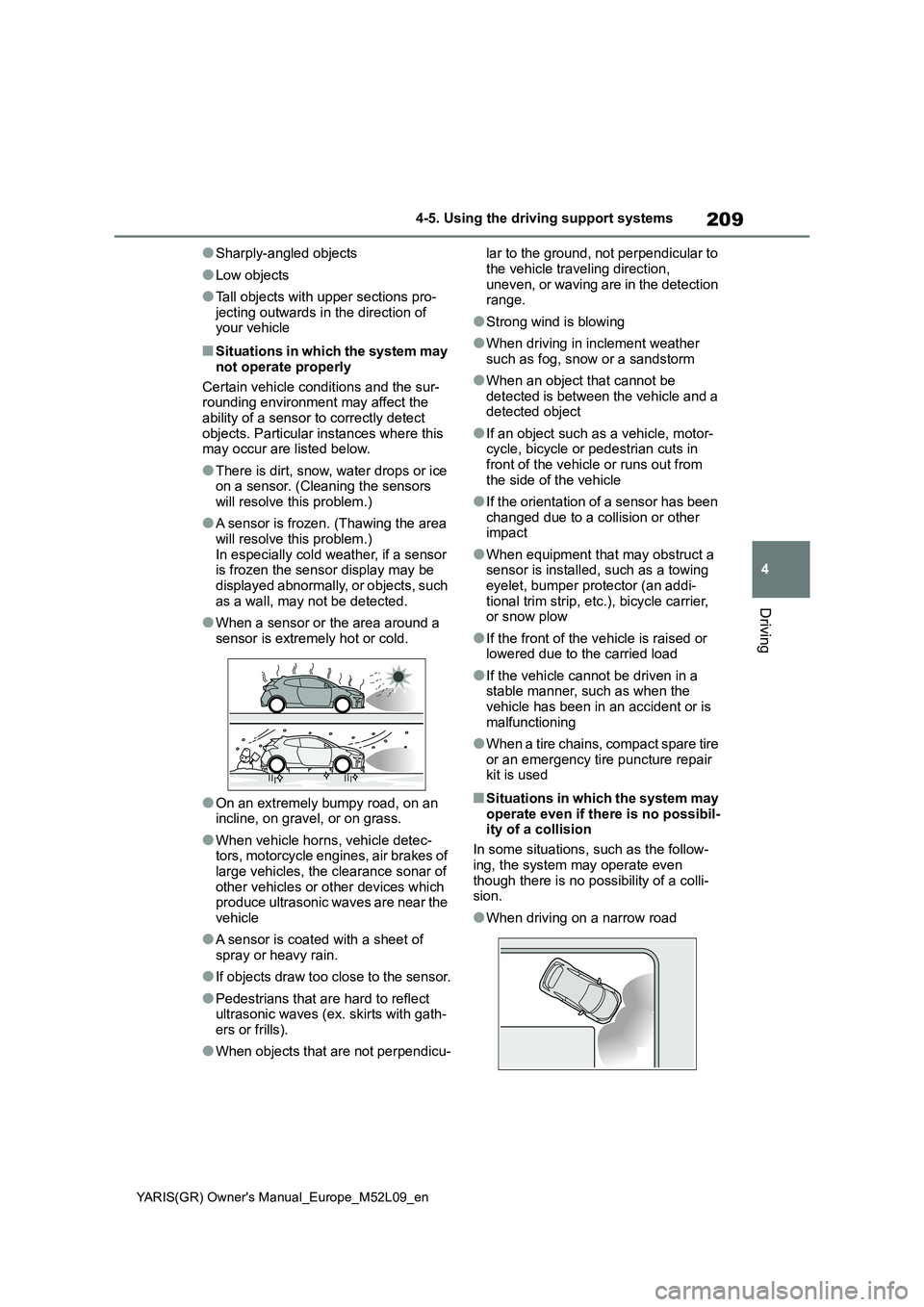
●When driving on a narrow road
Page 219 of 458
217
4
YARIS(GR) Owner's Manual_Europe_M52L09_en
4-5. Using the driving support systems
Driving
●When there are spinning objects near
your vehicle such as the fan of an air conditioning unit
●When water is splashed or sprayed toward the rear bumper, such as from a sprinkler
●Moving objects (flags, exhaust fumes, large rain droplets or snowflakes, rain
water on the road surface, etc.)
●When the distance between your vehi-
cle and a guardrail, wall, etc., that enters the detection area is short
●Gratings and gutters
●When a sensor or the area around a
sensor is extremely hot or cold
●If the suspension has been modified
or tires of a size other than specified are installed
●If the front of the vehicle is raised or lowered due to the carried load
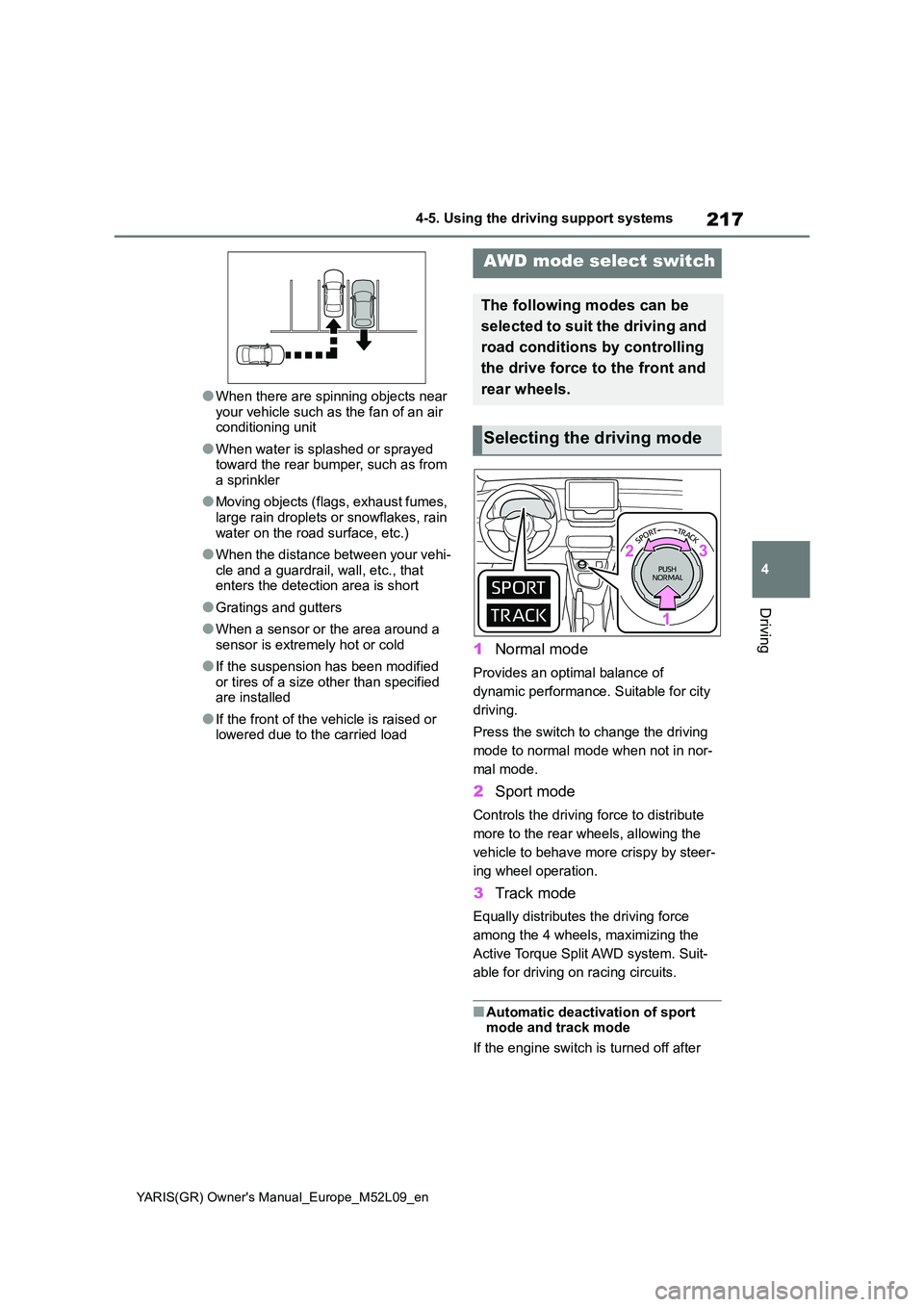
1 Normal mode
Provides an optimal balance of
dynamic performance. Suitable for city
driving.
Press the switch to change the driving
mode to normal mode when not in nor-
mal mode.
2 Sport mode
Controls the driving force to distribute
more to the rear wheels, allowing the
vehicle to behave more crispy by steer-
ing wheel operation.
3 Track mode
Equally distributes the driving force
among the 4 wheels, maximizing the
Active Torque Split AWD system. Suit-
able for driving on racing circuits.
■Automatic deactivation of sport mode and track mode
If the engine switch is turned off after
AWD mode select switch
The following modes can be
selected to suit the driving and
road conditions by controlling
the drive force to the front and
rear wheels.
Selecting the driving mode
Page 222 of 458
220
YARIS(GR) Owner's Manual_Europe_M52L09_en
4-5. Using the driving support systems
■TRC (Traction Control)
Helps to maintain drive power and
prevent the drive wheels from spin-
ning when starting the vehicle or
accelerating on slippery roads
■Hill-start assist control
Helps to reduce the backward
movement of the vehicle when
starting on an uphill
■EPS (Electric Power Steering)
Employs an electric motor to
reduce the amount of effort needed
to turn the steering wheel.
■Active Torque Split AWD sys-
tem
Automatically switches from front-
wheel drive to all-wheel drive
(AWD) according to the driving con-
ditions, helping to ensure reliable
handling and stability. Examples of
conditions where the system will
switch to AWD are when cornering,
going uphill, starting off or acceler-
ating, and when the road surface is
slippery due to snow, rain, etc.
■Emergency brake signal
When the brakes are applied sud-
denly, the emergency flashers auto-
matically flash to alert the vehicle
behind.
■The secondary Collision Brake
(if equipped)
When the SRS airbag sensor
detects a collision and the system
operates, the brakes and brake
lights are automatically controlled to reduce the vehicle speed and
help reduce the possibility of further
damage due to a secondary colli-
sion.
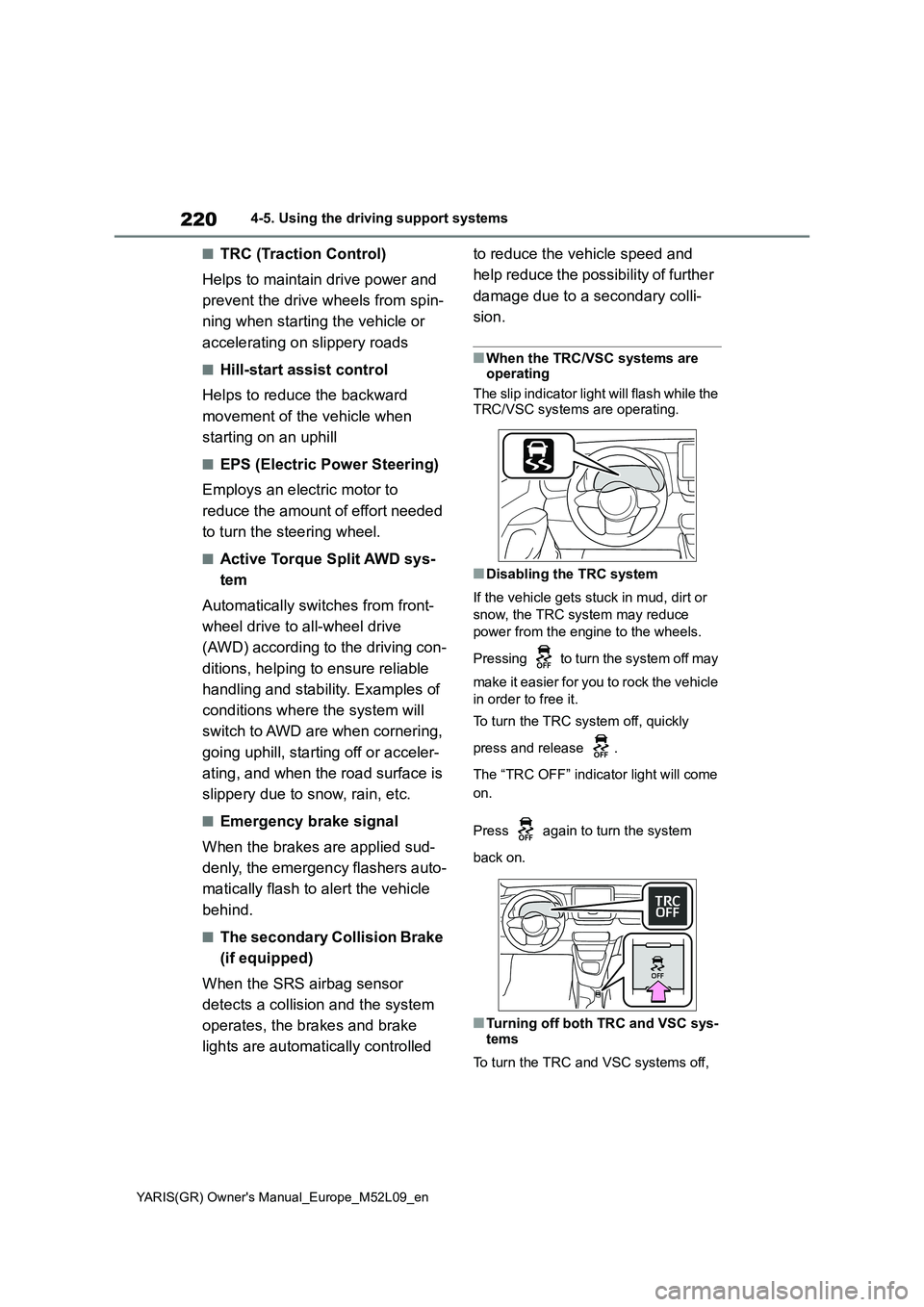
■When the TRC/VSC systems are
operating
The slip indicator light will flash while the
TRC/VSC systems are operating.
■Disabling the TRC system
If the vehicle gets stuck in mud, dirt or
snow, the TRC system may reduce
power from the engine to the wheels.
Pressing to turn the system off may
make it easier for you to rock the vehicle
in order to free it.
To turn the TRC system off, quickly
press and release .
The “TRC OFF” indicator light will come
on.
Press again to turn the system
back on.
■Turning off both TRC and VSC sys-
tems
To turn the TRC and VSC systems off,
Page 224 of 458
222
YARIS(GR) Owner's Manual_Europe_M52L09_en
4-5. Using the driving support systems
able repairer.
■Operating conditions of hill-start
assist control
When the following four conditions are
met, the hill-start assist control will oper-
ate:
●The shift lever is in a position other
than R when starting off forward on an
upward incline, or the shift lever is in
R when starting off backward on an
upward incline.
●The vehicle is stopped
●The accelerator pedal is not
depressed
●The parking brake is not engaged
●Engine switch is turned to ON
■Automatic system cancelation of
hill-start assist control
The hill-start assist control will turn off in
any of the following situations:
●The shift lever is shifted to R when
starting off forward on an upward
incline, or the shift lever is shifted to
other than R when starting off back-
ward on an upward incline.
●The accelerator pedal is depressed
●The parking brake is engaged
●2 seconds at maximum elapsed after
the brake pedal is released
●Engine switch is turned to OFF
■Sounds and vibrations caused by
the ABS, brake assist, VSC, TRC
and hill-start assist control sys-
tems
●A sound may be heard from the
engine compartment when the brake
pedal is depressed repeatedly, when
the engine is started or just after the
vehicle begins to move. This sound
does not indicate that a malfunction
has occurred in any of these systems.
●Any of the following conditions may
occur when the above systems are
operating. None of these indicates
that a malfunction has occurred.
• Vibrations may be felt through the vehicle body and steering.
• A motor sound may be heard also
after the vehicle comes to a stop.
• The brake pedal may pulsate slightly
after the ABS is activated.
• The brake pedal may move down
slightly after the ABS is activated.
■EPS operation sound
When the steering wheel is operated, a
motor sound (whirring sound) may be
heard. This does not indicate a malfunc-
tion.
■Automatic reactivation of TRC and
VSC systems
After turning the TRC and VSC systems
off, the systems will be automatically re-
enabled in the following situations:
●When the engine switch is turned off
●If only the TRC system is turned off,
the TRC will turn on when vehicle
speed increases.
If both the TRC and VSC systems are
turned off, automatic re-enabling will
not occur when vehicle speed
increases.
■Reduced effectiveness of the EPS
system
The effectiveness of the EPS system is
reduced to prevent the system from
overheating when there is frequent
steering input over an extended period
of time. The steering wheel may feel
heavy as a result. Should this occur,
refrain from excessive steering input or
stop the vehicle and turn the engine off.
The EPS system should return to nor-
mal within 10 minutes.
■Operating conditions of emergency
brake signal
When the following conditions are met,
the emergency brake signal will oper-
ates:
●The emergency flashers are off
●Actual vehicle speed is over 55 km/h
(35 mph)
●The system judges from the vehicle
deceleration that it is a sudden brak-
Page 225 of 458
223
4
YARIS(GR) Owner's Manual_Europe_M52L09_en
4-5. Using the driving support systems
Driving
ing operation.
■Automatic system cancelation of
emergency brake signal
The emergency brake signal will be can-
celed in any of the following situations:
●The emergency flashers are turned
on.
●The system judges from the vehicle
deceleration that is not a sudden brak-
ing operation.
■Secondary Collision Brake operat-
ing conditions (if equipped)
The system operates when the SRS air-
bag sensor detects a collision while the
vehicle is in motion.
However, the system does not operate in any of the following situations.
●The vehicle speed is below 10 km/h (6
mph)
●Components are damaged
■Secondary Collision Brake auto-
matic cancelation (if equipped)
The system is automatically canceled in
any of the following situations.
●The vehicle speed drops below
approximately 10 km/h (6 mph)
●A certain amount of time elapses
during operation
●The accelerator pedal is depressed a
large amount
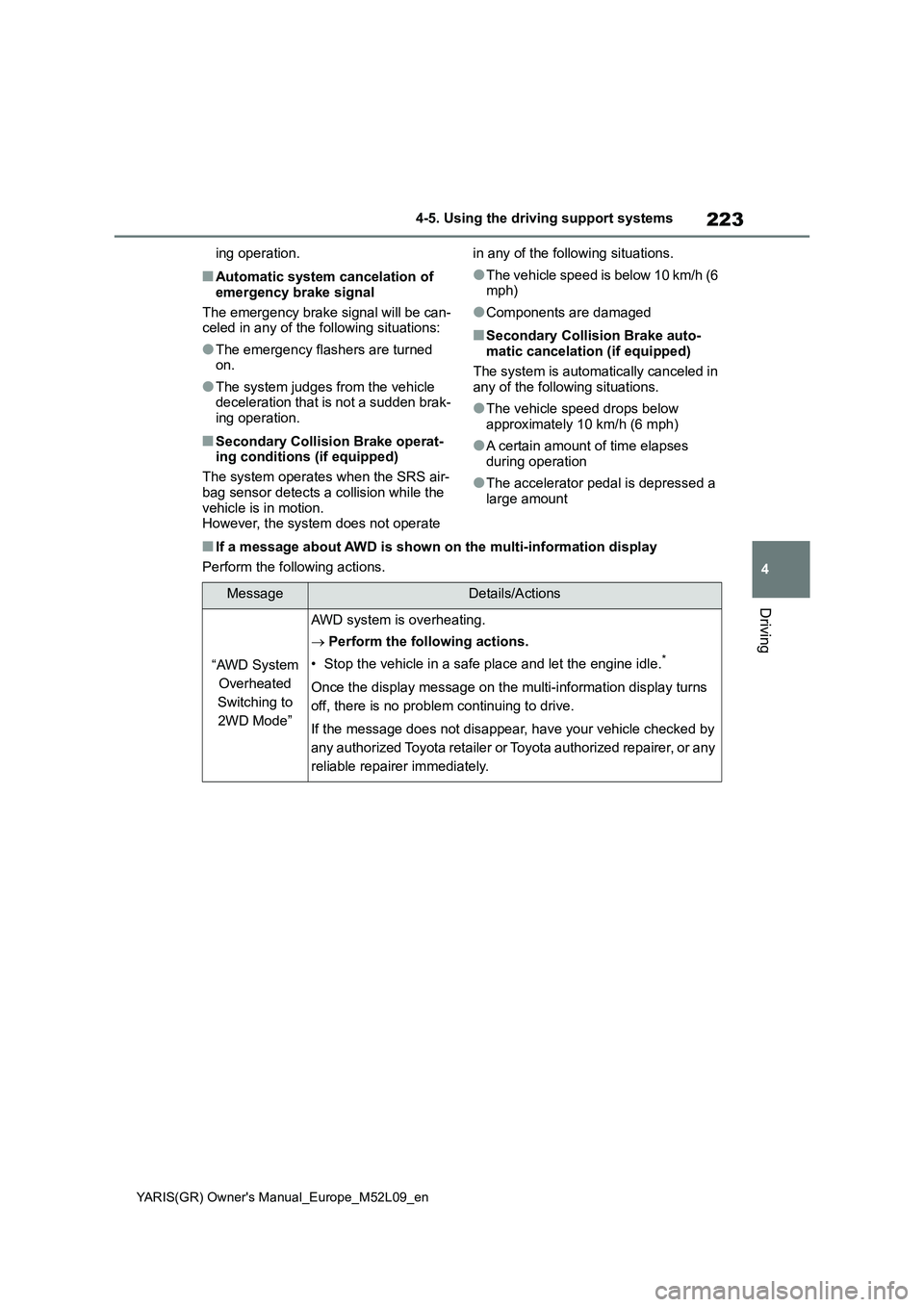
■If a message about AWD is shown on the multi-information display
Perform the following actions.
MessageDetails/Actions
“AWD System
Overheated
Switching to
2WD Mode”
AWD system is overheating.
→Perform the following actions.
• Stop the vehicle in a safe place and let the engine idle.
*
Once the display message on the multi-information display turns
off, there is no problem continuing to drive.
If the message does not disappear, have your vehicle checked by
any authorized Toyota retailer or Toyota authorized repairer, or any
reliable repairer immediately.
Page 226 of 458
224
YARIS(GR) Owner's Manual_Europe_M52L09_en
4-5. Using the driving support systems
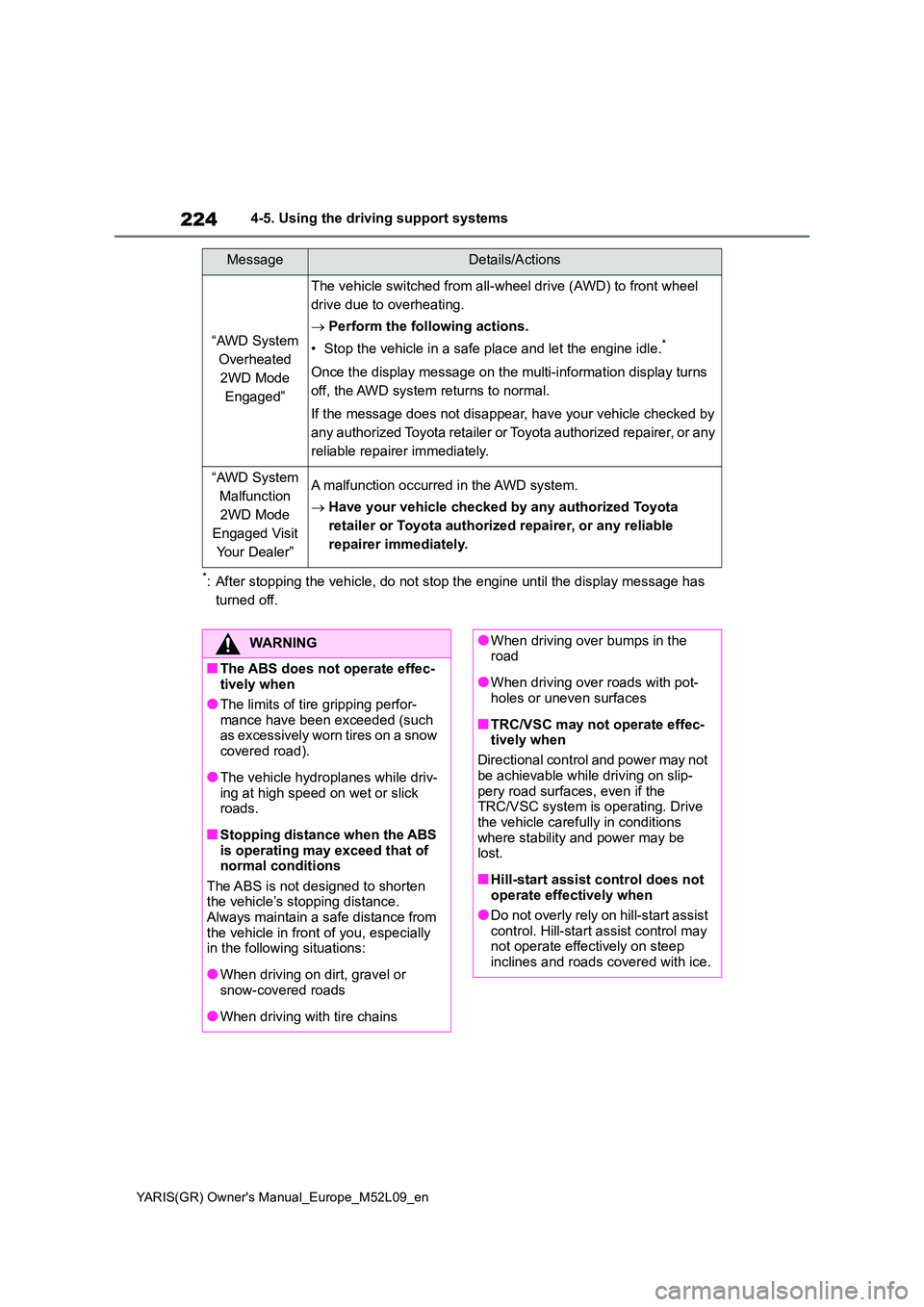
*: After stopping the vehicle, do not stop the engine until the display message has
turned off.
“AWD System
Overheated
2WD Mode
Engaged”
The vehicle switched from all-wheel drive (AWD) to front wheel
drive due to overheating.
→ Perform the following actions.
• Stop the vehicle in a safe place and let the engine idle.*
Once the display message on the multi-information display turns
off, the AWD system returns to normal.
If the message does not disappear, have your vehicle checked by
any authorized Toyota retailer or Toyota authorized repairer, or any
reliable repairer immediately.
“AWD System
Malfunction
2WD Mode
Engaged Visit
Your Dealer”
A malfunction occurred in the AWD system.
→ Have your vehicle checked by any authorized Toyota
retailer or Toyota authorized repairer, or any reliable
repairer immediately.
MessageDetails/Actions
WARNING
■The ABS does not operate effec- tively when
●The limits of tire gripping perfor-mance have been exceeded (such as excessively worn tires on a snow
covered road).
●The vehicle hydroplanes while driv-
ing at high speed on wet or slick roads.
■Stopping distance when the ABS is operating may exceed that of normal conditions
The ABS is not designed to shorten the vehicle’s stopping distance. Always maintain a safe distance from
the vehicle in front of you, especially in the following situations:
●When driving on dirt, gravel or snow-covered roads
●When driving with tire chains
●When driving over bumps in the road
●When driving over roads with pot-holes or uneven surfaces
■TRC/VSC may not operate effec-tively when
Directional control and power may not
be achievable while driving on slip- pery road surfaces, even if the TRC/VSC system is operating. Drive
the vehicle carefully in conditions where stability and power may be lost.
■Hill-start assist control does not operate effectively when
●Do not overly rely on hill-start assist control. Hill-start assist control may not operate effectively on steep
inclines and roads covered with ice.
Page 227 of 458
225
4
YARIS(GR) Owner's Manual_Europe_M52L09_en
4-5. Using the driving support systems
Driving
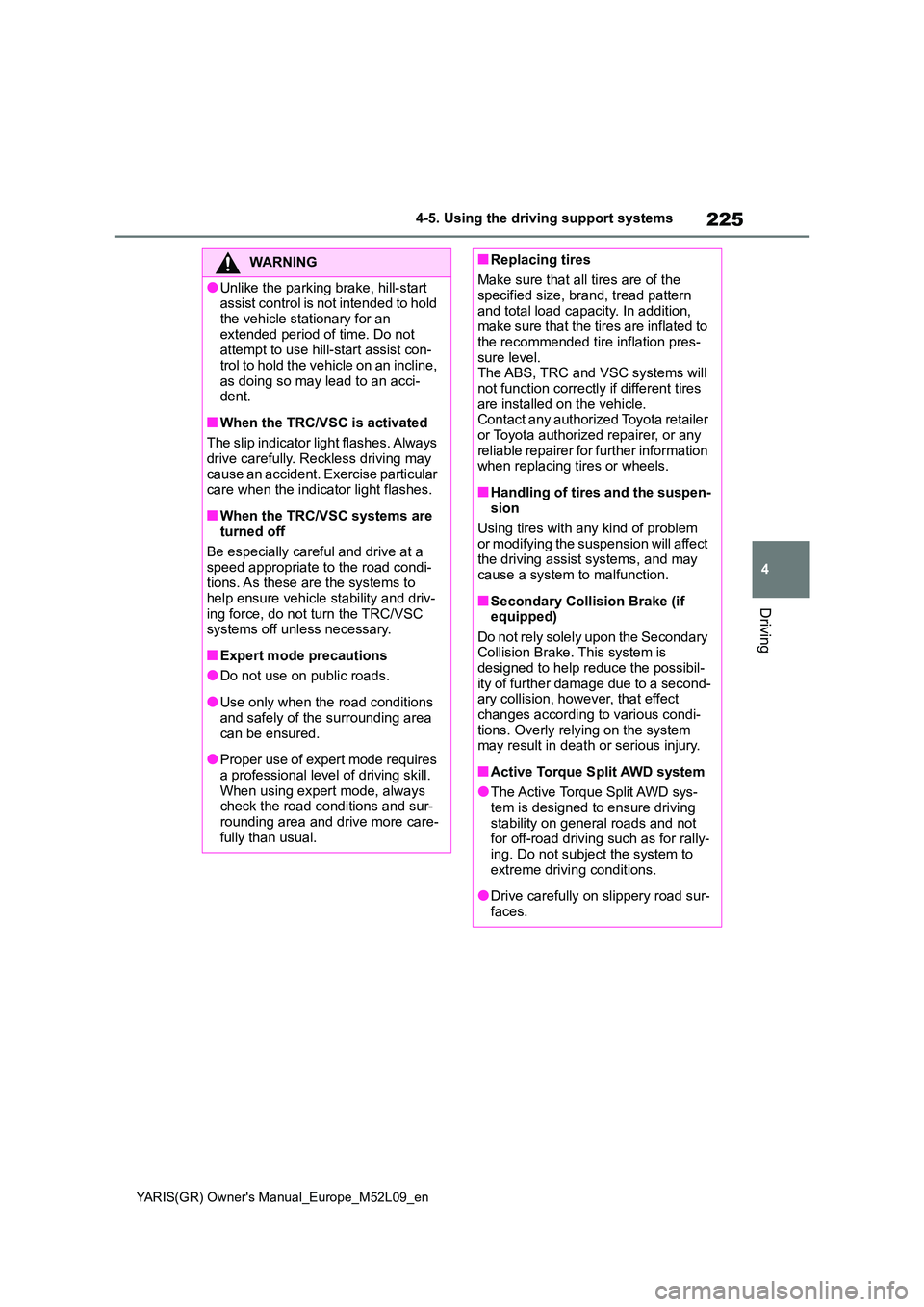
WARNING
●Unlike the parking brake, hill-start assist control is not intended to hold
the vehicle stationary for an extended period of time. Do not attempt to use hill-start assist con-
trol to hold the vehicle on an incline, as doing so may lead to an acci-dent.
■When the TRC/VSC is activated
The slip indicator light flashes. Always
drive carefully. Reckless driving may cause an accident. Exercise particular care when the indicator light flashes.
■When the TRC/VSC systems are turned off
Be especially careful and drive at a speed appropriate to the road condi-tions. As these are the systems to
help ensure vehicle stability and driv- ing force, do not turn the TRC/VSC systems off unless necessary.
■Expert mode precautions
●Do not use on public roads.
●Use only when the road conditions and safely of the surrounding area
can be ensured.
●Proper use of expert mode requires
a professional level of driving skill. When using expert mode, always check the road conditions and sur-
rounding area and drive more care- fully than usual.
■Replacing tires
Make sure that all tires are of the specified size, brand, tread pattern
and total load capacity. In addition, make sure that the tires are inflated to the recommended tire inflation pres-
sure level. The ABS, TRC and VSC systems will not function correctly if different tires
are installed on the vehicle. Contact any authorized Toyota retailer or Toyota authorized repairer, or any
reliable repairer for further information when replacing tires or wheels.
■Handling of tires and the suspen-sion
Using tires with any kind of problem
or modifying the suspension will affect the driving assist systems, and may cause a system to malfunction.
■Secondary Collision Brake (if equipped)
Do not rely solely upon the Secondary Collision Brake. This system is designed to help reduce the possibil-
ity of further damage due to a second- ary collision, however, that effect changes according to various condi-
tions. Overly relying on the system may result in death or serious injury.
■Active Torque Split AWD system
●The Active Torque Split AWD sys-tem is designed to ensure driving
stability on general roads and not for off-road driving such as for rally-ing. Do not subject the system to
extreme driving conditions.
●Drive carefully on slippery road sur-
faces.
Page 228 of 458
226
YARIS(GR) Owner's Manual_Europe_M52L09_en
4-6. Driving tips
4-6.Driving tips
zUse fluids that are appropriate to
the prevailing outside tempera-
tures.
• Engine oil
• Engine coolant
• Washer fluid
z Have a service technician
inspect the condition of the bat-
tery.
z Have the vehicle fitted with four
snow tires or purchase a set of
tire chains for the front tires.
Ensure that all tires are the same size
and brand, and that chains match the
size of the tires.
Perform the following according to
Winter driving tips
Carry out the necessary prepa-
rations and inspections before
driving the vehicle in winter.
Always drive the vehicle in a
manner appropriate to the pre-
vailing weather conditions.
Pre-winter preparations
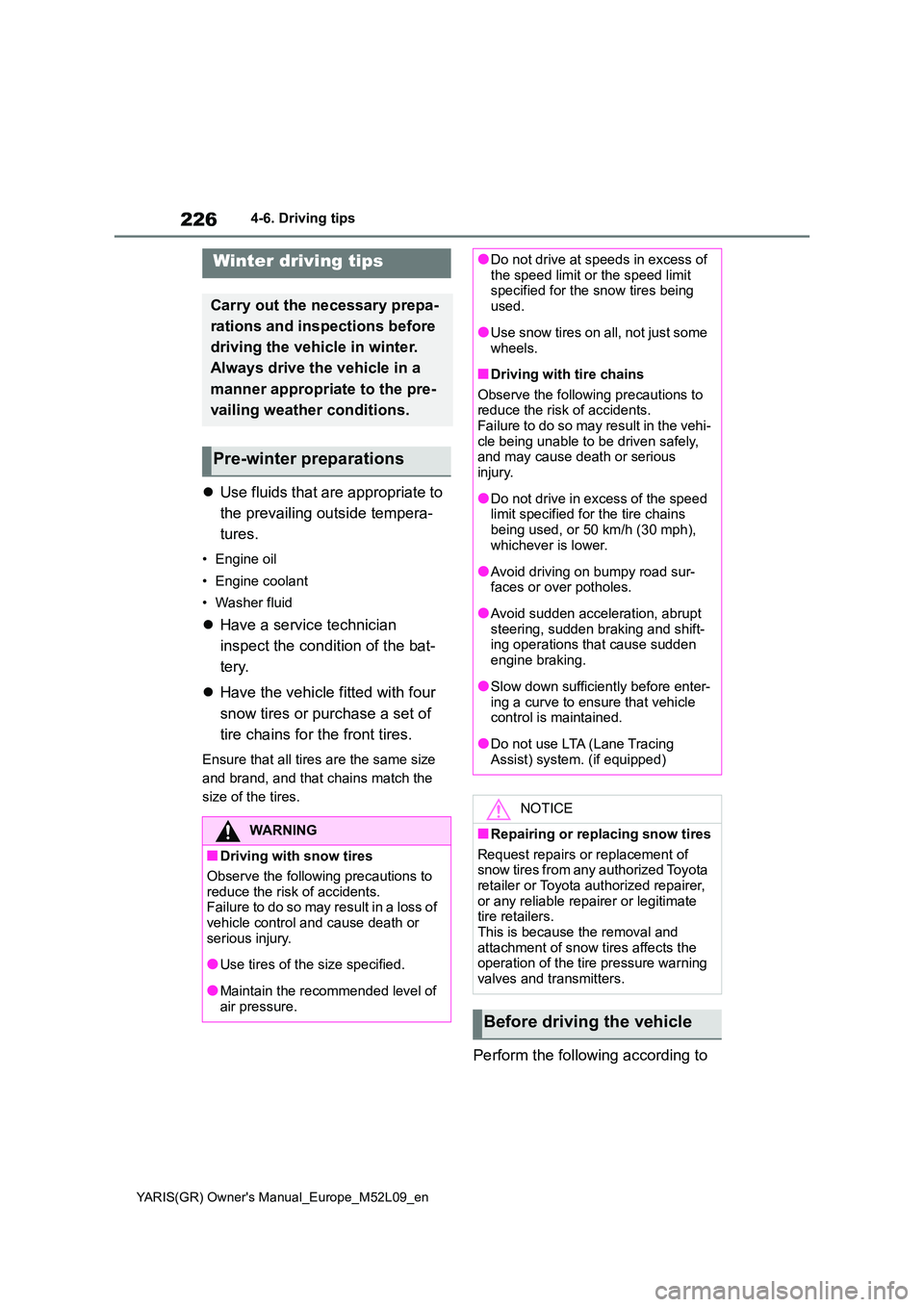
WARNING
■Driving with snow tires
Observe the following precautions to
reduce the risk of accidents. Failure to do so may result in a loss of vehicle control and cause death or
serious injury.
●Use tires of the size specified.
●Maintain the recommended level of air pressure.
●Do not drive at speeds in excess of the speed limit or the speed limit specified for the snow tires being
used.
●Use snow tires on all, not just some
wheels.
■Driving with tire chains
Observe the following precautions to reduce the risk of accidents.Failure to do so may result in the vehi-
cle being unable to be driven safely, and may cause death or serious injury.
●Do not drive in excess of the speed limit specified for the tire chains
being used, or 50 km/h (30 mph), whichever is lower.
●Avoid driving on bumpy road sur-faces or over potholes.
●Avoid sudden acceleration, abrupt steering, sudden braking and shift-ing operations that cause sudden
engine braking.
●Slow down sufficiently before enter-
ing a curve to ensure that vehicle control is maintained.
●Do not use LTA (Lane Tracing Assist) system. (if equipped)
NOTICE
■Repairing or replacing snow tires
Request repairs or replacement of snow tires from any authorized Toyota retailer or Toyota authorized repairer,
or any reliable repairer or legitimate tire retailers.This is because the removal and
attachment of snow tires affects the operation of the tire pressure warning valves and transmitters.
Before driving the vehicle