reset TOYOTA HIGHLANDER 2010 XU40 / 2.G User Guide
[x] Cancel search | Manufacturer: TOYOTA, Model Year: 2010, Model line: HIGHLANDER, Model: TOYOTA HIGHLANDER 2010 XU40 / 2.GPages: 608, PDF Size: 11.99 MB
Page 354 of 608
354 3-4. Using the hands-free phone system (for cellular phone)
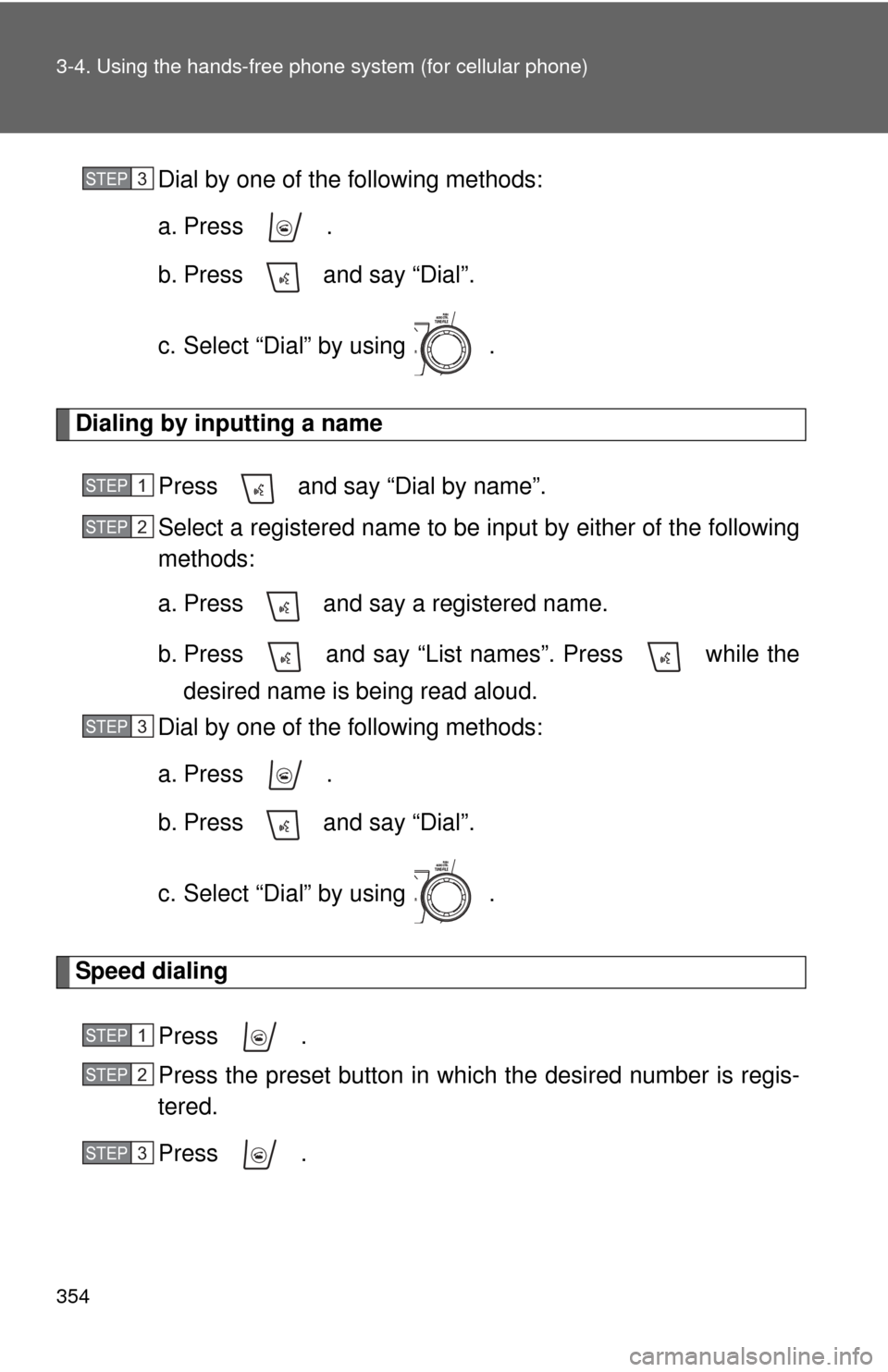
Dial by one of the following methods:
a. Press .
b. Press and say “Dial”.
c. Select “Dial” by using .
Dialing by inputting a name
Press and say “Dial by name”.
Select a registered name to be input by either of the following
methods:
a. Press and say a registered name.
b. Press and say “List names”. Press while thedesired name is being read aloud.
Dial by one of the following methods:
a. Press .
b. Press and say “Dial”.
c. Select “Dial” by using .
Speed dialing
Press .
Press the preset button in which the desired number is regis-
tered.
Press .
STEP3
STEP1
STEP2
STEP3
STEP1
STEP2
STEP3
Page 369 of 608
369
3-4. Using the hand
s-free phone system (for cellular phone)
3
Interior features
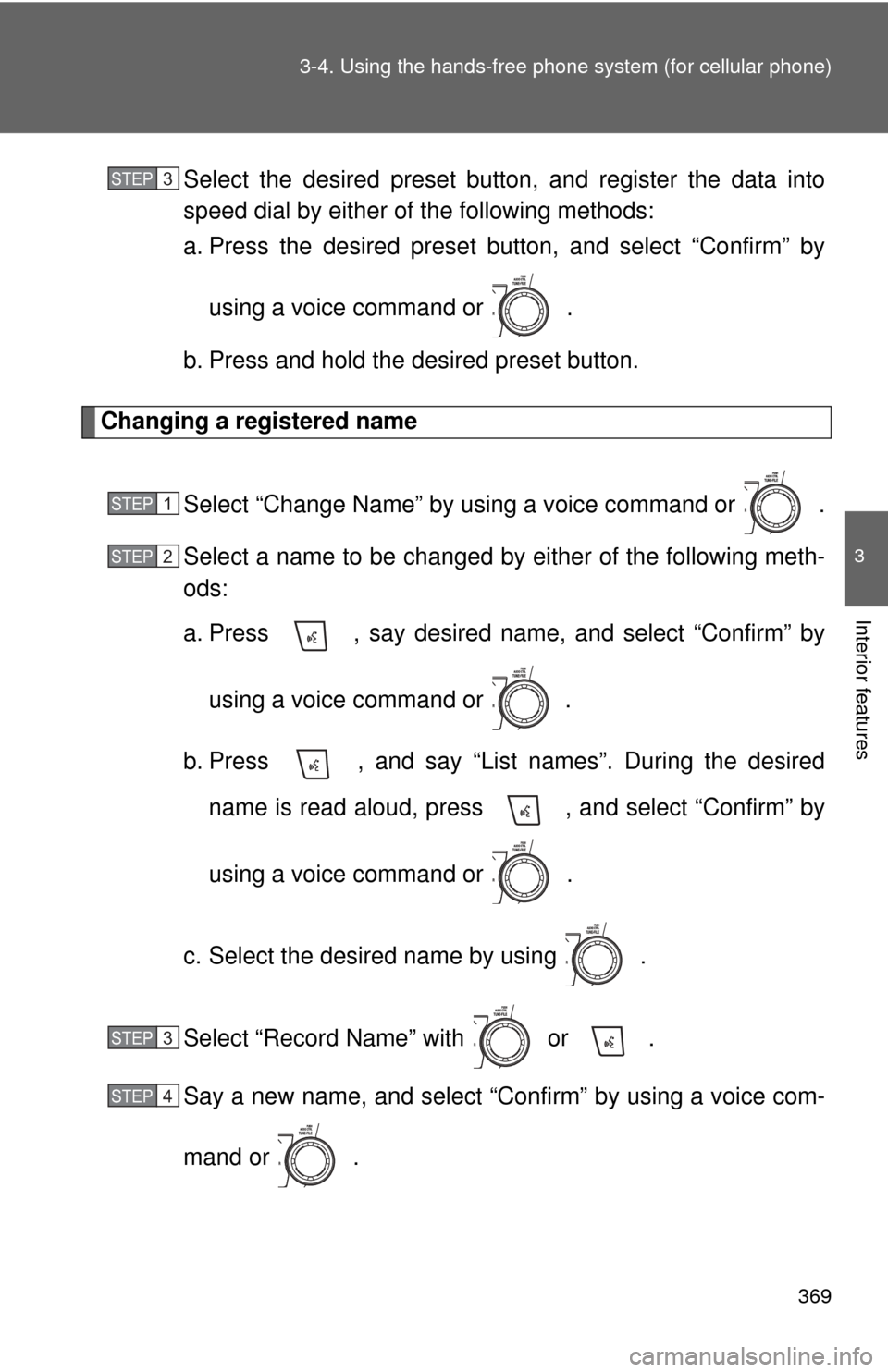
Select the desired preset butt on, and register the data into
speed dial by either of the following methods:
a. Press the desired preset button, and select “Confirm” by
using a voice command or .
b. Press and hold the desired preset button.
Changing a registered name
Select “Change Name” by using a voice command or .
Select a name to be changed by either of the following meth-
ods:
a. Press , say desired name, and select “Confirm” byusing a voice command or
.
b. Press , and say “List names”. During the desired name is read aloud, press , and select “Confirm” by
using a voice command or .
c. Select the desired name by using .
Select “Record Name” with or .
Say a new name, and select “Con firm” by using a voice com-
mand or .
STEP3
STEP1
STEP2
STEP3
STEP4
Page 370 of 608
370 3-4. Using the hands-free phone system (for cellular phone)
Deleting registered data
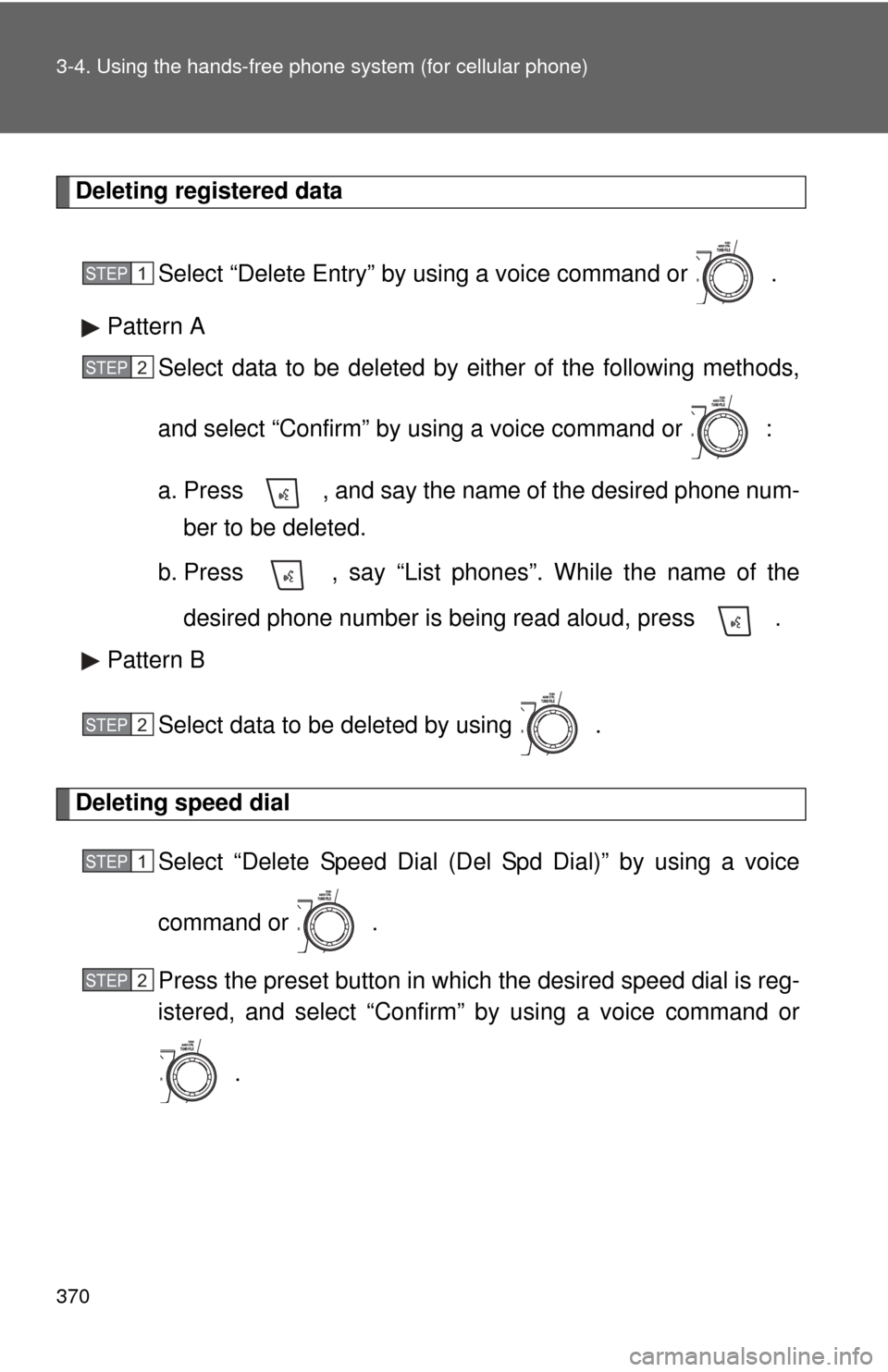
Select “Delete Entry” by using a voice command or .
Pattern A Select data to be deleted by either of the following methods,
and select “Confirm” by using a voice command or :
a. Press , and say the name of the desired phone num-ber to be deleted.
b. Press , say “List phones”. While the name of the
desired phone number is being read aloud, press .
Pattern B
Select data to be deleted by using .
Deleting speed dial Select “Delete Speed Dial (Del Spd Dial)” by using a voice
command or .
Press the preset button in which the desired speed dial is reg-
istered, and select “Confirm” by using a voice command or
.
STEP1
STEP2
STEP2
STEP1
STEP2
Page 443 of 608
443
4-3. Do-it-yourself maintenance
4
Maintenance and care
■
How to read oil container labels
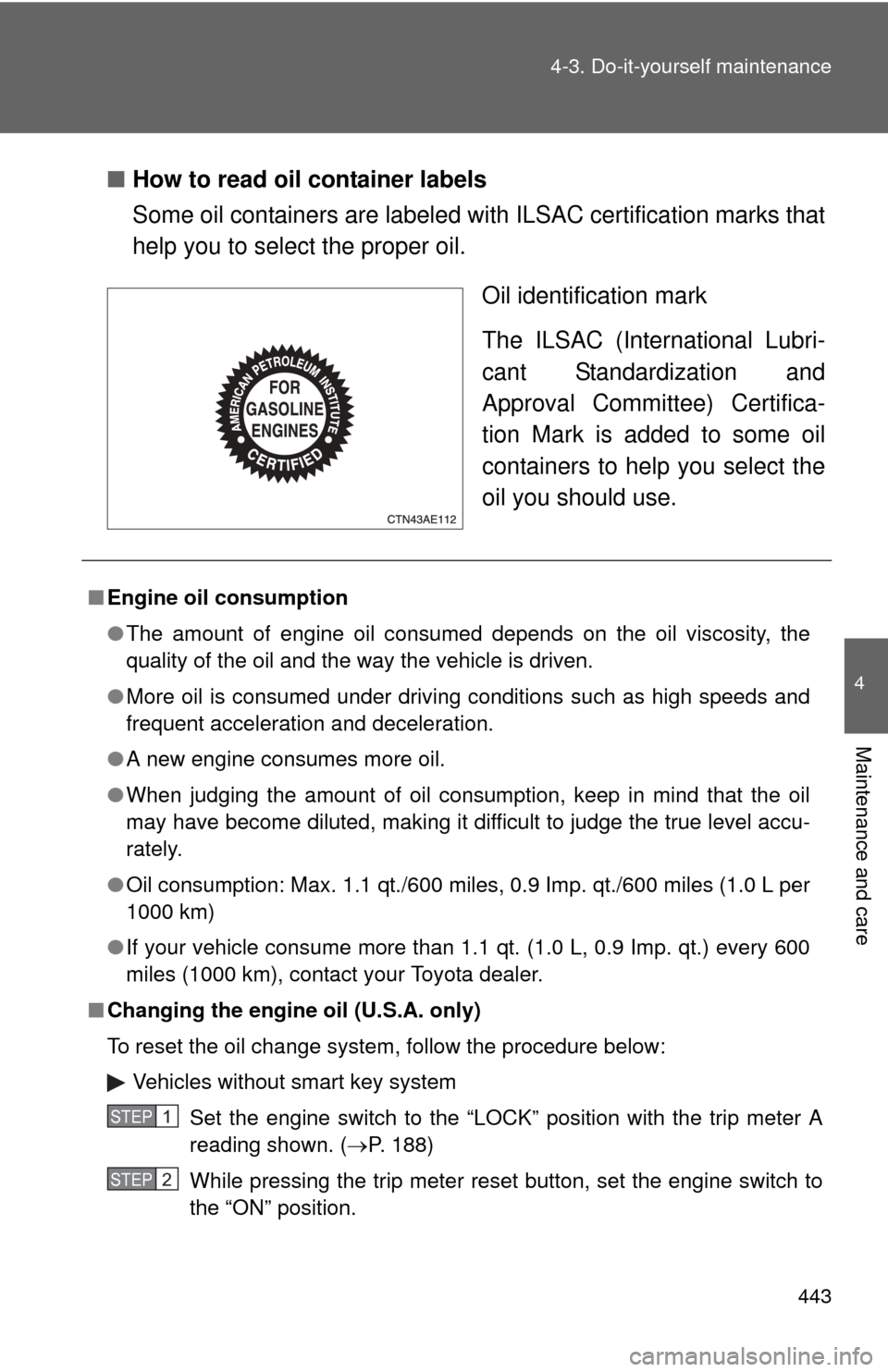
Some oil containers are labeled with ILSAC certification marks that
help you to select the proper oil.
Oil identification mark
The ILSAC (International Lubri-
cant Standardization and
Approval Committee) Certifica-
tion Mark is added to some oil
containers to help you select the
oil you should use.
■Engine oil consumption
●The amount of engine oil consumed depends on the oil viscosity, the
quality of the oil and the way the vehicle is driven.
● More oil is consumed under driving conditions such as high speeds and
frequent acceleration and deceleration.
● A new engine consumes more oil.
● When judging the amount of oil consumption, keep in mind that the oil
may have become diluted, making it difficult to judge the true level accu-
rately.
● Oil consumption: Max. 1.1 qt./600 miles, 0.9 Imp. qt./600 miles (1.0 L per
1000 km)
● If your vehicle consume more than 1.1 qt. (1.0 L, 0.9 Imp. qt.) every 600
miles (1000 km), contact your Toyota dealer.
■ Changing the engine oil (U.S.A. only)
To reset the oil change system, follow the procedure below:
Vehicles without smart key system
Set the engine switch to the “LOCK” position with the trip meter A
reading shown. ( P. 188)
While pressing the trip meter reset button, set the engine switch to
the “ON” position.
STEP1
STEP2
Page 444 of 608

444 4-3. Do-it-yourself maintenance
Vehicles with smart key systemSet the “ENGINE START STOP” switch OFF with the trip meter A
reading shown. ( P. 188)
While pressing the trip meter reset button, set the “ENGINE START
STOP” switch to the IGNITION ON mode.
Without multi-information display: Continue to press and hold the
button until the trip meter displays “000000”.
With multi-information display: Continue to press and hold the but-
ton until “COMPLETE” appears on the multi-information display.
CAUTION
■ Used engine oil
●Used engine oil contains potentially harmful contaminants which may
cause skin disorders such as inflammation or skin cancer, so care should
be taken to avoid prolonged and repeated contact. To remove used engine
oil from your skin, wash thoroughly with soap and water.
● Dispose of used oil and filters only in a safe and acceptable manner. Do
not dispose of used oil and filters in household trash, in sewers or onto the
ground. Call your Toyota dealer, service station or auto parts store for
information concerning recycling or disposal.
● Do not leave used engine oil within the reach of children.
NOTICE
■To prevent serious engine damage
Check the oil level on a regular basis.
■ When replacing the engine oil
●Be careful not to spill engine oil on the vehicle components.
● Avoid overfilling, as the engine could be damaged.
● Check the oil level on the dipstick every time you refill the vehicle.
● Be sure the engine oil filler cap is properly tightened.
STEP1
STEP2
STEP3
Page 456 of 608
456 4-3. Do-it-yourself maintenance
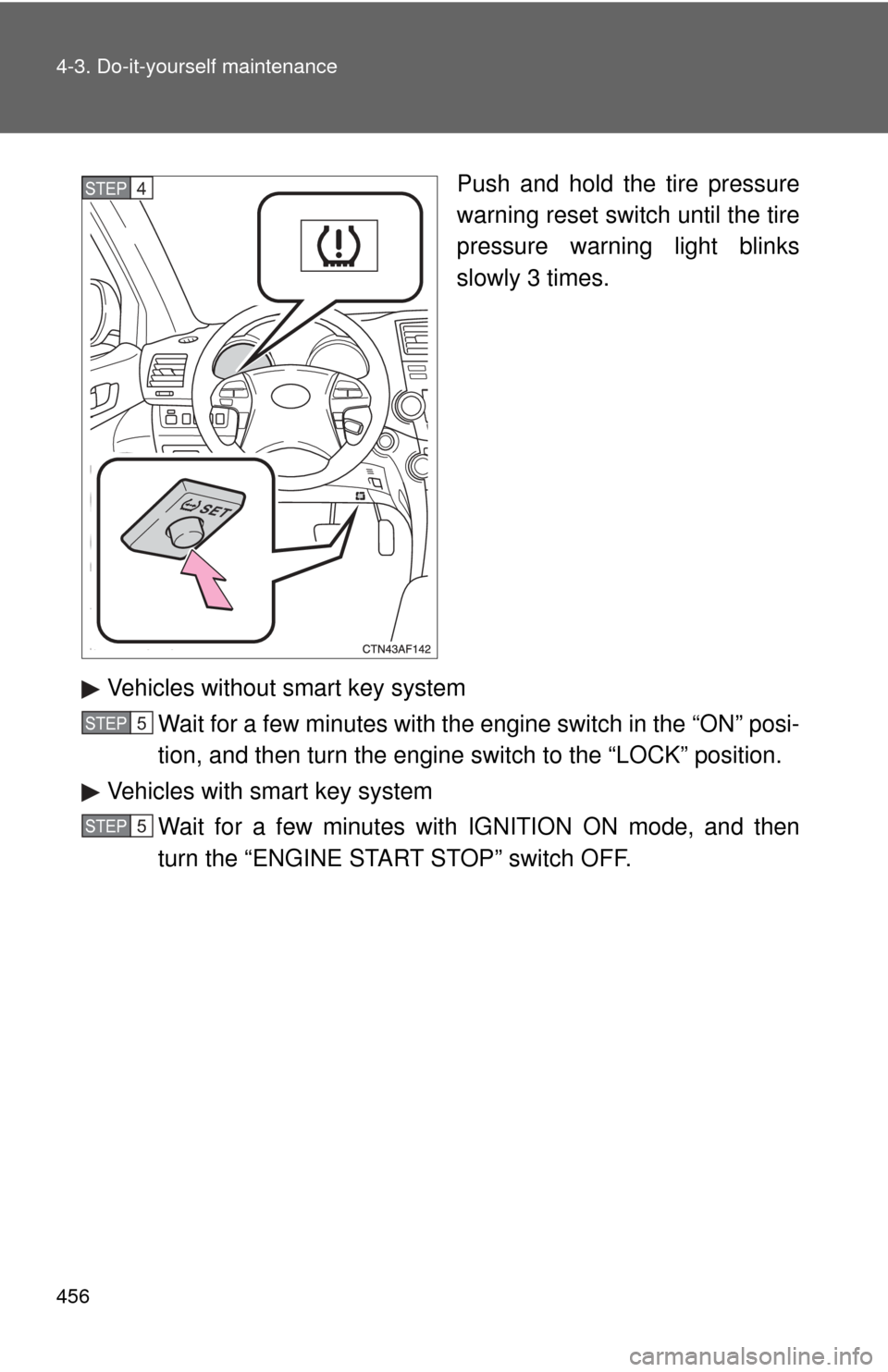
Push and hold the tire pressure
warning reset switch until the tire
pressure warning light blinks
slowly 3 times.
Vehicles without smart key system Wait for a few minutes with the engine switch in the “ON” posi-
tion, and then turn the engine switch to the “LOCK” position.
Vehicles with smart key system Wait for a few minutes with IGNITION ON mode, and then
turn the “ENGINE START STOP” switch OFF.STEP4
STEP5
STEP5
Page 459 of 608
459
4-3. Do-it-yourself maintenance
4
Maintenance and care
■Initializing the tire pressure warning system
Initialize the tire pressure warning sy
stem with the tire inflation pressure
adjusted to the specified level.
■If you push the tire pressure warning reset switch accidentally
If initialization is performed, adjust t he tire inflation pressure to the speci-
fied level and initialize the tire pressure warning system again.
■When the initialization of the tire pressure warning system has
failed
Initialization can be completed in a few minutes. However, in the follow-
ing cases, the settings have not b een recorded and the system will not
operate properly. If repeated attempts to record tire inflation pressure
settings are unsuccessful, have the vehicle inspected by your Toyota
dealer.
●When operating the tire pressure warning reset switch, the tire pres-
sure warning light does not flash 3 times.
●After carrying out the initialization procedure, the tire pressure warn-
ing light blinks for 1 minute then stays on after driving for about 20
minutes.
■Routine tire inflation pressure checks
The tire pressure warning system doe s not replace routine tire inflation
pressure checks. Make su re to check tire inflation pressure as part of
your routine of daily vehicle checks.
Page 461 of 608
461
4-3. Do-it-yourself maintenance
4
Maintenance and care
CAUTION
■When inspecting or replacing tires
Observe the following precautions to
prevent accidents. Failure to do so
may cause damage to parts of the drive train, as well as dangerous han-
dling characteristics, which may lead to an accident resulting in death or
serious injury.
●Do not mix tires of different makes, models, tread patterns or tread-
wear.
●Do not use tire sizes other than those recommended by Toyota.
●Do not mix radial, bias-belted, or bias-ply tires.
●Do not mix summer, all season and winter tires.
●Do not tow the vehicle with the spare tire installed.
■When initializing the tire pressure warning system
Do not push the tire pressure warnin g reset switch without first adjusting
the tire inflation pressure to the spec ified level. Otherwise, the tire pres-
sure warning light may not come on ev en if the tire inflation pressure is
low, or it may come on when the tire inflation pressure is actually normal.
Page 515 of 608

5
When trouble arises
515
5-2. Steps to take in an emergency
*1: Open door warning buzzer:
The open door warning buzzer sounds to alert one or more of the doors is
not fully closed (with the vehicle having reached a speed of 3 mph [5 km/h]).
*2: Driver's and front passenger’s seat belt reminders:
The driver’s and front passenger’s seat belt reminders sound to alert the
driver and front passenger that his or her seat belt is not fastened. These
buzzers sound for 10 seconds after the vehicle has reached a speed of at
least 12 mph (20 km/h). Then, if the seat belt is still unfastened, the buzzer
will sound in a different tone for 20 more seconds.
*3: Vehicles without navigation system
*4: Vehicles with navigation system
■ Key reminder buzzer (vehic les without smart key system)
The buzzer indicates that the key has not been removed with the engine off
and the driver’s door opened.
■ Open moon roof reminder buzzer (vehicles with mult i-information dis-
play)
The buzzer indicates that the moon roof is not fully closed with the engine off
and the driver’s door opened.
■ Front passenger detection sensor and passenger seat belt reminder
● If luggage is placed on the front passenger seat, the front passenger
detection sensor may cause the warning light to flash, even if a passen-
ger is not sitting in the seat.
● If a cushion is placed on the seat, the sensor may not detect a passen-
ger, and the warning light may not operate properly.
■ Engine oil replacement re minder light (U.S.A. vehicles without multi-
information display)
The engine oil replacement reminder ligh t will come on and flash at approxi-
mately 4500 miles (7200 km) after an oil change. When the distance driven
after an oil change exceeds approximately 5000 miles (8000 km), the light
will come on and remain on.
■ Changing the engine oil (U.S.A. only)
Make sure to reset the oil change system. ( P. 443)
Page 516 of 608

516 5-2. Steps to take in an emergency
■When the tire pressure warning light comes on
Check the tire inflation pressure and adjust to the appropriate level.
Pushing the tire pressure warning reset switch does not turn off the tire
pressure warning light.
■The tire pressure warning light may turn on due to natural causes
The tire pressure warning light may turn on due to natural causes such
as natural air leaks or tire inflation pressure changes caused by temper-
ature. In this case, adjusting the ti re inflation pressure will turn off the
warning light (after a few minutes).
■When a tire is replaced with a spare tire
Without compact spare tire
The spare tire is also equipped with the tire pressure warning valve and
transmitter. The tire pressu re warning light will turn on if the tire inflation
pressure of the spare tire is low. If a tire goes flat, even though the flat
tire is replaced with the spare tire, the tire pressure warning light does
not turn off. Replace the spare tire with the repaired tire and adjust the
proper tire inflation pressure. The ti re pressure warning light will turn off
after a few minutes.
With compact spare tire
The compact spare tire is not equipped with the tire pressure warning
valve and transmitter. If a tire goes flat, the tire pressure warning light will
not turn off even though the flat tire is replaced with the spare tire.
Replace the spare tire with the repair ed tire and adjust the proper tire
inflation pressure. The ti re pressure warning light will turn off after a few
minutes.