TOYOTA HIGHLANDER HYBRID 2009 XU40 / 2.G Owners Manual
HIGHLANDER HYBRID 2009 XU40 / 2.G
TOYOTA
TOYOTA
https://www.carmanualsonline.info/img/14/6439/w960_6439-0.png
TOYOTA HIGHLANDER HYBRID 2009 XU40 / 2.G Owners Manual
Page 272 of 592
272
3-1. Using the air conditioning system and defogger
Rear automatic air conditioning system∗
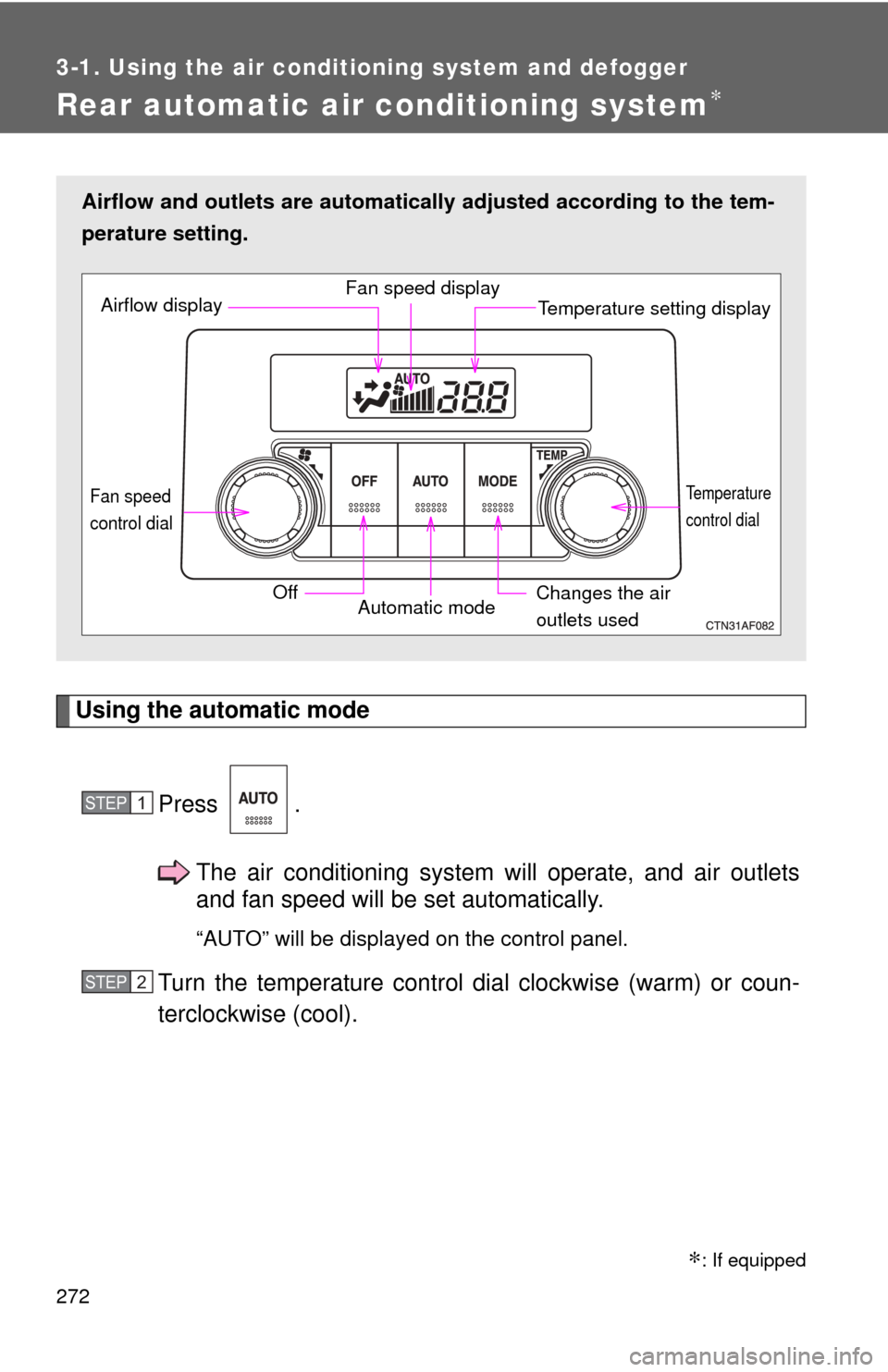
Using the automatic modePress .The air conditioning system will operate, and air outlets
and fan speed will be set automatically.
“AUTO” will be displayed on the control panel.
Turn the temperature control dial clockwise (warm) or coun-
terclockwise (cool).
Airflow and outlets are automatica lly adjusted according to the tem-
perature setting.
Airflow display Fan speed display
Temperature setting display
Fan speed
control dial
OffAutomatic mode Changes the air
outlets used
Temperature
control dial
STEP1
STEP2
∗: If equipped
Page 273 of 592
273
3-1. Using the air conditioning system
and defogger
3
Interior features
Adjusting the settings
■ Adjusting the temperature setting
Turn the temperature control dial clockwise (warm) or counter-
clockwise (cool).
■ Changing the air outlets
Press .
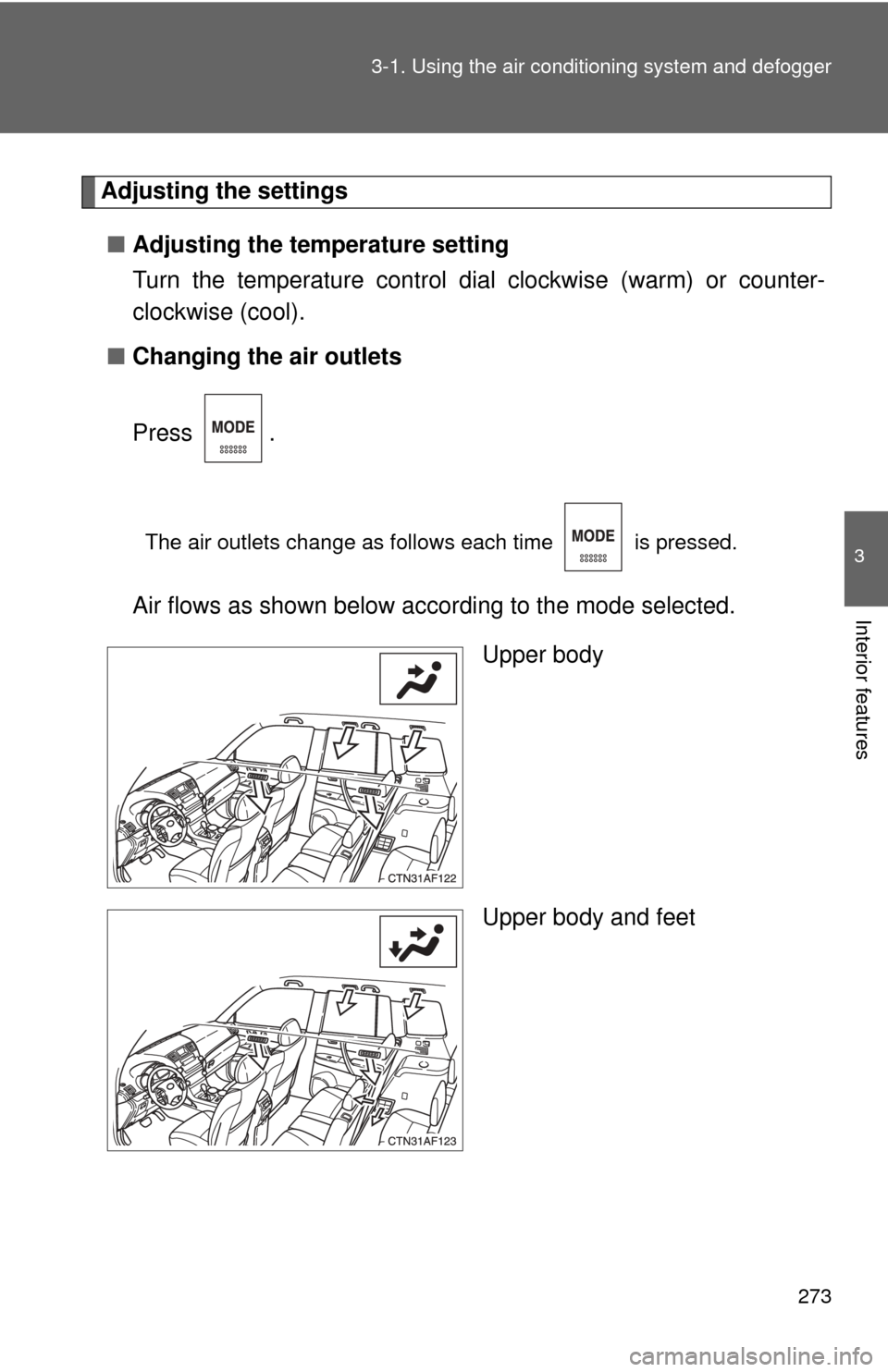
The air outlets change as follows each time is pressed.
Air flows as shown below according to the mode selected.
Upper body
Upper body and feet
Page 274 of 592
274 3-1. Using the air conditioning system and defogger
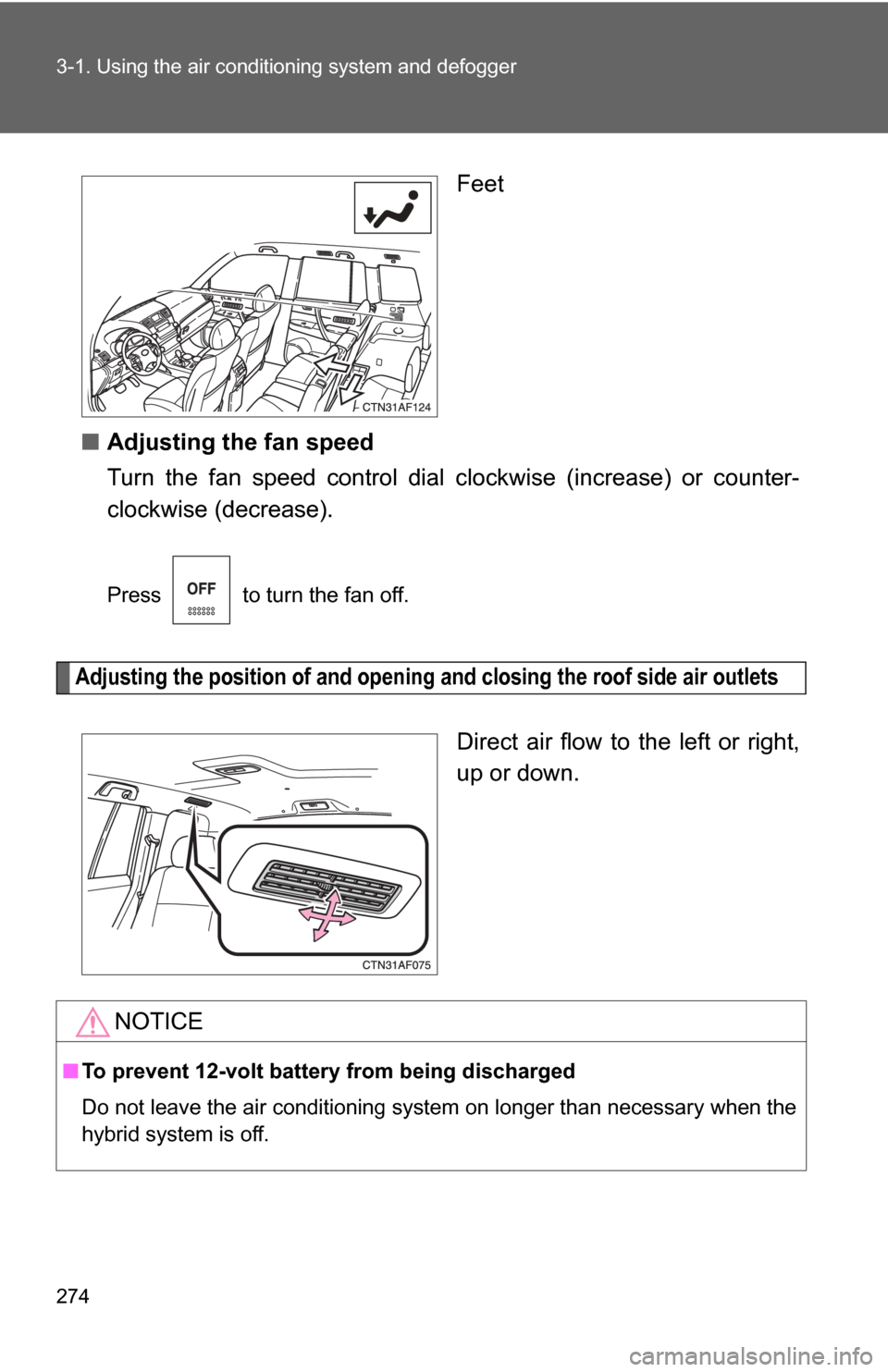
Feet
■ Adjusting the fan speed
Turn the fan speed control dial clockwise (increase) or counter-
clockwise (decrease).
Press to turn the fan off.
Adjusting the position of and opening and closing the roof side air outlets
Direct air flow to the left or right,
up or down.
NOTICE
■ To prevent 12-volt battery from being discharged
Do not leave the air conditioning system on longer than necessary when the
hybrid system is off.
Page 302 of 592
302
3-2. Using the audio system
Optimal use of the audio system
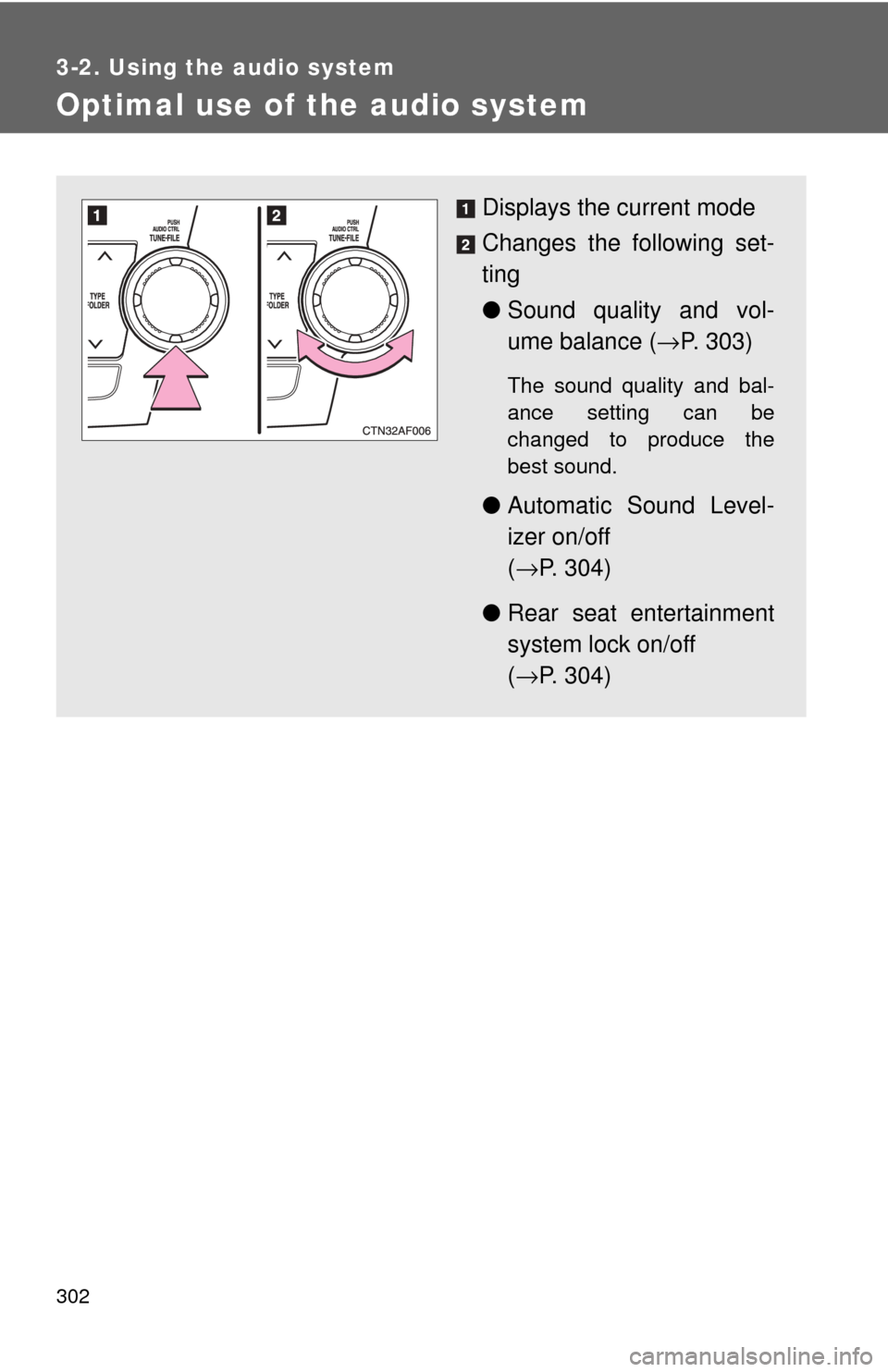
Displays the current mode
Changes the following set-
ting
●Sound quality and vol-
ume balance ( →P. 303)
The sound quality and bal-
ance setting can be
changed to produce the
best sound.
● Automatic Sound Level-
izer on/off
(→ P. 304)
● Rear seat entertainment
system lock on/off
(→ P. 304)
Page 304 of 592
304 3-2. Using the audio system
■Adjusting the Automatic Sound Levelizer (ASL)
Type A and B
When “ASL” is selected, turning to the right changes the
amount of “ASL” in the order of “LOW”, “MID” and “HIGH”.
Turning to the left turns “ASL” off.
ASL automatically adjusts the volume and tone quality according to vehi-
cle speed.
Type C
When “ASL” is selected, turning to the right turns “ASL” on,
and turning to the left turns “ASL” off.
“ASL” automatically adjusts the volume and tone quality according to the
noise level as you drive your vehicle.
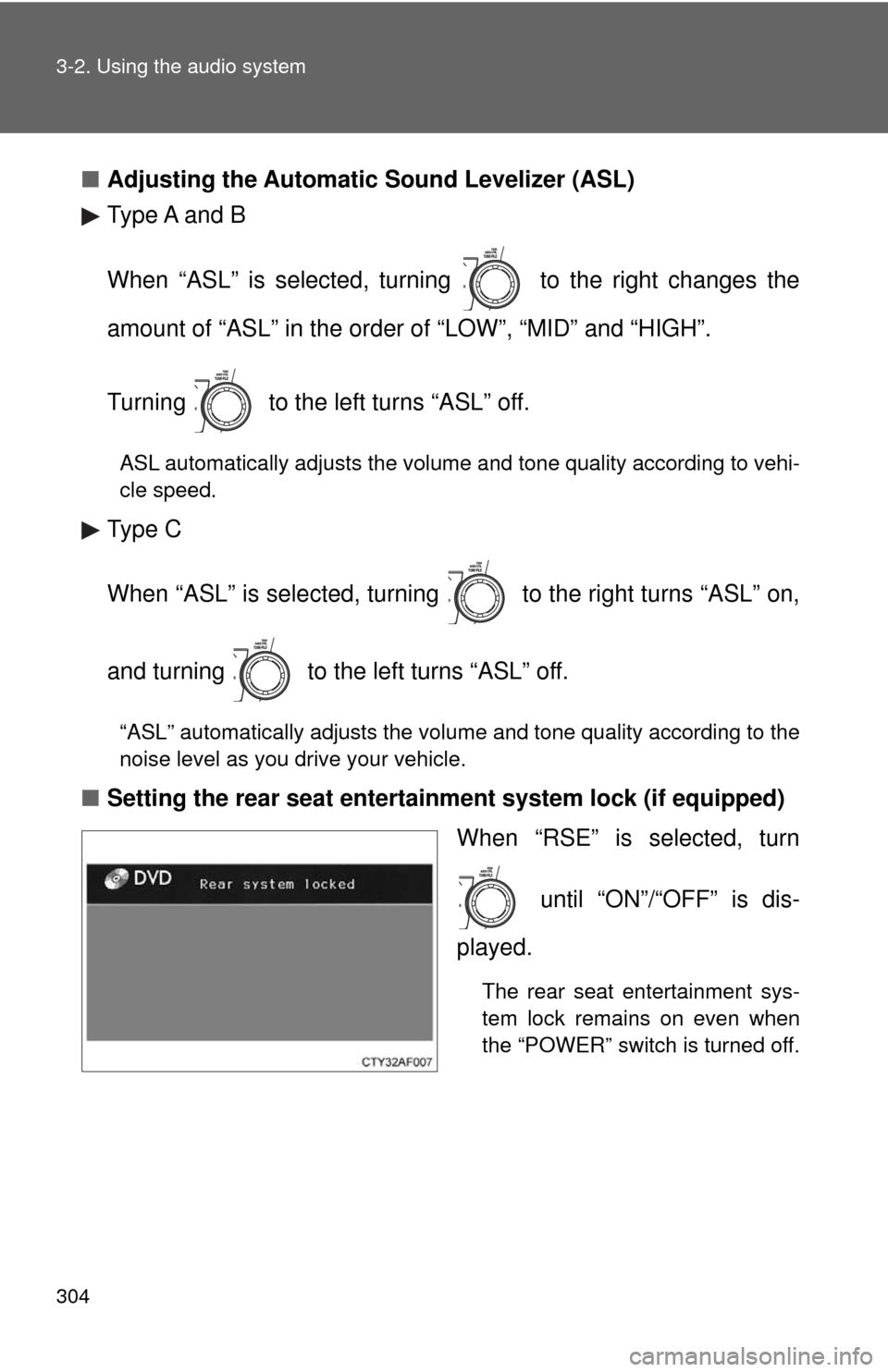
■Setting the rear seat entertainment system lock (if equipped)
When “RSE” is selected, turn
until “ON”/“OFF” is dis-
played.
The rear seat entertainment sys-
tem lock remains on even when
the “POWER” switch is turned off.
Page 310 of 592
310 3-3. Using the rear audio system
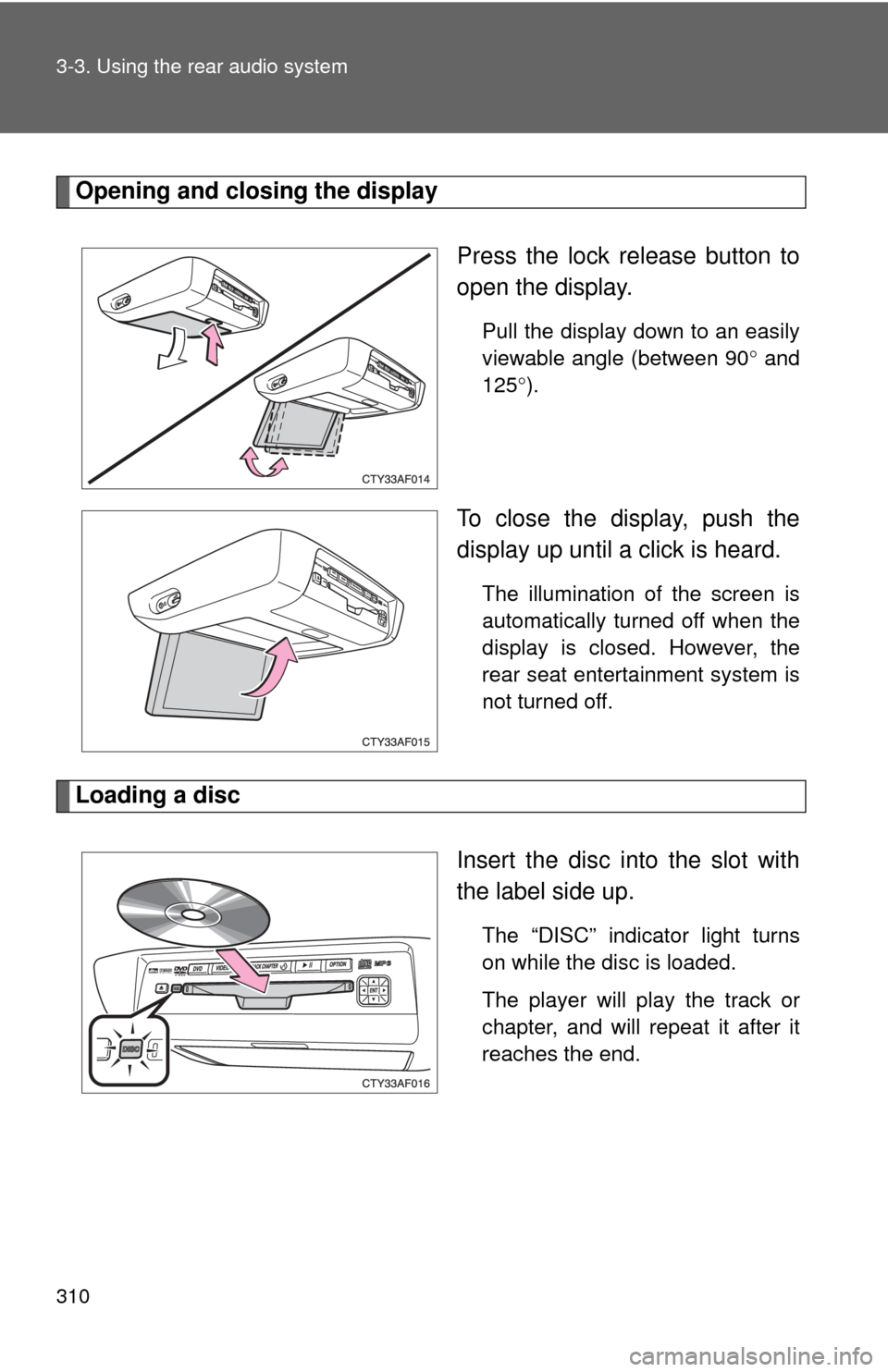
Opening and closing the displayPress the lock release button to
open the display.
Pull the display down to an easily
viewable angle (between 90° and
125° ).
To close the display, push the
display up until a click is heard.
The illumination of the screen is
automatically turned off when the
display is closed. However, the
rear seat entertainment system is
not turned off.
Loading a disc
Insert the disc into the slot with
the label side up.
The “DISC” indicator light turns
on while the disc is loaded.
The player will play the track or
chapter, and will repeat it after it
reaches the end.
Page 312 of 592
312 3-3. Using the rear audio system
■The rear seat entertainment system can be used when
The “POWER” switch is in ACCESSORY or ON mode.
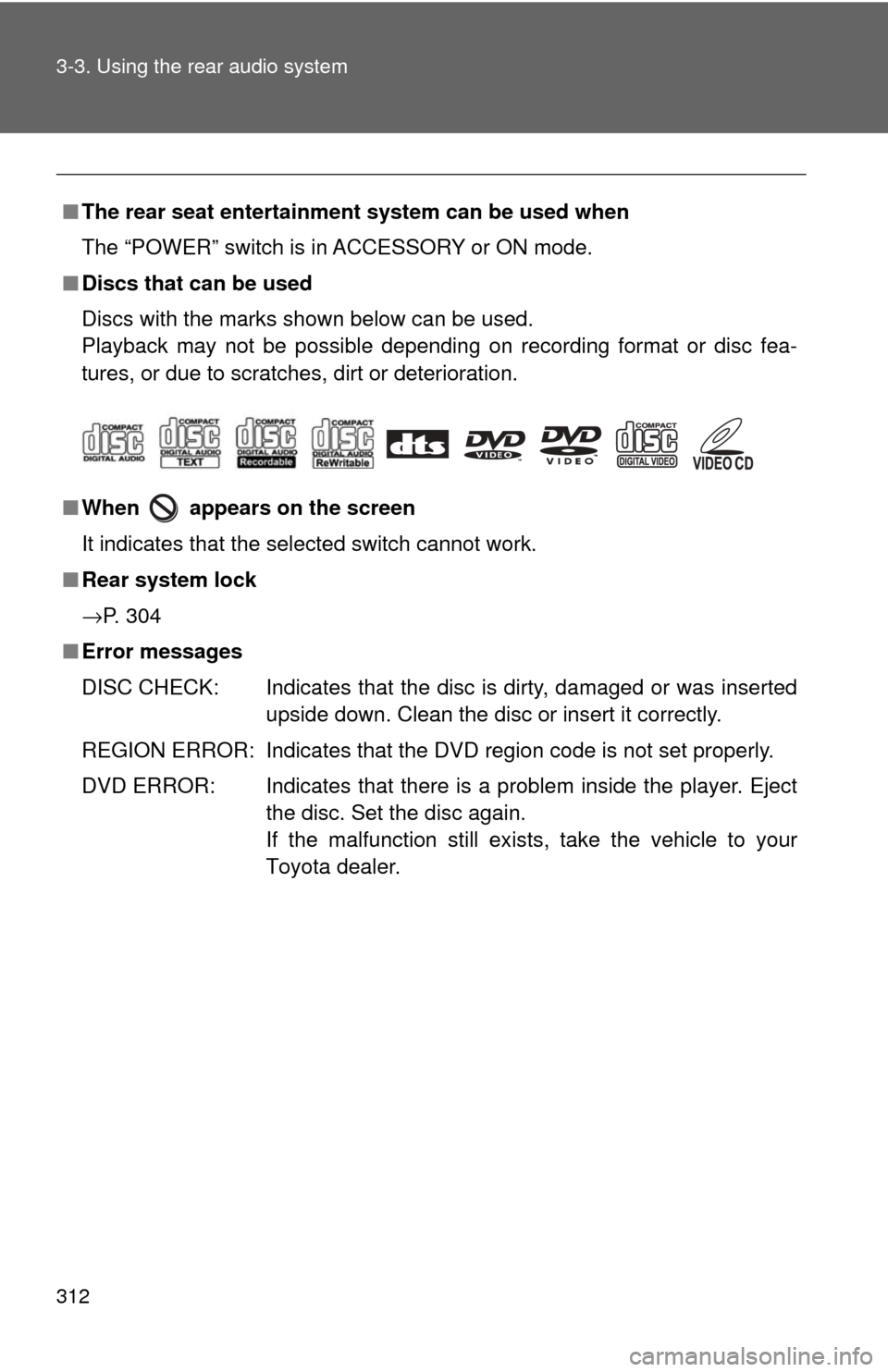
■ Discs that can be used
Discs with the marks shown below can be used.
Playback may not be possible depending on recording format or disc fea-
tures, or due to scratches, dirt or deterioration.
■ When appears on the screen
It indicates that the selected switch cannot work.
■ Rear system lock
→P. 304
■ Error messages
DISC CHECK: Indicates that the disc is dirty, damaged or was inserted
upside down. Clean the disc or insert it correctly.
REGION ERROR: Indicates that the DVD region code is not set properly.
DVD ERROR: Indicates that there is a problem inside the player. Eject the disc. Set the disc again.
If the malfunction still exists, take the vehicle to your
Toyota dealer.
Page 331 of 592
331
3-3. Using the rear audio system
3
Interior features
Changing the initial setting
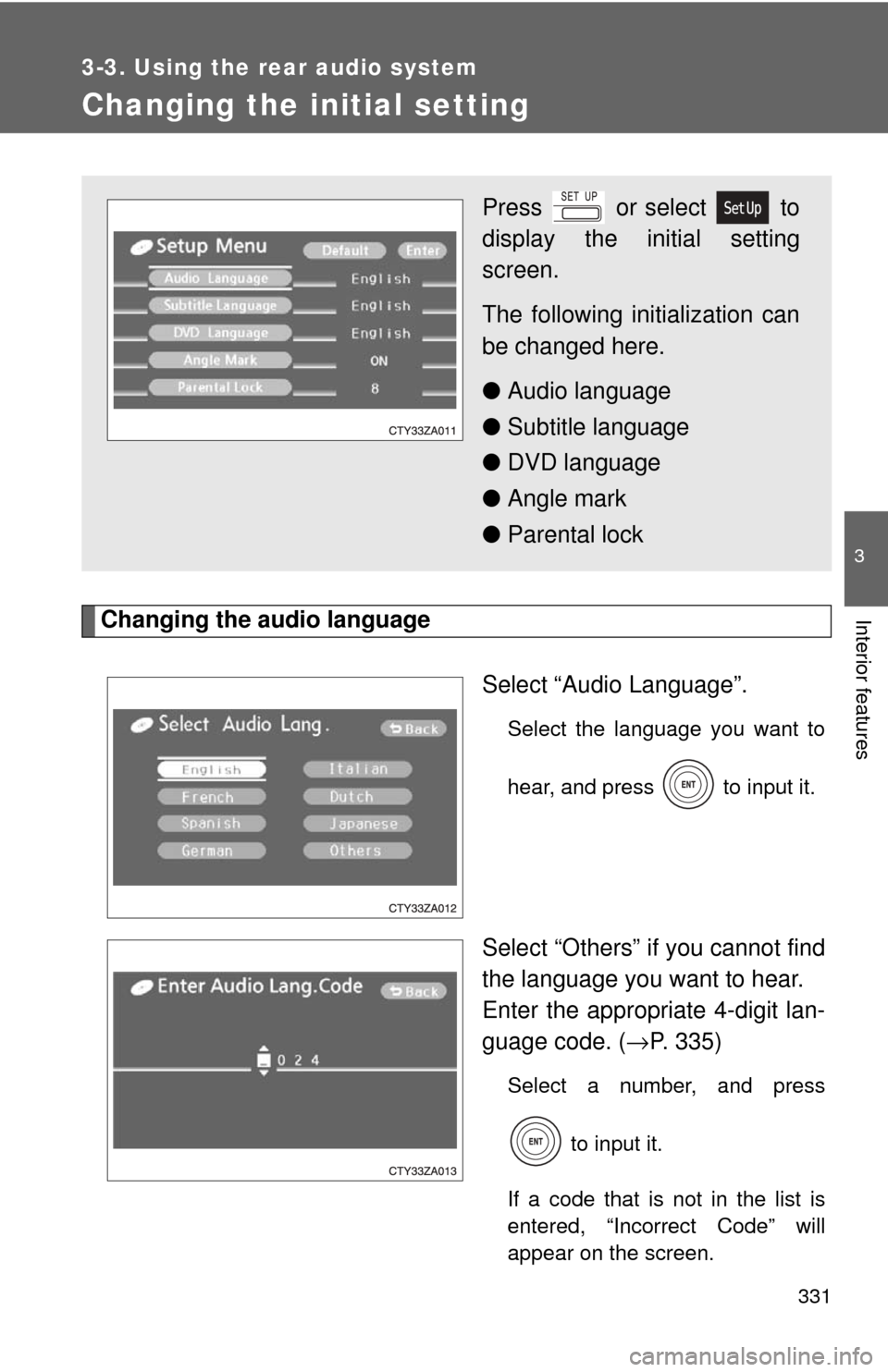
Changing the audio languageSelect “Audio Language”.
Select the language you want to
hear, and press to input it.
Select “Others” if you cannot find
the language you want to hear.
Enter the appropriate 4-digit lan-
guage code. (→P. 335)
Select a number, and press
to input it.
If a code that is not in the list is
entered, “Incorrect Code” will
appear on the screen.
Press or select to
display the initial setting
screen.
The following in itialization can
be changed here.
● Audio language
● Subtitle language
● DVD language
● Angle mark
● Parental lock
Page 334 of 592
334 3-3. Using the rear audio system
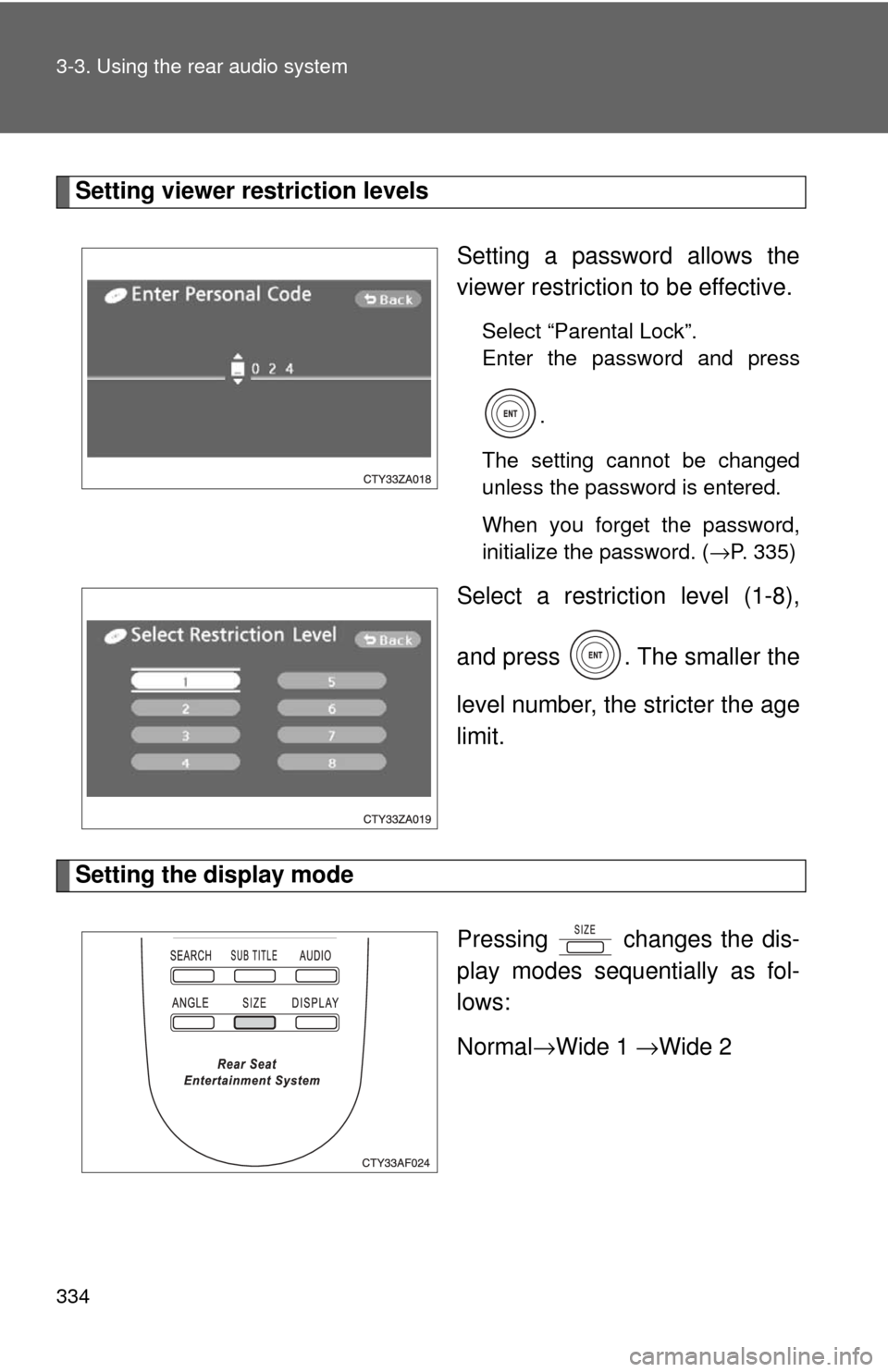
Setting viewer restriction levelsSetting a password allows the
viewer restriction to be effective.
Select “Parental Lock”.
Enter the password and press.
The setting cannot be changed
unless the password is entered.
When you forget the password,
initialize the password. ( →P. 335)
Select a restriction level (1-8),
and press . The smaller the
level number, the stricter the age
limit.
Setting the display mode
Pressing changes the dis-
play modes sequentially as fol-
lows:
Normal→Wide 1 →Wide 2
Page 347 of 592
347
3-4. Using the hand
s-free phone system (for cellular phone)
3
Interior features
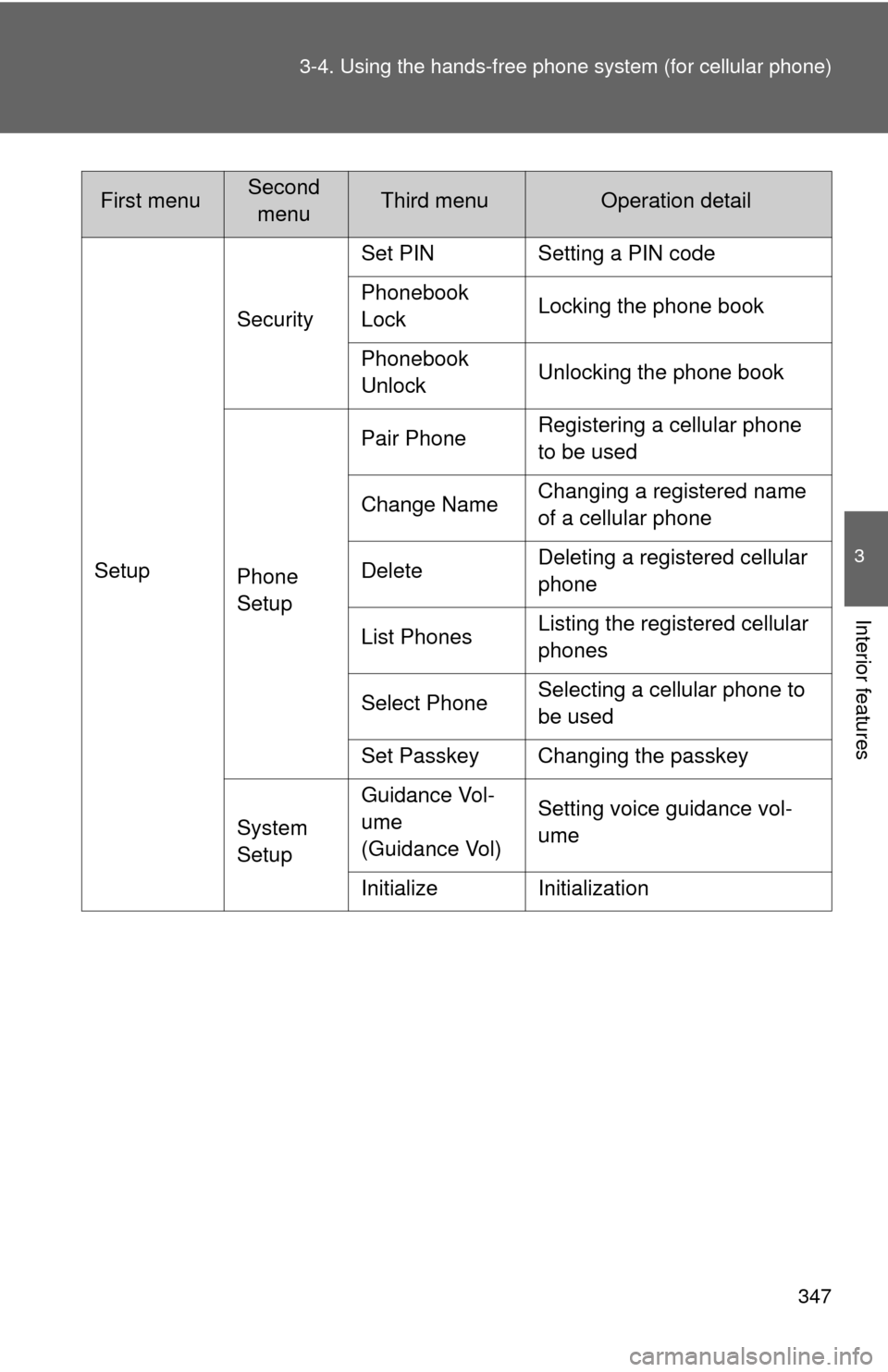
SetupSecurity
Set PIN Setting a PIN code
Phonebook
Lock
Locking the phone book
Phonebook
Unlock Unlocking the phone book
Phone
Setup Pair Phone
Registering a cellular phone
to be used
Change Name Changing a registered name
of a cellular phone
Delete Deleting a registered cellular
phone
List Phones Listing the registered cellular
phones
Select Phone Selecting a cellular phone to
be used
Set Passkey Changing the passkey
System
Setup Guidance Vol-
ume
(Guidance Vol)
Setting voice guidance vol-
ume
Initialize Initialization
First menuSecond menuThird menuOperation detail