ad blue TOYOTA LAND CRUISER 2010 J200 Owner's Guide
[x] Cancel search | Manufacturer: TOYOTA, Model Year: 2010, Model line: LAND CRUISER, Model: TOYOTA LAND CRUISER 2010 J200Pages: 592, PDF Size: 7.98 MB
Page 335 of 592
335
3-4. Using the hands-free system (for cellular phone)
3
Interior features
L/C200_U
Using the hands-free system
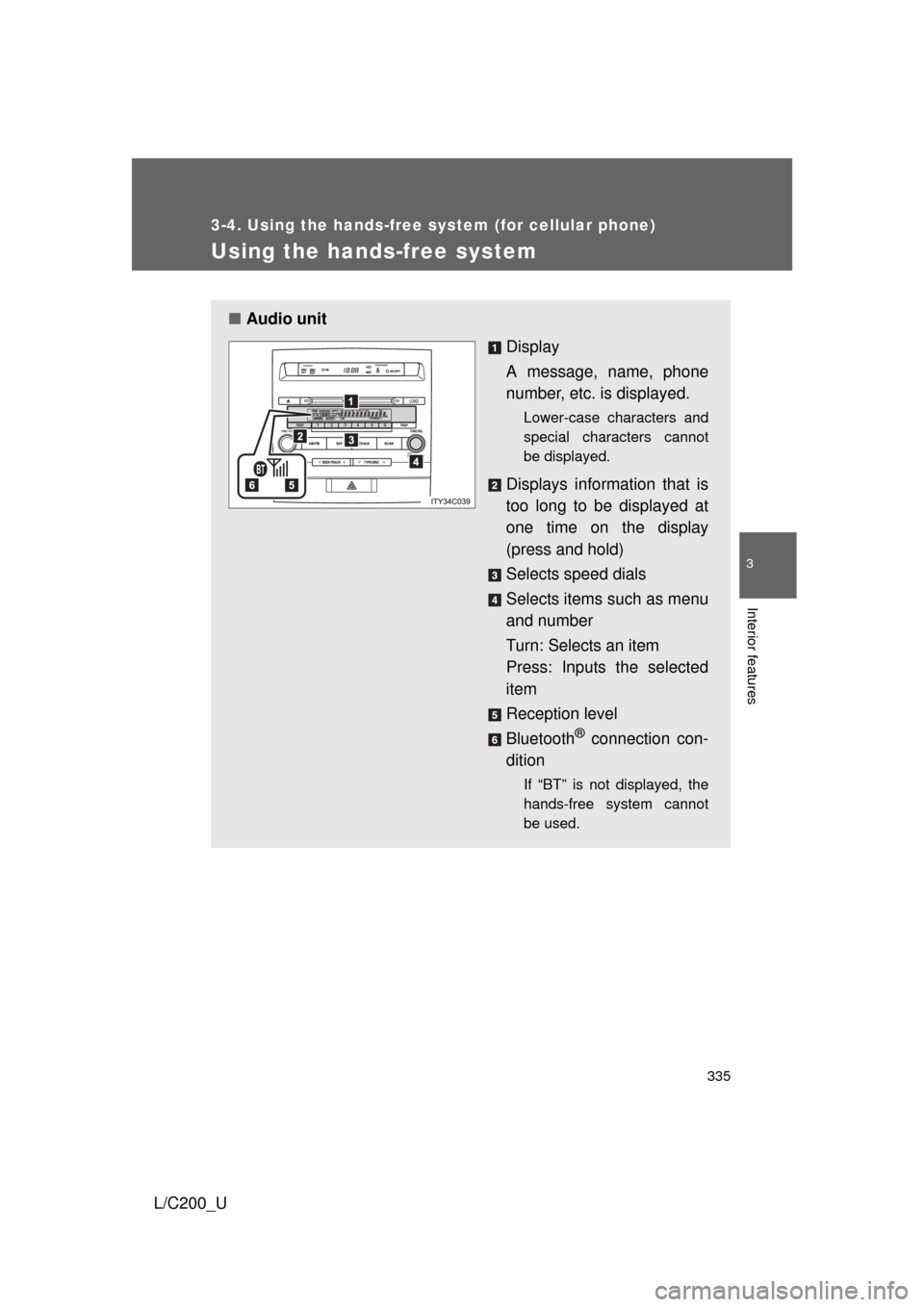
■Audio unit
Display
A message, name, phone
number, etc. is displayed.
Lower-case characters and
special characters cannot
be displayed.
Displays information that is
too long to be displayed at
one time on the display
(press and hold)
Selects speed dials
Selects items such as menu
and number
Turn: Selects an item
Press: Inputs the selected
item
Reception level
Bluetooth
® connection con-
dition
If “BT” is not displayed, the
hands-free system cannot
be used.
Page 338 of 592
338 3-4. Using the hands-free system (for cellular phone)
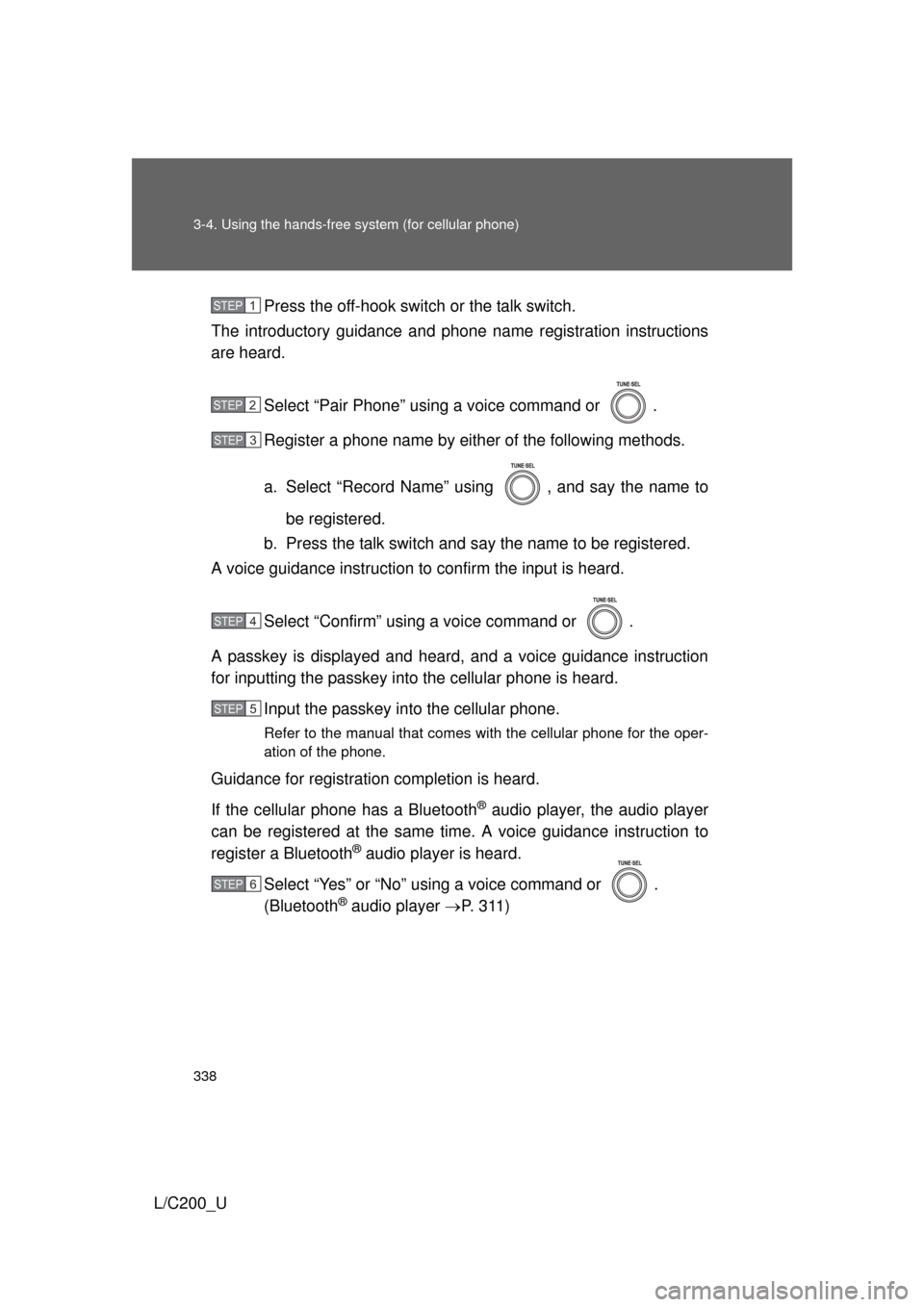
L/C200_UPress the off-hook switch
or the talk switch.
The introductory guidance and phone name registration instructions
are heard.
Select “Pair Phone” using a voice command or .
Register a phone name by either of the following methods.
a. Select “Record Name” using , and say the name tobe registered.
b. Press the talk switch and say the name to be registered.
A voice guidance instruction to confirm the input is heard.
Select “Confirm” using a voice command or .
A passkey is displayed and heard, and a voice guidance instruction
for inputting the passkey into the cellular phone is heard. Input the passkey into the cellular phone.
Refer to the manual that comes with the cellular phone for the oper-
ation of the phone.
Guidance for registration completion is heard.
If the cellular phone has a Bluetooth
® audio player, the audio player
can be registered at the same time. A voice guidance instruction to
register a Bluetooth
® audio player is heard.
Select “Yes” or “No” using a voice command or .
(Bluetooth
® audio player P. 3 1 1 )
STEP1
STEP2
STEP3
STEP4
STEP5
STEP6
Page 340 of 592
340 3-4. Using the hands-free system (for cellular phone)
L/C200_U
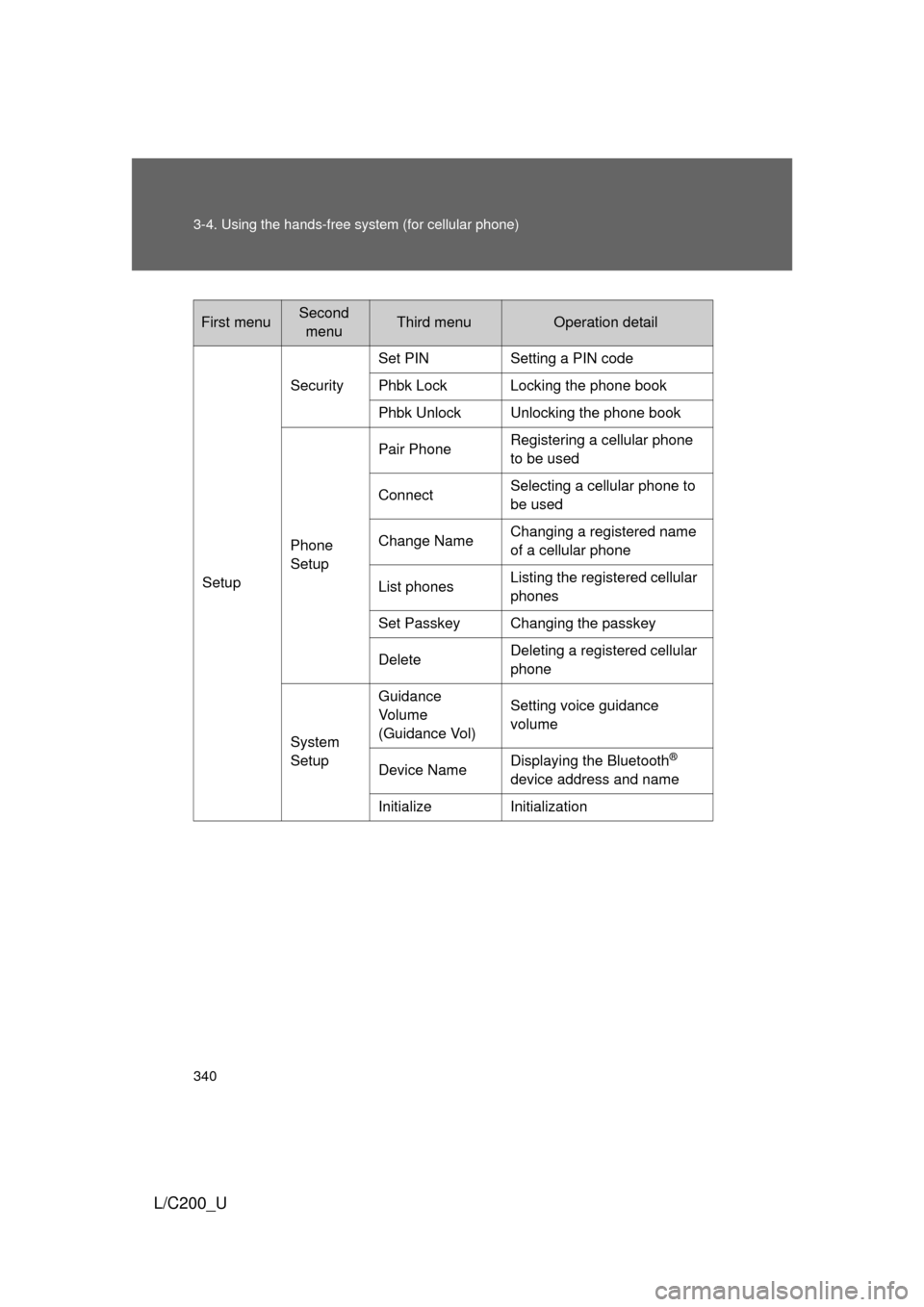
First menuSecond menuThird menuOperation detail
Setup Security
Set PIN Setting a PIN code
Phbk Lock Locking the phone book
Phbk Unlock Unlocking the phone book
Phone
Setup Pair Phone
Registering a cellular phone
to be used
Connect Selecting a cellular phone to
be used
Change Name Changing a registered name
of a cellular phone
List phones Listing the registered cellular
phones
Set Passkey Changing the passkey
Delete Deleting a registered cellular
phone
System
Setup Guidance
Vo l u m e
(Guidance Vol)
Setting voice guidance
volume
Device Name Displaying the Bluetooth
®
device address and name
Initialize Initialization
Page 353 of 592
353
3-4. Using the hands-free
system (for cellular phone)
3
Interior features
L/C200_U
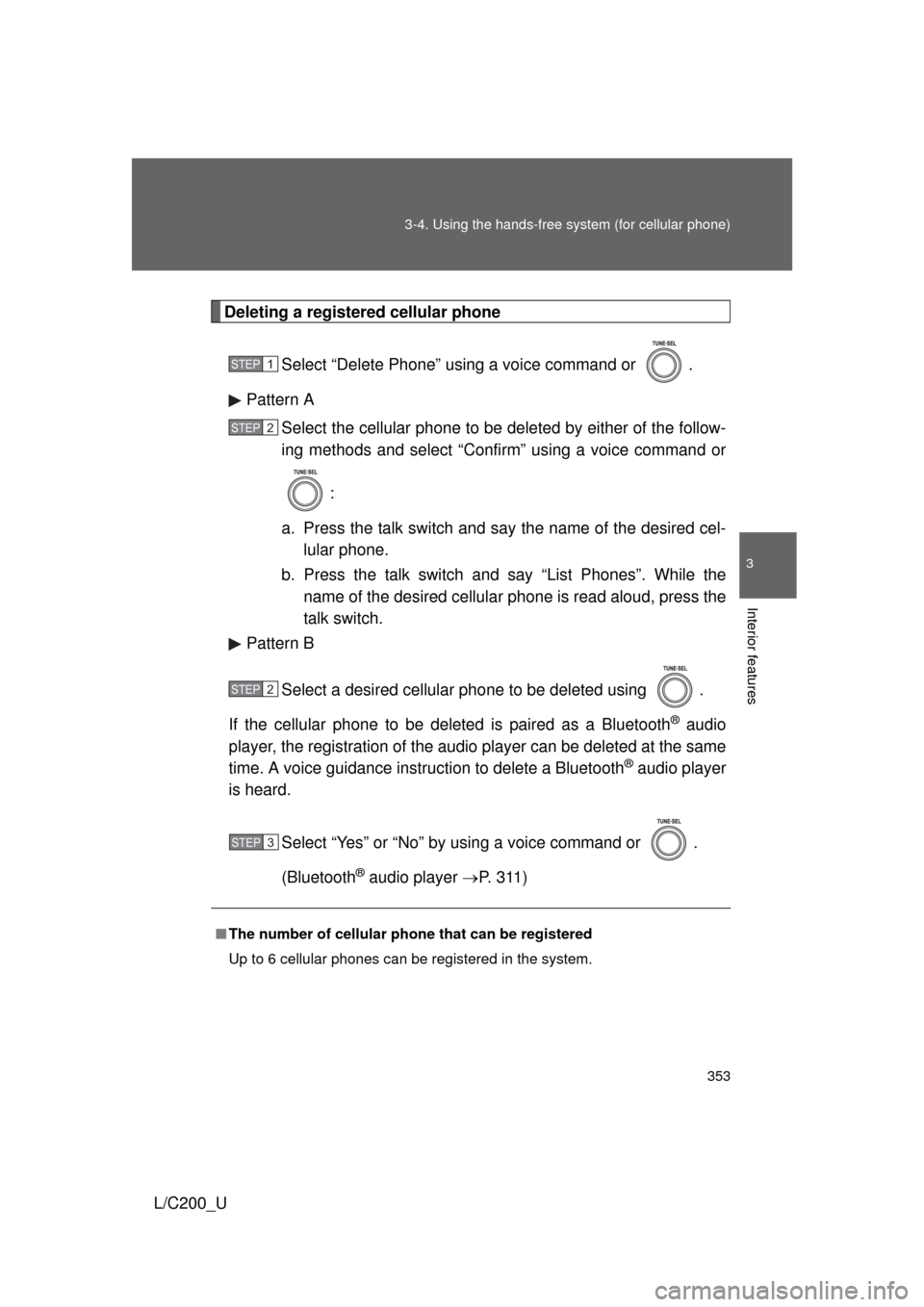
Deleting a registered cellular phone
Select “Delete Phone” using a voice command or .
Pattern A Select the cellular phone to be deleted by either of the follow-
ing methods and select “Confirm” using a voice command or
:
a. Press the talk switch and say the name of the desired cel- lular phone.
b. Press the talk switch and say “List Phones”. While the name of the desired cellular phone is read aloud, press the
talk switch.
Pattern B
Select a desired cellular phone to be deleted using .
If the cellular phone to be deleted is paired as a Bluetooth
® audio
player, the registration of the audio player can be deleted at the same
time. A voice guidance instruction to delete a Bluetooth
® audio player
is heard.
Select “Yes” or “No” by using a voice command or .
(Bluetooth
® audio player P. 3 1 1 )
■The number of cellular phone that can be registered
Up to 6 cellular phones can be registered in the system.
STEP1
STEP2
STEP2
STEP3
Page 355 of 592
355
3-4. Using the hands-free
system (for cellular phone)
3
Interior features
L/C200_U
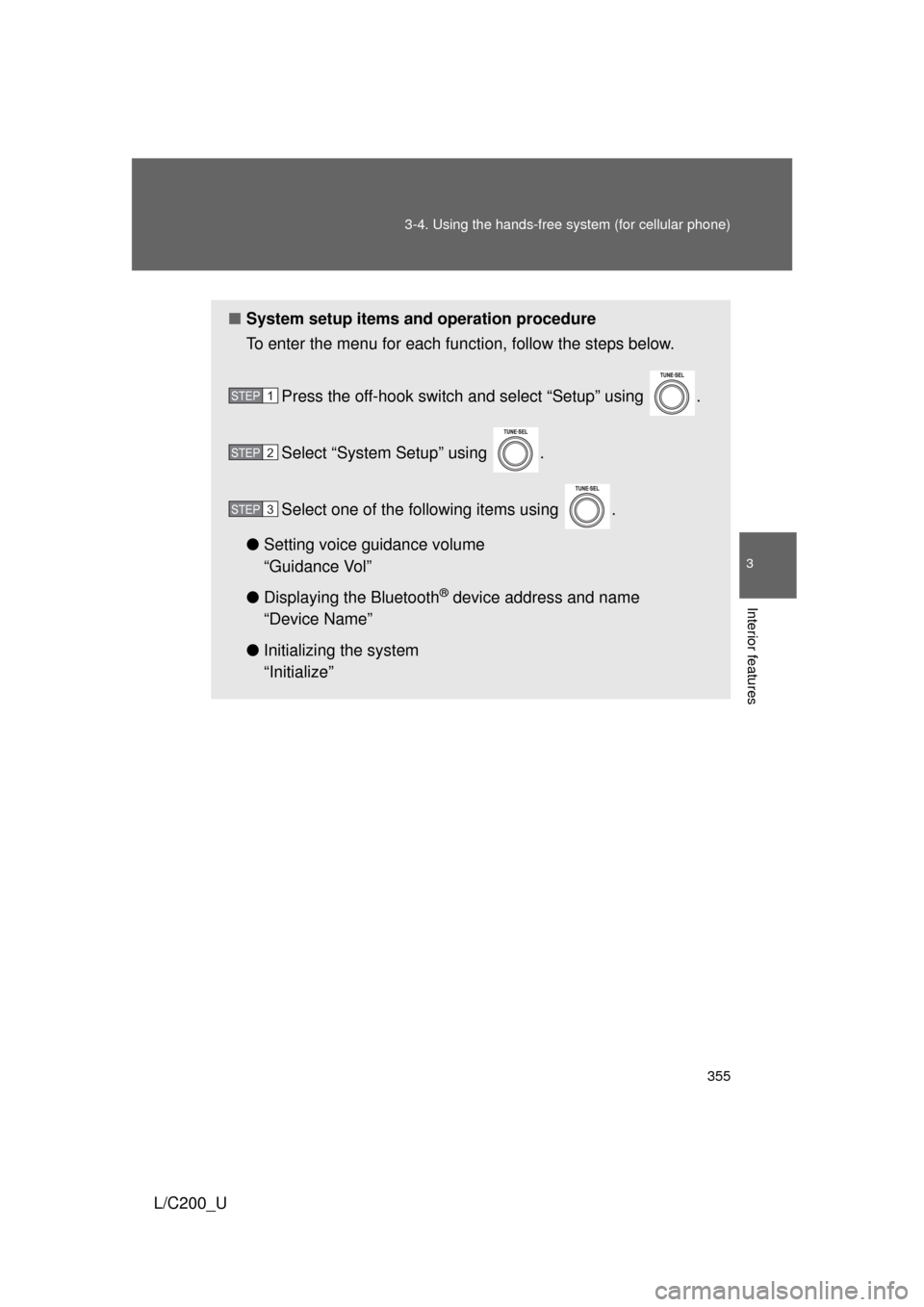
■System setup items and operation procedure
To enter the menu for each function, follow the steps below.
Press the off-hook switch and select “Setup” using .
Select “System Setup” using .
Select one of the following items using .
● Setting voice guidance volume
“Guidance Vol”
● Displaying the Bluetooth
® device address and name
“Device Name”
● Initializing the system
“Initialize”
STEP1
STEP2
STEP3
Page 358 of 592
358 3-4. Using the hands-free system (for cellular phone)
L/C200_U
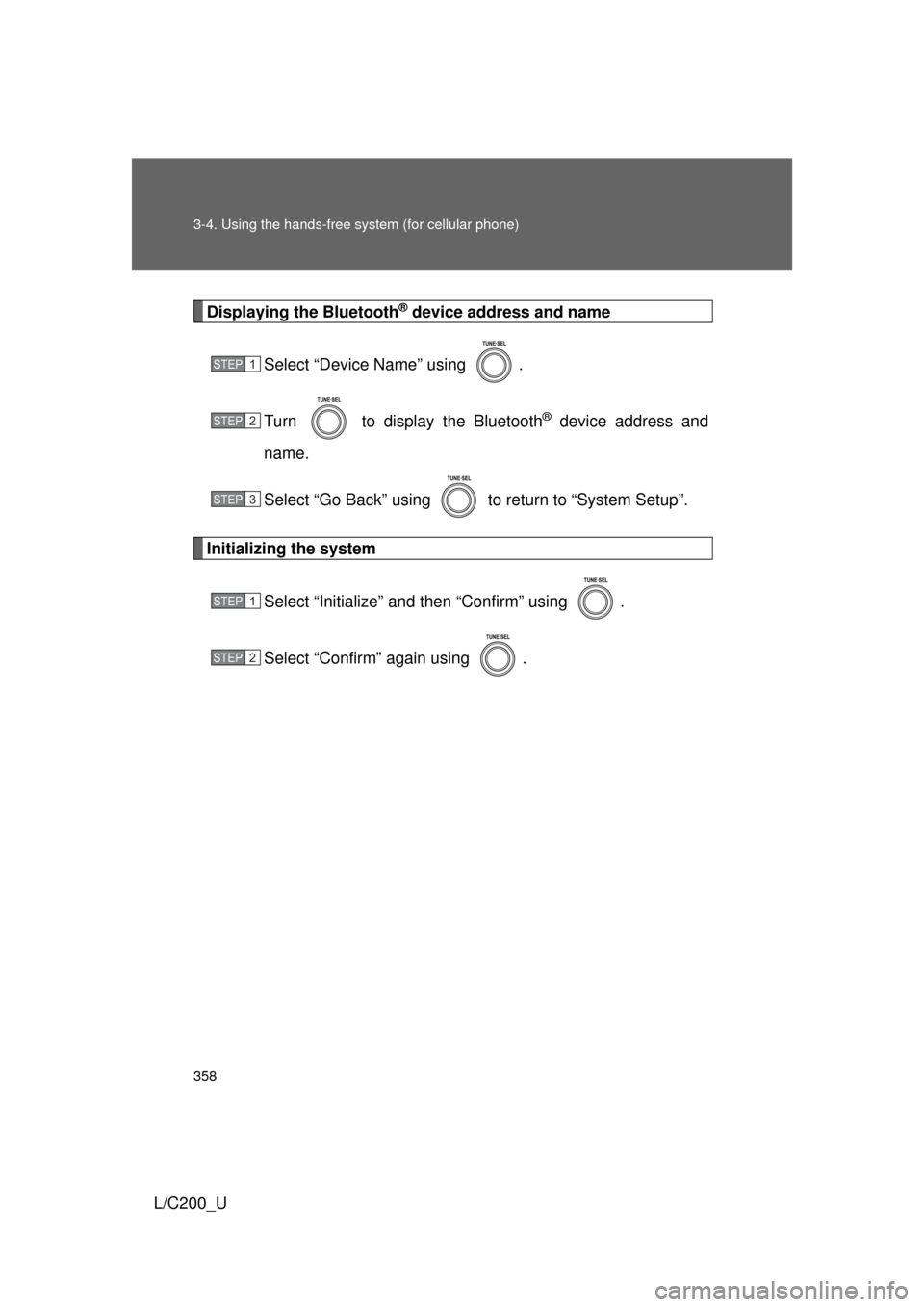
Displaying the Bluetooth® device address and name
Select “Device Name” using .
Turn to display the Bluetooth
® device address and
name.
Select “Go Back” using to return to “System Setup”.
Initializing the system
Select “Initialize” and then “Confirm” using .
Select “Confirm” again using .
STEP1
STEP2
STEP3
STEP1
STEP2
Page 359 of 592
359
3-4. Using the hands-free
system (for cellular phone)
3
Interior features
L/C200_U
■Initialization
● The following data in the system can be initialized:
• Phone book
• Outgoing and incoming call history
• Speed dials
• Registered cellular phone data
• Security code
• Registered Bluetooth
® enabled portable player data
• Passkey for the cellular phone
• Passkey for the Bluetooth
® audio players
• Guidance volume
• Receiver volume
• Ring tone volume
● Once the initialization has been completed, the data cannot be restored
to its original state.
■ When the phone book is locked
The following functions cannot be used:
● Dialing by inputting a name
● Speed dialing
● Dialing a number stored in the call history memory
● Using the phone book
Page 406 of 592
406 3-7. Other interior features
L/C200_U
■Safety Connect Services Information
● Phone calls using the vehicles Bluetooth
® technology will not be possible
during Safety Connect.
● Safety Connect is available beginning Fall 2009 on select Toyota models.
Contact with the Safety Connect response center is dependent upon the
telematics device being in operative condition, cellular connection avai\
l-
ability, and GPS satellite signal reception, which can limit the ability to
reach the response center or receive emergency service support. Enroll-
ment and Telematics Subscription Service Agreement required. A variety
of subscription terms is available; charges vary by subscription term
selected.
● Safety Connect services will function in the United States, including
Hawaii and Alaska, and in Canada. The services will not function outside
of the United States in countries other than Canada. For details about the
service, contact your Toyota dealer.
● Safety Connect services are not subject to section 255 of the Telecom-
munications Act and the device is not TTY compatible.
■ Languages
The Safety Connect response center will offer support in multiple languages.
The Safety Connect system will offer voice prompts in English and Spanish.
Please indicate your language of choice when enrolling.
■ When contacting the response center
You may be unable to contact the response center if the network is busy.
Page 431 of 592
431
4-3. Do-it-yourself maintenance
4
Maintenance and care
L/C200_U
■
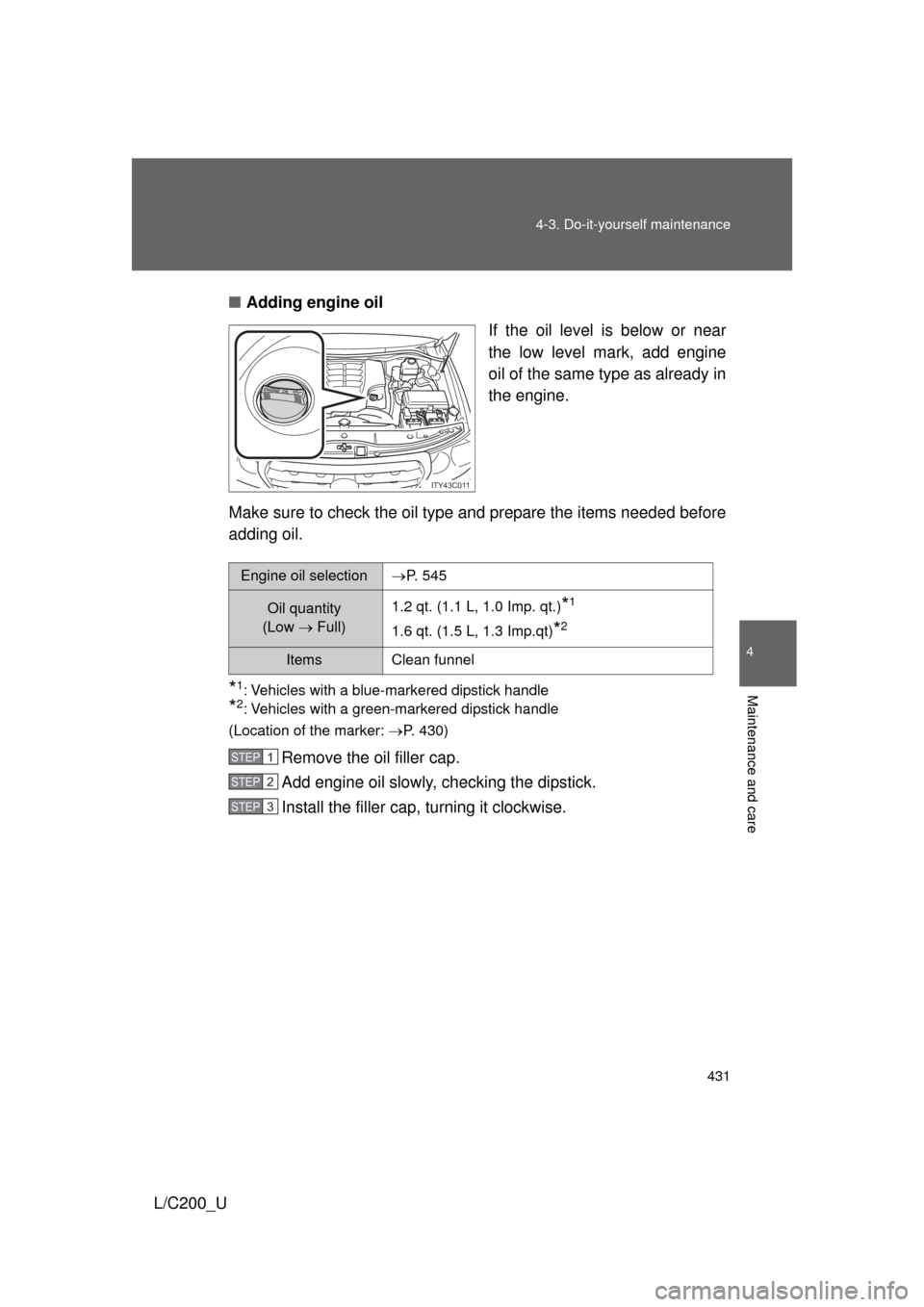
Adding engine oil
If the oil level is below or near
the low level mark, add engine
oil of the same type as already in
the engine.
Make sure to check the oil type and prepare the items needed before
adding oil.
*1: Vehicles with a blue-markered dipstick handle
*2: Vehicles with a green-markered dipstick handle
(Location of the marker: P. 430)
Remove the oil filler cap.
Add engine oil slowly, checking the dipstick.
Install the filler cap, turning it clockwise.
ITY43C011
Engine oil selectionP. 545
Oil quantity
(Low Full)1.2 qt. (1.1 L, 1.0 Imp. qt.)*1
1.6 qt. (1.5 L, 1.3 Imp.qt)*2
ItemsClean funnel
STEP1
STEP2
STEP3
Page 440 of 592
440 4-3. Do-it-yourself maintenance
L/C200_U■
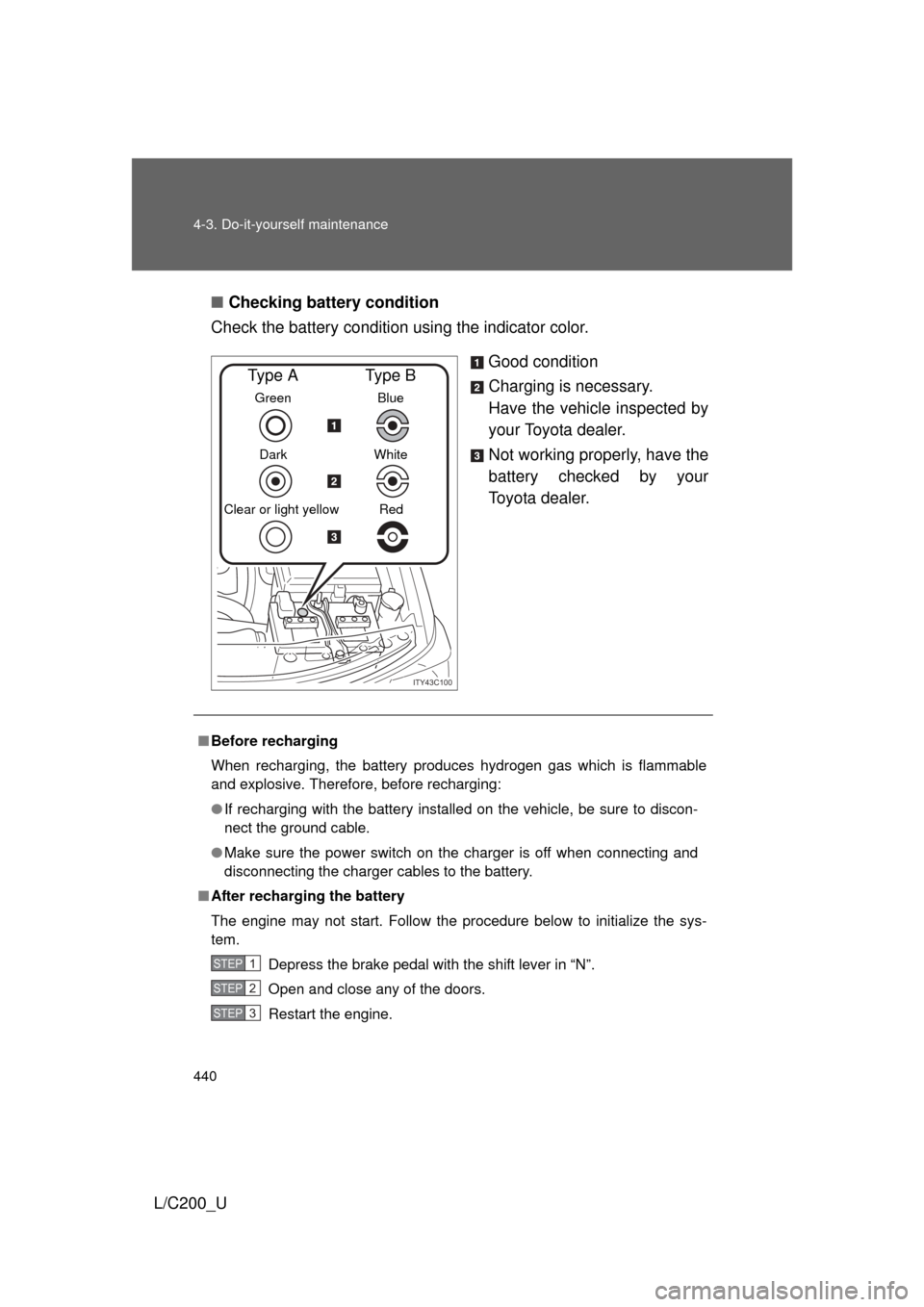
Checking battery condition
Check the battery condition using the indicator color.
Good condition
Charging is necessary.
Have the vehicle inspected by
your Toyota dealer.
Not working properly, have the
battery checked by your
Toyota dealer.
ITY43C100
Green
Dark
Clear or light yellow
Type A
Blue
White Red
Type B
■ Before recharging
When recharging, the battery produces hydrogen gas which is flammable
and explosive. Therefore, before recharging:
● If recharging with the battery installed on the vehicle, be sure to discon-
nect the ground cable.
● Make sure the power switch on the charger is off when connecting and
disconnecting the charger cables to the battery.
■ After recharging the battery
The engine may not start. Follow the procedure below to initialize the sys-
tem.
Depress the brake pedal with the shift lever in “N”.
Open and close any of the doors.
Restart the engine.
STEP1
STEP2
STEP3