headlights TOYOTA MIRAI 2019 (in English) User Guide
[x] Cancel search | Manufacturer: TOYOTA, Model Year: 2019, Model line: MIRAI, Model: TOYOTA MIRAI 2019Pages: 528, PDF Size: 11.84 MB
Page 209 of 528
2095-3. Operating the lights and wipers
5
Driving
MIRAI_OM_USA_OM62054U(18MY)_O
M62048U(19MY)
NOTICE
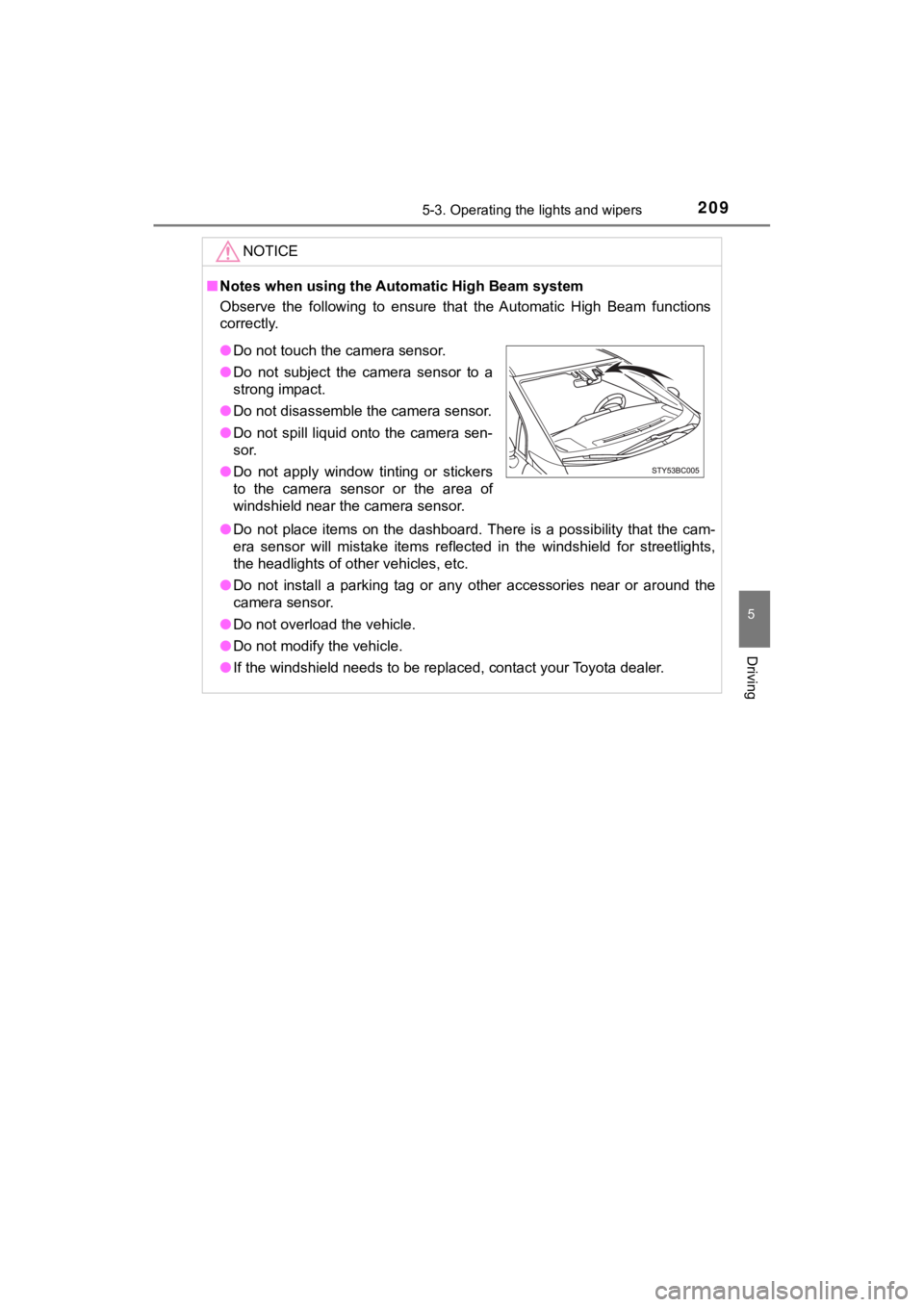
■Notes when using the Aut omatic High Beam system
Observe the following to ensure that the Automatic High Beam fu nctions
correctly.
● Do not place items on the dashboard. There is a possibility tha t the cam-
era sensor will mistake items reflected in the windshield for s treetlights,
the headlights of other vehicles, etc.
● Do not install a parking tag or any other accessories near or a round the
camera sensor.
● Do not overload the vehicle.
● Do not modify the vehicle.
● If the windshield needs to be replaced, contact your Toyota dea ler.
●Do not touch the camera sensor.
● Do not subject the camera sensor to a
strong impact.
● Do not disassemble the camera sensor.
● Do not spill liquid onto the camera sen-
sor.
● Do not apply window tinting or stickers
to the camera sensor or the area of
windshield near the camera sensor.
Page 213 of 528
2135-4. Refueling
5
Driving
MIRAI_OM_USA_OM62054U(18MY)_O
M62048U(19MY)
Opening the fuel door
●Close the all the doors and windows.
● Set the parking brake.
● Shift the shift position to P.
● Turn the power switch off.
● Turn off the headlights.
■Fuel Type
Compressed hydrogen gas
■ Notes on fueling
●Fueling will not be possible if the pressure inside the vehicle ’s hydrogen tanks
is higher than the supply pressure of the hydrogen station. If the hydrogen
tanks are more than half full, the vehicle will be unable to fu el at a H35 dis-
penser.
A hydrogen station with a H70 dispenser (supply pressure of 101 50 psi
[70 MPa, 714 kgf/cm
2, 700 bar] is necessary to completely fill hydrogen tanks.
● If the fueling cannot be completed due to trouble with the station equipment,
call the number indicated on the equipment.
● Fuel with compressed hydrogen g as only at hydrogen stations.
● Fuel at hydrogen stations confor ming with the Society of Automo-
tive Engineers (SAE) J2601 fueling protocol or laws that may
supersede such SAE protocols.
●
Refer to the Mirai Station Finder Application in Entune,
www.toyota.com
(for U.S. owners) or www.toyota.ca (for
Canadian owners), or call 1-800-331-4331 (for U.S. owners)
or 1-888-869-6828 (for Canadian owners).
● Observe any notic es or instructions show n at hydrogen stations.
● The filling time and amount of fuel may depend on outside tem-
perature and the equipment at that hydrogen station.
● Vehicles with expired hydrogen tanks must not be used. ( P. 94)
Consult your Toyota dealer.
Before filling
Page 221 of 528
2215-5. Using the driving support systems
5
Driving
MIRAI_OM_USA_OM62054U(18MY)_O
M62048U(19MY)
WARNING
●If the part of the windshield in front of the front camera is f ogged up or cov-
ered with condensation or ice, use the windshield defogger to remove the
fog, condensation or ice. ( P. 309)
● If water droplets cannot be properly removed from the area of t he wind-
shield in front of the front camera by the windshield wipers, replace the
wiper insert or wiper blade.
If the wiper inserts or wiper blades need to be replaced, contact your
Toyota dealer.
● Do not attach window tint to the windshield.
● Replace the windshield if it is damaged or cracked.
If the windshield needs to be replaced, contact your Toyota dea ler.
● Do not allow liquids to contact the front camera.
● Do not allow bright lights to shine into the front camera.
● Do not dirty or damage the front camera.
When cleaning the inside of the windshield, do not allow glass cleaner to
contact the lens of the front camera. Also, do not touch the lens.
If the lens is dirty or damaged, contact your Toyota dealer.
● Do not subject the front camera to a strong impact.
● Do not change the installation position or direction of the fro nt camera or
remove it.
● Do not disassemble the front camera.
● Do not modify any components of the vehicle around the front ca mera
(inside rear view mirror, etc.) or ceiling.
● Do not attach any accessories to the hood, front grille or fron t bumper that
may obstruct the front camera. Contact your Toyota dealer for d etails.
● If a surfboard or other long object is to be mounted on the roo f, make sure
that it will not obstruct the front camera.
● Do not modify the headlights or other lights.
Page 239 of 528
2395-5. Using the driving support systems
5
Driving
MIRAI_OM_USA_OM62054U(18MY)_O
M62048U(19MY)
WARNING
●When the tires have been excessively worn, or when the tire inf lation pres-
sure is low.
● When tires of a size other than specified are installed.
● Vehicle is driven in traffic lanes other than that highways and freeways.
● During emergency towing
■ Preventing LDA system malfunctio ns and operations performed by
mistake
● Do not modify the headlights or place stickers, etc. on the sur face of the
lights.
● Do not modify the suspension etc. If the suspension etc. needs to be
replaced, contact your Toyota dealer.
● Do not install or place anything on the hood or grille. Also, d o not install a
grille guard (bull bars, kangaroo bar, etc.).
● If your windshield needs repairs, contact your Toyota dealer.
■ Conditions in which functions may not operate properly
In the following situations, the functions may not operate prop erly and the
vehicle may depart from its lane. Drive safely by always paying careful
attention to your surroundings and operate the steering wheel t o correct the
path of the vehicle without relying solely on the functions.
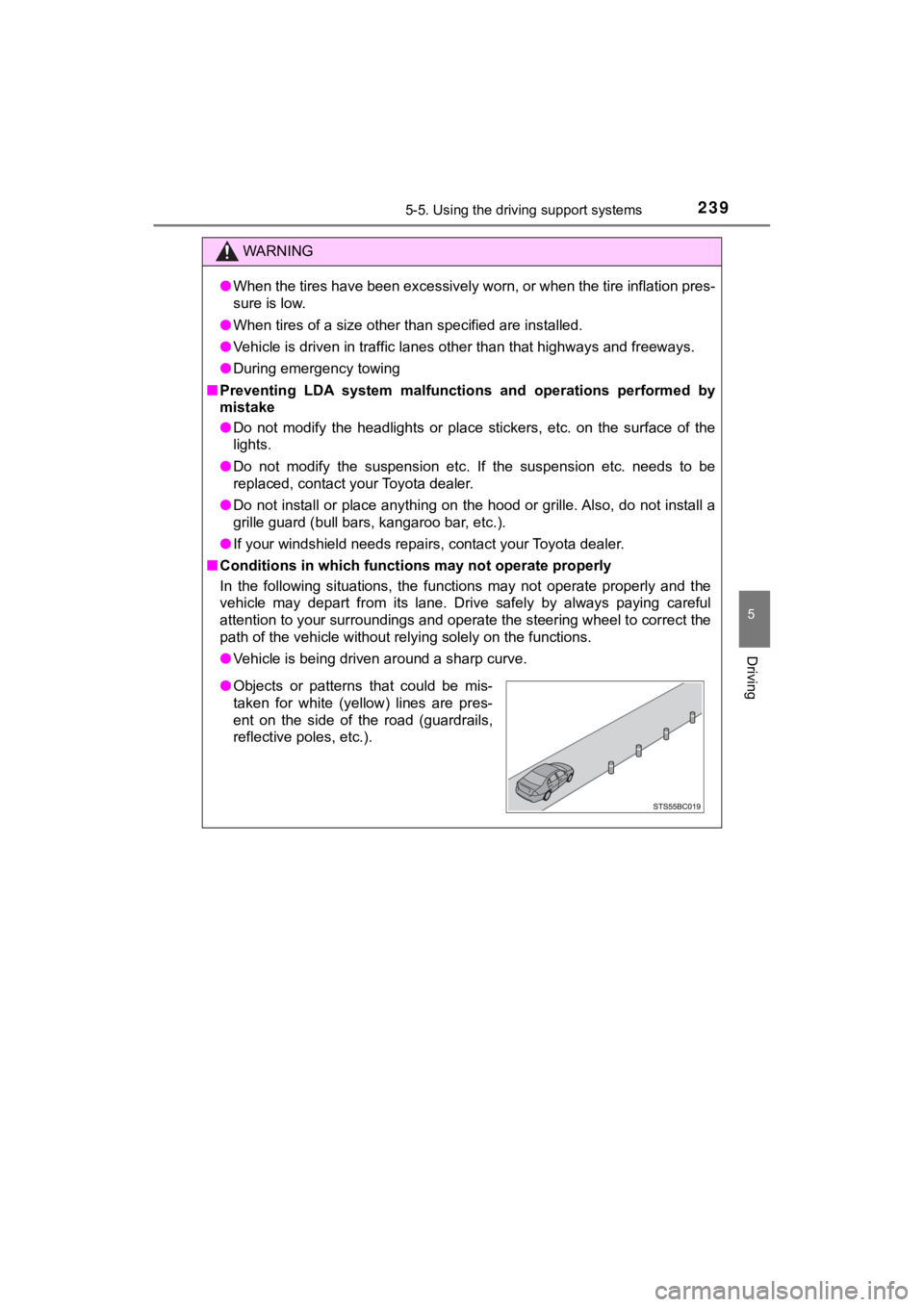
● Vehicle is being driven around a sharp curve.
●Objects or patterns that could be mis-
taken for white (yellow) lines are pres-
ent on the side of the road (guardrails,
reflective poles, etc.).
Page 241 of 528
2415-5. Using the driving support systems
5
Driving
MIRAI_OM_USA_OM62054U(18MY)_O
M62048U(19MY)
WARNING
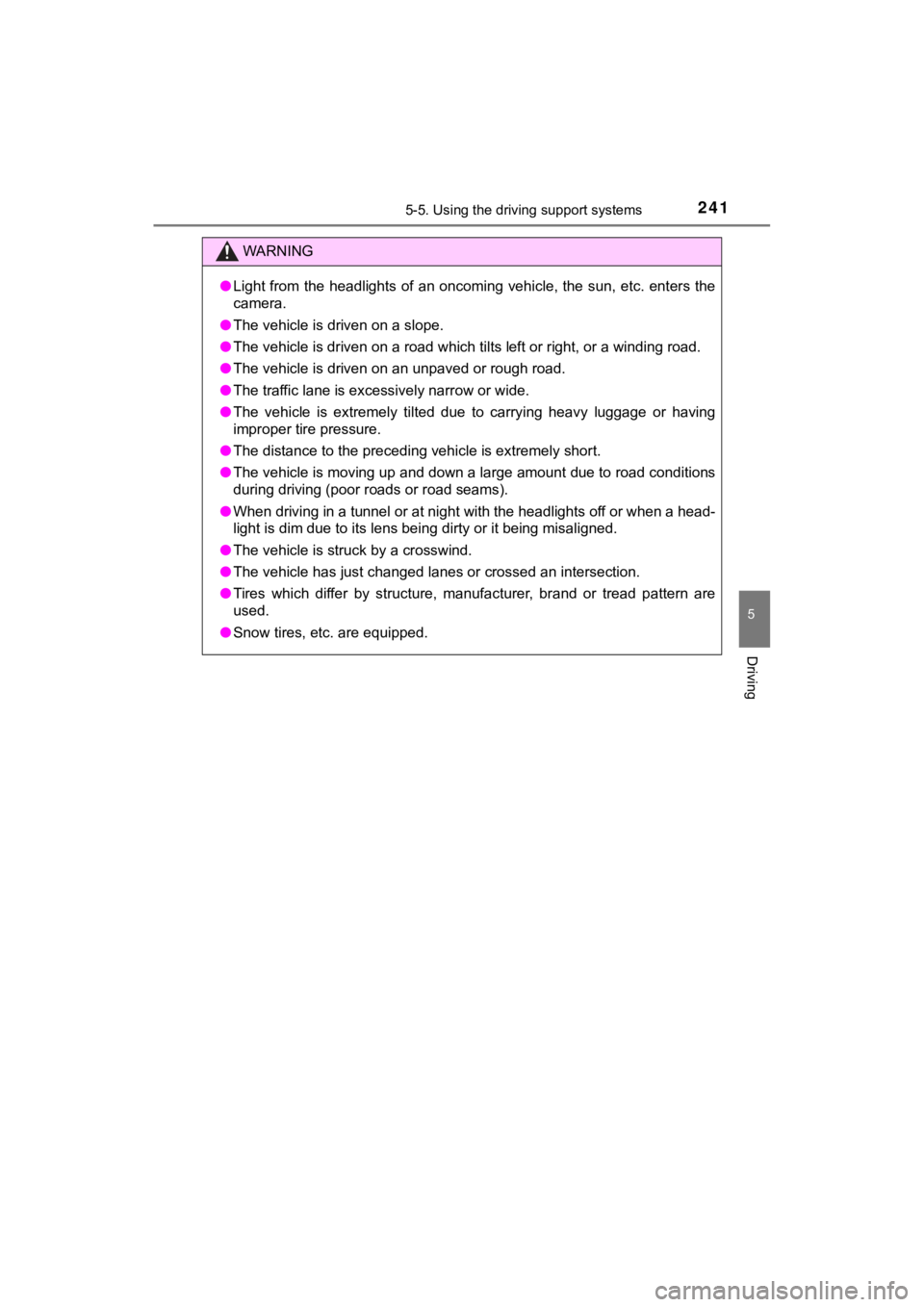
●Light from the headlights of an oncoming vehicle, the sun, etc. enters the
camera.
● The vehicle is driven on a slope.
● The vehicle is driven on a road which tilts left or right, or a winding road.
● The vehicle is driven on an unpaved or rough road.
● The traffic lane is excessively narrow or wide.
● The vehicle is extremely tilted due to carrying heavy luggage o r having
improper tire pressure.
● The distance to the preceding vehicle is extremely short.
● The vehicle is moving up and down a large amount due to road co nditions
during driving (poor r oads or road seams).
● When driving in a tunnel or at night with the headlights off or when a head-
light is dim due to its lens being dirty or it being misaligned .
● The vehicle is struck by a crosswind.
● The vehicle has just changed lanes or crossed an intersection.
● Tires which differ by structure, manufacturer, brand or tread p attern are
used.
● Snow tires, etc. are equipped.
Page 447 of 528
4478-2. Steps to take in an emergency
MIRAI_OM_USA_OM62054U(18MY)_O
M62048U(19MY)
8
When trouble arises
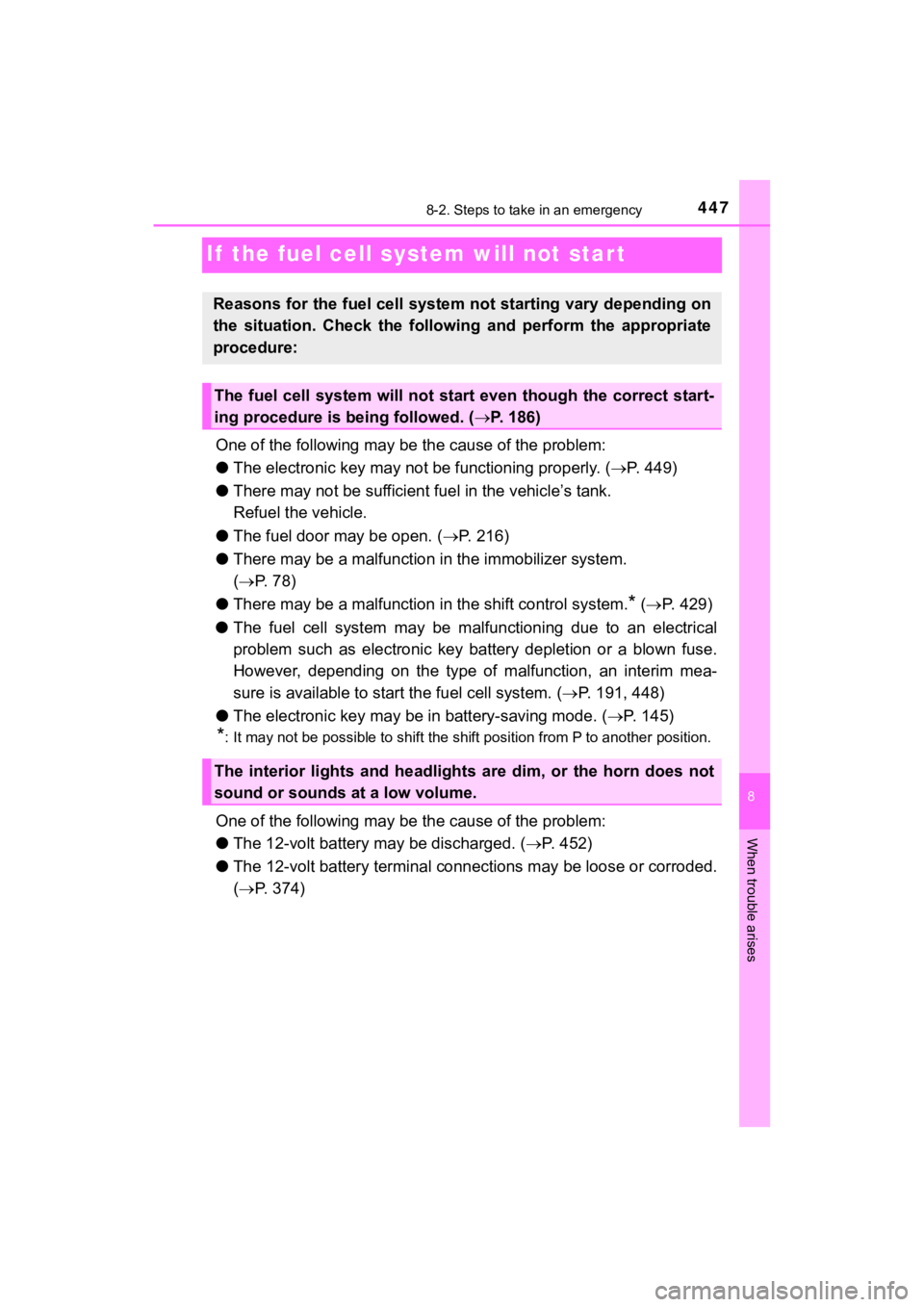
If the fuel cell system will not start
One of the following may be the cause of the problem:
● The electronic key may not be functioning properly. (P. 449)
● There may not be sufficient f uel in the vehicle’s tank.
Refuel the vehicle.
● The fuel door may be open. ( P. 2 1 6 )
● There may be a mal function in the immobilizer system.
( P. 78)
● There may be a malfunction i n the shift control system.
* ( P. 429)
● The fuel cell system may be malf unctioning due to an electrical
problem such as electronic key battery depletion or a blown fus e.
However, depending on the type of malfunction, an interim mea-
sure is available to star t the fuel cell system. (P. 191, 448)
● The electronic key may be in battery-saving mode. ( P. 145)
*: It may not be possible to shift the shift position from P to a nother position.
One of the following may be the cause of the problem:
● The 12-volt battery may be discharged. ( P. 452)
● The 12-volt battery terminal conn ections may be loose or corroded.
( P. 374)
Reasons for the fuel cell system not starting vary depending on
the situation. Check the followi ng and perform the appropriate
procedure:
The fuel cell system will not start even though the correct sta rt-
ing procedure is being followed. ( P. 186)
The interior lights and headlights are dim, or the horn does no t
sound or sounds at a low volume.
Page 448 of 528
4488-2. Steps to take in an emergency
MIRAI_OM_USA_OM62054U(18MY)_O
M62048U(19MY)
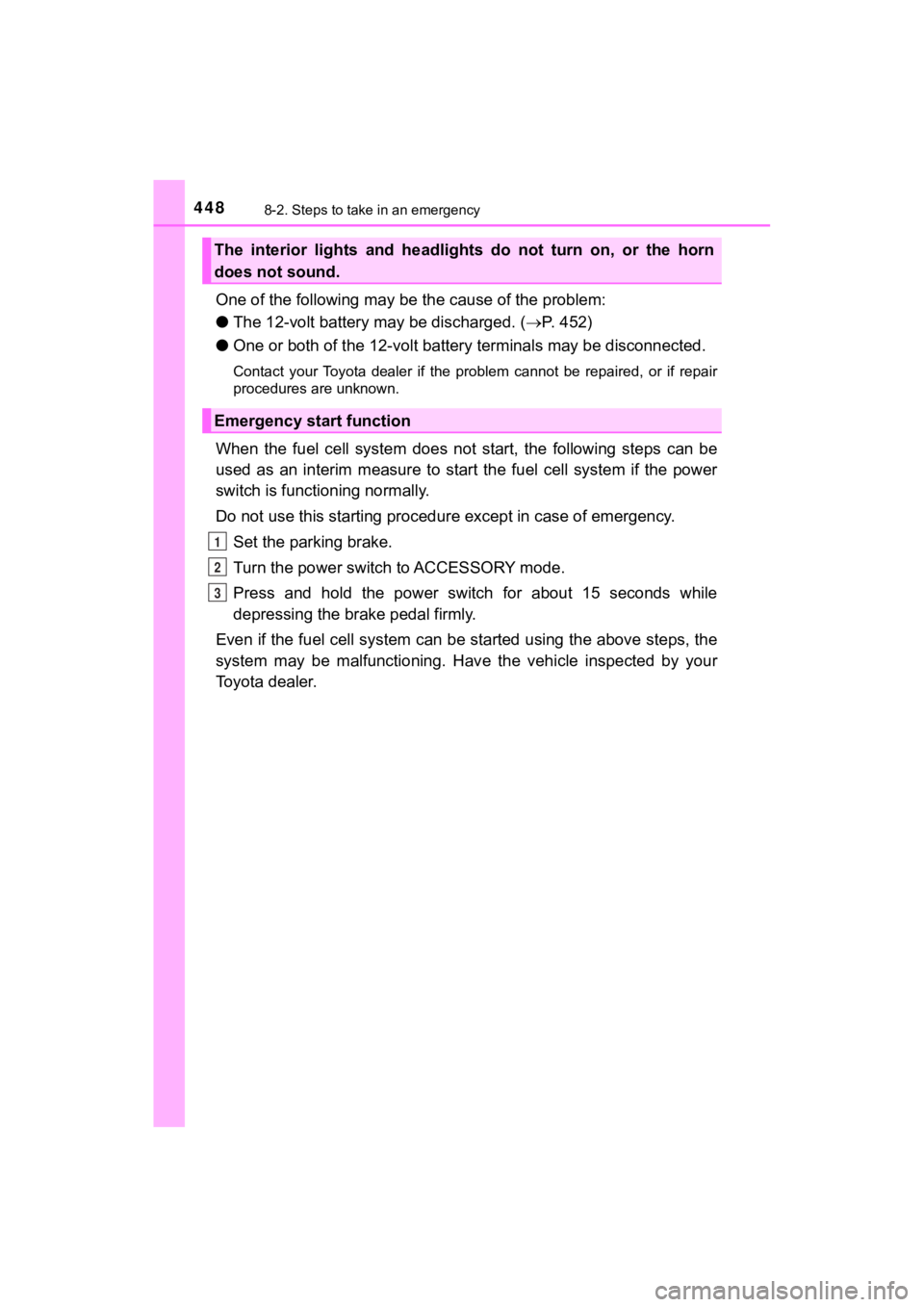
One of the following may be the cause of the problem:
● The 12-volt battery may be discharged. ( P. 452)
● One or both of the 12-volt battery terminals may be disconnecte d.
Contact your Toyota dealer if the problem cannot be repaired, o r if repair
procedures are unknown.
When the fuel cell system does not start, the following steps c an be
used as an interim measure to start the fuel cell system if the power
switch is functioning normally.
Do not use this starting procedure except in case of emergency.
Set the parking brake.
Turn the power switch to ACCESSORY mode.
Press and hold the power switch for about 15 seconds while
depressing the brake pedal firmly.
Even if the fuel cell system can be started using the above steps, the
system may be malfunctioning. Hav e the vehicle inspected by your
Toyota dealer.
The interior lights and headlights do not turn on, or the horn
does not sound.
Emergency start function
1
2
3
Page 454 of 528

4548-2. Steps to take in an emergency
MIRAI_OM_USA_OM62054U(18MY)_O
M62048U(19MY)
Make sure the “READY” indicator comes on. If the indicator does
not come on, contact your Toyota dealer.
Once the fuel cell system has started, remove the jumper cables in
the exact reverse order from which they were connected.
Close the exclusive jump starting terminal cover, reinstall the motor
cover and the fuse box cover to its original position.
Once the fuel cell system starts, have the vehicle inspected at your
Toyota dealer as soon as possible.
■ Starting the fuel cell system when the 12-volt battery is discharged
The fuel cell system cannot be started by push-starting.
■ To prevent 12-volt battery discharge
●Turn off the headlights and the audio system while the fuel cell system is off.
● Turn off any unnecessary electrical components when the vehicle is running
at a low speed for an extended period, such as in heavy traffic .
■ Charging the 12-volt battery
The electricity stored in the 12-volt battery will discharge gr adually even when
the vehicle is not in use, due to natural discharge and the dra ining effects of
certain electrical appliances. If the vehicle is left for a lon g time, the 12-volt
battery may discharge, and the fuel cell system may be unable to start. (The
12-volt battery recharges automatically while the fuel cell sys tem is operat-
ing.)
■ When the 12-volt battery is removed or discharged
● In some cases, it may not be possible to unlock the doors using the smart
key system when the 12-volt battery is discharged. Use the wire less remote
control or the mechanical key to lock or unlock the doors.
● The fuel cell system may not start on the first attempt after t he 12-volt bat-
tery has recharged but will start normally after the second att empt. This is
not a malfunction.
● The power switch mode is memorized by the vehicle. When the 12- volt bat-
tery is reconnected, the system will return to the mode it was in before the
12-volt battery was discharged. Before disconnecting the 12-volt battery,
turn the power switch off.
If you are unsure what mode the power switch was in before the 12-volt bat-
tery discharged, be especially careful when reconnecting the 12 -volt battery.
● If the 12-volt battery is depleted with the shift position in P , it will not be pos-
sible to shift the shift position other than P. In this case, the vehicle cannot
be towed without lifting both front wheels because the front wheels are
locked by the parking lock. ( P. 412)
8
9
10
Page 488 of 528
4889-2. Customization
MIRAI_OM_USA_OM62054U(18MY)_O
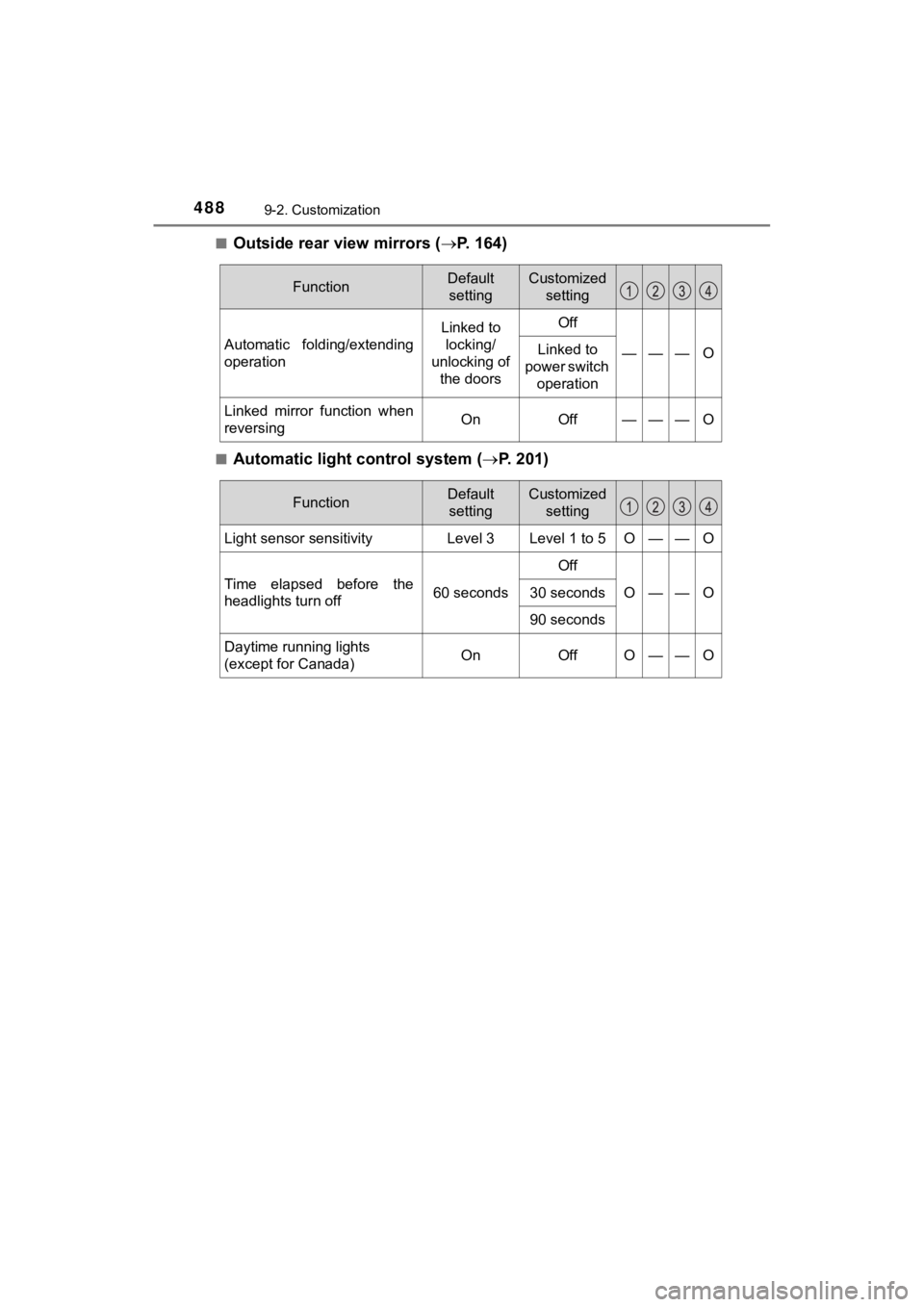
M62048U(19MY)■
Outside rear view mirrors (
P. 1 6 4 )
■Automatic light control system ( P. 201)
FunctionDefault
settingCustomized setting
Automatic folding/extending
operation
Linked to locking/
unlocking of the doorsOff
———OLinked to
power switch operation
Linked mirror function when
reversingOnOff———O
FunctionDefault
settingCustomized setting
Light sensor sensitivityLevel 3Level 1 to 5O——O
Time elapsed before the
headlights turn off60 seconds
Off
O——O30 seconds
90 seconds
Daytime running lights
(except for Canada)OnOffO——O
Page 519 of 528
519Alphabetical index
MIRAI_OM_USA_OM62054U(18MY)_O
M62048U(19MY)
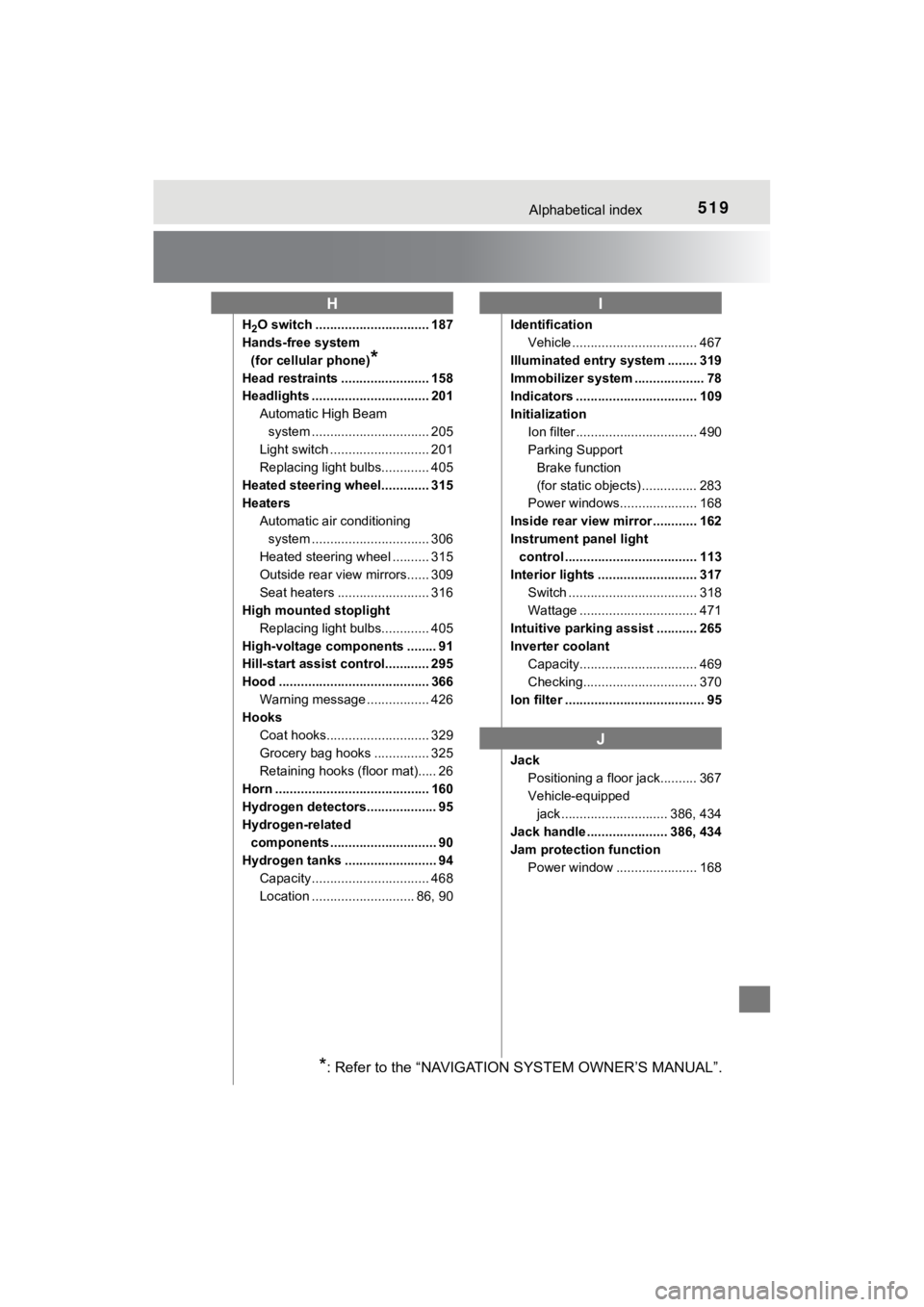
H2O switch ............................... 187
Hands-free system
(for cellular phone)
*
Head restraints ........................ 158
Headlights ................................ 201 Automatic High Beam system ......... ....................... 205
Light switch ........................... 201
Replacing light bulbs............. 405
Heated steering wheel............. 315
Heaters Automatic air conditioning system ......... ....................... 306
Heated steering wheel .......... 315
Outside rear view mirrors...... 309
Seat heaters ......................... 316
High mounted stoplight
Replacing light bulbs............. 405
High-voltage components ........ 91
Hill-start assist control............ 295
Hood ......................................... 366 Warning message ................. 426
Hooks
Coat hooks............................ 329
Grocery bag hooks ............... 325
Retaining hooks (floor mat)..... 26
Horn .......................................... 160
Hydrogen detectors................... 95
Hydrogen-related components ............................. 90
Hydrogen tanks ......................... 94 Capacity ................................ 468
Location ............................ 86, 90 Identification
Vehicle .................................. 467
Illuminated entry system ........ 319
Immobilizer system ................... 78
Indicators ................................. 109
Initialization Ion filter ................................. 490
Parking Support Brake function
(for static objects) ............... 283
Power windows..................... 168
Inside rear view mirror ............ 162
Instrument panel light control .................................... 113
Interior lights ........................... 317 Switch ................................... 318
Wattage ................................ 471
Intuitive parking assist ........... 265
Inverter coolant Capacity................................ 469
Checking............................... 370
Ion filter ...................................... 95
Jack Positioning a floor jack.......... 367
Vehicle-equipped jack ............................. 386, 434
Jack handle ...................... 386, 434
Jam protection function Power window ...................... 168
HI
J
*: Refer to the “NAVIGATION SYSTEM OWNER’S MANUAL”.