audio TOYOTA PRIUS C 2018 Owners Manual (in English)
[x] Cancel search | Manufacturer: TOYOTA, Model Year: 2018, Model line: PRIUS C, Model: TOYOTA PRIUS C 2018Pages: 600, PDF Size: 10.14 MB
Page 1 of 600
PRIUS c_U (OM52G95U)
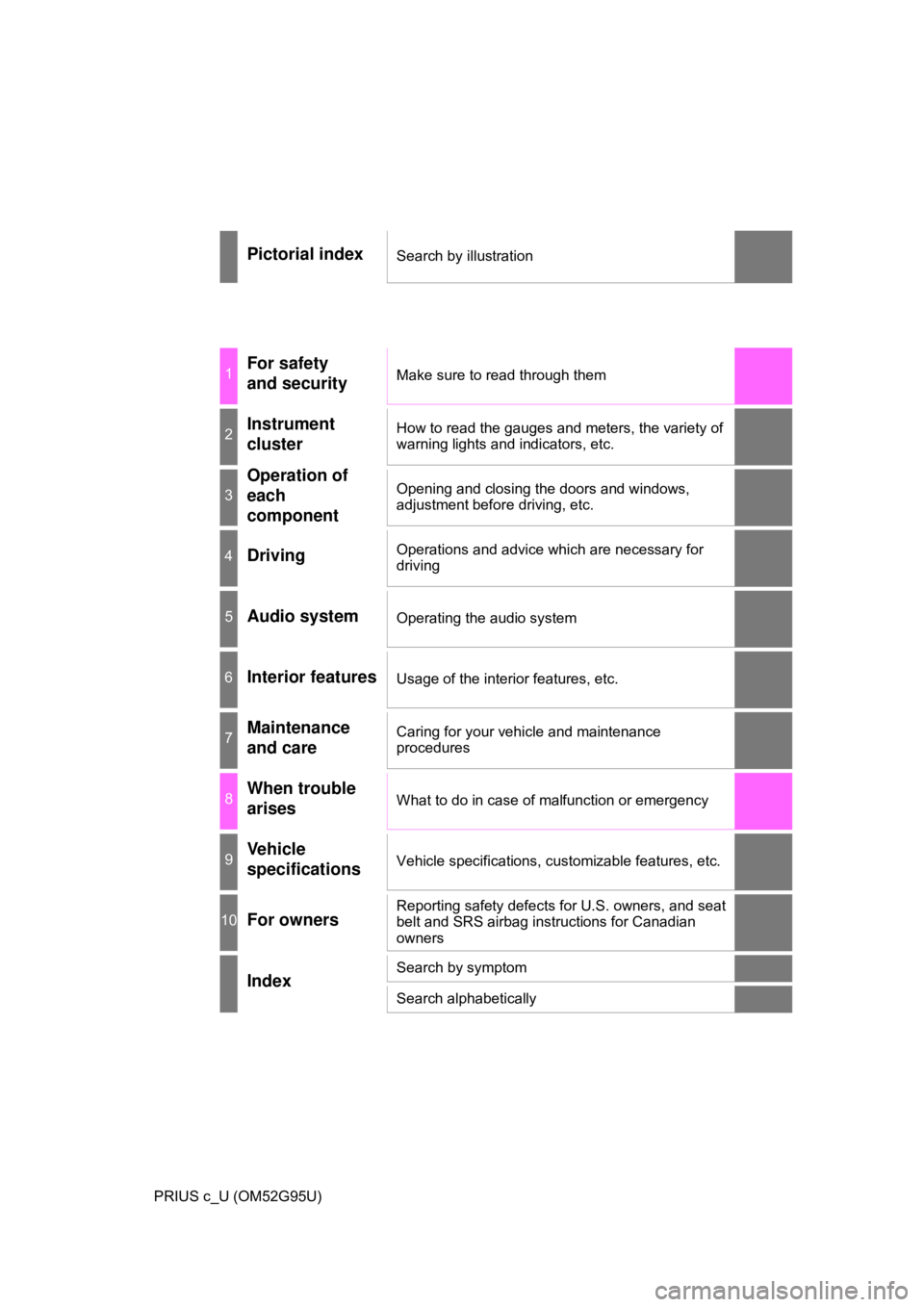
Pictorial indexSearch by illustration
1For safety
and securityMake sure to read through them
2Instrument
clusterHow to read the gauges and meters, the variety of
warning lights and indicators, etc.
3
Operation of
each
componentOpening and closing the doors and windows,
adjustment before driving, etc.
4DrivingOperations and advice which are necessary for
driving
5Audio systemOperating the audio system
6Interior featuresUsage of the interior features, etc.
7Maintenance
and careCaring for your vehicle and maintenance
procedures
8When trouble
arisesWhat to do in case of malfunction or emergency
9Vehicle
specificationsVehicle specifications, customizable features, etc.
10For ownersReporting safety defects for U.S. owners, and seat
belt and SRS airbag instructions for Canadian
owners
IndexSearch by symptom
Search alphabetically
Page 4 of 600

TABLE OF CONTENTS4
PRIUS c_U (OM52G95U)5-1. Using the audio system
Audio system types ........... 282
5-2. Basic Operations (Multimedia system)
Multimedia system ............ 283
Steering wheel audio switches .......................... 285
USB port/AUX port ............ 286
Basic audio operations ...... 288
5-3. Setup (Multimedia system)
Setup menu ....................... 290
General settings ................ 291
Audio settings.................... 293
Display settings ................. 294
Voice settings .................... 295
5-4. Using the Multimedia system
Selecting the audio source ............................. 296
List screen operation ......... 297
Optimal use of the multimedia system .......... 299
5-5. Using the radio (Multimedia system)
Radio operation ................. 300
5-6. Playing an audio CD and MP3/WMA/AAC discs
(Multimedia system)
CD player operation........... 302
5-7. Using an external device (Multimedia system)
Listening to an iPod ........... 308
Listening to a USB memory device ................ 313
Using the AUX port ............ 318
5-8. Connecting Bluetooth
®
(Multimedia system)
Preparations to use wireless
communication ................ 319
Registering a Bluetooth
®
audio player for the
first time ........................... 324
Registering a Bluetooth
®
phone for the first time..... 325
Registering a Bluetooth
®
device .............................. 326
Connecting a Bluetooth
®
device .............................. 328
Displaying a Bluetooth
®
device details................... 330
Detailed Bluetooth
®
system settings................ 331
5Audio system
Page 5 of 600
5
1
9 8 6 5
4
3
2
PRIUS c_U (OM52G95U)
10
7
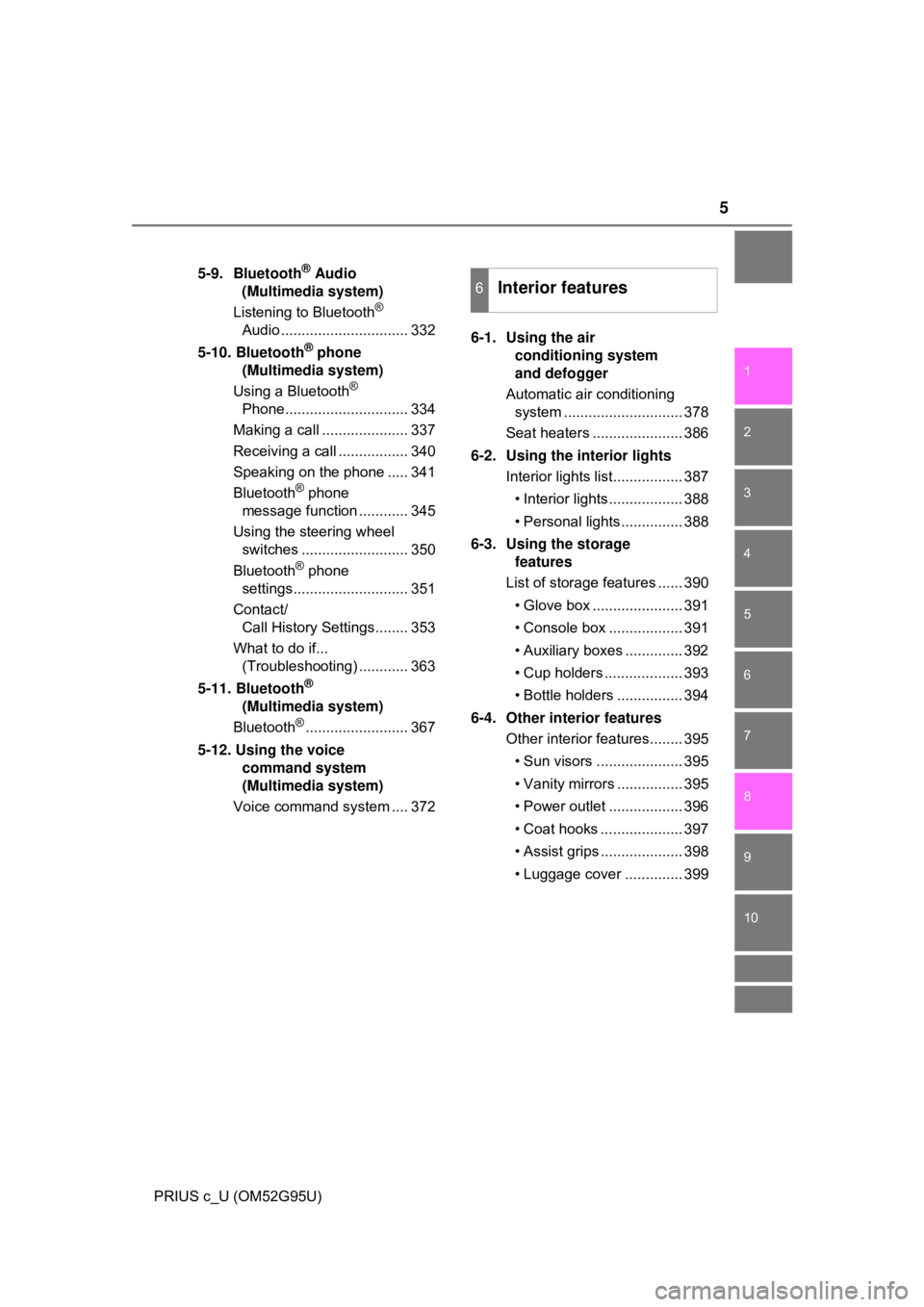
5-9. Bluetooth® Audio
(Multimedia system)
Listening to Bluetooth
®
Audio ............................... 332
5-10. Bluetooth
® phone
(Multimedia system)
Using a Bluetooth
®
Phone.............................. 334
Making a call ..................... 337
Receiving a call ................. 340
Speaking on the phone ..... 341
Bluetooth
® phone
message function ............ 345
Using the steering wheel switches .......................... 350
Bluetooth
® phone
settings............................ 351
Contact/ Call History Settings........ 353
What to do if... (Troubleshooting) ............ 363
5-11. Bluetooth
®
(Multimedia system)
Bluetooth
®......................... 367
5-12. Using the voice command system
(Multimedia system)
Voice command system .... 372 6-1. Using the air
conditioning system
and defogger
Automatic air conditioning system ............................. 378
Seat heaters ...................... 386
6-2. Using the interior lights Interior lights list................. 387
• Interior lights.................. 388
• Personal lights............... 388
6-3. Using the storage features
List of storage features ...... 390
• Glove box ...................... 391
• Console box .................. 391
• Auxiliary boxes .............. 392
• Cup holders ................... 393
• Bottle holders ................ 394
6-4. Other interior features Other interior features........ 395
• Sun visors ..................... 395
• Vanity mirrors ................ 395
• Power outlet .................. 396
• Coat hooks .................... 397
• Assist grips .................... 398
• Luggage cover .............. 399
6Interior features
Page 21 of 600
21Pictorial index
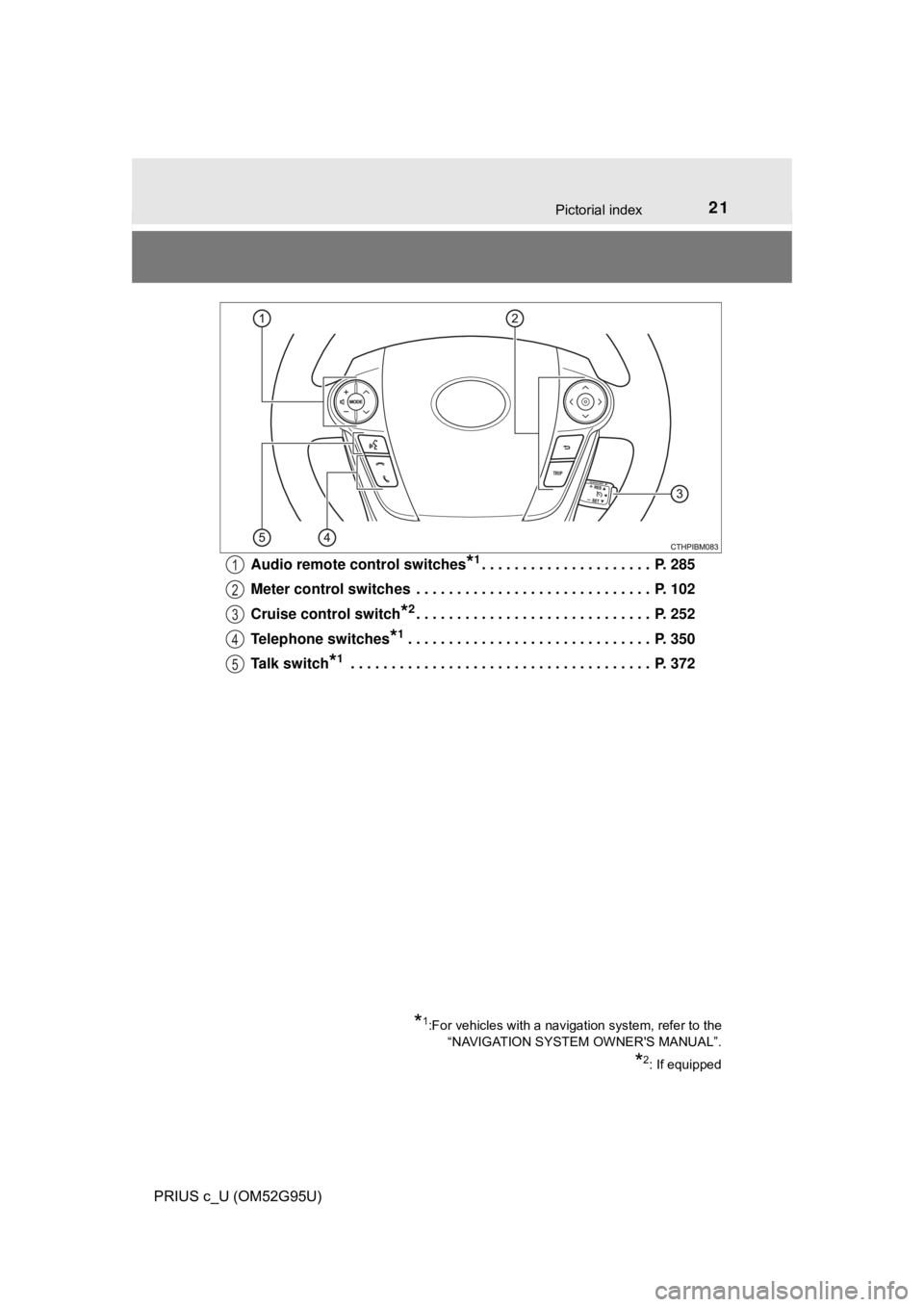
PRIUS c_U (OM52G95U)Audio remote control switches
*1. . . . . . . . . . . . . . . . . . . . . P. 285
Meter control switches . . . . . . . . . . . . . . . . . . . . . . . . . . . . . P. 102
Cruise control switch
*2. . . . . . . . . . . . . . . . . . . . . . . . . . . . . P. 252
Telephone switches
*1. . . . . . . . . . . . . . . . . . . . . . . . . . . . . . P. 350
Talk switch
*1 . . . . . . . . . . . . . . . . . . . . . . . . . . . . . . . . . . . . . P. 372
*1:For vehicles with a navigation system, refer to the “NAVIGATION SYSTEM OWNER'S MANUAL”.
*2: If equipped
1
2
3
4
5
Page 110 of 600
1102. Instrument cluster
PRIUS c_U (OM52G95U)
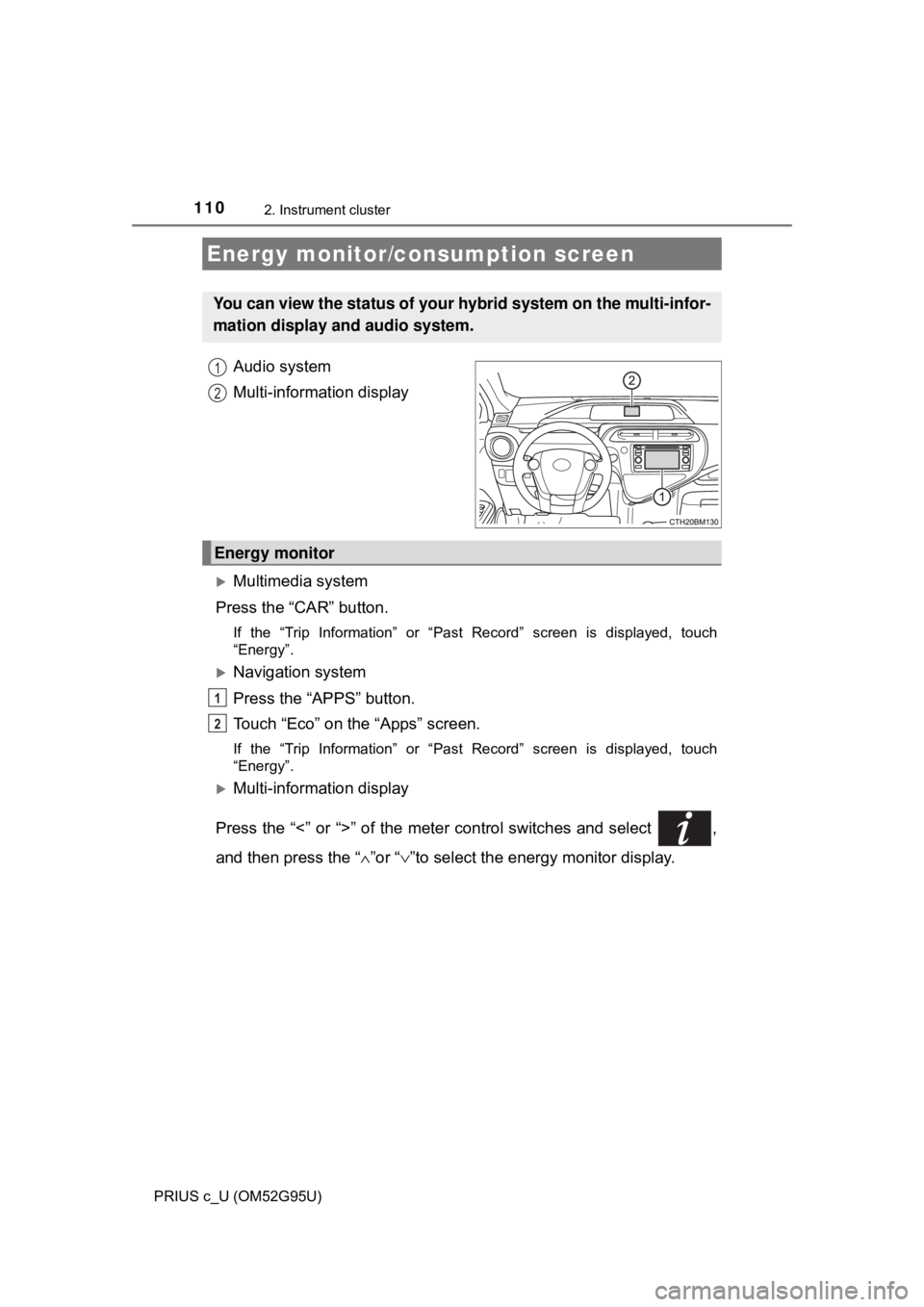
Audio system
Multi-information display
Multimedia system
Press the “CAR” button.
If the “Trip Information” or “Past Record” screen is displayed, touch
“Energy”.
Navigation system
Press the “APPS” button.
Touch “Eco” on the “Apps” screen.
If the “Trip Information” or “Past Record” screen is displayed, touch
“Energy”.
Multi-information display
Press the “<” or “>” of the meter control switches and select ,
and then press the “ ∧”or “ ∨”to select the energy monitor display.
Energy monitor/c onsumption screen
You can view the status of your hybrid system on the multi-infor-
mation display and audio system.
1
2
Energy monitor
1
2
Page 111 of 600
1112. Instrument cluster
2
Instrument cluster
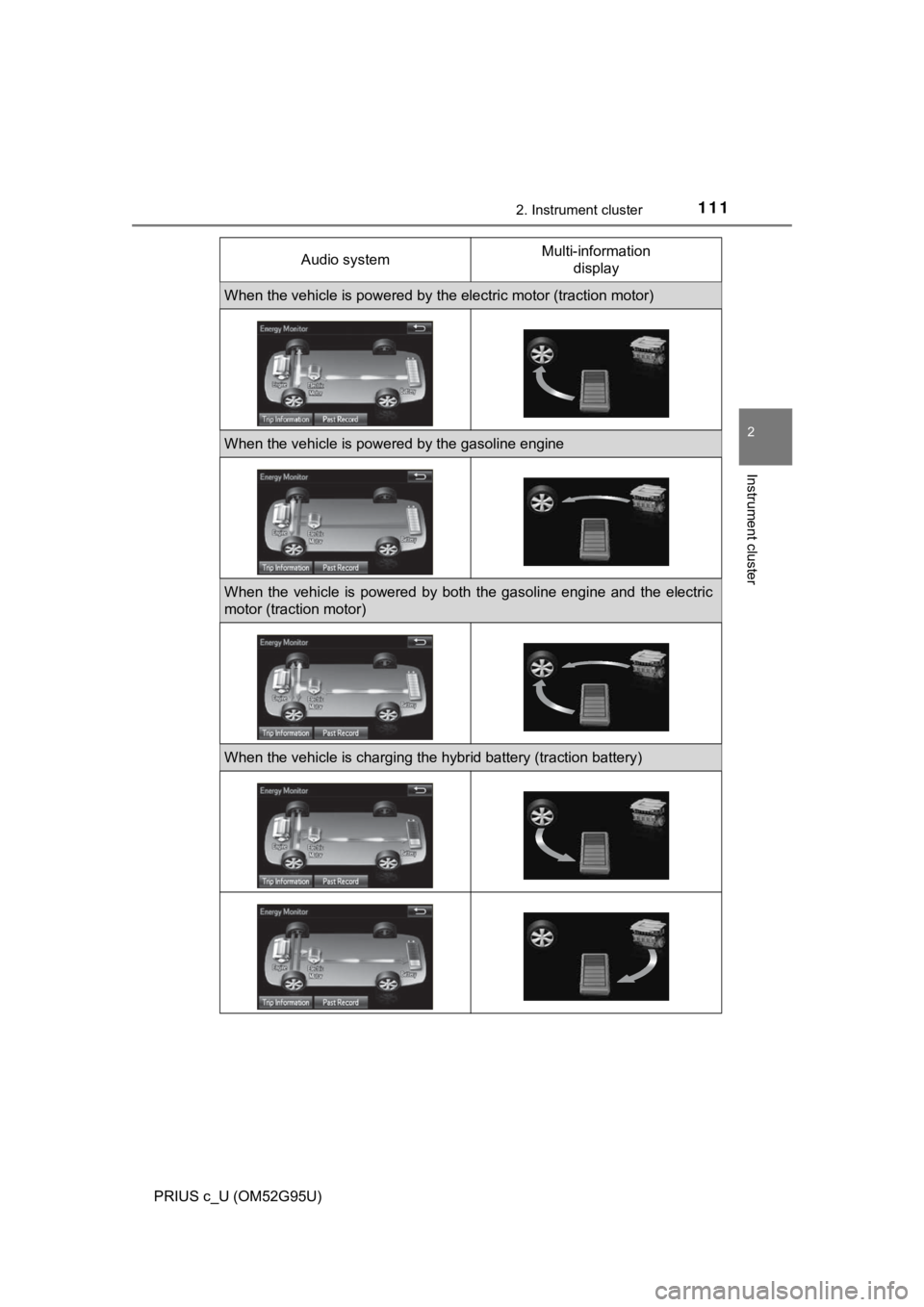
PRIUS c_U (OM52G95U)Audio system
Multi-information
display
When the vehicle is powered by the electric motor (traction motor)
When the vehicle is powered by the gasoline engine
When the vehicle is powered by both the gasoline engine and the electric
motor (traction motor)
When the vehicle is charging the hybrid battery (traction battery)
Page 112 of 600
1122. Instrument cluster
PRIUS c_U (OM52G95U)
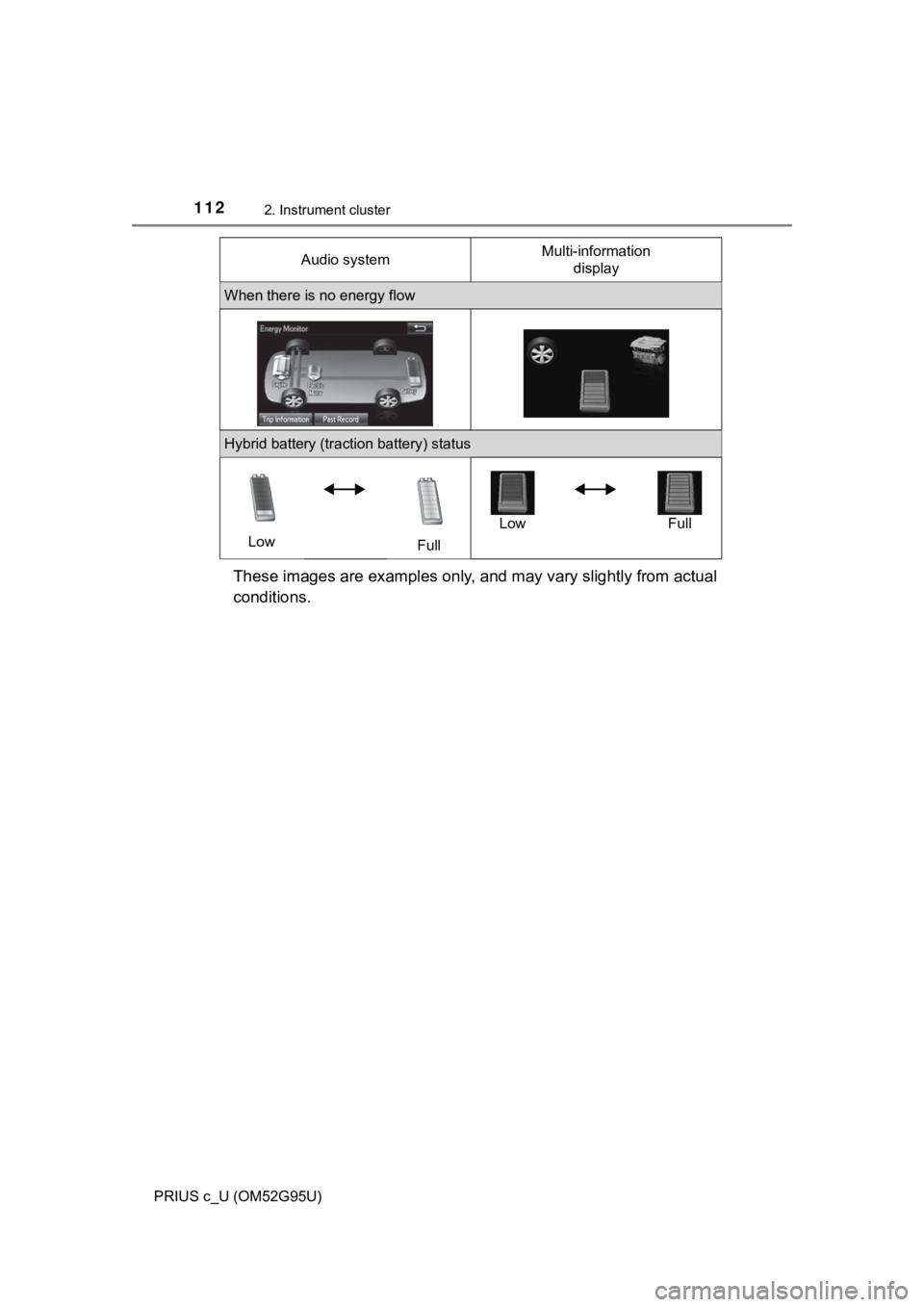
These images are examples only, and may vary slightly from actual
conditions.
When there is no energy flow
Hybrid battery (traction battery) statusLow FullLow Full
Audio system
Multi-information
display
Page 113 of 600
1132. Instrument cluster
2
Instrument cluster
PRIUS c_U (OM52G95U)■
Trip information
Multimedia system
Press the “CAR” button. ( →P. 1 1 0 )
If the “Energy Monitor” or “Past Record” screen is displayed, touch “Trip
Information”.
Navigation system
Press the “APPS” button. ( →P. 1 1 0 )
Touch “Eco” on the “Apps” screen.
If the “Energy Monitor” or “Past Record” screen is displayed, touch “Trip
Information”.
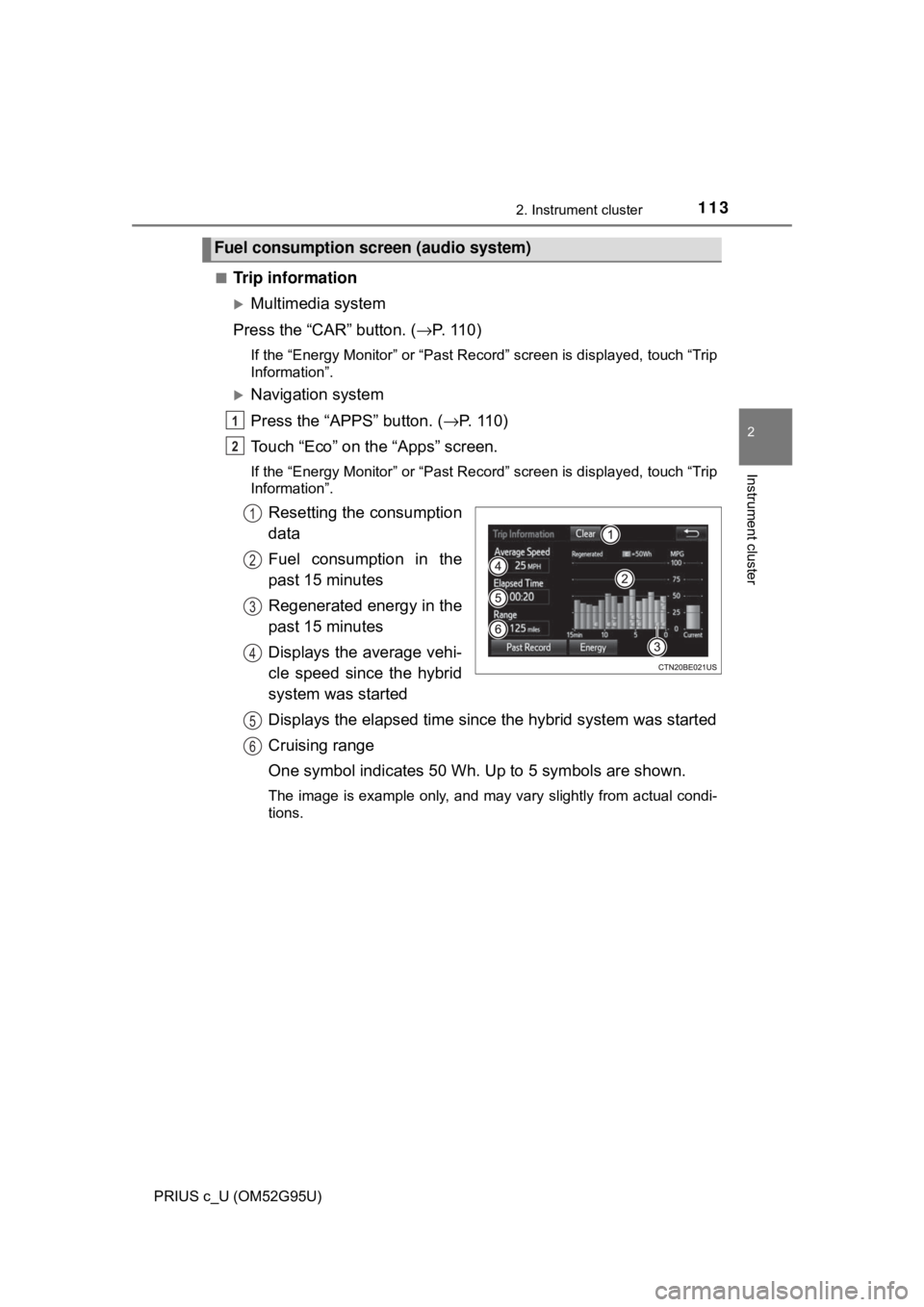
Resetting the consumption
data
Fuel consumption in the
past 15 minutes
Regenerated energy in the
past 15 minutes
Displays the average vehi-
cle speed since the hybrid
system was started
Displays the elapsed time since the hybrid system was started
Cruising range
One symbol indicates 50 Wh. Up to 5 symbols are shown.
The image is example only, and may vary slightly from actual condi-
tions.
Fuel consumption screen (audio system)
1
2
1
2
3
4
5
6
Page 115 of 600

1152. Instrument cluster
2
Instrument cluster
PRIUS c_U (OM52G95U)
→P. 1 0 3
■Remaining hybrid battery (tract ion battery) charge display
The charge amount of the hybrid battery (traction battery) is automatically
controlled by the hybrid system. For this reason, even if electricity is recov-
ered via the regenerative braking, or electricity is generated via the gasoline
engine, the displayed hybrid battery (traction battery) charge amount may not
reach the highest level (level 8). However, this does not indicate a malfunc-
tion.
■ Resetting the consumption data (audio system)
Selecting “Clear” on the “Trip Information” screen will reset the fuel consump-
tion and the regenerated energy for the past 15 minutes. Selecting “Clear” on
the “Past Record” screen will reset the past records and best past fuel con-
sumption. Selecting “Yes” on the following screen will confirm resetting of all
the data.
■ Updating the past record data (audio system)
Selecting “Update” on the “Past Record” screen will update the past record
data.
Fuel consumption screen (Multi-information display)
Page 124 of 600
1243-1. Key information
PRIUS c_U (OM52G95U)
NOTICE
■To prevent key damage
Observe the following:
● Do not drop the keys, subject them to strong shocks or bend them.
● Do not expose the keys to high temperatures for long periods of time.
● Do not get the keys wet or wash them in an ultrasonic washer etc.
● Do not attach metallic or magnetic materials to the keys or place the keys
close to such materials.
● Do not disassemble the keys.
● Do not attach a sticker or anything else to the surface of the key.
● Do not place the keys near objects that produce magnetic fields, such as
TVs, audio systems and induction cookers.
● Do not place the keys near medical electrical equipment (such as micro-
wave therapy equipment and low- frequency therapy equipment) or carry
them on your person when receiving medical treatment.
■ Carrying the electronic key on your person (vehicles with a smart key
system)
Carry the electronic key 3.9 in. (10 cm) or more away from electric appli-
ances that are turned on. Radio waves emitted from electric appliances
within 3.9 in. (10 cm) of the electronic key may interfere with the key, caus-
ing the key to not function properly.
■ In case of a smart key system malfunction or other key-related prob-
lems (vehicles with a smart key system)
Take your vehicle with all the electronic keys provided with your vehicle to
your Toyota dealer.
■ When a vehicle key is lost ( vehicles with a smart key system)
If the key remains lost, the risk of vehicle theft increases significantly. Visit
your Toyota dealer immediately with all remaining electronic keys that was
provided with your vehicle.