overheating TOYOTA RAV4 HYBRID 2021 Owners Manual
[x] Cancel search | Manufacturer: TOYOTA, Model Year: 2021, Model line: RAV4 HYBRID, Model: TOYOTA RAV4 HYBRID 2021Pages: 752, PDF Size: 31.25 MB
Page 96 of 752

962-1. Instrument cluster
nated.
●The shift lever is in a range other
than D or S.
■Outside temperature display
●In the following si tuations, the cor-
rect outside tempe rature may not
be displayed, or the display may
take longer than normal to
change.
• When stopped, or driving at low speeds (less than 12 mph [20
km/h])
• When the outside temperature has changed su ddenly (at the
entrance/exit of a garage, tunnel,
etc.)
●When “--” or “E” is displayed, the
system may be malfunctioning.
Take your vehicle to your Toyota
dealer.
●Displays the outside temperature
within the range of -40°F (-40°C)
to 122°F (50°C).
●When the outside temperature is
approximately 37°F (3°C) or
lower, the indicator will flash
for approximately 10 seconds,
then stay on.
■Liquid crystal display
P.104
Switches the items of the odom-
eter, trip meter A and trip meter
B by pressing the “ODO TRIP”
switch.
When the trip meter is dis-
played, pressing and holding the
switch will reset the trip meter.
WARNING
■The information display at
low temperatures
Allow the interior of the vehicle to
warm up before using the liquid
crystal information display. At
extremely low temperatures, the
display monitor may respond
slowly, and display changes may
be delayed.
For example, there is a lag
between the driver’s shifting and
the new shift r ange appearing on
the display. This lag could cause
the driver to downshift again,
causing rapid and excessive
engine braking and possibly an
accident resulting in death or
injury.
NOTICE
■To prevent damage to the
engine and its components
The engine may be overheating if
the engine coolant temperature
gauge is in the red zone (“H”). In
this case, immediately stop the
vehicle in a safe place, and check
the engine after it has cooled
completely. ( P.677)
Using the “ODO TRIP”
switch
Page 101 of 752

1012-1. Instrument cluster
2
Vehicle status information and indicators
Power area
Shows that an Eco-friendly driving
range is being exceeded (during full
power driving etc.)
*: When used in this manual, “regen- eration” refers to the conversion of
energy created by the movement
of the vehicle into electrical
energy.
In the following situ ation, the Hybrid
System Indicator does not operate.
●“READY” indicator is not illumi-
nated.
●The shift lever is in a range other
than D or S.
■Outside temperature display
●In the following si tuations, the cor-
rect outside tempe rature may not
be displayed, or the display may
take longer than normal to
change.
• When stopped, or driving at low
speeds (less than 12 mph [20
km/h])
• When the outside temperature
has changed su ddenly (at the
entrance/exit of a garage, tunnel,
etc.)
●When “--” or “E” is displayed, the
system may be malfunctioning.
Take your vehicle to your Toyota
dealer.
●Displays the outside temperature
within the range of -40°F (-40°C)
to 122°F (50°C).
●When the outside temperature is
approximately 37°F (3°C) or
lower, the indicator will flash
for approximately 10 seconds,
then stay on.
■Liquid crystal display
P.104
■Customization
Settings (e. g. meter display) can be changed on the screen of the
multi-informat
ion display. (P.109)
Switches the items of the odom-
eter, trip meter A and trip meter
B by pressing the “ODO TRIP”
switch.
When the trip meter is dis-
played, pressing and holding the
switch will reset the trip meter.
E
WARNING
■The information display at
low temperatures
Allow the interior of the vehicle to
warm up before using the liquid
crystal information display. At
extremely low temperatures, the
display monitor may respond
slowly, and display changes may
be delayed.
For example, there is a lag
between the driver’s shifting and
the new shift r ange appearing on
the display. This lag could cause
the driver to downshift again,
causing rapid and excessive
engine braking and possibly an
accident resulting in death or
injury.
NOTICE
■To prevent damage to the
engine and its components
The engine may be overheating if
the engine coolant temperature
gauge is in the red zone (“H”). In
this case, immediately stop the
vehicle in a safe place, and check
the engine after it has cooled
completely. ( P.677)
Using the “ODO TRIP”
switch
Page 207 of 752

2074-1. Before driving
4
Driving
vehicle control. This is espe-
cially true on wet or slippery
surfaces.
Avoid jerky starts or sudden
acceleration.
Avoid jerky steering and
sharp turns, and slow down
before making turn.
Note that when making a turn,
the trailer wheels will be
closer than the vehicle wheels
to the inside of the turn. Com-
pensate by making a wider
than normal turning radius.
Slow down before making a
turn, in cross winds, on wet or
slippery surfaces, etc.
Increasing vehicle speed can
destabilize the trailer.
Take care when passing other
vehicles. Passing requires
considerable distance. After
passing a vehicle, do not for-
get the length of your trailer,
and be sure you have plenty
of room before changing
lanes.
To maintain engine braking
efficiency, when using engine
braking, do not use the trans-
mission in D.
Instability happens more fre-
quently when descending
steep or long downhill grades.
Before descending, slow
down and downshift. Do not
make sudden downshifts
while descending steep or long downhill grades.
Avoid holding the brake pedal
down too long or applying the
brakes too frequently. This
could cause the brakes to
overheat and result in
reduced braking efficiency.
Due to the added load of the
trailer, your vehicle’s hybrid
system may overheat on hot
days (at temperatures over
85°F [30°C]) when driving up
a long or steep grade. If the
engine coolant temperature
gauge indicates overheating,
immediately turn off the air
conditioning (if in use), pull
your vehicle off the road and
stop in a safe spot. ( P.677)
Always place wheel blocks
under both the vehicle’s and
the trailer’s wheels when
parking. Apply the parking
brake firmly, and put the
transmission in P. Avoid park-
ing on a slope, but if unavoid-
able, do so only after
performing the following:
1 Apply the brakes and keep
them applied.
2 Have someone place wheel
blocks under both the vehi-
cle’s and trailer’s wheels.
3 When the wheel blocks are in
place, release the brakes
slowly until the blocks absorb
the load.
Page 213 of 752
2134-2. Driving procedures
4
Driving
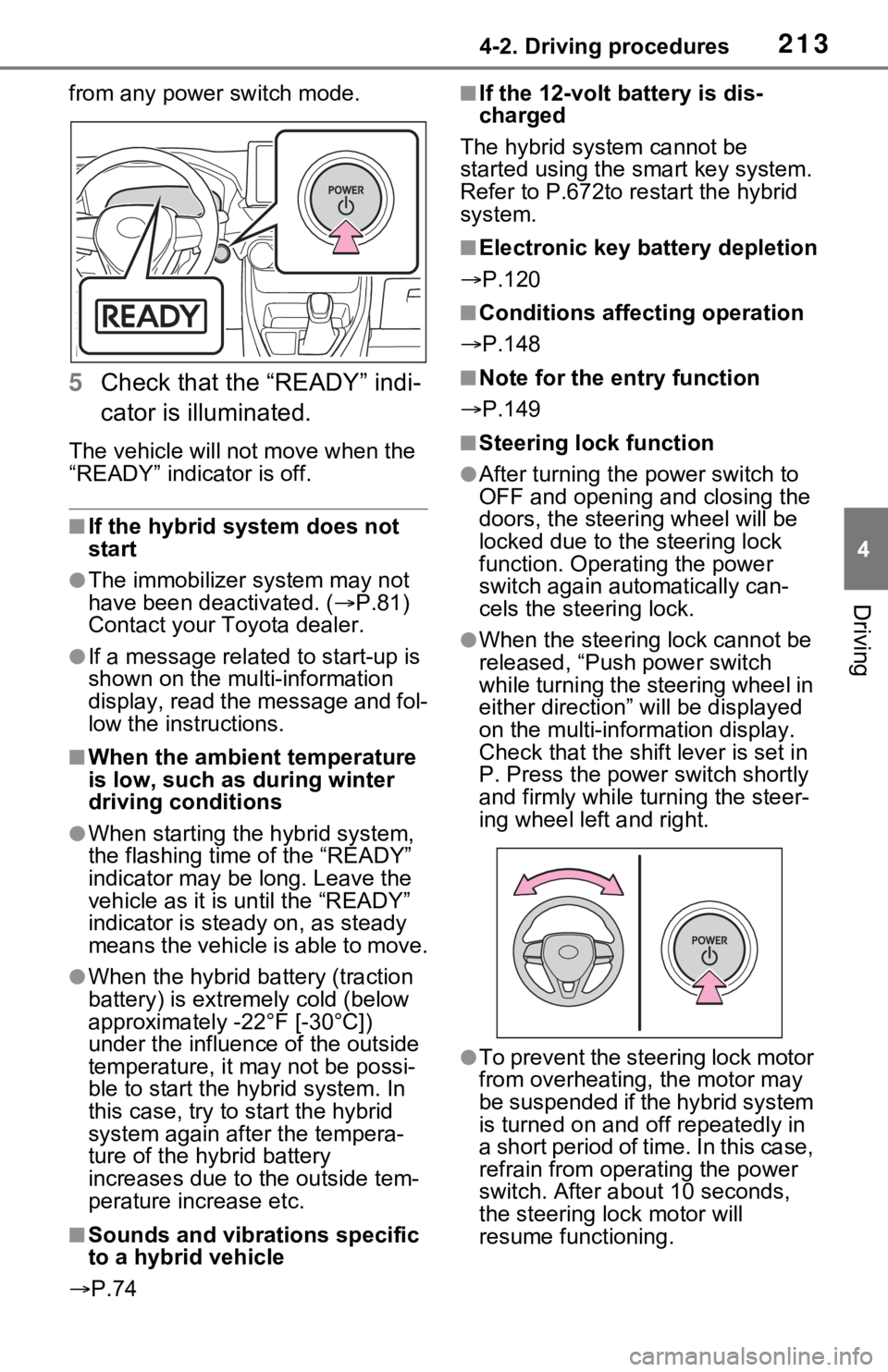
from any power switch mode.
5Check that the “READY” indi-
cator is illuminated.
The vehicle will not move when the
“READY” indicator is off.
■If the hybrid system does not
start
●The immobilizer system may not
have been deactivated. ( P.81)
Contact your Toyota dealer.
●If a message related to start-up is
shown on the multi-information
display, read the message and fol-
low the instructions.
■When the ambient temperature
is low, such as during winter
driving conditions
●When starting the hybrid system,
the flashing time of the “READY”
indicator may be long. Leave the
vehicle as it is until the “READY”
indicator is steady on, as steady
means the vehicle is able to move.
●When the hybrid battery (traction
battery) is extremely cold (below
approximately -22°F [-30°C])
under the influence of the outside
temperature, it may not be possi-
ble to start the h ybrid system. In
this case, try to start the hybrid
system again after the tempera-
ture of the hybrid battery
increases due to the outside tem-
perature increase etc.
■Sounds and vibrations specific
to a hybrid vehicle
P.74
■If the 12-volt b attery is dis-
charged
The hybrid system cannot be
started using the smart key system.
Refer to P.672to r estart the hybrid
system.
■Electronic key battery depletion
P.120
■Conditions affecting operation
P.148
■Note for the entry function
P.149
■Steering lock function
●After turning the power switch to
OFF and opening and closing the
doors, the steeri ng wheel will be
locked due to the steering lock
function. Operating the power
switch again automatically can-
cels the steering lock.
●When the steering lock cannot be
released, “Push power switch
while turning the steering wheel in
either direction” will be displayed
on the multi-information display.
Check that the shift lever is set in
P. Press the power switch shortly
and firmly while turning the steer-
ing wheel left and right.
●To prevent the steering lock motor
from overheating , the motor may
be suspended if the hybrid system
is turned on and off repeatedly in
a short period of ti me. In this case,
refrain from operating the power
switch. After about 10 seconds,
the steering lo ck motor will
resume functioning.
Page 226 of 752

2264-2. Driving procedures
on as described below:
ON: Comes on until the parking
brake is released.
Not in ON: Stays on for approxi-
mately 15 seconds.
●When the power switch is turned
off with the parking brake set, the
parking brake indicator light will
stay on for about 15 seconds. This
does not indicate a malfunction.
■When the parking brake switch
malfunctions
Automatic mode (automatic brake
setting and releas ing) will be turned
on automatically.
■Parking the vehicle
P.189
■Parking brake engaged warning
buzzer
A buzzer will sound if the vehicle is
driven with the parking brake
engaged. “Parking Brake ON” is dis-
played on the multi-information dis-
play (with the v ehicle reaching a
speed of 5 km/h [3 mph]).
■If the brake system warning
light comes on
P.642
■Usage in winter time
P.379
WARNING
■When parking the vehicle
Do not leave a child in the vehicle
alone. The parking brake may be
released unintentionally by a child
and there is the danger of the
vehicle moving that may lead to
an accident resulting in death or
serious injury.
■Parking brake switch
Do not set any o bjects near the
parking brake switch. Objects
may interfere with the switch and
may lead the parking brake to
unexpectedly operate.
NOTICE
■When parking the vehicle
Before you leave the vehicle, shift
the shift lever to P, set the parking
brake and make s ure that the
vehicle does not move.
■When the system malfunc-
tions
Stop the vehicle in a safe place
and check the warning messages.
■When the parking brake can-
not be released due to a mal-
function
Driving the vehicle with the park-
ing brake set will lead to brake
components overheating, which
may affect braking performance
and increase brak e wear. Have
the vehicle insp ected by your
Toyota dealer immediately if this
occurs.
Page 372 of 752

3724-5. Using the driving support systems
●When the power switch is turned
off.
●If only the TRAC system is turned
off, the TRAC will turn on when
vehicle speed increases.
If both the TRAC and VSC sys-
tems are turned off, automatic re-
enabling will not occur when vehi-
cle speed increases.
■Operating conditions of Active
Cornering Assist
The system operates when the fol-
lowing occurs.
●TRAC/VSC can operate
●The driver is at tempting to accel-
erate while turning
●The system detects that the vehi-
cle is drifting to the outer side
●The brake pedal is released
■Reduced effectiveness of the
EPS system
The effectiveness of the EPS sys-
tem is reduced to prevent the sys-
tem from overheating when there is
frequent steering input over an
extended period of time. The steer-
ing wheel may feel heavy as a result. Should this occur, refrain
from excessive steering input or
stop the vehicle a
nd turn the hybrid
system off. The EPS system should
return to normal within 10 minutes.
■Secondary Collision Brake
operating conditions
The system operates when the SRS
airbag sensor de tects a collision
while the vehicle is in motion. How-
ever, the system does not operate in
any of the following situations.
●The vehicle speed is below 6 mph
(10 km/h)
●Components are damaged
■Secondary Collision Brake
automatic cancellation
The system is automatically can-
celed in any of th e following situa-
tions.
●The vehicle speed drops below
approximately 6 mph (10 km/h)
●A certain amount of time elapses
during operation
●The accelerator pedal is
depressed a large amount
■If a message about AWD is shown on the multi-information display
Perform the following actions.
Page 373 of 752
3734-5. Using the driving support systems
4
Driving
MessageDetails/Actions
“AWD System Over-heated Switching to 2WD Mode”
AWD system is overheating.
Stop the vehicle in a sa fe place and let the
engine idle.
Once the display message on the multi-informa-
tion display turns off, there is no problem continu-
ing to drive.
If the message does not disappear, have your
vehicle checked by your Toyota dealer immedi-
ately.
“AWD System Over- heated 2WD Mode Engaged”
The vehicle switched from all-wheel drive (AWD)
to front wheel drive due to overheating.
Stop the vehicle in a sa fe place and let the
engine idle.
Once the display message on the multi-informa-
tion display turns off, the AWD system returns to
normal.
If the message does not disappear, have your
vehicle checked by your Toyota dealer immedi-
ately.
“AWD System Malfunc- tion 2WD Mode
Engaged Visit Your Dealer”A malfunction occurred in the AWD system.
Have your vehicle checked by your Toyota
dealer immediately.
WARNING
■The ABS does not operate
effectively when
●The limits of tire gripping perfor-
mance have been exceeded
(such as excessively worn tires
on a snow covered road).
●The vehicle hydroplanes while
driving at high speed on wet or
slick roads.
■Stopping distance when the
ABS is operating may exceed
that of normal conditions
The ABS is not designed to
shorten the vehicle’s stopping dis-
tance. Always maintain a safe dis-
tance from the veh icle in front of
you, especially in the following sit-
uations:
●When driving on dirt, gravel or
snow-covered roads
●When driving with tire chains
●When driving over bumps in the
road
Page 643 of 752
6438-2. Steps to take in an emergency
8
When trouble arises
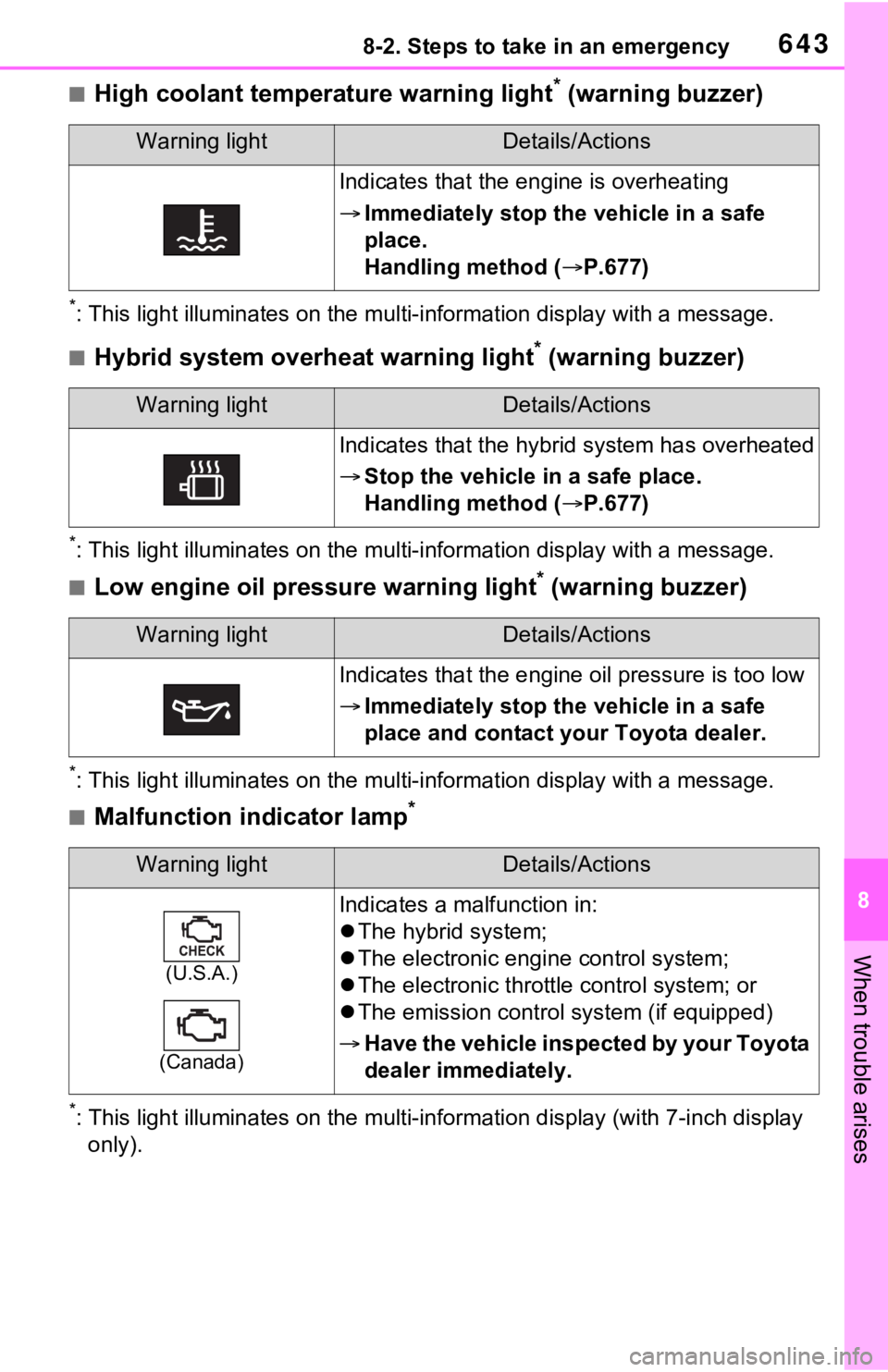
■High coolant temperature warning light* (warning buzzer)
*: This light illuminates on the mu lti-information display with a message.
■Hybrid system overheat warning light* (warning buzzer)
*: This light illuminates on the mu lti-information display with a message.
■Low engine oil pressure warning light* (warning buzzer)
*: This light illuminates on the mu lti-information display with a message.
■Malfunction indicator lamp*
*: This light illuminates on the mu lti-information display (with 7-inch display
only).
Warning lightDetails/Actions
Indicates that the engine is overheating
Immediately stop the vehicle in a safe
place.
Handling method ( P.677)
Warning lightDetails/Actions
Indicates that the hybrid system has overheated
Stop the vehicle in a safe place.
Handling method ( P.677)
Warning lightDetails/Actions
Indicates that the engine oil pressure is too low
Immediately stop the vehicle in a safe
place and contact your Toyota dealer.
Warning lightDetails/Actions
(U.S.A.)
(Canada)
Indicates a malfunction in:
The hybrid system;
The electronic engi ne control system;
The electronic throttle control system; or
The emission control s ystem (if equipped)
Have the vehicle inspected by your Toyota
dealer immediately.
Page 737 of 752

Alphabetical Index737
Brightness controlInstrument panel light control..................................... 96, 102
BSM (Blind Spot Monitor) ...... 282 Blind Spot Monitor function .. 286
Rear Cross Traffic Alert function........................................... 288
C
Care Aluminum wheels ................. 566
Exterior ................................. 566
Interior .................................. 569
Seat belts ............................. 569
Cargo capacity ............... 196, 199
Cargo hooks ........................... 541
Chains ..................................... 380
Child-protectors ..................... 132
Child restraint s ystem ............. 52
Fixed with a LATCH system ... 61
Fixed with a seat belt ............. 56
Front passenger occupant clas- sification system ................... 45
Points to remember ................ 52
Riding with children ................ 51
Types of child restraint system installation met hod ............... 54
Using an anchor bracket ........ 63
Child safety ............................... 51 12-volt battery precautions................................... 588, 676
Airbag precautions ................. 40
Back door precautions ......... 133
Child restraint system............. 54
Heated steering wheel and seat
heater precautions ............. 531
How your child should wear the seat belt................................ 32
Moon roof precau tions ......... 180
Panoramic moon roof precau- tions.................................... 184
Power window lock switch.... 178 Power window precautions...177
Rear door child-protectors ....132
Removed key battery precau-
tions ....................................620
Seat belt extender precautions .............................................32
Seat belt precautions..............31
Seat heater precautions .......531
Cleaning ..........................566, 569 Aluminum wheels .................566
Exterior .................................566
Interior ..................................569
Radar sensor ........................245
Seat belts .............................569
Clock ..................................97, 102
Coat hooks ..............................557
Command list ..........................473
Condenser ............. ..................585
Connected Service s ...............509
Console box ............................538
Consumption screen ..............113
Coolant Checking ..............................584
Preparing and checking before winter ..................................378
Warning light ........................643
Cooling system .......................584 Hybrid system overheating ...677
Cruise control Dynamic radar cruise control with full-speed range ..........271
Cup holders.............................538
Current fuel consumption......115
Current fuel economy ............105
Curtain shield airbags ..............35
Customizable featu res ...........706
D
Daytime running light system230
Replacing light bulbs ............624
DCM .................510, 512, 513, 516
Deck board ..............................541
Page 741 of 752

Alphabetical Index741
Retaining hooks (floor mat) .... 28
Horn ......................................... 162
Hybrid battery (tr action battery)
Location.................................. 76
Specification ......................... 686
Hybrid battery air vent ............. 79
Hybrid system .......................... 72 ACC.............................. 211, 216
Emergency shut off system .... 80
Energy monitor/consumption screen ................................ 113
EV drive mode...................... 217
High voltage components....... 76
How to start the hybrid system ................................... 210, 212
Hybrid System Indicator ... 94, 98
Hybrid system precautions ..... 76
Hybrid vehicle driving tips .... 376
If the hybrid sy stem will not start
........................................... 667
If your vehicle has to be stopped in an emergency................. 635
Ignition switch (power switch)
................................... 210, 212
Overheating.......................... 677
Power (ignition) switch . 210, 212
Regenerative braking ............. 73
Starting the hybrid system ................................... 210, 212
Hybrid System Indicator .... 94, 98
Hybrid transmission .............. 219 S mode ................................. 221
I
I/M test ..................................... 576
Identification
Engine .................................. 685
Vehicle ................................. 684
Ignition switch (power switch) ....................................... 210, 212Auto power off function ........ 216
Changing the power switch modes.........................211, 216
If your vehicle has to be stopped in an emergency .................635
Starting the hybrid system ...................................210, 212
Immobilizer system ..................81
Indicators ..................................88
Info button (Menu screen) .....389
Initialization Items to initialize ...................718
Maintenance .........................573
Moon roof .............................180
Panoramic moon r oof ...........183
Parking Support Brake .........302
Power back door ..................142
Power windows ....................176
Tire pressure warning system ...........................................600
Initial screen............................393 Caution screen .....................393
Restarting the system ...........393
Inside rear view m irror ...163, 165
Instrument panel light control
.........................................96, 102
Interior lights...........................534 Switch ...................................534
Wattage ................................692
Intuitive parking assist Function................................291
Warning message . ...............294
iPod/iPhone (Apple CarPlay) .446
J
Jack Positioning a floor jack .........580
Vehicle-equipped jack ..........659
Jack handle .............................659
Jam protection function Electronic sunshade .............183
Moon roof .............................179
Panoramic moon r oof ...........183
Power back door ..................140