child lock TOYOTA RAV4 HYBRID 2022 User Guide
[x] Cancel search | Manufacturer: TOYOTA, Model Year: 2022, Model line: RAV4 HYBRID, Model: TOYOTA RAV4 HYBRID 2022Pages: 752, PDF Size: 23.11 MB
Page 126 of 752
1263-2. Opening, closing and locking the doors
continuously for 5 seconds. Fully
close all the doors, and lock the
vehicle once more.
■Setting the alarm (if equipped)
Locking the doors will set the alarm
system. ( P.82)
■Conditions affecting the opera-
tion of the smart key system or
wireless remo te control
Vehicles without smart key system
P.121
Vehicles with smart key system
P.144
■If the smart key system (if
equipped) or the wireless
remote control does not oper-
ate properly
●Vehicles with smart key system:
Use the mechanical key to lock
and unlock the doors. ( P.652)
●Replace the key battery with a
new one if it is depleted. ( P.600)
■If the 12-volt battery is dis-
charged
The doors cannot be locked and
unlocked using the smart key sys-
tem (if equipped) or wireless remote
control. Lock or unlock the doors
using the key (vehicles without
smart key system) or mechanical
key (vehicles with smart key sys-
tem). ( P.124, 652)
■Rear seat reminder function
●In order to remind you not to for-
get luggage, etc. in the rear seat,
when the power switch is turned to
OFF after any of the following con-
ditions are met, a buzzer will
sound and a message will be dis-
played on the multi-information
display for approximately 6 sec-
onds.
• The hybrid system is started within 10 minutes after opening
and closing a rear door.
• A rear door has been opened and closed after the hybrid system was started.
However, if a rear door is opened
and then closed within approxi-
mately 2 seconds, the rear seat
reminder function may not operate.
●The rear seat reminder function
determines that luggage, etc. has
been placed in a rear seat based
on opening and closing of a rear
door. Therefore, depending on the
situation, the rear seat reminder
function may not operate and you
may still forget luggage, etc. in the
rear seat, or it may operate unnec-
essarily.
●The rear seat reminder function
can be enabled/disabled.
( P.689)
■Customization
Settings (e.g. unlocking function
using a key) can be changed.
(Customizable features: P.690)
WARNING
■To prevent an accident
Observe the following precautions
while driving the vehicle.
Failure to do so may result in a
door opening and an occupant
could be thrown out of the vehicle,
resulting in dea th or serious
injury.
●Ensure that all doors are prop-
erly closed and locked.
●Do not pull the inside handle of
the doors while driving.
Be especially careful for the
front doors, as the doors may
be opened even if the inside
lock buttons are in locked posi-
tion.
●Set the rear door child-protector
locks when children are seated
in the rear seats.
Page 127 of 752
1273-2. Opening, closing and locking the doors
3
Before driving
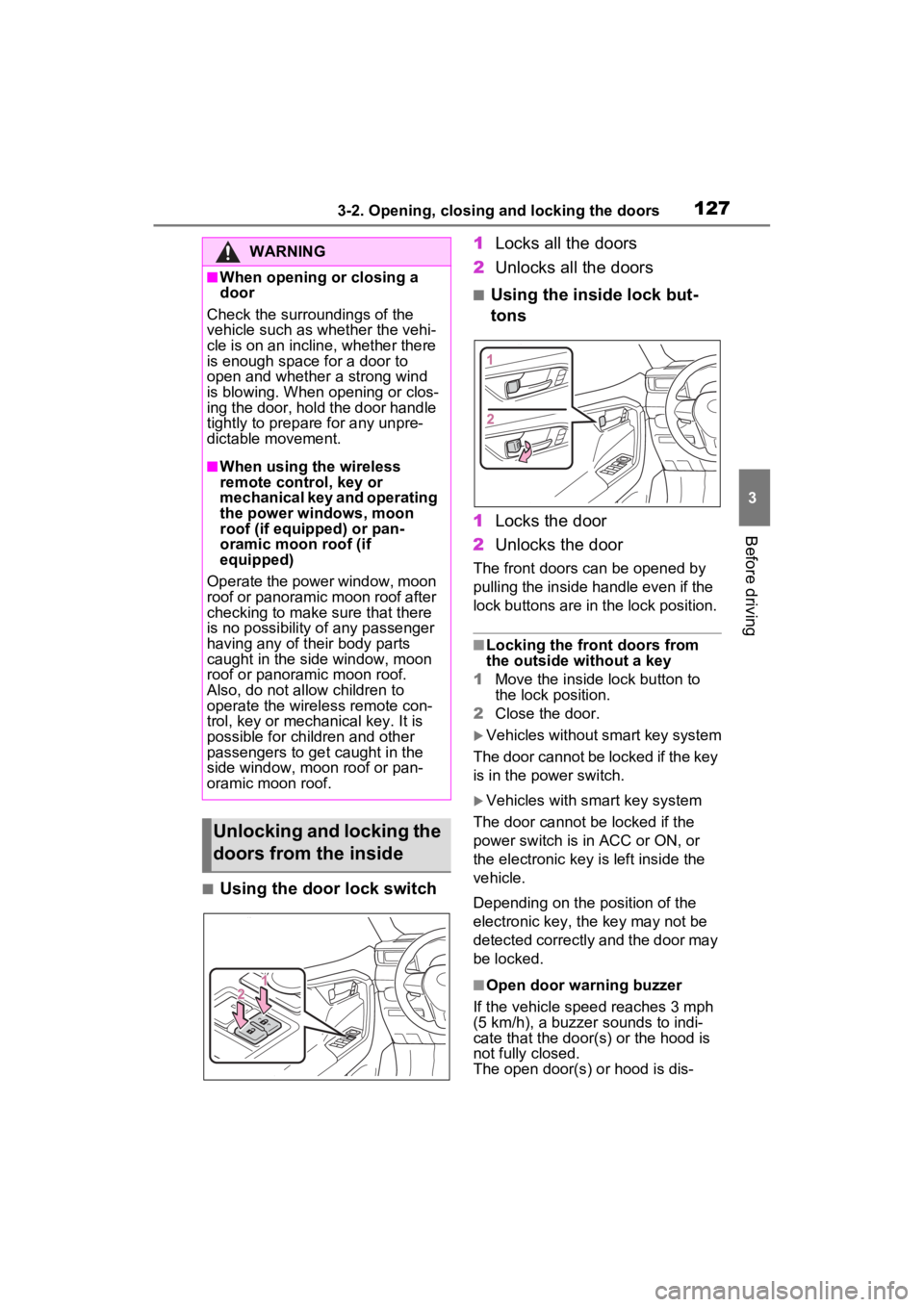
■Using the door lock switch1
Locks all the doors
2 Unlocks all the doors
■Using the inside lock but-
tons
1 Locks the door
2 Unlocks the door
The front doors can be opened by
pulling the inside handle even if the
lock buttons are in the lock position.
■Locking the front doors from
the outside without a key
1 Move the inside lock button to
the lock position.
2 Close the door.
Vehicles without smart key system
The door cannot be locked if the key
is in the power switch.
Vehicles with smart key system
The door cannot be locked if the
power switch is in ACC or ON, or
the electronic key is left inside the
vehicle.
Depending on the position of the
electronic key, the key may not be
detected correctly and the door may
be locked.
■Open door warning buzzer
If the vehicle speed reaches 3 mph
(5 km/h), a buzzer sounds to indi-
cate that the door( s) or the hood is
not fully closed.
The open door(s) or hood is dis-
WARNING
■When opening or closing a
door
Check the surroundings of the
vehicle such as whether the vehi-
cle is on an incline, whether there
is enough space for a door to
open and whether a strong wind
is blowing. When opening or clos-
ing the door, hold the door handle
tightly to prepare for any unpre-
dictable movement.
■When using the wireless
remote control, key or
mechanical key and operating
the power windows, moon
roof (if equipped) or pan-
oramic moon roof (if
equipped)
Operate the power window, moon
roof or panoramic moon roof after
checking to make sure that there
is no possibility of any passenger
having any of their body parts
caught in the side window, moon
roof or panoramic moon roof.
Also, do not allow children to
operate the wireless remote con-
trol, key or mechanical key. It is
possible for children and other
passengers to get caught in the
side window, moon roof or pan-
oramic moon roof.
Unlocking and locking the
doors from the inside
Page 128 of 752
1283-2. Opening, closing and locking the doors
played on the multi-information dis-
play.
■When all the doors are locked
with the entry function (vehicles
with smart key system), wire-
less remote control or key
●The doors cannot be unlocked
with the door lock switch.
●The door lock switch can be reset
by unlocking all the doors with the
entry function (vehicles with smart
key system), wireless remote con-
trol or key.
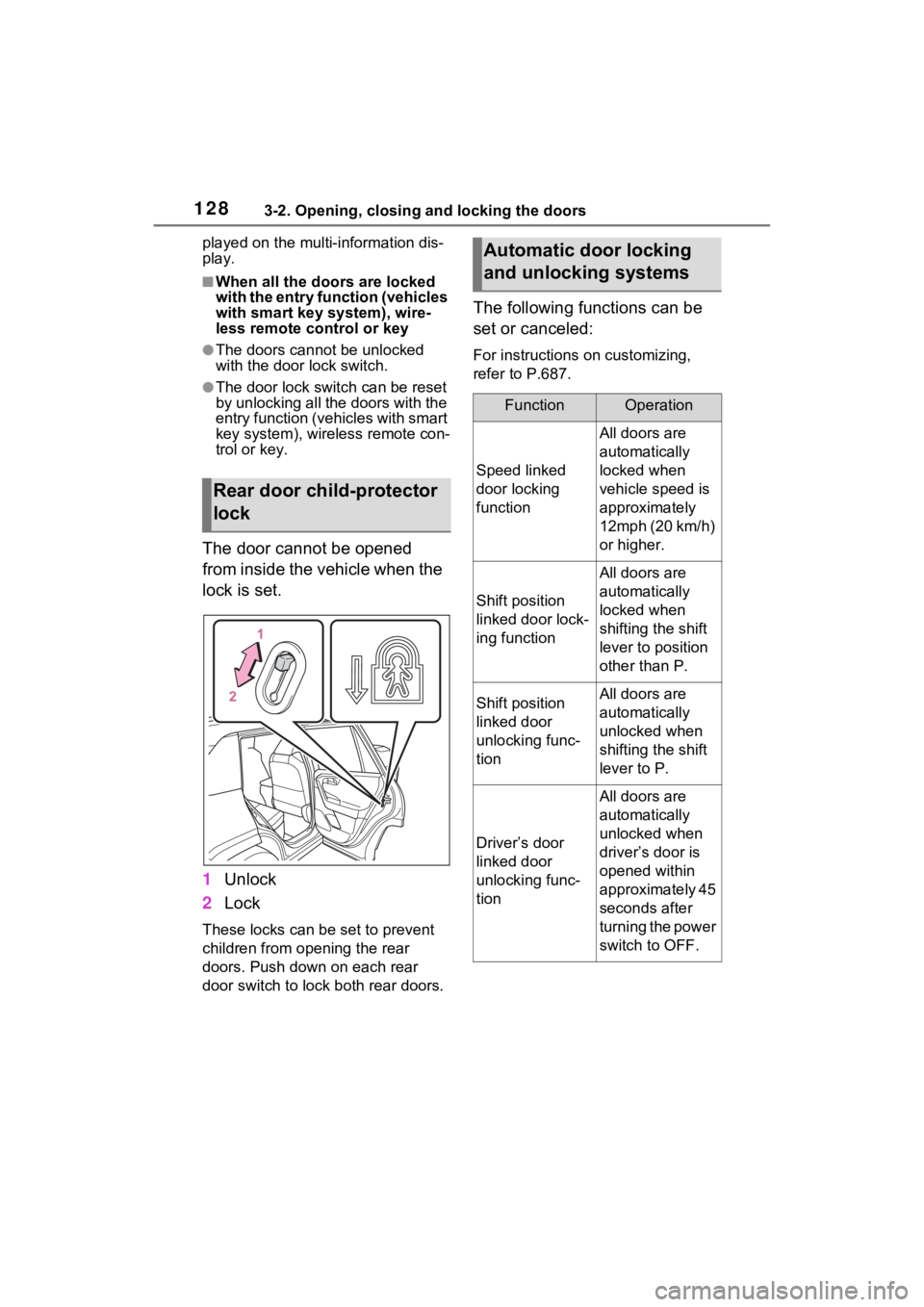
The door cannot be opened
from inside the vehicle when the
lock is set.
1Unlock
2 Lock
These locks can be set to prevent
children from opening the rear
doors. Push down on each rear
door switch to lock both rear doors.
The following functions can be
set or canceled:
For instructions on customizing,
refer to P.687.
Rear door child-protector
lock
Automatic door locking
and unlocking systems
FunctionOperation
Speed linked
door locking
function
All doors are
automatically
locked when
vehicle speed is
approximately
12mph (20 km/h)
or higher.
Shift position
linked door lock-
ing function
All doors are
automatically
locked when
shifting the shift
lever to position
other than P.
Shift position
linked door
unlocking func-
tionAll doors are
automatically
unlocked when
shifting the shift
lever to P.
Driver’s door
linked door
unlocking func-
tion
All doors are
automatically
unlocked when
driver’s door is
opened within
approximately 45
seconds after
turning the power
switch to OFF.
Page 129 of 752
1293-2. Opening, closing and locking the doors
3
Before driving
Back door
The back door can be
locked/unlocked and
opened/closed by the fol-
lowing procedures.
WARNING
Observe the following precau-
tions.
Failure to do so may result in
death or serious injury.
■Before driving
●Make sure that the back door is
fully closed.
If the back door is not fully
closed, it may open unexpect-
edly while driving and hit near-
by objects or luggage in the lug-
gage compartment may be
thrown out, causing an acci-
dent.
●Do not allow child ren to play in
the luggage compartment.
If a child is accidentally locked
in the luggage compartment,
they could get heat exhaustion
or other injuries.
●Do not allow a child to open or
close the back door.
Doing so may cause the back
door to operate unexpectedly,
or cause the child’s hands,
head, or neck to be caught by
the closing back door.
■Important points while driving
●Keep the back door closed
while driving.
If the back door is left open, it
may hit near-by objects or lug-
gage in the luggage compart-
ment may be thrown out,
causing an accident.
●Never let anyone sit in the lug-
gage compartment.
In the event of sudden braking,
sudden swerving or a collision,
they are susceptible to death or
serious injury.
■Back door handles
Do not hang any object to the
back door handles.
If any object is hung, the back
door may suddenly shut, causing
parts of the body to be caught,
resulting in dea th or serious
injury.
■Operating the back door
Observe the following precau-
tions.
Failure to do so may cause parts
of the body to be caught, resulting
in death or serious injury.
●Remove any heavy loads, such
as snow and ice, from the back
door before opening it. Failure
to do so may cause the back
door to suddenly shut again
after it is opened.
●When opening or closing the
back door, thoroughly check to
make sure the surrounding area
is safe.
●If anyone is in the vicinity, make
sure they are safe and let them
know that the back door is
about to open or close.
●Use caution when opening or
closing the back door in windy
weather as it may move
abruptly in strong wind.
Page 151 of 752
1513-3. Adjusting the seats
3
Before driving
*: If equipped
■Recording procedure
1 Check that the shift lever is in
P.
2 Turn the power switch to ON.
3 Adjust the driver’s seat to the
desired positions.
4 While pressing the “SET” but-
ton, or within 3 seconds after
the “SET” button is pressed,
press button “1” or “2” until
the buzzer sounds.
If the selected button has already
been preset, the previously
recorded positio n will be overwrit-
WARNING
■When folding the rear seat-
backs down
●Do not fold the seatbacks down
while driving.
●Stop the vehicle on level
ground, set the parking brake
and shift the shift lever to P.
●Do not allow anyo ne to sit on a
folded seatback or in the lug-
gage compartment while driv-
ing.
●Do not allow child ren to enter
the luggage compartment.
●Do not operate the rear seat if it
is occupied.
●Be careful not to get feet or
hands caught in the moving
parts or joints of the seats
during operation.
●Do not allow children to operate
the seat.
■After returning the rear seat-
back to the upright position
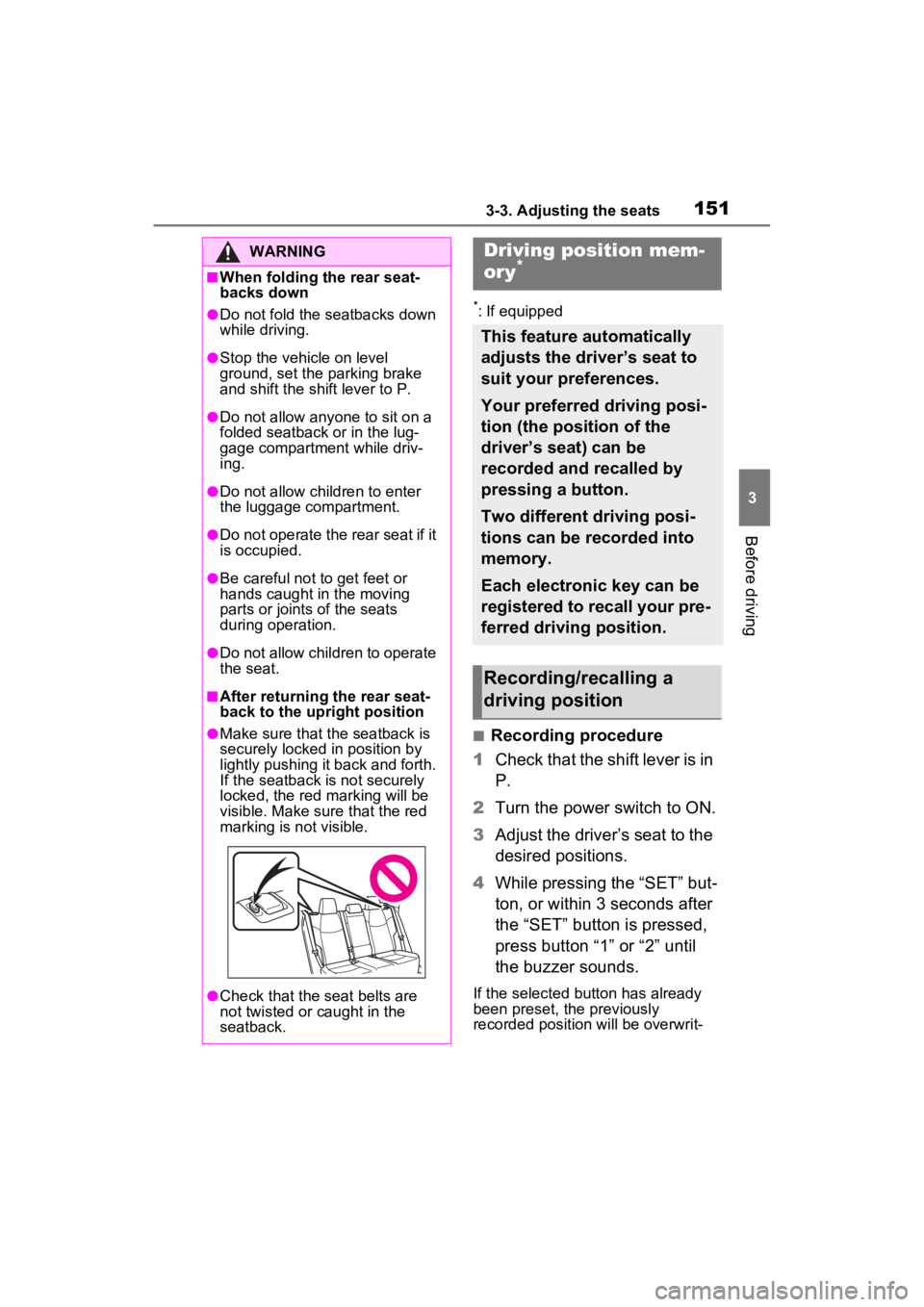
●Make sure that the seatback is
securely locked in position by
lightly pushing it back and forth.
If the seatback is not securely
locked, the red marking will be
visible. Make sure that the red
marking is not visible.
●Check that the seat belts are
not twisted or caught in the
seatback.
Driving position mem-
ory*
This feature automatically
adjusts the driver’s seat to
suit your preferences.
Your preferred driving posi-
tion (the position of the
driver’s seat) can be
recorded and recalled by
pressing a button.
Two different driving posi-
tions can be recorded into
memory.
Each electronic key can be
registered to recall your pre-
ferred driving position.
Recording/recalling a
driving position
Page 172 of 752
1723-5. Opening, closing the windows and moon roof
5Release the power window
switch for a m oment, resume
pushing the switch in the one-
touch opening direction, and
hold it there for a pproximately 4
seconds or more.
6 Pull and hold the power window
switch in the one-touch closing
direction again. After the side
window is completely closed,
continue holding the switch for a
further 1 second or more.
If you release the switch while the
side window is moving, start again
from the beginning.
If the side window reverses and
cannot be fully closed or opened,
have the vehicle inspected by your
Toyota dealer.
■Door lock linked power window
operation
●The power windows can be
opened and closed using the key
(vehicles without smart key sys-
tem) or mechanical key (vehicles
with smart key system).
* ( P.124,
652)
●The power windows can be
opened using the wireless remote
control.
* ( P.123)
●Vehicles with alarm: The alarm
may be triggered if the alarm is set
and the power window is closed
using the door lock linked power
window operation function.
( P.82)
*: These settings must be custom-
ized at your To yota dealer.
■Power window open reminder
function
Vehicles without smart key system
The buzzer sounds and a message
is shown on the multi-information
display when the key has been
removed from the power switch and
the driver’s door is opened with the
power windows open.
Vehicles with smart key system
The buzzer sounds and a message
is shown on the mu lti-information
display when the power switch is
turned to OFF and the driver’s door
is opened with the power windows
open.
■Customization
Settings (e.g. linked door lock oper-
ation) can be changed. (Customiz-
able features: P.693)
WARNING
Observe the following precau-
tions.
Failing to do so may result in
death or serious injury.
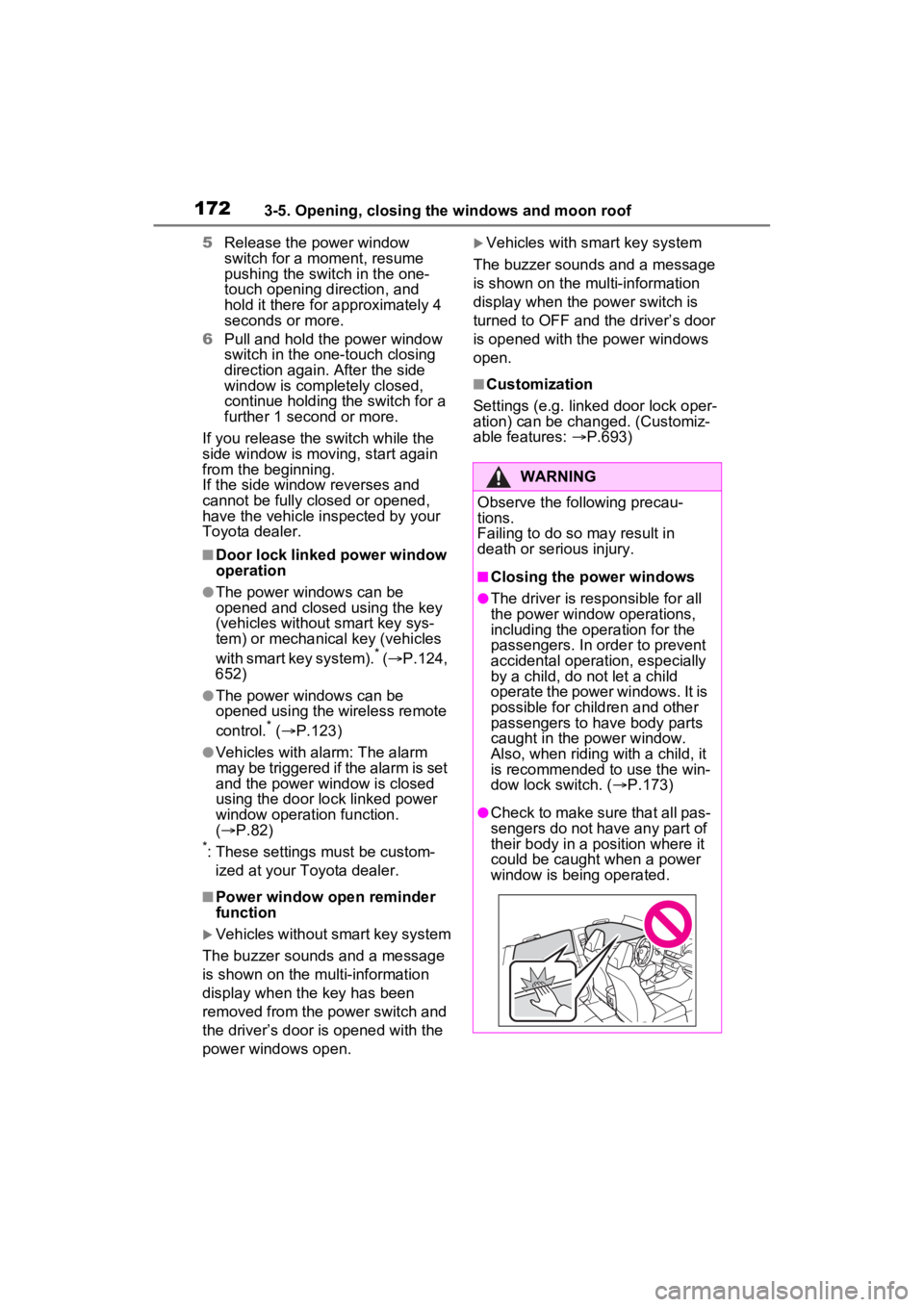
■Closing the power windows
●The driver is responsible for all
the power window operations,
including the operation for the
passengers. In order to prevent
accidental operation, especially
by a child, do not let a child
operate the power windows. It is
possible for children and other
passengers to have body parts
caught in the power window.
Also, when ridin g with a child, it
is recommended to use the win-
dow lock switch. ( P.173)
●Check to make sure that all pas-
sengers do not have any part of
their body in a position where it
could be caught when a power
window is being operated.
Page 173 of 752
1733-5. Opening, closing the windows and moon roof
3
Before driving
This function can be used to
prevent children from acciden-
tally opening or closing a pas-
senger window.
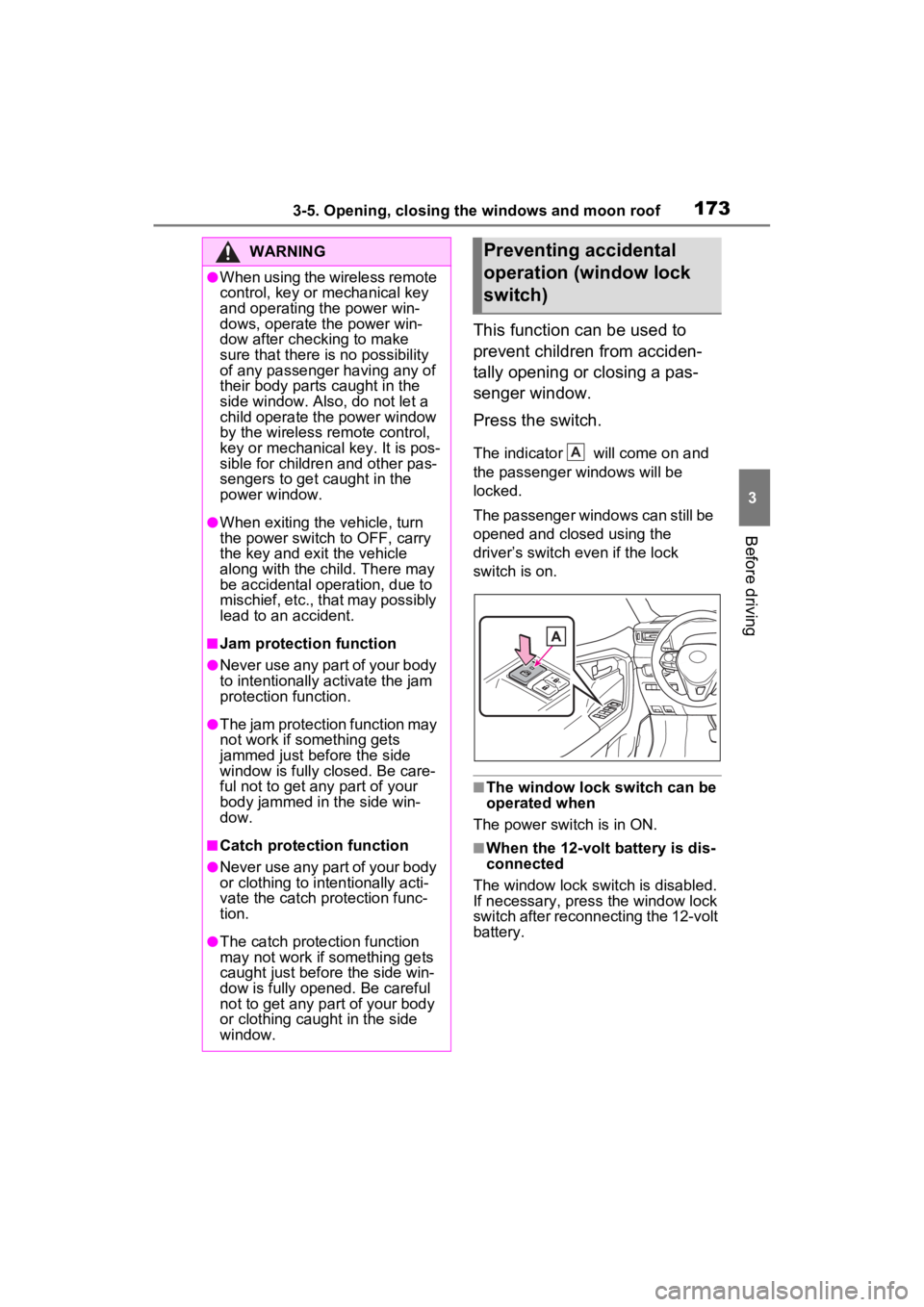
Press the switch.
The indicator will come on and
the passenger windows will be
locked.
The passenger windows can still be
opened and closed using the
driver’s switch even if the lock
switch is on.
■The window lock switch can be
operated when
The power switch is in ON.
■When the 12-volt battery is dis-
connected
The window lock switch is disabled.
If necessary, press the window lock
switch after reconnecting the 12-volt
battery.
WARNING
●When using the wireless remote
control, key or mechanical key
and operating the power win-
dows, operate the power win-
dow after checking to make
sure that there is no possibility
of any passenger having any of
their body parts caught in the
side window. Also, do not let a
child operate the power window
by the wireless remote control,
key or mechanical key. It is pos-
sible for children and other pas-
sengers to get caught in the
power window.
●When exiting the vehicle, turn
the power switch to OFF, carry
the key and exit the vehicle
along with the child. There may
be accidental operation, due to
mischief, etc., that may possibly
lead to an accident.
■Jam protection function
●Never use any part of your body
to intentionally a ctivate the jam
protection function.
●The jam protection function may
not work if something gets
jammed just before the side
window is fully closed. Be care-
ful not to get any part of your
body jammed in the side win-
dow.
■Catch protection function
●Never use any part of your body
or clothing to intentionally acti-
vate the catch p rotection func-
tion.
●The catch protection function
may not work if something gets
caught just before the side win-
dow is fully opened. Be careful
not to get any part of your body
or clothing caught in the side
window.
Preventing accidental
operation (window lock
switch)
A
Page 175 of 752
1753-5. Opening, closing the windows and moon roof
3
Before driving
■When the moon roof does not
close normally
Perform the following procedure:
1 Stop the vehicle.
2 Press and hold the “CLOSE”
switch.
*
The moon roof will close, reopen
and pause for approximately 10
seconds. Then it will close again
and stop at the completely closed
position.
3 Check to make sure that the
moon roof is completely closed
and then release the switch.
*: If the switch is released at the
incorrect time, the procedure will
have to be performed again from
the beginning.
If the moon roof do es not fully close
even after performing the above
procedure correctly, have the vehi-
cle inspected by your Toyota dealer.
■If the moon roof does not move
normally
If the moon roof does not open or
close normally or the automatic
opening function does not operate,
perform the followi ng initialization
procedure.
1 Stop the vehicle.
2 Press and hold the “DOWN”
switch.
*
The moon roof will stop at the tilt-up
position. After that, it will open,
close, tilt up, tilt down, and stop at
the fully closed position.
3Confirm that the moon roof has
completely stopped and release
the switch.
*: If you release the switch while the
moon roof is moving, perform the
procedure again from the begin-
ning.
If, after performing the above proce-
dures correctly, the moon roof still
does not open or close normally or the automatic opening function does
not operate, have the vehicle
inspected by your Toyota dealer.
■Moon roof open reminder func-
tion
The buzzer sounds and a message
is shown on the mu lti-information
display when the power switch is
turned to OFF and the driver’s door
is opened with t he moon roof open.
■Customization
Settings (e.g. linked door lock oper-
ation) can be changed. (Customiz-
able features: P.693)
WARNING
Observe the following precau-
tions.
Failure to do so may cause death
or serious injury.
■Opening the moon roof
●Do not allow any passengers to
put their hands or head outside
the vehicle while it is moving.
●Do not sit on top of the moon
roof.
■Opening and closing the
moon roof
●The driver is responsible for
moon roof opening and closing
operations.
In order to prevent accidental
operation, especially by a child,
do not let a child operate the
moon roof. It is possible for chil-
dren and other passengers to
have body parts caught in the
moon roof.
Page 179 of 752
1793-5. Opening, closing the windows and moon roof
3
Before driving
1Stop the vehicle.
2 Turn the power switch to ON.
3 Slide and hold the switch
or switch forward. Continue
sliding and holding the switch for
approximately 10 seconds after
the panoramic moon roof or elec-
tronic sunshade closes and
reopens. The panoramic moon
roof and electronic sunshade will
start to close.
*
4Check that the panoramic moon
roof and electronic sunshade are
fully closed and release the
switch.
*: If the switch is released at the
incorrect time, the procedure will
have to be performed again from
the beginning.
If the panoramic moon roof or elec-
tronic sunshade does not fully close
even after performing the above
procedure correctly, have the vehi-
cle inspected by your Toyota dealer.
■Panoramic moon roof open
reminder function
A buzzer sounds and a message is
shown on the multi -information dis-
play when the power switch is
turned to OFF and the driver’s door
is opened with the panoramic moon
roof open.
■Customization
Settings (e.g. linked door lock oper-
ation) can be changed. (Customiz-
able features: P.693)
WARNING
Observe the following precau-
tions.
Failure to do so m ay result in
death or serious injury.
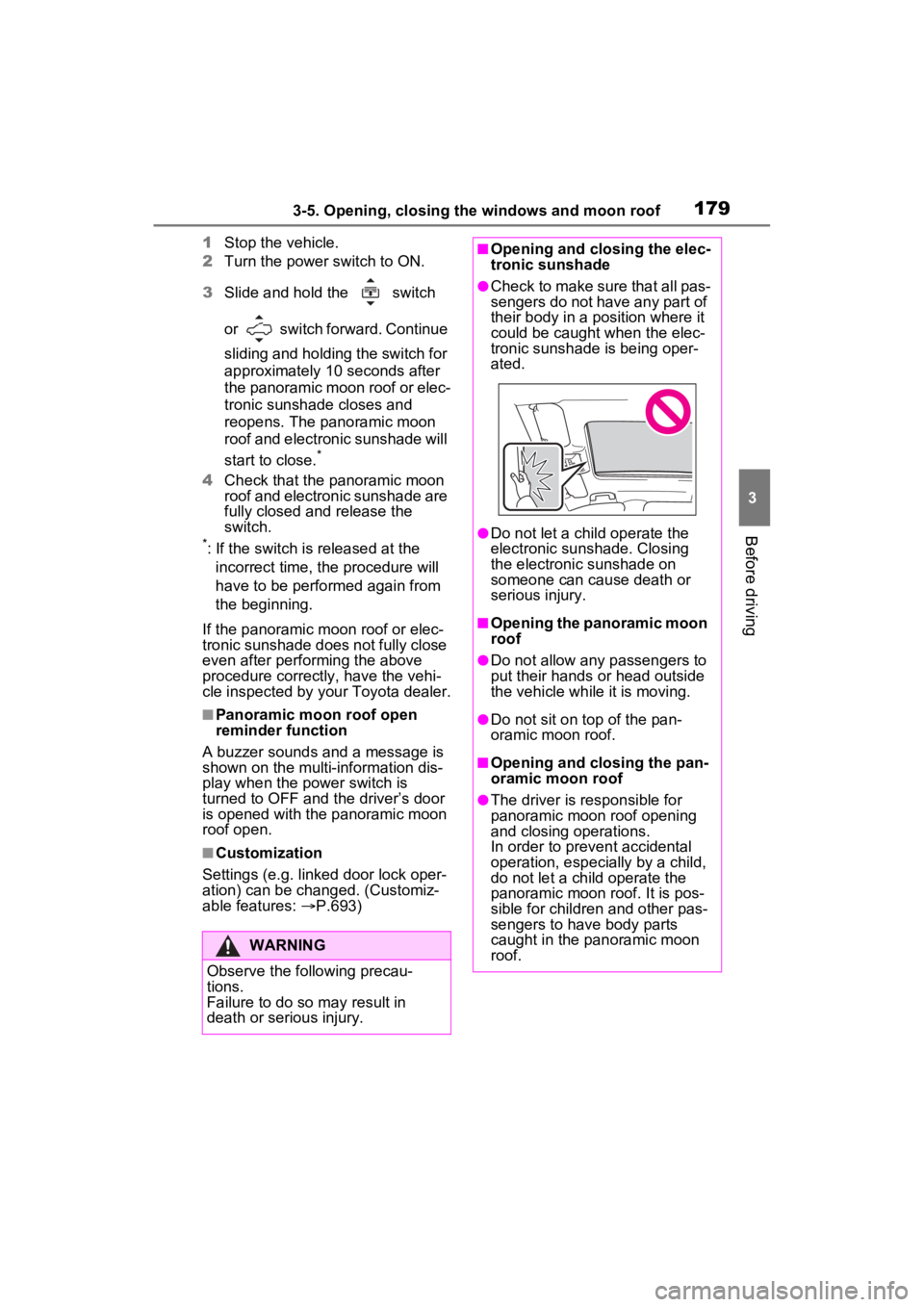
■Opening and closing the elec-
tronic sunshade
●Check to make sure that all pas-
sengers do not have any part of
their body in a pos ition where it
could be caught when the elec-
tronic sunshade is being oper-
ated.
●Do not let a child operate the
electronic sunshade. Closing
the electronic sunshade on
someone can cau se death or
serious injury.
■Opening the panoramic moon
roof
●Do not allow any passengers to
put their hands or head outside
the vehicle while it is moving.
●Do not sit on top of the pan-
oramic moon roof.
■Opening and closing the pan-
oramic moon roof
●The driver is responsible for
panoramic moon roof opening
and closing operations.
In order to prevent accidental
operation, especially by a child,
do not let a child operate the
panoramic moon roof. It is pos-
sible for children and other pas-
sengers to have body parts
caught in the panoramic moon
roof.
Page 220 of 752
2204-2. Driving procedures
■If “Parking Brake Unavailable”
is displayed on the multi-infor-
mation display
Operate the parking brake switch. If
the message does not disappear
after operating the switch several
times, the system may be malfunc-
tioning. Have the vehicle inspected
by your Toyota dealer.
■Parking brake operation sound
When the parking brake operates, a
motor sound (whirring sound) may
be heard. This does not indicate a
malfunction.
■Parking brake indicator light
●Depending on the power switch
position/mode, the parking brake
indicator light will turn on and stay
on as described below:
ON: Comes on until the parking
brake is released.
Not in ON: Stays on for approxi-
mately 15 seconds.
●When the power switch is turned
off with the parking brake set, the
parking brake indicator light will
stay on for about 15 seconds. This
does not indicate a malfunction.
■When the parking brake switch
malfunctions
Automatic mode (automatic brake
setting and releas ing) will be turned
on automatically.
■Parking the vehicle
P.183
■Parking brake engaged warning
buzzer
A buzzer will sound if the vehicle is
driven with the parking brake
engaged. “Parking Brake ON” is dis-
played on the multi-information dis-
play (with the vehicle reaching a
speed of 3 mph [5 km/h]).
■If the brake system warning
light comes on
P.624
■Usage in winter time
P.370
WARNING
■When parking the vehicle
Do not leave a child in the vehicle
alone. The parking brake may be
released unintentionally by a child
and there is the danger of the
vehicle moving that may lead to
an accident resulting in death or
serious injury.
■Parking brake switch
Do not set any objects near the
parking brake switch. Objects
may interfere with the switch and
may lead the parking brake to
unexpectedly operate.
■Parking brake automatic lock
function
Never use the automatic parking
brake engagement function in
place of normal parking brake
operation. This function is
designed to reduce the risk of a
collision due to the driver forget-
ting to engage the parking brake.
Over-reliance on this function to
park the vehicle safely may lead
to an accident resulting in death
or serious injury.
NOTICE
■When parking the vehicle
Before you leave the vehicle, shift
the shift lever to P, set the parking
brake and make s ure that the
vehicle does not move.
■When the system malfunc-
tions
Stop the vehicle in a safe place
and check the warning messages.