display TOYOTA SIENNA HYBRID 2023 Workshop Manual
[x] Cancel search | Manufacturer: TOYOTA, Model Year: 2023, Model line: SIENNA HYBRID, Model: TOYOTA SIENNA HYBRID 2023Pages: 602, PDF Size: 14.9 MB
Page 165 of 602
1633-2. Opening, closing and locking the doors
3
Before driving
The power back door system can be enabled/disabled on the
multi-information display.
(
P.112)
If the power back door is dis-
abled, it will remain disabled
unless it is enabled on the multi-
information display. (It will not
be enabled even when the
power switch is turned off and
then back to ON.)
The Hands Free Power Back
Door (kick sensor) can be
enabled/disabled on the multi-
information display. ( P.112)
If the Hands Free Power Back
Door is disabled, it will remain
disabled unless it is enabled on
the multi-information display. (It
will not be enabled even when
the power switch is turned off
and then back to ON.)
The power back door open posi-
tion can be adjusted by using
the power back door switch on
the back door or on the multi-
information display.
NOTICE
●Do not park the vehicle near
objects that may move and con-
tact the lower center part of the
rear bumper, such as grass or
trees.
If the vehicle has been parked
for a while near objects that
may move and contact the
lower center par t of the rear
bumper, such as grass or trees,
the kick sensor may not oper-
ate. In this situation, move the
vehicle from the current position
and then check if the kick sen-
sor operates. If it does not oper-
ate, have the vehicle inspected
by your Toyota dealer.
●Do not subject the kick sensor
or its surrounding area to a
strong impact.
If the kick sensor or its sur-
rounding area has been sub-
jected to a strong impact, the
kick sensor may not operate
properly. If the kick sensor does
not operate in the following situ-
ations, have the vehicle
inspected by your Toyota
dealer.
• The kick sensor or its surround- ing area has been subjected to
a strong impact.
• The lower center part of the rear bumper is scratched or dam-
aged.
●Do not disassemble the rear
bumper.
●Do not attach an accessory con-
taining metal or apply metallic
paint to the rear bumper.
Canceling the power back
door system (vehicles
with power back door)
Canceling the Hands Free
Power Back Door (vehi-
cles with kick sensor)
Adjusting the open posi-
tion of the back door
(vehicles with power back
door)
Page 166 of 602
1643-2. Opening, closing and locking the doors
■Using the multi-information
display
The power back door open posi-
tion can be adjusted on the
multi-information display.
( P.112)
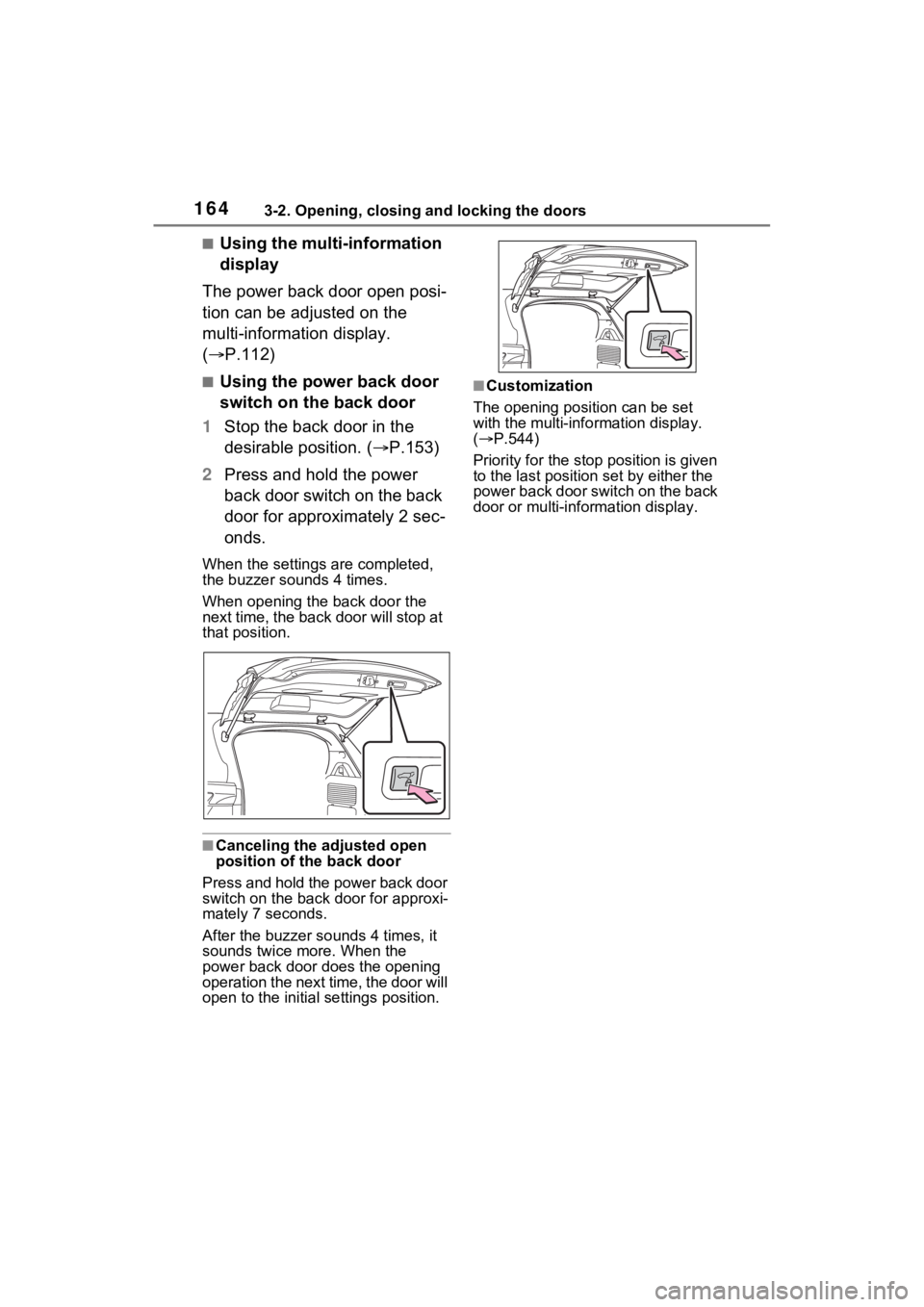
■Using the power back door
switch on the back door
1 Stop the back door in the
desirable position. ( P.153)
2 Press and hold the power
back door switch on the back
door for approximately 2 sec-
onds.
When the settings are completed,
the buzzer sounds 4 times.
When opening the back door the
next time, the back door will stop at
that position.
■Canceling the adjusted open
position of the back door
Press and hold the power back door
switch on the back door for approxi-
mately 7 seconds.
After the buzzer sounds 4 times, it
sounds twice more. When the
power back door do es the opening
operation the next time, the door will
open to the initial settings position.
■Customization
The opening position can be set
with the multi-info rmation display.
( P.544)
Priority for the stop position is given
to the last position set by either the
power back door switch on the back
door or multi-information display.
Page 167 of 602
1653-2. Opening, closing and locking the doors
3
Before driving
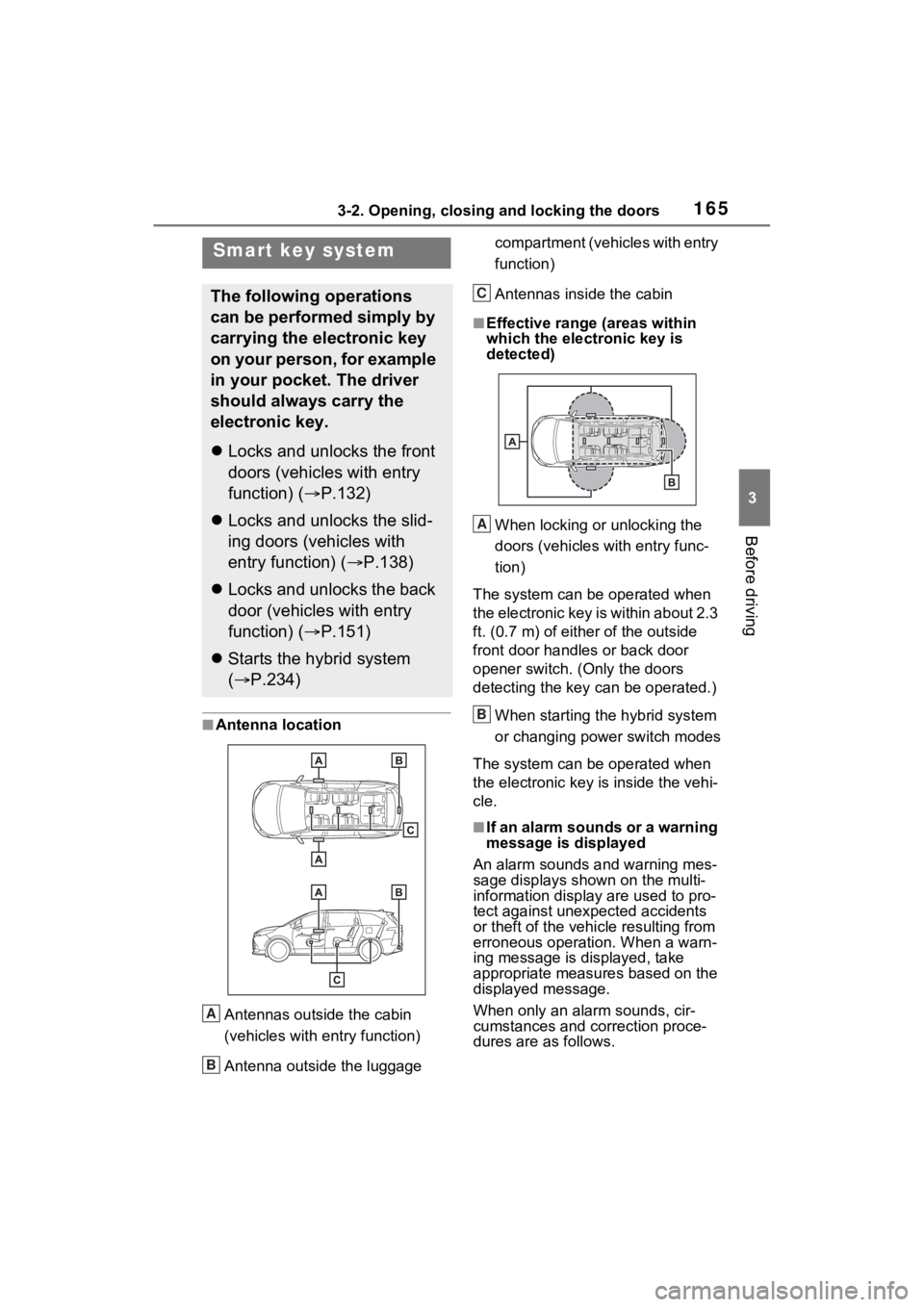
■Antenna location
Antennas outside the cabin
(vehicles with entry function)
Antenna outside the luggage compartment (vehicles with entry
function)
Antennas inside the cabin
■Effective range
(areas within
which the electronic key is
detected)
When locking or unlocking the
doors (vehicles with entry func-
tion)
The system can be operated when
the electronic key is within about 2.3
ft. (0.7 m) of either of the outside
front door handles or back door
opener switch. (Only the doors
detecting the key can be operated.)
When starting the hybrid system
or changing power switch modes
The system can be operated when
the electronic key i s inside the vehi-
cle.
■If an alarm sounds or a warning
message is displayed
An alarm sounds and warning mes-
sage displays shown on the multi-
information display are used to pro-
tect against unexpected accidents
or theft of the vehicl e resulting from
erroneous operation. When a warn-
ing message is displayed, take
appropriate measures based on the
displayed message.
When only an alarm sounds, cir-
cumstances and correction proce-
dures are as follows.
Smart key system
The following operations
can be performed simply by
carrying the electronic key
on your person, for example
in your pocket. The driver
should always carry the
electronic key.
Locks and unlocks the front
doors (vehicles with entry
function) ( P.132)
Locks and unlocks the slid-
ing doors (vehicles with
entry function) ( P.138)
Locks and unlocks the back
door (vehicles with entry
function) ( P.151)
Starts the hybrid system
( P.234)
A
B
C
A
B
Page 168 of 602
1663-2. Opening, closing and locking the doors
●When an exterior alarm sounds
once for 5 seconds
●When an interior alarm pings con-
tinuously
■Battery-saving function (vehi-
cles with entry function)
The battery-saving function will be
activated in order to prevent the
electronic key battery and the 12-
volt battery from being discharged
while the vehicle is not in operation
for a long time.
●In the following situations, the
smart key system may take some
time to unlock the doors.
• The electronic key has been left in an area of approxi mately 11.5 ft.
(3.5 m) of the outside of the vehi-
cle for 2 minutes or longer.
• The smart key system has not been used for 5 days or longer.
●If the smart key system has not
been used for 14 days or longer,
the doors canno t be unlocked at
any doors except the driver’s
door. In this case, take hold of the
driver’s door handle, or use the wireless remote c
ontrol or the
mechanical key, to unlock the
doors.
■Turning an electronic key to
battery-saving mode
●When battery-saving mode is set,
battery depletion is minimized by
stopping the electronic key from
receiving radio waves.
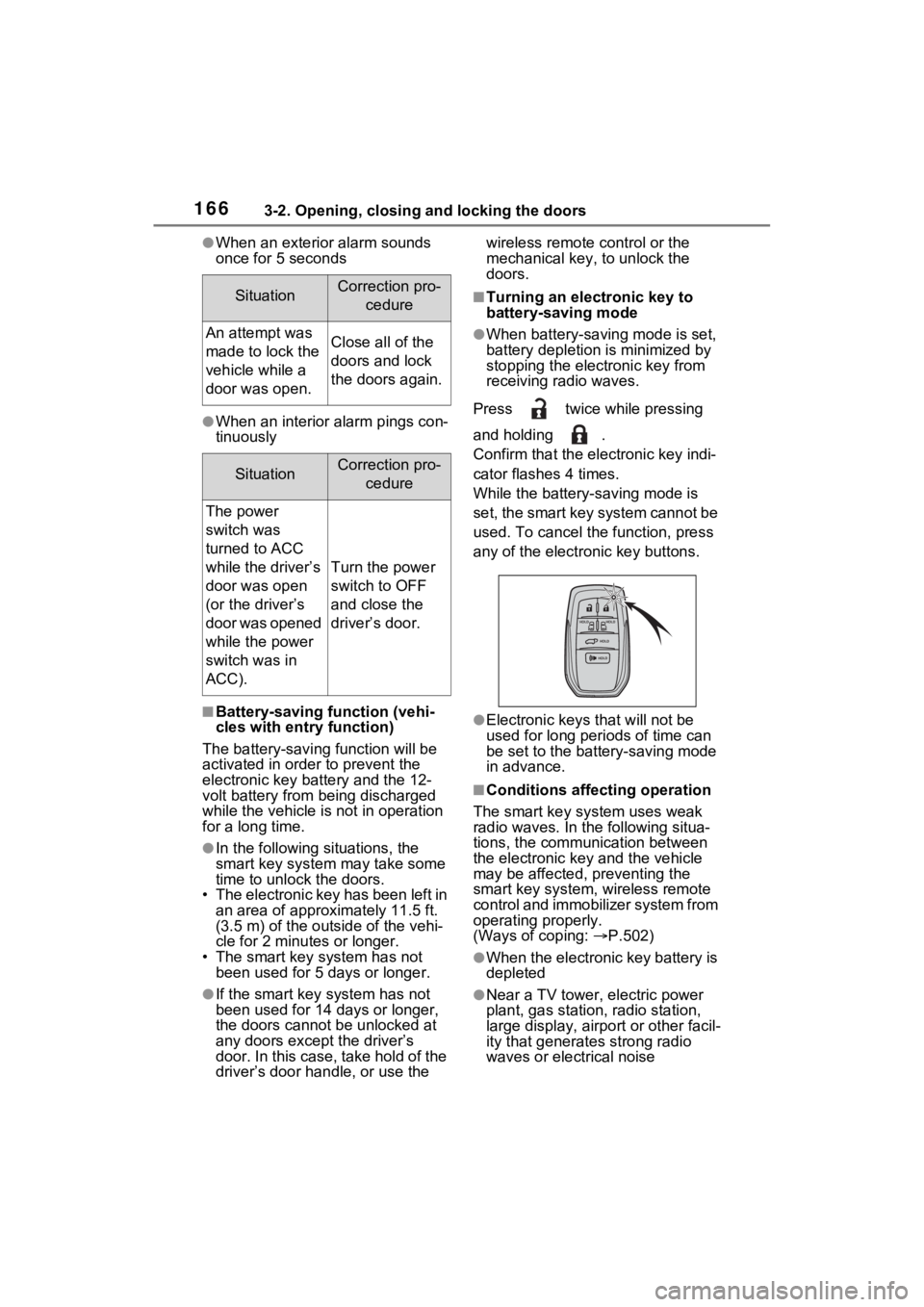
Press twice while pressing
and holding .
Confirm that the ele ctronic key indi-
cator flashes 4 times.
While the battery-saving mode is
set, the smart key system cannot be
used. To cancel the function, press
any of the electronic key buttons.
●Electronic keys that will not be
used for long periods of time can
be set to the battery-saving mode
in advance.
■Conditions affecting operation
The smart key system uses weak
radio waves. In the following situa-
tions, the communication between
the electronic key and the vehicle
may be affected, preventing the
smart key system, wireless remote
control and immobilizer system from
operating properly.
(Ways of coping: P.502)
●When the electronic key battery is
depleted
●Near a TV tower, electric power
plant, gas station, radio station,
large display, airpo rt or other facil-
ity that generates strong radio
waves or electrical noise
SituationCorrection pro-
cedure
An attempt was
made to lock the
vehicle while a
door was open.Close all of the
doors and lock
the doors again.
SituationCorrection pro-cedure
The power
switch was
turned to ACC
while the driver’s
door was open
(or the driver’s
door was opened
while the power
switch was in
ACC).
Turn the power
switch to OFF
and close the
driver’s door.
Page 170 of 602
1683-2. Opening, closing and locking the doors
lock and unlock repeatedly. In that
case, follow the following correc-
tion procedures to wash the vehi-
cle:
• Place the electronic key in a loca- tion 6 ft. (2 m) or more away from
the vehicle. (Take care to ensure
that the key is not stolen.)
• Set the electronic key to battery-
saving mode to disable the smart
key system. ( P.166)
●If the electronic key is inside the
vehicle and a door handle
becomes wet during a car wash, a
message may be shown on the
multi-informatio n display and a
buzzer will sound outside the vehi-
cle. To turn off the alarm, lock all
the doors.
●The lock sensor may not work
properly if it com es into contact
with ice, snow, mud, etc. Clean
the lock sensor and attempt to
operate it again, or use the lock
sensor on the lower part of the
door handle.
●A sudden approac h to the effec-
tive range or door handle may pre-
vent the doors from being
unlocked. In this case, return the
door handle to the original position
and check that the doors unlock
before pulling the door handle
again.
●If there is another electronic key in
the detection area, it may take
slightly longer to unlock the doors
after the door handle is gripped.
■When the vehicle is not driven
for extended periods
●Vehicles with entry function: To
prevent theft of the vehicle, do not
leave the electronic key within 6 ft.
(2 m) of the vehicle.
●The smart key system can be
deactivated in advance. ( P.542)
●Battery-saving mode can reduce
the power consumption of elec-
tronic keys. ( P.166)
■To operate the system properly
Make sure to carry the electronic
key when operating the system. Do
not get the electronic key too close
to the vehicle when operating the
system from the out side of the vehi-
cle.
Depending on the position and hold-
ing condition of the electronic key,
the key may not be detected cor-
rectly and the system may not oper-
ate properly. (The alarm may go off
accidentally, or the door lock pre-
vention may not operate.)
■If the smart key system does
not operate properly
●Locking and unlocking the doors:
Use the mechanical key.
( P.502)
●Starting the hybrid system:
P.503
■Customization
Settings (e.g. smart key system)
can be changed.
(Customizable features: P.542)
If the smart key system has been
deactivated in a customized setting,
refer to the explanations for the fol-
lowing operations.
●Locking and unlocking the doors:
Use the wireless remote control or
mechanical key. ( P.132, 502)
●Starting the hybr id system and
changing power switch modes:
P.503
●Stopping the hybrid system:
P.236
Page 181 of 602
1793-3. Adjusting the seats
3
Before driving
*: If equipped
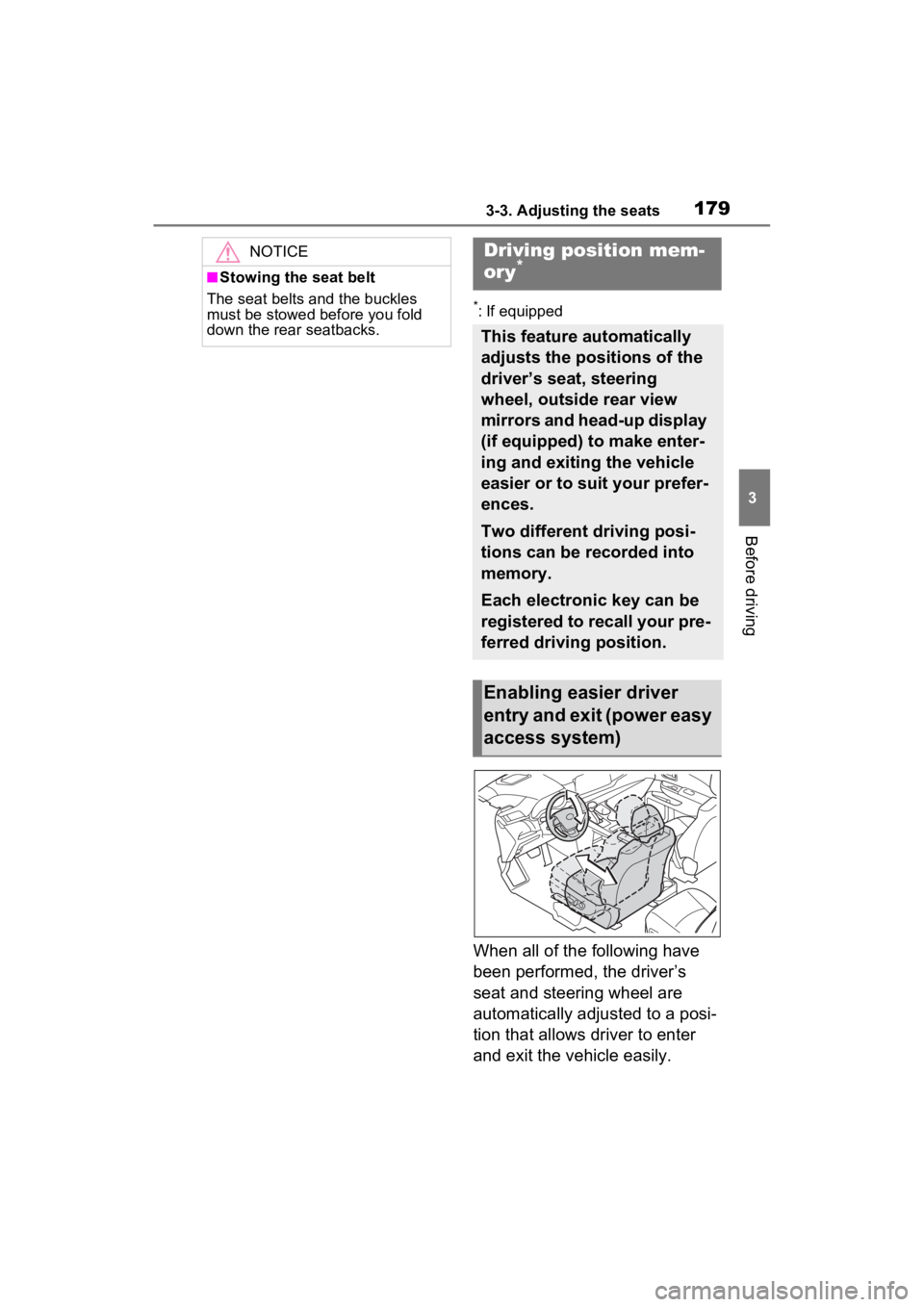
When all of the following have
been performed, the driver’s
seat and steering wheel are
automatically adjusted to a posi-
tion that allows driver to enter
and exit the vehicle easily.
NOTICE
■Stowing the seat belt
The seat belts and the buckles
must be stowed before you fold
down the rear seatbacks.
Driving position mem-
ory*
This feature automatically
adjusts the positions of the
driver’s seat, steering
wheel, outside rear view
mirrors and head-up display
(if equipped) to make enter-
ing and exiting the vehicle
easier or to suit your prefer-
ences.
Two different driving posi-
tions can be recorded into
memory.
Each electronic key can be
registered to recall your pre-
ferred driving position.
Enabling easier driver
entry and exit (power easy
access system)
Page 182 of 602
1803-3. Adjusting the seats
The shift lever has been
shifted to P.
The power switch has been
turned off.
The driver’ seat belt has been
unfastened.
When any of the following has
been performed, the driver’ seat
and steering wheel automati-
cally return to their original posi-
tions.
The power switch has been
turned to ACC or ON.
The driver’ seat belt has been
fastened.
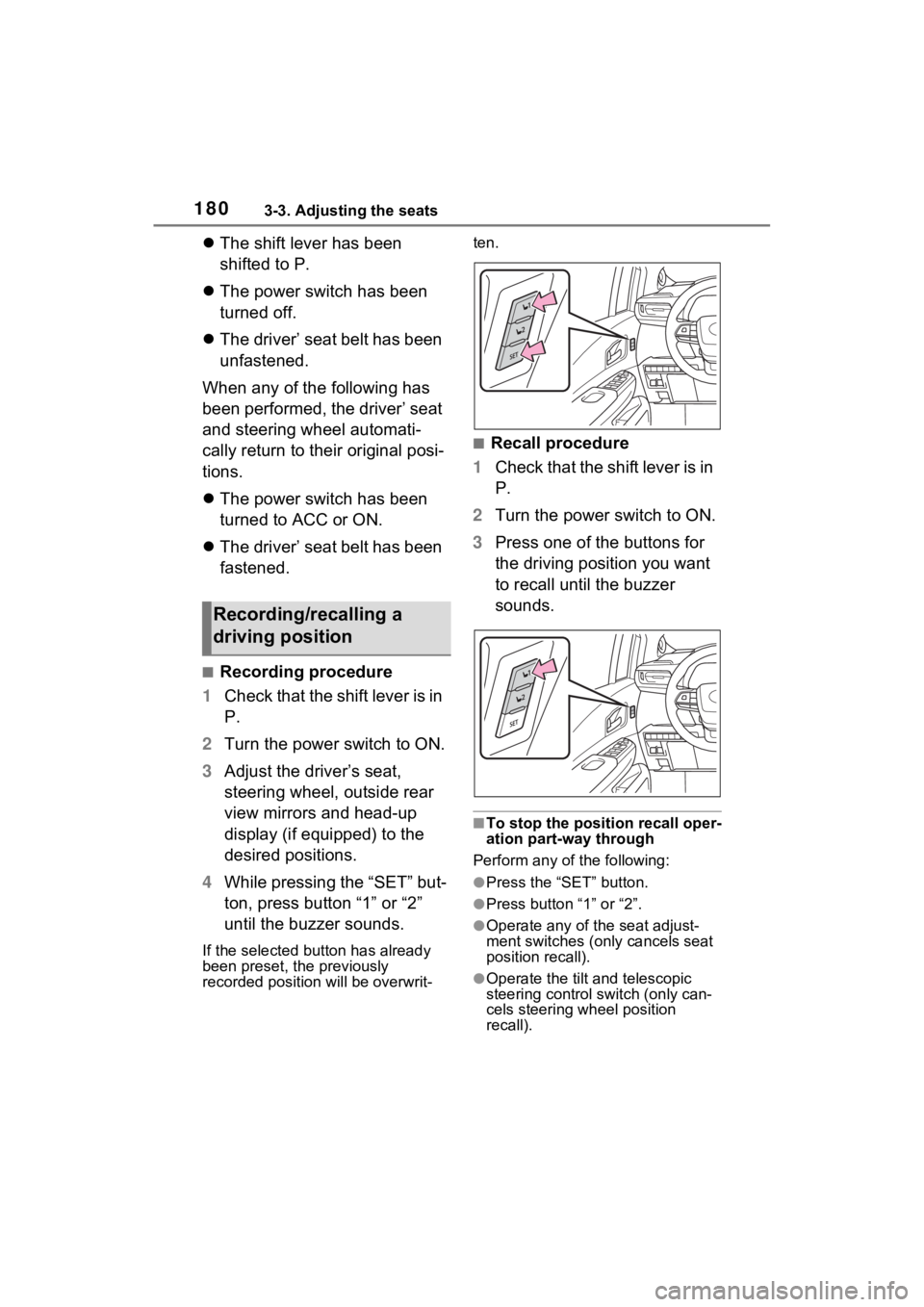
■Recording procedure
1 Check that the shift lever is in
P.
2 Turn the power switch to ON.
3 Adjust the driver’s seat,
steering wheel, outside rear
view mirrors and head-up
display (if equipped) to the
desired positions.
4 While pressing the “SET” but-
ton, press button “1” or “2”
until the buzzer sounds.
If the selected button has already
been preset, the previously
recorded position will be overwrit- ten.
■Recall procedure
1 Check that the shift lever is in
P.
2 Turn the power switch to ON.
3 Press one of the buttons for
the driving position you want
to recall until the buzzer
sounds.
■To stop the position recall oper-
ation part-way through
Perform any of the following:
●Press the “SET” button.
●Press button “1” or “2”.
●Operate any of t he seat adjust-
ment switches (only cancels seat
position recall).
●Operate the tilt and telescopic
steering control switch (only can-
cels steering wheel position
recall).
Recording/recalling a
driving position
Page 184 of 602

1823-3. Adjusting the seats
■Recall procedure
1 Make sure that the doors are
locked before recalling the
driving position. Carry the
electronic key that has been
registered to the driving posi-
tion, and then unlock and
open the driver’s door using
the smart key system or wire-
less remote control.
The driving positi on will move to the
recorded position (not including the
steering wheel and head-up display
[if equipped]). However, the seat
will move to a position slightly
behind the recorded position in
order to make entering the vehicle
easier.
If the driving position is in a position
that has already been recorded, the
seat will not move.
2 Turn the power switch to
ACC or ON, or fasten a seat
belt.
The seat, steering wheel and head-
up display (if equipped) will move to
the recorded position.
■Cancelation procedure
Carry only the key you want to
cancel and then close the
driver’s door.
If 2 or more keys are in the vehi-
cle, the driving position cannot
be canceled properly.
1 Check that the shift lever is in
P.
2 Turn the power switch to ON.
3 While pressing the “SET” but-
ton, press and hold the door
lock switch (either lock or unlock) until the buzzer
sounds twice.
If the button could not be canceled,
the buzzer sounds c
ontinuously for
approximately 3 seconds.
■Recalling the driving position
using the memory recall func-
tion
●Different driving p ositions can be
registered for each electronic key.
Therefore, the driving position that
is recalled may be different
depending on the key being car-
ried.
●If a door other than the driver’s
door is unlocked with smart key
system, the driving position can-
not be recalled. In this case, press
the driving position button which
has been set.
■Customization
Settings (e.g. the unlock door set-
tings of the memory recall function)
can be customized. (Customizable
features: P.545)
Page 191 of 602
1893-4. Adjusting the steering wheel and mirrors
3
Before driving
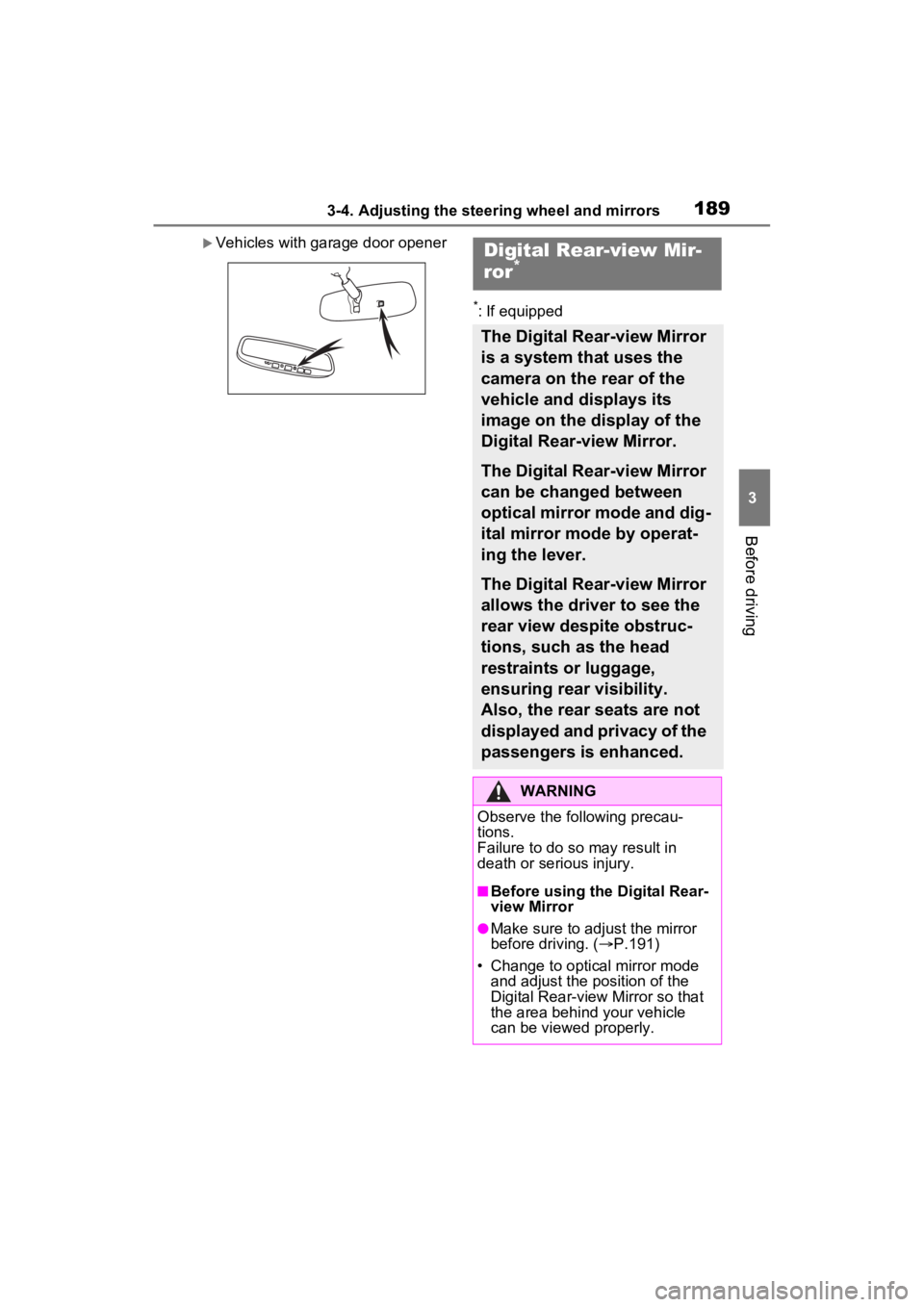
Vehicles with garage door opener
*: If equipped
Digital Rear-view Mir-
ror*
The Digital Rear-view Mirror
is a system that uses the
camera on the rear of the
vehicle and displays its
image on the display of the
Digital Rear-view Mirror.
The Digital Rear-view Mirror
can be changed between
optical mirror mode and dig-
ital mirror mode by operat-
ing the lever.
The Digital Rear-view Mirror
allows the driver to see the
rear view despite obstruc-
tions, such as the head
restraints or luggage,
ensuring rear visibility.
Also, the rear seats are not
displayed and privacy of the
passengers is enhanced.
WARNING
Observe the following precau-
tions.
Failure to do so may result in
death or serious injury.
■Before using the Digital Rear-
view Mirror
●Make sure to adjust the mirror
before driving. ( P.191)
• Change to optical mirror mode and adjust the position of the
Digital Rear-view Mirror so that
the area behind your vehicle
can be viewed properly.
Page 192 of 602
1903-4. Adjusting the steering wheel and mirrors
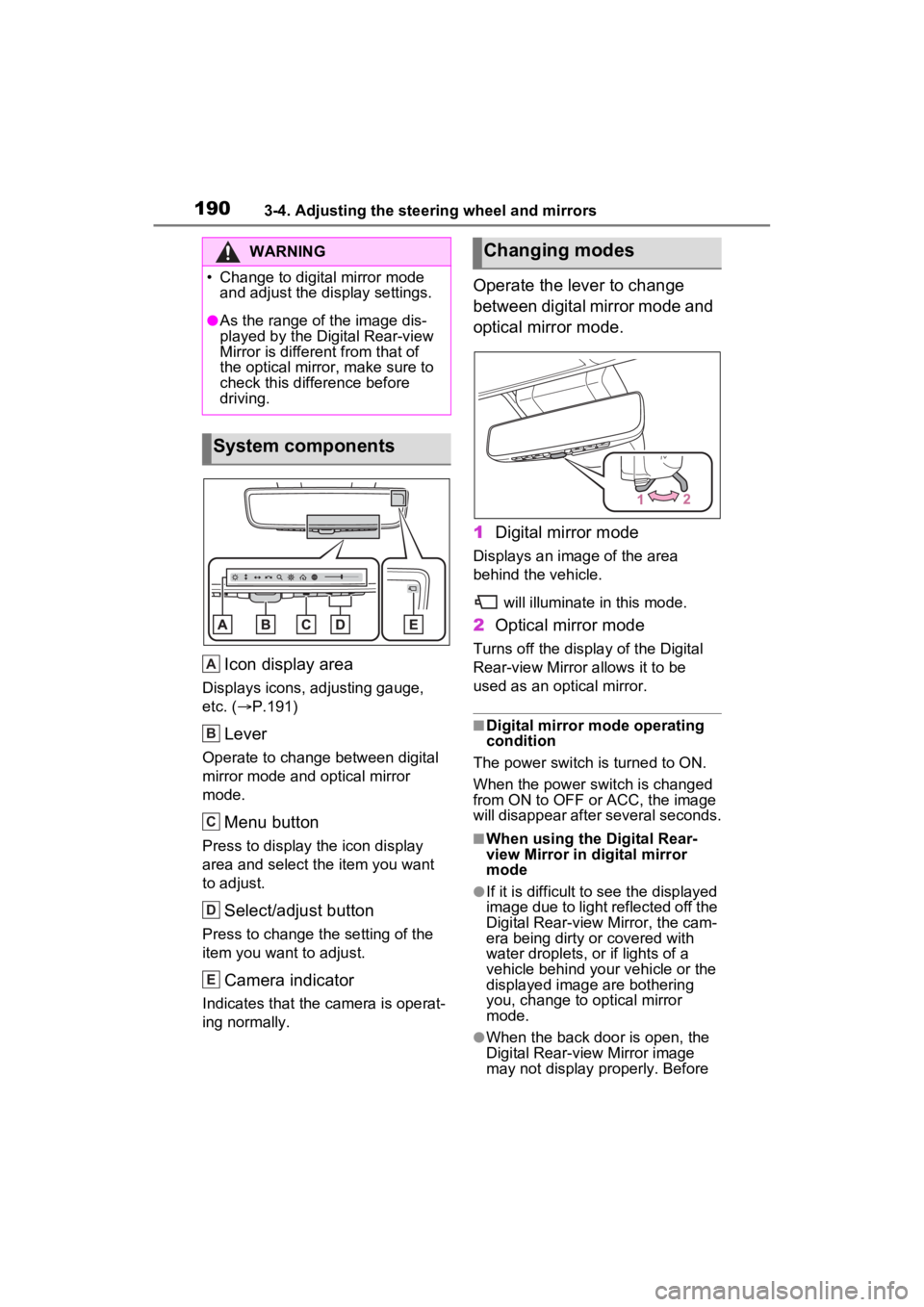
Icon display area
Displays icons, adjusting gauge,
etc. (P.191)
Lever
Operate to change between digital
mirror mode and optical mirror
mode.
Menu button
Press to display the icon display
area and select the item you want
to adjust.
Select/adjust button
Press to change the setting of the
item you want to adjust.
Camera indicator
Indicates that the camera is operat-
ing normally.
Operate the lever to change
between digital mirror mode and
optical mirror mode.
1 Digital mirror mode
Displays an ima ge of the area
behind the vehicle.
will illuminate in this mode.
2Optical mirror mode
Turns off the display of the Digital
Rear-view Mirror allows it to be
used as an optical mirror.
■Digital mirror mode operating
condition
The power switch is turned to ON.
When the power switch is changed
from ON to OFF or ACC, the image
will disappear after several seconds.
■When using the Digital Rear-
view Mirror in d igital mirror
mode
●If it is difficult to see the displayed
image due to light reflected off the
Digital Rear-view Mirror, the cam-
era being dirty or covered with
water droplets, or if lights of a
vehicle behind your vehicle or the
displayed image are bothering
you, change to optical mirror
mode.
●When the back door is open, the
Digital Rear-view Mirror image
may not display properly. Before
WARNING