fog light TOYOTA SIENNA HYBRID 2023 Owners Manual
[x] Cancel search | Manufacturer: TOYOTA, Model Year: 2023, Model line: SIENNA HYBRID, Model: TOYOTA SIENNA HYBRID 2023Pages: 602, PDF Size: 14.9 MB
Page 3 of 602
3TABLE OF CONTENTS
1
2
3
4
5
6
7
8
9
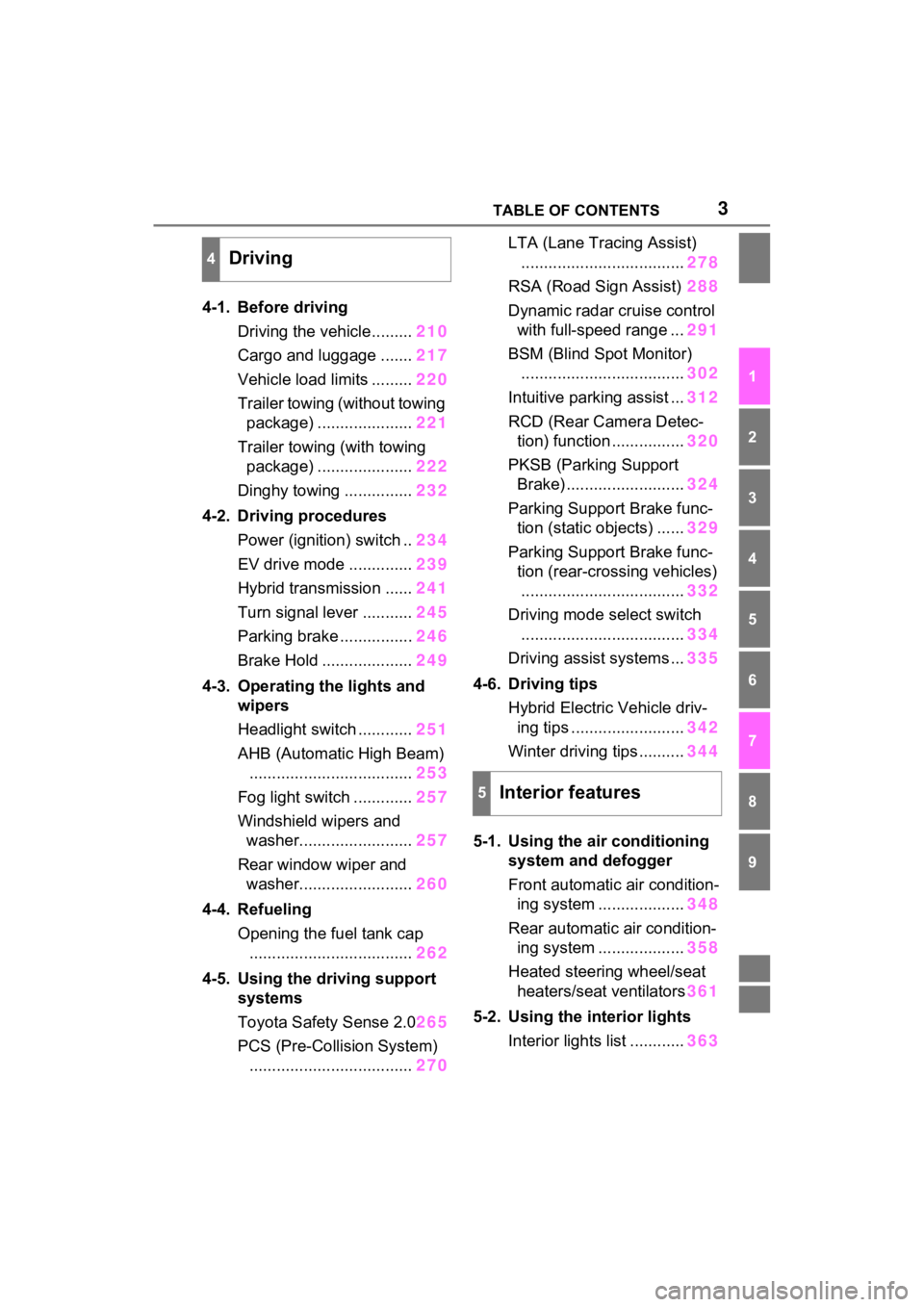
4-1. Before drivingDriving the vehicle......... 210
Cargo and luggage ....... 217
Vehicle load limits ......... 220
Trailer towing (without towing package) ..................... 221
Trailer towing (with towing package) ..................... 222
Dinghy towing ............... 232
4-2. Driving procedures Power (ignition) switch .. 234
EV drive mode .............. 239
Hybrid transmission ...... 241
Turn signal lever ........... 245
Parking brake ................ 246
Brake Hold .................... 249
4-3. Operating the lights and wipers
Headlight switch ............ 251
AHB (Automatic High Beam) .................................... 253
Fog light switch ............. 257
Windshield wipers and washer......................... 257
Rear window wiper and washer......................... 260
4-4. Refueling Opening the fuel tank cap.................................... 262
4-5. Using the driving support
systems
Toyota Safety Sense 2.0 265
PCS (Pre-Collision System) .................................... 270LTA (Lane Tracing Assist)
.................................... 278
RSA (Road Sign Assist) 288
Dynamic radar cruise control with full-speed range ... 291
BSM (Blind Spot Monitor) .................................... 302
Intuitive parking assist ... 312
RCD (Rear Camera Detec- tion) function ................ 320
PKSB (Parking Support Brake) .......................... 324
Parking Support Brake func- tion (static objects) ...... 329
Parking Support Brake func- tion (rear-crossing vehicles).................................... 332
Driving mode s elect switch
.................................... 334
Driving assist systems ... 335
4-6. Driving tips Hybrid Electric Vehicle driv-ing tips ......................... 342
Winter driving tips .......... 344
5-1. Using the ai r conditioning
system and defogger
Front automatic air condition- ing system ................... 348
Re ar automatic air condition-
i n
g system ................... 358
Heated steering wheel/seat heaters/seat ventilators 361
5-2. Using the interior lights Interior lights list ............ 363
4Driving
5Interior features
Page 15 of 602
15Pictorial index
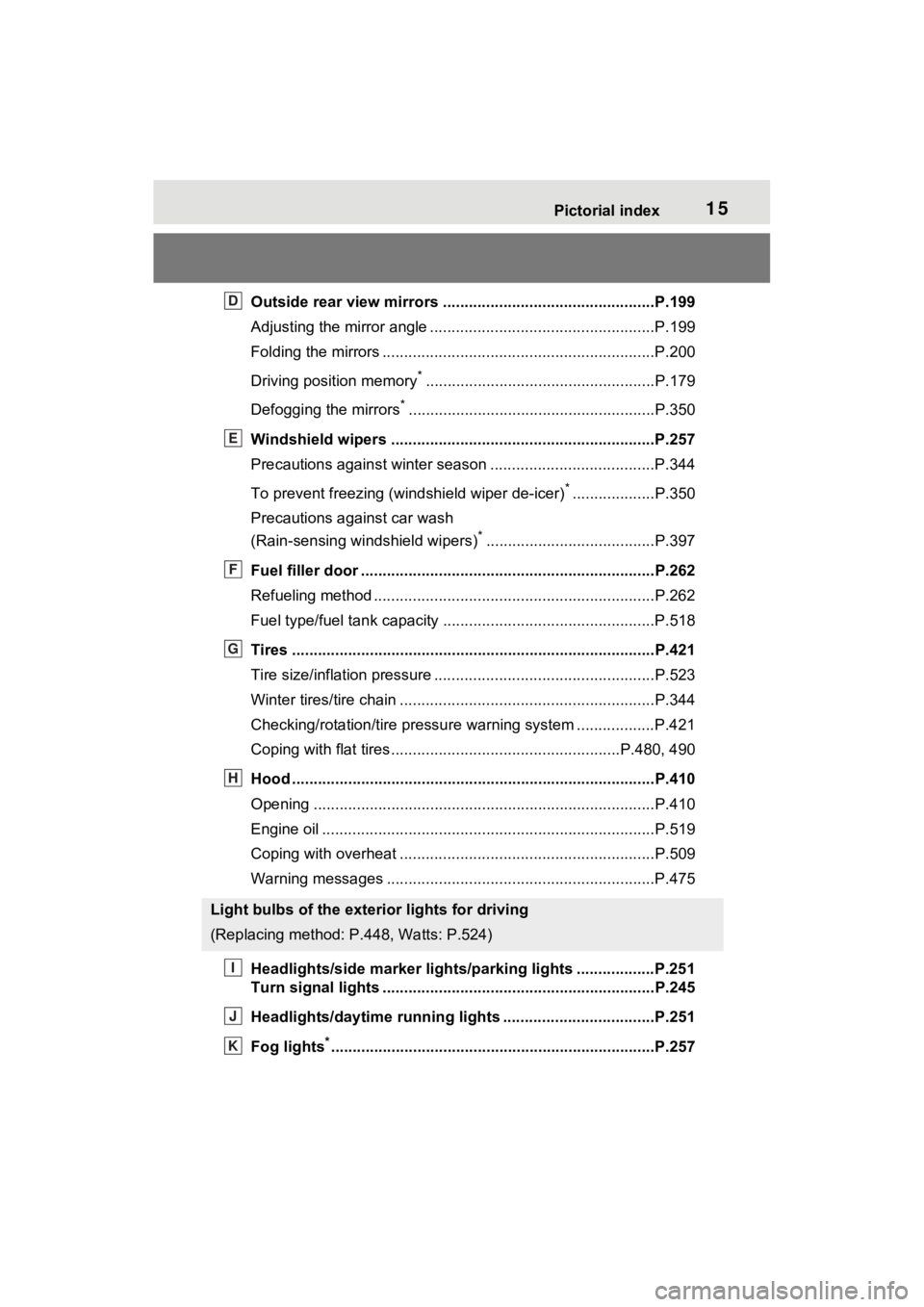
Outside rear view mirrors .................................................P.199
Adjusting the mirror angle ....................................................P.199
Folding the mirrors ...............................................................P.200
Driving position memory
*.....................................................P.179
Defogging the mirrors
*.........................................................P.350
Windshield wipers .............................................. ...............P.257
Precautions against winter season .............................. ........P.344
To prevent freezing (windshield wiper de-icer)
*...................P.350
Precautions against car wash
(Rain-sensing windshield wipers)
*.......................................P.397
Fuel filler door ............................................... .....................P.262
Refueling method ............................................... ..................P.262
Fuel type/fuel tan k capacity .................................................P.518
Tires ....................................................................................P.421
Tire size/inflation pressure ................................... ................P.523
Winter tires/tire chain ........................................ ...................P.344
Checking/rotation/tire pressur e warning system ..................P.421
Coping with flat tires......................................... ............P.480, 490
Hood ....................................................................................P.410
Opening ........................................................ .......................P.410
Engine oil ..................................................... ........................P.519
Coping with overheat ........................................... ................P.509
Warning messages ..............................................................P.475
Headlights/side marke r lights/parking lights ..................P.251
Turn signal lights ...............................................................P.245
Headlights/daytime running lights .............................. .....P.251
Fog lights
*............................................................... ............P.257
Light bulbs of the exterior lights for driving
(Replacing method: P.448, Watts: P.524)
D
E
F
G
H
I
J
K
Page 18 of 602
18Pictorial index
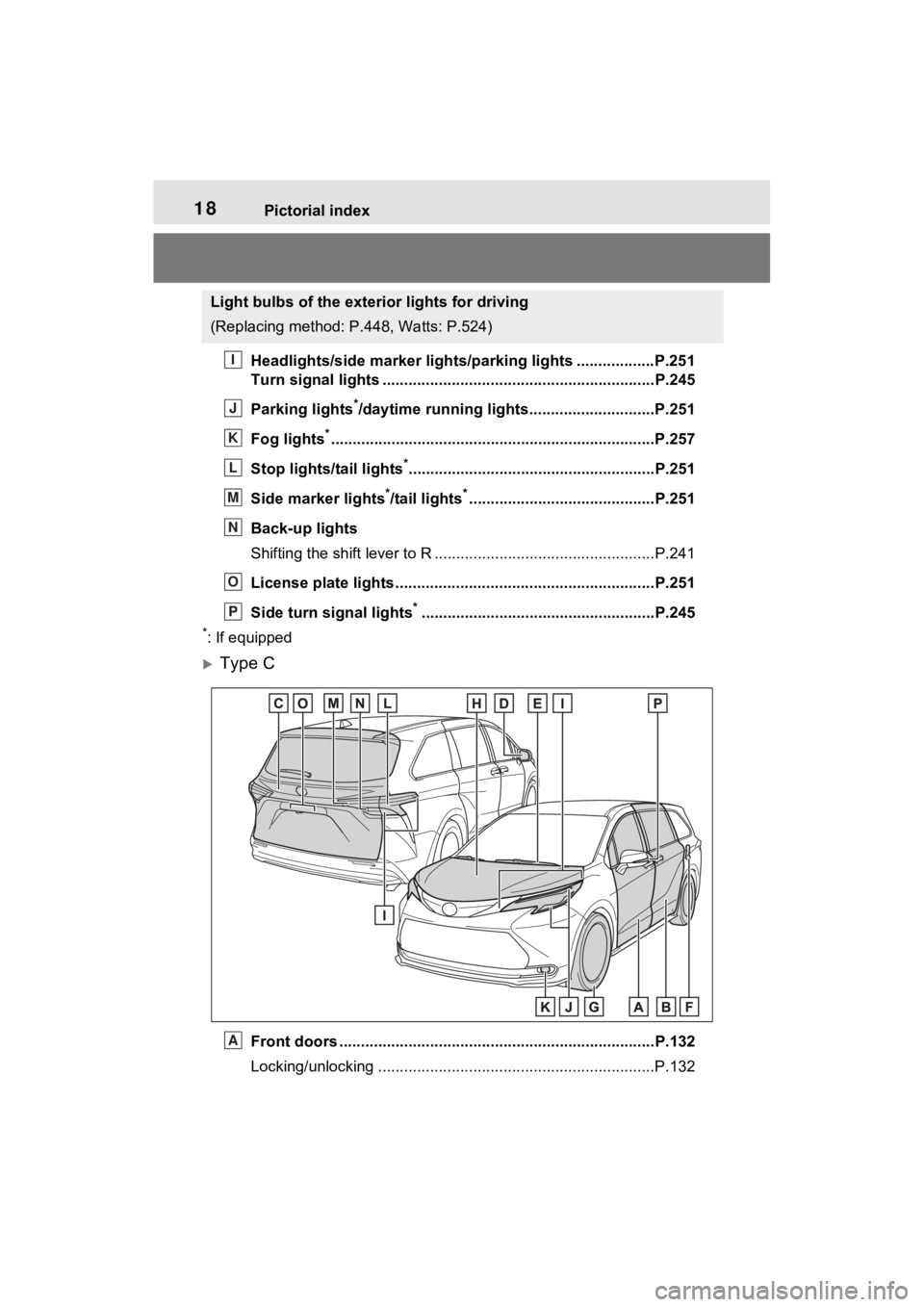
Headlights/side marker lights/parking lights ..................P.251
Turn signal lights ...............................................................P.245
Parking lights
*/daytime running lights.............................P.251
Fog lights
*............................................................... ............P.257
Stop lights/tail lights
*.........................................................P.251
Side marker lights
*/tail lights*...........................................P.251
Back-up lights
Shifting the shift lever to R ...................................................P.241
License plate lights........................................... .................P.251
Side turn signal lights
*......................................................P.245
*: If equipped
Type C
Front doors .................................................... .....................P.132
Locking/unlocking ................................................................P.132
Light bulbs of the exterior lights for driving
(Replacing method: P .448, Watts: P.524)
I
J
K
L
M
N
O
P
A
Page 20 of 602
20Pictorial index
Coping with flat tires.....................................................P.480, 490
Hood ....................................................................................P.410
Opening ........................................................ .......................P.410
Engine oil ..................................................... ........................P.519
Coping with overheat ........................................... ................P.509
Warning messages ..............................................................P.475
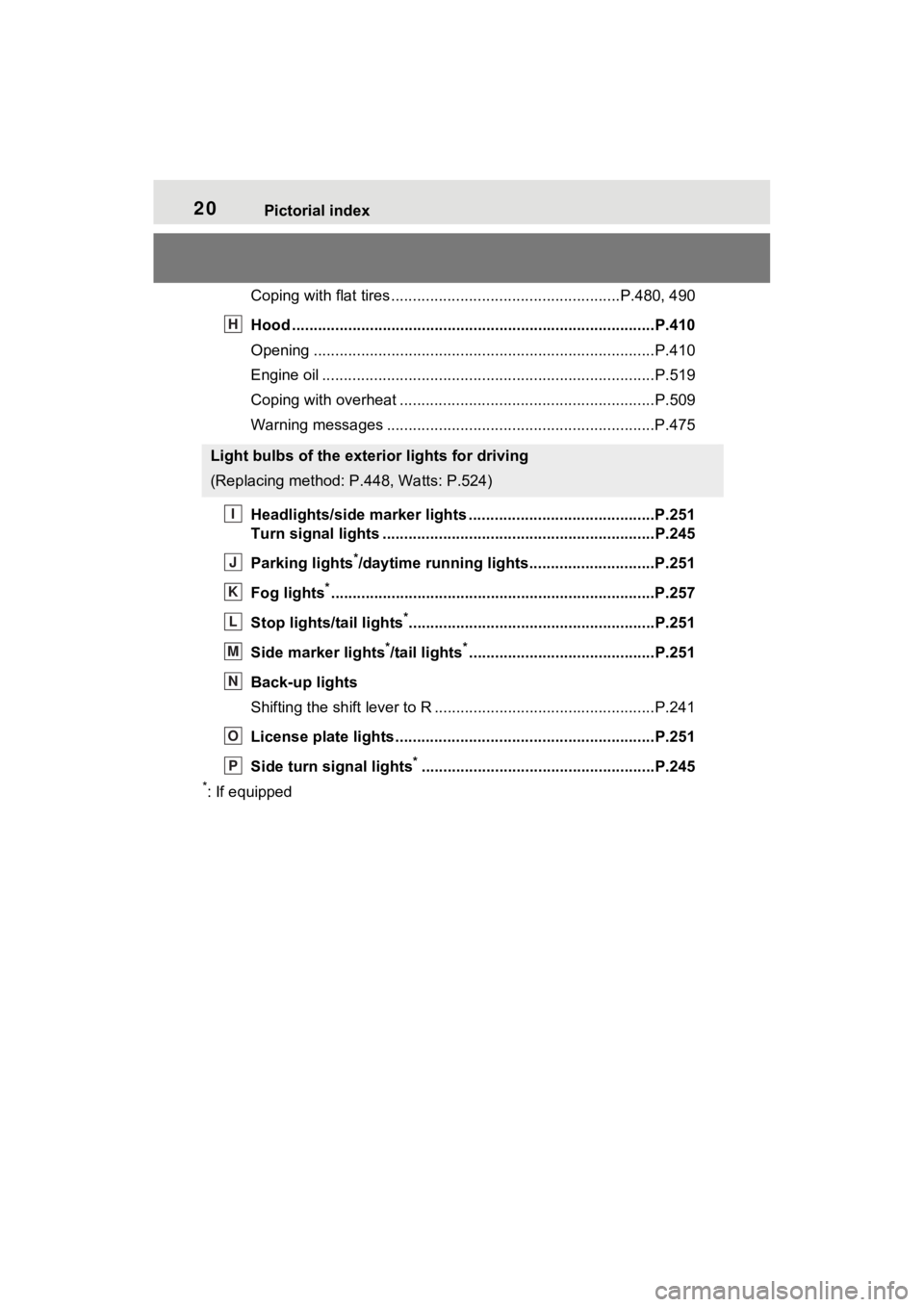
Headlights/side marker lights .................................. .........P.251
Turn signal lights ...............................................................P.245
Parking lights
*/daytime running lights.............................P.251
Fog lights
*............................................................... ............P.257
Stop lights/tail lights
*.........................................................P.251
Side marker lights
*/tail lights*...........................................P.251
Back-up lights
Shifting the shift lever to R ...................................................P.241
License plate lights........................................... .................P.251
Side turn signal lights
*......................................................P.245
*: If equipped
Light bulbs of the exterior lights for driving
(Replacing method: P .448, Watts: P.524)
H
I
J
K
L
M
N
O
P
Page 22 of 602
22Pictorial index
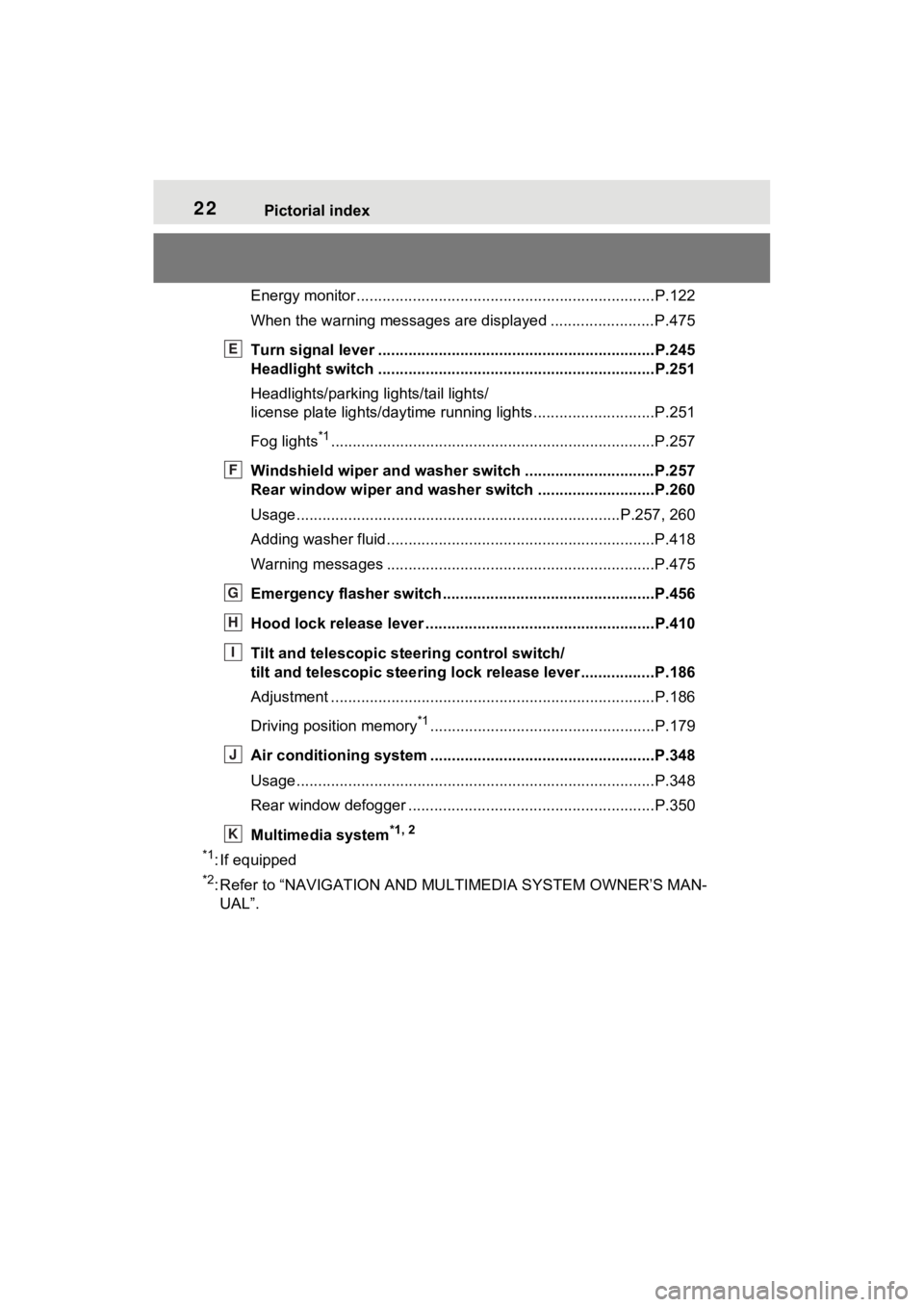
Energy monitor.....................................................................P.122
When the warning messages are displayed ........................ P.475
Turn signal lever ................................................................P.245
Headlight switch ................................................................P.251
Headlights/parking lights/tail lights/
license plate lights/daytime running lights .................... ........P.251
Fog lights
*1............................................................... ............P.257
Windshield wiper and washer switch ..............................P.257
Rear window wiper and washer switch ...........................P.260
Usage.......................................................... .................P.257, 260
Adding washer fluid ..............................................................P.418
Warning messages ..............................................................P.475
Emergency flasher switch ....................................... ..........P.456
Hood lock release lever ........................................ .............P.410
Tilt and telescopic steering control switch/
tilt and telescopic steering lock release lever ................ .P.186
Adjustment ..................................................... ......................P.186
Driving position memory
*1....................................................P.179
Air conditioning system ............................. .......................P.348
Usage.......................................................... .........................P.348
Rear window defogger ........................................... ..............P.350
Multimedia system
*1, 2
*1
: If equipped
*2: Refer to “NAVIGATI ON AND MULTIMEDIA SYSTEM OWNER’S MAN-
UAL”.
E
F
G
H
I
J
K
Page 94 of 602
942-1. Instrument cluster
*1: These lights turn on when the power switch is turned to ON to
indicate that a system check is
being performed. They will turn
off after the hybr id system is on,
or after a few seconds. There
may be a malfunction in a sys-
tem if the light does not come on,
or turn off. Have the vehicle
inspected by your Toyota dealer.
*2: This light illuminates on the multi-informatio n display with a
message.
*3: Intuitive parking assist OFF indi- cator turns on when the power
switch is turned to ON while the
Intuitive parking assist function is
on. It will turn off after a few sec-
onds.
*4: This light illumi nates on the cen-
ter panel.
The indicators inform the driver
of the operating state of the
vehicle’s various systems.
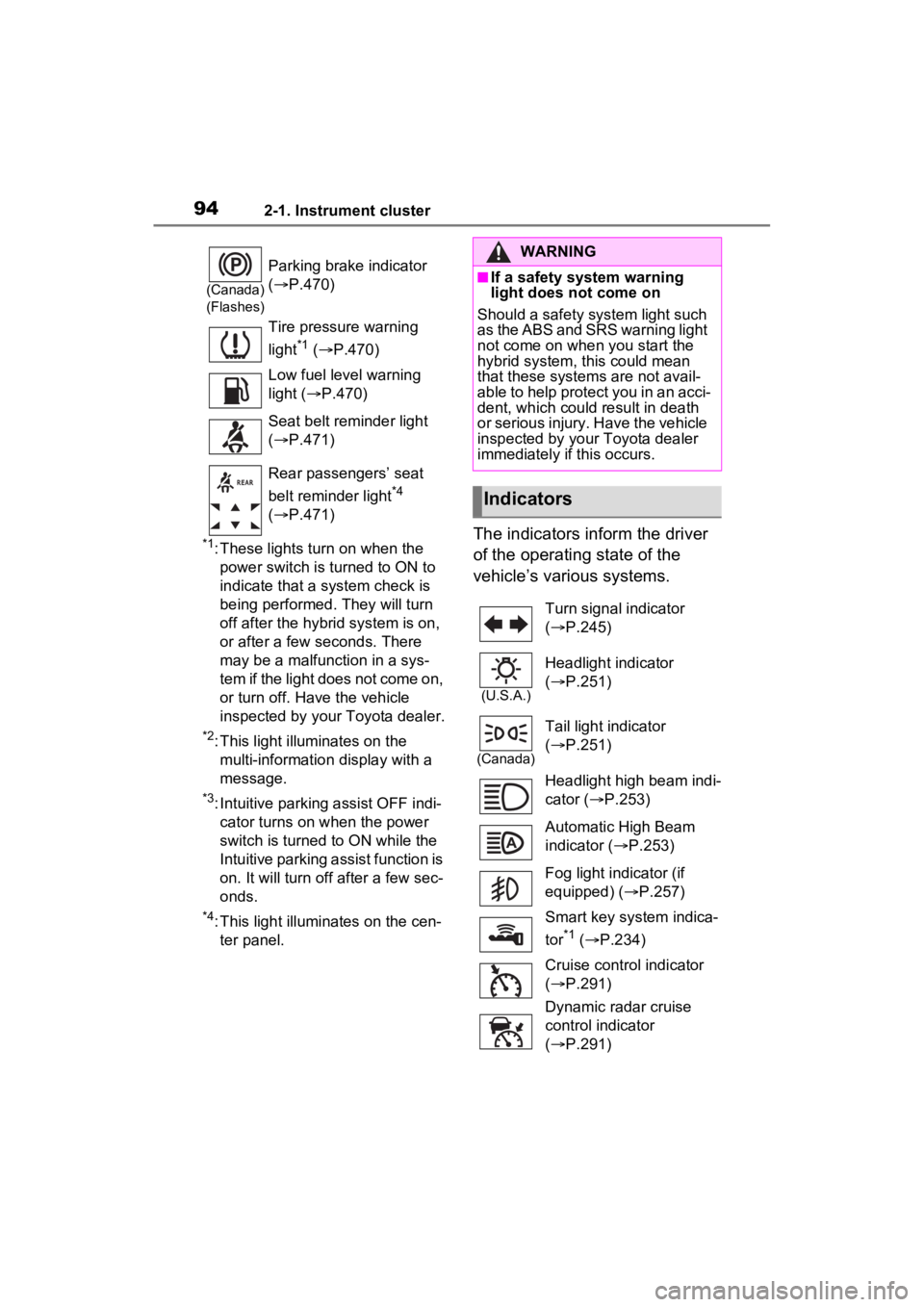
(Canada)
(Flashes)
Parking brake indicator
( P.470)
Tire pressure warning
light
*1 ( P.470)
Low fuel level warning
light ( P.470)
Seat belt reminder light
( P.471)
Rear passengers’ seat
belt reminder light
*4
( P.471)
WARNING
■If a safety system warning
light does not come on
Should a safety system light such
as the ABS and SRS warning light
not come on when you start the
hybrid system, this could mean
that these system s are not avail-
able to help protect you in an acci-
dent, which could result in death
or serious injury. Have the vehicle
inspected by your Toyota dealer
immediately if this occurs.
Indicators
Turn signal indicator
( P.245)
(U.S.A.)
Headlight indicator
( P.251)
(Canada)
Tail light indicator
( P.251)
Headlight high beam indi-
cator ( P.253)
Automatic High Beam
indicator ( P.253)
Fog light indicator (if
equipped) ( P.257)
Smart key system indica-
tor
*1 ( P.234)
Cruise control indicator
( P.291)
Dynamic radar cruise
control indicator
( P.291)
Page 211 of 602
209
4
4
Driving
Driving
4-1. Before drivingDriving the vehicle....... 210
Cargo and luggage ..... 217
Vehicle load limits ....... 220
Trailer towing (without tow- ing package).............. 221
Trailer towing (with towing package) ................... 222
Dinghy towing ............. 232
4-2. Driving procedures Power (ignition) switch 234
EV drive mode ............ 239
Hybrid transmission .... 241
Turn signal lever ......... 245
Parking brake .............. 246
Brake Hold .................. 249
4-3. Operating the lights and wipers
Headlight switch .......... 251
AHB (Automatic High Beam)........................ 253
Fog light switch ........... 257
Windshield wipers and washer....................... 257
Rear window wiper and washer....................... 260
4-4. Refueling Opening the fuel tank cap.................................. 2624-5. Using the dr
iving support
systems
Toyota Safety Sense 2.0 .................................. 265
PCS (Pre-Collision System) .................................. 270
LTA (Lane Tracing Assist) .................................. 278
RSA (Road Sign Assist) .................................. 288
Dynamic radar cruise con- trol with full-speed range
.................................. 291
BSM (Blind Spot Monitor) .................................. 302
Intuitive parking assist . 312
RCD (Rear Camera Detec- tion) function .............. 320
PKSB (Parking Support Brake) ........................ 324
Parking Support Brake func- tion (static objects)
.................................. 329
Parking Support Brake function (rear-crossing
vehicles) .................... 332
Driving mode select switch .................................. 334
Driving assist systems. 335
4-6. Driving tips Hybrid Electric Vehicle driv-ing tips ....................... 342
Winter driving tips........ 344
Page 253 of 602
2514-3. Operating the lights and wipers
4
Driving
4-3.Operating the lights and wipers
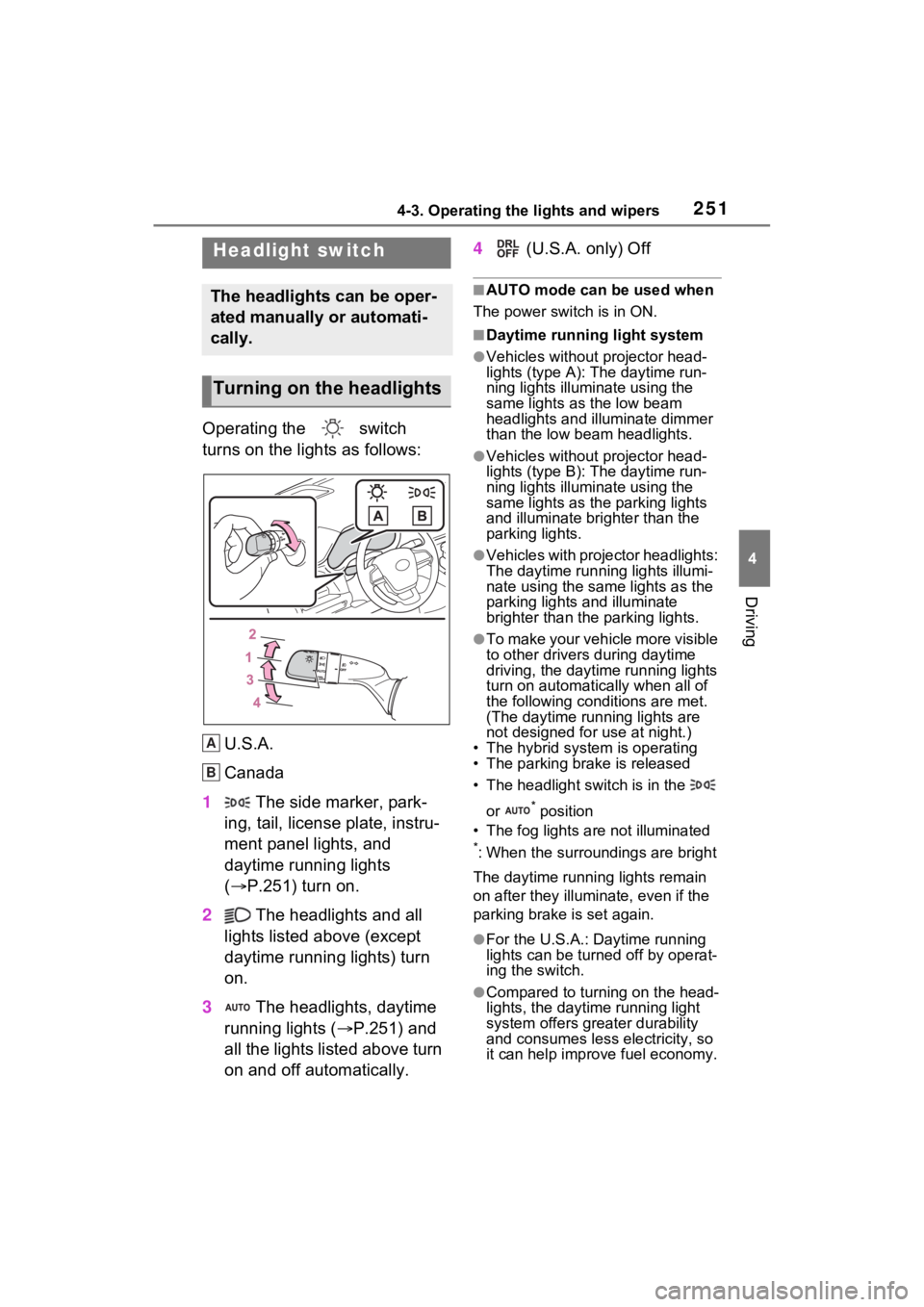
Operating the switch
turns on the lights as follows:
U.S.A.
Canada
1 The side marker, park-
ing, tail, license plate, instru-
ment panel lights, and
daytime running lights
( P.251) turn on.
2 The headlights and all
lights listed above (except
daytime running lights) turn
on.
3 The headlights, daytime
running lights ( P.251) and
all the lights listed above turn
on and off automatically. 4
(U.S.A. only) Off
■AUTO mode can be used when
The power switch is in ON.
■Daytime running light system
●Vehicles without projector head-
lights (type A): The daytime run-
ning lights illuminate using the
same lights as the low beam
headlights and illu minate dimmer
than the low beam headlights.
●Vehicles without projector head-
lights (type B): The daytime run-
ning lights illuminate using the
same lights as the parking lights
and illuminate brighter than the
parking lights.
●Vehicles with projector headlights:
The daytime runn ing lights illumi-
nate using the same lights as the
parking lights and illuminate
brighter than the parking lights.
●To make your vehicle more visible
to other drivers during daytime
driving, the daytime running lights
turn on automatically when all of
the following conditions are met.
(The daytime running lights are
not designed for use at night.)
• The hybrid system is operating
• The parking brake is released
• The headlight switch is in the
or
* position
• The fog lights are not illuminated
*: When the surroundings are bright
The daytime running lights remain
on after they illumi nate, even if the
parking brake is set again.
●For the U.S.A.: Daytime running
lights can be turned off by operat-
ing the switch.
●Compared to turning on the head-
lights, the daytime running light
system offers greater durability
and consumes less electricity, so
it can help improve fuel economy.
Headlight switch
The headlights can be oper-
ated manually or automati-
cally.
Turning on the headlights
A
B
Page 256 of 602
2544-3. Operating the lights and wipers
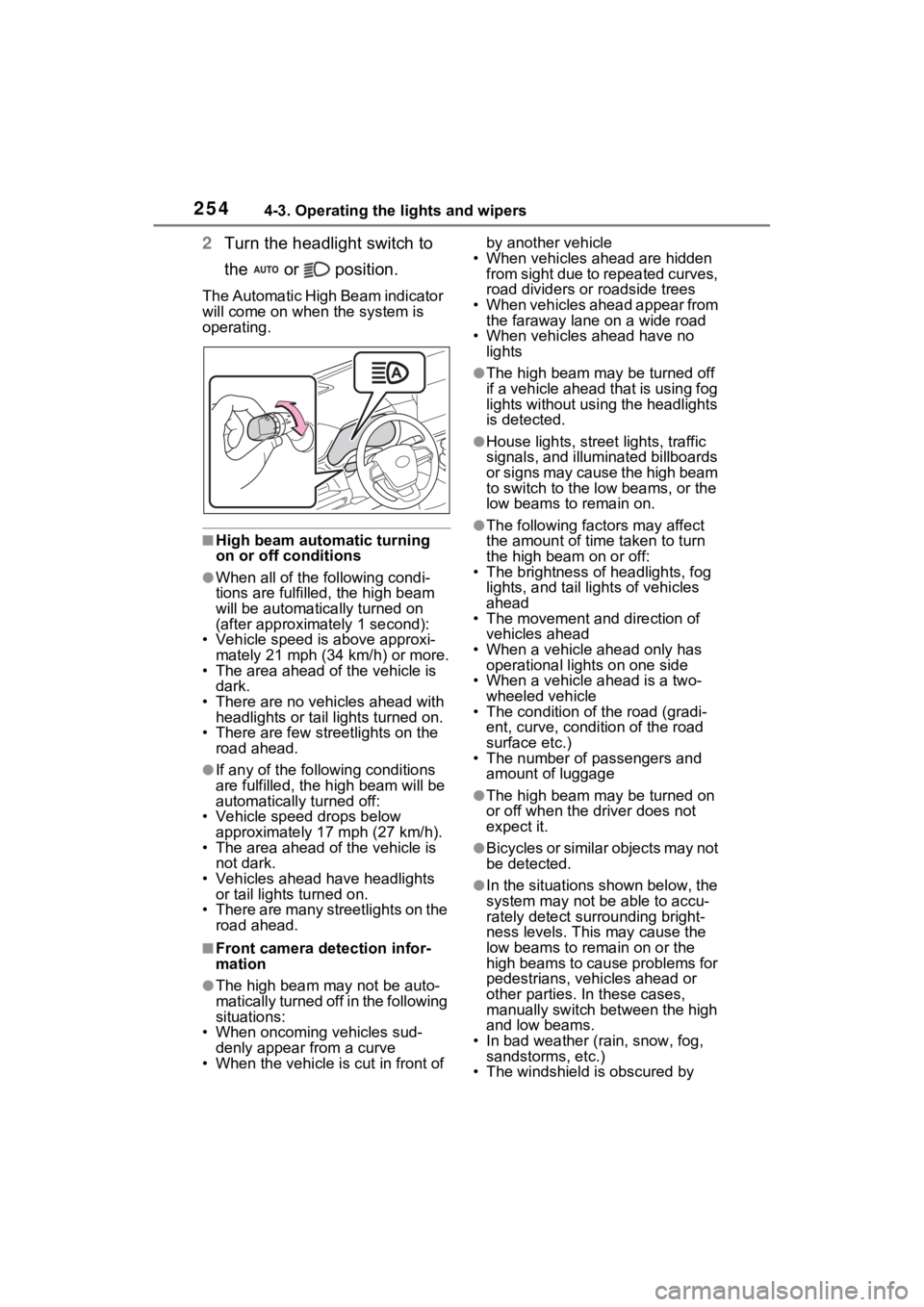
2Turn the headlight switch to
the or position.
The Automatic High Beam indicator
will come on when the system is
operating.
■High beam automatic turning
on or off conditions
●When all of the following condi-
tions are fulfille d, the high beam
will be automatica lly turned on
(after approximately 1 second):
• Vehicle speed is above approxi-
mately 21 mph (34 km/h) or more.
• The area ahead of the vehicle is dark.
• There are no vehicles ahead with headlights or tail lights turned on.
• There are few streetlights on the
road ahead.
●If any of the following conditions
are fulfilled, the h igh beam will be
automatically turned off:
• Vehicle speed drops below
approximately 17 mph (27 km/h).
• The area ahead of the vehicle is not dark.
• Vehicles ahead have headlights or tail lights turned on.
• There are many streetlights on the
road ahead.
■Front camera detection infor-
mation
●The high beam may not be auto-
matically turned off in the following
situations:
• When oncoming vehicles sud-
denly appear from a curve
• When the vehicle is cut in front of by another vehicle
• When vehicles ahead are hidden from sight due to repeated curves,
road dividers or roadside trees
• When vehicles ahead appear from the faraway lane on a wide road
• When vehicles ahead have no lights
●The high beam ma y be turned off
if a vehicle ahead that is using fog
lights without using the headlights
is detected.
●House lights, street lights, traffic
signals, and illuminated billboards
or signs may cause the high beam
to switch to the low beams, or the
low beams to remain on.
●The following fact ors may affect
the amount of time taken to turn
the high beam on or off:
• The brightness of headlights, fog
lights, and tail lig hts of vehicles
ahead
• The movement and direction of
vehicles ahead
• When a vehicle ahead only has
operational lights on one side
• When a vehicle ahead is a two- wheeled vehicle
• The condition of the road (gradi-
ent, curve, condition of the road
surface etc.)
• The number of passengers and
amount of luggage
●The high beam ma y be turned on
or off when the d river does not
expect it.
●Bicycles or similar objects may not
be detected.
●In the situations shown below, the
system may not be able to accu-
rately detect surrounding bright-
ness levels. This may cause the
low beams to remain on or the
high beams to cause problems for
pedestrians, vehicles ahead or
other parties. In these cases,
manually switch between the high
and low beams.
• In bad weather (rain, snow, fog, sandstorms, etc.)
• The windshield is obscured by
Page 257 of 602
2554-3. Operating the lights and wipers
4
Driving
fog, mist, ice, dirt, etc.
• The windshield is cracked or dam- aged
• The front camera is deformed or
dirty
• When the temperature of the front
camera is extremely high
• Surrounding brightness levels are equal to those of h eadlights, tail
lights or fog lights
• When headlights or tail lights of vehicles ahead are turned off,
dirty, changing color, or not aimed
properly
• When the vehicle is hit by water,
snow, dust, etc. fr om a preceding
vehicle
• When driving thr ough an area of
intermittently changing brightness
and darkness
• When frequently and repeatedly
driving ascending/descending
roads, or roads with rough, bumpy
or uneven surfaces (such as
stone-paved roads, gravel roads,
etc.)
• When frequently and repeatedly
taking curves or driving on a wind-
ing road
• There is a highly reflective object
ahead of the vehicle, such as a
sign or mirror
• The back of a vehicle ahead is
highly reflective, such as a con-
tainer on a truck
• The vehicle’s headlights are dam-
aged or dirty, or are not aimed
properly
• The vehicle is listing or tilting due
to a flat tire, a trailer being towed,
etc.
• The high beam and low beam are
repeatedly being switched
between in an abnormal manner
• The driver believes that the high
beam may be causing problems
or distress to other drivers or
pedestrians nearby
■Temporarily lowering sensor
sensitivity
The sensitivity of the sensor can be
temporarily lowered. 1
Turn the power s witch off while
the following conditions are met.
●The headlight switch is in or
position.
●The headlight switch lever is in the
original position.
●Automatic High Beam switch is
on.
2 Turn the power switch to ON.
3 Within 60 seconds after step 2,
repeat pushing the headlight
switch lever to the high beam
position then pulling it to the orig-
inal position quickly 10 times,
then leave the lever in the origi-
nal position.
4 If the sensitivity is changed, the
Automatic High Beam indicator
turns on and off 3 times.
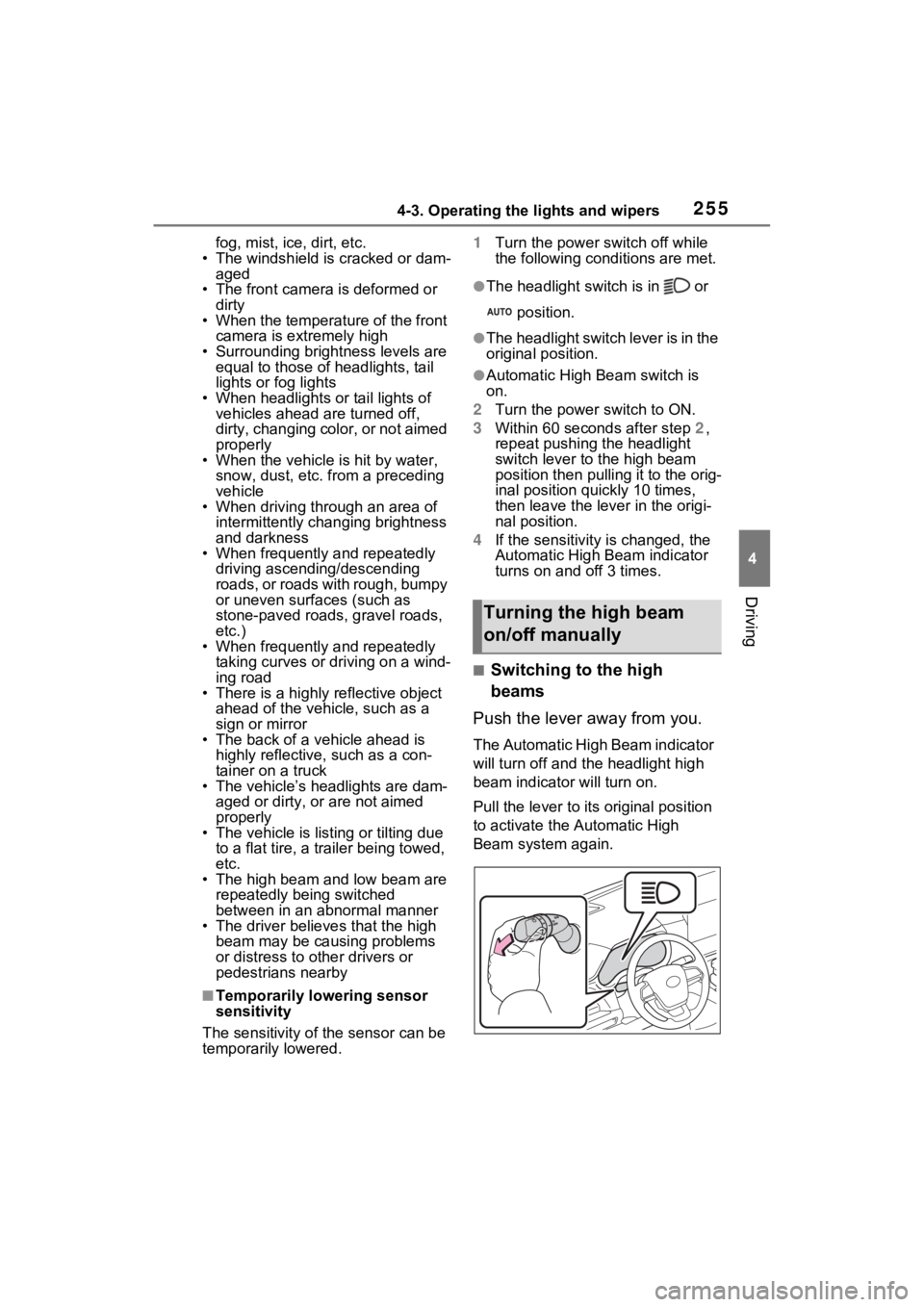
■Switching to the high
beams
Push the lever away from you.
The Automatic High Beam indicator
will turn off and the headlight high
beam indicator will turn on.
Pull the lever to its original position
to activate the Automatic High
Beam system again.
Turning the high beam
on/off manually