garage door opener TOYOTA SIENNA HYBRID 2023 Owners Manual
[x] Cancel search | Manufacturer: TOYOTA, Model Year: 2023, Model line: SIENNA HYBRID, Model: TOYOTA SIENNA HYBRID 2023Pages: 602, PDF Size: 14.9 MB
Page 4 of 602
4TABLE OF CONTENTS
5-3. Using the storage featuresList of storage features . 366
Luggage compartment fea- tures ............................ 372
5-4. Using the other interior fea- tures
Other interior features ... 374
Garage door opener...... 388
6-1. Maintenance and care Cleaning and protecting the vehicle exterior ............ 396
Cleaning and protecting the vehicle interior ............. 399
6-2. Maintenance Maintenance requirements.................................... 402
General maintenance.... 404
Emission inspection and maintenance (I/M) pro-
grams .......................... 406
6-3. Do-it-yourself maintenance Do-it-yourself service pre-cautions ....................... 408
Hood ............................. 410
Positioning a floor jack .. 412
Engine compartment ..... 413
12-volt battery ............... 419
Tires .............................. 421
Tire inflation pressure ... 435
Wheels ......... .................437
Air conditioning filter ...... 438
Cleaning the hybrid battery (traction battery) air intake
vents............................ 440Electronic key battery ....
444
Checking and replacing fuses ............................ 446
Light bulbs ..................... 448
7-1. Essential information Emergency flashers....... 456
If your vehicle has to be stopped in an emergency.................................... 457
If the vehicle is submerged or water on the road is rising.................................... 458
7-2. Steps to take in an emer- gency
If your vehicle needs to be towed ........................... 460
If you think something is wrong........................... 463
If a warning light turns on or a warning buzzer sounds
.................................... 464
If a warning message is dis- played .......................... 475
If you have a flat tire (vehi- cles without spare tire)480
If you have a flat tire (vehi- cles with spare tire) ..... 490
If the hybrid system will not start ............................. 499
If you lose your keys...... 500
If the fuel fille r door cannot
be opened ................... 50
1
I f th
e electronic key does not
operate properly .......... 502
6Maintenance and care
7When trouble arises
Page 29 of 602
29Pictorial index
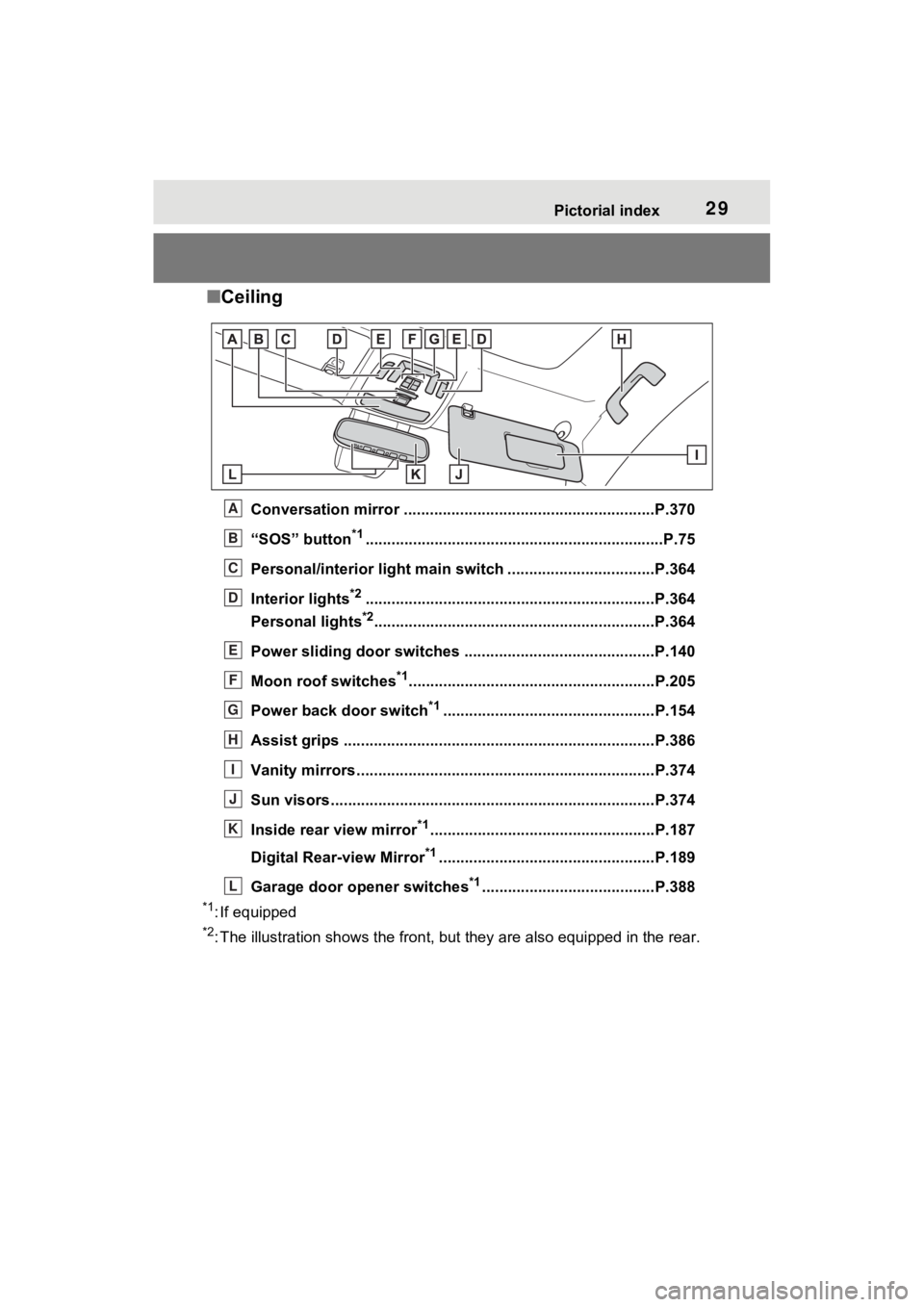
■Ceiling
Conversation mirror ..........................................................P.370
“SOS” button
*1............................................................... ......P.75
Personal/interior light main switch ............................ ......P.364
Interior lights
*2............................................................... ....P.364
Personal lights
*2............................................................... ..P.364
Power sliding door switches .................................... ........P.140
Moon roof switches
*1.........................................................P.205
Power back door switch
*1.................................................P.154
Assist grips ................................................... .....................P.386
Vanity mirrors.....................................................................P.374
Sun visors..................................................... ......................P.374
Inside rear view mirror
*1....................................................P.187
Digital Rear-view Mirror
*1..................................................P.189
Garage door opener switches
*1........................................P.388
*1: If equipped
*2: The illustration shows the fron t, but they are also equipped i n the rear.
A
B
C
D
E
F
G
H
I
J
K
L
Page 190 of 602
1883-4. Adjusting the steering wheel and mirrors
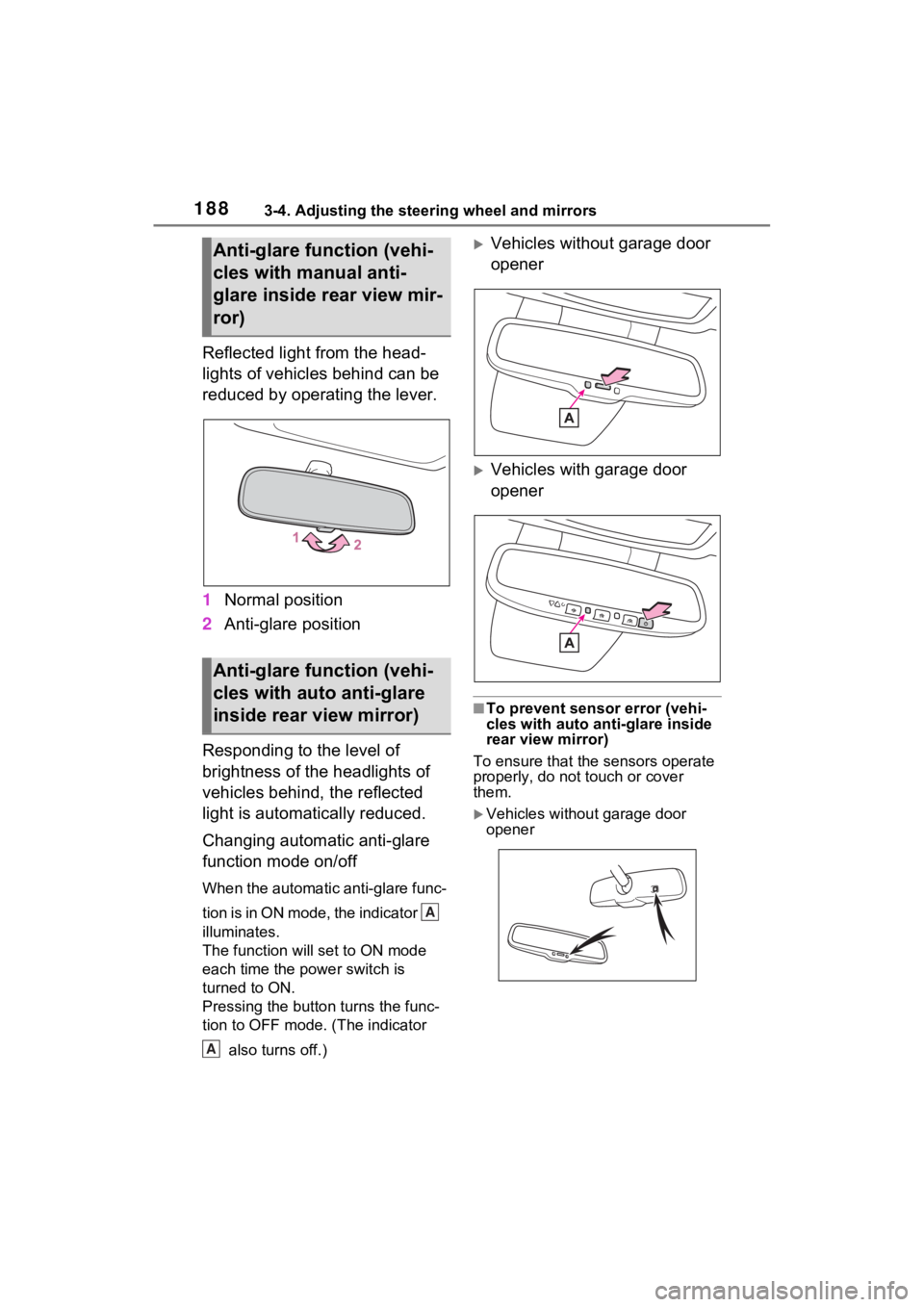
Reflected light from the head-
lights of vehicles behind can be
reduced by operating the lever.
1Normal position
2 Anti-glare position
Responding to the level of
brightness of the headlights of
vehicles behind, the reflected
light is automatically reduced.
Changing automatic anti-glare
function mode on/off
When the automatic anti-glare func-
tion is in ON mode, the indicator
illuminates.
The function will set to ON mode
each time the power switch is
turned to ON.
Pressing the button turns the func-
tion to OFF mode. (The indicator also turns off.)
Vehicles without garage door
opener
Vehicles with garage door
opener
■To prevent sensor error (vehi-
cles with auto ant i-glare inside
rear view mirror)
To ensure that the sensors operate
properly, do not touch or cover
them.
Vehicles without garage door
opener
Anti-glare function (vehi-
cles with manual anti-
glare inside rear view mir-
ror)
Anti-glare function (vehi-
cles with auto anti-glare
inside rear view mirror)
A
A
Page 191 of 602
1893-4. Adjusting the steering wheel and mirrors
3
Before driving
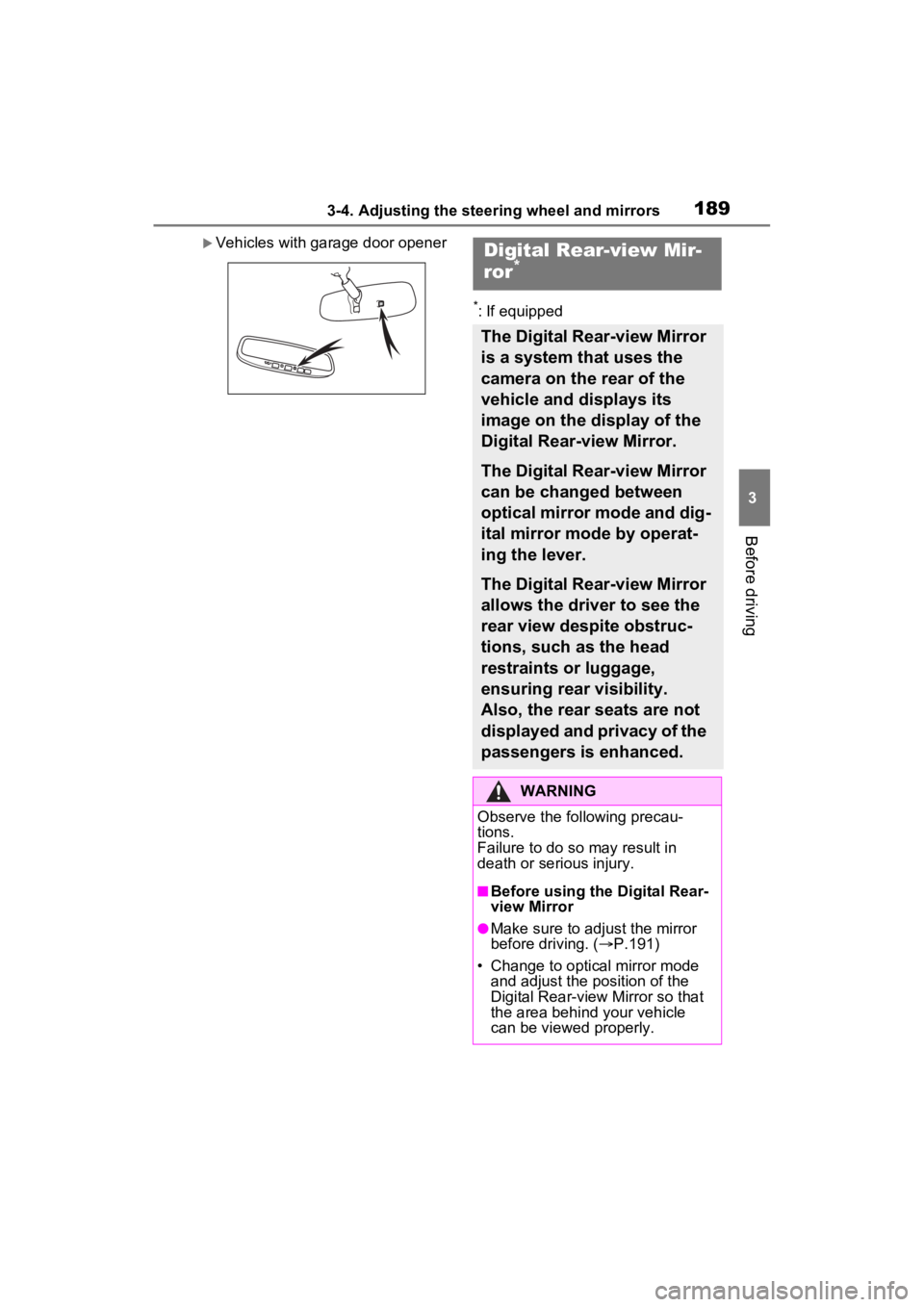
Vehicles with garage door opener
*: If equipped
Digital Rear-view Mir-
ror*
The Digital Rear-view Mirror
is a system that uses the
camera on the rear of the
vehicle and displays its
image on the display of the
Digital Rear-view Mirror.
The Digital Rear-view Mirror
can be changed between
optical mirror mode and dig-
ital mirror mode by operat-
ing the lever.
The Digital Rear-view Mirror
allows the driver to see the
rear view despite obstruc-
tions, such as the head
restraints or luggage,
ensuring rear visibility.
Also, the rear seats are not
displayed and privacy of the
passengers is enhanced.
WARNING
Observe the following precau-
tions.
Failure to do so may result in
death or serious injury.
■Before using the Digital Rear-
view Mirror
●Make sure to adjust the mirror
before driving. ( P.191)
• Change to optical mirror mode and adjust the position of the
Digital Rear-view Mirror so that
the area behind your vehicle
can be viewed properly.
Page 194 of 602
1923-4. Adjusting the steering wheel and mirrors
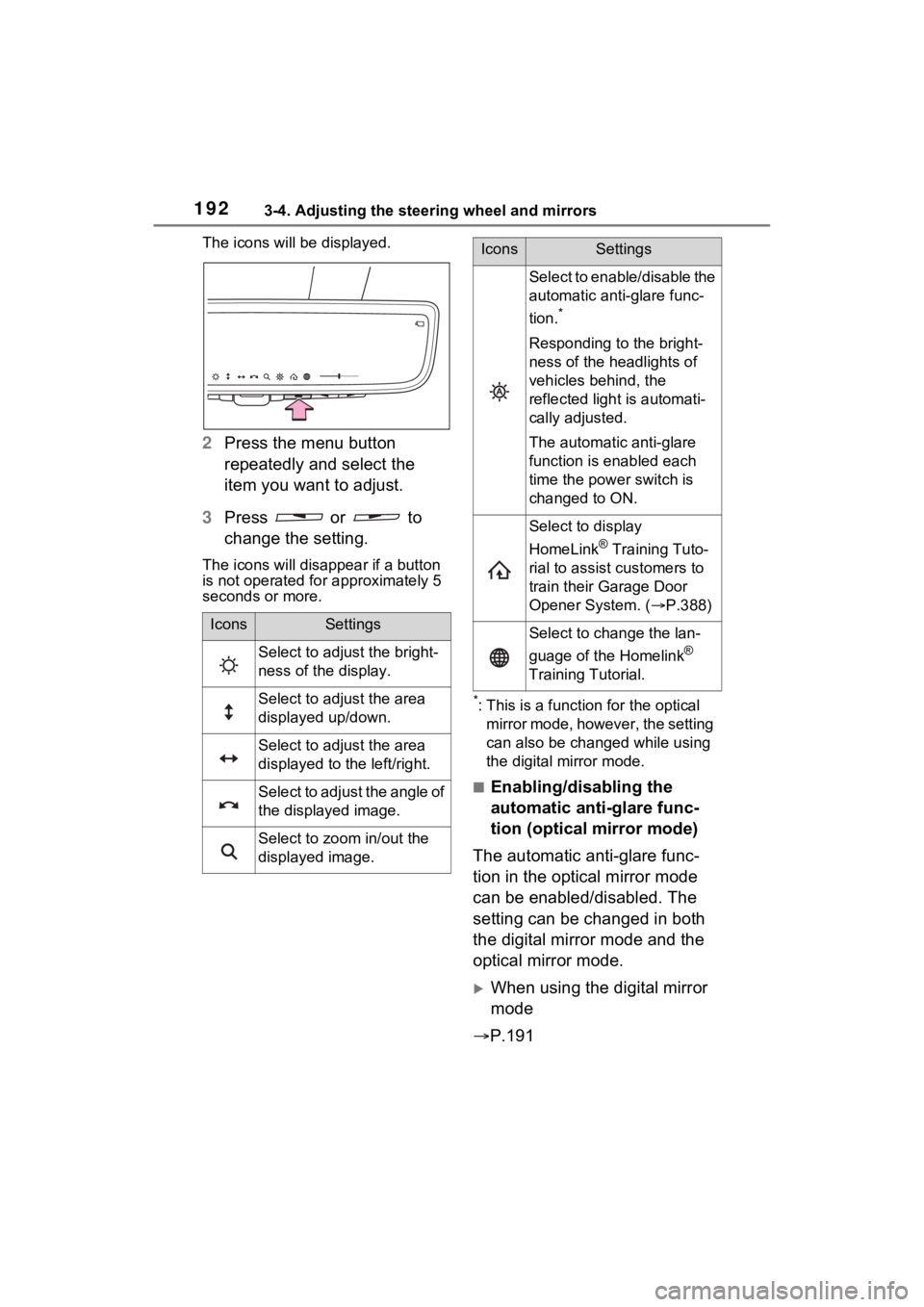
The icons will be displayed.
2Press the menu button
repeatedly and select the
item you want to adjust.
3 Press or to
change the setting.
The icons will disapp ear if a button
is not operated fo r approximately 5
seconds or more.
*: This is a functi on for the optical
mirror mode, however, the setting
can also be changed while using
the digital mirror mode.
■Enabling/disabling the
automatic anti-glare func-
tion (optical mirror mode)
The automatic anti-glare func-
tion in the optical mirror mode
can be enabled/disabled. The
setting can be changed in both
the digital mirror mode and the
optical mirror mode.
When using the digital mirror
mode
P.191
IconsSettings
Select to adjust the bright-
ness of the display.
Select to adjust the area
displayed up/down.
Select to adjust the area
displayed to the left/right.
Select to adjust the angle of
the displayed image.
Select to zoom in/out the
displayed image.
Select to enable/disable the
automatic anti-glare func-
tion.
*
Responding to the bright-
ness of the headlights of
vehicles behind, the
reflected light is automati-
cally adjusted.
The automatic anti-glare
function is enabled each
time the power switch is
changed to ON.
Select to display
HomeLink
® Training Tuto-
rial to assist customers to
train their Garage Door
Opener System. ( P.388)
Select to change the lan-
guage of the Homelink
®
Training Tutorial.
IconsSettings
Page 349 of 602
347
5
5
Interior features
Interior features
5-1. Using the air conditioning system and defogger
Front automatic air condi- tioning system ........... 348
Rear automatic air condi- tioning system ........... 358
Heated steering wheel/seat heaters/seat ventilators.................................. 361
5-2. Using the interior lights Interior lights list .......... 363
5-3. Using the storage features List of storage features 366
Luggage compartment fea- tures .......................... 372
5-4. Using the other interior features
Other interior features . 374
Garage door opener.... 388
Page 390 of 602
3885-4. Using the other interior features
The coat hooks are provided
with the rear assist grips.*: If equipped
■HomeLink® programming pro-
cedure
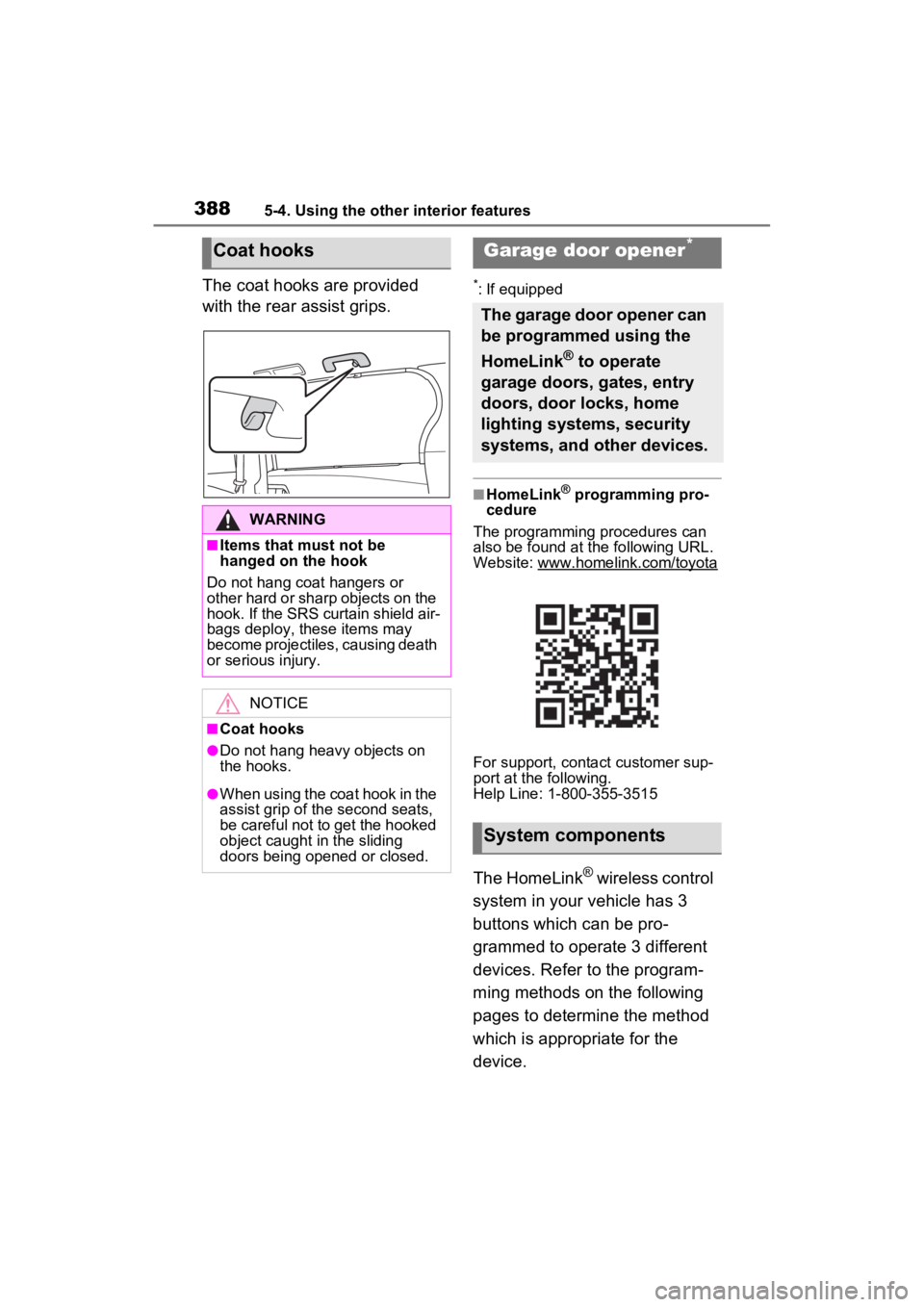
The programming procedures can
also be found at the following URL.
Website: www.homelink.com/toyota
For support, contact customer sup-
port at the following.
Help Line: 1-800-355-3515
The HomeLink® wireless control
system in your vehicle has 3
buttons which can be pro-
grammed to operate 3 different
devices. Refer to the program-
ming methods on the following
pages to determine the method
which is appropriate for the
device.
Coat hooks
WARNING
■Items that must not be
hanged on the hook
Do not hang coat hangers or
other hard or sharp objects on the
hook. If the SRS curtain shield air-
bags deploy, these items may
become projectiles, causing death
or serious injury.
NOTICE
■Coat hooks
●Do not hang heavy objects on
the hooks.
●When using the coat hook in the
assist grip of the second seats,
be careful not to get the hooked
object caught in the sliding
doors being opened or closed.
Garage door opener*
The garage door opener can
be programmed using the
HomeLink
® to operate
garage doors, gates, entry
doors, door locks, home
lighting systems, security
systems, and other devices.
System components
Page 392 of 602
3905-4. Using the other interior features
■Before programming
HomeLink
®
During programming, it is pos-
sible that garage doors,
gates, or other devices may
operate. For this reason,
make sure that people and
objects are clear of the
garage door or other devices
to prevent injury or other
potential harm.
It is recommended that a new
battery be placed in the
remote control transmitter for
successful programming.
Garage door opener motors
manufactured after 1995 may
be equipped with rolling code
protection. If this is the case, you may need a stepladder or
other sturdy, safe device to
reach the “Learn” or “Smart”
button on the garage door
opener motor.
■Programming HomeLink®
Steps
2 through 4 must be per-
formed within 60 seconds, oth-
erwise the HomeLink
® indicator
light will stop flashing and pro-
gramming will not be success-
fully completed.
1 Vehicles with Digital Rear
view Mirror: Press the
HomeLink
® button or menu
button When the HomeLink
®
button is pressed: Home-
link
® Training Tutorial will be
displayed to assist you pro-
gramming the HomeLink
®.
When the menu button is pressed:
Press the menu button and
select the “SET UP”. Homelink
®
Training Tutorial will be displayed
to assist you programming the
HomeLink
®.
2 Press and release the
HomeLink
® button you want
to program and check that
the HomeLink
® indicator light
flashes (orange).
3 Point the remote control
transmitter for the device at
the rear view mirror, 1 to 3 in.
(25 to 75 mm) from the
HomeLink
® buttons.
Keep the HomeLink® indicator light
WARNING
■Conforming to federal safety
standards
Do not use the HomeLink
® com-
patible transceiver with any
garage door opener or device that
lacks safety stop and reverse fea-
tures as required by federal safety
standards.
This includes any garage door
that cannot detect an interfering
object. A door or device without
these features increases the risk
of death or se rious injury.
■When operating or program-
ming HomeLink®
Never allow a child to operate or
play with the HomeLink® buttons.
Programming HomeLink®
Page 393 of 602
3915-4. Using the other interior features
5
Interior features
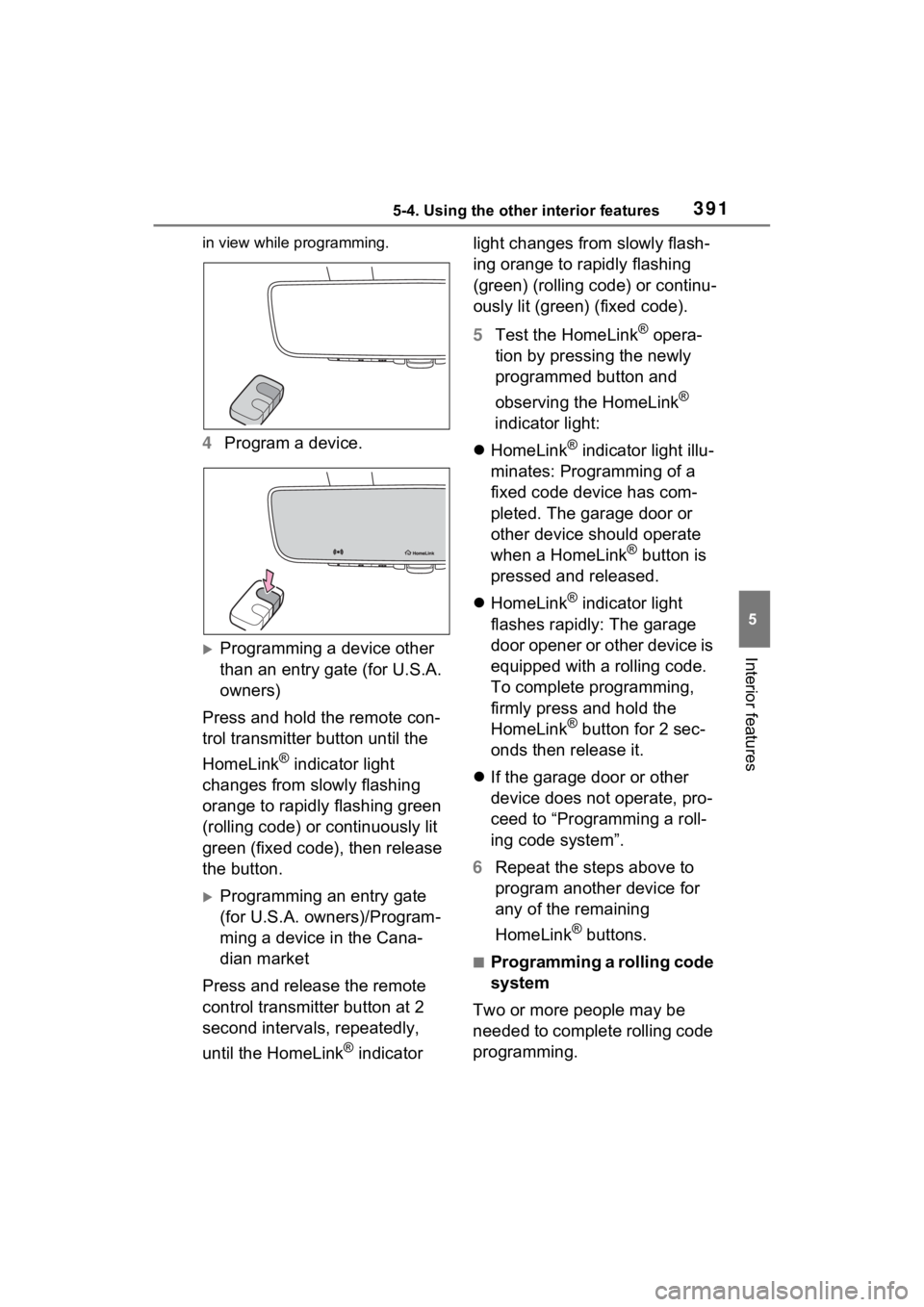
in view while programming.
4Program a device.
Programming a device other
than an entry gate (for U.S.A.
owners)
Press and hold the remote con-
trol transmitter button until the
HomeLink
® indicator light
changes from slowly flashing
orange to rapidly flashing green
(rolling code) or continuously lit
green (fixed code), then release
the button.
Programming an entry gate
(for U.S.A. owners)/Program-
ming a device in the Cana-
dian market
Press and release the remote
control transmitter button at 2
second intervals, repeatedly,
until the HomeLink
® indicator light changes from slowly flash-
ing orange to rapidly flashing
(green) (rolling code) or continu-
ously lit (green) (fixed code).
5
Test the HomeLink
® opera-
tion by pressing the newly
programmed button and
observing the HomeLink
®
indicator light:
HomeLink
® indicator light illu-
minates: Programming of a
fixed code device has com-
pleted. The garage door or
other device should operate
when a HomeLink
® button is
pressed and released.
HomeLink
® indicator light
flashes rapidly: The garage
door opener or other device is
equipped with a rolling code.
To complete programming,
firmly press and hold the
HomeLink
® button for 2 sec-
onds then release it.
If the garage door or other
device does not operate, pro-
ceed to “Programming a roll-
ing code system”.
6 Repeat the steps above to
program another device for
any of the remaining
HomeLink
® buttons.
■Programming a rolling code
system
Two or more people may be
needed to complete rolling code
programming.
Page 394 of 602
3925-4. Using the other interior features
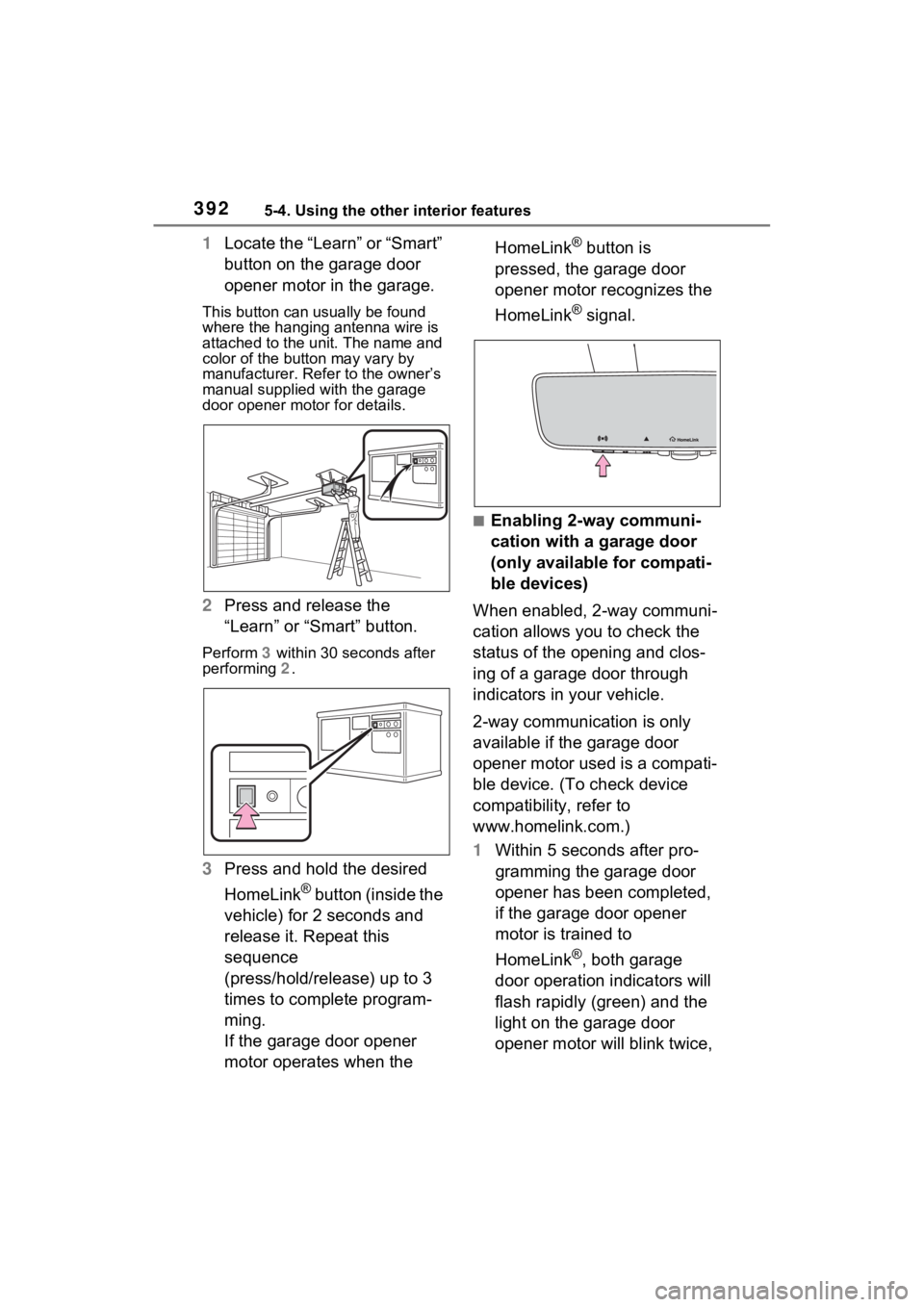
1Locate the “Learn” or “Smart”
button on the garage door
opener motor in the garage.
This button can usually be found
where the hanging antenna wire is
attached to the u nit. The name and
color of the button may vary by
manufacturer. Refer to the owner’s
manual supplied with the garage
door opener motor for details.
2 Press and release the
“Learn” or “Smart” button.
Perform 3 within 30 seconds after
performing 2.
3 Press and hold the desired
HomeLink
® button (inside the
vehicle) for 2 seconds and
release it. Repeat this
sequence
(press/hold/release) up to 3
times to complete program-
ming.
If the garage door opener
motor operates when the HomeLink
® button is
pressed, the garage door
opener motor recognizes the
HomeLink
® signal.
■Enabling 2-way communi-
cation with a garage door
(only available for compati-
ble devices)
When enabled, 2-way communi-
cation allows you to check the
status of the opening and clos-
ing of a garage door through
indicators in your vehicle.
2-way communication is only
available if the garage door
opener motor used is a compati-
ble device. (To check device
compatibility, refer to
www.homelink.com.)
1 Within 5 seconds after pro-
gramming the garage door
opener has been completed,
if the garage door opener
motor is trained to
HomeLink
®, both garage
door operation indicators will
flash rapidly (green) and the
light on the garage door
opener motor will blink twice,