steering TOYOTA SUPRA 2021 (in English) Service Manual
[x] Cancel search | Manufacturer: TOYOTA, Model Year: 2021, Model line: SUPRA, Model: TOYOTA SUPRA 2021Pages: 360, PDF Size: 10.41 MB
Page 211 of 360
2113-1. CONTROLS
3
CONTROLS
Supra Owner's Manual_U (from Jul. '20 Prod.)
When the systems in the vehicle
e.g., Speed Limit Info, detect a
change of the speed limit along
the route, this new speed value
ca be applied for the following
systems:
Manual Speed Limiter.
Cruise Control.
Dynamic radar cruise control
with full-speed range.
The speed value is suggested
as the new desired speed to be
applied. To apply the speed
value, the corresponding system
must be activated.
Via Toyota Supra Command:
1"My vehicle"
2 "Vehicle settings"
3 "Speed Assistant"
4 "Notes on speed limits"
Select the desired setting:
"adjust manually": detected
speed limit can be applied
manually.
"Show current limit": detected
speed limits are displayed in
the instrument cluster without
being applied.
"Off": Speed Limit Assist will
be switched off.
Speed Limit Assist
Concept
Safety information
WA R N I N G
The system cannot serve as a
substitute for the driver's personal
judgment in assessing the traffic
situation. Based on the limits of
the system, it cannot inde-
pendently react to all traffic situa-
tions. There i s a risk of an
accident. Adjust driving style to
traffic conditions. Watch traffic
closely and actively intervene
where appropriate.
WA R N I N G
The desired speed can be incor-
rectly adjusted or called up by
mistake. There is a risk of an acci-
dent. Adjust the desired speed to
the traffic conditions. Watch traf-
fic closely and actively intervene
where appropriate.
Overview
Buttons on the steering
wheel
ButtonFunction
Apply suggested speed
manually.
Switching on/off and
adjusting
Page 220 of 360
2203-1. CONTROLS
Supra Owner's Manual_U (from Jul. '20 Prod.)
switched on.
Keep the recording range of
the camera clear. Protruding
cargo or roof rack systems
can limit the detection range
of the camera.
More than one assistance func-
tion can be active at the same
time.
The assistance functions can be
manually activated.
1 Move the Controller to the
right, if needed.
2 With corresponding equip-
ment:
3 With corresponding equip-
ment: "Camera image"
"Parking aid lines".
Pathway lines and turning radius
lines are displayed, refer to page
220.
"Obstacle marking".
Depending on the vehicle equip-
ment, the obstacles detected by
Parking Sensors are displayed,
refer to page
221, by markings.
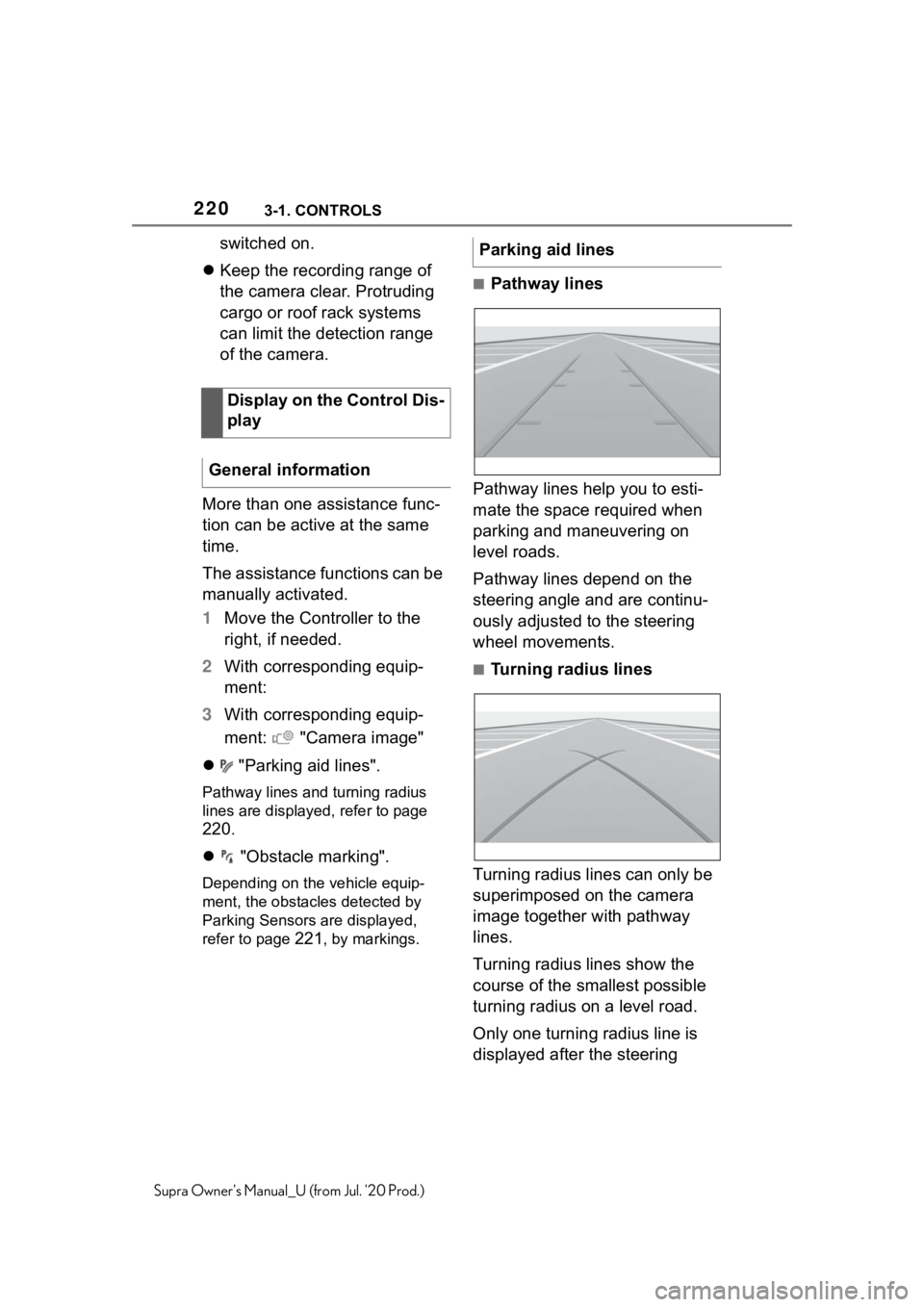
■Pathway lines
Pathway lines help you to esti-
mate the space required when
parking and maneuvering on
level roads.
Pathway lines depend on the
steering angle and are continu-
ously adjusted to the steering
wheel movements.
■Turning radius lines
Turning radius lines can only be
superimposed on the camera
image together with pathway
lines.
Turning radius lines show the
course of the smallest possible
turning radius on a level road.
Only one turning radius line is
displayed after the steering
Display on the Control Dis-
play
General information
Parking aid lines
Page 221 of 360
2213-1. CONTROLS
3
CONTROLS
Supra Owner's Manual_U (from Jul. '20 Prod.)
wheel is turned past a certain
angle.
■Parking using pathway and
turning radius lines
1 Position the vehicle so that
the red turning radius line
leads to within the limits of
the parking space.
2 Turn the steering wheel to
the point where the green
pathway line covers the cor-
responding turning radius
line.
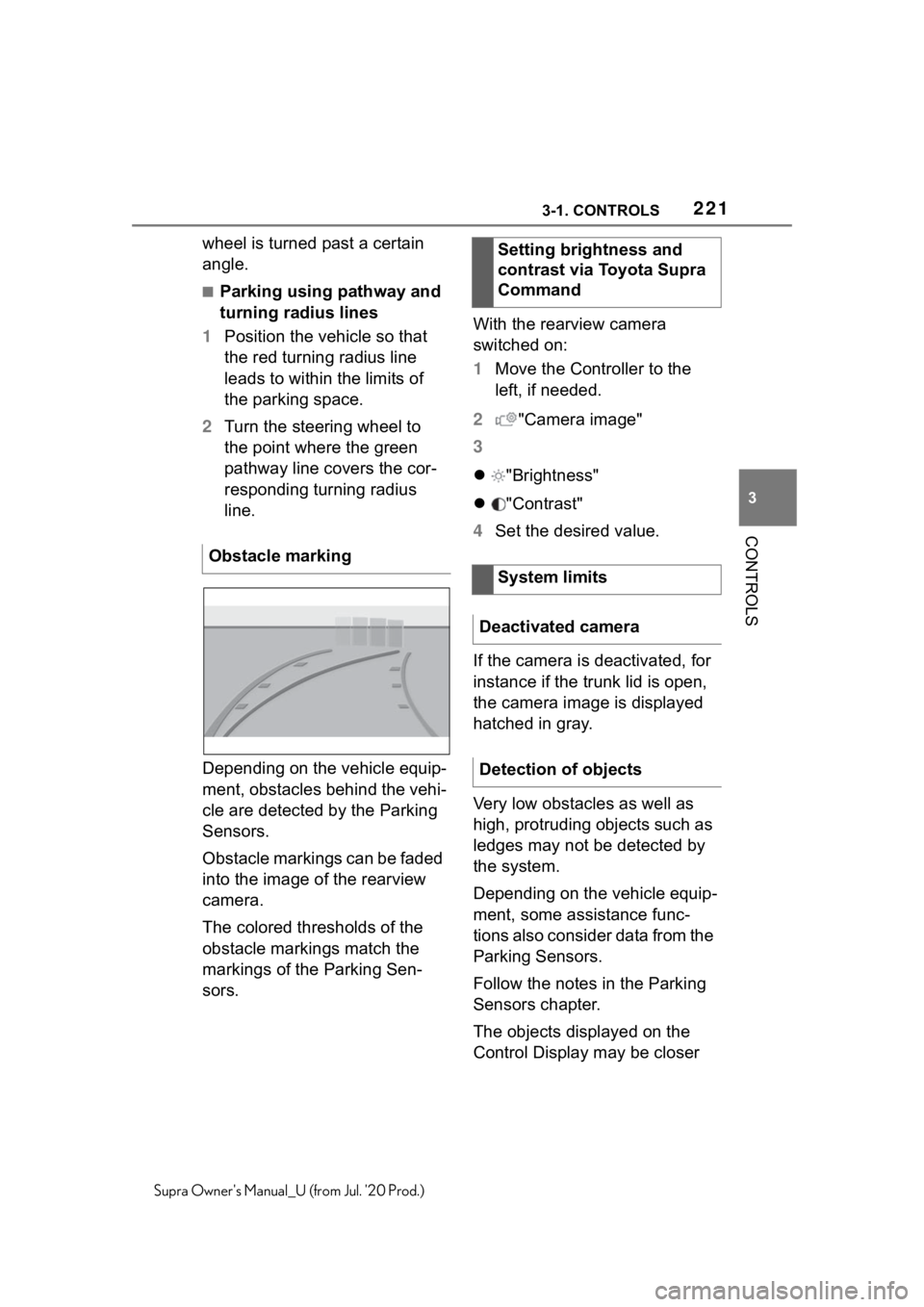
Depending on the vehicle equip-
ment, obstacles behind the vehi-
cle are detected by the Parking
Sensors.
Obstacle markings can be faded
into the image of the rearview
camera.
The colored thresholds of the
obstacle markings match the
markings of the Parking Sen-
sors. With the rearview camera
switched on:
1
Move the Controller to the
left, if needed.
2 "Camera image"
3
"Brightness"
"Contrast"
4 Set the desired value.
If the camera is deactivated, for
instance if the trunk lid is open,
the camera image is displayed
hatched in gray.
Very low obstacles as well as
high, protruding objects such as
ledges may not be detected by
the system.
Depending on the vehicle equip-
ment, some assistance func-
tions also consider data from the
Parking Sensors.
Follow the notes in the Parking
Sensors chapter.
The objects displayed on the
Control Display may be closer
Obstacle marking
Setting brightness and
contrast via Toyota Supra
Command
System limits
Deactivated camera
Detection of objects
Page 246 of 360
2463-1. CONTROLS
Supra Owner's Manual_U (from Jul. '20 Prod.)
This chapter describes all stan-
dard, country-specific and
optional features offered with
the series. It also describes fea-
tures and functions that are not
necessarily available in your
vehicle, e.g., due to the selected
options or country versions. This
also applies to safety-related
functions and systems. When
using these functions and sys-
tems, the applicable laws and
regulations must be observed.
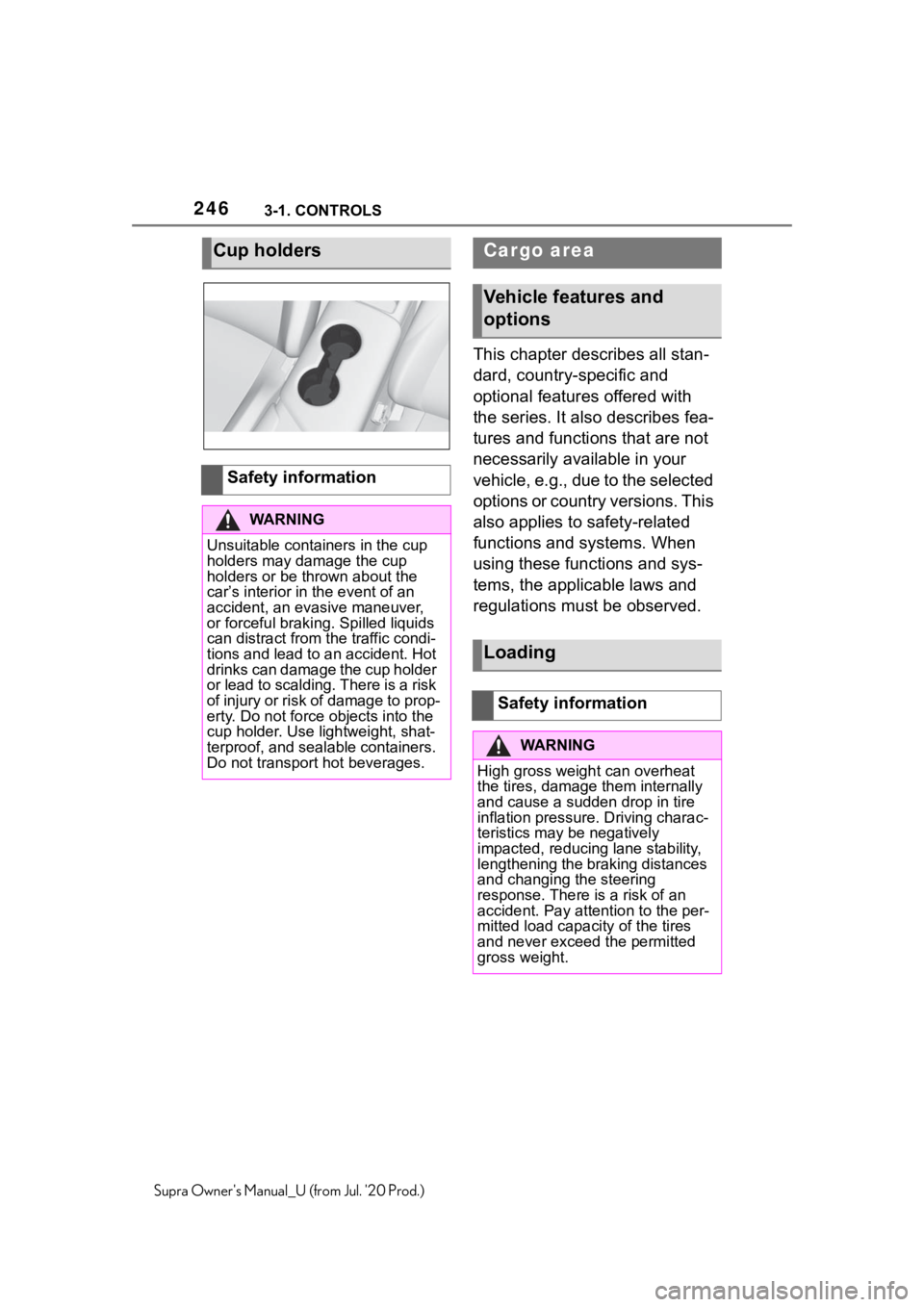
Cup holders
Safety information
WA R N I N G
Unsuitable containers in the cup
holders may damage the cup
holders or be thrown about the
car’s interior in the event of an
accident, an evasive maneuver,
or forceful braking. Spilled liquids
can distract from the traffic condi-
tions and lead to an accident. Hot
drinks can damage the cup holder
or lead to scalding. There is a risk
of injury or risk of damage to prop-
erty. Do not force objects into the
cup holder. Use lightweight, shat-
terproof, and sealable containers.
Do not transport hot beverages.
Cargo area
Vehicle features and
options
Loading
Safety information
WA R N I N G
High gross weigh t can overheat
the tires, damage them internally
and cause a sudden drop in tire
inflation pressure. Driving charac-
teristics may be negatively
impacted, reducing lane stability,
lengthening the braking distances
and changing the steering
response. There is a risk of an
accident. Pay attention to the per-
mitted load capacity of the tires
and never exceed the permitted
gross weight.
Page 254 of 360
2544-1. DRIVING TIPS
Supra Owner's Manual_U (from Jul. '20 Prod.)
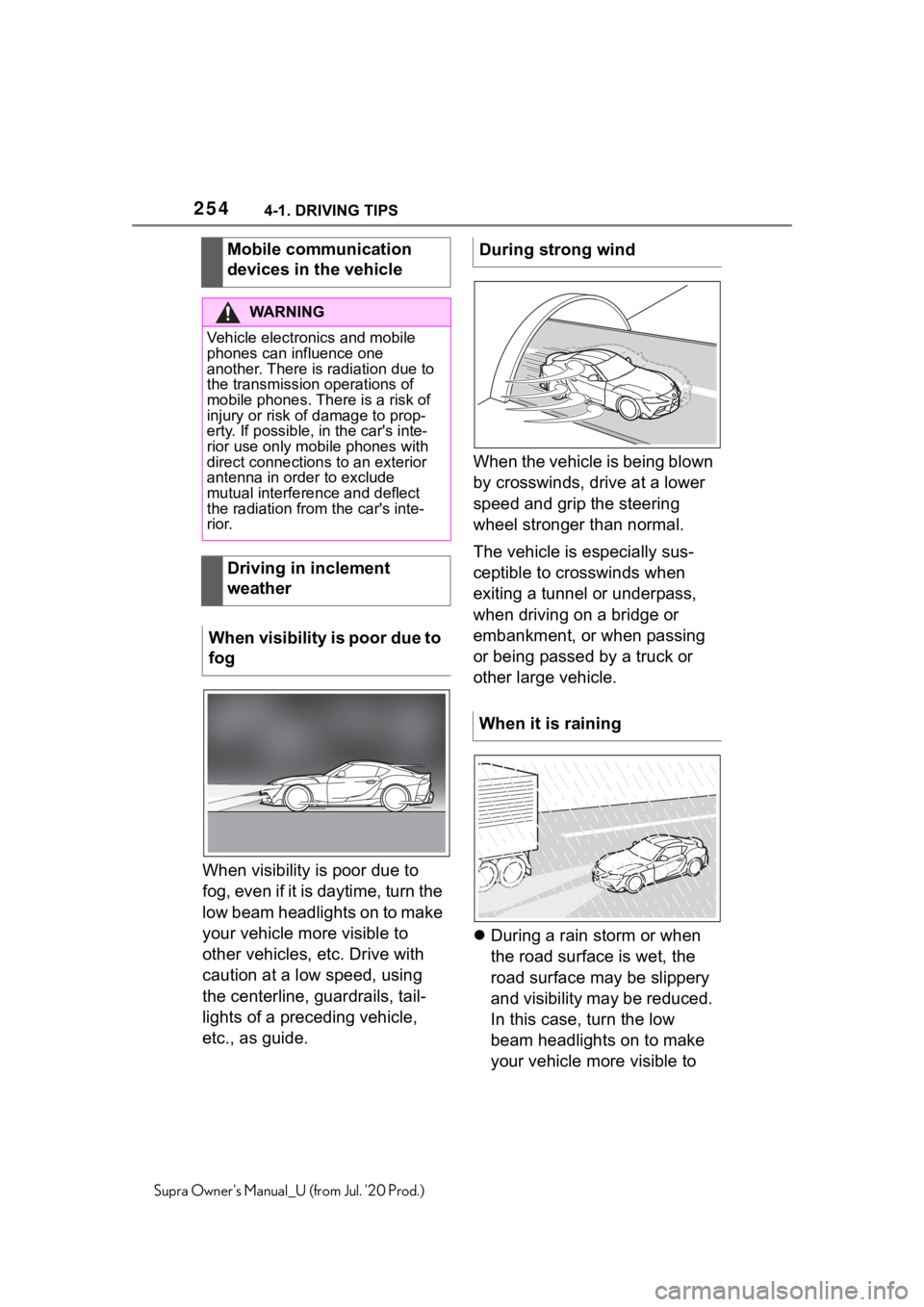
When visibility is poor due to
fog, even if it is daytime, turn the
low beam headlights on to make
your vehicle more visible to
other vehicles, etc. Drive with
caution at a low speed, using
the centerline, guardrails, tail-
lights of a preceding vehicle,
etc., as guide.When the vehicle is being blown
by crosswinds, drive at a lower
speed and grip the steering
wheel stronger than normal.
The vehicle is especially sus-
ceptible to crosswinds when
exiting a tunnel or underpass,
when driving on a bridge or
embankment, or when passing
or being passed by a truck or
other large vehicle.
During a rain storm or when
the road surface is wet, the
road surface may be slippery
and visibility may be reduced.
In this case, turn the low
beam headlights on to make
your vehicle more visible to
Mobile communication
devices in the vehicle
WA R N I N G
Vehicle electronics and mobile
phones can influence one
another. There is radiation due to
the transmission operations of
mobile phones. There is a risk of
injury or risk of
damage to prop-
erty. If possible, in the car's inte-
rior use only mobile phones with
direct connections to an exterior
antenna in ord er to exclude
mutual interference and deflect
the radiation from the car's inte-
rior.
Driving in inclement
weather
When visibility is poor due to
fog
During strong wind
When it is raining
Page 255 of 360

2554-1. DRIVING TIPS
4
DRIVING TIPS
Supra Owner's Manual_U (from Jul. '20 Prod.)
other vehicles, etc. Increase
the distance between your
vehicle and preceding vehi-
cles and drive safely at a
lower speed than normal,
avoiding sudden accelera-
tion, braking or steering oper-
ations.
Use the rear defroster and air
conditioning system to pre-
vent the windows from fog-
ging up.
Hydroplaning is more likely to
occur when driving on ruts or
through large puddles.
On wet or slushy roads, a
wedge of water can form
between the tires and road sur-
face.
This phenomenon is referred to
as hydroplaning. It is character-
ized by a partial or complete
loss of contact between the tires
and the road surface, ultimately
undermining your ability to steer
and brake the vehicle.
When driving through water, fol-
low the following:
Deactivate Auto Start/Stop
function.
Drive through calm water only.
Drive through water only if it is
not deeper than maximum 9.8
inches/25 cm.
Drive through water no faster
than walking speed, up to 3
mph/5 km/h.
The vehicle is equipped with an
Antilock Braking System ABS as
a standard feature.
Perform an emergency stop in
situations that require such.
Steering is still responsive. You
can still avoid any obstacles with
a minimum of steering effort.
Pulsation of the brake pedal and
sounds from the hydraulic cir-
cuits indicate that the Antilock
Braking System ABS is in its
active mode.
In certain braking situations, the
Hydroplaning
Driving through water
General information
Safety information
NOTICE
When driving too quickly through
too deep water, water can enter
into the engine compartment, the
electrical system or the transmis-
sion. There is a r isk of damage to
property. When driving through
water, do not exc eed the maxi-
mum indicated water level and the
maximum speed for driving
through water.
Braking safely
General information
Page 256 of 360
2564-1. DRIVING TIPS
Supra Owner's Manual_U (from Jul. '20 Prod.)
perforated brake discs can emit
functional noises. However,
functional noises have no effect
on the performance and opera-
tional reliability of the brake.
When roads are wet, salted, or
in heavy rain, gently press the
brake pedal every few miles.
Ensure that this action does not
endanger other traffic.
The heat generated during brak-
ing dries brake discs and brake
pads and protects them against
corrosion.
In this way braking efficiency will
be available when you need it.
■General information
Drive long or steep downhill gra-
dients in the gear that requires
least braking effort. Otherwise,
the brakes may overheat and
reduce brake efficiency.
You can increase the engine's
braking effect by shifting down,
going all the way to first gear, if
needed.
■Safety information
Corrosion on the brake discs
and contamination on the brake
pads are increased by the fol-
lowing circumstances:
Low mileage.
Extended periods when the
vehicle is not used at all.
Objects in the area around
the pedals
WA R N I N G
Objects in the dri
ver's floor area
can limit the peda l distance or
block a depressed pedal. There is
a risk of an accident. Stow objects
in the vehicle such that they are
secured and cannot enter into the
driver's floor area. Use floor mats
that are suitable for the vehicle
and can be safely attached to the
floor. Do not use loose floor mats
and do not layer several floor
mats. Make sure t hat there is suf-
ficient clearance for the pedals.
Ensure that the floor mats are
securely fastened again after they
were removed, fo r instance for
cleaning.
Driving in wet conditions
Hills
WA R N I N G
Light but consis tent brake pres-
sure can lead to high tempera-
tures, brakes wearing out and
possibly even brake failure. There
is a risk of an accident. Avoid
placing excessive stress on the
brake system.
WA R N I N G
In idle state or with the engine
switched off, safety functions, for
instance engine braking effect,
braking assistance and steering
assistance, may not be available.
There is a risk of accident. Do not
attempt to drive in idle state or
with the engine switched off.
Brake disc corrosion
Page 264 of 360
2645-1. MOBILITY
Supra Owner's Manual_U (from Jul. '20 Prod.)
This chapter describes all stan-
dard, country-specific and
optional features offered with
the series. It also describes fea-
tures and functions that are not
necessarily available in your
vehicle, e.g., due to the selected
options or country versions. This
also applies to safety-related
functions and systems. When
using these functions and sys-
tems, the applicable laws and
regulations must be observed.
The tire characteristics and tire
inflation pressure influence the
following:
• The service life of the tires.
• Road safety.
• Driving comfort.
• Fuel consumption.The tire inflation pressure table,
refer to page 266, contains all
tire inflation pressure specifica-
tions for the specified tire sizes
at the ambient temperature. The
tire inflation pressure values
apply to tire sizes approved by
the manufacturer of the vehicle
for the vehicle type.
To identify the correct tire infla-
tion pressure, please note the
following:
If the tire's speed code cannot
be found, then the tire inflation
pressure for the corresponding
tire size applies.
• Tire sizes of your vehicle.
• Maximum permitted driving
speed.
Wheels and tires
Vehicle features and
options
Tire inflation pressure
General information
Safety information
WA R N I N G
A tire with too little or no tire infla-
tion pressure may heat up signifi-
cantly and sustain damage. This
will have a negative impact on
aspects of handling, such as
steering and braking response.
There is a risk of an accident.
Regularly check the tire inflation
pressure, and correct it as
needed, for instance twice a
month and before a long trip.
Tire inflation pressure
specifications
In the tire inflation pressure
table
Page 274 of 360
2745-1. MOBILITY
Supra Owner's Manual_U (from Jul. '20 Prod.)
Winter tires are recommended
for operating on winter roads.
Although so-called all-season
M+S tires provide better winter
traction than summer tires, they
usually do not provide the same
level of performance as winter
tires.
If the maximum speed of the
vehicle is higher than the per-
missible speed for the winter
tires, then attach a label show-
ing the permissible maximum
speed in the field of view. The
label is available from your Toy-
ota dealer.
With winter tires mounted,
observe and do not exceed the
permissible maximum speed.Do not exceed the maximum tire
inflation pressure indicated on
the side wall of the tire.
Store wheels and tires in a cool,
dry and dark place.
Always protect tires against all
contact with oil, grease, and sol-
vents.
Do not leave tires in plastic
bags.
Remove dirt from wheels or
tires.
• Park the vehicle as far away
as possible from passing traf-
fic and on solid ground.
• Switch on the hazard warning system.
• Secure the vehicle against rolling away by setting the
parking brake.
• Turn the steering wheel until the front wheels are in the
straight-ahead position and
engage the steering wheel
lock.
• Have all vehicle occupants get out of the vehicle and
Winter tires
General information
Maximum speed of winter
tires
Rotating wheels between
axles
WA R N I N G
Rotating tires bet ween the axles
on vehicles with different tire sizes
or rim sizes on the front and rear
axles can cause damage to the
tires and the vehicle. There is a
risk of accident. D o not rotate the
tires between the axles on vehi-
cles with different tire sizes or rim
sizes on the front and rear axles.
Storing tires
Tire inflation pressure
Storage
Repairing a flat tire
Safety measures
Page 275 of 360
2755-1. MOBILITY
5
MOBILITY
Supra Owner's Manual_U (from Jul. '20 Prod.)
ensure that they remain out-
side the immediate area in a
safe place, such as behind a
guardrail.
• If necessary, set up a warning triangle at an appropriate dis-
tance.
With the Mobility System, minor
tire damage can be sealed tem-
porarily to enable continued
travel. To accomplish this, seal-
ant is pumped into the tires,
which seals the damage from
the inside.
• Follow the instructions on using the Mobility System
found on the compressor and
sealant container.
• Use of the Mobility System may be ineffective if the tire
puncture measures approx.
1/8 inches/4 mm or more.
• Contact your Toyota dealer if the tire cannot be made driv-
able.
• Do not remove foreign bodies that have penetrated the tire.
Only remove foreign objects if
they are visibly protruding
from the tire.
• Pull the speed limit sticker off the sealant container and apply it to the steering wheel.
• The use of a sealant can damage the TPM wheel elec-
tronics. In this case, have the
electronics checked and
replaced at the next opportu-
nity.
• The compressor can be used to check the tire inflation pres-
sure.
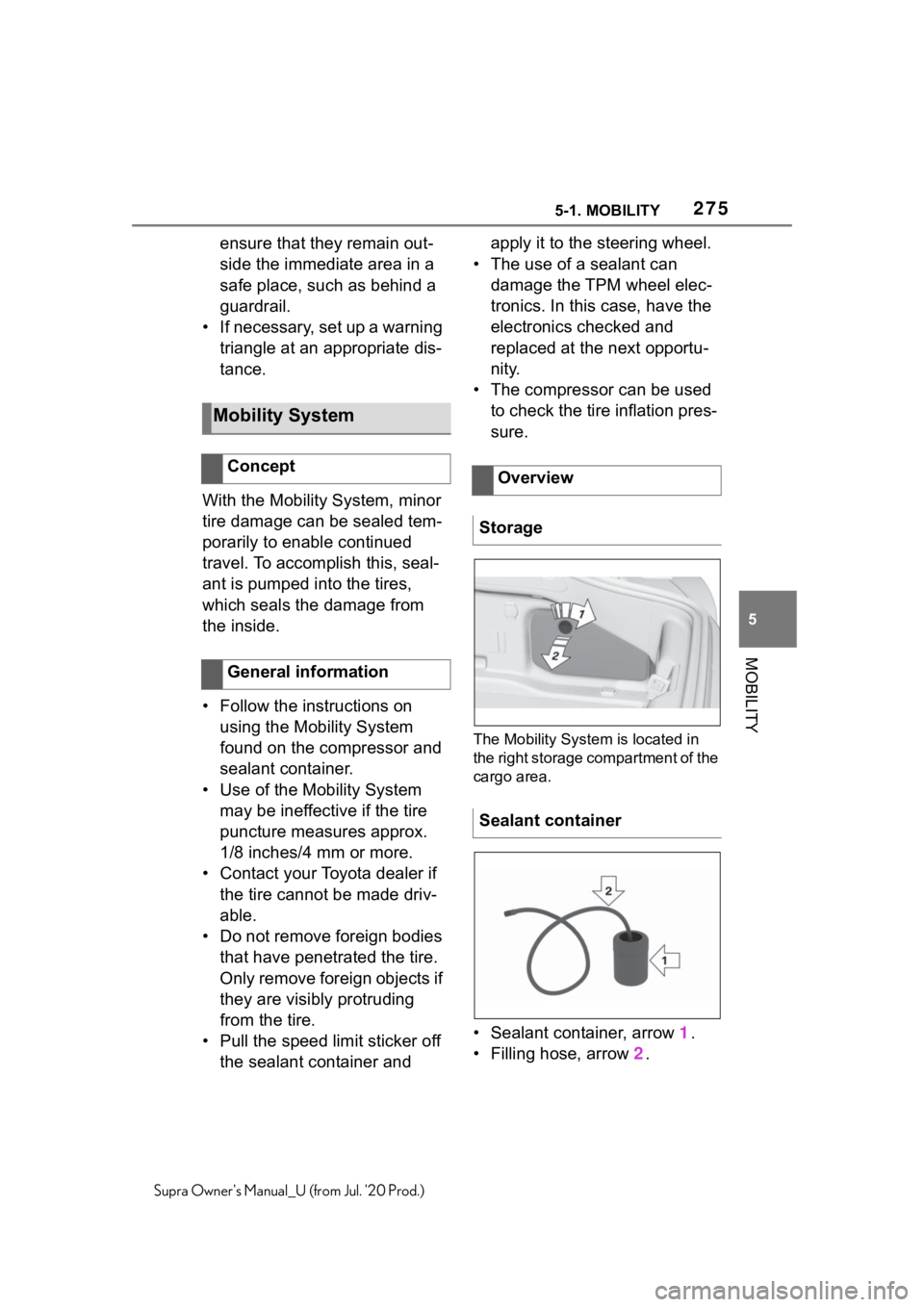
The Mobility System is located in
the right storage compartment of the
cargo area.
• Sealant container, arrow 1.
• Filling hose, arrow 2.
Mobility System
Concept
General informationOverview
Storage
Sealant container