wheel TOYOTA SUPRA 2021 (in English) Service Manual
[x] Cancel search | Manufacturer: TOYOTA, Model Year: 2021, Model line: SUPRA, Model: TOYOTA SUPRA 2021Pages: 360, PDF Size: 10.41 MB
Page 189 of 360
1893-1. CONTROLS
3
CONTROLS
Supra Owner's Manual_U (from Jul. '20 Prod.)
tems can be individually config-
ured. The individual settings are
activated and stored for the
driver profile currently used. As
soon as a setting is changed on
the menu, all settings of the
menu are activated.
The following settings are
switched between:
"ALL ON": all Toyota Supra
Safety systems are switched on.
Basic settings are activated for
the subfunctions.
"Customized": the Toyota Supra
Safety systems are switched on
according to the individual set-
tings.
Some Toyota Supra Safety sys-
tems cannot be individually
switched off.
All Toyota Supra Safety systems
are switched off.Via Toyota Supra Command:
1
"My Vehicle"
2 "Vehicle settings"
3 "Toyota Supra Safety"
4 "Blind spot monitor"
5 Select the desired setting.
"Off": with this setting, no warning is
output.
The setting is stored for the
driver profile currently used.
Via Toyota Supra Command:
1"My Vehicle"
2 "Vehicle settings"
3 "Steering wheel vibration"
4 Select the desired setting.
The setting is applied to all Toy-
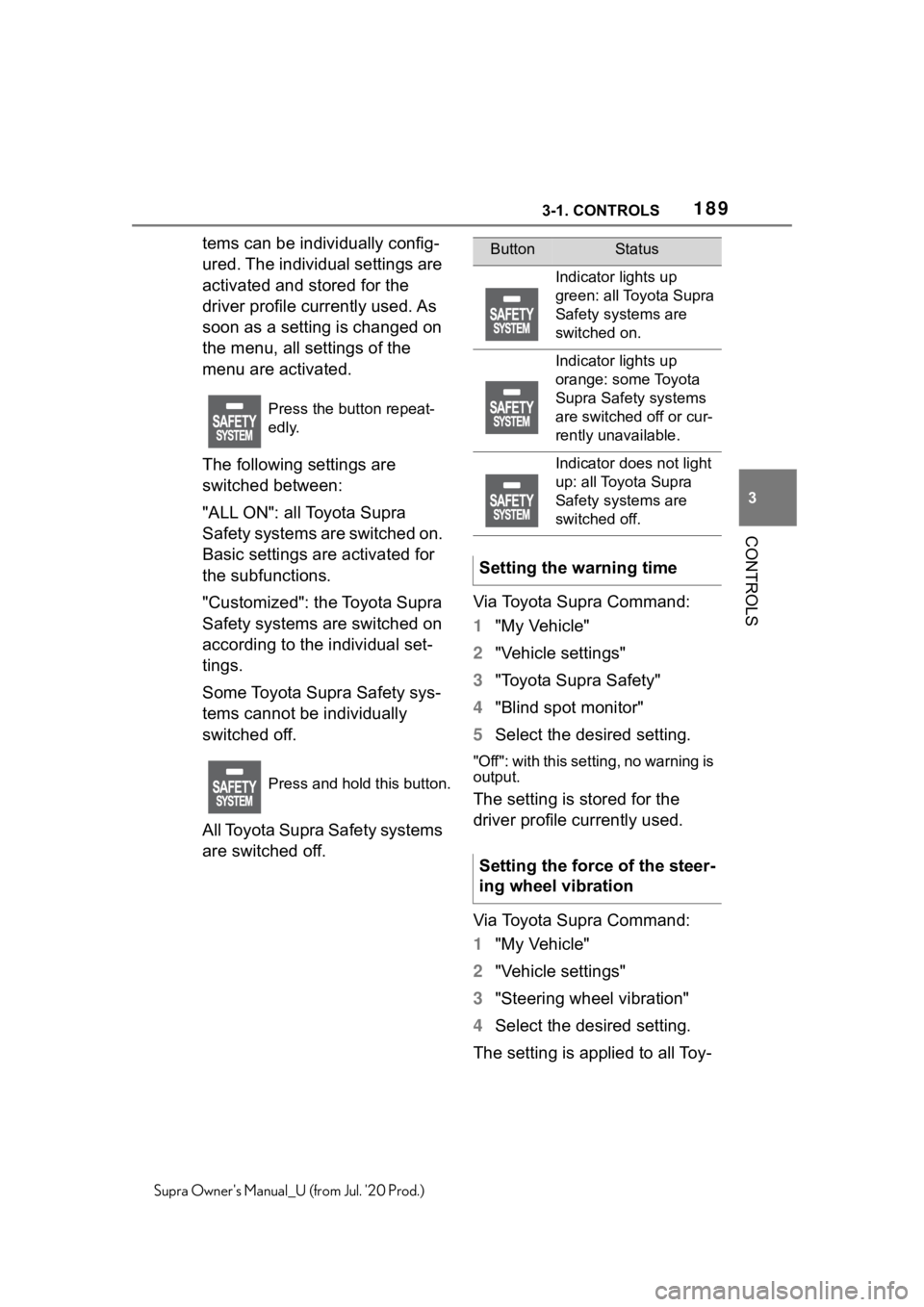
Press the button repeat-
edly.
Press and hold this button.
ButtonStatus
Indicator lights up
green: all Toyota Supra
Safety systems are
switched on.
Indicator lights up
orange: some Toyota
Supra Safety systems
are switched off or cur-
rently unavailable.
Indicator does not light
up: all Toyota Supra
Safety systems are
switched off.
Setting the warning time
Setting the force of the steer-
ing wheel vibration
Page 190 of 360
1903-1. CONTROLS
Supra Owner's Manual_U (from Jul. '20 Prod.)
ota Supra Safety systems and
stored for the driver profile cur-
rently used.
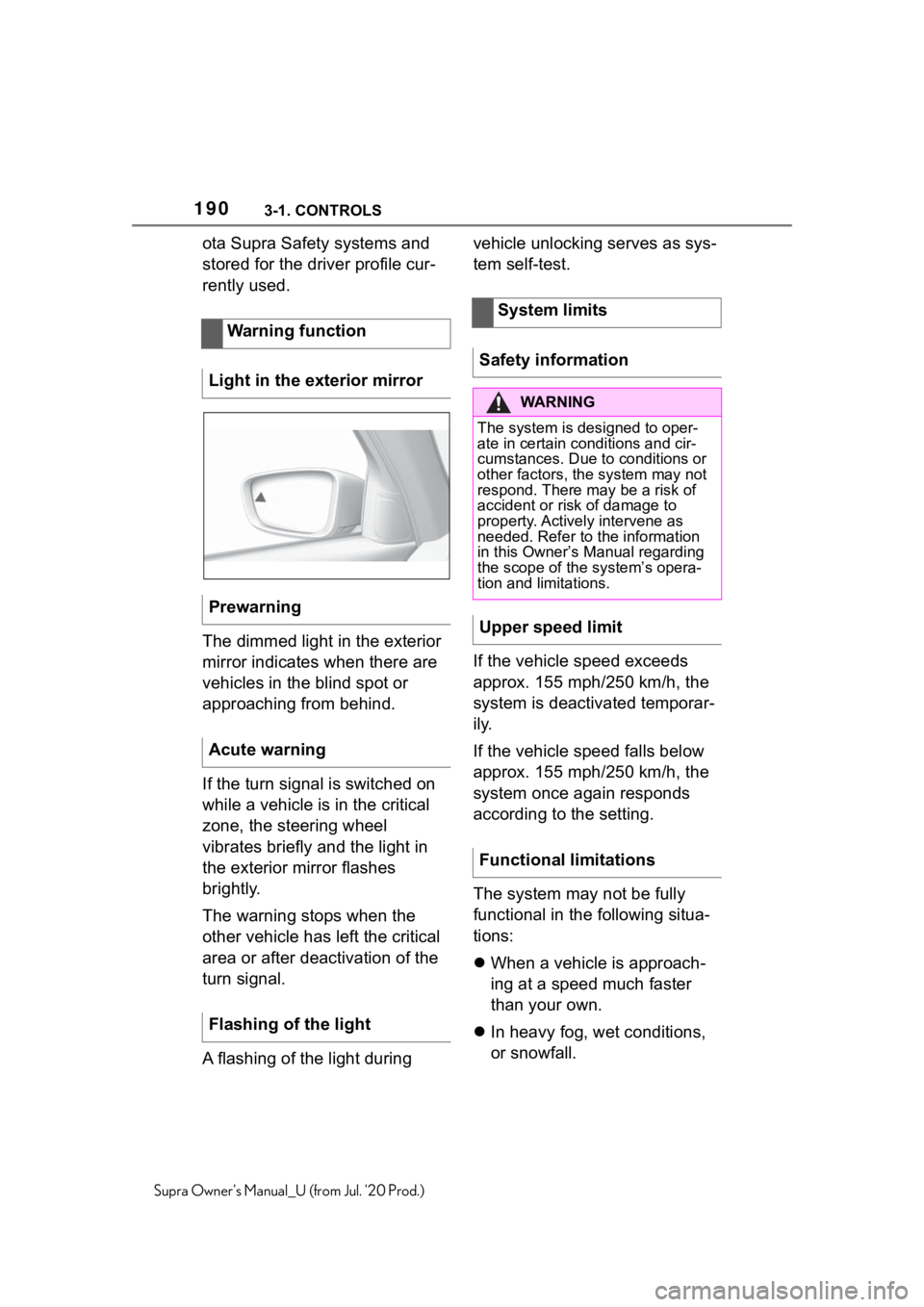
The dimmed light in the exterior
mirror indicates when there are
vehicles in the blind spot or
approaching from behind.
If the turn signal is switched on
while a vehicle is in the critical
zone, the steering wheel
vibrates briefly and the light in
the exterior mirror flashes
brightly.
The warning stops when the
other vehicle has left the critical
area or after deactivation of the
turn signal.
A flashing of the light during vehicle unlocking serves as sys-
tem self-test.
If the vehicle speed exceeds
approx. 155 mph/250 km/h, the
system is deactivated temporar-
ily.
If the vehicle speed falls below
approx. 155 mph/250 km/h, the
system once again responds
according to the setting.
The system may not be fully
functional in the following situa-
tions:
When a vehicle is approach-
ing at a speed much faster
than your own.
In heavy fog, wet conditions,
or snowfall.
Warning function
Light in the exterior mirror
Prewarning
Acute warning
Flashing of the light
System limits
Safety information
WA R N I N G
The system is designed to oper-
ate in certain conditions and cir-
cumstances. Due to conditions or
other factors, the system may not
respond. There may be a risk of
accident or risk of damage to
property. Actively intervene as
needed. Refer to the information
in this Owner’s Manual regarding
the scope of the system’s opera-
tion and limitations.
Upper speed limit
Functional limitations
Page 193 of 360
1933-1. CONTROLS
3
CONTROLS
Supra Owner's Manual_U (from Jul. '20 Prod.)
mendation to take a break can-
not be displayed until after
approximately 45 minutes.
The function may be limited in
the following situations and may
be output an incorrect warning
or no warning at all.
When the clock is set incor-
rectly.
When the vehicle speed is
mainly below about 43
mph/70 km/h.
With a sporty driving style,
such as during rapid accelera-
tion or when cornering fast.
In active driving situations,
such as when changing lanes
frequently.
When the road surface is
poor.
In the event of strong side
winds.
The system is reset approx. 45
minutes after parking the vehi-
cle, for instance in the case of a
break during longer trips on
highways. This chapter describes all stan-
dard, country-specific and
optional features offered with
the series. It also describes fea-
tures and functions that are not
necessarily available in your
vehicle, e.g., due to the selected
options or country versions. This
also applies to safety-related
functions and systems. When
using these functions and sys-
tems, the applicable laws and
regulations must be observed.
ABS prevents locking of the
wheels during braking.
The vehicle maintains its steer-
ing power even during full brake
applications, which increases
the active safety.
ABS is operational
every time
you start the engine.
Situations which the ABS can-
not operate sufficiently:
When entering a curve at an
excessively high rate of speed
System limitsDriving stability con-
trol systems
Vehicle features and
options
Anti-lock Braking System
ABS
Page 194 of 360
1943-1. CONTROLS
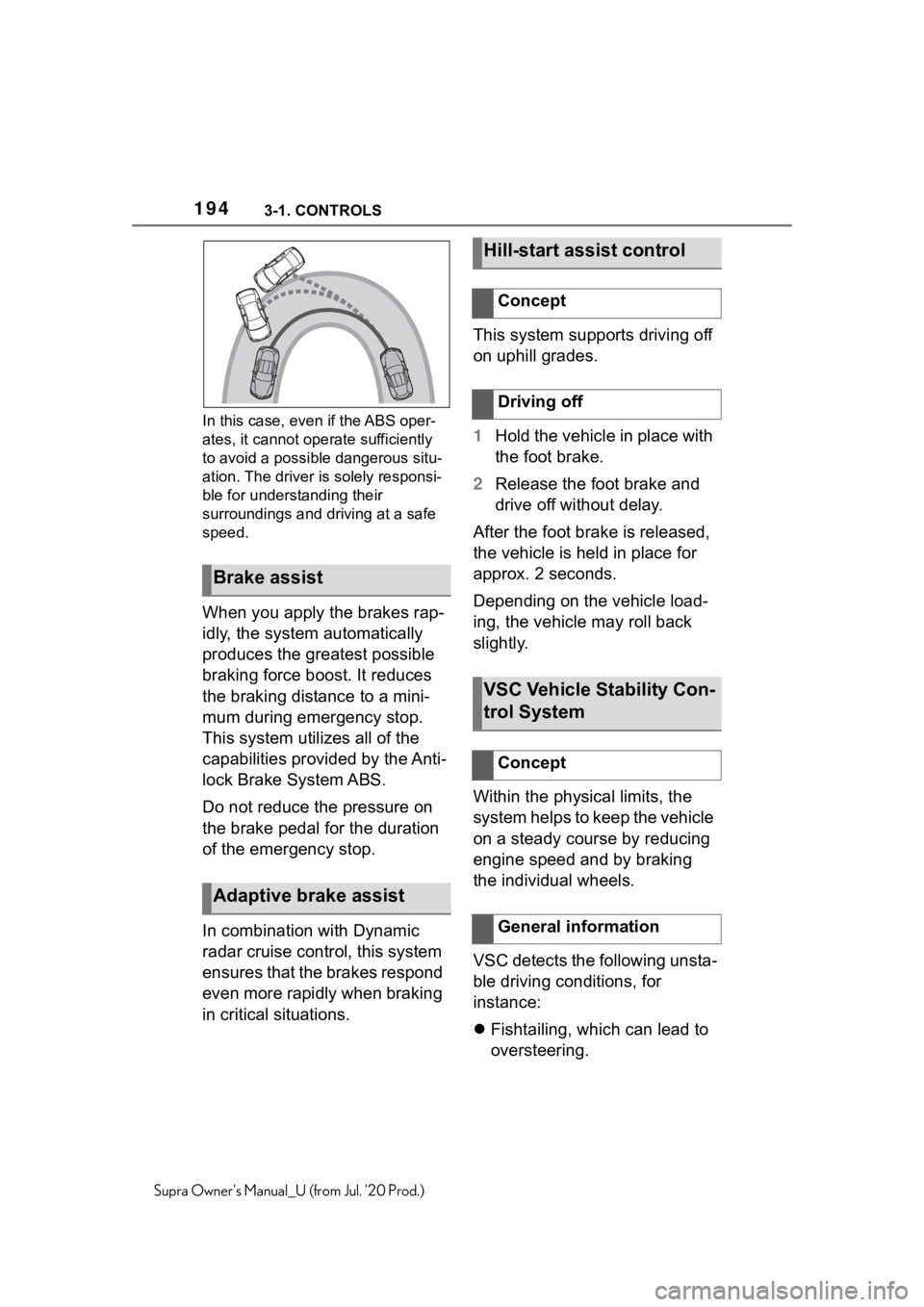
Supra Owner's Manual_U (from Jul. '20 Prod.)In this case, even if the ABS oper-
ates, it cannot oper
ate sufficiently
to avoid a possible dangerous situ-
ation. The driver is solely responsi-
ble for understanding their
surroundings and driving at a safe
speed.
When you apply the brakes rap-
idly, the system automatically
produces the greatest possible
braking force boost. It reduces
the braking distance to a mini-
mum during emergency stop.
This system utilizes all of the
capabilities provided by the Anti-
lock Brake System ABS.
Do not reduce the pressure on
the brake pedal for the duration
of the emergency stop.
In combination with Dynamic
radar cruise control, this system
ensures that the brakes respond
even more rapidly when braking
in critical situations. This system supports driving off
on uphill grades.
1
Hold the vehicle in place with
the foot brake.
2 Release the foot brake and
drive off without delay.
After the foot brake is released,
the vehicle is held in place for
approx. 2 seconds.
Depending on the vehicle load-
ing, the vehicle may roll back
slightly.
Within the physical limits, the
system helps to keep the vehicle
on a steady course by reducing
engine speed and by braking
the individual wheels.
VSC detects the following unsta-
ble driving conditions, for
instance:
Fishtailing, which can lead to
oversteering.
Brake assist
Adaptive brake assist
Hill-start assist control
Concept
Driving off
VSC Vehicle Stability Con-
trol System
Concept
General information
Page 195 of 360
1953-1. CONTROLS
3
CONTROLS
Supra Owner's Manual_U (from Jul. '20 Prod.)
Loss of traction of the front
wheels, which can lead to
understeering.
When VSC is deactivated, driv-
ing stability is reduced during
acceleration and when driving in
curves.
To increase vehicle stability,
activate VSC again as soon as
possible.
When VSC is deactivated, VSC
OFF is displayed in the instru-
ment cluster.
Safety information
WA R N I N G
The system cannot serve as a
substitute for the driver’s personal
judgment in assessing the traffic
conditions. Based on the limits of
the system, it cannot inde-
pendently react to all traffic situa-
tions. There is a
risk of accident.
Adjust driving style to traffic condi-
tions. Watch traffic closely and
actively intervene where appropri-
ate.
WA R N I N G
When driving with a roof load, for
instance with roof-mounted lug-
gage rack, the vehicle's center of
gravity is higher, which increases
the risk of the vehicle tipping in
critical driving situations. There is
a risk of accidents or risk of dam-
age to property. Do not deactivate
VSC Vehicle Stability Control Sys-
tem when driving with roof load.
Overview
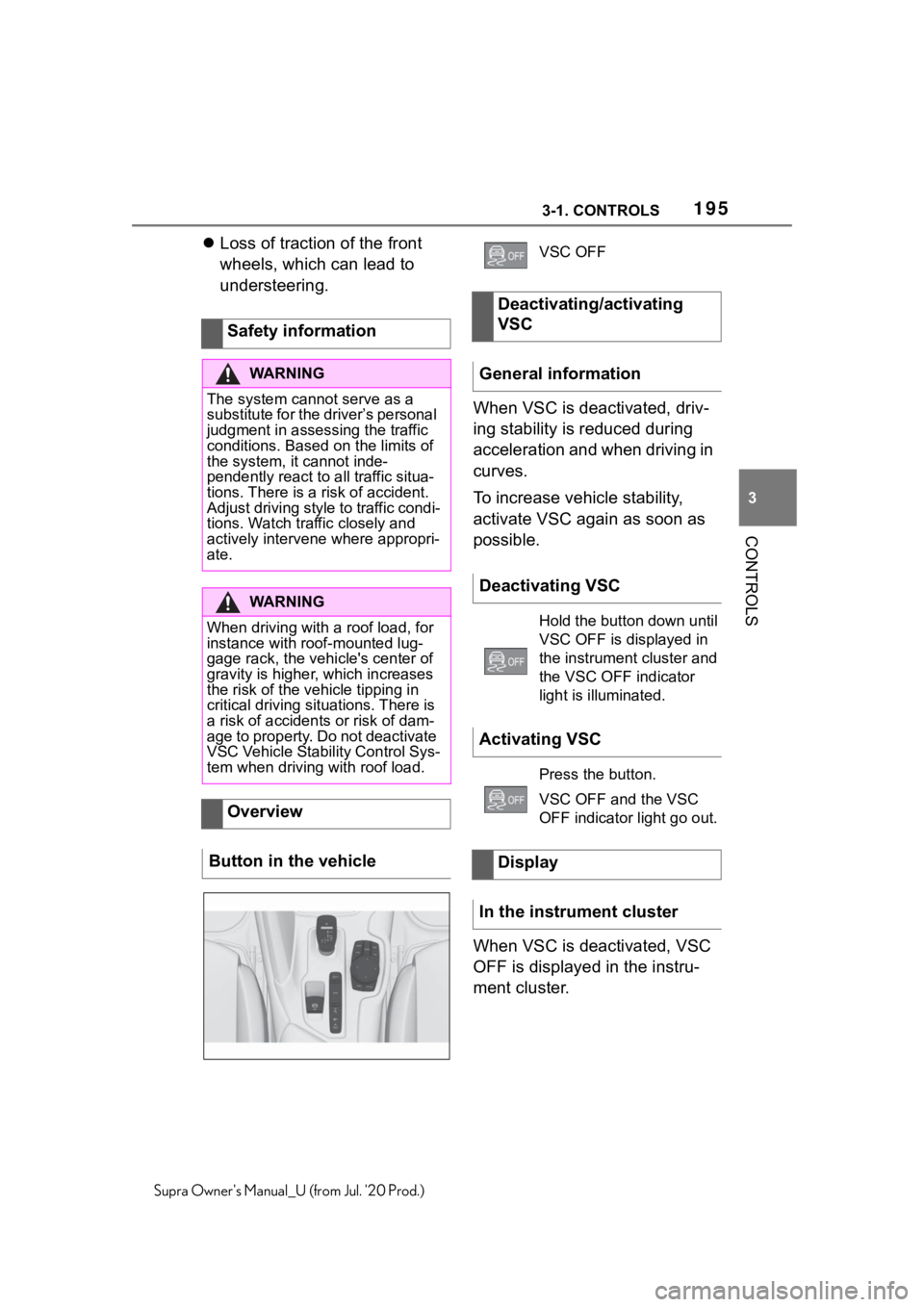
Button in the vehicle
VSC OFF
Deactivating/activating
VSC
General information
Deactivating VSC
Hold the button down until
VSC OFF is displayed in
the instrument cluster and
the VSC OFF indicator
light is illuminated.
Activating VSC
Press the button.
VSC OFF and the VSC
OFF indicator light go out.
Display
In the instrument cluster
Page 197 of 360
1973-1. CONTROLS
3
CONTROLS
Supra Owner's Manual_U (from Jul. '20 Prod.)
If Traction mode is activated,
TRACTION is displayed in the
instrument cluster.
In certain situations, the VSC is
activated automatically:
If Dynamic radar cruise con-
trol with full-speed range is
activated.
On a braking intervention by
the Toyota Supra Safety sys-
tems.
The vehicle has a flat tire.
*: if equipped
The active differential step-
lessly locks the rear axle
depending on the driving condi-
tions. This provides optimal
power transfer in all driving con-
ditions by helping prevent wheel
spin at either rear wheel.
The driver is responsible adapt-
ing his or her driving style to the
situation.
Activating/deactivating
Traction mode
Activating Traction mode
Press the button.
TRACTION is displayed in
the instrument cluster and
the indicator light for VSC
OFF lights up.
Deactivating Traction mode
Press the button again.
TRACTION and the VSC
OFF indicator light go out.
Display
Display in the instrument
cluster
Indicator/warning lights
The indicator light lights
up: Traction mode is acti-
vated.
Automatic program
change
Active differential*
Page 198 of 360
1983-1. CONTROLS
Supra Owner's Manual_U (from Jul. '20 Prod.)
This chapter describes all stan-
dard, country-specific and
optional features offered with
the series. It also describes fea-
tures and functions that are not
necessarily available in your
vehicle, e.g., due to the selected
options or country versions. This
also applies to safety-related
functions and systems. When
using these functions and sys-
tems, the applicable laws and
regulations must be observed.
*: if equipped
Using this system, a desired
speed can be adjusted using the
buttons on the steering wheel.
The system maintains the
desired speed. The system
accelerates and brakes auto-
matically as needed.
The system can be activated
starting at 20 mph/30 km/h.
Depending on the vehicle set-
tings, the characteristics of the Cruise Control may change.
Driver assistance sys-
tems
Vehicle features and
options
Cruise control*
Concept
General information
Safety information
WA R N I N G
The system cannot serve as a
substitute for the driver’s personal
judgment in assessing the traffic
conditions. Based on the limits of
the system, it cannot inde-
pendently react to all traffic situa-
tions. There is a risk of accident.
Adjust driving style to traffic condi-
tions. Watch traffic closely and
actively intervene where appropri-
ate.
WA R N I N G
The use of the system can lead to
an increased risk of accidents in
the following situations, for
instance:
●On winding roads.
●In heavy traffic.
●On slippery roads, in fog, snow,
or wet conditions, or on a loose
road surface.
There is a risk of accidents or risk
of damage to property. Only use
the system if driving at constant
speed is possible.
WA R N I N G
The desired speed can be incor-
rectly adjusted or called up by
mistake. There is a risk of an acci-
dent. Adjust the desired speed to
the traffic conditions. Watch traf-
fic closely and actively intervene
where appropriate.
Page 199 of 360
1993-1. CONTROLS
3
CONTROLS
Supra Owner's Manual_U (from Jul. '20 Prod.)
The indicator will come on.
Cruise control is active. The cur-
rent speed is maintained and
stored as desired speed.
VSC Vehicle Stability Control
System is switched on, if neces-
sary.The displays go out. The stored
desired speed is deleted.
The system is automatically
interrupted in the following situa-
tions, for example:
When the driver applies the
brakes.
When selector lever position
D is disengaged.
Traction mode is activated or
VSC Vehicle Stability Control
System is deactivated.
If VSC Vehicle Stability Con-
trol System intervenes.
Overview
Buttons on the steering
wheel
ButtonFunction
Cruise control on/off,
refer to page 199.
Press the button with
the system interrupted:
Continue cruise control
with the last setting,
refer to page 201.
When active, press the
button: Pause cruise
control, refer to page
199.
Store current speed.
Rocker switch:
Set speed, refer to
page 200.
Switching cruise control
on/off
Switching on
Press the button on the
steering wheel.
Switching off
Press the button on the
steering wheel.
Pausing cruise control
Interrupting manually
When active, press the
button.
Interrupting automatically
Page 202 of 360
2023-1. CONTROLS
Supra Owner's Manual_U (from Jul. '20 Prod.)
*: if equipped
Using this system, a desired
speed and a distance to a vehi-
cle ahead can be adjusted using
the buttons on the steering
wheel.
The system maintains the
desired speed on clear roads.
For this purpose, the vehicle
accelerates or brakes automati-
cally.
If a vehicle is driving ahead of
you, the system adjusts the
speed of your vehicle so that the
set distance to the vehicle
ahead is maintained. The speed
is adjusted as far as the given
situation allows.
A radar sensor is located in the
front bumper and a camera on
the interior mirror to detect vehi-
cles driving ahead of you.
Depending on the vehicle set-
tings, the characteristics of the
Cruise Control may change.
The distance can be adjusted in
several steps. For safety rea-
sons, it depends on the respec-
tive speed.If the vehicle ahead of you
brakes to a halt, and then pro-
ceeds to drive again within a
brief period, the system is able
to detect this within the given
system limits.
Dynamic radar cruise
control with full-speed
range*
Concept
General information
Safety information
WA R N I N G
The system cannot serve as a
substitute for the driver’s personal
judgment in assessing the traffic
conditions. Based on the limits of
the system, it cannot inde-
pendently react to all traffic situa-
tions. There is a risk of accident.
Adjust driving style to traffic condi-
tions. Watch traffic closely and
actively intervene where apaprk-
ing sensorspropriate.
WA R N I N G
An unsecured vehicle can begin
to move and possibly roll away.
There is a risk of an accident.
Before exiting, secure the vehicle
against rolling.
In order to ensure that the vehicle
is secured against rolling away,
follow the following:
●Set the parking brake.
●On uphill grades
or on a down-
hill slope, turn the front wheels
in the direction of the curb.
●On uphill grades or on a down-
hill slope, also secure the vehi-
cle, for instanc e with a wheel
chock.
Page 203 of 360
2033-1. CONTROLS
3
CONTROLS
Supra Owner's Manual_U (from Jul. '20 Prod.)
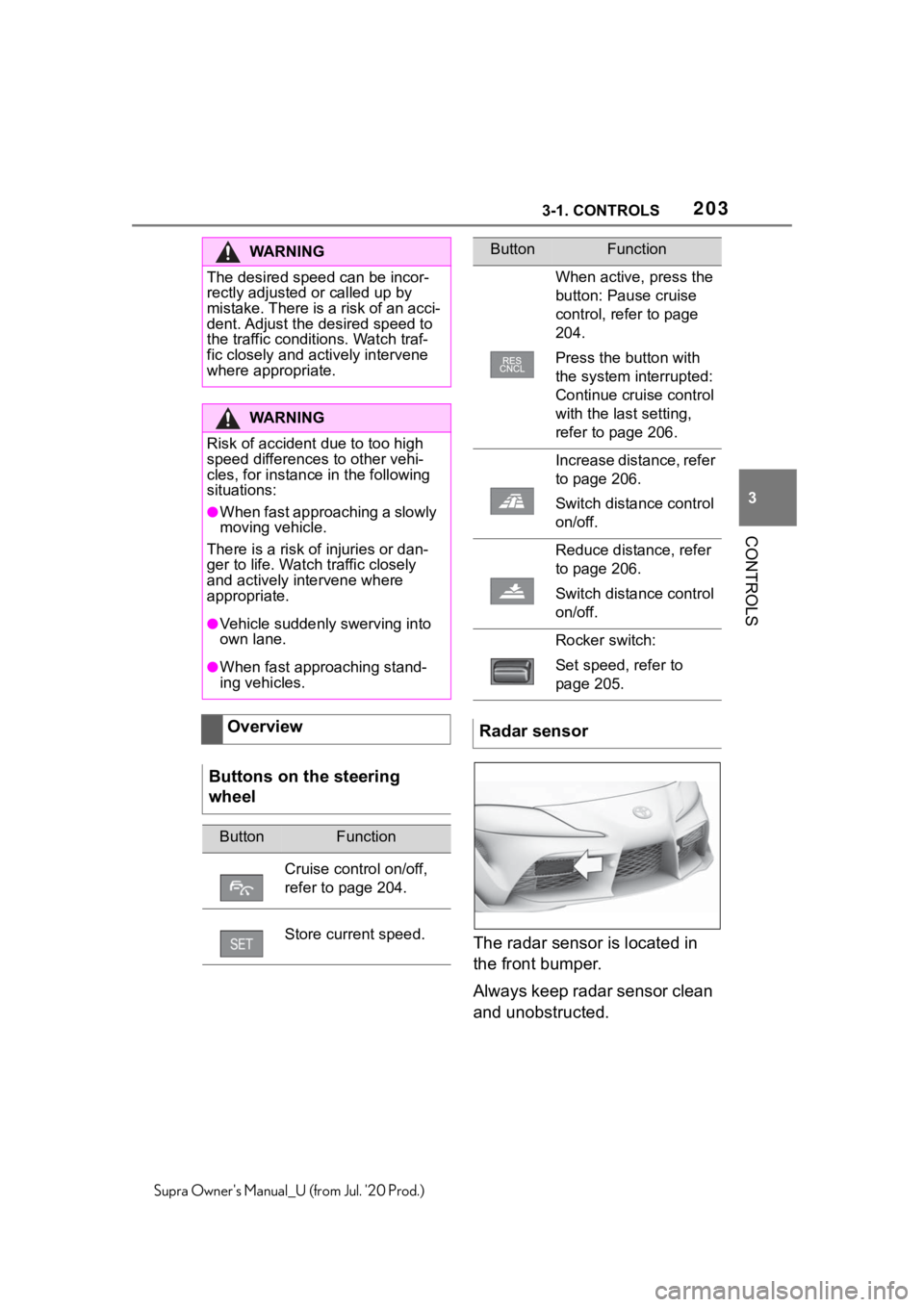
The radar sensor is located in
the front bumper.
Always keep radar sensor clean
and unobstructed.
WA R N I N G
The desired speed can be incor-
rectly adjusted or called up by
mistake. There is a risk of an acci-
dent. Adjust the desired speed to
the traffic conditions. Watch traf-
fic closely and actively intervene
where appropriate.
WA R N I N G
Risk of accident due to too high
speed differences to other vehi-
cles, for instance in the following
situations:
●When fast approaching a slowly
moving vehicle.
There is a risk o f injuries or dan-
ger to life. Watch traffic closely
and actively intervene where
appropriate.
●Vehicle suddenly swerving into
own lane.
●When fast approaching stand-
ing vehicles.
Overview
Buttons on the steering
wheel
ButtonFunction
Cruise control on/off,
refer to page 204.
Store current speed.
When active, press the
button: Pause cruise
control, refer to page
204.
Press the button with
the system interrupted:
Continue cruise control
with the last setting,
refer to page 206.
Increase distance, refer
to page 206.
Switch distance control
on/off.
Reduce distance, refer
to page 206.
Switch distance control
on/off.
Rocker switch:
Set speed, refer to
page 205.
Radar sensor
ButtonFunction