radio TOYOTA SUPRA 2022 User Guide
[x] Cancel search | Manufacturer: TOYOTA, Model Year: 2022, Model line: SUPRA, Model: TOYOTA SUPRA 2022Pages: 498, PDF Size: 104.06 MB
Page 77 of 498
75
3
3-1. CONTROLS
CONTROLS
This chapter describes all standard,
country-specific and special equip-
ment available for the model series.
It may therefore describe equip-
ment which is not installed in your
vehicle, for exampl e on account of
the special equipment selected or
the country specific ation. This also
applies to safety-relevant functions
and systems. Please comply with
the relevant laws and regulations
when using the corresponding func-
tions and systems.
The vehicle offers various functions
which require data to be transferred
to Toyota or a service provider. The
transfer of data can be deactivated
for some functions.
If data transfer has been deacti-
vated for a function, then that func-
tion cannot be used.
Only perform settings with the vehi-
cle at a standstill.
Follow the instruct ions on the Con-
trol Display.
Via Toyota Supra Command:
1 "My Vehicle"
2 "System settings"
3 "Data privacy"
4 Select the desired setting.
Depending on use, the vehicle
stores personal data such as saved
radio stations. This personal data
can be permanently deleted using
Toyota Supra Command.
Depending on the equipment in
your vehicle, the following data can
be deleted:
• Driver profile settings.
• Saved radio stations.
• Saved Favourites buttons.
• Trip and on-board computer val-
ues.
• Music hard disc.
• Navigation, for example saved
destinations.
• Phone book.
• Online data, for example Favour-
ites, cookies.
• Office data, for example voice
Personal settings
Vehicle equipment
Data protection
Data transfer
Principle
General
Activating/deactivating
Deleting persona l data in the
vehicle
Principle
General
Page 79 of 498
77
3
3-1. CONTROLS
CONTROLS
files.
To ensure that the correct driver
profile can be set, the system must
be able to allocate the detected
remote control uniquely to the
driver.
This is ensured if the following con-
ditions are met:
• The driver is only carrying their
own remote control.
• The driver unlocks the vehicle.
• The driver enters the vehicle
through the driver's door.
The name of the currently used
driver profile is displayed when the
Control Display is switched on.
Select a driver profile, see page 77.
As soon as the engine is started or
any button pressed, the display
selected last is shown on the Con-
trol Display.
To cancel the welcome screen via
Toyota Supra Command: "OK"
Settings for the following systems
and functions are saved in the cur-
rently used driv er profile. Which
settings can be saved depends on
the country and equipment.
• Unlocking and locking.
•Lights.
• Air conditioning.
• Radio.
• Instrument cluster.
• Favourites buttons.
• Volumes, sound.
• Control Display.
• Parking Sensors.
• Rear-view camera.
• Head-Up Display.
• Sport mode switch.
• Seat position, exterior mirror
position
The positions set via the seat memory
and the last position set are saved.
• Cruise Control.
• Toyota Supra Safety.
Regardless of which remote control
is currently being used, it is possi-
ble to call up a different driver pro-
file. This enables the personal
vehicle settings to be called up,
even if the vehicle was not
unlocked with the driver's own
remote control.
Via Toyota Supra Command:
1 "My Vehicle"
2 "Driver profiles"
3 Select a driver profile.
4 "OK"
• The settings saved in the
selected driver profile are
applied automatically.
Operating requirements
Currently used driver profile
Settings
Profile management
Selecting a driver profile
Page 86 of 498
843-1. CONTROLS
• Protect the USB device from
mechanical damage.
• Due to the large variety of USB
devices available on the market,
operation via the vehicle cannot
be ensured for every device.
• Do not expose the USB devices
to extreme environmental condi-
tions, for example very high tem-
peratures, see the operating
instructions of the device.
• Due to the large variety of differ-
ent compression techniques,
correct playback of the media
stored on the USB device cannot
be guaranteed in every case.
• To ensure correc t transfer of the
stored data, do not charge a
USB device from the socket in
the vehicle when the device is
also connected to the USB port.
• Depending on how the USB
device is being used, it may be
necessary to perform settings on
the USB device, see the operat-
ing instructions of the device.
Unsuitable USB devices:
• USB hard drives.
• USB hubs.
• USB memory card reader with
several inserts.
• HFS-formatted USB devices.
• Devices such as fans or lamps.
Compatible device with USB port.
The USB device is displayed in the
device list, see page 86.
*: if equipped
CarPlay makes it po ssible to oper-
ate certain functions of a compati-
ble Apple iPhone by Siri voice
operation and using Toyota Supra
Command.
• Compatible iPhone.
iPhone 5 or later with iOS 7.1 or later.
• Corresponding mobile radio con-
tract.
• Bluetooth, WLAN and Siri voice
operation are activated on the
iPhone.
• Booking of the Toyota Supra
Connect service: Apple CarPlay
preparation.
Via Toyota Supra Command:
1 "My Vehicle"
2 "System settings"
3 "Mobile devices"
4 "Settings"
5 Select the following settings:
Operating requirements
Connecting a device
Apple CarPlay preparation*
Principle
Operating requirements
Switching on Bluetooth and
CarPlay
Page 95 of 498
93
3
3-1. CONTROLS
CONTROLS
Additional remote controls are
available from any authorized
Toyota retailer or Toyota authorized
repairer, or any reliable repairer.
A lost remote control can be
blocked and replaced by any
authorized Toyota retailer or Toyota
authorized repairer, or any reliable
repairer.
If a driver profile, see page 76, has
been assigned to the lost remote
control, the connection to this
remote control must be removed. A
new remote control can then be
assigned to the driver profile.
A vehicle message, see page 163,
is shown.
It may be difficult for the vehicle to
detect the remote control in some
conditions, including the following:
• The battery of the vehicle key is
discharged. To replace the bat-
tery, see page 92.
• Disruption of the radio link by
transmission masts or other
equipment transmitting powerful
signals.
• Shielding of the remote control
by metallic objects.
Do not transport the remote control
together with metallic objects.
• Disruption of the radio link by
mobile telephones or other elec-
tronic devices in the immediate
vicinity of the remote control.
Do not transport the remote control
together with electronic devices.
• Interference with radio transmis-
sion caused by the charging of
mobile devices, for example a
mobile phone.
• The remote control is located in
the immediate vicinity of the
wireless charging dock. Place
the remote control somewhere
else.
If there is a malfunction, the vehicle
can be unlocked and locked from
the outside with the integrated key,
see page 94.
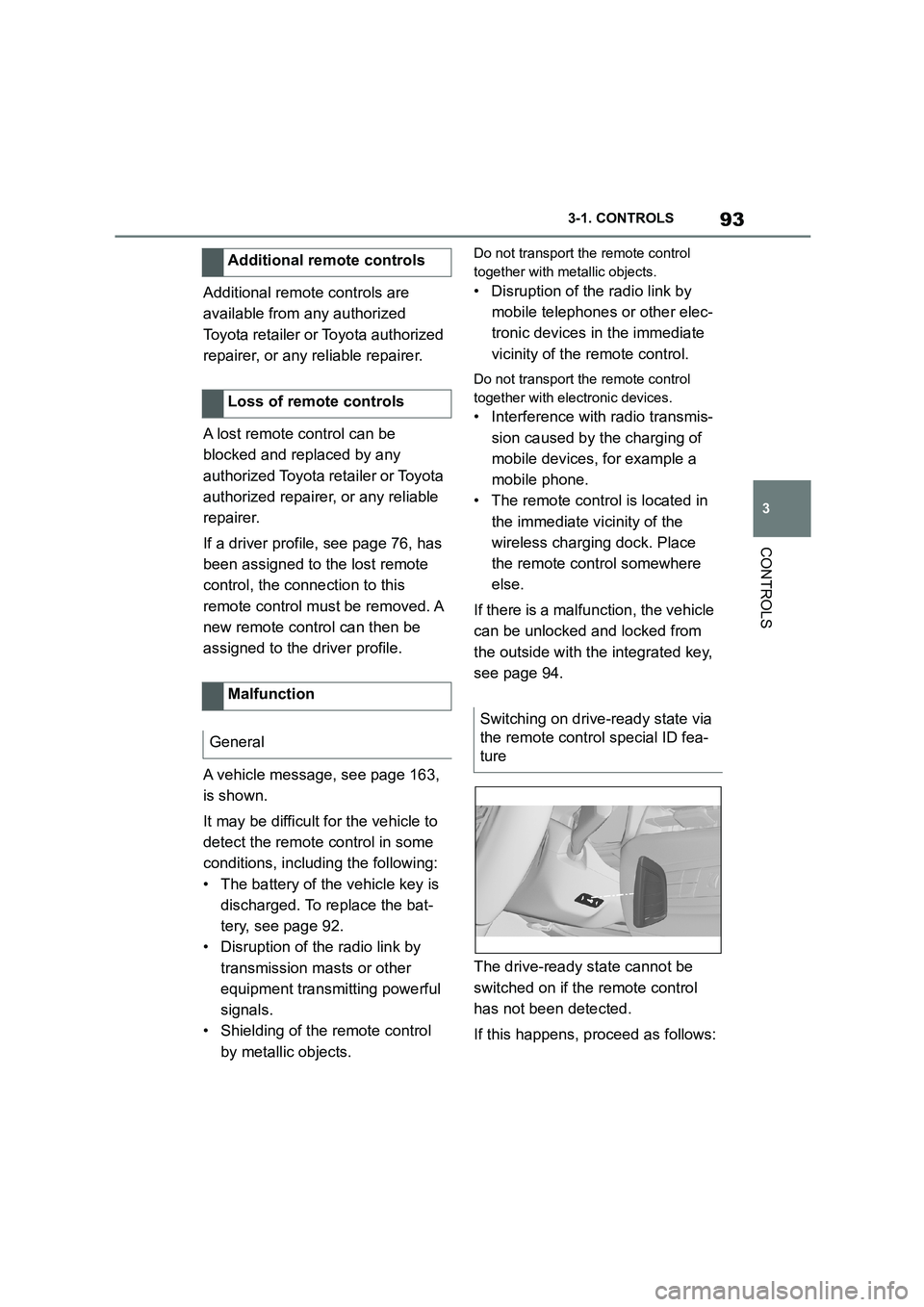
The drive-ready state cannot be
switched on if the remote control
has not been detected.
If this happens, proceed as follows:
Additional remote controls
Loss of remote controls
Malfunction
General
Switching on drive-ready state via
the remote control special ID fea-
ture
Page 99 of 498
97
3
3-1. CONTROLS
CONTROLS
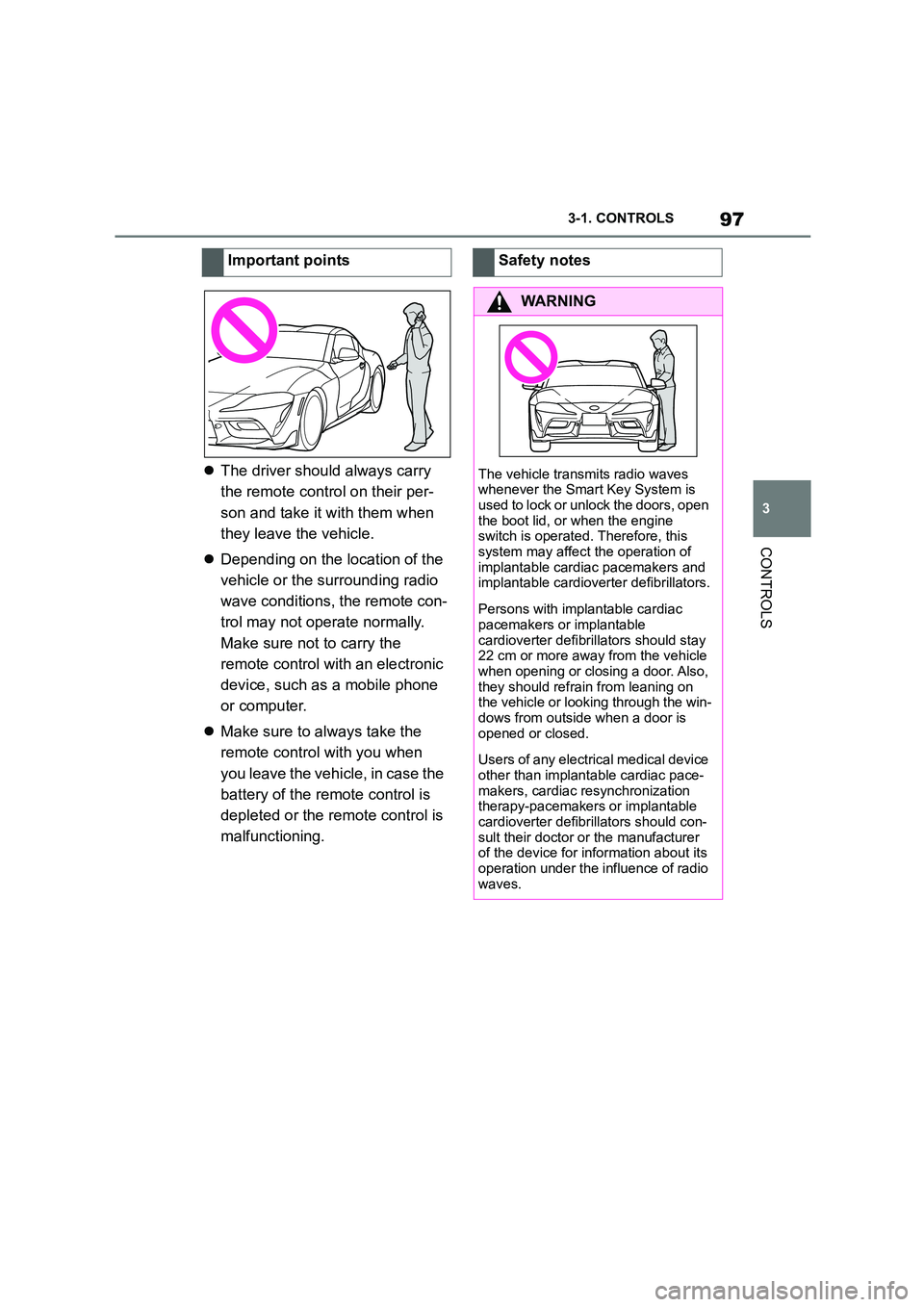
The driver should always carry
the remote control on their per-
son and take it with them when
they leave the vehicle.
Depending on the location of the
vehicle or the surrounding radio
wave conditions, the remote con-
trol may not operate normally.
Make sure not to carry the
remote control with an electronic
device, such as a mobile phone
or computer.
Make sure to always take the
remote control with you when
you leave the vehicle, in case the
battery of the remote control is
depleted or the remote control is
malfunctioning.
Important pointsSafety notes
WA R N I N G
The vehicle transmits radio waves
whenever the Smart Key System is
used to lock or unlock the doors, open the boot lid, or when the engine
switch is operated. Therefore, this
system may affect the operation of implantable cardia c pacemakers and
implantable cardioverter defibrillators.
Persons with implantable cardiac
pacemakers or implantable
cardioverter defibrillators should stay 22 cm or more away from the vehicle
when opening or closing a door. Also,
they should refrain from leaning on the vehicle or looking through the win-
dows from outside when a door is
opened or closed.
Users of any electrical medical device
other than implantable cardiac pace- makers, cardiac re synchronization
therapy-pacemakers or implantable
cardioverter defibrillators should con- sult their doctor or the manufacturer
of the device for information about its
operation under the influence of radio waves.
Page 100 of 498
983-1. CONTROLS
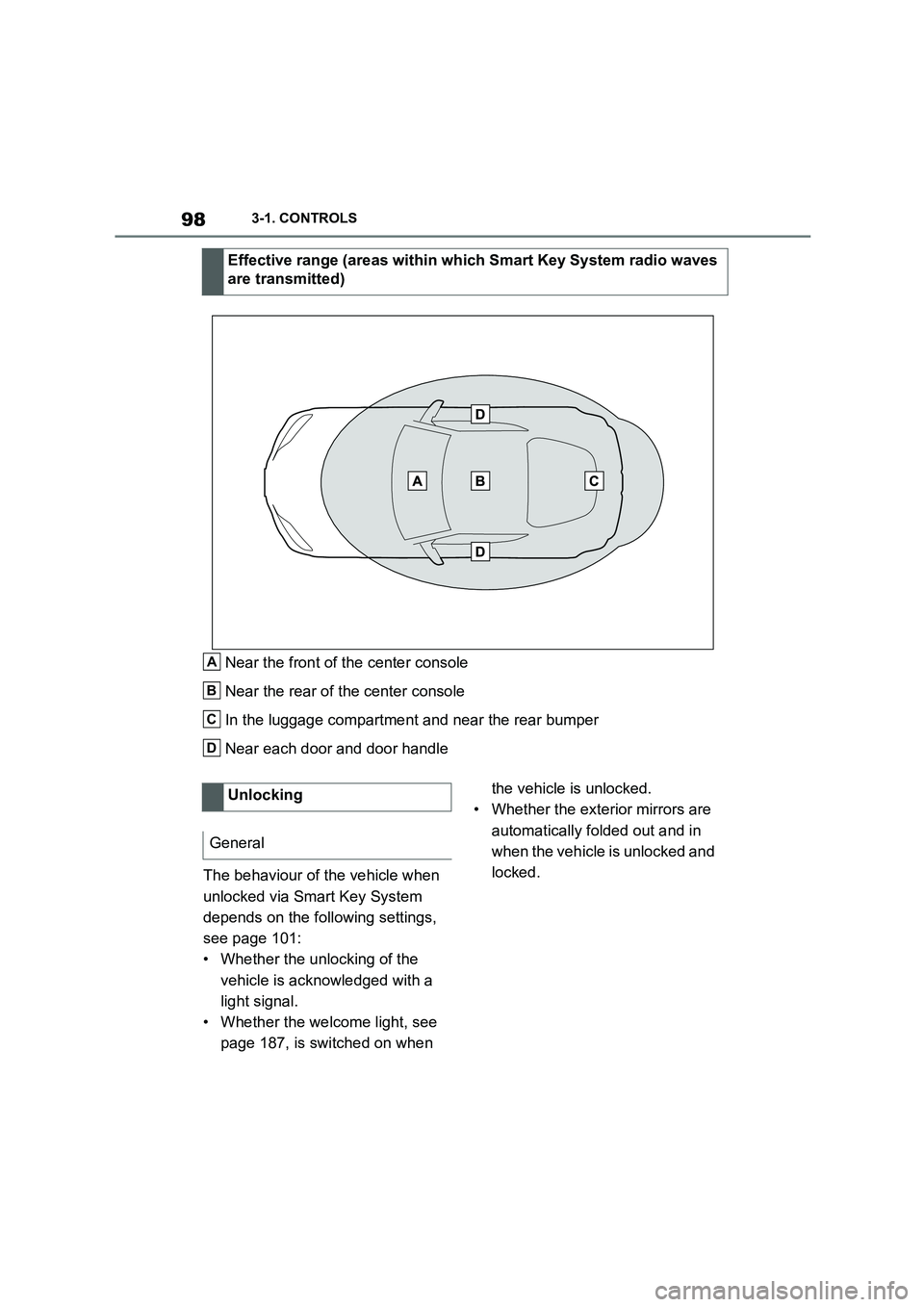
Near the front of the center console
Near the rear of the center console
In the luggage compartment and near the rear bumper
Near each door and door handle
The behaviour of the vehicle when
unlocked via Smart Key System
depends on the following settings,
see page 101:
• Whether the unlocking of the
vehicle is acknowledged with a
light signal.
• Whether the welcome light, see
page 187, is switched on when
the vehicle is unlocked.
• Whether the exterior mirrors are
automatically folded out and in
when the vehicle is unlocked and
locked.
Effective range (areas within which Smart Key System radio waves
are transmitted)
A
B
C
D
Unlocking
General
Page 168 of 498
1663-1. CONTROLS
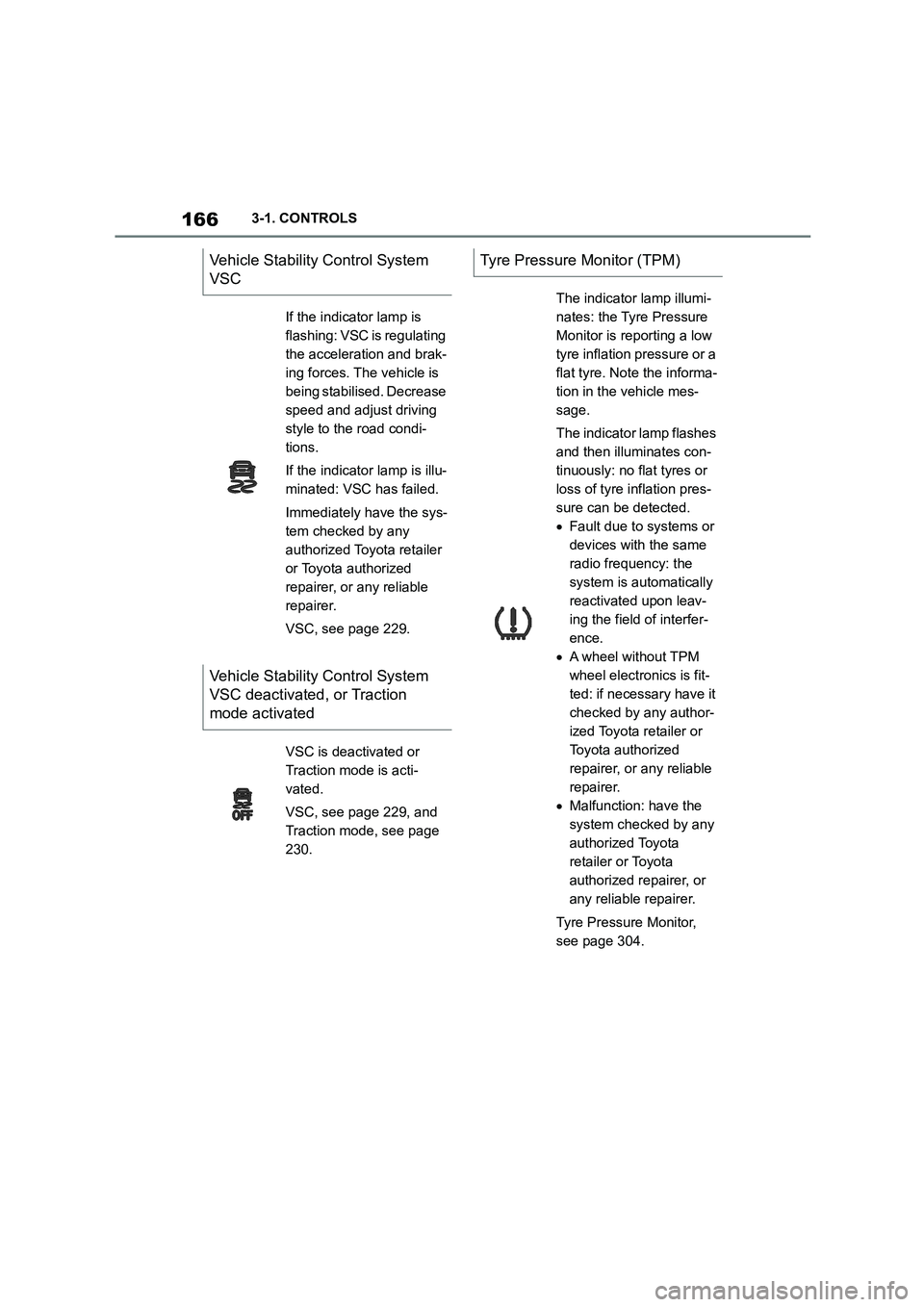
Vehicle Stability Control System
VSC
If the indicator lamp is
flashing: VSC is regulating
the acceleration and brak-
ing forces. The vehicle is
being stabilised. Decrease
speed and adjust driving
style to the road condi-
tions.
If the indicator lamp is illu-
minated: VSC has failed.
Immediately have the sys-
tem checked by any
authorized Toyota retailer
or Toyota authorized
repairer, or any reliable
repairer.
VSC, see page 229.
Vehicle Stability Control System
VSC deactivated, or Traction
mode activated
VSC is deactivated or
Traction mode is acti-
vated.
VSC, see page 229, and
Traction mode, see page
230.
Tyre Pressure Monitor (TPM)
The indicator lamp illumi-
nates: the Tyre Pressure
Monitor is reporting a low
tyre inflation pressure or a
flat tyre. Note the informa-
tion in the vehicle mes-
sage.
The indicator lamp flashes
and then illuminates con-
tinuously: no flat tyres or
loss of tyre inflation pres-
sure can be detected.
Fault due to systems or
devices with the same
radio frequency: the
system is automatically
reactivated upon leav-
ing the field of interfer-
ence.
A wheel without TPM
wheel electronics is fit-
ted: if necessary have it
checked by any author-
ized Toyota retailer or
Toyota authorized
repairer, or any reliable
repairer.
Malfunction: have the
system checked by any
authorized Toyota
retailer or Toyota
authorized repairer, or
any reliable repairer.
Tyre Pressure Monitor,
see page 304.
Page 284 of 498
2824-1. DRIVING HINTS
temperatures to clean the exhaust
gas particle filter as necessary.
The cleaning process takes a few
minutes, during which the following
may occur:
Engine temporarily runs a bit
roughly.
A slightly higher engine speed is
required to achieve the usual
power output.
A small amount of smoke from
the exhaust, even after stopping
the engine.
Noise, for example from radiator
fan operation, may be heard,
even some minutes after stop-
ping the engine.
It is normal for the radiator fan to
keep running for several minutes,
even after short trips.
The self-cleaning function of the
exhaust particle filter is an auto-
matic process that is supported by
different measures, for example
additional heating.
General
Cleaning the exhaust gas
particle filter while driving
Radio signals
WA R N I N G
Certain vehicle functions may be
affected by interference from high-fre- quency radio signals. Such signals
are output from a series of transmis-
sion systems, for example from air traffic beacons or relay stations for
mobile telecommunications.
We recommend you consult any
authorized Toyota retailer or Toyota authorized repairer, or any reliable
repairer should you experience any
difficulties in this regard.
Mobile communication in the
vehicle
WA R N I N G
There is a possibility of reciprocal
interference between the vehicle elec- tronics and mobile radio devices.
Radiation is generated when mobile
radio devices are transmitting. There
is a danger of injury or damage to property. If possible, only use mobile
radio devices, for example mobile
telephones, in the interior if they are connected directly to an external
antenna in order to eliminate recipro-
cal interference and to dissipate the radiation from vehicle's interior.
Page 314 of 498
3125-1. MOBILITY
■Final tyre failure
Vibration or loud noises during the
journey may be an indication that
the tyre has finally failed.
Reduce your speed and stop the
vehicle. Parts of the tyre could
detach, which might lead to an acci-
dent.
Do not continue driving, but contact
any authorized Toyota retailer or
Toyota authorized repairer, or any
reliable repairer.
The tyre inflation pressure depends
on the temperature of the tyre.
The tyre inflation pressure
increases as the tyre temperature
increases, for example during driv-
ing or due to exposure to sunlight.
Tyre inflation pressure decreases if
the tyre temperature drops.
Due to the given warning thresh-
olds, therefore, this behaviour may
trigger a warning if there are major
temperature drops.
After a temperature-related warn-
ing, the specified pressures are dis-
played again on the Control Display
after driving a short distance.
No warning can be given in the
event of extreme, sudden tyre fail-
ure caused by external factors.
Tyres with special approval: the
system will not function correctly if
a reset has not been carried out, for
example, a flat ty re is reported in
spite of the correct tyre pressure.
• A wheel without TPM wheel elec-
tronics is fitted, for example
emergency wheel: have the
wheels checked if necessary.
• Malfunction: have the system
checked.
• Fault due to systems or devices
with the same radio frequency:
the system is automatically reac-
tivated upon leaving the field of
interference.
• Tyre Pressure Monitor malfunc-
tion: have the system checked
by any authorized Toyota retailer
or Toyota authorized repairer, or
System limits
Temperature
Sudden loss of tyre inflation pres-
sure
Reset not carried out
Malfunction
Message
The yellow warning lamp
flashes and is then illumi-
nated continuously. A
vehicle message is
shown. Tyre pressure
losses cannot be
detected.
Measure
Page 360 of 498
3585-1. MOBILITY
3Switch off any power consumers
in both vehicles.
The jump-starting connection in the
engine compartment serves as the
battery positive terminal.
A special connection on the body
serves as the negative battery ter-
minal in the engine compartment.
For further information:
Overview of the engine compart-
ment, see page 320.
Open the lid of the positive battery
terminal.
Before starting, switch off all unnec-
essary power consumers, for
example the radio, on both vehi-
cles.
1 Open the cover of the
jump-starting connection.
2 Connect a terminal clamp on the
positive/+ jump lead to the posi-
tive terminal of the battery or the
corresponding jump-starting
connection on the donor vehicle.
3 Connect the second terminal
clamp to the battery's positive
terminal or to the corresponding
jump-starting connection on the
vehicle to be started.
4 Connect a terminal clamp on the
negative/– jump lead to the neg-
ative terminal of the battery or
the corresponding engine or
body earth connection on the
donor vehicle.
5 Connect the second terminal
clamp to the negative terminal of
the battery or to a corresponding
engine or body earth connection
on the vehicle to be started.
Do not use spray products sold as
starting aids.
1 Start the engine of the donor
vehicle and allow it to run for a
few minutes at a slightly
increased idle speed.
2 Start the engine of the vehicle to
be started as normal.
If an initial attempt to start the engine
fails, wait several minutes until the dis-
charged battery has been recharged somewhat.
3 Allow both engines to run for a
few minutes.
4 Disconnect the jump leads in
reverse order to connection.
Check the battery and have it
recharged if necessary.
Jump-starting connections
Connecting the cables
Starting the engine