ECO mode TOYOTA TACOMA 2009 Owners Manual (in English)
[x] Cancel search | Manufacturer: TOYOTA, Model Year: 2009, Model line: TACOMA, Model: TOYOTA TACOMA 2009Pages: 520, PDF Size: 10.75 MB
Page 32 of 520
32
1-2. Opening, closing and locking the doors
Wireless remote control (if equipped)
■Operation signals
A buzzer sounds and the emergency flashers flash to indicate that the doors
have been locked/unlocked. (Locked: Once; Unlocked: Twice)
■Panic mode
■Door lock buzzer
If a door is not fully closed, a buzzer sounds for 10 seconds if an attempt to
lock the door is made. Fully close the door to stop the buzzer, and lock the
vehicle once more.
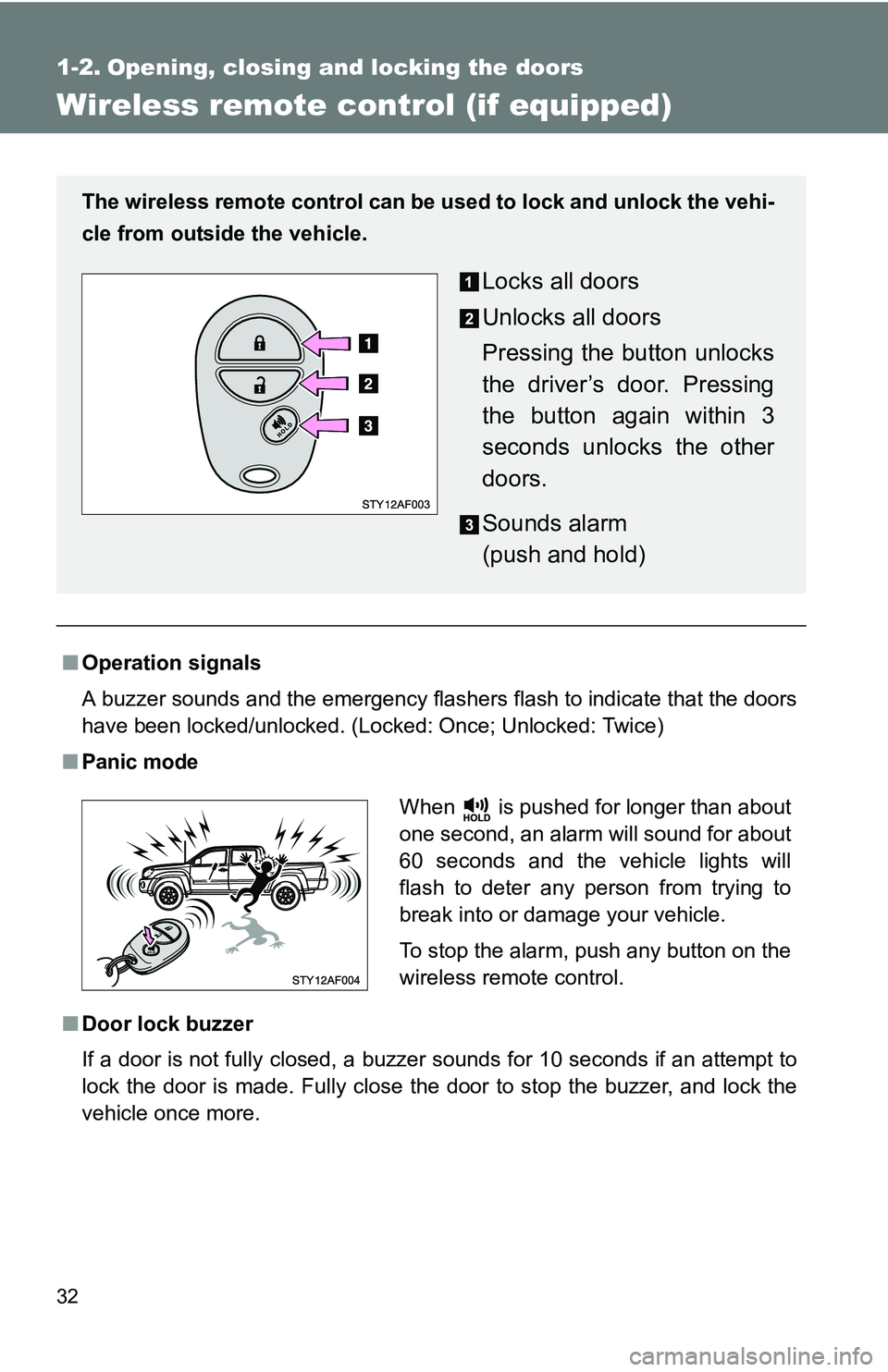
The wireless remote control can be used to lock and unlock the vehi-
cle from outside the vehicle.
Locks all doors
Unlocks all doors
Pressing the button unlocks
the driver’s door. Pressing
the button again within 3
seconds unlocks the other
doors.
Sounds alarm
(push and hold)
When is pushed for longer than about
one second, an alarm will sound for about
60 seconds and the vehicle lights will
flash to deter any person from trying to
break into or damage your vehicle.
To stop the alarm, push any button on the
wireless remote control.
Page 91 of 520
91
1-7. Safety information
1
Before driving
CAUTION
■
SRS airbag precautions
●Regular Cab models: Do not use a seat accessory, such as a cushion or
seat cover, that covers the seat cushion surface.
● Do not use seat accessories which cover the parts where the SRS side
airbags inflate as they may interf ere with inflation of the airbags.
● Do not strike or apply significant levels of force to the area of the SRS air-
bag components ( P. 82).
Doing so can cause the SRS airbags to malfunction.
● Do not touch any of the component parts immediately after the SRS air-
bags have deployed (inflated) as they may be hot.
● If breathing becomes difficult after the SRS airbag has deployed, open a
door or window to allow fresh air in, or leave the vehicle if it is safe to do
so. Wash off any residue as soon as possible to prevent skin irritation.
● If the areas where the SRS airbags are stored, such as the steering wheel
pad and front and rear pillar garnishes, are damaged or cracked, have
them replaced by your Toyota dealer.
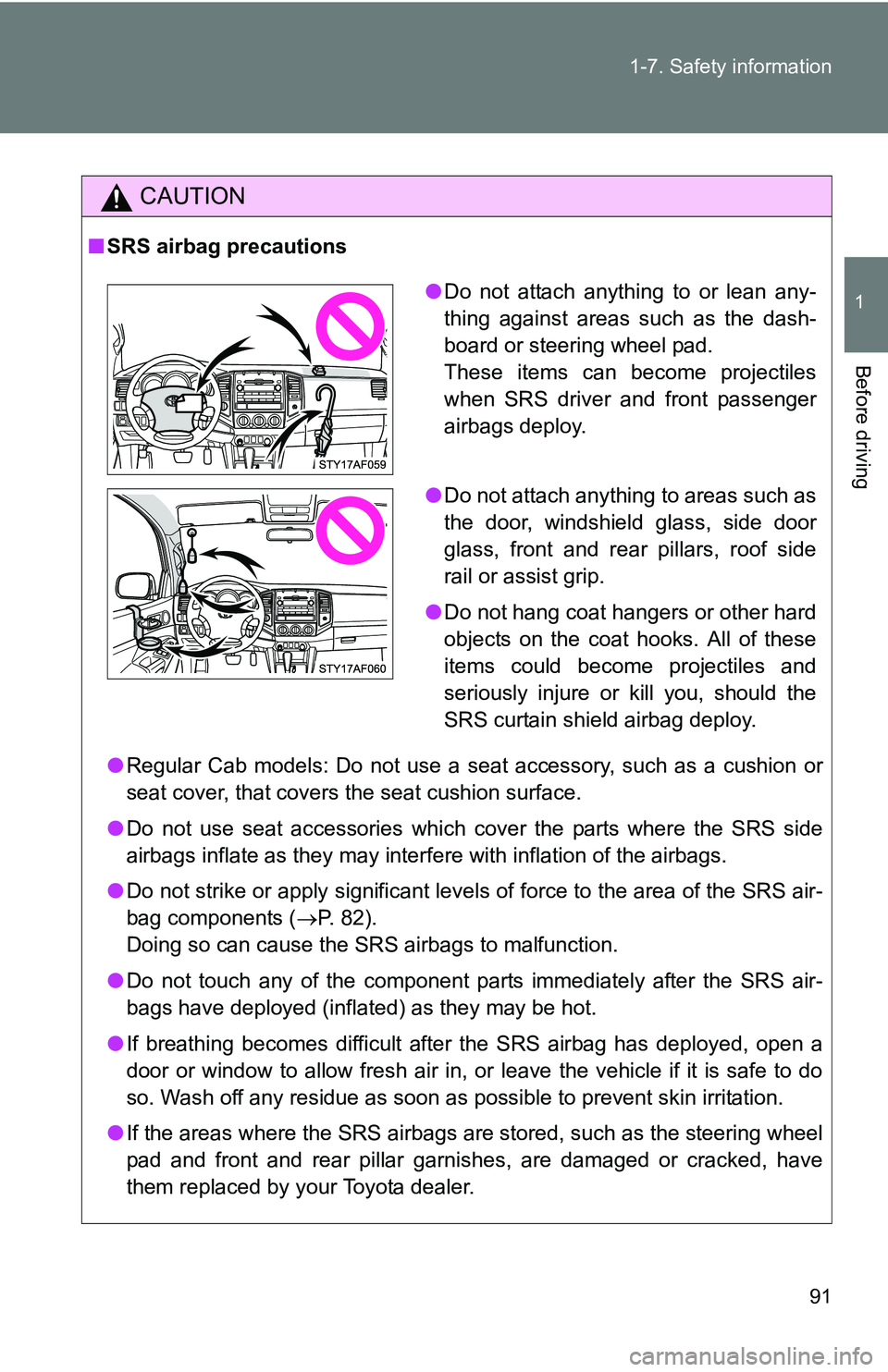
●Do not attach anything to or lean any-
thing against areas such as the dash-
board or steering wheel pad.
These items can become projectiles
when SRS driver and front passenger
airbags deploy.
● Do not attach anything to areas such as
the door, windshield glass, side door
glass, front and rear pillars, roof side
rail or assist grip.
● Do not hang coat hangers or other hard
objects on the coat hooks. All of these
items could become projectiles and
seriously injure or kill you, should the
SRS curtain shield airbag deploy.
Page 178 of 520
178
2-4. Using other driving systems
Rear differential lock system (if equipped)
Using the rear differential lock systemAutomatic transmission 4WD models: Before using the rear differential lock system.
Stop the vehicle, shift the shift lever to N and put the front-
wheel drive control switch in th e L4 position to see if this is
sufficient. If this has no effect, additionally use the rear differ-
ential lock system.
Be sure to stop the wheels.
Press the RR DIFF LOCK switch.
After the rear differential is locked, the indicator will come on.
Gently depress the accelerator pedal.
Unlock the rear differential as soon as the vehicle moves.
To unlock the rear differential, push the switch again.
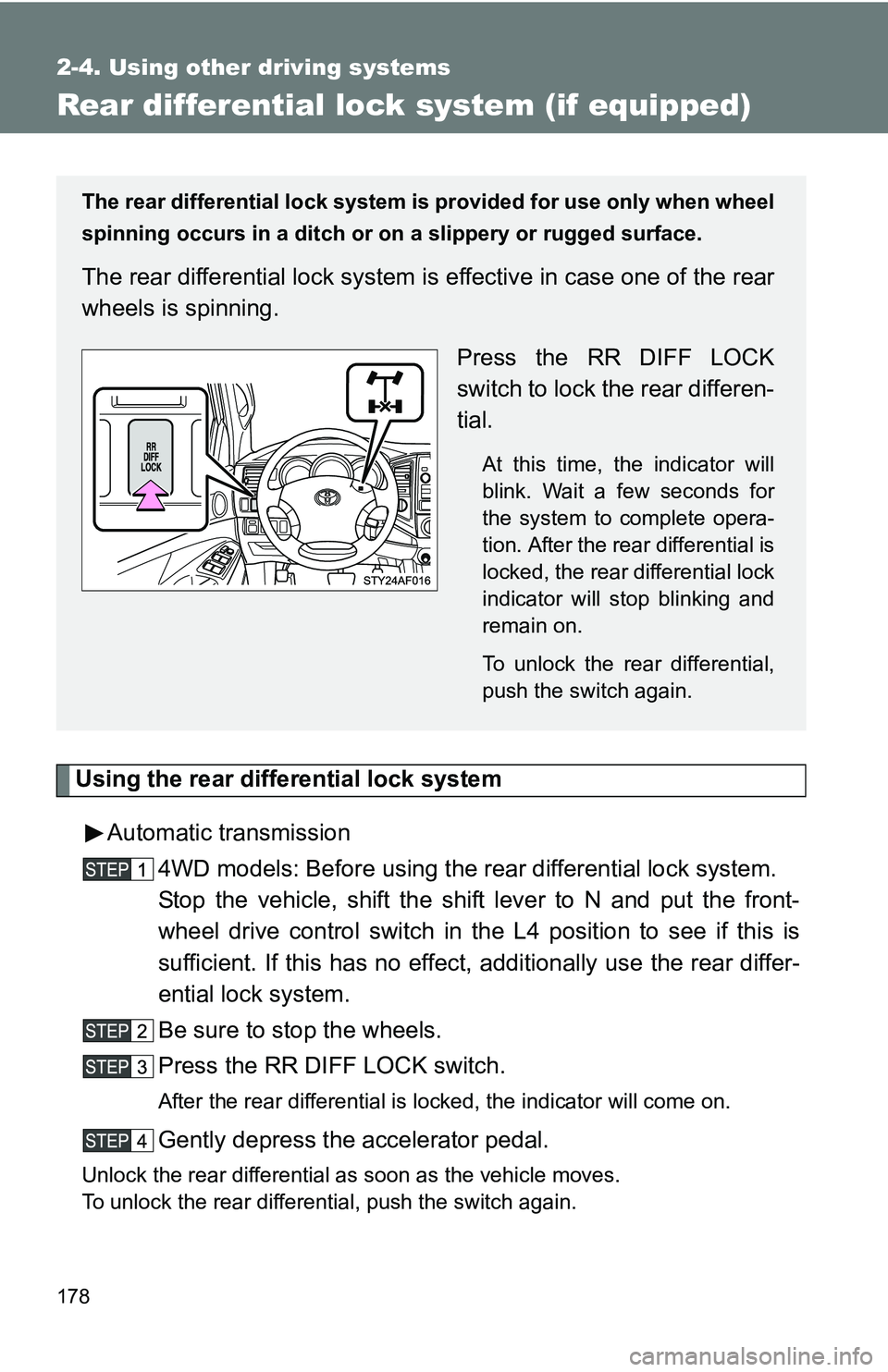
The rear differential lock system is provided for use only when wheel
spinning occurs in a ditch or on a slippery or rugged surface.
The rear differential lock system is effective in case one of the rear
wheels is spinning.
Press the RR DIFF LOCK
switch to lock the rear differen-
tial.
At this time, the indicator will
blink. Wait a few seconds for
the system to complete opera-
tion. After the rear differential is
locked, the rear differential lock
indicator will stop blinking and
remain on.
To unlock the rear differential,
push the switch again.
Page 184 of 520
184
2-4. Using other driving systems
Driving assist systems
To help enhance driving safety and performance, the following sys-
tems operate automatically in res ponse to various driving situations.
Be aware, however, that these systems are supplementary and
should not be relied upon too h eavily when operating the vehicle.
■ABS (Anti-lock Brake System)
Helps to prevent wheel lock when the brakes are applied suddenly, or if
the brakes are applied while driving on a slippery road surface.
■Brake Assist
Generates an increased level of braking force after the brake pedal is
depressed, while the system detects a panic stop situation.
■VSC (Vehicle Stability Control)
Helps the driver to control skidding when swerving suddenly or turning
on slippery road surfaces.
■TRAC (Traction Control)
Maintains drive power and prevents the rear wheels (2WD models) or
four wheels (4WD models) from sp inning when starting the vehicle or
accelerating on slippery roads.
■ Hill-start assist control (if equipped)
Helps prevent the vehicle from rolling backwards when starting on an
incline or slippery slope. It operates for approximately 5 seconds at
maximum.
Page 186 of 520
186 2-4. Using other driving systems
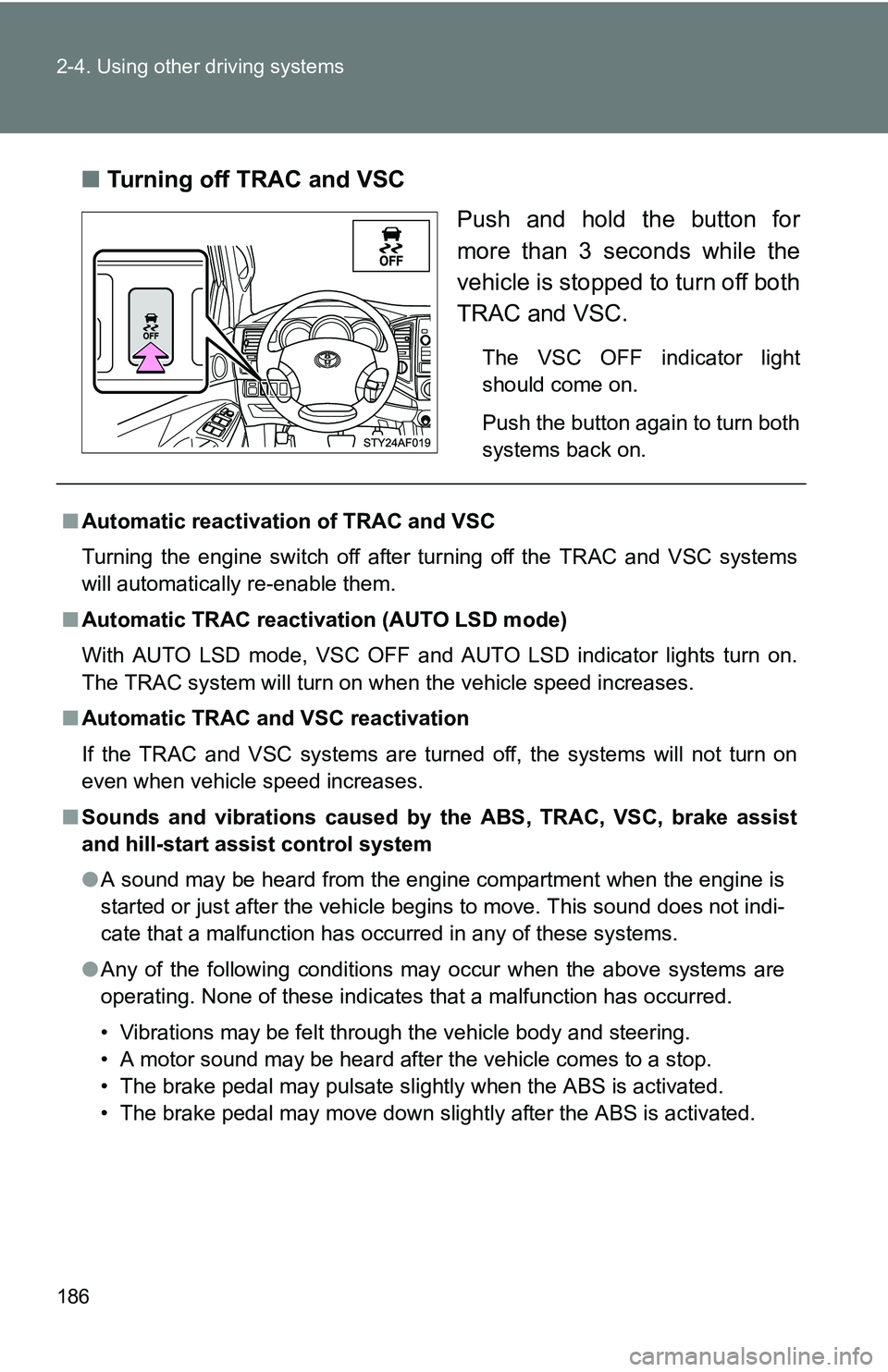
■Turning off TRAC and VSC
Push and hold the button for
more than 3 seconds while the
vehicle is stopped to turn off both
TRAC and VSC.
The VSC OFF indicator light
should come on.
Push the button again to turn both
systems back on.
■Automatic reactivation of TRAC and VSC
Turning the engine switch off after turning off the TRAC and VSC systems
will automatically re-enable them.
■ Automatic TRAC reactivation (AUTO LSD mode)
With AUTO LSD mode, VSC OFF and AUTO LSD indicator lights turn on.
The TRAC system will turn on when the vehicle speed increases.
■ Automatic TRAC and VSC reactivation
If the TRAC and VSC systems are turned off, the systems will not turn on
even when vehicle speed increases.
■ Sounds and vibrations caused by the ABS, TRAC, VSC, brake assist
and hill-start assist control system
● A sound may be heard from the engine compartment when the engine is
started or just after the vehicle begins to move. This sound does not indi-
cate that a malfunction has occurred in any of these systems.
● Any of the following conditions may occur when the above systems are
operating. None of these indicates that a malfunction has occurred.
• Vibrations may be felt through the vehicle body and steering.
• A motor sound may be heard after the vehicle comes to a stop.
• The brake pedal may pulsate slightly when the ABS is activated.
• The brake pedal may move down slightly after the ABS is activated.
Page 203 of 520
203
2-5. Driving information
2
When driving
■
Snow chain installation
Observe the following precautions when installing and removing chains.
●Install and remove tire chains in a safe location.
● Install tire chains on the rear tires only. Do not install tire chains on the
front tires.
● Install tire chains following the instructions provided in the accompanying
instructions.
CAUTION
■Driving with snow tires
Observe the following precautions to reduce the risk of accidents.
Failing to do so may result in a loss of vehicle control and cause death or
serious injury.
●Use tires of the size specified for your vehicle.
● Maintain the recommended level of air pressure.
● Do not drive in excess of 75 mph (120 km/h) regardless of the type of
snow tires being used.
● Snow tires should be installed on all wheels.
● 4WD models:
Do not mix tires of different makes, models, tread patterns or treadwear.
■ Driving with snow chains
Observe the following precautions to reduce the risk of accidents.
Failing to do so may result in the vehicle being unable to be driven safely,
and may cause death or serious injury.
●Do not drive in excess of the speed limit specified for the tire chains being
used or 30 mph (50 km/h), whichever is lower.
● Avoid driving on bumpy road surfaces or over potholes.
● Avoid sudden turns and braking.
● Slow down sufficiently before entering a curve to ensure that vehicle con-
trol is maintained.
Page 223 of 520
223
3-1. Using the air conditioning system
and defogger
3
Interior and exterior features
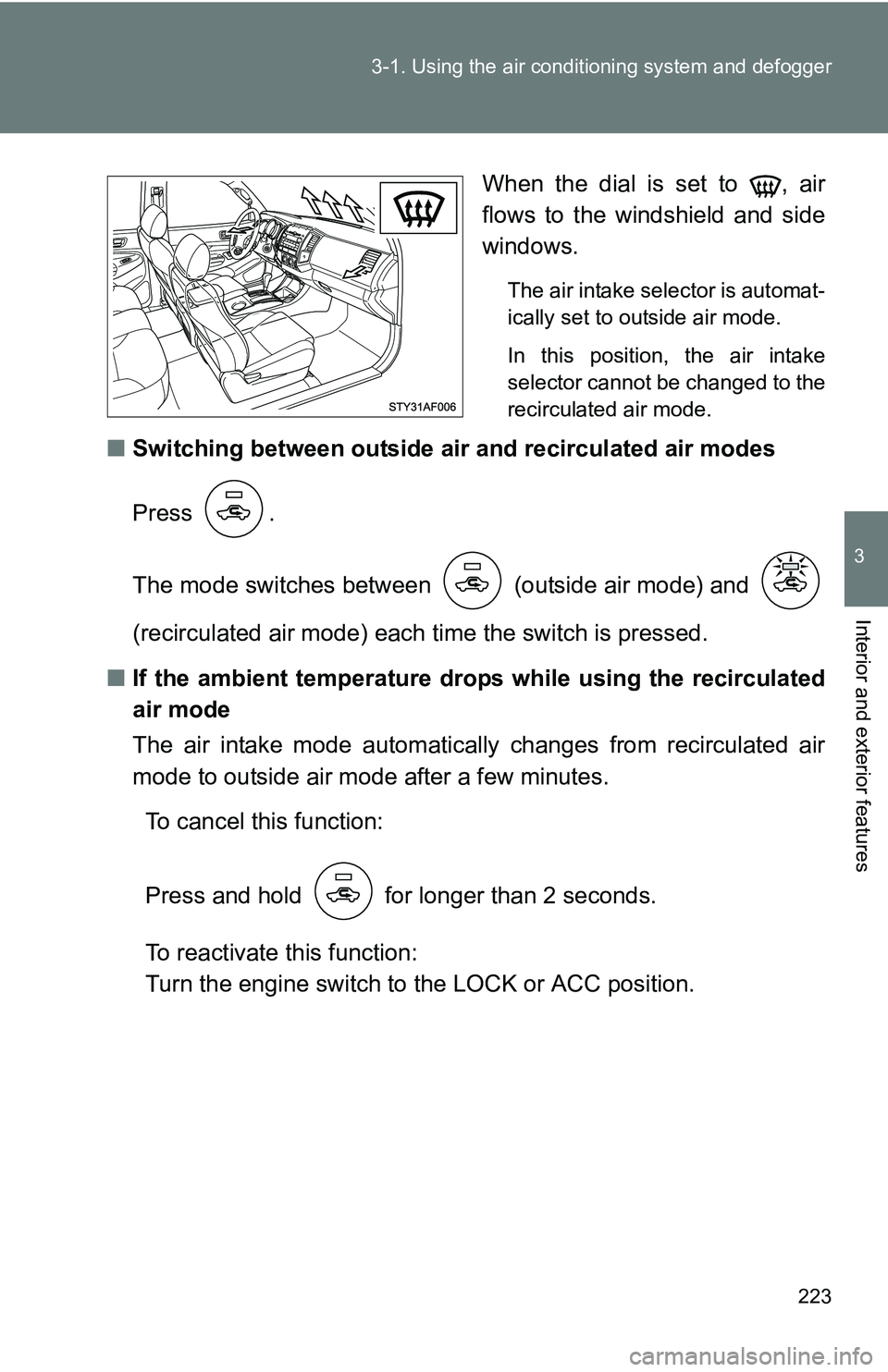
When the dial is set to , air
flows to the windshield and side
windows.
The air intake selector is automat-
ically set to outside air mode.
In this position, the air intake
selector cannot be changed to the
recirculated air mode.
■Switching between outside air and recirculated air modes
Press .
The mode switches between (outside air mode) and
(recirculated air mode) each ti me the switch is pressed.
■ If the ambient temperature drops while using the recirculated
air mode
The air intake mode automatically changes from recirculated air
mode to outside air mode after a few minutes.
To cancel this function:
Press and hold for longer than 2 seconds.
To reactivate this function:
Turn the engine switch to the LOCK or ACC position.
Page 231 of 520
231
3-2. Using the audio system
3
Interior and exterior features
Using the radio
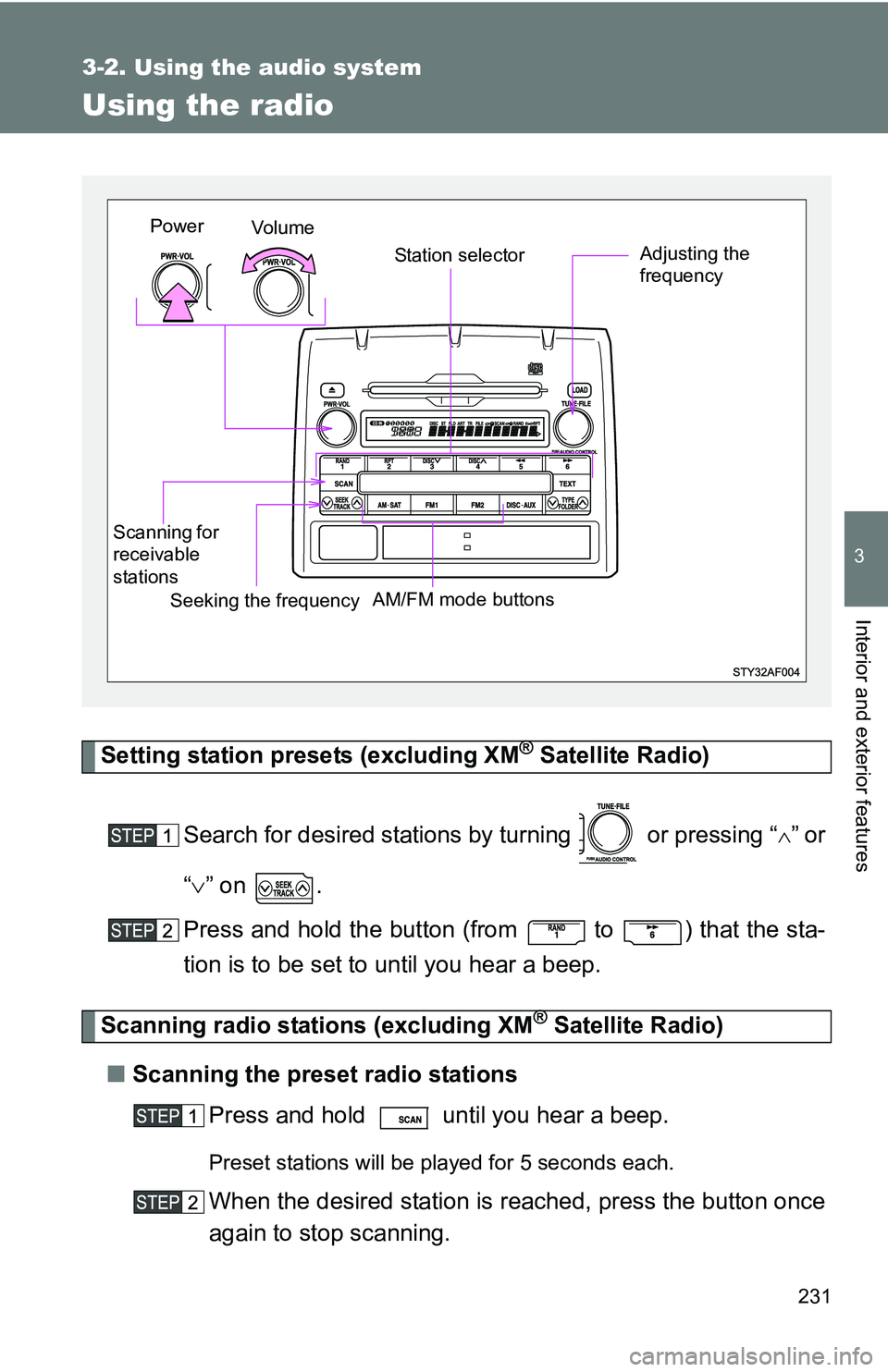
Setting station presets (excluding XM® Satellite Radio)
Search for desired stations by turning or pressing “
”or
“ ” on .
Press and hold the button (from
to ) that the sta-
tion is to be set to until you hear a beep.
Scanning radio stations (excluding XM® Satellite Radio)
■ Scanning the preset radio stations
Press and hold until you hear a beep.
Preset stations will be played for 5 seconds each.
When the desired station is reached, press the button once
again to stop scanning.
Vo l u m e Station selector
Seeking the frequency Adjusting the
frequency
AM/FM mode buttons
Scanning for
receivable
stationsPower
Page 249 of 520
249
3-2. Using the audio system
3
Interior and exterior features
■
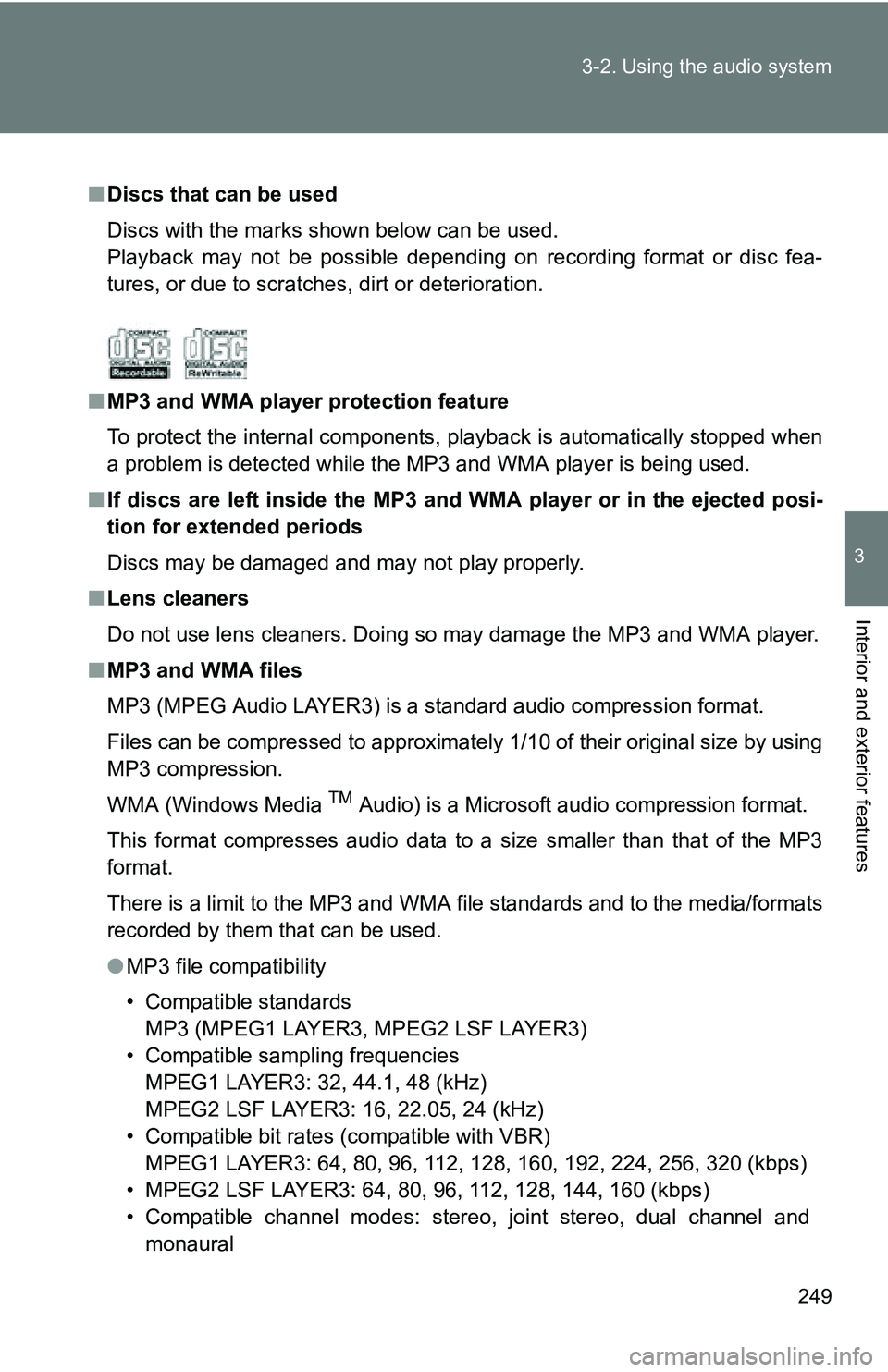
Discs that can be used
Discs with the marks shown below can be used.
Playback may not be possible depending on recording format or disc fea-
tures, or due to scratches, dirt or deterioration.
■ MP3 and WMA player protection feature
To protect the internal components, playback is automatically stopped when
a problem is detected while the MP3 and WMA player is being used.
■ If discs are left inside the MP3 and WMA player or in the ejected posi-
tion for extended periods
Discs may be damaged and may not play properly.
■ Lens cleaners
Do not use lens cleaners. Doing so may damage the MP3 and WMA player.
■ MP3 and WMA files
MP3 (MPEG Audio LAYER3) is a standard audio compression format.
Files can be compressed to approximately 1/10 of their original size by using
MP3 compression.
WMA (Windows Media
TM Audio) is a Microsoft audio compression format.
This format compresses audio data to a size smaller than that of the MP3
format.
There is a limit to the MP3 and WMA file standards and to the media/formats
recorded by them that can be used.
● MP3 file compatibility
• Compatible standards
MP3 (MPEG1 LAYER3, MPEG2 LSF LAYER3)
• Compatible sampling frequencies MPEG1 LAYER3: 32, 44.1, 48 (kHz)
MPEG2 LSF LAYER3: 16, 22.05, 24 (kHz)
• Compatible bit rates (compatible with VBR) MPEG1 LAYER3: 64, 80, 96, 112, 128, 160, 192, 224, 256, 320 (kbps)
• MPEG2 LSF LAYER3: 64, 80, 96, 112, 128, 144, 160 (kbps)
• Compatible channel modes: stereo, joint stereo, dual channel and monaural
Page 250 of 520
250 3-2. Using the audio system
●WMA file compatibility
• Compatible standards
WMA Ver. 7, 8, 9
• Compatible sampling frequencies 32, 44.1, 48 (kHz)
• Compatible bit rates (only compatible with 2-channel playback) Ver. 7, 8: CBR 48, 64, 80, 96, 128, 160, 192 (kbps)
Ver. 9: CBR 48, 64, 80, 96, 128, 160, 192, 256, 320 (kbps)
● Compatible media
Media that can be used for MP3 and WMA playback are CD-Rs and CD-
RWs.
Playback in some instances may not be possible, depending on the status
of the CD-R or CD-RW. Playback may not be possible or the audio may
jump if the disc is scratched or marked with fingerprints.
● Compatible disc formats
The following disc formats can be used.
• Disc formats: CD-ROM Mode 1 and Mode 2
CD-ROM XA Mode 2, Form 1 and Form 2
• File formats: ISO9660 Level 1, Level 2, (Romeo, Joliet) MP3 and WMA files written in any format other than those listed above
may not play correctly, and their file names and folder names may not
be displayed correctly.
Items related to standards and limitations are as follows.
• Maximum directory hierarchy: 8 levels
• Maximum length of folder names/file names: 32 characters
• Maximum number of folders: 192 (including the root)
• Maximum number of files per disc: 255
● File names
The only files that can be recognized as MP3/WMA and played are those
with the extension .mp3 or .wma.
● Multi-sessions
As the audio system is compatible with multi-sessions, it is possible to play
discs that contain MP3 and WMA files. However, only the first session can
be played.