key TOYOTA TACOMA 2011 Owners Manual (in English)
[x] Cancel search | Manufacturer: TOYOTA, Model Year: 2011, Model line: TACOMA, Model: TOYOTA TACOMA 2011Pages: 548, PDF Size: 9.84 MB
Page 2 of 548

TABLE OF CONTENTSIndex
2
1-1. Key informationKeys ..................................... 30
1-2. Opening, closing and locking
the doors
Wireless remote control ....... 32
Side doors ............................ 35
Access doors (Access Cab models only) ....................... 39
Tailgate ................................ 40
1-3. Adjustable components
(seats, mirrors, steering
wheel)
Front seats ........................... 45
Rear seats (Access Cab and Double Cab models) .......... 50
Head restraints ..................... 54
Seat belts ............................. 58
Steering wheel ..................... 64
Anti-glare inside rear view mirror .................................. 65
Outside rear view mirrors ..... 68
1-4. Opening and clos ing
the windows
Pow er windows .................... 71
Back window (vehicles with sliding type) ........................ 73
1-5. Refueling Opening the fuel tank cap .... 74 1-6. Theft deterrent system
Engine immobilizer system ... 78
1-7. Safety information Correct driving posture ......... 80
SRS airbags ......................... 82
Front passenger occupant classification system ........... 99
Child restraint systems ....... 106
Installing child restraints ..... 111
2-1. Driving procedures Driving the vehicle .............. 134
Engine (ignition) switch....... 144
Automatic
transmission........ 147
Manual transmission........... 150
Turn signal lever ................. 153
Parking brake ..................... 154
Horn .................................... 156
2-2. Gauges and meters Gauges and meters ............ 157
Indicators and warning lights ................................. 160
Accessory meter ................. 163
2-3. Operating the li ghts and
wipers
Headlight switch ................. 164
Fog light switch ................... 166
Windshield wipers and washer .............................. 167
1Before driving
2When driving
Page 5 of 548

1
2
3
4
5
6
7
5
5-1. Essential informationEmergency flashers ............ 430
If your vehicle needs to be towed ........................... 431
If you think something is wrong ............................ 437
Fuel pump shut off system .............................. 438
Event data recorder ............ 439
5-2. Steps to take in an emergency If a warning light turns on or a warning buzzer
sounds... ........................... 441
If you have a flat tire............ 450
If the engine will not start .... 468
If the shift lever cannot be shifted from P.................... 469
If you lose your keys ........... 470
If the vehicle battery is discharged ........................ 471
If your vehicle overheats ..... 475
If the vehicle becomes stuck ................................. 478
If your vehicle has to be stopped in
an emergency ................... 480 6-1. Specifications
Maintenance data (fuel, oil level, etc.) ........... 484
Fuel information.................. 504
Tire information .................. 507
6-2. Customization Customizable features........ 518
Items to initialize ................. 519
Reporting safety defects for U.S. owners ................ 522
Seat belt instructions for Canadian owners
(in French) ........................ 523
Camper information ............ 525
Abbreviation list ........................ 532
Alphabetical index .................... 534
What to do if... ........................... 544
5When trouble arises6Vehicle specifications
7For owners
Index
Page 26 of 548

26
CAUTION
■General precautions while driving
Driving under the influence: Never drive your vehicle when under the influ-
ence of alcohol or drugs that have impaired your ability to operate your vehi-
cle. Alcohol and certain drugs delay reaction time, impair judgment and
reduce coordination, which could lead to an accident that could result in
death or serious injury.
Defensive driving: Always drive defensively. Anticipate mistakes that other
drivers or pedestrians might make and be ready to avoid accidents.
Driver distraction: Always give your full attention to driving. Anything that dis-
tracts the driver, such as adjusting controls, talking on a cellular phone or
reading can result in a collision with resulting death or serious injury to you,
your occupants or others.
■ General precaution regarding children’s safety
Never leave children unattended in the vehicle, and never allow children to
have or use the key.
Children may be able to start the vehicle or shift the vehicle into neutral.
There is also a danger that children may injure themselves by playing with
the cigarette lighter, the windows, or other features of the vehicle. In addi-
tion, heat build-up or extremely cold temperatures inside the vehicle can be
fatal to children.
Page 29 of 548
Before driving1
29
1-1. Key informationKeys ................................... 30
1-2. Opening, closing and locking the doors
Wireless remote control ..... 32
Side doors .......................... 35
Access doors (Access Cab models only) .................... 39
Tailgate .............................. 40
1-3. Adjustable components (seats, mirrors, steering
wheel)
Front seats ......................... 45
Rear seats (Access Cab and Double Cab
models) ............................ 50
Head restraints................... 54
Seat belts ........................... 58
Steering wheel ................... 64
Anti-glare inside rear view mirror ............................... 65
Outside rear view mirrors ... 68
1-4. Opening and closing the windows
Power windows .................. 71
Back window (vehicles with sliding type) .............. 73
1-5. Refueling Opening the fuel tank cap ................................... 74 1-6. Theft deterrent system
Engine immobilizer system ............................. 78
1-7. Safety information Correct driving posture....... 80
SRS airbags ....................... 82
Front passenger occupant classification system ........ 99
Child restraint systems..... 106
Installing child restraints... 111
Page 30 of 548
30
1-1. Key information
Keys
■Key number plate
Keep the plate in a safe place such as your wallet, not in the vehicle. In the
event that a key is lost, a new key can be made by your Toyota dealer using
the key number plate. ( P. 470)
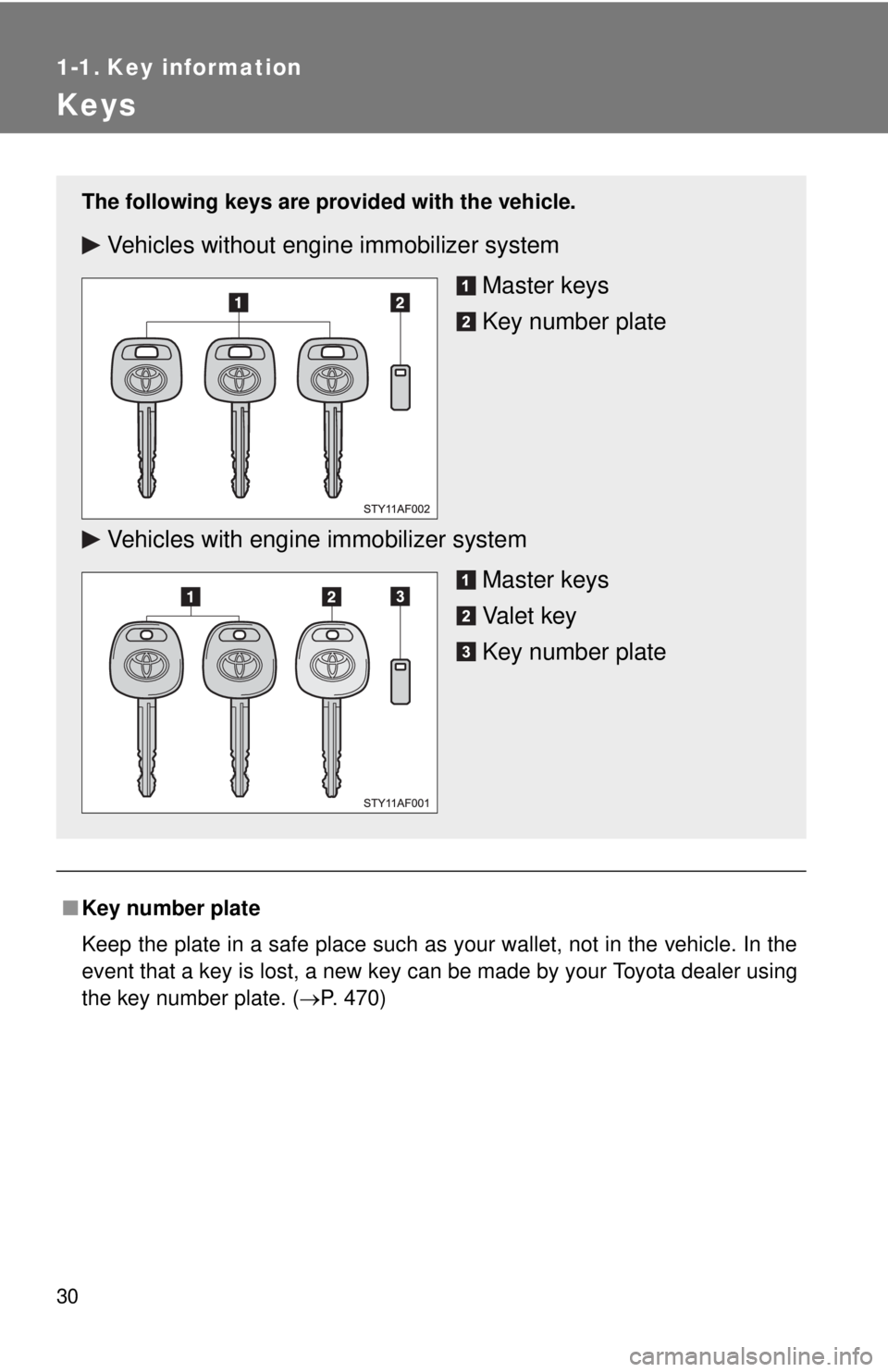
The following keys are provid ed with the vehicle.
Vehicles without engine immobilizer system
Master keys
Key number plate
Vehicles with engine immobilizer system Master keys
Va l e t k e y
Key number plate
Page 31 of 548

31
1-1. Key information
1
Before driving
NOTICE
■
To prevent key damage (vehicles with engine immobilizer system)
● Do not subject the keys to strong shocks, expose them to high tempera-
tures by placing them in direct sunlight, or get them wet.
● Do not expose the keys to electromagnetic materials or attach any mate-
rial that blocks electromagnetic waves to the key surface.
Page 33 of 548

33
1-2. Opening, closing and locking the doors
1
Before driving
■
Wireless remote control depletion
The standard battery life is 1 to 2 years. (The battery becomes depleted
even if the key is not used.) If the wireless remote control function does not
operate, the battery may be depleted. Replace the battery when necessary.
(P. 406)
■ If the wireless remote control does not operate
Locking and unlocking the doors: Use the key. ( P. 35)
■ Security feature
If a door is not opened within approximately 30 seconds after the vehicle is
unlocked, the security feature automatically locks the vehicle again.
■ Conditions affecting operation
The wireless remote control function may not operate normally in the follow-
ing situations.
●Near a TV tower, radio station, electr ic power plant, airport or other facil-
ity that generates strong radio waves
● When carrying a portable radio, cell ular phone or other wireless commu-
nication device
● When multiple wireless keys are in the vicinity
● When the wireless key has come into contact with, or is covered by a
metallic object
● When a wireless key (that emits radio waves) is being used nearby
● When the wireless key has been left near an electrical appliance such as
a personal computer
■ When riding in an aircraft
When bringing a wireless remote control onto an aircraft, make sure you do
not press any buttons on the wireless remote control while inside the aircraft
cabin. If you are carrying a wireless remote control in your bag etc, ensure
that the buttons are not likely to be pressed accidentally. Pressing a button
may cause the wireless remote control to emit radio waves that could inter-
fere with the operation of the aircraft.
■ Customization that can be co nfigured at Toyota dealer
Settings (e.g. wireless remote control system) can be changed.
(Customizable features P. 518)
Page 35 of 548
35
1
1-2. Opening, closing and locking the doors
Before driving
Side doors
The vehicle can be locked/unlocked using the wireless remote con-
trol, key or door lock switch.
■ Wireless remote control (if equipped)
P. 3 2
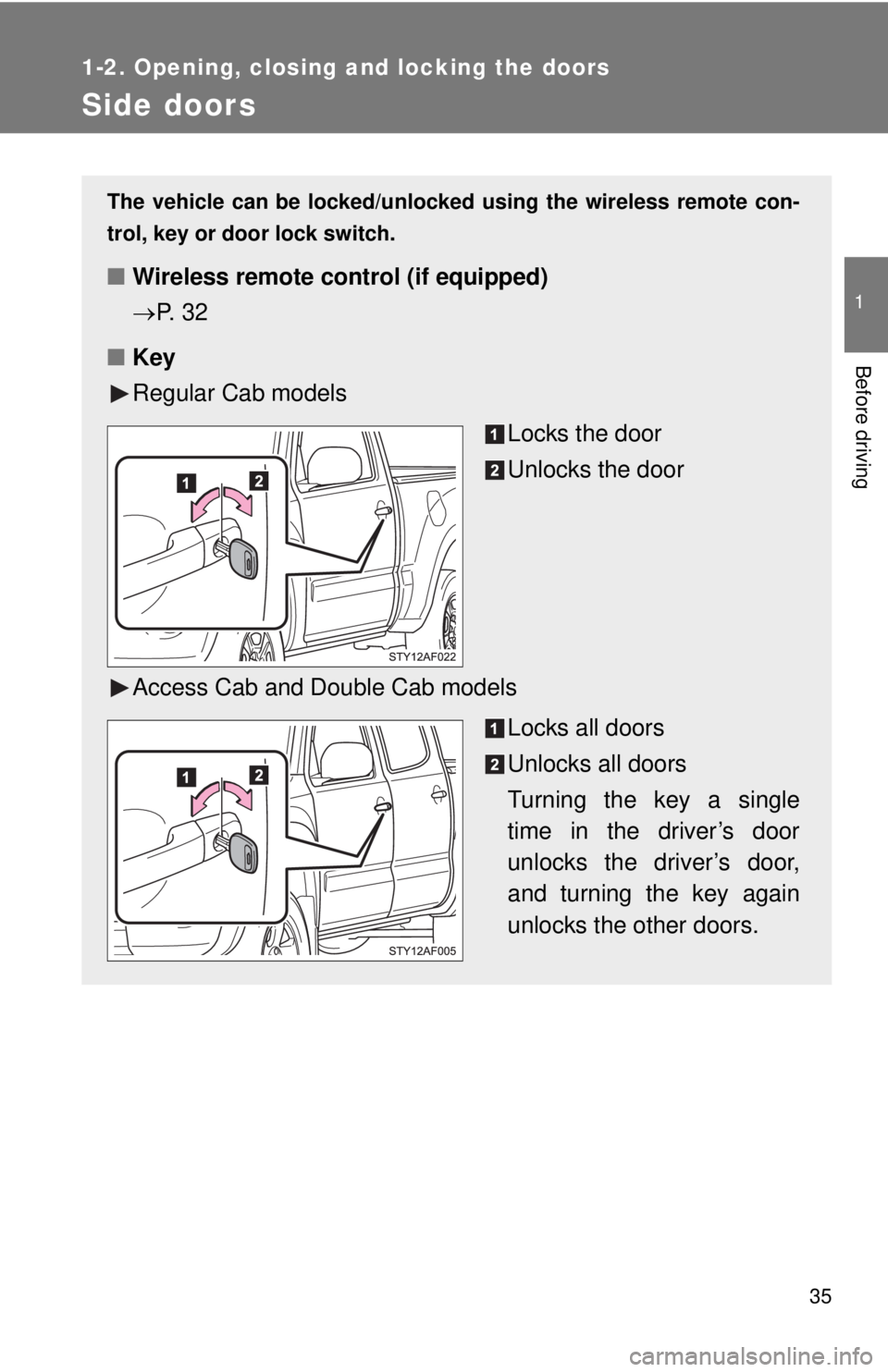
■ Key
Regular Cab models
Locks the door
Unlocks the door
Access Cab and Double Cab models Locks all doors
Unlocks all doors
Turning the key a single
time in the driver’s door
unlocks the driver’s door,
and turning the key again
unlocks the other doors.
Page 37 of 548
37
1-2. Opening, closing and locking the doors
1
Before driving
Locking the front doors from the outside without a key
Move the inside door lock button to the lock position.
Close the door.
Vehicles with power door lock system
The door cannot be locked if a front door is open and the key is in
the engine switch.
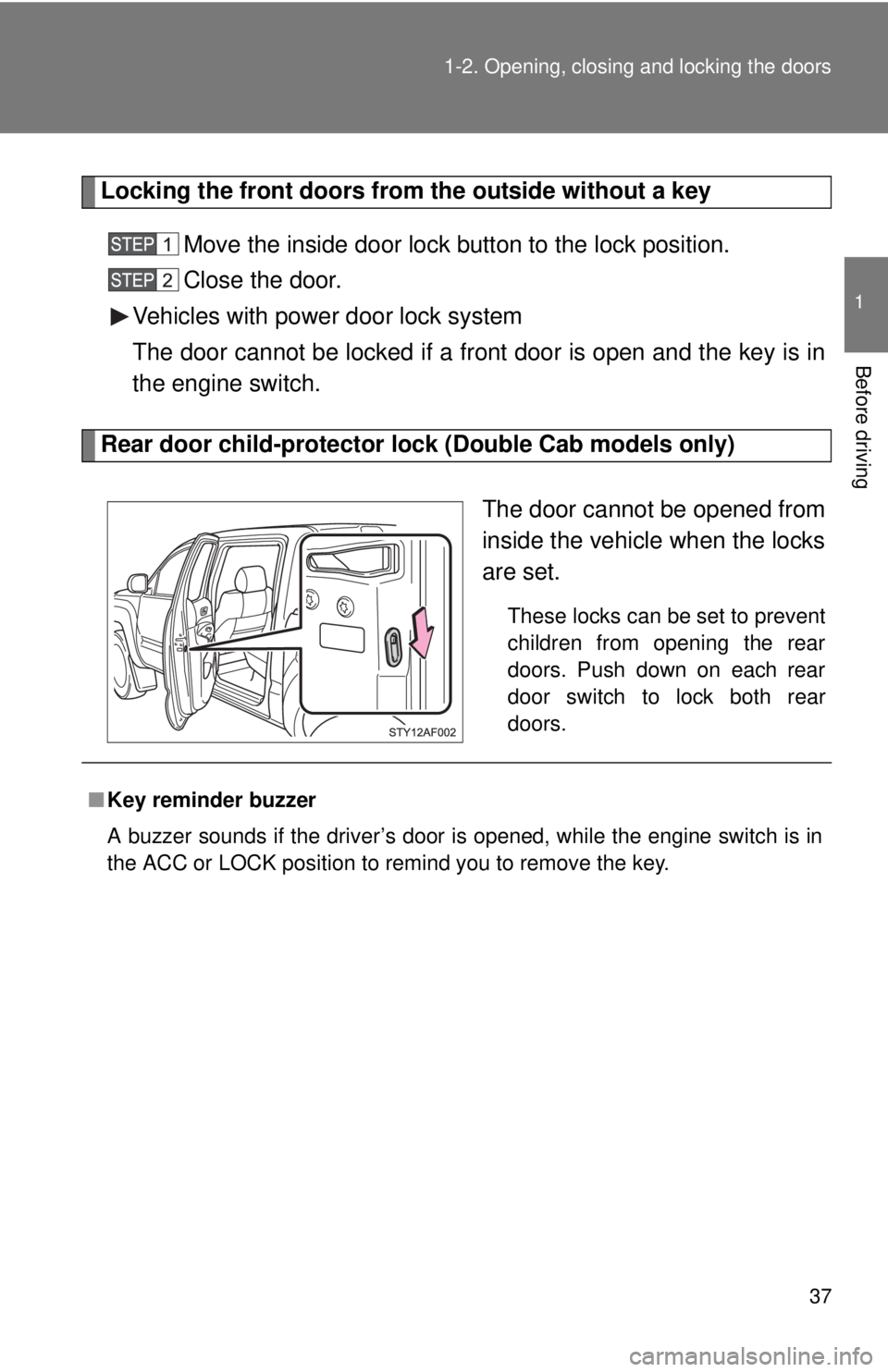
Rear door child-protector lock (Double Cab models only)
The door cannot be opened from
inside the vehicle when the locks
are set.
These locks can be set to prevent
children from opening the rear
doors. Push down on each rear
door switch to lock both rear
doors.
■Key reminder buzzer
A buzzer sounds if the driver’s door is opened, while the engine switch is in
the ACC or LOCK position to remind you to remove the key.
Page 78 of 548
78
1-6. Theft deterrent system
Engine immobilizer system
: If equipped
■System maintenance
The vehicle has a maintenance-free type engine immobilizer system.
■ Conditions that may cause the system to malfunction
●If the key is in contact with a metallic object
● If the key is in close proximity to or touching a key to the security system
(key with a built-in transponder chip) of another vehicle
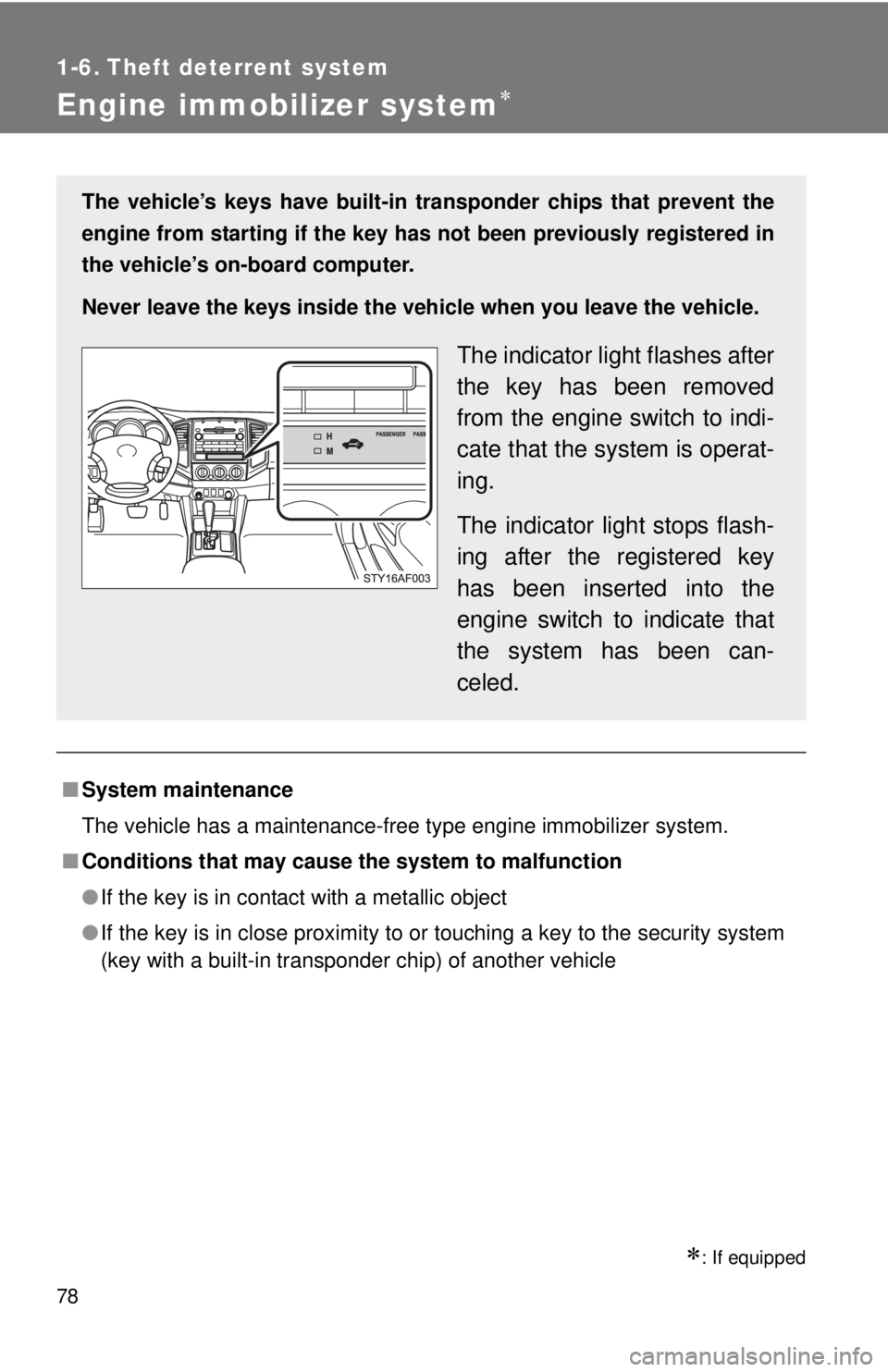
The vehicle’s keys have built-in tr ansponder chips that prevent the
engine from starting if the key has not been previously registered in
the vehicle’s on-board computer.
Never leave the keys inside the vehicle when you leave the vehicle.
The indicator light flashes after
the key has been removed
from the engine switch to indi-
cate that the system is operat-
ing.
The indicator light stops flash-
ing after the registered key
has been inserted into the
engine switch to indicate that
the system has been can-
celed.