air condition VAUXHALL MOKKA 2014.5 Owner's Manual
[x] Cancel search | Manufacturer: VAUXHALL, Model Year: 2014.5, Model line: MOKKA, Model: VAUXHALL MOKKA 2014.5Pages: 219, PDF Size: 6 MB
Page 23 of 219

Keys, doors and windows21
Extend the key and open the unit.
Replace the battery (battery type
CR 2032), paying attention to the installation position. Close the unit
and synchronise.
Radio remote control
synchronisation
After replacing the battery, unlock the
door with the key in the driver's door
lock. The radio remote control is
synchronised when the ignition is
switched on.
Memorised settings Whenever the key is removed from
the ignition switch, the following
settings are automatically memorised by the key:
■ Lighting
■ Infotainment system
■ Central locking system
The saved settings are automatically used the next time the memorised key
is inserted into the ignition switch and
turned to position 1 3 119.A precondition is that Personalization
by driver is activated in the personal
settings of the Graphic-Info-Display.
This must be set for each key used.
On vehicles equipped with
Colour-Info-Display, the
personalisation is permanently
activated.
Vehicle personalisation 3 99.
Central locking system
Unlocks and locks doors, load
compartment and fuel filler flap.
A pull on an interior door handle
unlocks the respective door. Pulling the handle again opens the door.
Notice
In the event of an accident in which
airbags or belt pretensioners are
deployed, the vehicle is
automatically unlocked.
Notice
A short time after unlocking with the
remote control the doors are locked
automatically if no door has been
opened.Unlocking
Radio remote control
Press button c.
Two settings are selectable: ■ To unlock only the driver's door, load compartment and fuel filler
flap; press button c once. To unlock
all doors; press button c twice
or
■ press button c once to unlock all
doors, load compartment and fuel
filler flap
Page 97 of 219
Instruments and controls95
No.Vehicle message28Right rear turn signal failure53Tighten gas cap54Water in diesel fuel filterS68Service power steeringS73Service all-wheel drive systemS75Service air conditioningS79Top up engine oilS81Service transmissionS82Change engine oil soonS84Engine power is reducedS89Service vehicle soon128Bonnet open134Park assist fault, clean
bumperS136Service parking assist174Low batteryNotice
"S" means "Service vehicle soon".
Seek the assistance of a workshop
immediately.
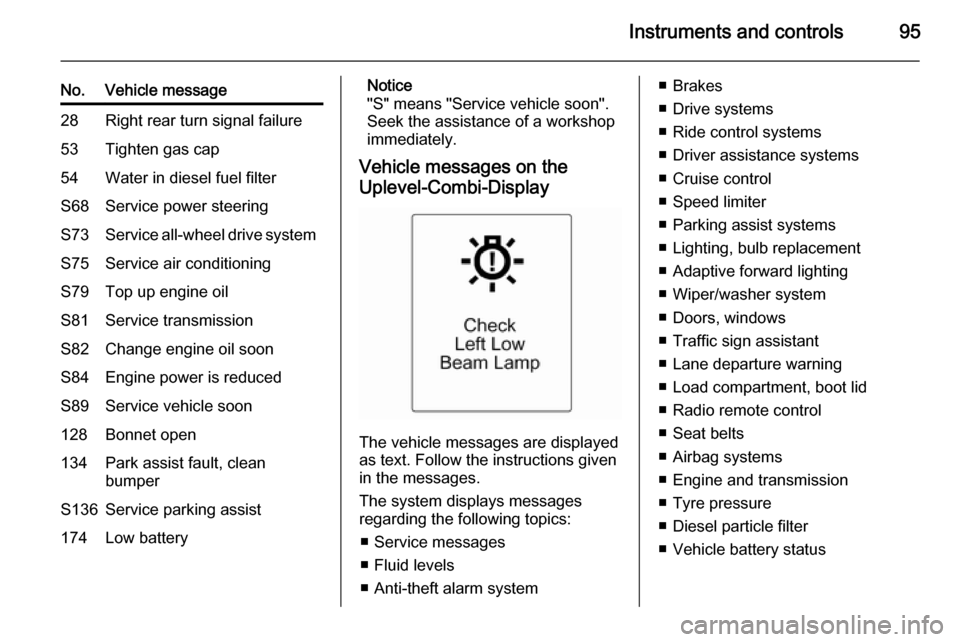
Vehicle messages on the
Uplevel-Combi-Display
The vehicle messages are displayed
as text. Follow the instructions given
in the messages.
The system displays messages
regarding the following topics:
■ Service messages
■ Fluid levels
■ Anti-theft alarm system
■ Brakes
■ Drive systems
■ Ride control systems
■ Driver assistance systems
■ Cruise control
■ Speed limiter
■ Parking assist systems
■ Lighting, bulb replacement
■ Adaptive forward lighting
■ Wiper/washer system
■ Doors, windows
■ Traffic sign assistant
■ Lane departure warning
■ Load compartment, boot lid
■ Radio remote control
■ Seat belts
■ Airbag systems
■ Engine and transmission
■ Tyre pressure
■ Diesel particle filter
■ Vehicle battery status
Page 102 of 219

100Instruments and controls
Radio settings
See Infotainment system manual for
further information.
Bluetooth settings
See Infotainment system manual for
further information.
Vehicle settings ■ Climate and air quality
Auto fan speed : Modifies the fan
regulation. Changed setting will be active after switching the ignition off
and on again.
Climate control mode : Activates or
deactivates cooling.
Auto demist : Supports windscreen
dehumidification by automatically
selecting the necessary settings
and auto air conditioning mode.
Auto rear demist : Automatic
activation of rear heated window.
■ Comfort settings
Chime volume : Changes the
volume of warning chimes.Personalization by driver : Activates
or deactivates the personalisation
function.
Rear auto wipe in reverse :
Activates or deactivates automatic
switching on of the rear window
wiper when reverse gear is
engaged.
■ Exterior ambient lighting
Exterior lighting by unlocking :
Activates or deactivates the entry
lighting.
Duration upon exit of vehicle :
Activates or deactivates and
changes the duration of exit
lighting.
■ Power door locks
Auto door lock : Activates or
deactivates the automatic door
unlocking function after switching
off ignition. Activates or deactivates the automatic door locking function after driving off.
Stop door lock if door open :
Activates or deactivates the
automatic door locking function
while a door is open.Delayed door lock : Activates or
deactivates the delayed door
locking function.
■ Remote locking, unlocking, starting
Remote unlock feedback :
Activates or deactivates the hazard warning flasher feedback whilst
unlocking.
Remote door unlock : Changes the
configuration to unlock only the
driver's door or the whole vehicle
whilst unlocking.
■ Restore factory settings :
Resets all settings to the default
settings.
Settings in the Colour-Info-
Display CD 600/Navi 650/Navi 950
Press the CONFIG button on the
Infotainment system faceplate to
enter the Configuration menu.
Turn the multifunction knob to scroll
upwards or downwards in the list.
Press the multifunction knob
(Navi 950 / Navi 650: press the outer
ring) to select a menu item.
Page 103 of 219
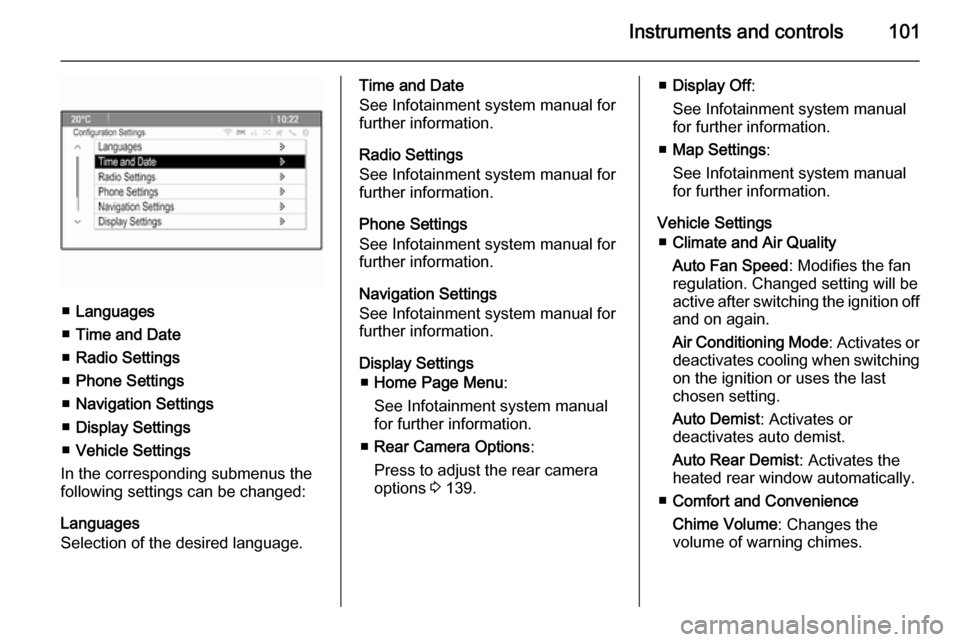
Instruments and controls101
■Languages
■ Time and Date
■ Radio Settings
■ Phone Settings
■ Navigation Settings
■ Display Settings
■ Vehicle Settings
In the corresponding submenus the
following settings can be changed:
Languages
Selection of the desired language.
Time and Date
See Infotainment system manual for
further information.
Radio Settings
See Infotainment system manual for
further information.
Phone Settings
See Infotainment system manual for
further information.
Navigation Settings
See Infotainment system manual for
further information.
Display Settings ■ Home Page Menu :
See Infotainment system manual
for further information.
■ Rear Camera Options :
Press to adjust the rear camera
options 3 139.■ Display Off :
See Infotainment system manual for further information.
■ Map Settings :
See Infotainment system manual
for further information.
Vehicle Settings ■ Climate and Air Quality
Auto Fan Speed : Modifies the fan
regulation. Changed setting will be
active after switching the ignition off
and on again.
Air Conditioning Mode : Activates or
deactivates cooling when switching
on the ignition or uses the last
chosen setting.
Auto Demist : Activates or
deactivates auto demist.
Auto Rear Demist : Activates the
heated rear window automatically.
■ Comfort and Convenience
Chime Volume : Changes the
volume of warning chimes.
Page 115 of 219
Climate control113Air conditioning system
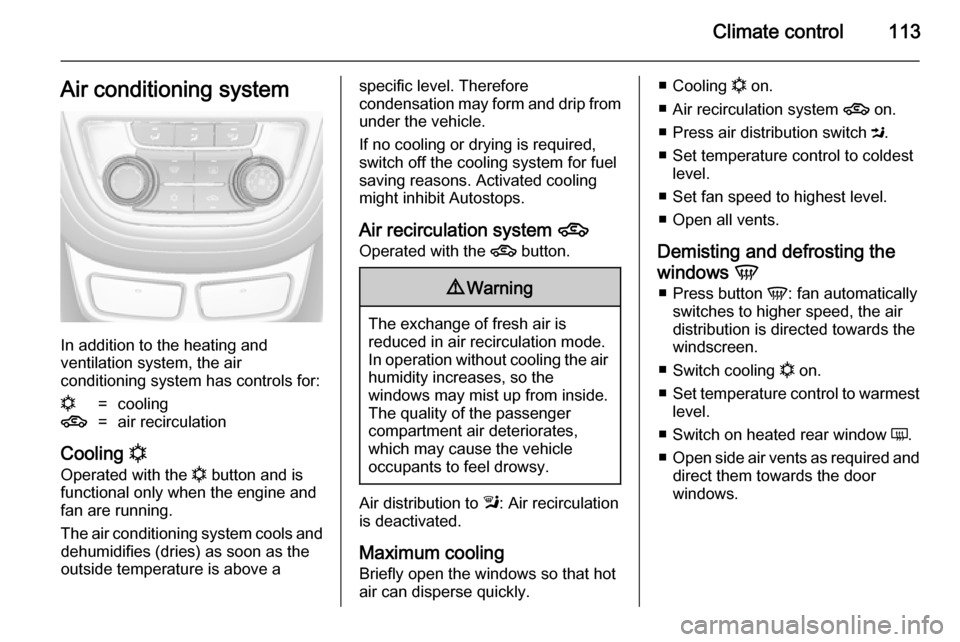
In addition to the heating and
ventilation system, the air
conditioning system has controls for:
n=cooling4=air recirculation
Cooling n
Operated with the n button and is
functional only when the engine and
fan are running.
The air conditioning system cools and dehumidifies (dries) as soon as the
outside temperature is above a
specific level. Therefore
condensation may form and drip from
under the vehicle.
If no cooling or drying is required,
switch off the cooling system for fuel
saving reasons. Activated cooling
might inhibit Autostops.
Air recirculation system 4
Operated with the 4 button.9Warning
The exchange of fresh air is
reduced in air recirculation mode.
In operation without cooling the air humidity increases, so the
windows may mist up from inside.
The quality of the passenger
compartment air deteriorates,
which may cause the vehicle
occupants to feel drowsy.
Air distribution to l: Air recirculation
is deactivated.
Maximum cooling Briefly open the windows so that hot
air can disperse quickly.
■ Cooling n on.
■ Air recirculation system 4 on.
■ Press air distribution switch M.
■ Set temperature control to coldest level.
■ Set fan speed to highest level.
■ Open all vents.
Demisting and defrosting the
windows V
■ Press button V: fan automatically
switches to higher speed, the air distribution is directed towards the
windscreen.
■ Switch cooling n on.
■ Set temperature control to warmest
level.
■ Switch on heated rear window Ü.
■ Open side air vents as required and
direct them towards the door
windows.
Page 117 of 219

Climate control115
Temperature preselectionTemperatures can be set to the
desired value.
If the minimum temperature is set, the
climate control system runs at
maximum cooling.
If the maximum temperature is set,
the climate control system runs at
maximum heating.
Notice
If the temperature will be reduced for
climate comfort reasons, an
Autostop can be inhibited or the
engine will restart automatically,
when cooling is switched on.
Stop-start system 3 120.
The temperature can be adjusted separately for driver and front
passenger side.
Demisting and defrosting the
windows V
■ Press button V.
■ Press cooling button n.■ Temperature and air distribution
are set automatically and the fan
runs at high speed.
■ Switch on heated rear window Ü.
■ To return to automatic mode: press
button V or AUTO .
Notice
If the V button is pressed while the
engine is running, an Autostop will
be inhibited until the V button is
pressed again.
If the V button is pressed while the
engine is in an Autostop, the engine will restart automatically.
Manual settings Climate control system settings can
be changed by activating the buttons
and rotary knobs as follows.
Changing a setting will deactivate the
automatic mode.
Fan speed Z
The selected fan speed is indicated
with x and a number in the display. If
the fan is switched off the air
conditioning is also deactivated.To return to automatic mode: Press
AUTO button.
Air distribution l, M , K
Press appropriate button for desired
adjustment. Activation is indicated by the LED in the button.l=to windscreen and front door
windows.M=to head area.K=to foot well.
Combination of settings are possible.
Return to automatic air distribution:
Deactivate corresponding setting or press button AUTO.
Cooling n
Activate or deactivate with the n
button.
The air conditioning system cools and
dehumidifies (dries) when outside
temperature is above a specific level. Therefore condensation may form
and drip from under the vehicle.
Page 118 of 219
116Climate control
If no cooling or drying is required,
switch off the cooling system for fuel
saving reasons. Activated cooling
might inhibit Autostops.
The display will indicate Eco when
cooling is deactivated.
Air recirculation mode 4
Press button 4 once to activate the
manual air recirculation mode.9 Warning
The exchange of fresh air is
reduced in air recirculation mode.
In operation without cooling the air humidity increases, so the
windows may mist up from inside.
The quality of the passenger
compartment air deteriorates,
which may cause the vehicle
occupants to feel drowsy.
Air conditioning with the engine
not running
When ignition is off, the residual heat or cooling in the system can be used
for climate control in passenger
compartment.
Auxiliary heater Air heater
Quickheat is an electric auxiliary air
heater which automatically warms up the passenger compartment more
quickly.Air vents
Adjustable air vents
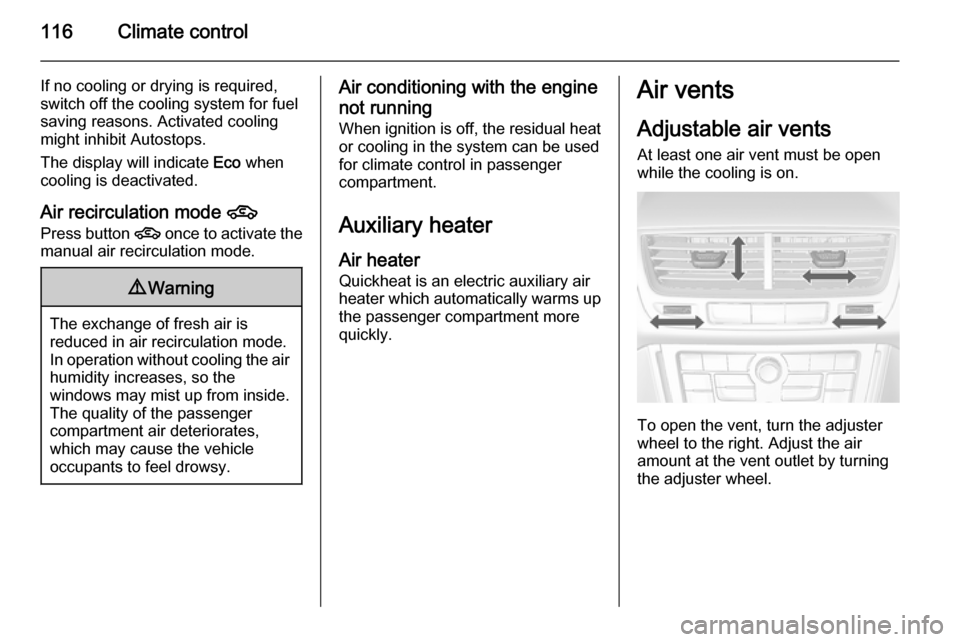
At least one air vent must be open
while the cooling is on.
To open the vent, turn the adjuster
wheel to the right. Adjust the air
amount at the vent outlet by turning
the adjuster wheel.
Page 119 of 219
Climate control117
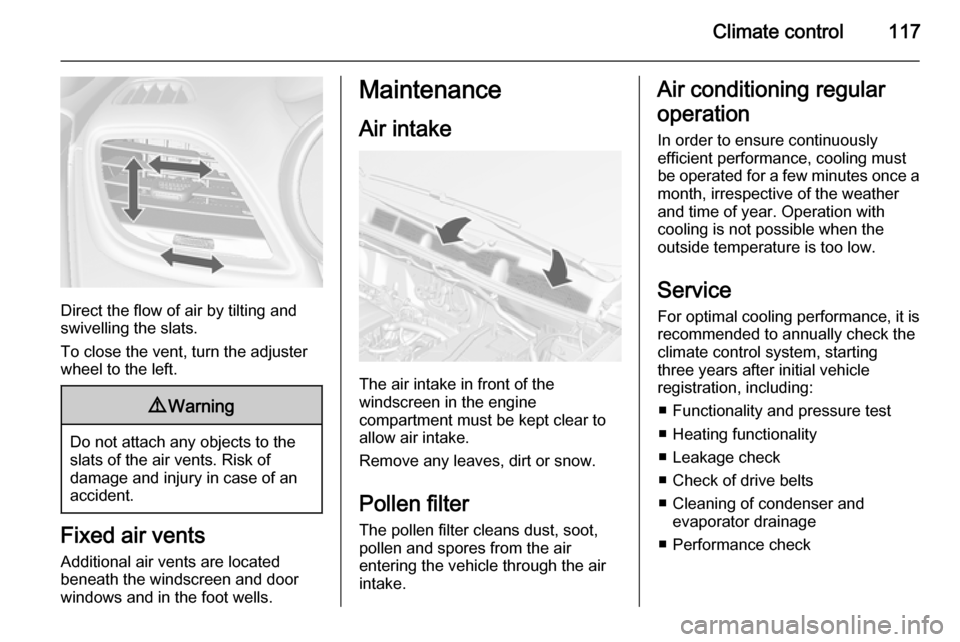
Direct the flow of air by tilting and
swivelling the slats.
To close the vent, turn the adjuster
wheel to the left.
9 Warning
Do not attach any objects to the
slats of the air vents. Risk of
damage and injury in case of an
accident.
Fixed air vents
Additional air vents are located
beneath the windscreen and door windows and in the foot wells.
Maintenance
Air intake
The air intake in front of the
windscreen in the engine
compartment must be kept clear to
allow air intake.
Remove any leaves, dirt or snow.
Pollen filter The pollen filter cleans dust, soot,
pollen and spores from the air
entering the vehicle through the air
intake.
Air conditioning regular
operation
In order to ensure continuously
efficient performance, cooling must
be operated for a few minutes once a month, irrespective of the weather
and time of year. Operation with
cooling is not possible when the
outside temperature is too low.
Service
For optimal cooling performance, it is
recommended to annually check the
climate control system, starting
three years after initial vehicle
registration, including:
■ Functionality and pressure test■ Heating functionality
■ Leakage check
■ Check of drive belts
■ Cleaning of condenser and evaporator drainage
■ Performance check
Page 124 of 219

122Driving and operating
Immediately after motorway driving
an Autostop may be inhibited.
New vehicle running-in 3 119.
Battery discharge protection
To ensure reliable engine restarts, several battery discharge protection
features are implemented as part of
the stop-start system.
Power saving measures
During an Autostop, several electrical
features such as auxiliary electric
heater or rear window heating are
disabled or switched into a power
saving mode. The fan speed of the
climate control system is reduced to
save power.
Restart of the engine by the
driver Depress the clutch pedal to restart the
engine.
The engine start is indicated by the
needle at the idle speed position in
the tachometer.If the selector lever is shifted out of
neutral before depressing the clutch
first, control indicator - illuminates
or is shown as a message in the Driver Information Centre.
Control indicator - 3 85.
Restart of the engine by the
stop-start system
The selector lever has to be in neutral to enable an automatic restart.
If one of the following conditions occurs during an Autostop, the
engine will be restarted automatically
by the stop-start system:
■ The stop-start system is manually deactivated
■ the bonnet is opened
■ the driver's seat belt is unfastened and the driver's door is opened
■ the engine temperature is too low
■ the battery is discharged
■ the brake vacuum is not sufficient
■ the vehicle starts to move■ the climate control system requests
an engine start
■ the air conditioning is manually switched on
If the bonnet is not fully closed, a
warning message is displayed in the
Driver Information Centre.
If an electrical accessory, e.g. a
portable CD player, is connected to
the power outlet, a brief power drop during engine restart might be
noticeable.
Parking ■ Do not park the vehicle on an easily
ignitable surface. The high
temperature of the exhaust system
could ignite the surface.
■ Always apply parking brake without
pressing release button. Apply as
firmly as possible on downhill or
uphill slopes. Depress the foot
brake at the same time to reduce
operating force.
■ Switch off the engine and ignition. Turn the steering wheel until the
steering wheel lock engages.
Page 125 of 219

Driving and operating123
■If the vehicle is on a level surface or
uphill slope, engage first gear or set the selector lever to P before
switching off the ignition. On an
uphill slope, turn the front wheels
away from the kerb.
If the vehicle is on a downhill slope,
engage reverse gear or set the
selector lever to P before switching
off the ignition. Turn the front
wheels towards the kerb.
■ Lock the vehicle and activate the anti-theft alarm system.
Notice
In the event of an accident with
airbag deployment, the engine is
turned off automatically if the vehicle
comes to a standstill within a certain
time.Engine exhaust9 Danger
Engine exhaust gases contain
poisonous carbon monoxide,
which is colourless and odourless and could be fatal if inhaled.
If exhaust gases enter the interior
of the vehicle, open the windows.
Have the cause of the fault
rectified by a workshop.
Avoid driving with an open load
compartment, otherwise exhaust
gases could enter the vehicle.
Diesel particle filter
The diesel particle filter system filters
harmful soot particles out of the
exhaust gases. The system includes
a self-cleaning function that runs
automatically during driving without
any notification. The filter is cleaned
by periodically burning off the soot
particles at high temperature. This
process takes place automatically
under set driving conditions and may
take up to 25 minutes. Typically it
needs between 7 and 12 minutes. Autostop is not available and fuel
consumption may be higher during
this period. The emission of smells and smoke during this process is
normal.
Under certain driving conditions, e.g.
short distances, the system cannot
clean itself automatically.
If cleaning of the filter is required and if previous driving conditions did not
enable automatic cleaning, it will be
indicated by control indicator %.