turn signal VAUXHALL ZAFIRA TOURER 2017 Owner's Manual
[x] Cancel search | Manufacturer: VAUXHALL, Model Year: 2017, Model line: ZAFIRA TOURER, Model: VAUXHALL ZAFIRA TOURER 2017Pages: 289, PDF Size: 8.91 MB
Page 13 of 289

In brief111Power windows .....................31
2 Exterior mirrors .....................28
3 Cruise control .....................172
Speed limiter ....................... 173
Adaptive cruise control .......175
Forward collision alert .........181
4 Turn and lane-change
signals, headlight flash,
low beam and high beam,
high beam assist ................136
Exit lighting ......................... 139
Parking lights ...................... 137
Buttons for Driver
Information Centre ..............116
5 Instruments ........................ 103
6 Driver Information Centre .... 116
7 Steering wheel controls .......96
8 Windscreen wiper,
windscreen washer
system, headlight washer
system, rear wiper, rear
washer system ......................97
9 Info-Display ..........
Missing link
10Central locking system ..........22
Hazard warning flashers ....136
Sport mode ........................ 170
Tour mode .......................... 170
Fuel selector ....................... 105
Control indicator for airbag
deactivation ........................ 111
11 Anti-theft alarm system
status LED ........................... 26
12 Centre air vents .................. 147
13 Side air vents ...................... 147
14 Glovebox .............................. 65
15 Climate control system ........ 141
16 USB input .............................. 10
Power outlet ........................ 101
17 Selector lever, manual
transmission ....................... 164
Automatic transmission ......161
18 Traction Control system .....168
Electronic Stability Control . 169
Lane departure warning .....196
19 Electric parking brake .........16520Manual parking brake .........165
21 Parking assist systems .......187
Eco button for stop-start
system ................................. 153
22 Ignition switch with
steering wheel lock ............150
23 Horn ..................................... 97
Driver airbag ........................ 56
24 Bonnet release lever ..........214
25 Fuse box ............................ 231
Storage compartment ...........67
26 Light switch ........................ 131
Headlight range
adjustment ......................... 133
Front fog lights ...................136
Rear fog light ...................... 137
Instrument illumination .......138
27 Steering wheel adjustment ..96
Page 14 of 289
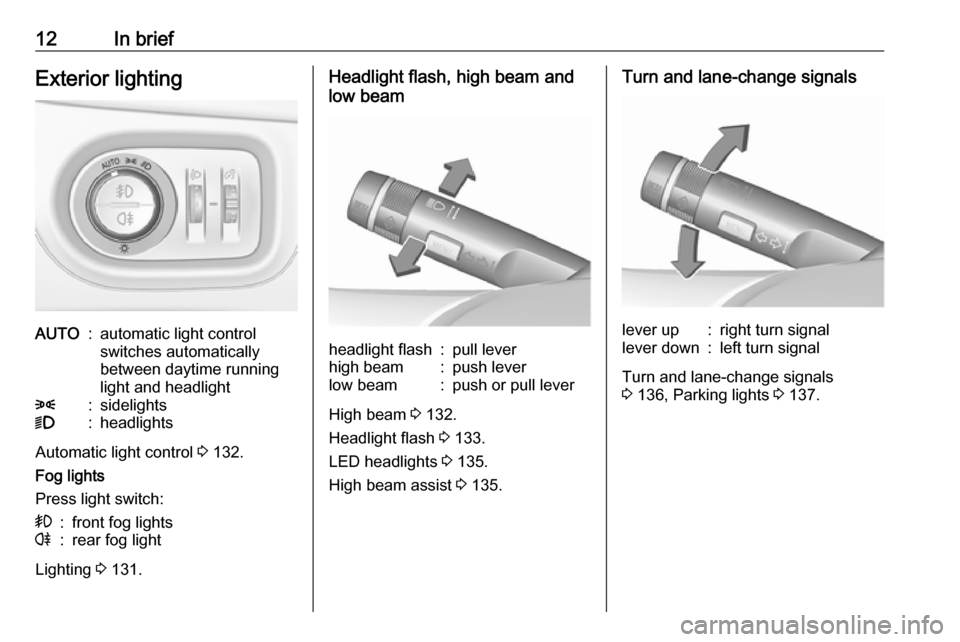
12In briefExterior lightingAUTO:automatic light control
switches automatically
between daytime running
light and headlight8:sidelights9:headlights
Automatic light control 3 132.
Fog lights
Press light switch:
>:front fog lightsr:rear fog light
Lighting 3 131.
Headlight flash, high beam and
low beamheadlight flash:pull leverhigh beam:push leverlow beam:push or pull lever
High beam 3 132.
Headlight flash 3 133.
LED headlights 3 135.
High beam assist 3 135.
Turn and lane-change signalslever up:right turn signallever down:left turn signal
Turn and lane-change signals
3 136, Parking lights 3 137.
Page 97 of 289

Instruments and controls95Instruments and
controlsControls ....................................... 96
Steering wheel adjustment ........96
Steering wheel controls .............96
Heated steering wheel ...............96
Horn ........................................... 97
Windscreen wiper/washer .........97
Rear window wiper/washer .......99
Outside temperature ..................99
Clock ....................................... 100
Power outlets ........................... 101
Cigarette lighter .......................102
Ashtrays .................................. 102
Warning lights, gauges and indi‐ cators ......................................... 103
Instrument cluster ....................103
Speedometer ........................... 103
Odometer ................................ 103
Trip odometer .......................... 103
Tachometer ............................. 104
Fuel gauge .............................. 104
Fuel selector ............................ 105
Engine coolant temperature gauge ..................................... 106
Service display ........................ 106Control indicators ....................107
Turn signal ............................... 109
Seat belt reminder ...................110
Airbag and belt tensioners .......110
Airbag deactivation ..................111
Charging system .....................111
Malfunction indicator light ........111
Brake and clutch system .........111
Operate pedal .......................... 112
Electric parking brake ..............112
Electric parking brake fault ......112
Antilock brake system (ABS) ...112
Gear shifting ............................ 113
Power steering ........................ 113
Following distance ...................113
Lane departure warning ..........113
Electronic Stability Control off . 113
Electronic Stability Control and Traction Control system .........113
Traction Control system off .....113
Preheating ............................... 114
Diesel particle filter ..................114
AdBlue ..................................... 114
Tyre pressure monitoring system .................................... 114
Engine oil pressure ..................114
Low fuel ................................... 115
Immobiliser .............................. 115
Exterior light ............................ 115
High beam ............................... 115High beam assist.....................115
LED headlights ........................ 115
Fog light ................................... 115
Rear fog light ........................... 115
Cruise control .......................... 115
Adaptive cruise control ............116
Vehicle detected ahead ...........116
Speed limiter ........................... 116
Traffic sign assistant ................116
Door open ................................ 116
Information displays ...................116
Driver Information Centre ........116
Info display .............................. 121
Vehicle messages ......................122
Warning chimes .......................123
Battery voltage ........................ 123
Vehicle personalisation ..............124
Telematics service .....................127
OnStar ..................................... 127
Page 105 of 289
Instruments and controls103Warning lights, gauges
and indicators
Instrument cluster
In some versions, the needles of the
instruments briefly rotate to the end
position when the ignition is switched on.
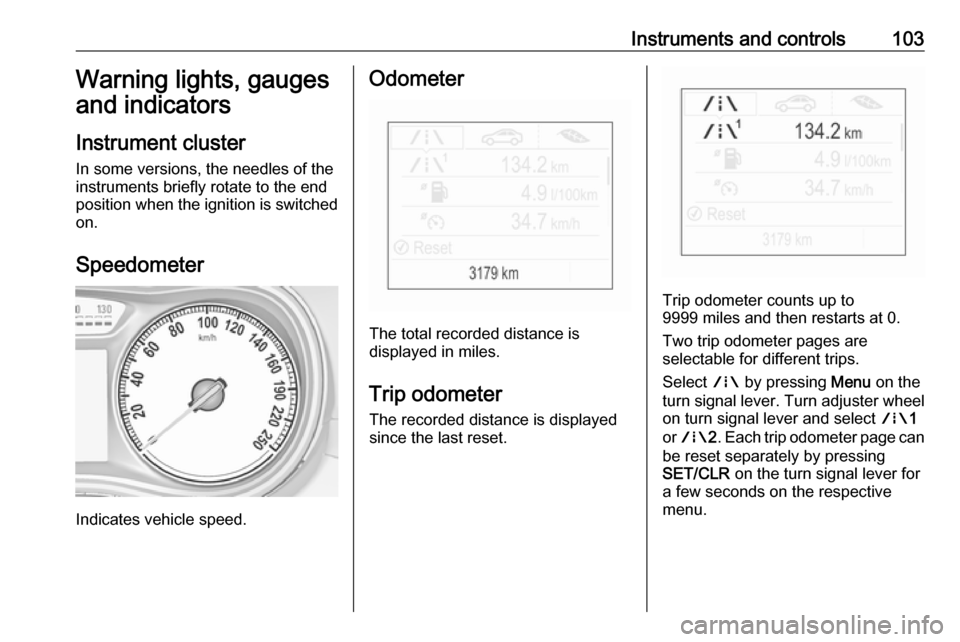
Speedometer
Indicates vehicle speed.
Odometer
The total recorded distance is
displayed in miles.
Trip odometer The recorded distance is displayed
since the last reset.
Trip odometer counts up to
9999 miles and then restarts at 0.
Two trip odometer pages are
selectable for different trips.
Select ; by pressing Menu on the
turn signal lever. Turn adjuster wheel
on turn signal lever and select ;1
or ; 2. Each trip odometer page can
be reset separately by pressing
SET/CLR on the turn signal lever for
a few seconds on the respective
menu.
Page 108 of 289
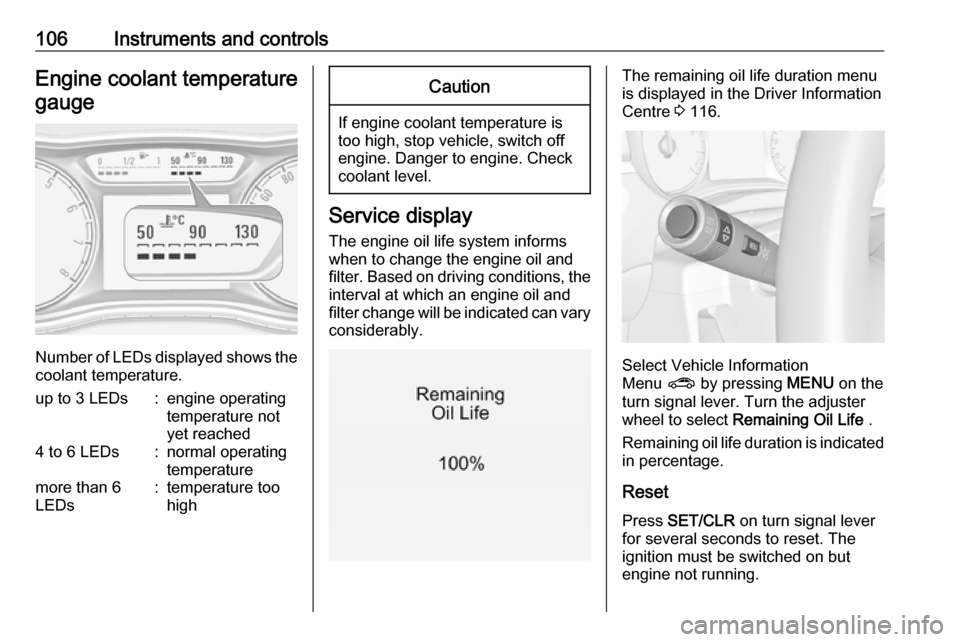
106Instruments and controlsEngine coolant temperaturegauge
Number of LEDs displayed shows the coolant temperature.
up to 3 LEDs:engine operating
temperature not
yet reached4 to 6 LEDs:normal operating
temperaturemore than 6
LEDs:temperature too
highCaution
If engine coolant temperature is
too high, stop vehicle, switch off
engine. Danger to engine. Check
coolant level.
Service display
The engine oil life system informs
when to change the engine oil and
filter. Based on driving conditions, the interval at which an engine oil and
filter change will be indicated can vary
considerably.
The remaining oil life duration menu
is displayed in the Driver Information
Centre 3 116.
Select Vehicle Information
Menu ? by pressing MENU on the
turn signal lever. Turn the adjuster wheel to select Remaining Oil Life .
Remaining oil life duration is indicated
in percentage.
ResetPress SET/CLR on turn signal lever
for several seconds to reset. The
ignition must be switched on but
engine not running.
Page 111 of 289

Instruments and controls109OverviewOTurn signal 3 109XSeat belt reminder 3 110vAirbag and belt tensioners
3 110VAirbag deactivation 3 111pCharging system 3 111ZMalfunction indicator light
3 111RBrake and clutch system 3 111mElectric parking brake 3 112jElectric parking brake fault
3 112-Operate pedal 3 112uAntilock brake system (ABS)
3 112RGear shifting 3 113EFollowing distance 3 113cPower steering 3 113)Lane departure warning 3 113nElectronic Stability Control off
3 113bElectronic Stability Control and
Traction Control system 3 113kTraction Control system off
3 113!Preheating 3 114%Diesel particle filter 3 114YAdBlue 3 114wTyre pressure monitoring
system 3 114IEngine oil pressure 3 114YLow fuel 3 115dImmobiliser 3 1158Exterior light 3 115CHigh beam 3 115fHigh beam assist 3 115fLED headlights 3 135>Fog light 3 115rRear fog light 3 115mCruise control 3 115 / Adaptive
cruise control 3 116CAdaptive cruise control 3 116AVehicle detected ahead 3 116LSpeed limiter 3 116LTraffic sign assistant 3 116hDoor open 3 116
Turn signal
O illuminates or flashes green.
Illuminates briefly
The parking lights are switched on.
Flashes
A turn signal or the hazard warning flashers are activated.
Rapid flashing: failure of a turn signal light or associated fuse, failure of turn
signal light on trailer.
Bulb replacement 3 221, Fuses
3 228.
Turn signals 3 136.
Page 118 of 289
116Instruments and controlsIlluminates whiteThe system is on.
Illuminates green Cruise control is active. Set speed is
indicated in the Driver Information
Centre.
Cruise control 3 172.
Adaptive cruise control
m illuminates white or green.
C illuminates in the Driver
Information Centre.
m illuminates white
The system is on.
m illuminates green
Adaptive cruise control is active.
When Adaptive cruise control is on or active, C with the set speed is
indicated in the Driver Information
Centre.
Adaptive cruise control 3 175.Vehicle detected ahead
A illuminates green.
Illuminates green
A vehicle ahead is detected in the
same lane.
Adaptive cruise control 3 175,
Forward collision alert 3 181.
Speed limiter
L illuminates in the Driver
Information Centre when Speed
limiter is active. Set speed is indicated
alongside L symbol.
Speed limiter 3 173.
Traffic sign assistant
L displays detected traffic signs as a
control indicator.
Traffic sign assistant 3 193.
Door open h illuminates red.
A door or the tailgate is open.Information displays
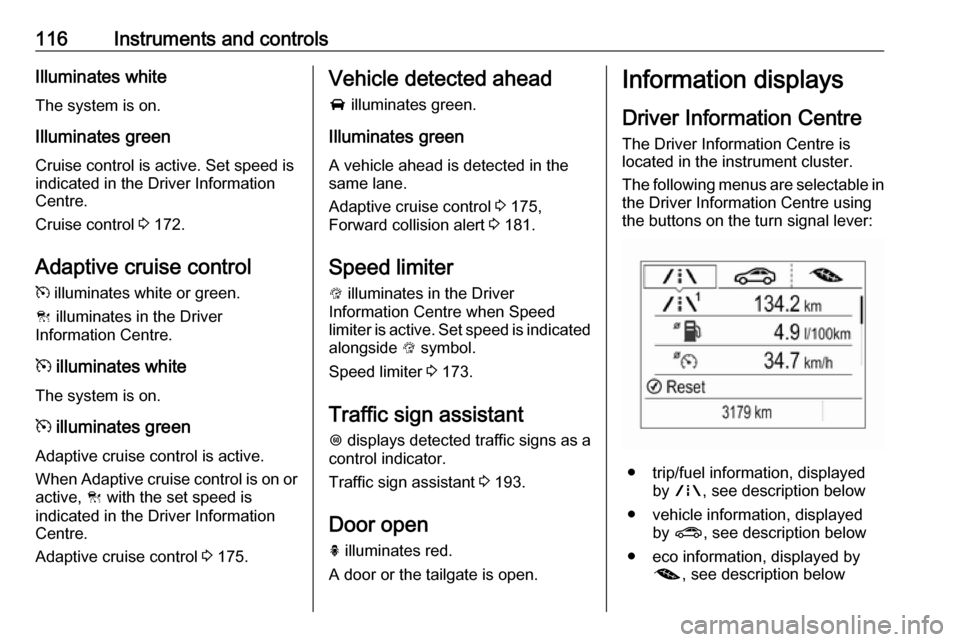
Driver Information Centre The Driver Information Centre is
located in the instrument cluster.
The following menus are selectable in
the Driver Information Centre using
the buttons on the turn signal lever:
● trip/fuel information, displayed by ; , see description below
● vehicle information, displayed by ? , see description below
● eco information, displayed by @ , see description below
Page 119 of 289
Instruments and controls117The following indications appear if
required:
● warning messages 3 122
● gear shift indication 3 113
● drive mode indication 3 161
● tyre pressure warning 3 237
● seat belt reminder indication 3 110
● service information 3 106
Some of the displayed functions differ
when the vehicle is being driven or at
a standstill. Some functions are only
available when the vehicle is being
driven.
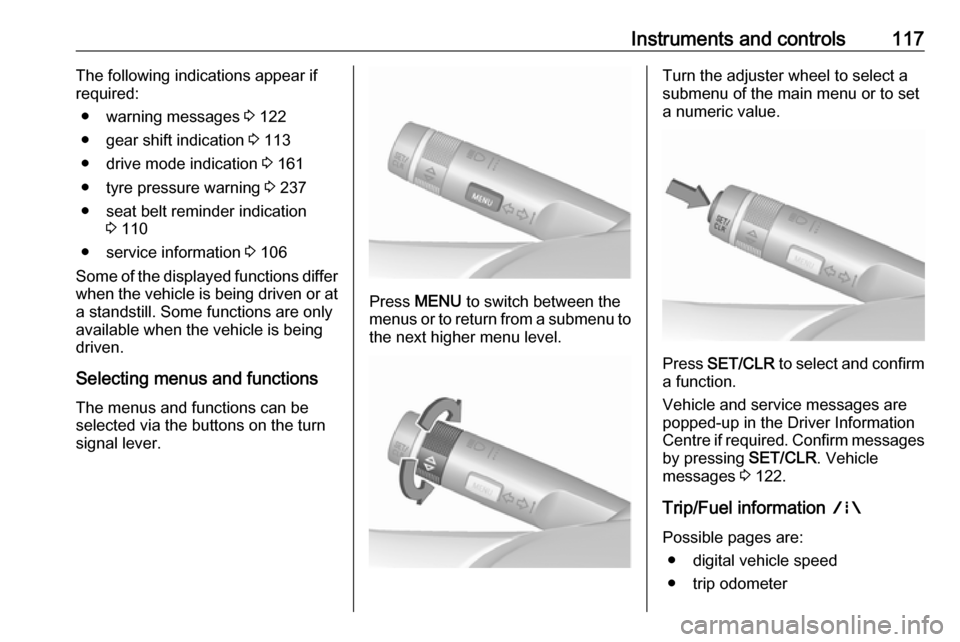
Selecting menus and functions The menus and functions can be
selected via the buttons on the turn signal lever.
Press MENU to switch between the
menus or to return from a submenu to the next higher menu level.
Turn the adjuster wheel to select a
submenu of the main menu or to set a numeric value.
Press SET/CLR to select and confirm
a function.
Vehicle and service messages are
popped-up in the Driver Information
Centre if required. Confirm messages
by pressing SET/CLR. Vehicle
messages 3 122.
Trip/Fuel information ;
Possible pages are: ● digital vehicle speed
● trip odometer
Page 124 of 289
122Instruments and controlsPress X to switch on the display.
Press HOME to display the
homepage.
Turn MENU SELECT to select a
menu display icon or a function or to
scroll a submenu list.
Press MENU SELECT to confirm a
selection.
Press BACK to exit a menu to the next
higher level or to delete the last
character in a character sequence.
Press HOME to return to the
homepage.
For further information, see
Infotainment manual.Touchscreen operation
Press X to switch on the display.
Press HOME to select homepage.
Touch a screen button to activate an
option or function, open a submenu or confirm a selection.
Touch the screen and move your
finger to scroll a list or to scroll the
map.Touch Back on the screen to exit a
menu to the next higher level or to
delete the last character in a
character sequence.
Press HOME to return to the
homepage.
For further information, see
Infotainment manual.Speech recognition
Description see Infotainment manual.
Vehicle personalisation 3 124.
Vehicle messages
Messages are indicated mainly in the
Driver Information Centre, in some
cases together with a warning and
signal chime.
Vehicle and service messages in
the Driver Information Centre
The vehicle messages are displayed
as text. Follow the instructions given
in the messages.
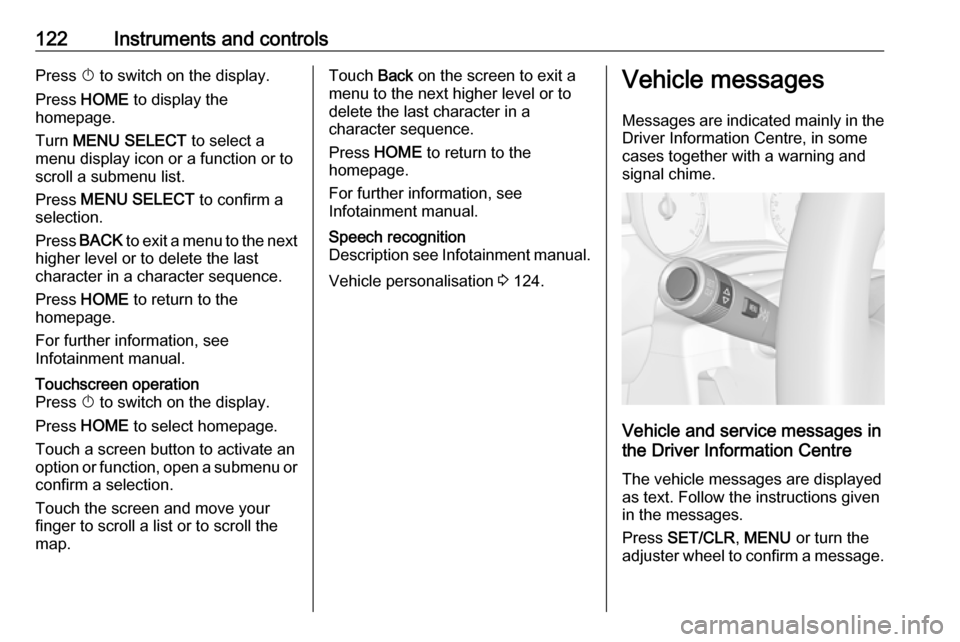
Press SET/CLR , MENU or turn the
adjuster wheel to confirm a message.
Page 131 of 289

Instruments and controls129The following functions are available:● Lock or unlock vehicle.
● Honk horn or flash lights.
● Check fuel level, engine oil life and tyre pressure (only with tyre
pressure monitoring system).
● Send navigation destination to the vehicle, if equipped with a
built-in navigation system.
● Locate vehicle on a map.
● Manage Wi-Fi settings.
To operate these functions, download the app from App Store ®
or
Google Play™ Store.
Remote control
If desired, use any phone to call an
advisor, who can remotely operate
specific vehicle functions. Find the respective OnStar phone number on
our country-specific website.
The following functions are available: ● Lock or unlock vehicle.
● Provide information on the vehicle location.
● Honk horn or flash lights.Stolen vehicle assistance
If the vehicle is stolen, report the theft
to the authorities and request OnStar
stolen vehicle assistance. Use any
phone to call an advisor. Find the respective OnStar phone number on
our country-specific website.
OnStar can provide support in
locating and recovering the vehicle.Theft alert
When the anti-theft alarm system is
triggered, a notification is sent to
OnStar. You are then informed about
this event by text message or email.Restart prevention
By sending remote signals, OnStar
can prevent the vehicle from
restarting once it has been turned off.
On-demand diagnostics
At any time e.g. if the vehicle displays a vehicle message, press Z to
contact an advisor and ask to
complete a real-time diagnostic check
to directly determine the issue.
Depending on the results, the advisor
will provide further support.
Diagnostic report
The vehicle automatically transmits
diagnostic data to OnStar which
sends a monthly email report to you
and your preferred workshop.
Notice
The workshop notification function
can be disabled in your account.
The report contains the status of key
operating systems of the vehicle like
engine, transmission, airbags, ABS,
and other major systems. It also
provides information on possible
maintenance items and tyre pressure
(only with tyre pressure monitoring
system).
To look at the information in greater
detail, select the link within the email
and log in to your account.
Destination download
A desired destination can be directly
downloaded to the navigation system.
Press Z to call an advisor and
describe the destination or point of
interest.