ESP VOLVO V90 2017 User Guide
[x] Cancel search | Manufacturer: VOLVO, Model Year: 2017, Model line: V90, Model: VOLVO V90 2017Pages: 594, PDF Size: 15.07 MB
Page 59 of 594
SAFETY
}}
* Option/accessory.57
cle as they drive (which means that they must be able to easily operate the foot pedals and steer-ing wheel). The aim should be to position theseat with as large a distance as possible betweenabdomen and steering wheel.
Related information
•
Safety (p. 56)
• Seatbelt (p. 59)
• Manual front seat (p. 121)
• Power front seat
* (p. 121)
Whiplash Protection System Whiplash Protection System (WHIPS) is a pro- tection against whiplash injuries. The systemconsists of energy-absorbing backrests and seatcushions, and specially designed head restraintsin the front seats.
WHIPS is deployed in the event of a rear-end collision, where the angle and speed of the colli-sion and the nature of the colliding vehicle allhave an influence. When WHIPS is deployed, the front seat back- rests are lowered backward and the seat cush-ions move downward to change the seating posi-tion of the driver and front seat passenger. Thisreduces the risk of whiplash injury.
WARNING
WHIPS is a supplement to the seatbelts. Always use a seatbelt.
WARNING
Never modify or repair the seat or WHIPS yourself. Volvo recommends that an author-ised Volvo workshop should be contacted. If the front seats have been subjected to a major load, such as in conjunction with a colli-sion, the seats must be replaced. Some of theseats' protective properties may have beenlost even if they do not appear damaged.
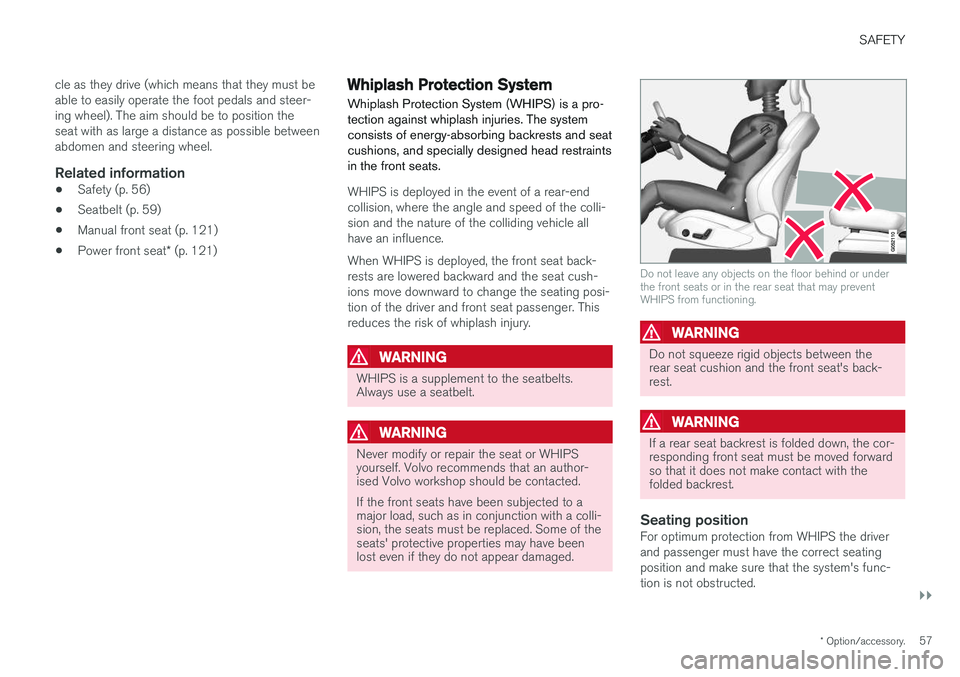
Do not leave any objects on the floor behind or under the front seats or in the rear seat that may preventWHIPS from functioning.
WARNING
Do not squeeze rigid objects between the rear seat cushion and the front seat's back-rest.
WARNING
If a rear seat backrest is folded down, the cor- responding front seat must be moved forwardso that it does not make contact with thefolded backrest.
Seating positionFor optimum protection from WHIPS the driver and passenger must have the correct seatingposition and make sure that the system's func-tion is not obstructed.
Page 117 of 594
INSTRUMENTS AND CONTROLS
}}
* Option/accessory.115
When replacing the windscreen - contact an authorised workshop
7
. The correct version of the
windscreen must be fitted in order that the head- up display's graphics shall be displayed correctly.
Related information
• Function view with buttons for car functions(p. 47)
• Settings view (p. 169)
• Steering wheel (p. 131)
• Using the memory function in the power front seat
* (p. 122)
• Driver display (p. 90)
Voice recognition 8
The voice recognition system allows the driver to use voice recognition to control certain functionsof the media player, Bluetooth-connected phone,the climate system and Volvo's navigation sys- tem *.
Voice commands offer convenience and help the driver to avoid being distracted, and instead con-centrate on driving and focus attention on theroad and the traffic conditions.
WARNING
The driver always holds overall responsibility for driving the vehicle in a safe manner andcomplying with all applicable rules of the road.
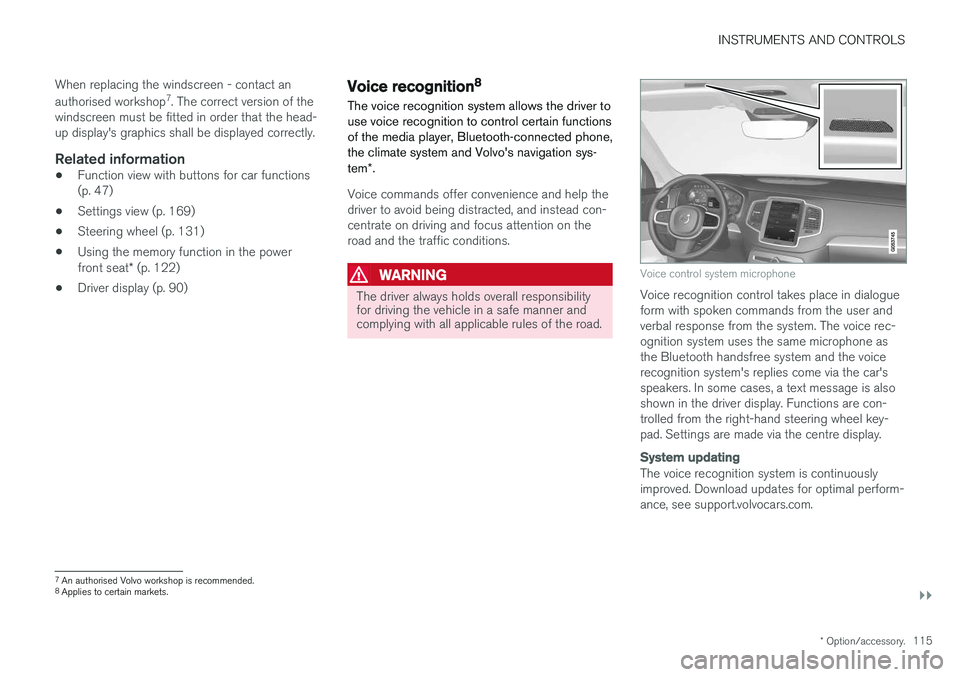
Voice control system microphone
Voice recognition control takes place in dialogue form with spoken commands from the user andverbal response from the system. The voice rec-ognition system uses the same microphone asthe Bluetooth handsfree system and the voicerecognition system's replies come via the car'sspeakers. In some cases, a text message is alsoshown in the driver display. Functions are con-trolled from the right-hand steering wheel key-pad. Settings are made via the centre display.
System updating
The voice recognition system is continuously improved. Download updates for optimal perform-ance, see support.volvocars.com.
7
An authorised Volvo workshop is recommended.
8 Applies to certain markets.
Page 118 of 594
||
INSTRUMENTS AND CONTROLS
116
Related information
•Using voice recognition (p. 116)
• Voice recognition control of the phone (p. 118)
• Voice recognition control of radio and media(p. 118)
• Voice recognition control of climate control(p. 119)
• Voice recognition and map navigation(p. 120)
• Settings for voice recognition (p. 117)Using voice recognition 9
Basic instructions for using voice recognition control.
Depress the steering wheel button for voice recognition
to activate the system and
initiate a dialogue using voice commands.
Remember the following during communication:
• For a command - speak after the tone in a normal voice at normal speed.
• Do not speak while the system is replying(the system cannot understand commandsduring this time).
• Avoid background noise in the passengercompartment by having the doors, windowsand sunroof closed.
Voice recognition can be deactivated as follows:
• by saying "
Cancel".
• with a long press on the voice recognition button on the steering wheel
.
To speed up communication and skip the prompts from the system, press the steering wheel button for voice recognition
when the
system voice is speaking and say the next com- mand.
Example of voice recognition control
Press , say “Call [Forename] [Surname]
[number category]" - calls the selected contact
from the phone book if the contact has more than one phone number (e.g. home, mobile,work), e.g.: Press
, say "Call Robin Smith Mobile".
Commands/phrasesThe following commands are always available for use:
• "
Repeat" - repeats the last voice instruction
in the ongoing dialogue.
• "
Cancel" - discontinue the dialogue.
• "
Help" - starts a help dialogue. The system
replies with the commands available in the current situation, a prompt or an example.
Commands for specific functions are described inthe corresponding sections, e.g. Voice recogni-tion control of the phone.
9 Applies to certain markets.
Page 130 of 594
||
INSTRUMENTS AND CONTROLS
* Option/accessory.
128
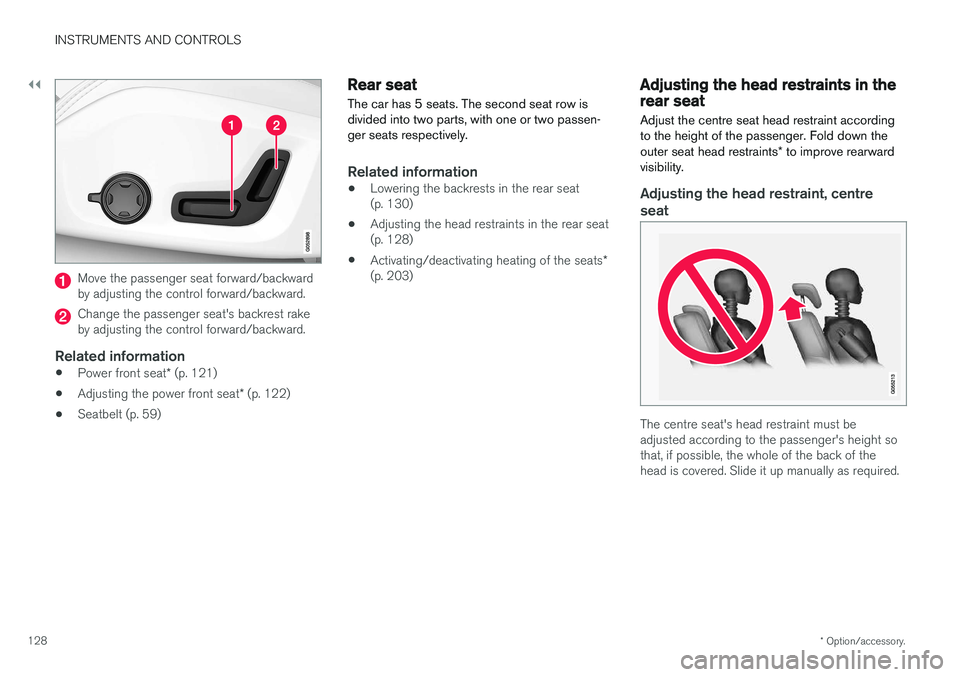
Move the passenger seat forward/backward by adjusting the control forward/backward.
Change the passenger seat's backrest rake by adjusting the control forward/backward.
Related information
• Power front seat
* (p. 121)
• Adjusting the power front seat
* (p. 122)
• Seatbelt (p. 59)
Rear seat
The car has 5 seats. The second seat row is divided into two parts, with one or two passen-ger seats respectively.
Related information
• Lowering the backrests in the rear seat (p. 130)
• Adjusting the head restraints in the rear seat(p. 128)
• Activating/deactivating heating of the seats
*
(p. 203)
Adjusting the head restraints in the rear seat Adjust the centre seat head restraint according to the height of the passenger. Fold down the outer seat head restraints * to improve rearward
visibility.
Adjusting the head restraint, centre
seat
The centre seat's head restraint must be adjusted according to the passenger's height sothat, if possible, the whole of the back of thehead is covered. Slide it up manually as required.
Page 132 of 594

INSTRUMENTS AND CONTROLS
* Option/accessory.
130
Lowering the backrests in the rear seat
The rear seat's backrest is divided into two parts. The two parts can be lowered forwardindividually.
WARNING
Adjust the seat and fix it before driving away. Take care when adjusting the seat. Uncontrol-led or careless adjustment can lead to trap-ping injuries.
IMPORTANT
There must be no objects on the rear seat when the backrest is to be folded down. Theseat belts must not be connected either. Oth-erwise there is a risk of damaging the rearseat upholstery.
IMPORTANT
The integrated booster cushions * on the
outer seats must be lowered before lowering the seat. The armrest * for the centre seat must be
raised before lowering the seat. If the car has private locking, the tailgate must be closed before lowering the seat.
NOTE
The front seats may need to be pushed for- wards, and/or the backrests adjustedupwards, in order that the rear backrests canbe fully folded forward.
Lowering the backrest
Car with electronic folding
If the car is equipped with electronic folding of the rear seat * there are buttons located in the
cargo area. The backrests can also be lowered manually.
WARNING
Pay attention that people are not at risk of being trapped during the automatic folding ofthe rear seat. Since this takes place automati-cally on the press of a button, no one must beon or too close to the rear seat.
For electronically controlled folding of backrests:
1. Ensure that there are no occupants or objects in the rear seat.
2. Lower the centre seat's head restraint man- ually.
3. Hold the button for folding depressed. The buttons are marked L and R for left and right backrest section respectively.
4. The backrests are lowered automatically to horizontal position. The head restraints arealso lowered automatically.
To facilitate folding of the rear seat, the car mustbe stationary and the tailgate open. To lower the backrest manually:
Page 135 of 594
INSTRUMENTS AND CONTROLS
133
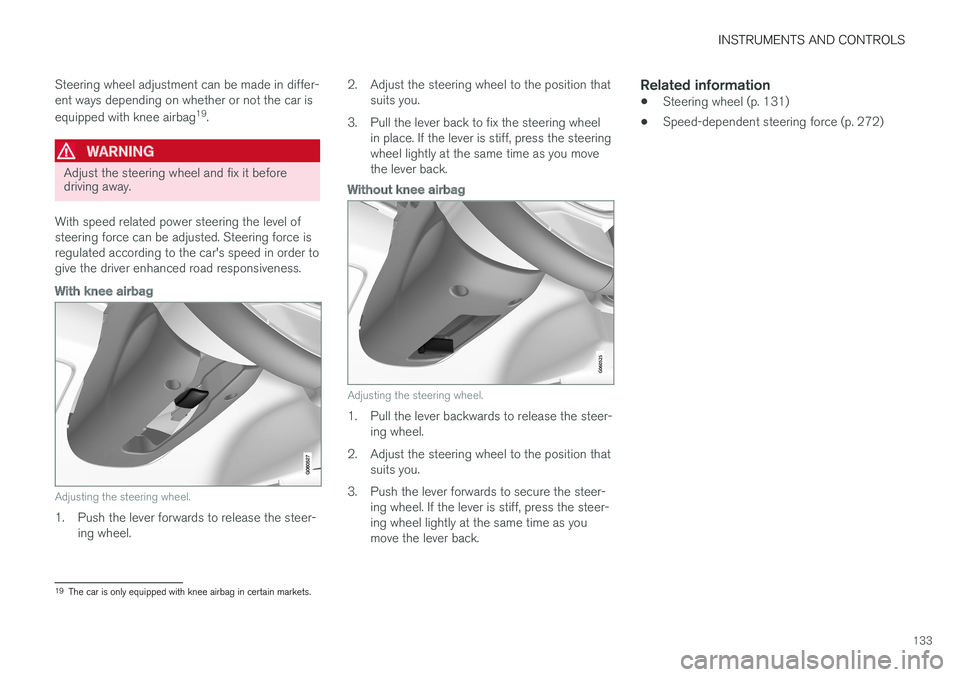
Steering wheel adjustment can be made in differ- ent ways depending on whether or not the car is equipped with knee airbag
19
.
WARNING
Adjust the steering wheel and fix it before driving away.
With speed related power steering the level of steering force can be adjusted. Steering force isregulated according to the car's speed in order togive the driver enhanced road responsiveness.
With knee airbag
Adjusting the steering wheel.
1. Push the lever forwards to release the steer- ing wheel. 2. Adjust the steering wheel to the position that
suits you.
3. Pull the lever back to fix the steering wheel in place. If the lever is stiff, press the steering wheel lightly at the same time as you movethe lever back.
Without knee airbag
Adjusting the steering wheel.
1. Pull the lever backwards to release the steer-ing wheel.
2. Adjust the steering wheel to the position that suits you.
3. Push the lever forwards to secure the steer- ing wheel. If the lever is stiff, press the steer- ing wheel lightly at the same time as youmove the lever back.
Related information
• Steering wheel (p. 131)
• Speed-dependent steering force (p. 272)
19
The car is only equipped with knee airbag in certain markets.
Page 137 of 594
INSTRUMENTS AND CONTROLS
}}
* Option/accessory.135
WARNING
The car's audio system is not able to deter- mine when daylight is too weak or sufficientlystrong, e.g. in fog and rain, in all situations. The driver is always responsible for ensuring that the car is driven with a beam pattern suit-able for the traffic situation and in accordancewith applicable traffic regulations.
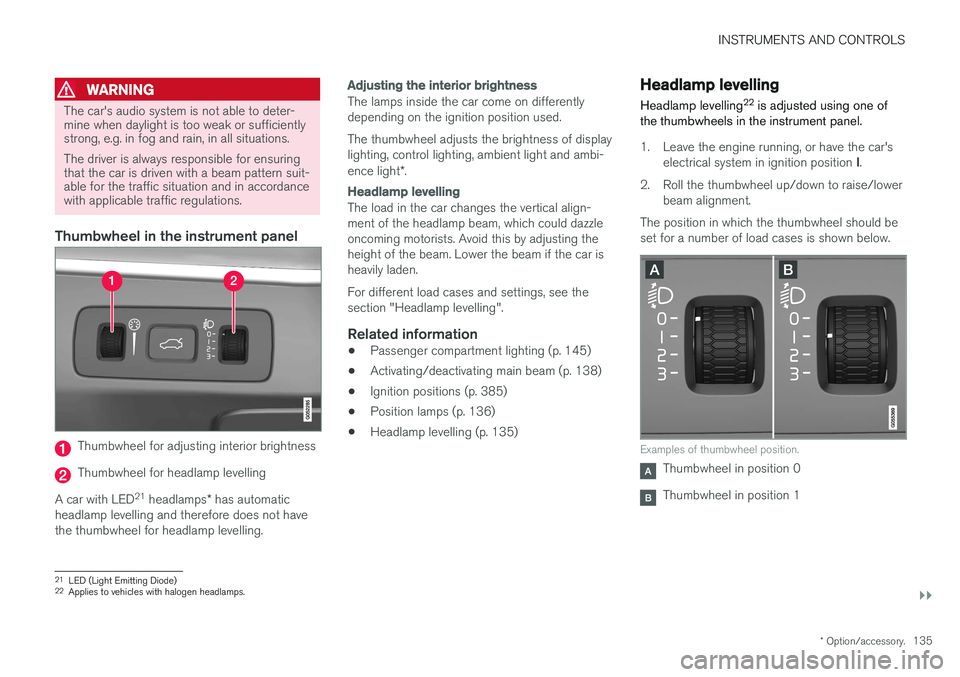
Thumbwheel in the instrument panel
Thumbwheel for adjusting interior brightness
Thumbwheel for headlamp levelling
A car with LED 21
headlamps * has automatic
headlamp levelling and therefore does not have the thumbwheel for headlamp levelling.
Adjusting the interior brightness
The lamps inside the car come on differently depending on the ignition position used. The thumbwheel adjusts the brightness of display lighting, control lighting, ambient light and ambi- ence light *.
Headlamp levelling
The load in the car changes the vertical align- ment of the headlamp beam, which could dazzleoncoming motorists. Avoid this by adjusting theheight of the beam. Lower the beam if the car isheavily laden. For different load cases and settings, see the section "Headlamp levelling".
Related information
• Passenger compartment lighting (p. 145)
• Activating/deactivating main beam (p. 138)
• Ignition positions (p. 385)
• Position lamps (p. 136)
• Headlamp levelling (p. 135)
Headlamp levelling
Headlamp levelling 22
is adjusted using one of
the thumbwheels in the instrument panel.
1. Leave the engine running, or have the car's
electrical system in ignition position I.
2. Roll the thumbwheel up/down to raise/lower beam alignment.
The position in which the thumbwheel should be set for a number of load cases is shown below.
Examples of thumbwheel position.
Thumbwheel in position 0
Thumbwheel in position 1
21 LED (Light Emitting Diode)
22 Applies to vehicles with halogen headlamps.
Page 138 of 594
||
INSTRUMENTS AND CONTROLS
136
Load caseThumb- wheelposition
Only driver. 0 Driver and passenger in the front passenger seat. 0
Driver and passenger in the frontpassenger seat. Three passengers in the rear seat. 1
Driver and passenger in the frontpassenger seat. Three passengers in the rear seat. 220 kg load in the cargo area. 1
Driver and maximum load in the cargo area. 2
Related information
•
Headlamp control (p. 134)
Position lamps
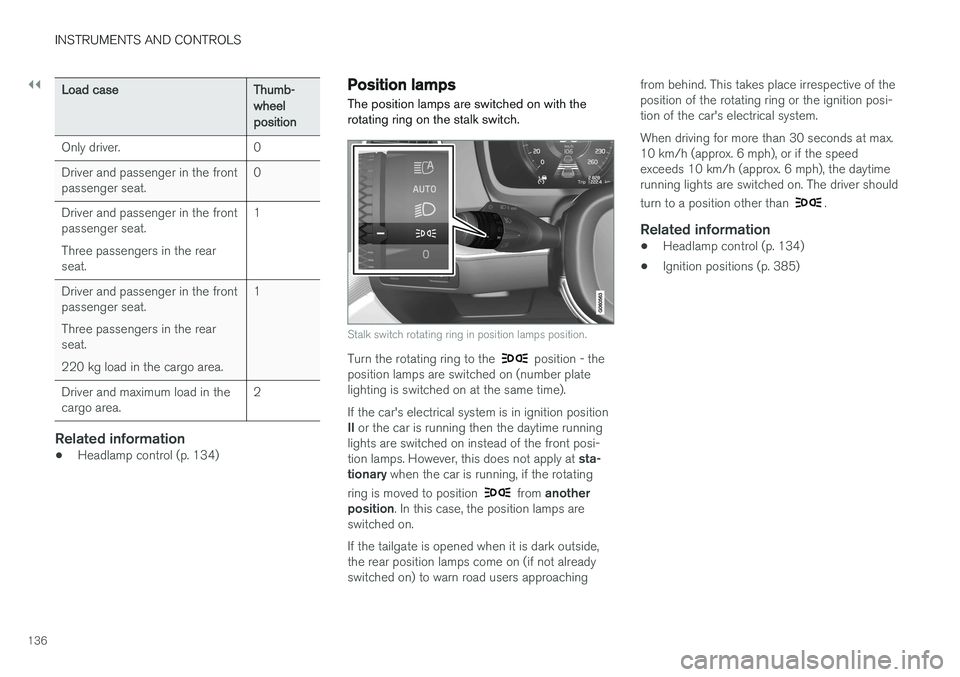
The position lamps are switched on with the rotating ring on the stalk switch.
Stalk switch rotating ring in position lamps position.
Turn the rotating ring to the position - the
position lamps are switched on (number plate lighting is switched on at the same time). If the car's electrical system is in ignition position II or the car is running then the daytime running
lights are switched on instead of the front posi-tion lamps. However, this does not apply at sta-
tionary when the car is running, if the rotating
ring is moved to position
from another
position . In this case, the position lamps are
switched on. If the tailgate is opened when it is dark outside, the rear position lamps come on (if not alreadyswitched on) to warn road users approaching from behind. This takes place irrespective of theposition of the rotating ring or the ignition posi-tion of the car's electrical system. When driving for more than 30 seconds at max. 10 km/h (approx. 6 mph), or if the speedexceeds 10 km/h (approx. 6 mph), the daytimerunning lights are switched on. The driver should turn to a position other than
.
Related information
•
Headlamp control (p. 134)
• Ignition positions (p. 385)
Page 139 of 594
INSTRUMENTS AND CONTROLS
}}
* Option/accessory.137
Daytime running lights The daytime running lights are switched on when the rotating ring on the stalk switch is in position
, or as well as when
the car's electrical system is in ignition position II
or when the car is running. For the
posi-
tion, this only applies in daylight. In weak daylight or darkness, dipped beam is switched oninstead.
Daytime running lights during the day.
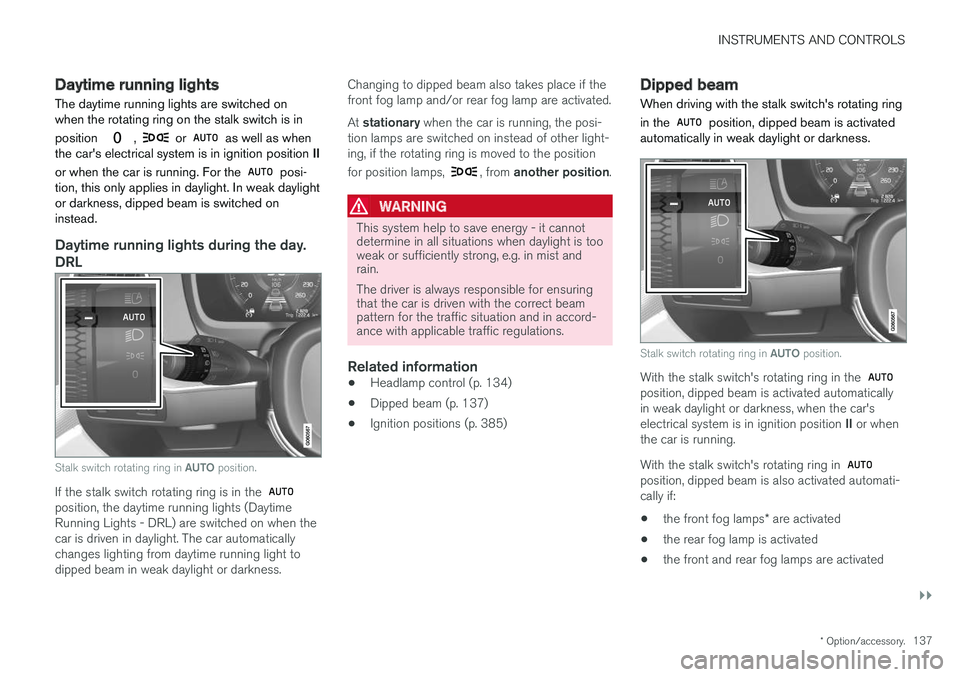
DRL
Stalk switch rotating ring in AUTO position.
If the stalk switch rotating ring is in the position, the daytime running lights (Daytime Running Lights - DRL) are switched on when thecar is driven in daylight. The car automaticallychanges lighting from daytime running light todipped beam in weak daylight or darkness. Changing to dipped beam also takes place if thefront fog lamp and/or rear fog lamp are activated. At
stationary when the car is running, the posi-
tion lamps are switched on instead of other light- ing, if the rotating ring is moved to the position for position lamps,
, from another position .
WARNING
This system help to save energy - it cannot determine in all situations when daylight is tooweak or sufficiently strong, e.g. in mist andrain. The driver is always responsible for ensuring that the car is driven with the correct beampattern for the traffic situation and in accord-ance with applicable traffic regulations.
Related information
•Headlamp control (p. 134)
• Dipped beam (p. 137)
• Ignition positions (p. 385)
Dipped beam
When driving with the stalk switch's rotating ring in the
position, dipped beam is activated
automatically in weak daylight or darkness.
Stalk switch rotating ring in AUTO position.
With the stalk switch's rotating ring in the position, dipped beam is activated automatically in weak daylight or darkness, when the car's electrical system is in ignition position II or when
the car is running. With the stalk switch's rotating ring in
position, dipped beam is also activated automati- cally if:
• the front fog lamps
* are activated
• the rear fog lamp is activated
• the front and rear fog lamps are activated
Page 142 of 594
||
INSTRUMENTS AND CONTROLS
140
Manual operation
NOTE
Keep the windscreen surface in front of the camera sensor free from ice, snow, mist anddirt. Do not stick or attach anything to the wind- screen in front of the camera sensor as thismay reduce effectiveness or cause one ormore of the systems dependent on the cam-era to stop working.
If this symbol is shown in the driver dis- play, together with the message Active
High Beam Temporarily
unavailable, then switching between
main and dipped beam must be performed man- ually. The rotating ring on the stalk switch can still be in the
position. The symbol extin-
guishes when these message are shown.
The same applies if this symbol is shown together with the message
Windscreen sensor Sensor
blocked, see Owner's manual.
Active main beam may be temporarily unavailable e.g. in situations with dense fog or heavy rain.When active main beam becomes available again,or the windscreen sensors are no longer blocked, the message goes out and the
symbol illu-
minates.
WARNING
Active main beam is an aid for using the opti- mum beam pattern when conditions arefavourable. The driver always bears responsibility for man- ually switching between main and dippedbeam when traffic situations or weather con-ditions so require.
IMPORTANT
Examples of when manual switching between main and dipped beam may be required:
• In heavy rain or dense fog
• In freezing rain
• In snow flurries or slush
• In moonlight
• When driving in poorly lit built-up areas
• When the traffic ahead has weak lighting
• If there are pedestrians on or beside theroad
• If there are highly reflective objects suchas signs in the vicinity of the road
• When the lighting from oncoming trafficis obscured by e.g. a crash barrier
• When there is traffic on connecting roads
• On the brow of a hill or in a hollow
• In sharp bends.
Read more about the camera sensor's limitations in the section "Limitations for City Safety".
Related information
• Headlamp control (p. 134)
• Limitations of City Safety (p. 337)