radio Acura ILX 2013 User Guide
[x] Cancel search | Manufacturer: ACURA, Model Year: 2013, Model line: ILX, Model: Acura ILX 2013Pages: 351, PDF Size: 8.21 MB
Page 154 of 351
153
uuAudio System Basic OperationuPlaying the XM® Radio
*
Continued
Features
Playing the XM® Radio
*
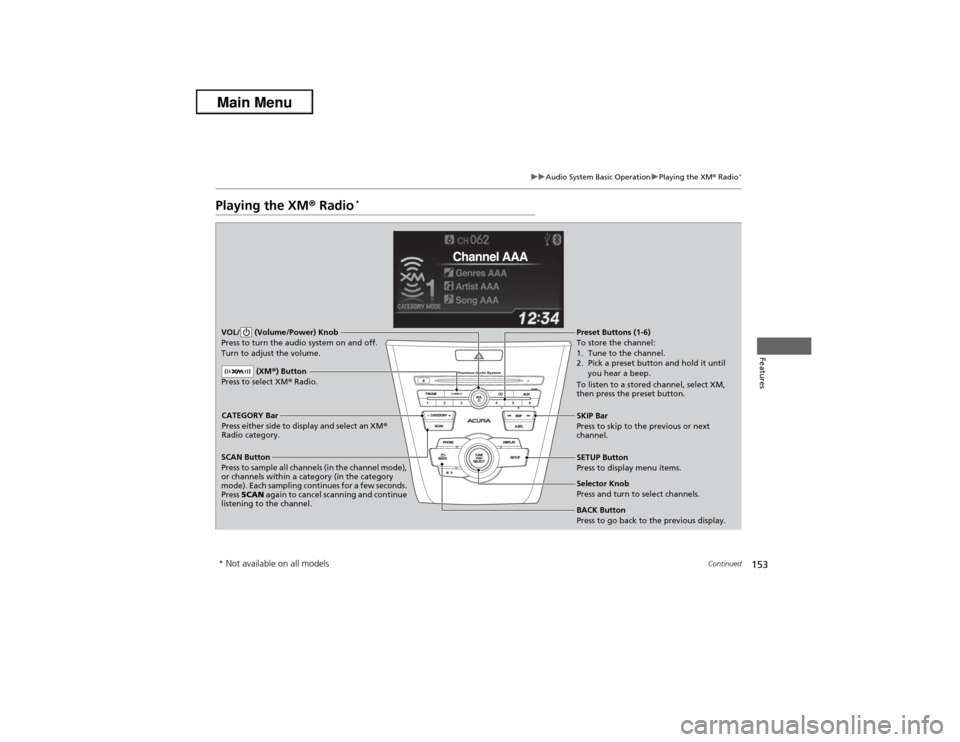
SCAN Button
Press to sample all channels (in the channel mode),
or channels within a category (in the category
mode). Each sampling continues for a few seconds.
Press SCAN again to cancel scanning and continue
listening to the channel. VOL/ (Volume/Power) Knob
Press to turn the audio system on and off.
Turn to adjust the volume.
SETUP Button
Press to display menu items.
Selector Knob
Press and turn to select channels. CATEGORY Bar
Press either side to display and select an XM®
Radio category.SKIP Bar
Press to skip to the previous or next
channel.
(XM®) Button
Press to select XM® Radio.
Preset Buttons (1-6)
To store the channel:
1. Tune to the channel.
2. Pick a preset button and hold it until
you hear a beep.
To listen to a stored channel, select XM,
then press the preset button.BACK Button
Press to go back to the previous display.
* Not available on all models
Page 155 of 351
uuAudio System Basic OperationuPlaying the XM® Radio
*
154Features
1.Press the button to select the XM® radio band (XM1 or XM2).
2.Press the SETUP button, rotate to select XM Mode, and press . Rotate
to select Channel Mode or Category Mode, then press .
3.Select a channel using the TUNE ( ), SKIP, CATEGORY, SCAN, or Preset
buttons.
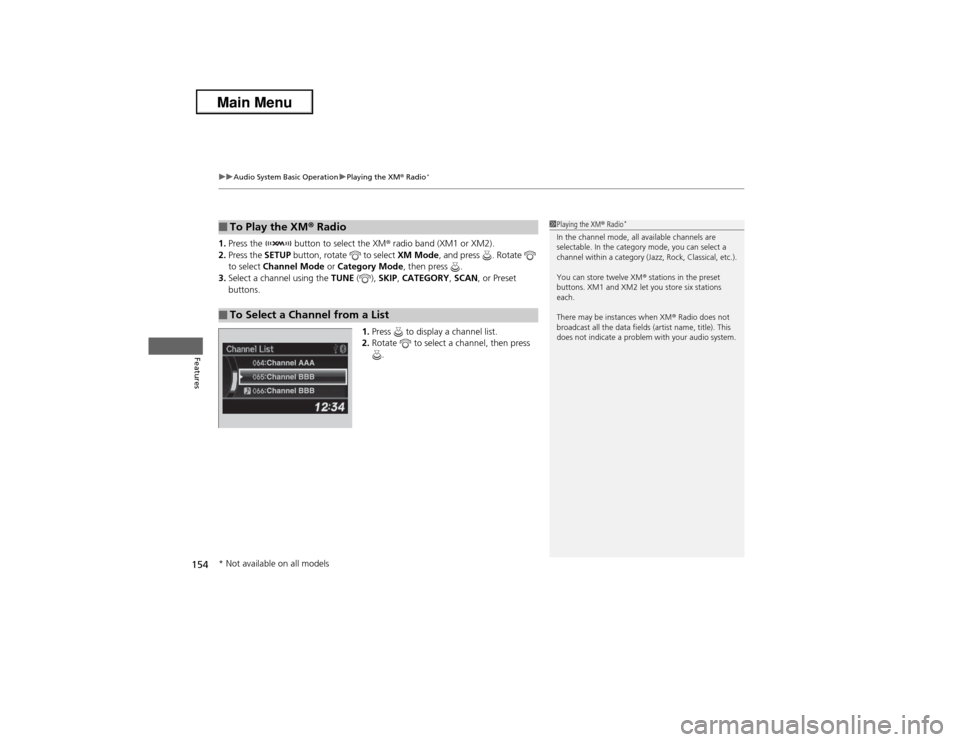
1.Press to display a channel list.
2.Rotate to select a channel, then press
.■To Play the XM® Radio■To Select a Channel from a List
1Playing the XM® Radio
*
In the channel mode, all available channels are
selectable. In the category mode, you can select a
channel within a category (Jazz, Rock, Classical, etc.).
You can store twelve XM® stations in the preset
buttons. XM1 and XM2 let you store six stations
each.
There may be instances when XM® Radio does not
broadcast all the data fields (artist name, title). This
does not indicate a problem with your audio system.
* Not available on all models
Page 162 of 351
161
uuAudio System Basic OperationuPlaying Internet Radio
Continued
Features
Playing Internet RadioActivate Pandora®, and connect the iPhone® using your dock connector to the USB
adapter cable, then press the AUX button.2USB Adapter Cable P. 143U.S. modelsiPhone® use only
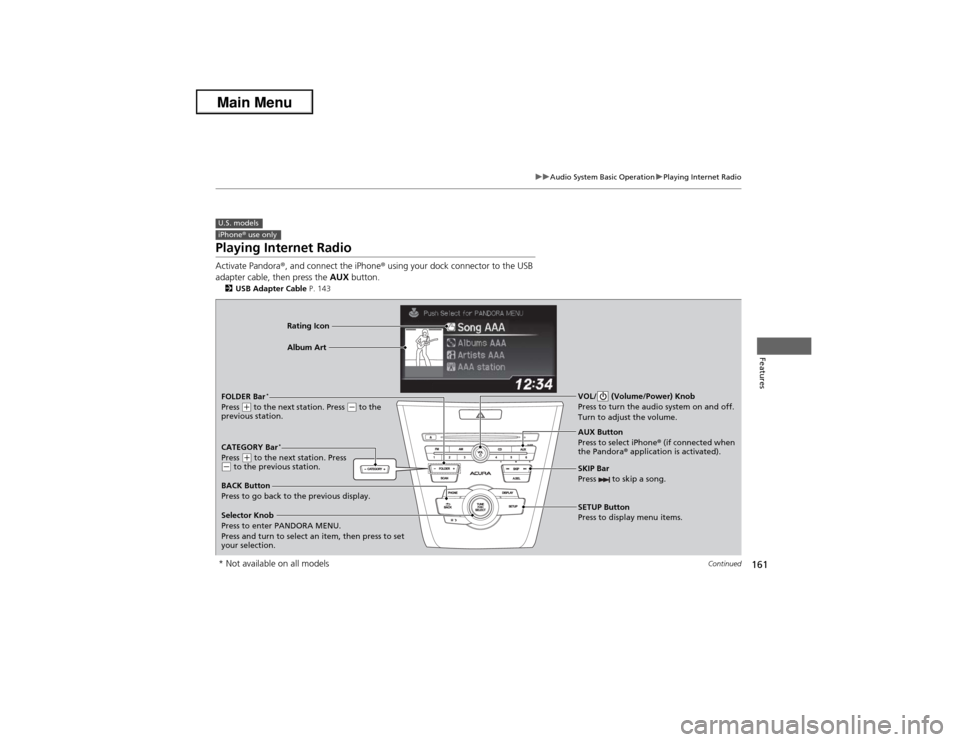
AUX Button
Press to select iPhone® (if connected when
the Pandora® application is activated). Rating Icon
Selector Knob
Press to enter PANDORA MENU.
Press and turn to select an item, then press to set
your selection. BACK Button
Press to go back to the previous display.VOL/ (Volume/Power) Knob
Press to turn the audio system on and off.
Turn to adjust the volume.SKIP Bar
Press to skip a song.SETUP Button
Press to display menu items.
FOLDER Bar
*
Press
(+ to the next station. Press
(- to the
previous station.Album Art
CATEGORY Bar
*
Press
(+ to the next station. Press
(- to the previous station.
* Not available on all models
Page 163 of 351
uuAudio System Basic OperationuPlaying Internet Radio
162Features
You can operate some of the Pandora menu items from your vehicle’s audio system.
The available items are:
•Station List (QuickMix is also available)
•Like
•Dislike
•Resume/Pause
•SKIP
•Bookmark this song
•Bookmark this artist■Operating a menu item
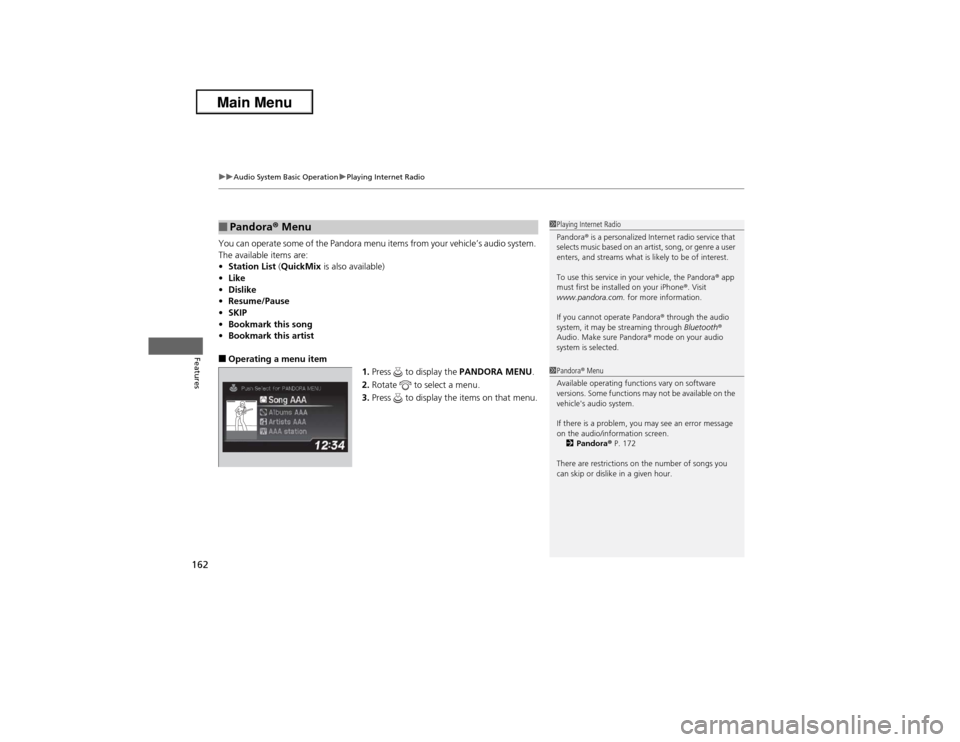
1.Press to display the PANDORA MENU.
2.Rotate to select a menu.
3.Press to display the items on that menu.■Pandora® Menu
1Playing Internet Radio
Pandora® is a personalized Internet radio service that
selects music based on an artist, song, or genre a user
enters, and streams what is likely to be of interest.
To use this service in your vehicle, the Pandora® app
must first be installed on your iPhone®. Visit
www.pandora.com. for more information.
If you cannot operate Pandora® through the audio
system, it may be streaming through Bluetooth®
Audio. Make sure Pandora® mode on your audio
system is selected.1Pandora® Menu
Available operating functions vary on software
versions. Some functions may not be available on the
vehicle's audio system.
If there is a problem, you may see an error message
on the audio/information screen.
2Pandora® P. 172
There are restrictions on the number of songs you
can skip or dislike in a given hour.
Page 174 of 351
173Features
General Information on the Audio SystemXM® Radio Service
*
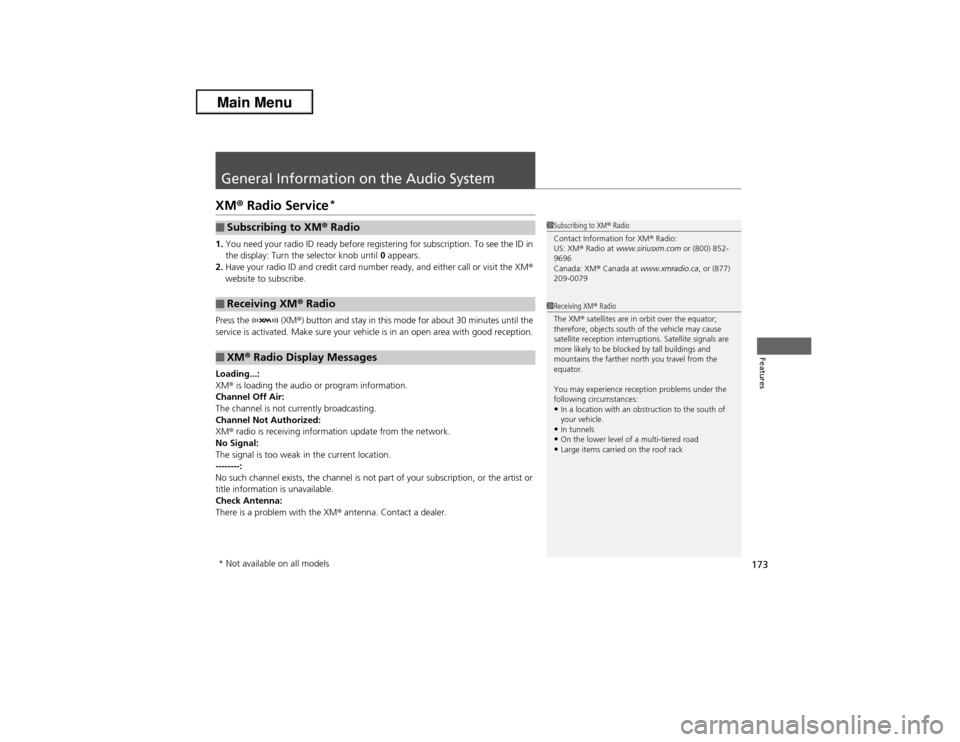
1.You need your radio ID ready before registering for subscription. To see the ID in
the display: Turn the selector knob until 0 appears.
2.Have your radio ID and credit card number ready, and either call or visit the XM®
website to subscribe.
Press the (XM®) button and stay in this mode for about 30 minutes until the
service is activated. Make sure your vehicle is in an open area with good reception.
Loading...:
XM® is loading the audio or program information.
Channel Off Air:
The channel is not currently broadcasting.
Channel Not Authorized:
XM® radio is receiving information update from the network.
No Signal:
The signal is too weak in the current location.
--------:
No such channel exists, the channel is not part of your subscription, or the artist or
title information is unavailable.
Check Antenna:
There is a problem with the XM® antenna. Contact a dealer.■Subscribing to XM® Radio■Receiving XM® Radio■XM® Radio Display Messages
1Subscribing to XM® Radio
Contact Information for XM® Radio:
US: XM® Radio at www.siriusxm.com or (800) 852-
9696
Canada: XM® Canada at www.xmradio.ca, or (877)
209-00791Receiving XM® Radio
The XM® satellites are in orbit over the equator;
therefore, objects south of the vehicle may cause
satellite reception interruptions. Satellite signals are
more likely to be blocked by tall buildings and
mountains the farther north you travel from the
equator.
You may experience reception problems under the
following circumstances:•In a location with an obstruction to the south of
your vehicle.•In tunnels•On the lower level of a multi-tiered road•Large items carried on the roof rack
* Not available on all models
Page 218 of 351
Continued
217
uuWhen DrivinguStarting the Engine
Driving
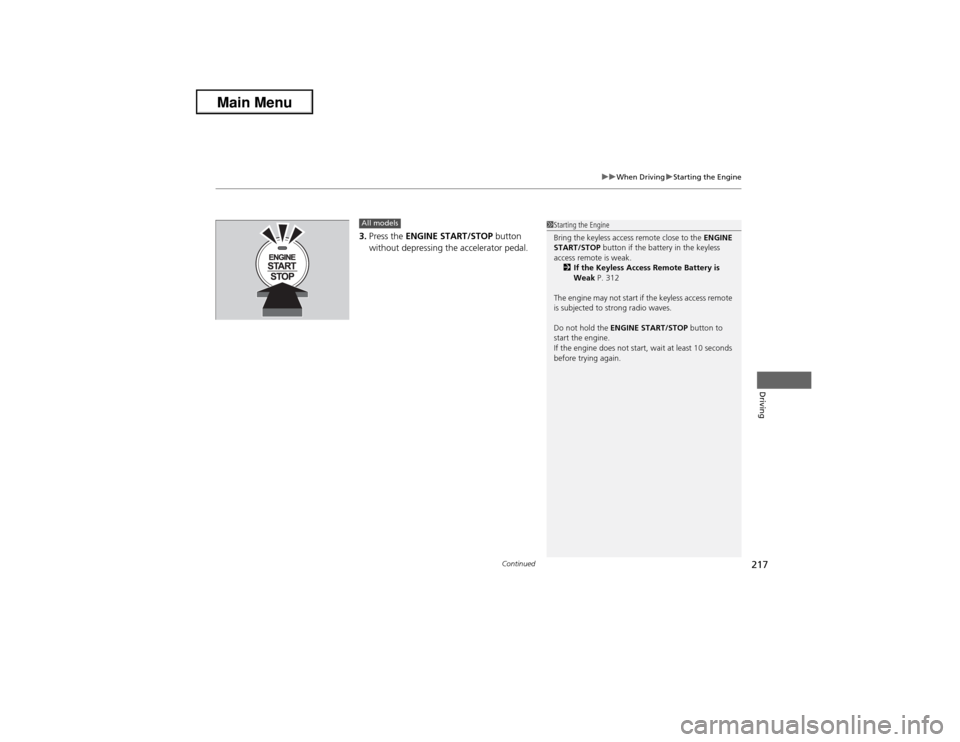
3.Press the ENGINE START/STOP button
without depressing the accelerator pedal.All models
1Starting the Engine
Bring the keyless access remote close to the ENGINE
START/STOP button if the battery in the keyless
access remote is weak.
2If the Keyless Access Remote Battery is
Weak P. 312
The engine may not start if the keyless access remote
is subjected to strong radio waves.
Do not hold the ENGINE START/STOP button to
start the engine.
If the engine does not start, wait at least 10 seconds
before trying again.
Page 330 of 351
329
Information
This chapter includes your vehicle's specifications, locations of identification numbers, and other
information required by regulation.
Specifications.................................... 330
Identification NumbersVehicle Identification Number (VIN) ...... 334Engine Number and Transmission
Number...................................... 334Devices that Emit Radio Waves....... 335
Reporting Safety Defects................. 336Emissions Testing
Testing of Readiness Codes.............. 337
Warranty Coverages........................ 339
Authorized Manuals......................... 341
Client Service Information............... 342
Page 336 of 351
335Information
Devices that Emit Radio WavesThe following products and systems on your vehicle emit radio waves when in
operation.
Each of the above complies with the appropriate requirements or the required
standards of FCC (Federal Communications Commission) and Industry Canada
Standard, described below:As required by the FCC:
This device complies with Part 15 of the FCC rules. Operation is
subject to the following two conditions: (1) This device may not
cause harmful interference, and (2) this device must accept any
interference received, including interference that may cause
undesired operation.
Changes or modifications not expressly approved by the party
responsible for compliance could void the user's authority to
operate the equipment.This device complies with Industry Canada Standard RSS-Gen/210/310. Operation is
subject to the following two conditions: (1) this device may not cause interference,
and (2) this device must accept any interference, including interference that may
cause undesired operation of the device.U.S. AcuraLinkAudio SystemBluetooth® AudioBluetooth® HandsFreeLink®HomeLink® Universal TransceiverImmobilizer SystemKeyless Access SystemTire Pressure Monitoring System (TPMS)U.S. models only
Page 344 of 351
Index
343Index
Index
AABS (Anti-lock Brake System).................. 239
Accessories and Modifications................ 246
Accessory Power Sockets......................... 134
Additives
Coolant .................................................. 268
Engine Oil ............................................... 261
Washer ................................................... 273
Additives, Engine Oil............................... 261
Adjusting
Armrest .................................................. 130
Front Seats.............................................. 123
Head Restraints ....................................... 126
Mirrors.................................................... 121
Rear Seat ................................................ 129
Steering Wheel ....................................... 120
Temperature ............................................. 81
Air Conditioning System (Climate Control
System).................................................... 136
Changing the Mode................................ 136
Defrosting the Windshield and
Windows .............................................. 137
Dust and Pollen Filter .............................. 297
Recirculation/Fresh Air Mode................... 136
Sensors ................................................... 139
Synchronized Mode ................................ 138
Using Automatic Climate Control............ 136
Air Pressure.............................. 287, 331, 333
Airbags....................................................... 33
Advanced Airbags ..................................... 39
After a Collision ........................................ 37Airbag Care ............................................... 47
Event Data Recorder .................................. 19
Front Airbags (SRS) .................................... 36
Indicator ........................................ 44, 67, 71
Passenger Airbag Off Indicator .................. 45
Sensors...................................................... 33
Side Airbag Cutoff System ......................... 42
Side Airbag Off Indicator ........................... 46
Side Airbags .............................................. 40
Side Curtain Airbags .................................. 43
AM/FM Radio............................................ 151
Anti-lock Brake System (ABS).................. 239
Indicator .................................................... 67
Armrest..................................................... 130
Audio Remote Controls............................ 149
Audio System............................................ 142
Adjusting the Sound ................................ 150
Auxiliary Input Jack .................................. 143
Error Messages ........................................ 170
General Information ................................ 173
iPhone®................................................... 176
iPod®....................................................... 158
MP3/WMA/AAC ...................................... 163
Pandora®................................................. 161
Reactivating............................................. 144
Recommended CDs ................................. 174
Recommended Devices ............................ 176
Security Code .......................................... 144
Theft Protection....................................... 144
USB Adapter Cable .................................. 143
USB Flash Drives ...................................... 176Audio/Information Screen....................... 146
Authorized Manuals................................ 341
Auto Door Locking/Unlocking................. 101
Customize ................................................. 86
Automatic Lighting.................................. 115
Automatic Transmission........................... 221
Creeping ................................................. 221
Fluid ........................................................ 270
Kickdown ................................................ 221
Operating the Shift Lever................... 13, 223
Shift Lever Does Not Move ...................... 317
Shifting ................................................... 222
Auxiliary Input Jack.................................. 143
Average Fuel Economy.............................. 81
Average Speed........................................... 82
BBattery...................................................... 295
Charging System Indicator................. 65, 320
Jump Starting .......................................... 314
Maintenance (Checking the Battery) ........ 295
Maintenance (Replacing) ......................... 296
Belts (Seat).................................................. 26
Beverage Holders..................................... 133
Bluetooth® Audio..................................... 166
Bluetooth® HandsFreeLink®..................... 179
Booster Seats (For Children)...................... 59
Brake System............................................ 237
Anti-lock Brake System (ABS)................... 239
Brake Assist System ................................. 240
Page 345 of 351

344Index
Fluid ........................................................ 272
Foot Brake ............................................... 238
Indicator ............................................ 64, 322
Parking Brake .......................................... 237
Brightness Control (Instrument Panel).... 119
Bulb Replacement..................................... 274
Back-Up Light Bulbs ................................. 282
Brake Light, Taillight, Rear Turn Signal Light
and Rear Side Marker Light Bulbs ........... 280
Fog Lights ................................................ 276
Front Turn Signal Light Bulbs ................... 278
Headlights ............................................... 274
High-Mount Brake Light .......................... 283
Parking/Side Marker Light Bulbs ............... 279
Rear License Plate Light............................ 283
Bulb Specifications............................ 330, 332CCarbon Monoxide Gas................................ 60
Carrying Cargo.................................. 211, 213
CD Player........................................... 153, 155
Certification Label.................................... 334
Changing Bulbs......................................... 274
Charging System Indicator................. 65, 320
Child Safety................................................. 48
Childproof Door Locks ............................. 100
Child Seat.................................................... 48
Booster Seats ............................................. 59
Child Seat for Infants ................................. 50
Child Seat for Small Children ..................... 51Installing a Child Seat with a Lap/Shoulder Seat
Belt ......................................................... 55
Larger Children ......................................... 58
Rear-facing Child Seat ............................... 50
Selecting a Child Seat ................................ 52
Using a Tether ........................................... 57
Childproof Door Locks............................. 100
Cleaning the Exterior............................... 300
Cleaning the Interior................................ 298
Client Service Information....................... 342
Climate Control System............................ 136
Changing the Mode ................................ 136
Defrosting the Windshield and
Windows ............................................... 137
Dust and Pollen Filter............................... 297
Recirculation/Fresh Air Mode ................... 136
Sensors ................................................... 139
Synchronized Mode................................. 138
Using Automatic Climate Control ............ 136
Clock............................................................ 92
Clutch Fluid............................................... 272
Coat Hook................................................. 134
Compact Spare Tire.................. 305, 331, 333
Console Compartment............................. 132
Controls....................................................... 91
Coolant (Engine)...................................... 268
Adding to the Radiator ............................ 269
Adding to the Reserve Tank..................... 268
Overheating ............................................ 318
Creeping (Automatic Transmission)........ 221Cruise Control.......................................... 229
Indicator ................................................... 72
Cup Holders.............................................. 133
Customized Features................................. 83
DDaytime Running Lights.......................... 117
Dead Battery............................................ 314
Defrosting the Windshield and
Windows................................................. 137
Devices that Emit Radio Waves............... 335
Dimming
Headlights .............................................. 114
Rearview Mirror ...................................... 121
Dipstick (Engine Oil)................................ 262
Directional Signals (Turn Signal)............. 114
Door Mirrors............................................. 122
Doors.......................................................... 93
Auto Door Locking.................................. 101
Auto Door Unlocking .............................. 101
Door Open Indicator ........................... 25, 69
Keys.......................................................... 93
Locking/Unlocking the Doors from
the Inside ................................................ 99
Locking/Unlocking the Doors from
the Outside ............................................. 95
Lockout Prevention System ....................... 98
DOT Tire Quality Grading........................ 289
Driving...................................................... 209
Automatic Transmission .......................... 221