trunk Acura ILX 2015 User Guide
[x] Cancel search | Manufacturer: ACURA, Model Year: 2015, Model line: ILX, Model: Acura ILX 2015Pages: 353, PDF Size: 16.19 MB
Page 94 of 353
93Continued
Controls
Locking and Unlocking the Doors
Key Types and Functions
This vehicle comes with the following keys:
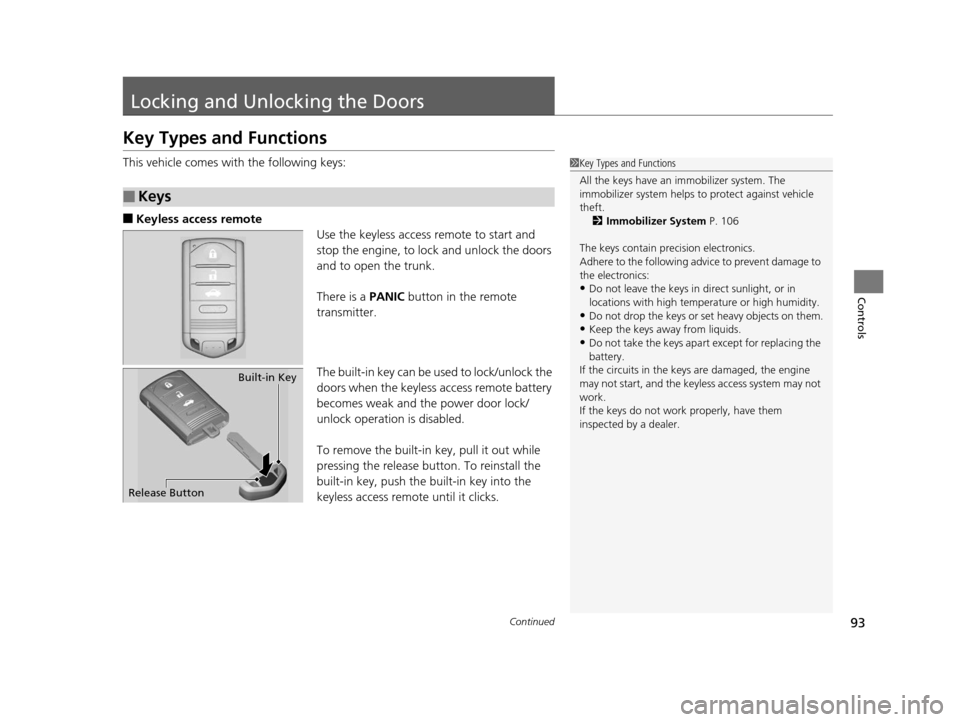
■Keyless access remote
Use the keyless access remote to start and
stop the engine, to lock and unlock the doors
and to open the trunk.
There is a PANIC button in the remote
transmitter.
The built-in key can be us ed to lock/unlock the
doors when the keyless access remote battery
becomes weak and the power door lock/
unlock operation is disabled.
To remove the built-in key, pull it out while
pressing the release button. To reinstall the
built-in key, push the built-in key into the
keyless access remote until it clicks.
■Keys
1 Key Types and Functions
All the keys have an immobilizer system. The
immobilizer system helps to protect against vehicle
theft. 2 Immobilizer System P. 106
The keys contain precision electronics.
Adhere to the following advi ce to prevent damage to
the electronics:
•Do not leave the keys in direct sunlight, or in
locations with high temperature or high humidity.
•Do not drop the keys or set heavy objects on them.
•Keep the keys away from liquids.
•Do not take the keys apart except for replacing the
battery.
If the circuits in the keys are damaged, the engine
may not start, and the keyless access system may not
work.
If the keys do not work properly, have them
inspected by a dealer.
Built-in Key
Release Button
15 ACURA ILX-31TX66200.book 93 ページ 2014年3月27日 木曜日 午前10時34分
Page 95 of 353
uuLocking and Unlocking the Doors uLow Keyless Access Remote Signal Strength
94
Controls
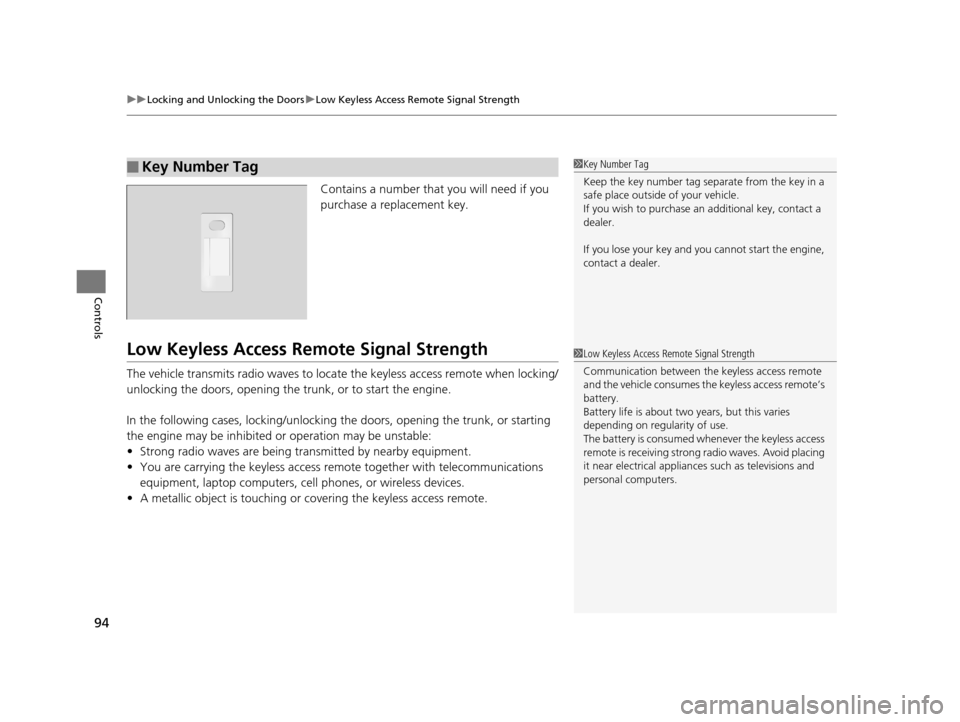
Contains a number that you will need if you
purchase a replacement key.
Low Keyless Access Remo te Signal Strength
The vehicle transmits radio waves to loca te the keyless access remote when locking/
unlocking the doors, opening the trunk, or to start the engine.
In the following cases, locking/unlocking the doors, opening the trunk, or starting
the engine may be inhibited or operation may be unstable:
• Strong radio waves are being tra nsmitted by nearby equipment.
• You are carrying the keyless access remote together with telecommunications
equipment, laptop computers, ce ll phones, or wireless devices.
• A metallic object is touching or co vering the keyless access remote.
■Key Number Tag1Key Number Tag
Keep the key number tag separate from the key in a
safe place outside of your vehicle.
If you wish to purchase an additional key, contact a
dealer.
If you lose your key and you cannot start the engine,
contact a dealer.
1 Low Keyless Access Remote Signal Strength
Communication between the keyless access remote
and the vehicle consumes the keyless access remote’s
battery.
Battery life is about two years, but this varies
depending on regularity of use.
The battery is consumed whenever the keyless access
remote is receivi ng strong radio wave s. Avoid placing
it near electrical appliances such as televisions and
personal computers.
15 ACURA ILX-31TX66200.book 94 ページ 2014年3月27日 木曜日 午前10時34分
Page 97 of 353
uuLocking and Unlocking the Doors uLocking/Unlocking the Doors from the Outside
96
Controls
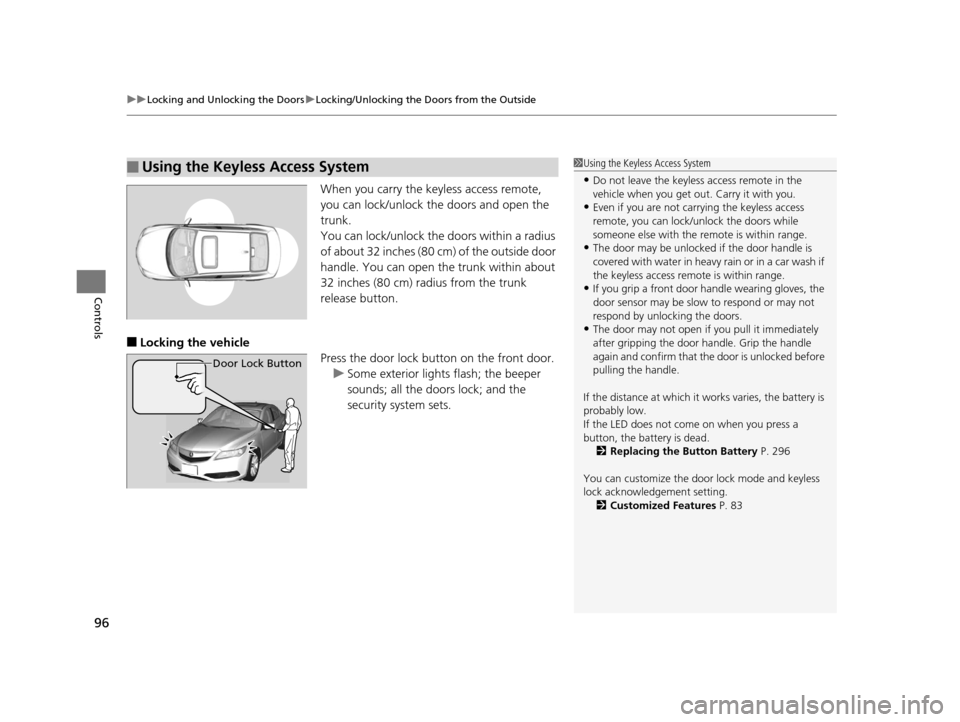
When you carry the keyless access remote,
you can lock/unlock the doors and open the
trunk.
You can lock/unlock the doors within a radius
of about 32 inches (80 cm) of the outside door
handle. You can open the trunk within about
32 inches (80 cm) radius from the trunk
release button.
■Locking the vehicle
Press the door lock button on the front door.u Some exterior lights flash; the beeper
sounds; all the doors lock; and the
security system sets.
■Using the Keyless Access System
Door Lock Button
1Using the Keyless Access System
•Do not leave the keyless access remote in the
vehicle when you get out . Carry it with you.
•Even if you are not carrying the keyless access
remote, you can lock/unlock the doors while
someone else with the remote is within range.
•The door may be unlocked if the door handle is
covered with water in heavy rain or in a car wash if
the keyless access remote is within range.
•If you grip a front door handle wearing gloves, the
door sensor may be slow to respond or may not
respond by unlocking the doors.
•The door may not open if you pull it immediately
after gripping the door handle. Grip the handle
again and confirm that th e door is unlocked before
pulling the handle.
If the distance at which it works varies, the battery is
probably low.
If the LED does not come on when you press a
button, the battery is dead. 2 Replacing the Button Battery P. 296
You can customize the door lock mode and keyless
lock acknowledge ment setting.
2 Customized Features P. 83
15 ACURA ILX-31TX66200.book 96 ページ 2014年3月27日 木曜日 午前10時34分
Page 98 of 353
Continued97
uuLocking and Unlocking the Doors uLocking/Unlocking the Doors from the Outside
Controls
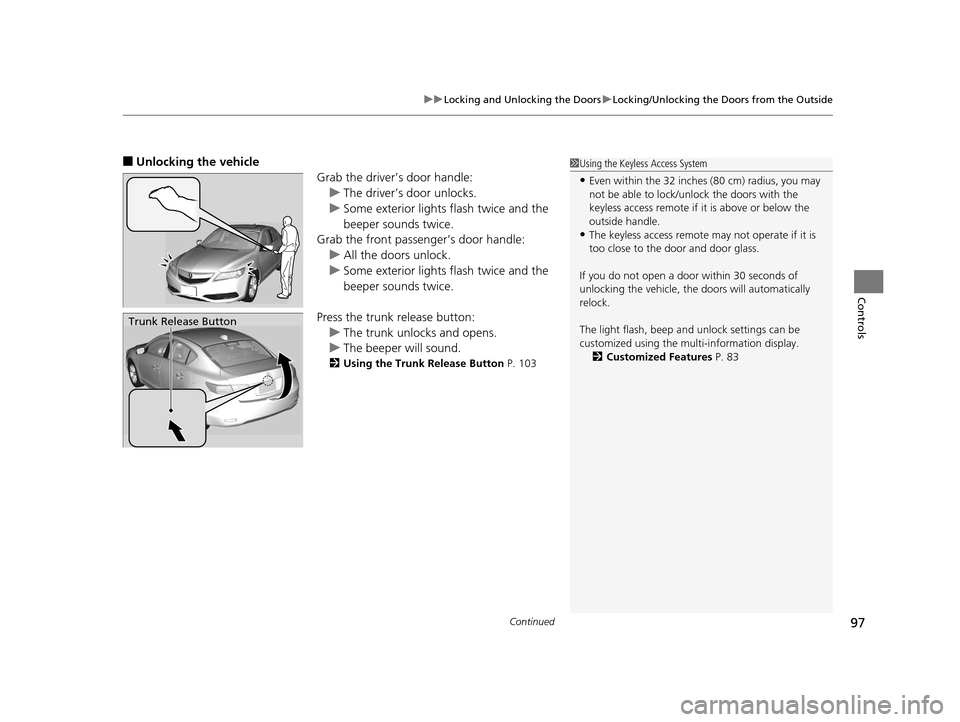
■Unlocking the vehicle
Grab the driver’s door handle:u The driver’s door unlocks.
u Some exterior lights flash twice and the
beeper sounds twice.
Grab the front passenger’s door handle:
u All the doors unlock.
u Some exterior lights flash twice and the
beeper sounds twice.
Press the trunk release button: u The trunk unlocks and opens.
u The beeper will sound.
2 Using the Trunk Release Button P. 103
Trunk Release Button
1Using the Keyless Access System
•Even within the 32 inches (80 cm) radius, you may
not be able to lock/unl ock the doors with the
keyless access remote if it is above or below the
outside handle.
•The keyless access remote may not operate if it is
too close to the door and door glass.
If you do not open a door within 30 seconds of
unlocking the vehicle, th e doors will automatically
relock.
The light flash, beep a nd unlock settings can be
customized using the mu lti-information display.
2 Customized Features P. 83
15 ACURA ILX-31TX66200.book 97 ページ 2014年3月27日 木曜日 午前10時34分
Page 103 of 353
102
Controls
Opening and Closing the Trunk
Precautions for Opening/Closing the Trunk
■Opening the trunk
Open the trunk all the way. u If it is not fully opened, the trunk lid may begin to close under its own weight.
■Closing the trunk
Keep the trunk lid clos ed while driving to:
u Avoid possible damage.
u Prevent exhaust gas from leaking into the vehicle.
2 Exhaust Gas Hazard P. 60
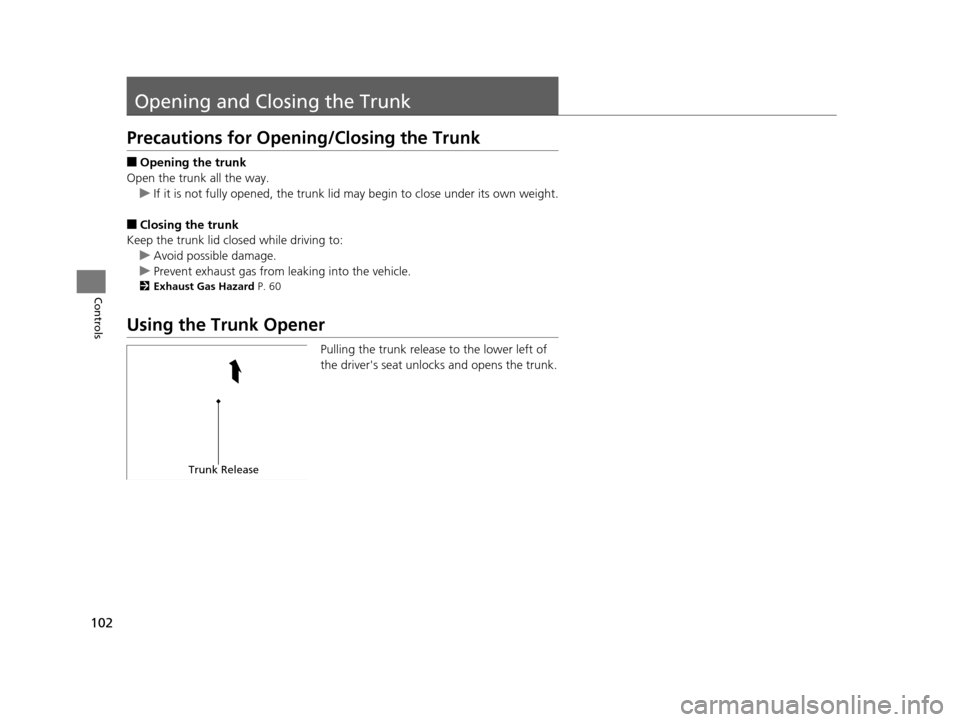
Using the Trunk Opener
Pulling the trunk release to the lower left of
the driver's seat unlocks and opens the trunk.
Trunk Release
15 ACURA ILX-31TX66200.book 102 ページ 2014年3月27日 木曜日 午前10時34分
Page 104 of 353
103
uuOpening and Closing the Trunk uUsing the Trunk Release Button
Controls
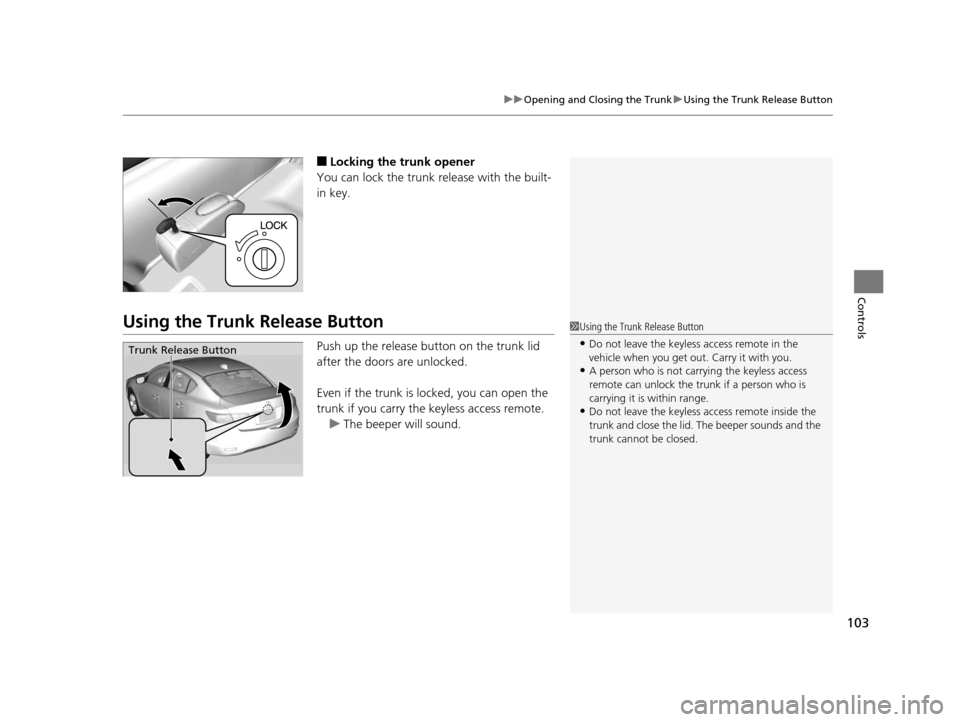
■Locking the trunk opener
You can lock the trunk release with the built-
in key.
Using the Trunk Release Button
Push up the release bu tton on the trunk lid
after the doors are unlocked.
Even if the trunk is locked, you can open the
trunk if you carry the keyless access remote.
u The beeper will sound.
1Using the Trunk Release Button
•Do not leave the keyless access remote in the
vehicle when you get out . Carry it with you.
•A person who is not carryi ng the keyless access
remote can unlock the tr unk if a person who is
carrying it is within range.
•Do not leave the keyless access remote inside the
trunk and close the lid. The beeper sounds and the
trunk cannot be closed.
Trunk Release Button
15 ACURA ILX-31TX66200.book 103 ページ 2014年3月27日 木曜日 午前10時34分
Page 105 of 353
104
uuOpening and Closing the Trunk uUsing the Remote Transmitter
Controls
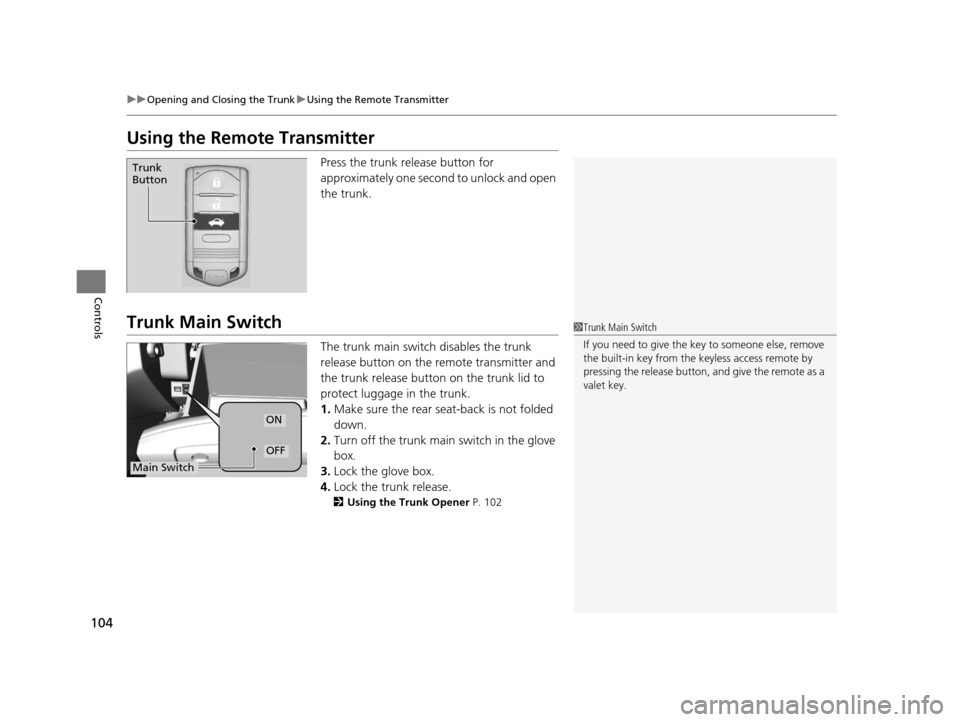
Using the Remote Transmitter
Press the trunk release button for
approximately one second to unlock and open
the trunk.
Trunk Main Switch
The trunk main switch disables the trunk
release button on the remote transmitter and
the trunk release button on the trunk lid to
protect luggage in the trunk.
1. Make sure the rear seat-back is not folded
down.
2. Turn off the trunk main switch in the glove
box.
3. Lock the glove box.
4. Lock the trunk release.
2 Using the Trunk Opener P. 102
Trunk
Button
1Trunk Main Switch
If you need to give the ke y to someone else, remove
the built-in key from the keyless access remote by
pressing the release button, and give the remote as a
valet key.
ON
OFF
Main Switch
15 ACURA ILX-31TX66200.book 104 ページ 2014年3月27日 木曜日 午前10時34分
Page 106 of 353
105
uuOpening and Closing the Trunk uEmergency Trunk Opener
Controls
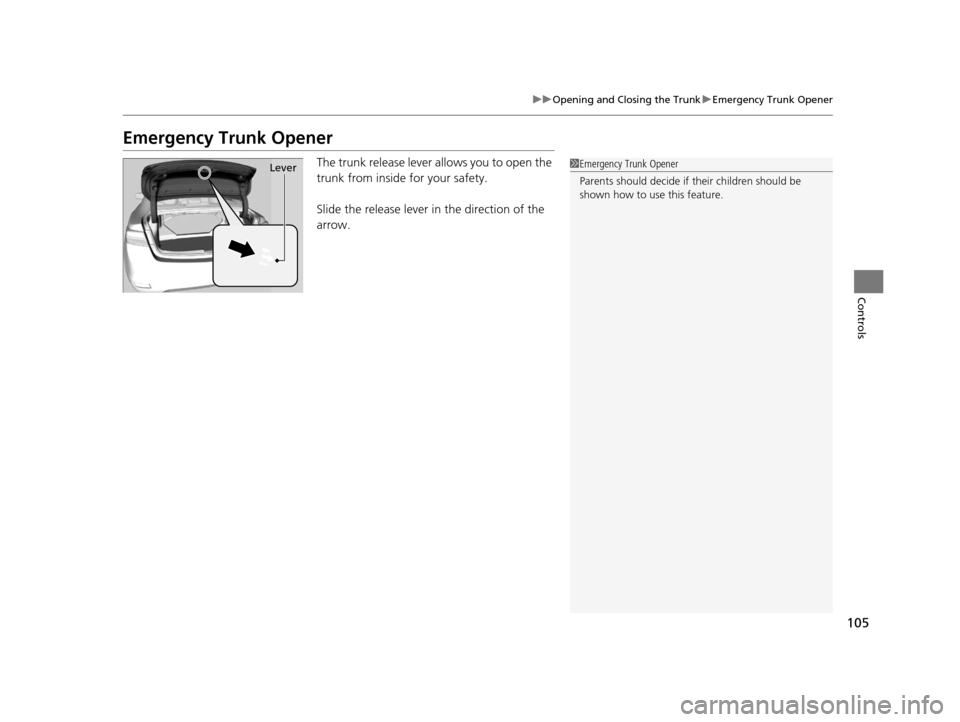
Emergency Trunk Opener
The trunk release lever allows you to open the
trunk from inside for your safety.
Slide the release lever in the direction of the
arrow.1Emergency Trunk Opener
Parents should deci de if their children should be
shown how to use this feature.Lever
15 ACURA ILX-31TX66200.book 105 ページ 2014年3月27日 木曜日 午前10時34分
Page 107 of 353
106
Controls
Security System
Immobilizer System
The immobilizer system prevents a key that has not been pre-registered from
starting the engine. Each key contains electronic transmitters that use electronic
signals to verify the key.
Pay attention to the follo wing when pressing the ENGINE START/STOP button:
• Do not allow objects that emit strong radio waves near the ENGINE START/
STOP button.
• Make sure the key is not covered by or touching a metal object.
• Do not bring a key from another vehicle's immobilizer system with the keyless
access remote.
Security System Alarm
The security system alarm activates when the trunk, hood, or doors are opened
without the key, or remote transmitter, or keyless access system.
■When the security sy stem alarm activates
The horn sounds intermittently and all of the exterior lights flash.
■To deactivate the security system alarm
Unlock the vehicle using the key, remote tra nsmitter or keyless access remote. The
system, along with the horn and flashing lights, is deactivated.
1 Immobilizer System
NOTICE
Leaving the keyless access re mote in the vehicle can
result in theft or accidental movement of the vehicle.
Always take the key with you whenever you leave the
vehicle unattended.
Do not alter the system or add other devices to it.
Doing so may damage the system and make your
vehicle inoperable.
1 Security System Alarm
The security alarm continues for a maximum of two
minutes until the security system deactivates.
15 ACURA ILX-31TX66200.book 106 ページ 2014年3月27日 木曜日 午前10時34分
Page 108 of 353
107
uuSecurity System uSecurity System Alarm
Controls
■Setting the security system alarm
The security system alarm automatically sets when the following conditions have
been met:
• The power mode is set to VEHICLE OFF (LOCK).
• The hood and trunk are closed.
• All doors are locked from outside with the key, remote transmitter or keyless
access system.
■When the security system alarm sets
The security system indicator in the in strument panel blinks. When the blinking
interval changes after about 15 seconds, the security system is set.
■To cancel the security system alarm
The security system is canceled when the ve hicle is unlocked using the key or remote
transmitter, or you grab either front do or handle while carrying the keyless access
remote. The security system indica tor goes off at the same time.
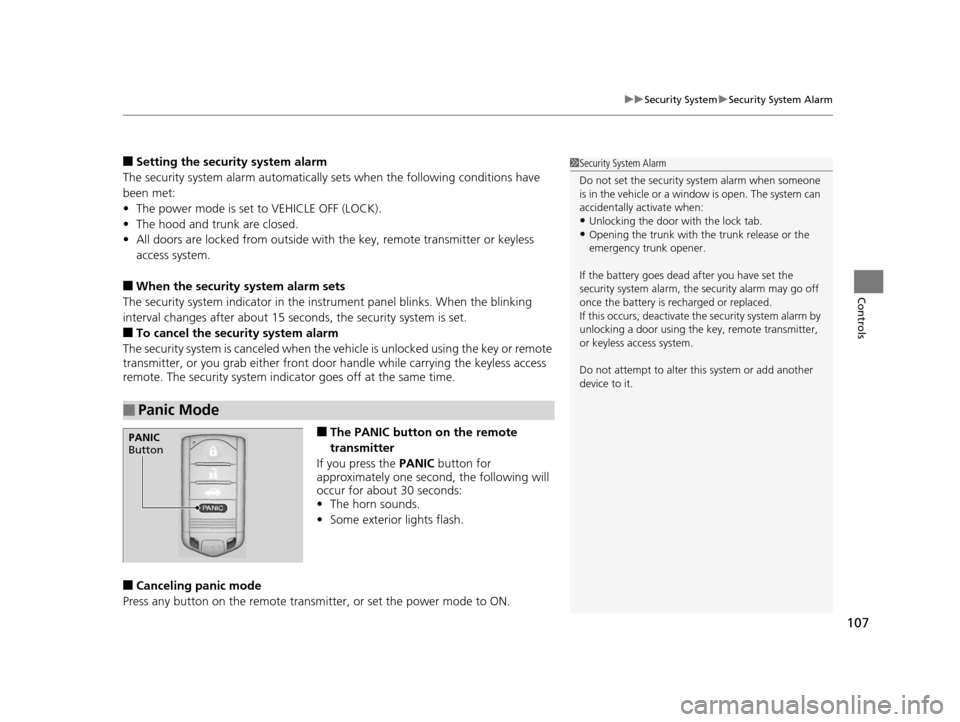
■The PANIC button on the remote
transmitter
If you press the PANIC button for
approximately one second, the following will
occur for about 30 seconds:
• The horn sounds.
• Some exterior lights flash.
■Canceling panic mode
Press any button on the remote transmi tter, or set the power mode to ON.
■Panic Mode
1Security System Alarm
Do not set the security system alarm when someone
is in the vehicle or a window is open. The system can
accidentally activate when:
•Unlocking the door with the lock tab.•Opening the trunk with the trunk release or the
emergency trunk opener.
If the battery goes dead after you have set the
security system alarm, the security alarm may go off
once the battery is re charged or replaced.
If this occurs, deactivate the security system alarm by
unlocking a door using the ke y, remote transmitter,
or keyless access system.
Do not attempt to alter th is system or add another
device to it.
PANIC
Button
15 ACURA ILX-31TX66200.book 107 ページ 2014年3月27日 木曜日 午前10時34分