key Acura ILX 2015 Owner's Guide
[x] Cancel search | Manufacturer: ACURA, Model Year: 2015, Model line: ILX, Model: Acura ILX 2015Pages: 353, PDF Size: 16.19 MB
Page 108 of 353
107
uuSecurity System uSecurity System Alarm
Controls
■Setting the security system alarm
The security system alarm automatically sets when the following conditions have
been met:
• The power mode is set to VEHICLE OFF (LOCK).
• The hood and trunk are closed.
• All doors are locked from outside with the key, remote transmitter or keyless
access system.
■When the security system alarm sets
The security system indicator in the in strument panel blinks. When the blinking
interval changes after about 15 seconds, the security system is set.
■To cancel the security system alarm
The security system is canceled when the ve hicle is unlocked using the key or remote
transmitter, or you grab either front do or handle while carrying the keyless access
remote. The security system indica tor goes off at the same time.
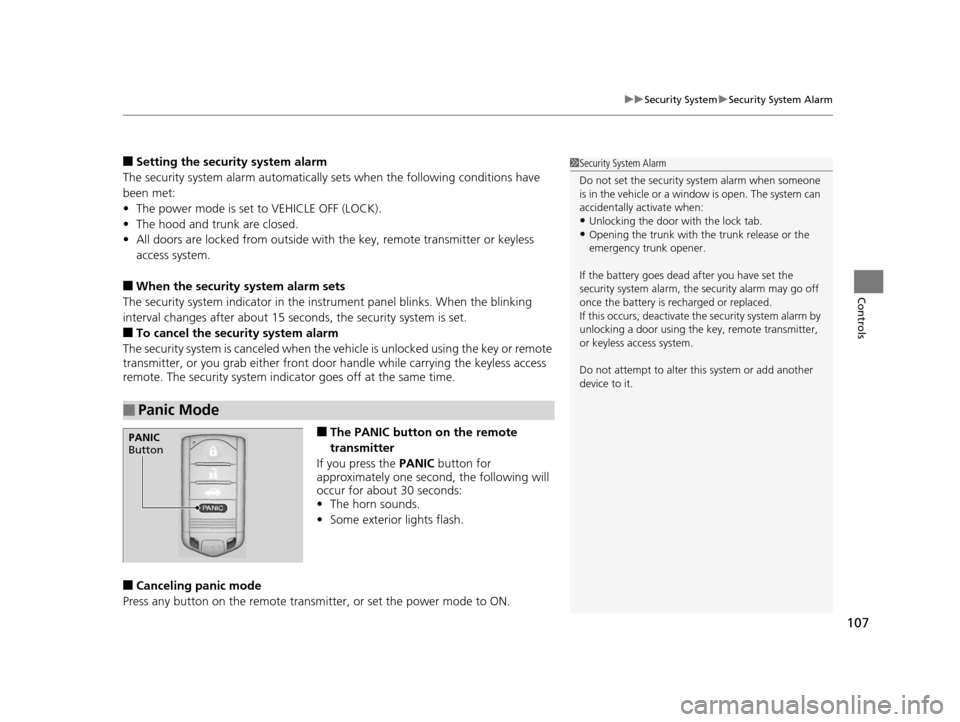
■The PANIC button on the remote
transmitter
If you press the PANIC button for
approximately one second, the following will
occur for about 30 seconds:
• The horn sounds.
• Some exterior lights flash.
■Canceling panic mode
Press any button on the remote transmi tter, or set the power mode to ON.
■Panic Mode
1Security System Alarm
Do not set the security system alarm when someone
is in the vehicle or a window is open. The system can
accidentally activate when:
•Unlocking the door with the lock tab.•Opening the trunk with the trunk release or the
emergency trunk opener.
If the battery goes dead after you have set the
security system alarm, the security alarm may go off
once the battery is re charged or replaced.
If this occurs, deactivate the security system alarm by
unlocking a door using the ke y, remote transmitter,
or keyless access system.
Do not attempt to alter th is system or add another
device to it.
PANIC
Button
15 ACURA ILX-31TX66200.book 107 ページ 2014年3月27日 木曜日 午前10時34分
Page 111 of 353
110
uuOpening and Closing the Windows uOpening/Closing th e Power Windows
Controls
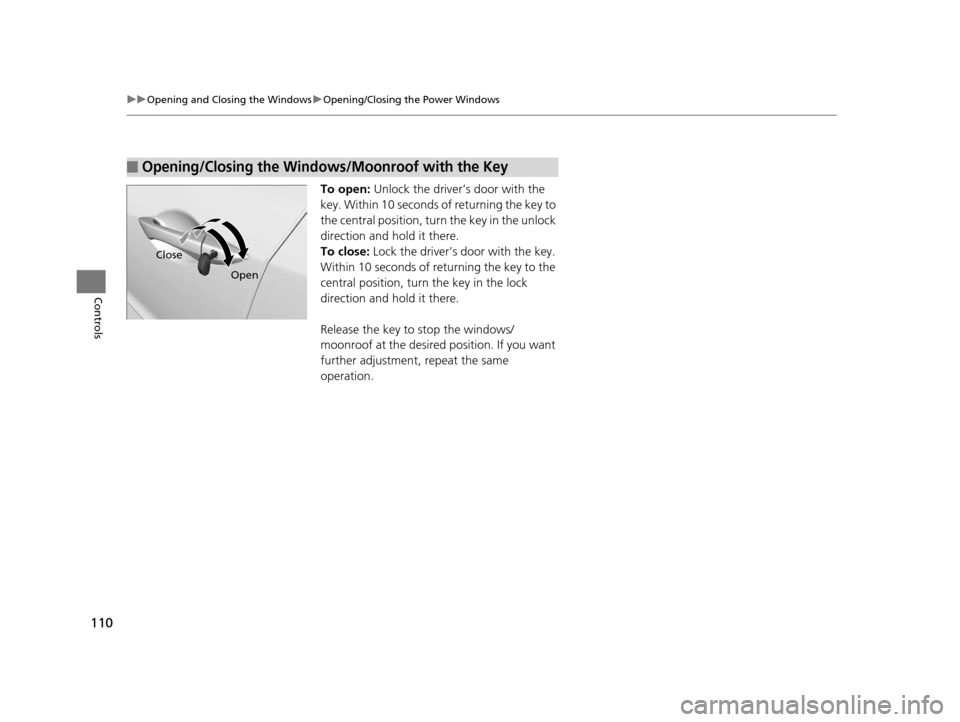
To open: Unlock the driver’s door with the
key. Within 10 seconds of returning the key to
the central position, turn the key in the unlock
direction and hold it there.
To close: Lock the driver’s door with the key.
Within 10 seconds of re turning the key to the
central position, turn the key in the lock
direction and hold it there.
Release the key to stop the windows/
moonroof at the desired position. If you want
further adjustment, repeat the same
operation.
■Opening/Closing the Windows/Moonroof with the Key
Close
Open
15 ACURA ILX-31TX66200.book 110 ページ 2014年3月27日 木曜日 午前10時34分
Page 113 of 353

112
Controls
Operating the Switches Around the Steering Wheel
ENGINE START/STOP Button
■Changing the Power Mode1ENGINE START/STOP Button
ENGINE START/STOP Button Operating Range
You can start the engine when the keyless access
remote is inside the vehicle.
The engine may also run if the keyless access remote
is close to the door or window, even if it is outside the
vehicle.
ON mode:
Indicator in the button is of f, if the engine is running.
If the keyless access remote battery is weak, beeper
sounds and the TO START, HOLD REMOTE NEAR
START BUTTON message appears on the multi-
information display. 2 If the Keyless Access Remote Battery is
Weak P. 312
Operating RangeAutomatic Transmission Manual Transmission
VEHICLE OFF (LOCK)
Indicator in th e button is off.
The steering wheel is locked. The
power to all electrical
components is turned off.
Press the button without the shift
lever in
( P.
Shift to
( P then press the button. Press the button.Without pressing
the clutch pedal
Without pressing
the brake pedal ACCESSORY
Indicator in the button is on.
Indicator in th
e button blinks
(from ON to ACCESSORY).
Operate the audio system and
other accessories in this position.
ON
Indicator in the button is on.
All electrical components can be
used.
Indicator
Indicator
15 ACURA ILX-31TX66200.book 112 ページ 2014年3月27日 木曜日 午前10時34分
Page 114 of 353
113
uuOperating the Switches Around the Steering Wheel uENGINE START/STOP Button
Controls
If you open the driver’s door when the power mode is set to ACCESSORY, a warning
buzzer sounds.
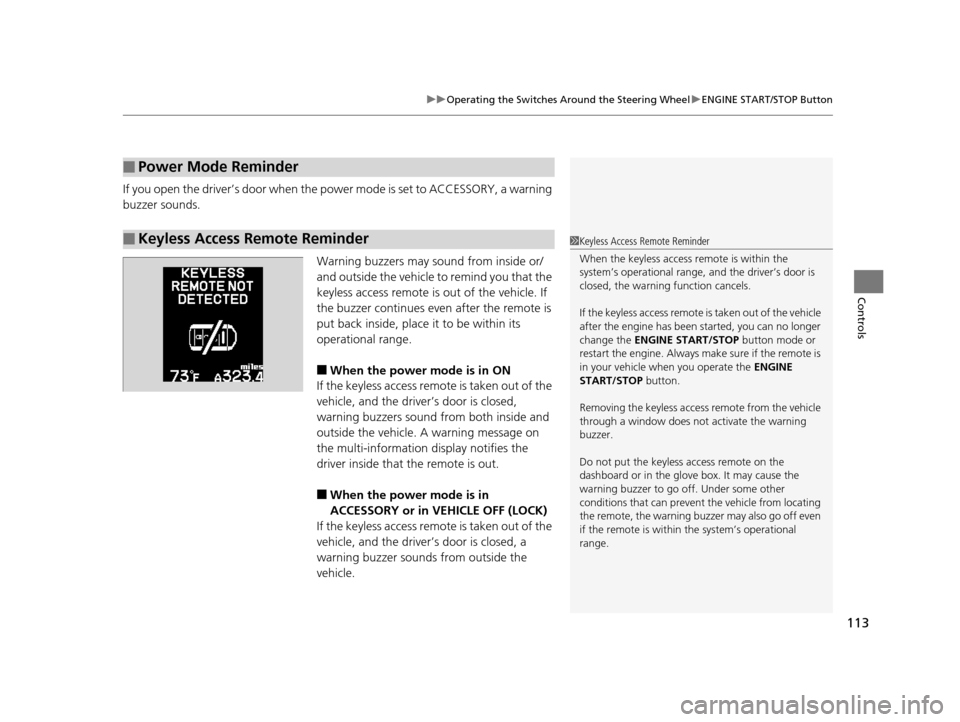
Warning buzzers may sound from inside or/
and outside the vehicle to remind you that the
keyless access remote is out of the vehicle. If
the buzzer continues even after the remote is
put back inside, place it to be within its
operational range.
■When the power mode is in ON
If the keyless access remote is taken out of the
vehicle, and the driver’s door is closed,
warning buzzers sound from both inside and
outside the vehicle. A warning message on
the multi-information display notifies the
driver inside that the remote is out.
■When the power mode is in
ACCESSORY or in VEHICLE OFF (LOCK)
If the keyless access remote is taken out of the
vehicle, and the driver’s door is closed, a
warning buzzer sounds from outside the
vehicle.
■Power Mode Reminder
■Keyless Access Remote Reminder1 Keyless Access Remote Reminder
When the keyless access remote is within the
system’s operational range, and the driver’s door is
closed, the warni ng function cancels.
If the keyless access remote is taken out of the vehicle
after the engine has been started, you can no longer
change the ENGINE START/STOP button mode or
restart the engine. Always make sure if the remote is
in your vehicle when you operate the ENGINE
START/STOP button.
Removing the keyless access remote from the vehicle
through a window does not activate the warning
buzzer.
Do not put the keyless access remote on the
dashboard or in the glove box. It may cause the
warning buzzer to go of f. Under some other
conditions that can prevent the vehicle from locating
the remote, the warning buzzer may also go off even
if the remote is within the system’s operational
range.
15 ACURA ILX-31TX66200.book 113 ページ 2014年3月27日 木曜日 午前10時34分
Page 133 of 353
132
uuInterior Lights/Interior Convenience Items uInterior Convenience Items
Controls
Interior Convenience Items
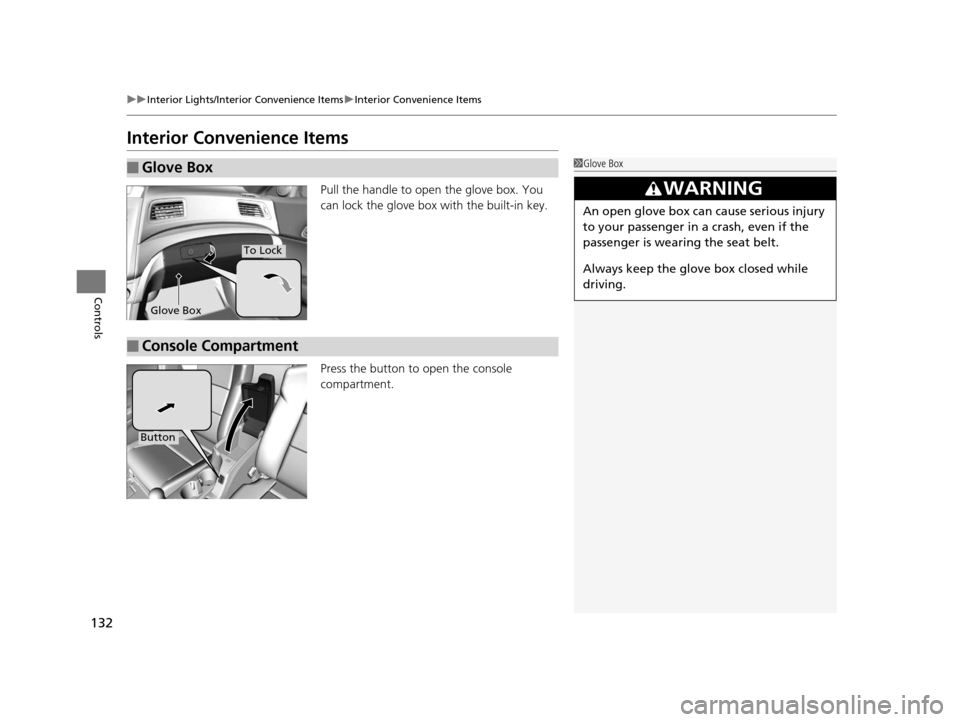
Pull the handle to open the glove box. You
can lock the glove box with the built-in key.
Press the button to open the console
compartment.
■Glove Box1Glove Box
3WARNING
An open glove box can cause serious injury
to your passenger in a crash, even if the
passenger is wearing the seat belt.
Always keep the glove box closed while
driving.
Glove Box
To Lock
■Console Compartment
Button
15 ACURA ILX-31TX66200.book 132 ページ 2014年3月27日 木曜日 午前10時34分
Page 211 of 353
210
Driving
Before Driving
Driving Preparation
Check the following items before you start driving.
• Make sure there are no obstructions on th e windows, door mirrors, exterior
lights, or other parts of the vehicle.
u Remove any frost, snow, or ice.
u Remove any snow on the roof, as this can slip down and obstruct your field of
vision while driving. If frozen solid , remove ice once it has softened.
u When removing ice from around the wheel s, be sure not to damage the wheel
or wheel components.
• Make sure the hood is securely closed.
u If the hood opens while driving, your front view will be blocked.
• Make sure the tires are in good condition.
u Check air pressures, and check for damage and excessive wear.
2Checking and Maintaining Tires P. 286
•Make sure there are no people or ob jects behind or around the vehicle.
u There are blind spots from the inside.
■Exterior Checks1Exterior Checks
NOTICE
When doors are frozen s hut, use warm water around
the door edges to melt any ice. Do not try to force
them open, as this can damage the rubber trim
around the doors. When done, wipe dry to avoid
further freezing.
Do not pour warm water into the key cylinder.
You will be unable to insert the key if the water
freezes in the hole.
Heat from the engine and exhaust can ignite
flammable material s left under the hood, causing a
fire. If you've parked y our vehicle for an extended
period, inspect and remove any debris that may have
collected, such as dried grass and leaves that have
fallen or have been carried in for use as a nest by a
small animal.
Also check under the hood fo r leftover flammable
materials after you or so meone else has performed
maintenance on your vehicle.
15 ACURA ILX-31TX66200.book 210 ページ 2014年3月27日 木曜日 午前10時34分
Page 218 of 353
Continued217
uuWhen Driving uStarting the Engine
Driving
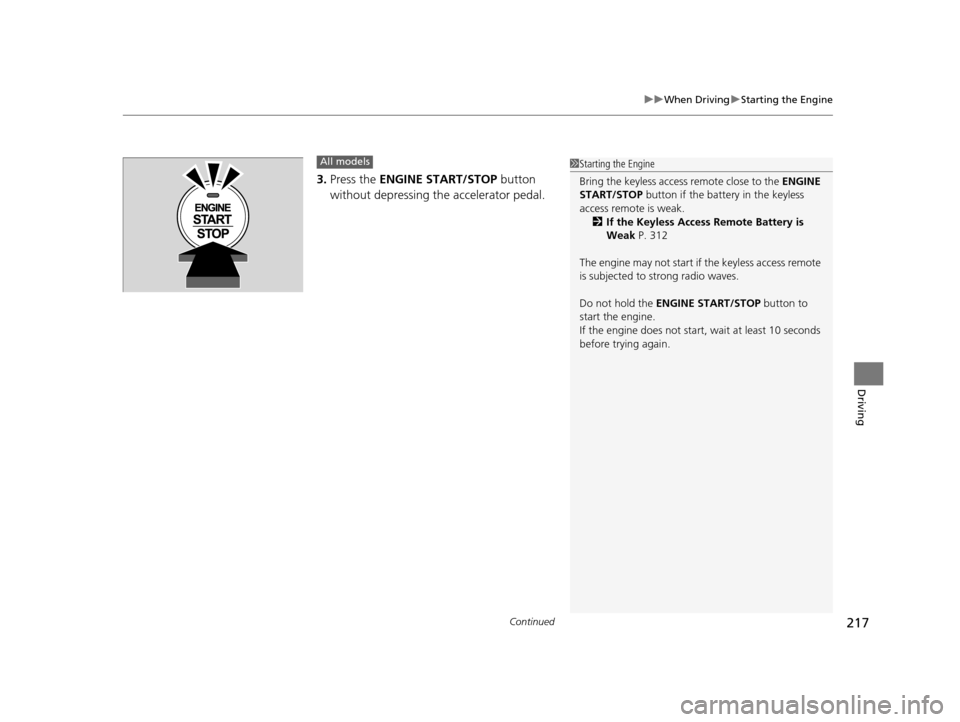
3. Press the ENGINE START/STOP button
without depressing the accelerator pedal.
All models1 Starting the Engine
Bring the keyless access remote close to the ENGINE
START/STOP button if the batte ry in the keyless
access remote is weak. 2 If the Keyless Access Remote Battery is
Weak P. 312
The engine may not start if the keyless access remote
is subjected to strong radio waves.
Do not hold the ENGINE START/STOP button to
start the engine.
If the engine does not start, wait at least 10 seconds
before trying again.
15 ACURA ILX-31TX66200.book 217 ページ 2014年3月27日 木曜日 午前10時34分
Page 297 of 353
296
Maintenance
Remote Transmitter Care
Replacing the Button Battery
If the indicator does not come on when the button is pressed, replace the battery.
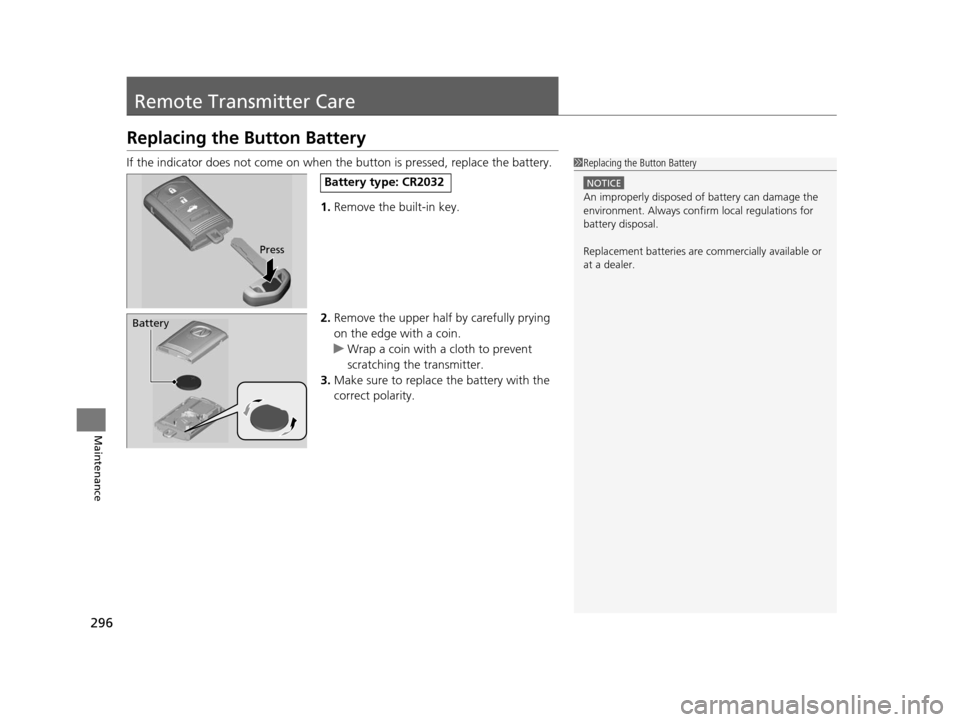
1. Remove the built-in key.
2. Remove the upper half by carefully prying
on the edge with a coin.
u Wrap a coin with a cloth to prevent
scratching the transmitter.
3. Make sure to replace the battery with the
correct polarity.1 Replacing the Button Battery
NOTICE
An improperly disposed of battery can damage the
environment. Always conf irm local regulations for
battery disposal.
Replacement batteries are commercially available or
at a dealer.
Press
Battery type: CR2032
Battery
15 ACURA ILX-31TX66200.book 296 ページ 2014年3月27日 木曜日 午前10時34分
Page 304 of 353

303
Handling the Unexpected
This chapter explains how to handle unexpected troubles.
ToolsTypes of Tools .................................. 304
If a Tire Goes Flat Changing a Flat Tire ......................... 305
Engine Does Not Start Checking the Engine ........................ 311
If the Keyless Access Remote Battery is Weak ............................................. 312
Emergency Engine Stop ................... 313
Jump Starting .................................... 314
Shift Lever Does Not Move .............. 317Overheating
How to Handle Overheating............. 318
Indicator, Coming On/Blinking
If the Low Oil Pressure Indicator Comes On ............................................. 320
If the Charging System Indicator Comes
On ................................................. 320
If the Malfunction Indicator Lamp Comes On or Blinks ................................... 321
If the Brake System Indicator (Red) Comes On .................................. 322
If the Electric Power Steering (EPS) System
Indicator Comes On......................... 322
If the Low Tire Pressure/TPMS Indicator Comes On or Blinks ....................... 323
Fuses Fuse Locations ................................. 324
Inspecting and Changing Fuses ........ 326
Emergency Towing ........................... 327
15 ACURA ILX-31TX66200.book 303 ページ 2014年3月27日 木曜日 午前10時34分
Page 312 of 353
311
Handling the Unexpected
Engine Does Not Start
Checking the Engine
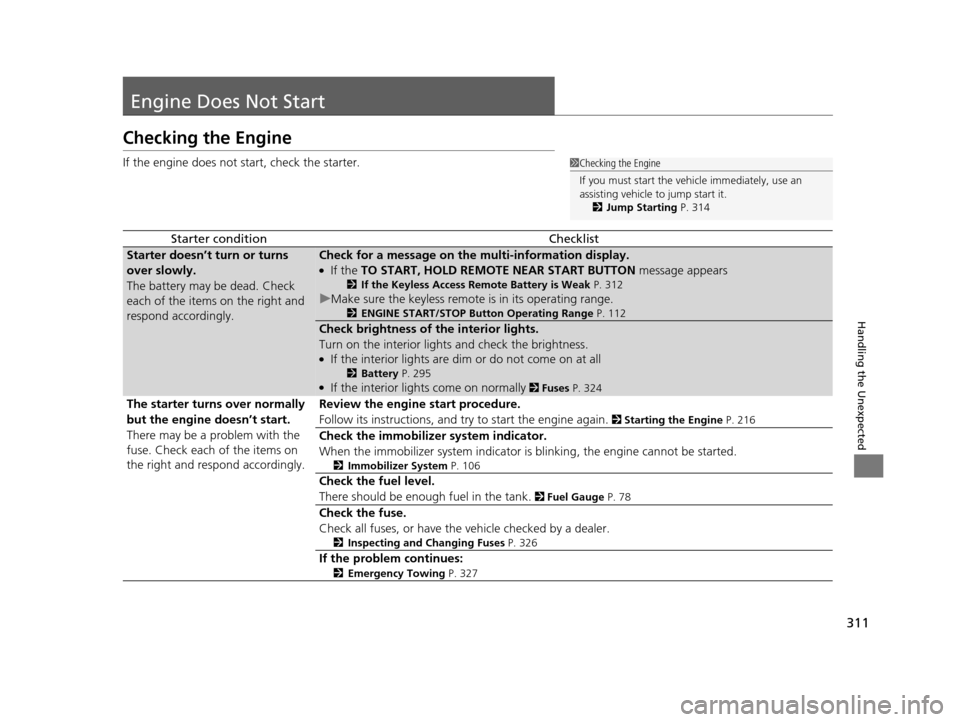
If the engine does not start, check the starter.
Starter conditionChecklist
Starter doesn’t turn or turns
over slowly.
The battery may be dead. Check
each of the items on the right and
respond accordingly.Check for a message on the multi-information display.
●If the TO START, HOLD REMOTE NEAR START BUTTON message appears
2If the Keyless Access Remote Battery is Weak P. 312
uMake sure the keyless remote is in its operating range.
2 ENGINE START/STOP Button Operating Range P. 112
Check brightness of the interior lights.
Turn on the interior lights and check the brightness.
●If the interior lights are dim or do not come on at all
2Battery P. 295●If the interior lights come on normally 2 Fuses P. 324
The starter turns over normally
but the engine doesn’t start.
There may be a problem with the
fuse. Check each of the items on
the right and respond accordingly. Review the engine start procedure.
Follow its instructions, and try
to start the engine again.
2 Starting the Engine P. 216
Check the immobilizer system indicator.
When the immobilizer system indicator is blinking, the engine cannot be started.
2Immobilizer System P. 106
Check the fuel level.
There should be enough fuel in the tank.
2 Fuel Gauge P. 78
Check the fuse.
Check all fuses, or have the vehicle checked by a dealer.
2Inspecting and Changing Fuses P. 326
If the problem continues:
2Emergency Towing P. 327
1Checking the Engine
If you must start the vehi cle immediately, use an
assisting vehicle to jump start it.
2 Jump Starting P. 314
15 ACURA ILX-31TX66200.book 311 ページ 2014年3月27日 木曜日 午前10時34分