pan Acura ILX 2016 Owners Manual
[x] Cancel search | Manufacturer: ACURA, Model Year: 2016, Model line: ILX, Model: Acura ILX 2016Pages: 521, PDF Size: 24.09 MB
Page 335 of 521

334
uuBefore Driving uDriving Preparation
Driving
• Be sure items placed on the floor behind the front seats cannot roll under the
seats.
u They can interfere with the driver's ability to operate the pedals, the operation
of the seats, or the operation of the sensors under the seats.
• Everyone in the vehicle must fasten their seat belt.
2Fastening a Seat Belt P. 31
•Make sure that the indicators in the ins trument panel come on when you start the
vehicle, and go off soon after.
u Always have a dealer check the vehicle if a problem is indicated.
2 Indicators P. 64
16 ACURA ILX-31TX66300.book 334 ページ 2014年12月22日 月曜日 午後10時15分
Page 336 of 521
335
uuBefore Driving uMaximum Load Limit
Continued
Driving
Maximum Load Limit
The maximum load for your ve hicle is 850 lbs (385 kg).
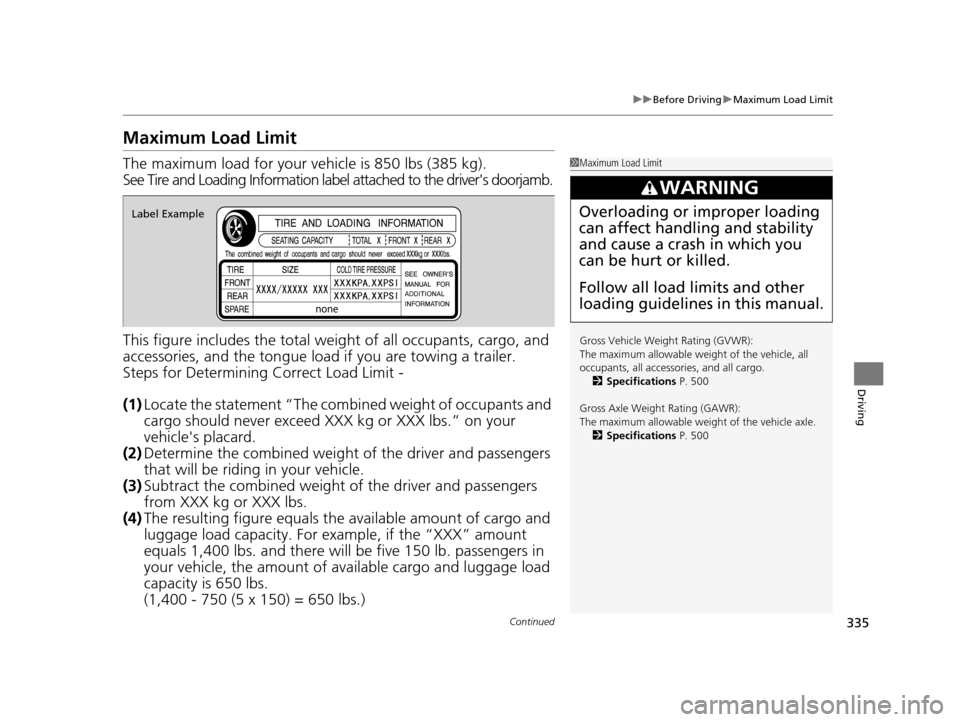
See Tire and Loading Information label attached to the driver's doorjamb.
This figure includes the total weig ht of all occupants, cargo, and
accessories, and the tongue load if you are towing a trailer.
Steps for Determining Correct Load Limit -
(1) Locate the statement “The comb ined weight of occupants and
cargo should never exceed XXX kg or XXX lbs.” on your
vehicle's placard.
(2) Determine the combined weight of the driver and passengers
that will be riding in your vehicle.
(3) Subtract the combined weight of the driver and passengers
from XXX kg or XXX lbs.
(4) The resulting figure equals the available amount of cargo and
luggage load capacity. For example, if the “XXX” amount
equals 1,400 lbs. and there will be five 150 lb. passengers in
your vehicle, the am ount of available cargo and luggage load
capacity is 650 lbs.
(1,400 - 750 (5 x 150) = 650 lbs.)1 Maximum Load Limit
Gross Vehicle Weight Rating (GVWR):
The maximum allowable weight of the vehicle, all
occupants, all accesso ries, and all cargo.
2 Specifications P. 500
Gross Axle Weight Rating (GAWR):
The maximum allowable weight of the vehicle axle. 2 Specifications P. 500
3WARNING
Overloading or improper loading
can affect handling and stability
and cause a crash in which you
can be hurt or killed.
Follow all load limits and other
loading guidelines in this manual.Label Example
16 ACURA ILX-31TX66300.book 335 ページ 2014年12月22日 月曜日 午後10時15分
Page 337 of 521
336
uuBefore Driving uMaximum Load Limit
Driving
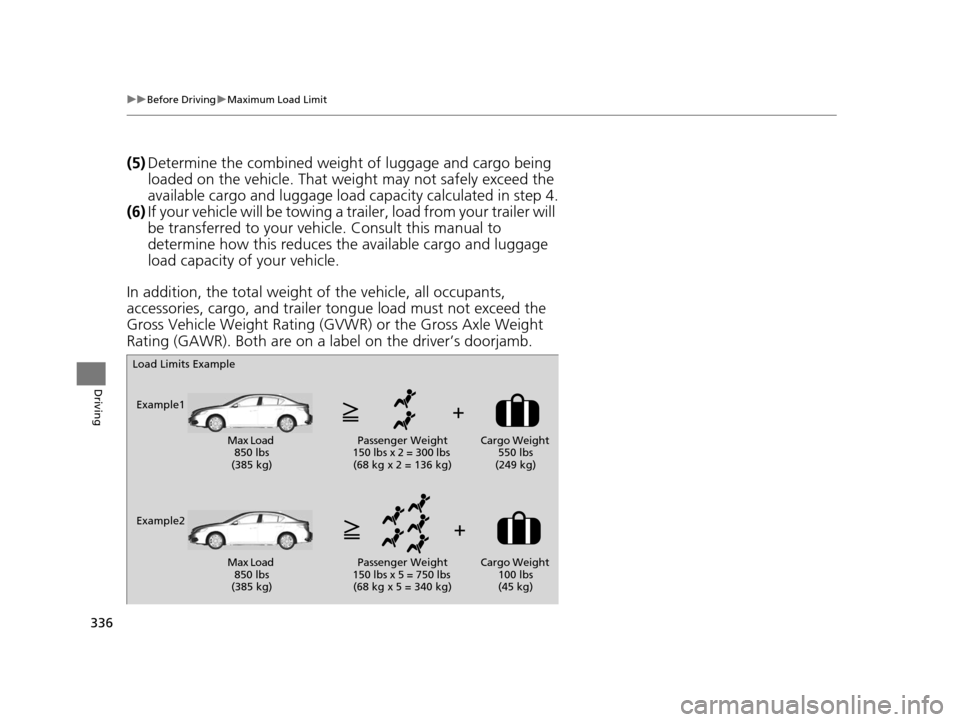
(5) Determine the combined weight of luggage and cargo being
loaded on the vehicle. That we ight may not safely exceed the
available cargo and luggage load capacity calculated in step 4.
(6) If your vehicle will be towing a tra iler, load from your trailer will
be transferred to your vehicl e. Consult this manual to
determine how this reduces the available cargo and luggage
load capacity of your vehicle.
In addition, the total weight of the vehicle, all occupants,
accessories, cargo, and trailer tongue load must not exceed the
Gross Vehicle Weight Rating (GVW R) or the Gross Axle Weight
Rating (GAWR). Both are on a label on the driver’s doorjamb.
Load Limits Example
Example1 Max Load 850 lbs
(385 kg) Passenger Weight
150 lbs x 2 = 300 lbs (68 kg x 2 = 136 kg) Cargo Weight
550 lbs
(249 kg)
Example2 Max Load 850 lbs
(385 kg) Passenger Weight
150 lbs x 5 = 750 lbs (68 kg x 5 = 340 kg) Cargo Weight
100 lbs
(45 kg)
16 ACURA ILX-31TX66300.book 336 ページ 2014年12月22日 月曜日 午後10時15分
Page 350 of 521
349
uuWhen Driving uCruise Control*
Continued
Driving
Cruise Control*
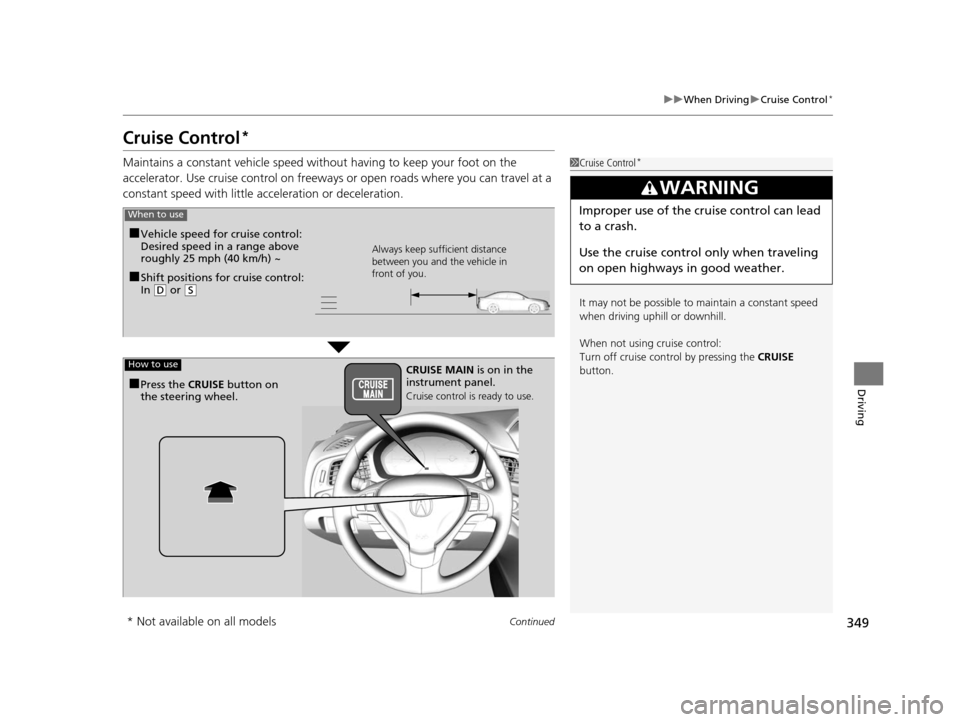
Maintains a constant vehicle speed without having to keep your foot on the
accelerator. Use cruise control on freeways or open road s where you can travel at a
constant speed with little ac celeration or deceleration.1Cruise Control*
It may not be possible to maintain a constant speed
when driving uphill or downhill.
When not using cruise control:
Turn off cruise control by pressing the CRUISE
button.
3WARNING
Improper use of the cruise control can lead
to a crash.
Use the cruise control only when traveling
on open highways in good weather.When to use
■Shift positions for cruise control:
In ( D or (S Always keep sufficient distance
between you and the vehicle in
front of you.
■Vehicle speed for cruise control:
Desired speed in a range above
roughly 25 mph (40 km/h) ~
How to useCRUISE MAIN
is on in the
instrument panel.
Cruise control is ready to use.■Press the CRUISE button on
the steering wheel.
* Not available on all models
16 ACURA ILX-31TX66300.book 349 ページ 2014年12月22日 月曜日 午後10時15分
Page 353 of 521

352
uuWhen Driving uFront Sensor Camera*
Driving
Front Sensor Camera*
The camera, used in systems such as LKAS, RDM, ACC, and CMBSTM, is designed to
detect an object that triggers any of the systems to operate its functions.
This camera is located behind the rearview
mirror.
To help reduce the likelihood that high interior
temperatures will cause the camera’s sensing
system to shut off, when parking, find a shady
area or face the front of the vehicle away from
the sun. If you use a re flective sun shade, do
not allow it to cover the camera housing.
Covering the camera can concentrate heat on
it.
■Camera Location and Handling Tips
1 Front Sensor Camera*
Never apply a film or attach any objects to
windshield, the hood, or the front grill that could
obstruct the camera’s fiel d of vision and cause the
system to operate abnormally.
Scratches, nicks, and othe r damage to the windshield
within the camera’s fiel d of vision can cause the
system to operate abnormall y. If this occurs, we
recommend that you replac e the windshield with a
genuine Acura replacement windshield. Making even
minor repairs within the ca mera’s field of vision or
installing an aftermarke t replacement windshield
may also cause the system to operate abnormally.
After replacing the winds hield, have a dealer
recalibrate the camera. Pr oper calibration of the
camera is necessary for the system to operate
properly.
Do not place an object on the top of the instrument
panel. It may reflect onto the windshield and prevent
the system from detecting lane lines properly.
Front Sensor
Camera
* Not available on all models
16 ACURA ILX-31TX66300.book 352 ページ 2014年12月22日 月曜日 午後10時15分
Page 356 of 521
Continued355
uuWhen Driving uAdaptive Cruise Control (ACC)*
Driving
■How to activate the system1Adaptive Cruise Control (ACC)*
ACC may not work properly under certain conditions.
2 ACC Conditions and Limitations P. 359
When not using adaptive cr uise control: Turn off
adaptive cruise by pressing the MAIN button. This
also will turn off the Lane Keeping Assist System
(LKAS).
Do not use the ACC under the following conditions.
•On roads with heavy traf fic or while driving in
continuous stop and go traffic.
•On roads with sharp turns.
•On roads with steep downhill sections, as the set
vehicle speed can be exceeded by coasting. In such
cases, the ACC will not apply the brakes to
maintain the set speed.
•On roads with toll collection facilities or other
objects between lanes of traffic, or in parking
areas, or faci lities with driv e through access.
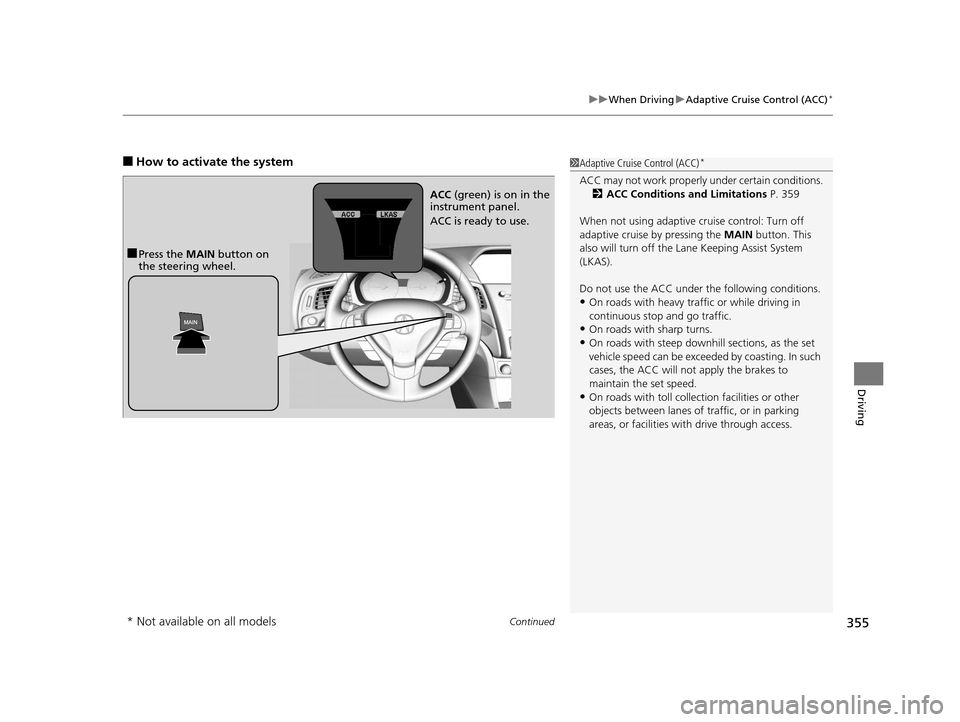
■Press the MAIN button on
the steering wheel. ACC
(green) is on in the
instrument panel.
ACC is ready to use.
* Not available on all models
16 ACURA ILX-31TX66300.book 355 ページ 2014年12月22日 月曜日 午後10時15分
Page 373 of 521
372
uuWhen Driving uLane Keeping Assist System (LKAS)*
Driving
Lane Keeping Assist System (LKAS)*
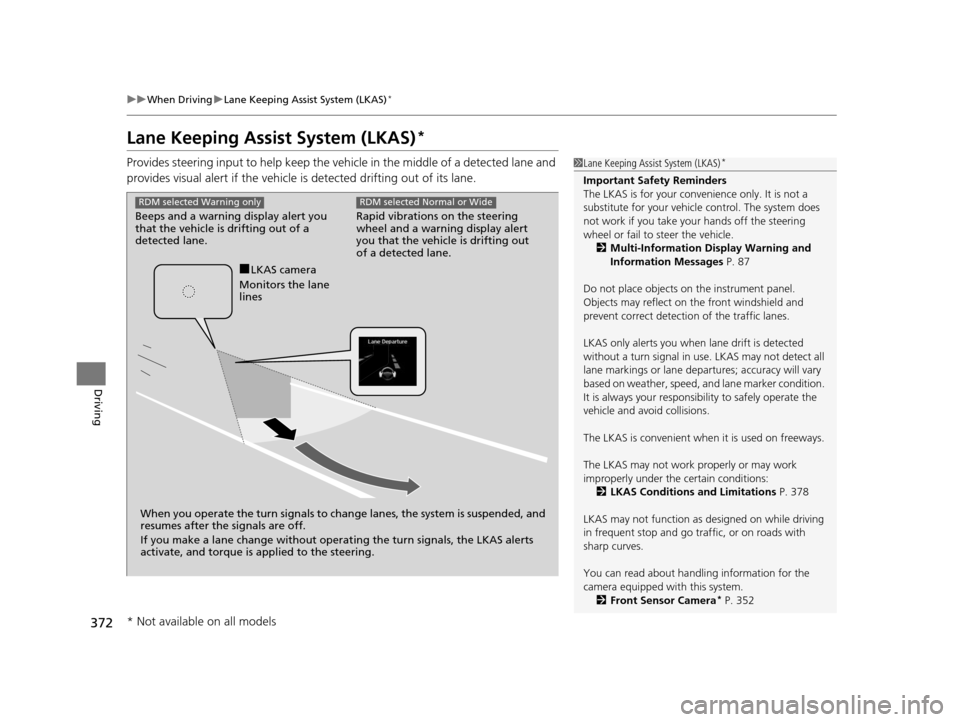
Provides steering input to help keep the vehicle in the middle of a detected lane and
provides visual alert if the vehicle is detected drifting out of its lane.1Lane Keeping Assist System (LKAS)*
Important Safety Reminders
The LKAS is for your convenience only. It is not a
substitute for your vehicl e control. The system does
not work if you take y our hands off the steering
wheel or fail to steer the vehicle.
2 Multi-Information Display Warning and
Information Messages P. 87
Do not place objects on the instrument panel.
Objects may reflect on th e front windshield and
prevent correct detectio n of the traffic lanes.
LKAS only alerts you when lane drift is detected
without a turn signal in use. LKAS may not detect all
lane markings or lane departures; a ccuracy will vary
based on weather, speed, an d lane marker condition.
It is always your responsibility to safely operate the
vehicle and avoid collisions.
The LKAS is convenient when it is used on freeways.
The LKAS may not work properly or may work
improperly under the certain conditions: 2 LKAS Conditions and Limitations P. 378
LKAS may not function as designed on while driving
in frequent stop and go traf fic, or on roads with
sharp curves.
You can read about handling information for the
camera equipped with this system. 2 Front Sensor Camera
* P. 352
Rapid vibrations on the steering
wheel and a warning display alert
you that the vehicle is drifting out
of a detected lane.
RDM selected Normal or Wide
Beeps and a warning display alert you
that the vehicle is drifting out of a
detected lane.
RDM selected Warning only
When you operate the turn signals to chan ge lanes, the system is suspended, and
resumes after the signals are off.
If you make a lane change without operat ing the turn signals, the LKAS alerts
activate, and torque is applied to the steering.
■LKAS camera
Monitors the lane
lines
* Not available on all models
16 ACURA ILX-31TX66300.book 372 ページ 2014年12月22日 月曜日 午後10時15分
Page 382 of 521
381
uuWhen Driving uVehicle Stability Assist (VSA ®), aka Electronic Stability Control (ESC), System
Driving
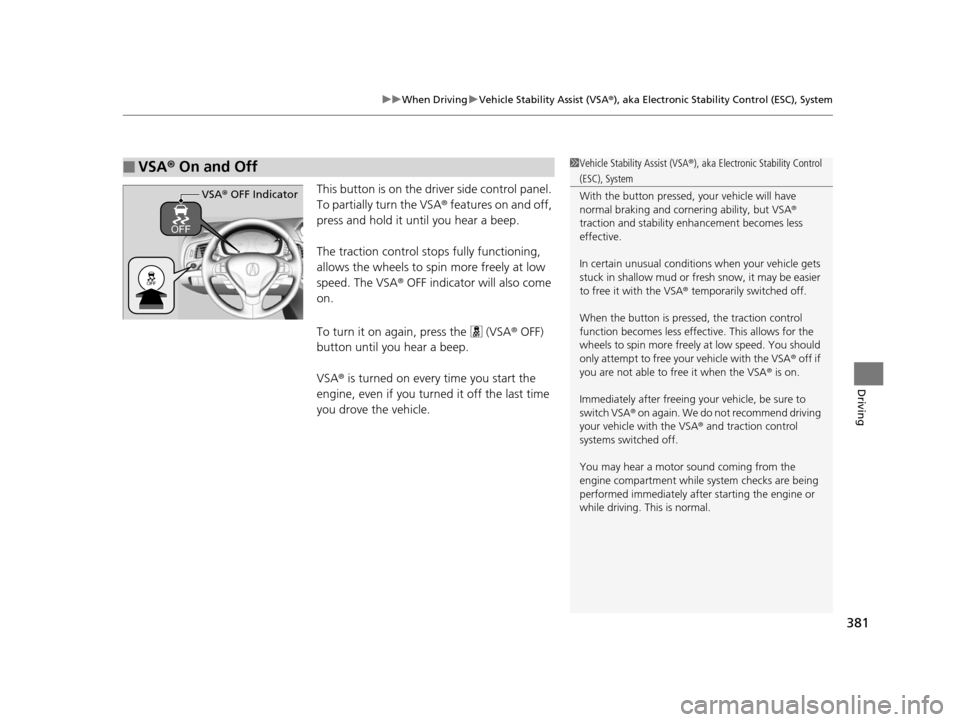
This button is on the driver side control panel.
To partially turn the VSA® features on and off,
press and hold it until you hear a beep.
The traction control stop s fully functioning,
allows the wheels to sp in more freely at low
speed. The VSA ® OFF indicator will also come
on.
To turn it on again, press the (VSA ® OFF)
button until you hear a beep.
VSA ® is turned on every time you start the
engine, even if you turned it off the last time
you drove the vehicle.
■VSA ® On and Off1 Vehicle Stability Assist (VSA ®), aka Electronic Stability Control
(ESC), System
With the button pressed, your vehicle will have
normal braking and corn ering ability, but VSA®
traction and stability enhancement becomes less
effective.
In certain unusual conditions when your vehicle gets
stuck in shallow mud or fr esh snow, it may be easier
to free it with the VSA ® temporarily switched off.
When the button is pressed, the traction control
function becomes less effective. This allows for the
wheels to spin more freely at low speed. You should
only attempt to free your vehicle with the VSA ® off if
you are not able to free it when the VSA ® is on.
Immediately after freeing your vehicle, be sure to
switch VSA ® on again. We do not recommend driving
your vehicle with the VSA ® and traction control
systems switched off.
You may hear a motor sound coming from the
engine compartment while system checks are being
performed immediately after starting the engine or
while driving. This is normal.
VSA ® OFF Indicator
16 ACURA ILX-31TX66300.book 381 ページ 2014年12月22日 月曜日 午後10時15分
Page 396 of 521
Continued395
uuBraking uCollision Mitigation Braking SystemTM (CMBSTM)*
Driving
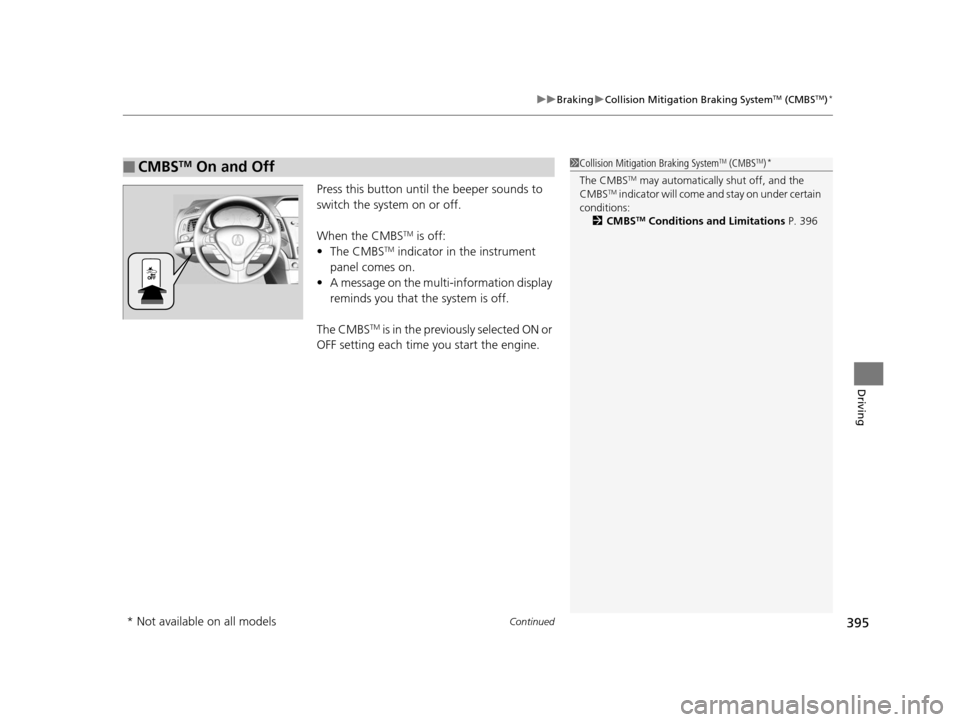
Press this button until the beeper sounds to
switch the system on or off.
When the CMBS
TM is off:
• The CMBSTM indicator in the instrument
panel comes on.
• A message on the multi-information display
reminds you that the system is off.
The CMBS
TM is in the previously selected ON or
OFF setting each time you start the engine.
■CMBSTM On and Off1 Collision Mitigation Braking SystemTM (CMBSTM)*
The CMBSTM may automatically shut off, and the
CMBSTM indicator will come and stay on under certain
conditions:
2 CMBS
TM Conditions and Limitations P. 396
* Not available on all models
16 ACURA ILX-31TX66300.book 395 ページ 2014年12月22日 月曜日 午後10時15分
Page 407 of 521
406
Driving
Refueling
Fuel Information
■Fuel recommendation
Use of lower octane gasoline can cause occasional metallic knocking noise in the
engine and will result in decreased engine performance.
Use of gasoline with a pump octane less than 87 can lead to engine damage.
■Top tier detergent gasoline
Because the level of detergency and additives in gasoline vary in the market, Acura
endorses the use of “TOP TIER Deterg ent Gasoline” where available to help
maintain the performance and reliability of your vehicle. TOP TIER Detergent
Gasoline meets a new gasoline standard join tly established by leading automotive
manufacturers to meet the need s of today’s advanced engines.
Qualifying gasoline retailers will, in most ca ses, identify their gasoline as having met
“TOP TIER Detergent Gasoline” standards at the retail location. This fuel is
guaranteed to contain the proper level of detergent additives and be free of metallic
additives. The proper level of detergent additives, and absence of harmful metallic
additives in gasoline, help avoid build-up of deposits in your engine and emission
control system.
For further important fuel-rel ated information for your vehicle, or on information on
gasoline that does not contain MMT, visit Acura Owners at owners.acura.com. In
Canada, visit www.acura.ca for additional informatio n on gasoline. For more
information on top tier gasoline, visit www.toptiergas.com.
■Fuel tank capacity: 13.2 US gal (50 liters)
Unleaded premium gasoline, pump octane number 91 or higher
1Fuel Information
NOTICE
We recommend quality ga soline containing
detergent additives that help prevent fuel system and
engine deposits. In addition, in order to maintain
good performance, fuel economy, and emissions
control, we strongly reco mmend the use of gasoline
that does NOT contain harmful manganese-based
fuel additives such as MMT, if such gasoline is
available.
Use of gasoline with these additives may adversely
affect performance, a nd cause the malfunction
indicator lamp on your inst rument panel to come on.
If this happens, contact a dealer for service.
Some gasoline today is ble nded with oxygenates such
as ethanol. Your vehicle is designed to operate on
oxygenated gasoline containing up to 15% ethanol
by volume. Do not use gaso line containing methanol.
If you notice any undesira ble operating symptoms, try
another service station or sw itch to another brand of
gasoline.
16 ACURA ILX-31TX66300.book 406 ページ 2014年12月22日 月曜日 午後10時15分