uuBluetooth ® HandsFreeLink ®u HFL Menus
308
Features
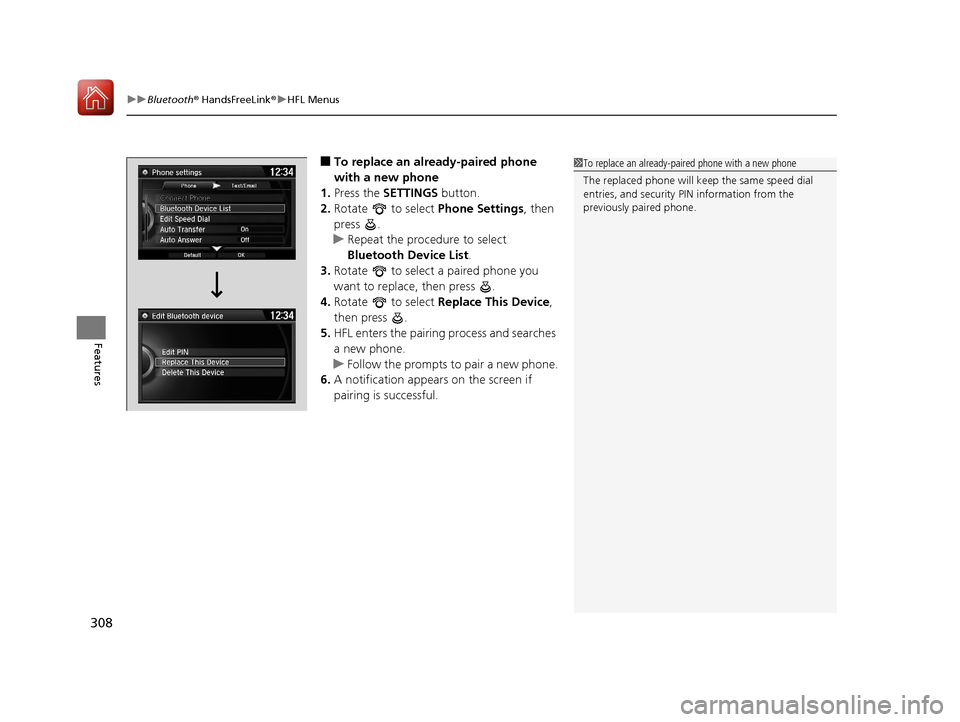
■To replace an already-paired phone
with a new phone
1. Press the SETTINGS button.
2. Rotate to select Phone Settings, then
press .
u Repeat the procedure to select
Bluetooth Device List.
3. Rotate to select a paired phone you
want to replace, then press .
4. Rotate to select Replace This Device,
then press .
5. HFL enters the pairing process and searches
a new phone.
u Follow the prompts to pair a new phone.
6. A notification appears on the screen if
pairing is successful.1To replace an already-pair ed phone with a new phone
The replaced phone will keep the same speed dial
entries, and security PIN information from the
previously paired phone.
17 ACURA ILX-31TX66400.book 308 ページ 2016年3月15日 火曜日 午後5時0分
309
uuBluetooth ® HandsFreeLink ®u HFL Menus
Continued
Features
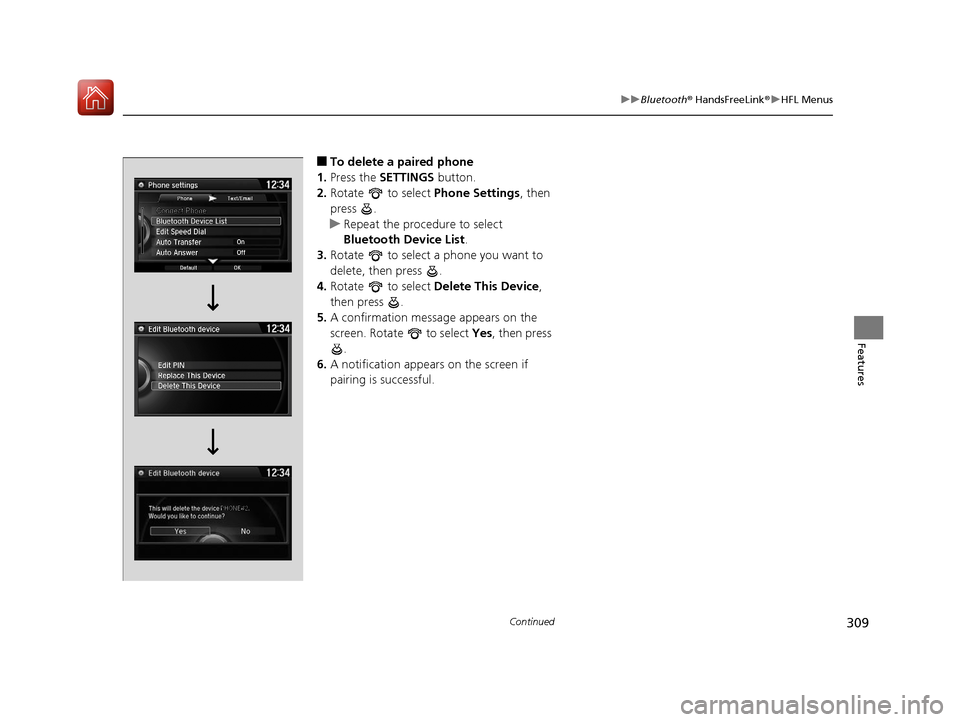
■To delete a paired phone
1. Press the SETTINGS button.
2. Rotate to select Phone Settings, then
press .
u Repeat the procedure to select
Bluetooth Device List .
3. Rotate to select a phone you want to
delete, then press .
4. Rotate to select Delete This Device ,
then press .
5. A confirmation message appears on the
screen. Rotate to select Yes, then press
.
6. A notification appears on the screen if
pairing is successful.
17 ACURA ILX-31TX66400.book 309 ページ 2016年3月15日 火曜日 午後5時0分
uuBluetooth ® HandsFreeLink ®u HFL Menus
310
Features
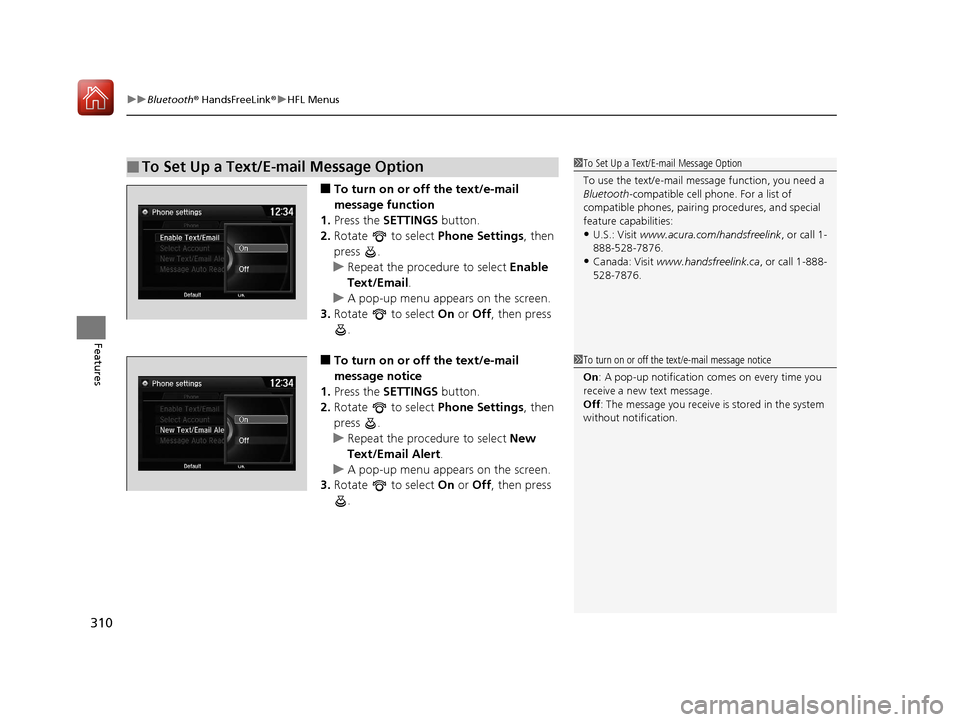
■To turn on or off the text/e-mail
message function
1. Press the SETTINGS button.
2. Rotate to select Phone Settings, then
press .
u Repeat the procedure to select Enable
Text/Email .
u A pop-up menu appears on the screen.
3. Rotate to select On or Off , then press
.
■To turn on or off the text/e-mail
message notice
1. Press the SETTINGS button.
2. Rotate to select Phone Settings, then
press .
u Repeat the procedure to select New
Text/Email Alert .
u A pop-up menu appears on the screen.
3. Rotate to select On or Off , then press
.
■To Set Up a Text/E-mail Message Option1 To Set Up a Text/E-mail Message Option
To use the text/e-mail message function, you need a
Bluetooth -compatible cell pho ne. For a list of
compatible phones, pairing procedures, and special
feature capabilities:
•U.S.: Visit www.acura.com/handsfreelink , or call 1-
888-528-7876.
•Canada: Visit www.handsfreelink.ca , or call 1-888-
528-7876.
1 To turn on or off the text/e-mail message notice
On : A pop-up notification co mes on every time you
receive a new text message.
Off : The message you receive is stored in the system
without not ification.
17 ACURA ILX-31TX66400.book 310 ページ 2016年3月15日 火曜日 午後5時0分