light Acura ILX 2017 Owner's Guide
[x] Cancel search | Manufacturer: ACURA, Model Year: 2017, Model line: ILX, Model: Acura ILX 2017Pages: 521, PDF Size: 29.65 MB
Page 146 of 521
145
uuOperating the Switches Around the Steering Wheel uDriving Position Memory System*
Controls
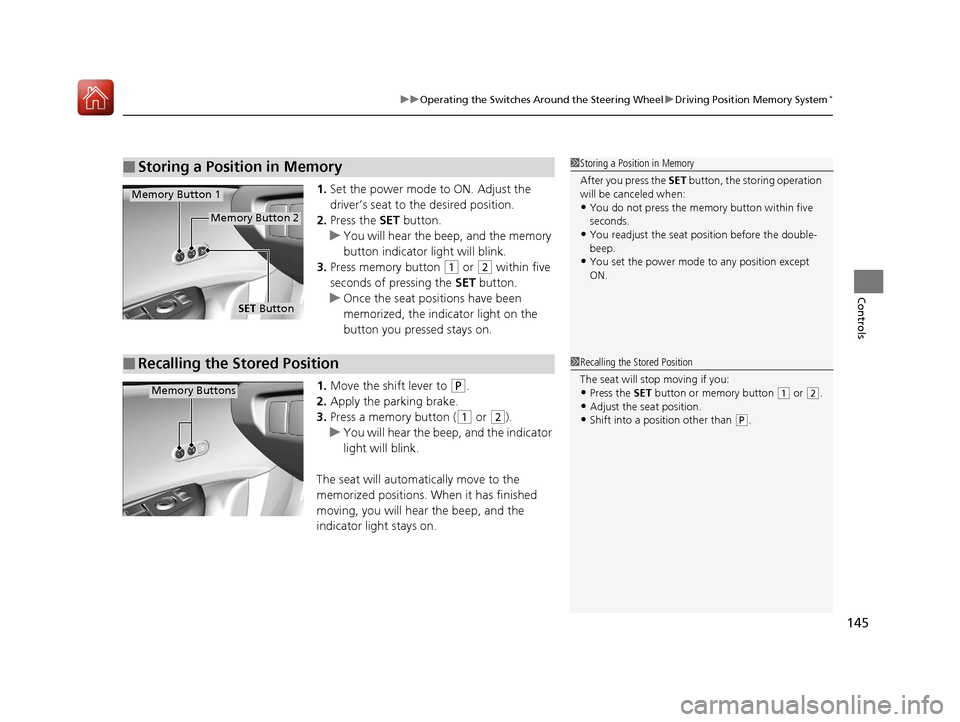
1. Set the power mode to ON. Adjust the
driver’s seat to the desired position.
2. Press the SET button.
u You will hear the beep, and the memory
button indicator light will blink.
3. Press memory button
(1 or (2 within five
seconds of pressing the SET button.
u Once the seat positions have been
memorized, the indicator light on the
button you pressed stays on.
1. Move the shift lever to
(P.
2. Apply the parking brake.
3. Press a memory button (
(1 or (2).
u You will hear the beep, and the indicator
light will blink.
The seat will automatically move to the
memorized positions. When it has finished
moving, you will hear the beep, and the
indicator light stays on.
■Storing a Position in Memory1 Storing a Position in Memory
After you press the SET button, the storing operation
will be canceled when:
•You do not press the memory button within five
seconds.
•You readjust the seat position before the double-
beep.
•You set the power mode to any position except
ON.
SET Button
Memory Button 1
Memory Button 2
■Recalling the Stored Position1Recalling the Stored Position
The seat will st op moving if you:
•Press the SET button or memory button (1 or (2.
•Adjust the seat position.•Shift into a position other than (P.
Memory Buttons
17 ACURA ILX-31TX66400.book 145 ページ 2016年3月15日 火曜日 午後5時0分
Page 147 of 521
146
Controls
Adjusting the Mirrors
Interior Rearview Mirror
Adjust the angle of the rearview mirror when you are sitting in the correct driving
position.
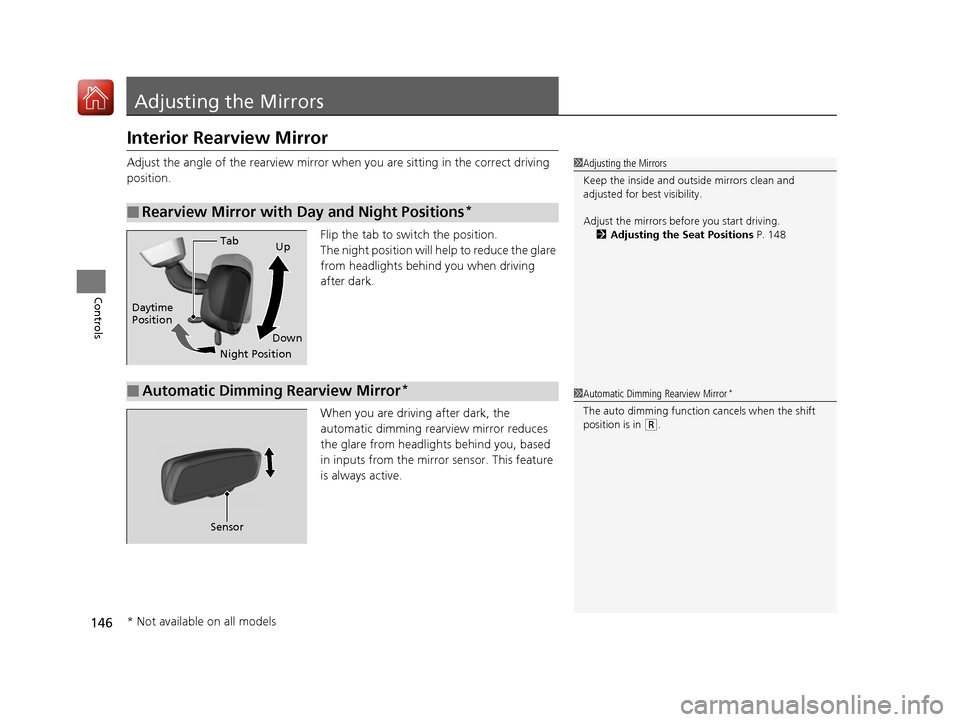
Flip the tab to switch the position.
The night position will help to reduce the glare
from headlights behind you when driving
after dark.
When you are driving after dark, the
automatic dimming rearview mirror reduces
the glare from headlights behind you, based
in inputs from the mirror sensor. This feature
is always active.
■Rearview Mirror with Day and Night Positions*
1Adjusting the Mirrors
Keep the inside and out side mirrors clean and
adjusted for best visibility.
Adjust the mirrors befo re you start driving.
2 Adjusting the Seat Positions P. 148
Tab
Daytime
Position
Night PositionUp
Down
■Automatic Dimming Rearview Mirror*1 Automatic Dimming Rearview Mirror*
The auto dimming function cancels when the shift
position is in
(R.
Sensor
* Not available on all models
17 ACURA ILX-31TX66400.book 146 ページ 2016年3月15日 火曜日 午後5時0分
Page 157 of 521
156
Controls
Interior Lights/Interior Convenience Items
Interior Lights
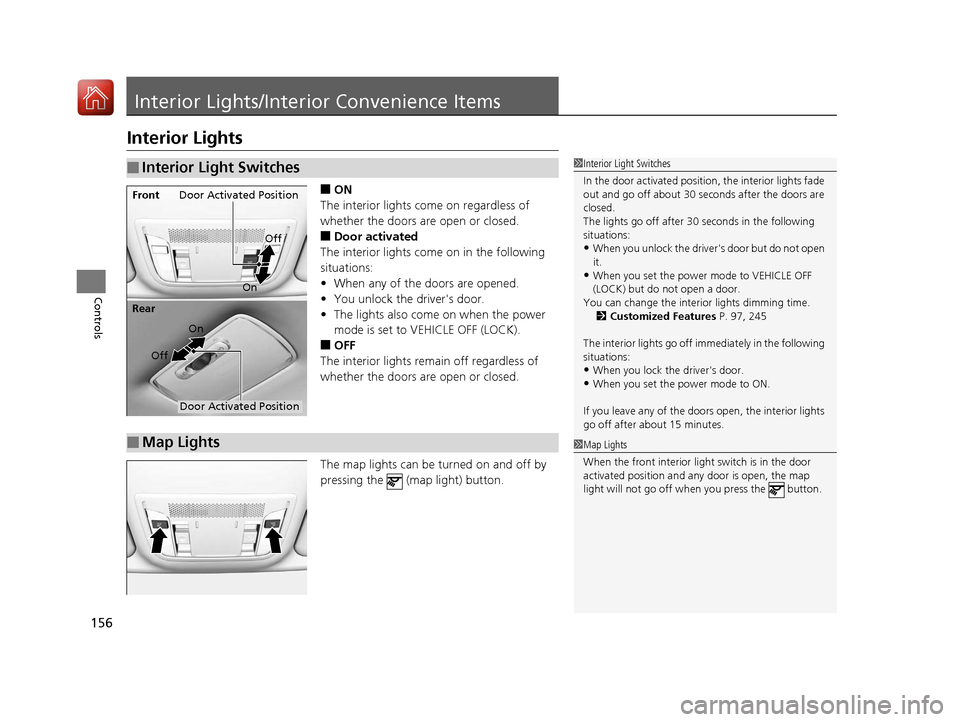
■ON
The interior lights come on regardless of
whether the doors are open or closed.
■Door activated
The interior lights come on in the following
situations:
• When any of the doors are opened.
• You unlock the driver's door.
• The lights also come on when the power
mode is set to VEHICLE OFF (LOCK).
■OFF
The interior lights remain off regardless of
whether the doors are open or closed.
The map lights can be turned on and off by
pressing the (map light) button.
■Interior Light Switches1 Interior Light Switches
In the door activated position, the interior lights fade
out and go off about 30 se conds after the doors are
closed.
The lights go off after 30 seconds in the following
situations:
•When you unlock the driver's door but do not open
it.
•When you set the power mode to VEHICLE OFF
(LOCK) but do not open a door.
You can change the interi or lights dimming time.
2 Customized Features P. 97, 245
The interior lights go off i mmediately in the following
situations:
•When you lock the driver's door.
•When you set the power mode to ON.
If you leave any of the doors open, the interior lights
go off after a bout 15 minutes.
Door Activated Position
Off
Front
On
Off
Rear
On
Door Activated Position
■Map Lights1
Map Lights
When the front interior li ght switch is in the door
activated position and any door is open, the map
light will not go off when you press the button.
17 ACURA ILX-31TX66400.book 156 ページ 2016年3月15日 火曜日 午後5時0分
Page 158 of 521
157
uuInterior Lights/Interior Convenience Items uInterior Convenience Items
Continued
Controls
Interior Convenience Items
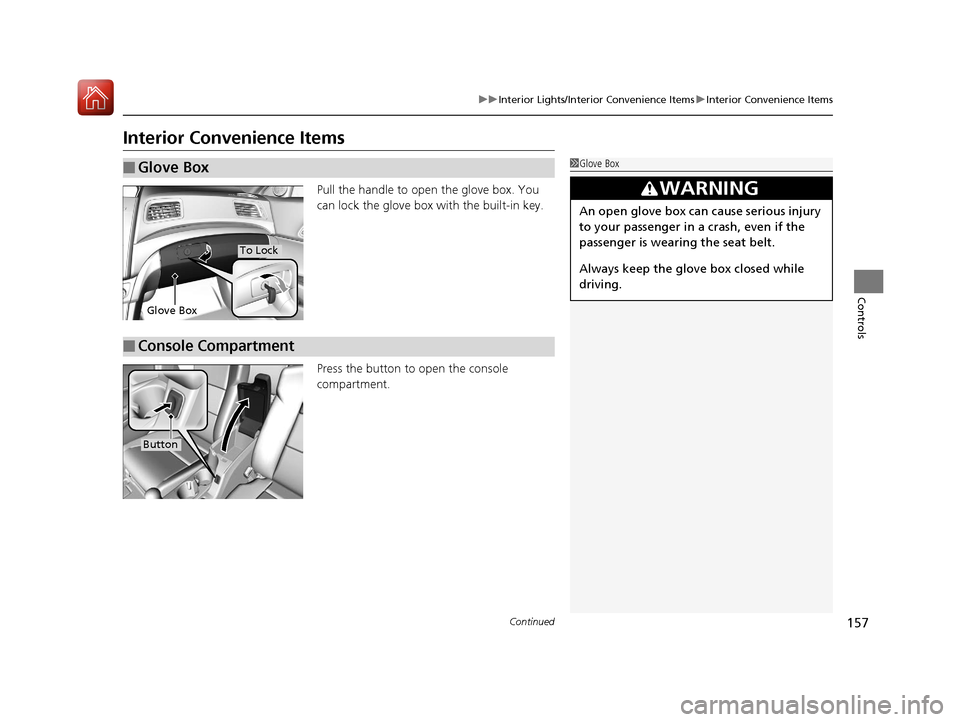
Pull the handle to open the glove box. You
can lock the glove box with the built-in key.
Press the button to open the console
compartment.
■Glove Box1 Glove Box
3WARNING
An open glove box can cause serious injury
to your passenger in a crash, even if the
passenger is wearing the seat belt.
Always keep the glove box closed while
driving.
Glove Box
To Lock
■Console Compartment
Button
17 ACURA ILX-31TX66400.book 157 ページ 2016年3月15日 火曜日 午後5時0分
Page 159 of 521
uuInterior Lights/Interior Convenience Items uInterior Convenience Items
158
Controls
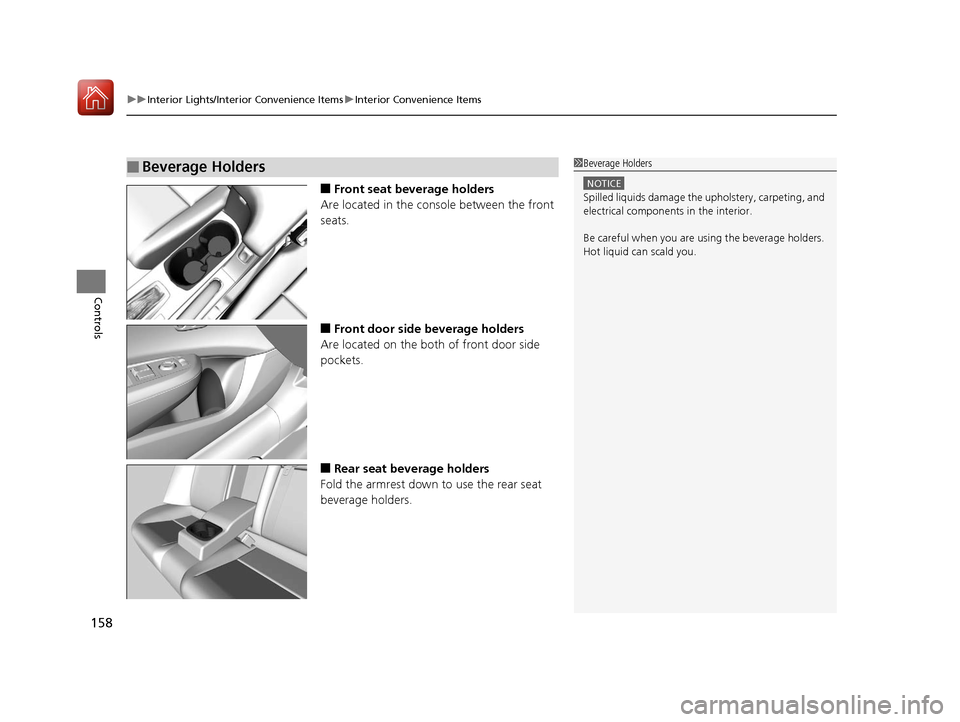
■Front seat beverage holders
Are located in the console between the front
seats.
■Front door side beverage holders
Are located on the both of front door side
pockets.
■Rear seat beverage holders
Fold the armrest down to use the rear seat
beverage holders.
■Beverage Holders1 Beverage Holders
NOTICE
Spilled liquids damage the upholstery, carpeting, and
electrical components in the interior.
Be careful when you are us ing the beverage holders.
Hot liquid can scald you.
17 ACURA ILX-31TX66400.book 158 ページ 2016年3月15日 火曜日 午後5時0分
Page 160 of 521
Continued159
uuInterior Lights/Interior Convenience Items uInterior Convenience Items
Controls
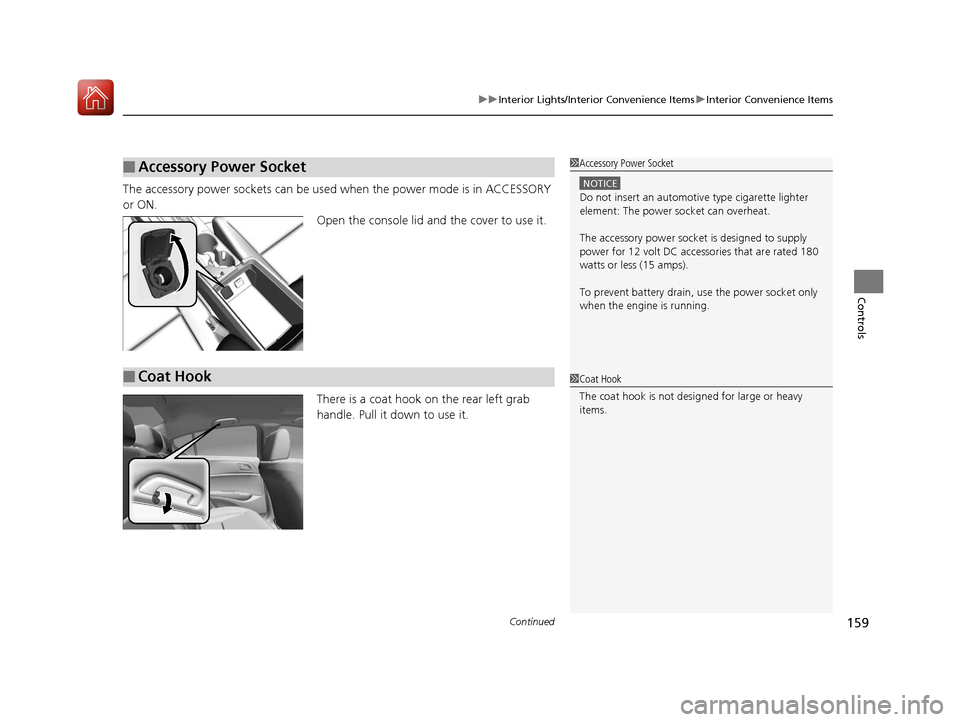
The accessory power sockets can be used when the power mode is in ACCESSORY
or ON. Open the console lid and the cover to use it.
There is a coat hook on the rear left grab
handle. Pull it down to use it.
■Accessory Power Socket1Accessory Power Socket
NOTICE
Do not insert an automotive type cigarette lighter
element: The power socket can overheat.
The accessory power socket is designed to supply
power for 12 volt DC access ories that are rated 180
watts or less (15 amps).
To prevent battery drain, use the power socket only
when the engine is running.
■Coat Hook1 Coat Hook
The coat hook is not desi gned for large or heavy
items.
17 ACURA ILX-31TX66400.book 159 ページ 2016年3月15日 火曜日 午後5時0分
Page 161 of 521
uuInterior Lights/Interior Convenience Items uInterior Convenience Items
160
Controls
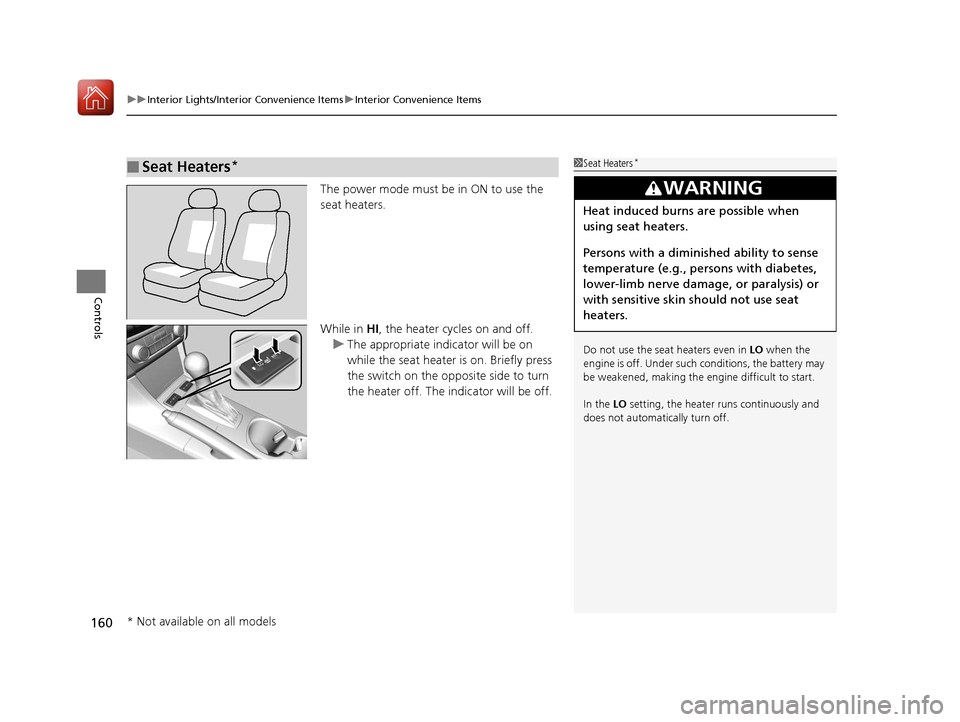
The power mode must be in ON to use the
seat heaters.
While in HI, the heater cycles on and off.
u The appropriate indicator will be on
while the seat heater is on. Briefly press
the switch on the opposite side to turn
the heater off. The indicator will be off.
■Seat Heaters*1Seat Heaters*
Do not use the seat heaters even in LO when the
engine is off. Under such conditions, the battery may
be weakened, making the engine difficult to start.
In the LO setting, the heater runs continuously and
does not automatically turn off.
3WARNING
Heat induced burns are possible when
using seat heaters.
Persons with a diminished ability to sense
temperature (e.g., persons with diabetes,
lower-limb nerve damage, or paralysis) or
with sensitive skin should not use seat
heaters.
* Not available on all models
17 ACURA ILX-31TX66400.book 160 ページ 2016年3月15日 火曜日 午後5時0分
Page 168 of 521
167
uuAudio System uAuxiliary Input Jack*
Features
Auxiliary Input Jack*
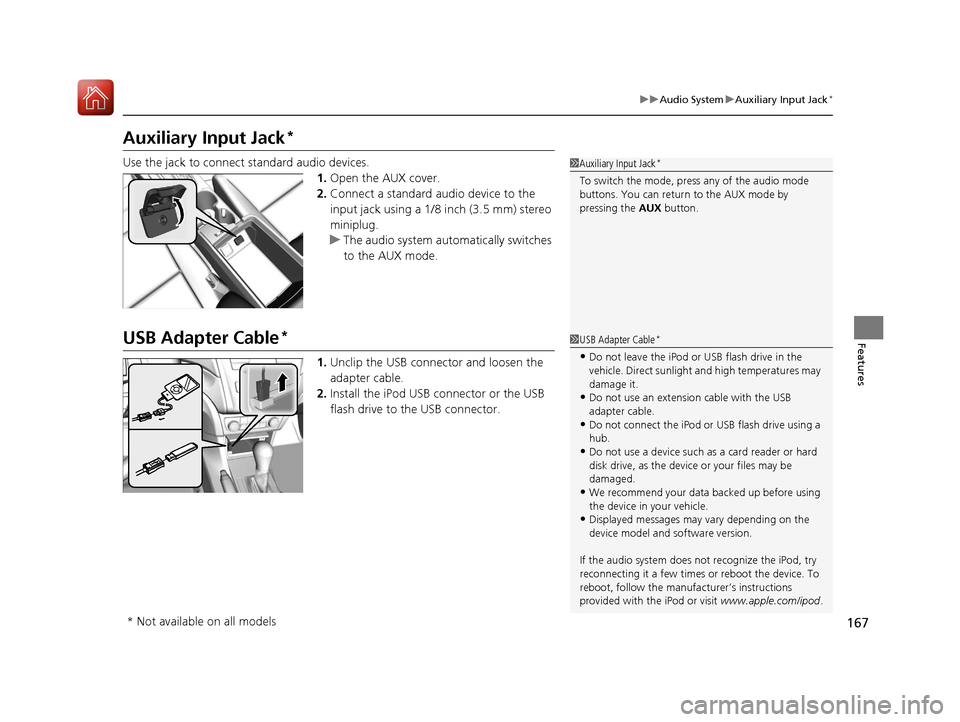
Use the jack to connect standard audio devices.
1.Open the AUX cover.
2. Connect a standard audio device to the
input jack using a 1/8 inch (3.5 mm) stereo
miniplug.
u The audio system auto matically switches
to the AUX mode.
USB Adapter Cable*
1. Unclip the USB connec tor and loosen the
adapter cable.
2. Install the iPod USB connector or the USB
flash drive to the USB connector.
1Auxiliary Input Jack*
To switch the mode, pres s any of the audio mode
buttons. You can return to the AUX mode by
pressing the AUX button.
1USB Adapter Cable*
•Do not leave the iPod or USB flash drive in the
vehicle. Direct sunlight and high temperatures may
damage it.
•Do not use an extension cable with the USB
adapter cable.
•Do not connect the iPod or USB flash drive using a
hub.
•Do not use a device such as a card reader or hard
disk drive, as the device or your files may be
damaged.
•We recommend your data backed up before using
the device in your vehicle.
•Displayed messages may vary depending on the
device model and software version.
If the audio system does not recognize the iPod, try
reconnecting it a few times or reboot the device. To
reboot, follow the manufac turer’s instructions
provided with the iPod or visit www.apple.com/ipod.
* Not available on all models
17 ACURA ILX-31TX66400.book 167 ページ 2016年3月15日 火曜日 午後5時0分
Page 169 of 521
168
uuAudio System uUSB Port*
Features
USB Port*
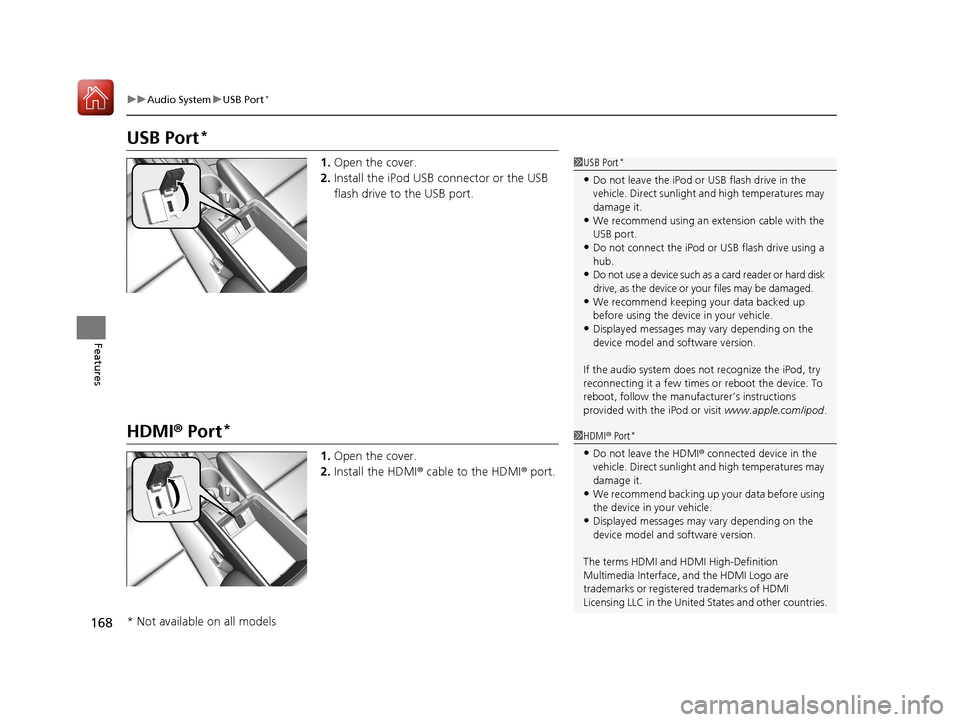
1. Open the cover.
2. Install the iPod USB connector or the USB
flash drive to the USB port.
HDMI ® Port*
1. Open the cover.
2. Install the HDMI ® cable to the HDMI ® port.
1 USB Port*
•Do not leave the iPod or USB flash drive in the
vehicle. Direct sunlight and high temperatures may
damage it.
•We recommend using an extension cable with the
USB port.
•Do not connect the iPod or USB flash drive using a
hub.
•Do not use a device such as a card reader or hard disk
drive, as the device or your files may be damaged.
•We recommend keeping y our data backed up
before using the device in your vehicle.
•Displayed messages may vary depending on the
device model and software version.
If the audio system does not recognize the iPod, try
reconnecting it a few times or reboot the device. To
reboot, follow the manufac turer’s instructions
provided with the iPod or visit www.apple.com/ipod.
1HDMI ® Port*
•Do not leave the HDMI ® connected device in the
vehicle. Direct sunlight and high temperatures may
damage it.
•We recommend backing up yo ur data before using
the device in your vehicle.
•Displayed messages may vary depending on the
device model and software version.
The terms HDMI and HDMI High-Definition
Multimedia Interface, and the HDMI Logo are
trademarks or registered trademarks of HDMI
Licensing LLC in the United States and other countries.
* Not available on all models
17 ACURA ILX-31TX66400.book 168 ページ 2016年3月15日 火曜日 午後5時0分
Page 215 of 521
uuAudio System Basic Operation uPlaying SiriusXM ® Radio
214
Features
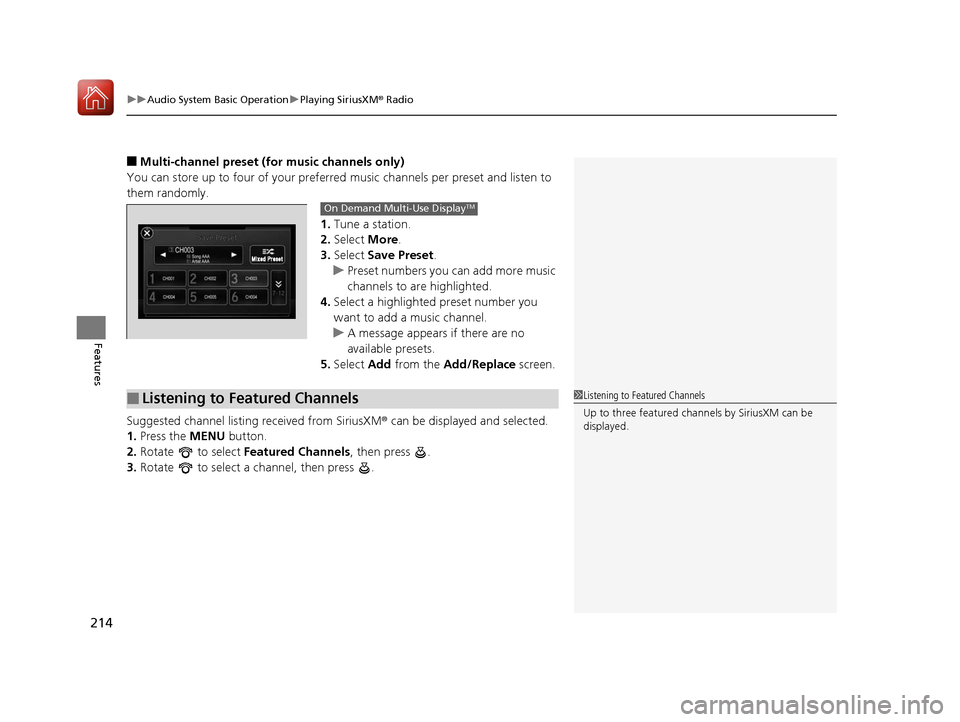
■Multi-channel preset (for music channels only)
You can store up to four of your preferred music channels per preset and listen to
them randomly.
1.Tune a station.
2. Select More.
3. Select Save Preset.
u Preset numbers you can add more music
channels to are highlighted.
4. Select a highlighted preset number you
want to add a music channel.
u A message appears if there are no
available presets.
5. Select Add from the Add/Replace screen.
Suggested channel listing received from SiriusXM ® can be displayed and selected.
1. Press the MENU button.
2. Rotate to select Featured Channels , then press .
3. Rotate to select a channel, then press .
On Demand Multi-Use DisplayTM
■Listening to Featured Channels1Listening to Featured Channels
Up to three featured cha nnels by SiriusXM can be
displayed.
17 ACURA ILX-31TX66400.book 214 ページ 2016年3月15日 火曜日 午後5時0分