Accessory Acura ILX 2019 Owner's Guide
[x] Cancel search | Manufacturer: ACURA, Model Year: 2019, Model line: ILX, Model: Acura ILX 2019Pages: 621, PDF Size: 34.8 MB
Page 561 of 621
uuIf a Tire Goes Flat uTemporarily Repairing a Flat Tire
560
Handling the Unexpected
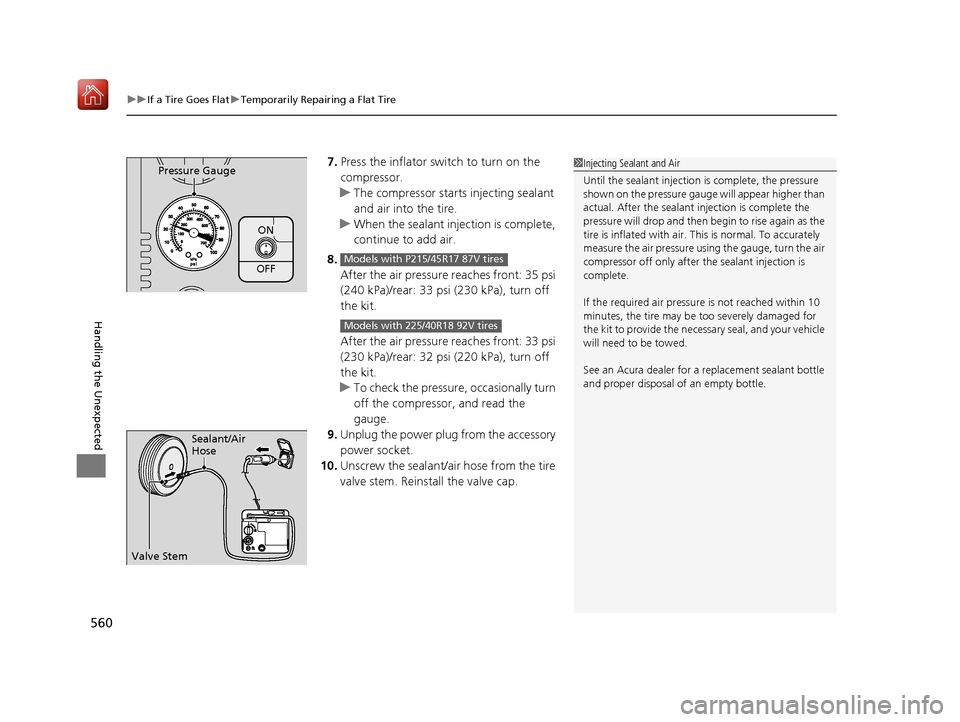
7. Press the inflator switch to turn on the
compressor.
u The compressor starts injecting sealant
and air into the tire.
u When the sealant injection is complete,
continue to add air.
8. After the air pressure reaches front: 35 psi
(240 kPa)/rear: 33 psi (230 kPa), turn off
the kit.
After the air pressure reaches front: 33 psi
(230 kPa)/rear: 32 psi (220 kPa), turn off
the kit.
u To check the pressure, occasionally turn
off the compressor, and read the
gauge.
9. Unplug the power plug from the accessory
power socket.
10. Unscrew the sealant/air hose from the tire
valve stem. Reinstall the valve cap.
ON
OFF
Pressure Gauge
Models with P215/45R17 87V tires
Models with 225/40R18 92V tires
1Injecting Sealant and Air
Until the sealant injection is complete, the pressure
shown on the pressure gauge will appear higher than
actual. After the sealant injection is complete the
pressure will drop and then begin to rise again as the
tire is inflated with air. This is normal. To accurately
measure the air pressure usin g the gauge, turn the air
compressor off only after the sealant injection is
complete.
If the required air pressure is not reached within 10
minutes, the tire may be too severely damaged for
the kit to provide the necessa ry seal, and your vehicle
will need to be towed.
See an Acura dealer for a replacement sealant bottle
and proper disposal of an empty bottle.
Sealant/Air
Hose
Valve Stem
19 ACURA ILX-31TX66610.book 560 ページ 2020年4月17日 金曜日 午前8時52分
Page 567 of 621
566
uuIf a Tire Goes Flat uTemporarily Repairing a Flat Tire
Handling the Unexpected
7. Unplug the kit from the accessory power
socket.
8. Unscrew the air only hose from the tire
valve stem. Reinstall the valve cap.
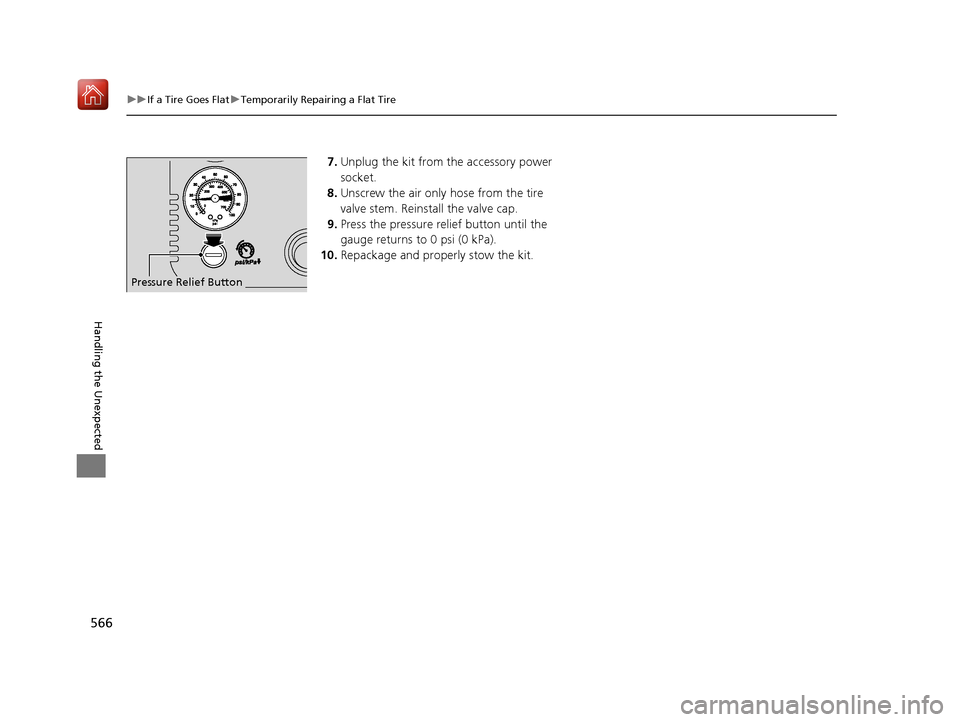
9. Press the pressure relief button until the
gauge returns to 0 psi (0 kPa).
10. Repackage and properly stow the kit.
Pressure Relief Button
19 ACURA ILX-31TX66610.book 566 ページ 2020年4月17日 金曜日 午前8時52分
Page 569 of 621
uuIf a Tire Goes Flat uTemporarily Repairing a Flat Tire
568
Handling the Unexpected
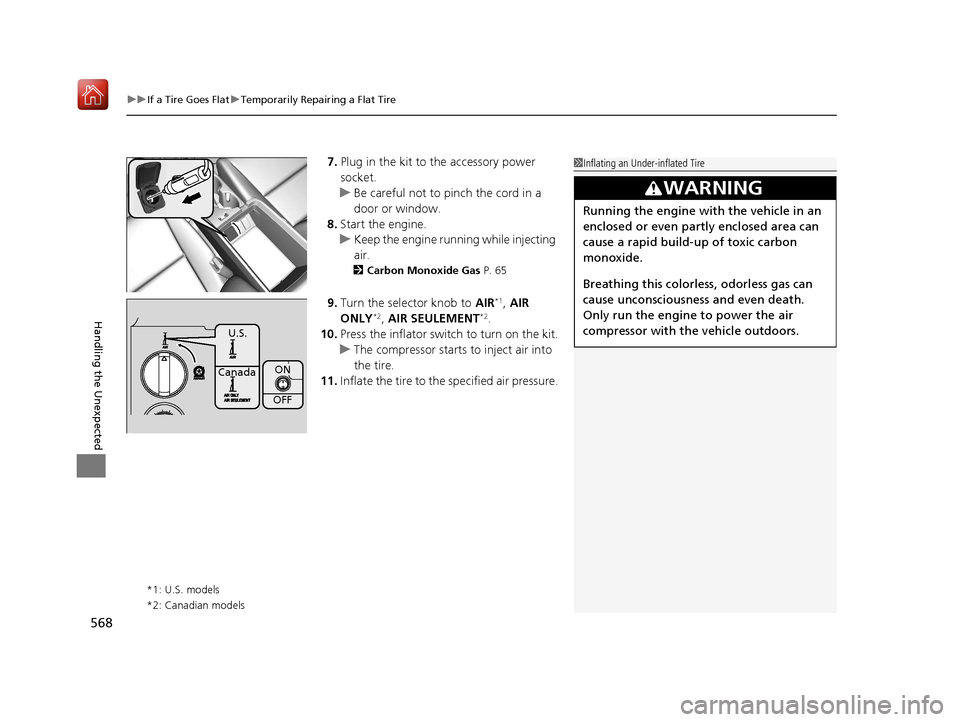
7. Plug in the kit to the accessory power
socket.
u Be careful not to pinch the cord in a
door or window.
8. Start the engine.
u Keep the engine runn ing while injecting
air.
2 Carbon Monoxide Gas P. 65
9.Turn the selector knob to AIR*1, AIR
ONLY*2, AIR SEULEMENT*2.
10. Press the inflator swit ch to turn on the kit.
u The compressor starts to inject air into
the tire.
11. Inflate the tire to the specified air pressure.
*1: U.S. models
*2: Canadian models
1Inflating an Under-inflated Tire
3WARNING
Running the engine with the vehicle in an
enclosed or even partly enclosed area can
cause a rapid build-up of toxic carbon
monoxide.
Breathing this colorless, odorless gas can
cause unconsciousness and even death.
Only run the engine to power the air
compressor with th e vehicle outdoors.
ON
OFF
U.S.
Canada
19 ACURA ILX-31TX66610.book 568 ページ 2020年4月17日 金曜日 午前8時52分
Page 570 of 621
569
uuIf a Tire Goes Flat uTemporarily Repairing a Flat Tire
Handling the Unexpected
12. Turn off the kit.
u Check the pressure gauge on the air
compressor.
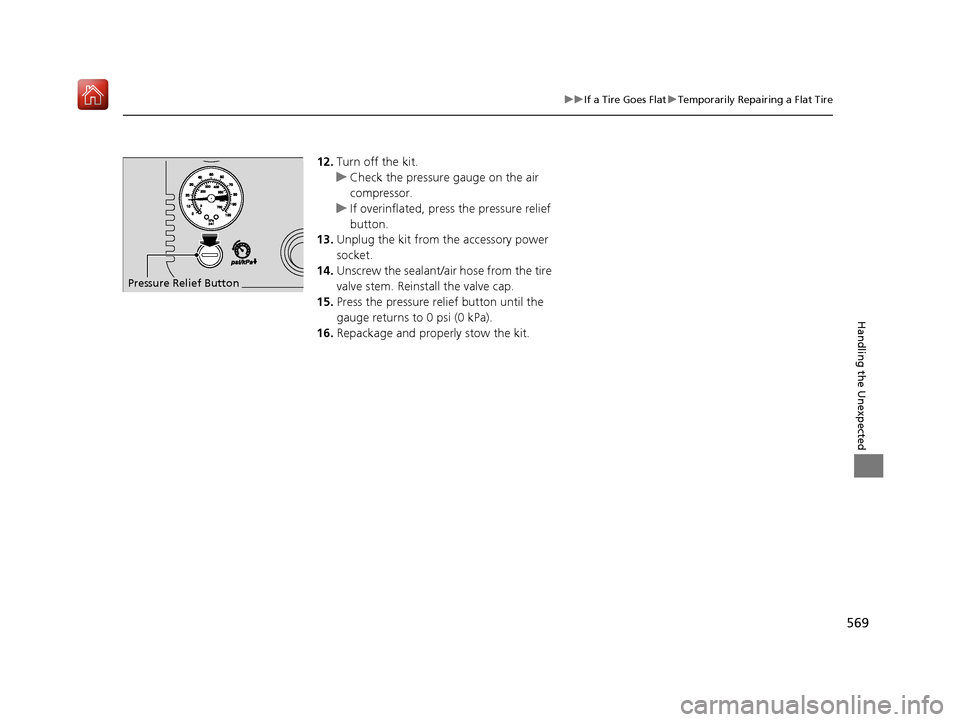
u If overinflated, press the pressure relief
button.
13. Unplug the kit from the accessory power
socket.
14. Unscrew the sealant/ai r hose from the tire
valve stem. Reinstall the valve cap.
15. Press the pressure relief button until the
gauge returns to 0 psi (0 kPa).
16. Repackage and properly stow the kit.
Pressure Relief Button
19 ACURA ILX-31TX66610.book 569 ページ 2020年4月17日 金曜日 午前8時52分
Page 579 of 621
578
uuEngine Does Not Start uIf the Keyless Access Remote Battery is Weak
Handling the Unexpected
If the Keyless Access Re mote Battery is Weak
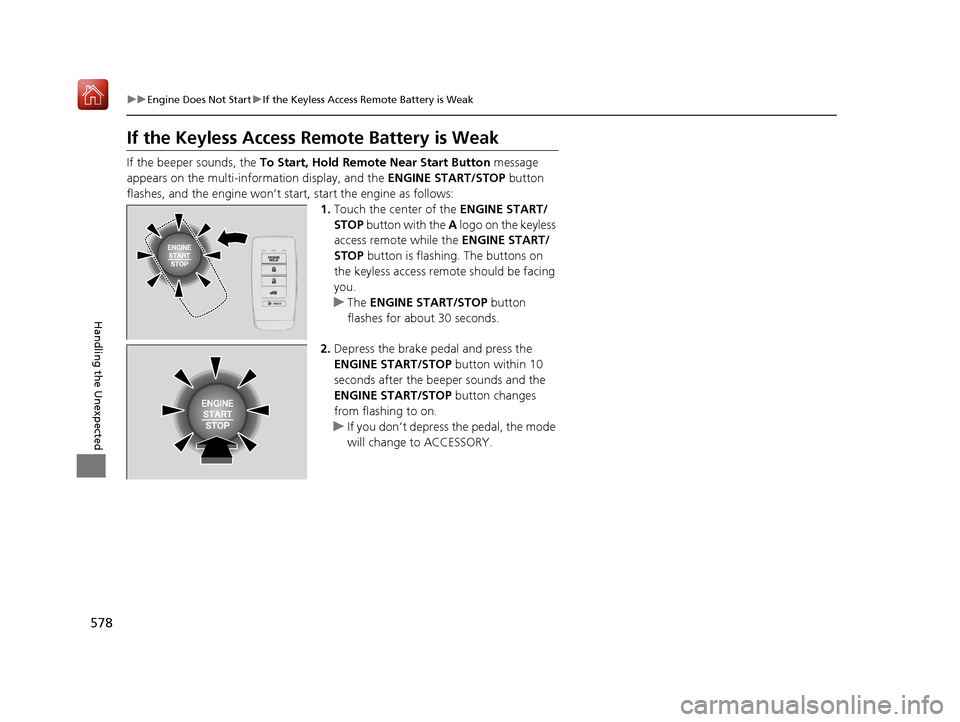
If the beeper sounds, the To Start, Hold Remote Near Start Button message
appears on the multi-information display, and the ENGINE START/STOP button
flashes, and the engine won’t start, start the engine as follows:
1.Touch the center of the ENGINE START/
STOP button with the A logo on the keyless
access remote while the ENGINE START/
STOP button is flashing. The buttons on
the keyless access remo te should be facing
you.
u The ENGINE START/STOP button
flashes for about 30 seconds.
2. Depress the brake pedal and press the
ENGINE START/STOP button within 10
seconds after the beeper sounds and the
ENGINE START/STOP button changes
from flashing to on.
u If you don’t depress the pedal, the mode
will change to ACCESSORY.
19 ACURA ILX-31TX66610.book 578 ページ 2020年4月17日 金曜日 午前8時52分
Page 580 of 621
579
uuEngine Does Not Start uEmergency Engine Stop
Handling the Unexpected
Emergency Engine Stop
The ENGINE START/STOP button may be used to stop the engine due to an
emergency situation even while driving. If you must stop the engine, do either of the
following operations:
• Press and hold the ENGINE START/STOP button for about two seconds.
• Firmly press the ENGINE START/STOP button three times.
The steering wheel will not lock. However, because turning off the engine disables
the power assist the engine provides to the steering and braking systems, it will
require significantly more physical effort an d time to steer and slow the vehicle. Use
both feet on the brake pedal to slow down the vehicle and stop immediately in a
safe place.
The power mode is in ACCESSORY when the engine is stopped.
To change the mode to VEHICLE OF F, move the shift position to
(P after the vehicle
comes to a complete stop.
1 Emergency Engine Stop
Do not press the ENGINE START/STOP button while
driving unless it is absolute ly necessary for the engine
to be turned off.
If you press the ENGINE START/STOP button while
driving, the beeper sounds.
19 ACURA ILX-31TX66610.book 579 ページ 2020年4月17日 金曜日 午前8時52分
Page 592 of 621
591
uuFuses uFuse Locations
Handling the Unexpected
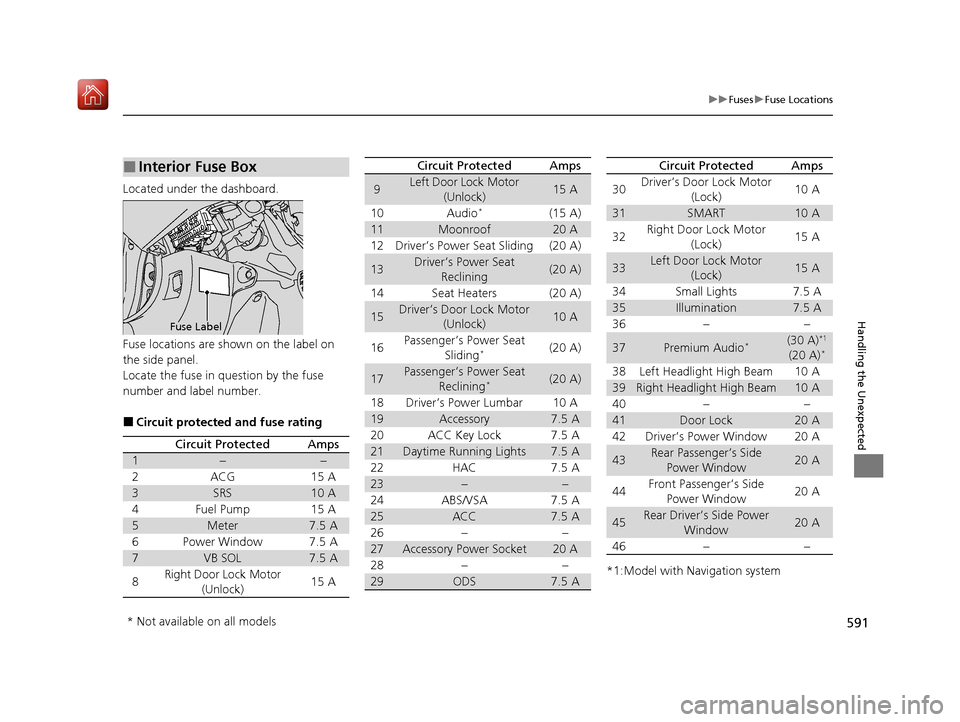
Located under the dashboard.
Fuse locations are shown on the label on
the side panel.
Locate the fuse in question by the fuse
number and label number.
■Circuit protected and fuse rating
■Interior Fuse Box
Fuse Label
Circuit ProtectedAmps
1−−
2ACG15 A
3SRS10 A
4Fuel Pump15 A
5Meter7.5 A
6Power Window7.5 A
7VB SOL7.5 A
8Right Door Lock Motor
(Unlock)15 A
9Left Door Lock Motor
(Unlock)15 A
10Audio*(15 A)
11Moonroof20 A
12Driver’s Power Seat Sliding(20 A)
13Driver’s Power Seat Reclining(20 A)
14Seat Heaters(20 A)
15Driver’s Door Lock Motor (Unlock)10 A
16Passenger’s Power Seat
Sliding*(20 A)
17Passenger’s Power Seat Reclining*(20 A)
18Driver’s Power Lumbar10 A
19Accessory7.5 A
20ACC Key Lock7.5 A
21Daytime Running Lights7.5 A
22HAC7.5 A
23−−
24ABS/VSA7.5 A
25ACC7.5 A
26−−
27Accessory Power Socket20 A
28−−
29ODS7.5 A
Circuit ProtectedAmps
*1:Model with Navigation system
30Driver’s Door Lock Motor
(Lock)10 A
31SMART10 A
32Right Door Lock Motor (Lock)15 A
33Left Door Lock Motor (Lock)15 A
34Small Lights7.5 A
35Illumination7.5 A
36−−
37Premium Audio*(30 A)*1
(20 A)*
38Left Headlight High Beam10 A
39Right Headlight High Beam10 A
40−−
41Door Lock20 A
42Driver’s Power Window20 A
43Rear Passenger’s Side Power Window20 A
44Front Passenger’s Side Power Window20 A
45Rear Driver’s Side Power
Window20 A
46−−
Circuit ProtectedAmps
* Not available on all models
19 ACURA ILX-31TX66610.book 591 ページ 2020年4月17日 金曜日 午前8時52分
Page 604 of 621
603Continued
Information
Warranty Coverages
■U.S. Owners
Your new vehicle is cove red by these warranties:
New Vehicle Limited Warranty – covers your new vehicle, except for the
emissions control systems and accessorie s, against defects in materials and
workmanship.
Emissions Control Systems Defects Warranty and Emissions Performance
Warranty – these two warranties cover your ve hicle’s emissions control systems.
Time, mileage, and coverage are conditional. Please read your warranty booklet for
exact information.
Seat Belt Limited Warranty – a seat belt that fails to function properly is covered
by a limited warranty. Please read your warranty booklet for details.
Rust Perforation Limited Warranty – all exterior body panels are covered against
rusting from the inside out for the specified time period, regardless of mileage.
Accessory Limite d Warranty – Acura accessories are covered under this warranty.
Time and mileage limits depend on the type of accessory and other factors. Please
read your warranty booklet for details.
Replacement Parts Limited Warranty – covers all Acura replacement parts
against defects in materials and workmanship.
19 ACURA ILX-31TX66610.book 603 ページ 2020年4月17日 金曜日 午前8時52分
Page 611 of 621
Index
610
Index
Index
A
AAC.................................................... 235, 260
ABS (Anti-lock Brake System) ................... 493
Accessories and Modifications ................. 551
Accessory Power Sockets .......................... 169
AcuraLink .................................................. 410
AcuraWatch
TM..................................... 20, 446
Adaptive Cruise Control (ACC) ........... 76, 459
Additives Coolant ................................................... 521
Engine Oil ................................................ 516
Washer .................................................... 524
Additives, Engine Oil ................................ 516
Adjusting
Armrest ................................................... 163
Front Seats .............................................. 154
Head Restraints........................................ 158
Mirrors .................................................... 152
Rear Seat ................................................. 162
Steering Wheel ........................................ 149
Temperature .............................................. 92
Air Conditioning System (Climate Control
System) .................................................... 171
Changing the Mode ................................ 171
Defrosting the Windshield and
Windows ............................................... 172
Maintenance ........................................... 544
Recirculation/Fresh Air Mode ................... 171
Sensors .................................................... 174
Synchronization Mode ............................. 173
Using Automatic Climate Control ............ 171 Air Pressure
....................................... 533, 597
Airbags ........................................................ 39
Advanced Airbags ..................................... 45
After a Collision ........................................ 42
Airbag Care............................................... 51
Event Data Recorder .................................... 0
Front Airbags (SRS) .................................... 42
Indicator.............................................. 49, 72
Passenger Airbag Off Indicator .................. 50
Sensors ..................................................... 39
Side Airbags .............................................. 46
Side Curtain Airbags.................................. 48
AM/FM Radio .................................... 190, 221
Android Auto ........................................... 270
Anti-lock Brake System (ABS) .................. 493
Indicator.................................................... 71
Apple CarPlay ........................................... 266
Armrest ..................................................... 163
Audio Remote Controls ........................... 181
Audio System ............................................ 176
Adjusting the Sound........................ 188, 216
Auxiliary Input Jack.................................. 177
Bluetooth ® Audio ............................ 204, 263
CD .................................................. 192, 235
Display Setup .................................. 189, 217
Error Messages ........................................ 275
General Information ................................ 286
HDD ........................................................ 238
iPhone............................................. 258, 289
iPod ................................................ 195, 251
MP3/WMA/AAC ...................... 201, 235, 260 Pandora
®...................................... 198, 258
Reactivating ............................................ 180
Recommended CDs ................................ 287
Recommended Devices ........................... 289
Security Code ......................................... 180
Siri Eyes Free ........................................... 265
SiriusXM ® Radio ...................................... 224
Song By VoiceTM (SBV) ............................. 254
Theft Protection ...................................... 180
USB Adapter Cable ................................. 178
USB Flash Drives...................... 201, 260, 289
USB Port ................................................. 179
Audio/Information Screen ....................... 184
Authorized Manuals ................................ 605
Auto Door Locking/Unlocking ................ 123
Customize ...................................... 101, 323
Auto High-Beam ...................................... 143
Automatic Lighting .................................. 140
Auxiliary Input Jack ................................. 177
Average Fuel Economy .............................. 92
Average Speed ........................................... 93
B
Battery...................................................... 541
Charging System Indicator ................ 70, 586
Jump Starting ......................................... 580
Maintenance (Checking the Battery) ....... 541
Maintenance (Replacing) ......................... 542
Belts (Seat) .................................................. 32
Beverage Holders ..................................... 168
19 ACURA ILX-31TX66610.book 610 ページ 2020年4月17日 金曜日 午前8時52分