instrument panel ACURA ILX 2022 Workshop Manual
[x] Cancel search | Manufacturer: ACURA, Model Year: 2022, Model line: ILX, Model: ACURA ILX 2022Pages: 632, PDF Size: 20.56 MB
Page 334 of 632

332
uuCustomized Features u
Features
*1:Default SettingSetup
Group Customizable Features Desc
ription Selectable Settings
System
Settings Default
Cancels/Resets all customized items in the
System Settings group as default. Yes
/No
Display Sync Display Brightness
Selects whether the display brightness
synchronizes with the instrument panel
brightness. On
*1/
Off
Brightness Changes the brightness of the information
screen. —
Contrast Changes the contrast of the information screen. —
Black Level Changes the black leve
l of the information
screen. —
Feedback
*Guidance Volume Changes the volume of the audio speakers. 0~8*1~11
Verbal Reminder Turns the verbal reminders on and off. On
*1/Off
* Not available on all models
22 ACURA ILX-31TX66900.book 332 ページ 2021年4月26日 月曜日 午前11時27分
Page 342 of 632

340
uuCustomized Features u
Features
*1:Default SettingSetup
Group Customizable Features
Description Selectable Settings
Audio
SettingsOtherHD Radio Mode*Selects whether the audio system automatically
switches to the digital radio waves or receives the
analog waves only. Auto*1/
Analog
Cover Art Turns on and off the cover art display. On
*1/Off
Screen Settings
Sync Display Brightness
Selects whether the screen brightness
synchronizes with the instruments panel
brightness.
Off /On*1
BrightnessChanges the brightness of the On Demand Multi-
Use DisplayTM.—
ContrastChanges the contrast of the On Demand Multi-
Use DisplayTM.—
Black LevelChanges the black level of the On Demand Multi-
Use DisplayTM.—
BeepMutes a beep that sounds every time you touch
the screen.Off /On*1
KeyboardChanges the on-screen keyboard from the
alphabetical order to the qwerty type.Alphabet /QWERTY*1
* Not available on all models
22 ACURA ILX-31TX66900.book 340 ページ 2021年4月26日 月曜日 午前11時27分
Page 430 of 632
428
uuBefore Driving uDriving Preparation
Driving
• Be sure items placed on the floor behind the front seats cannot roll under the
seats.
u They can interfere with the driver's ability to operate the pedals, the operation
of the seats, or the operation of the sensors under the seats.
• Everyone in the vehicle must fasten their seat belt.
2Fastening a Seat Belt P. 37
•Make sure that the indicators in the instrument panel come on when you start the
vehicle, and go off soon after.
u Always have a dealer check the vehicle if a problem is indicated.
2 Indicators P. 72
22 ACURA ILX-31TX66900.book 428 ページ 2021年4月26日 月曜日 午前11時27分
Page 461 of 632

Continued459
uuAcuraWatchTMuCollision Mitigation Braking SystemTM (CMBSTM)
Driving
Press and hold the butt on until the beeper
sounds to switch the system on or off.
When the CMBS
TM is off:
• The CMBSTM indicator in the instrument
panel comes on.
• A message on the multi-information display
reminds you that the system is off.
The CMBS
TM is turned on every time you start
the engine, even if you turned it off the last
time you drove the vehicle.
■CMBSTM On and Off1 Collision Mitigation Braking SystemTM (CMBSTM)
The CMBS
TM may automatically shut off, and the
CMBSTM indicator will come and stay on under certain
conditions:
2 CMBS
TM Conditions and Limitations P. 460
22 ACURA ILX-31TX66900.book 459 ページ 2021年4月26日 月曜日 午前11時27分
Page 469 of 632
Continued467
uuAcuraWatchTMuAdaptive Cruise Control (ACC)
Driving
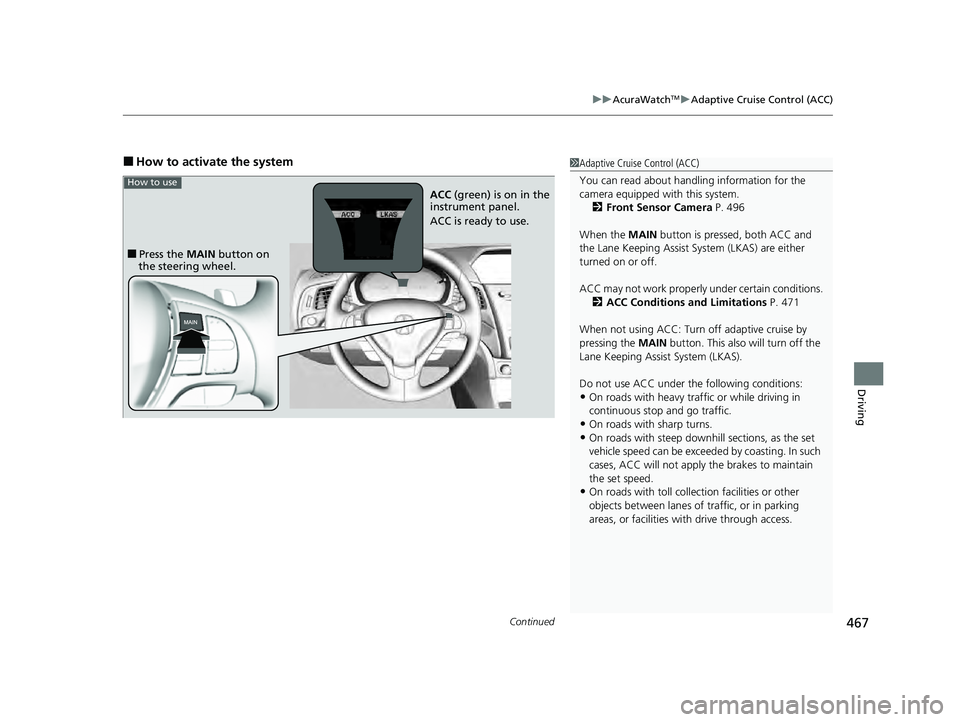
■How to activate the system1Adaptive Cruise Control (ACC)
You can read about handling information for the
camera equipped with this system.
2 Front Sensor Camera P. 496
When the MAIN button is pressed, both ACC and
the Lane Keeping Assist System (LKAS) are either
turned on or off.
ACC may not work properly under certain conditions. 2 ACC Conditions and Limitations P. 471
When not using ACC: Turn off adaptive cruise by
pressing the MAIN button. This also will turn off the
Lane Keeping Assist System (LKAS).
Do not use ACC under the following conditions:
•On roads with heavy traf fic or while driving in
continuous stop and go traffic.
•On roads with sharp turns.
•On roads with steep downhill sections, as the set
vehicle speed can be exceeded by coasting. In such
cases, ACC will not apply the brakes to maintain
the set speed.
•On roads with toll collection facilities or other
objects between lanes of traffic, or in parking
areas, or faci lities with driv e through access.
■Press the MAIN button on
the steering wheel. ACC
(green) is on in the
instrument panel.
ACC is ready to use.
How to use
22 ACURA ILX-31TX66900.book 467 ページ 2021年4月26日 月曜日 午前11時27分
Page 483 of 632

481
uuAcuraWatchTMuLane Keeping Assist System (LKAS)
Continued
Driving
Lane Keeping Assist System (LKAS)
Provides steering input to help keep the vehicle in the middle of a detected lane and
provides visual alert if the vehicle is detected drifting out of its lane.1Lane Keeping Assist System (LKAS)
Important Safety Reminders
The LKAS is for your convenience only. It is not a
substitute for your vehicle control. The system does
not work if you take y our hands off the steering
wheel or fail to steer the vehicle.
2 Multi-Information Display Warning and
Information Messages P. 91
Do not place objects on the instrument panel.
Objects may reflect on th e windshield and prevent
correct detection of the traffic lanes.
The LKAS only alerts you when lane drift is detected
without a turn signal in use. The LKAS may not detect
all lane markings or lane departures; accuracy will
vary based on weather, speed, and lane marker
condition. It is always your responsibility to safely
operate the vehicle an d avoid collisions.
The LKAS is convenient when it is used on freeways.
The LKAS may not work properly or may work
improperly under the certain conditions: 2 LKAS Conditions and Limitations P. 488
You can read about handling information for the
camera equipped with this system. 2 Front Sensor Camera P. 496
The LKAS may not function as designed while driving
in frequent stop and go traf fic, or on roads with
sharp curves.
■Steering input assist
The system applies torque to the steering to keep the vehicle between the left and
right lane lines. The applied torque becomes stronger as the vehicle gets closer to
either of the lane lines.
When you operate the turn signals to chan ge lanes, the system is suspended, and
resumes after the signals are off.
If you make a lane change without operating the turn signals, the LKAS alerts
activate, and torque is applied to the steering.
■Front Sensor Camera
Monitors the lane lines
■Tactile and visual alerts
Rapid vibrations on the
steering wheel and a
warning display alert you
that the vehicle is drifting
out of a detected lane.
22 ACURA ILX-31TX66900.book 481 ページ 2021年4月26日 月曜日 午前11時27分
Page 498 of 632
496
uuAcuraWatchTMuFront Sensor Camera
Driving
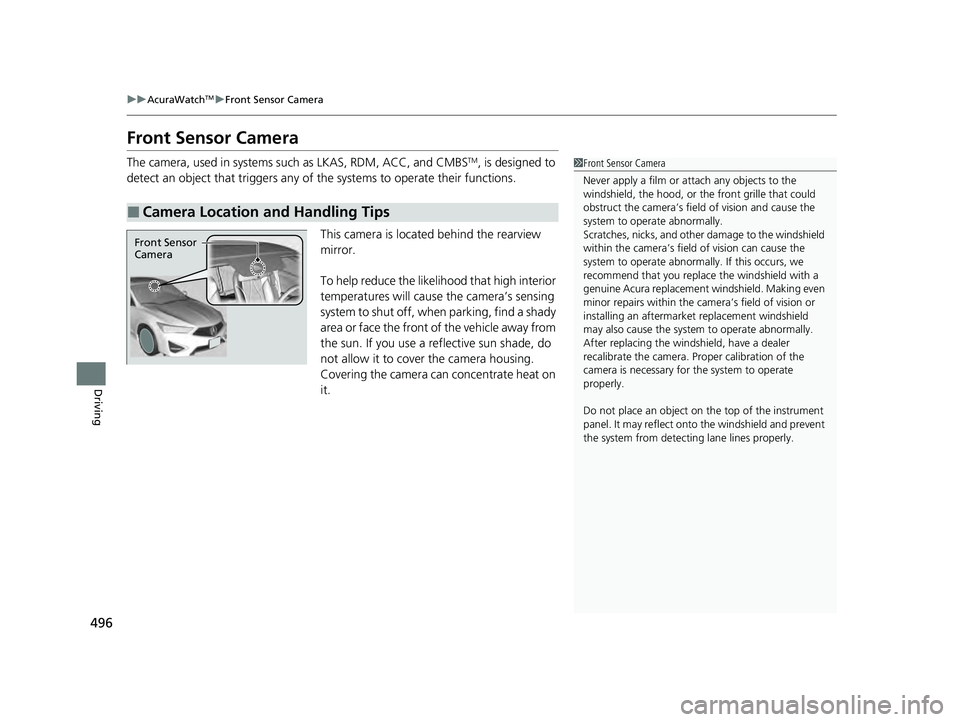
Front Sensor Camera
The camera, used in systems su ch as LKAS, RDM, ACC, and CMBSTM, is designed to
detect an object that triggers any of the systems to operate their functions.
This camera is located behind the rearview
mirror.
To help reduce the likelihood that high interior
temperatures will cause the camera’s sensing
system to shut off, when parking, find a shady
area or face the front of the vehicle away from
the sun. If you use a reflective sun shade, do
not allow it to cover the camera housing.
Covering the camera can concentrate heat on
it.
■Camera Location and Handling Tips
1 Front Sensor Camera
Never apply a film or attach any objects to the
windshield, the hood, or th e front grille that could
obstruct the camera’s fiel d of vision and cause the
system to operate abnormally.
Scratches, nicks, and othe r damage to the windshield
within the camera’s fiel d of vision can cause the
system to operate abnormall y. If this occurs, we
recommend that you replac e the windshield with a
genuine Acura replacement windshield. Making even
minor repairs within the ca mera’s field of vision or
installing an aftermarke t replacement windshield
may also cause the system to operate abnormally.
After replacing the winds hield, have a dealer
recalibrate the camera. Pr oper calibration of the
camera is necessary for the system to operate
properly.
Do not place an object on the top of the instrument
panel. It may reflect onto the windshield and prevent
the system from detecting lane lines properly.
Front Sensor
Camera
22 ACURA ILX-31TX66900.book 496 ページ 2021年4月26日 月曜日 午前11時27分
Page 624 of 632
622
Index
Blind spot information System................ 445
Bluetooth ® Audio ............................. 208, 267
Bluetooth ® HandsFreeLink ®........... 345, 374
Booster Seats (For Children) ....................... 68
Brake System ............................................. 499
Anti-lock Brake System (ABS) ................... 501
Brake Assist System ................................. 502
Fluid ........................................................ 534
Foot Brake ............................................... 500
Indicator ............................................ 72, 598
Parking Brake .......................................... 499
Brake System (Amber) Indicator .................................................... 72
Brightness Control (Instrument Panel) .... 152
Built-in Key ................................................ 113
Bulb Replacement ..................................... 535
Back-Up Light .......................................... 538
Fog Lights ................................................ 535
Front Turn Signal, Parking/Daytime
Running and Front Side Marker Lights.... 535
Headlights ............................................... 535
High-Mount Brake Light .......................... 539
Rear License Plate Light............................ 539
Rear Turn Signal Light .............................. 536
Taillights, Brake and Rear Side Marker
Lights..................................................... 536
Bulb Specifications .................................... 606
C
Carbon Monoxide Gas ................................ 69 Carrying Cargo
................................. 427, 429
CD Player ........................................... 196, 239
Center Pocket ........................................... 171
Certification Label .................................... 608
Changing Bulbs ........................................ 535
Charging System Indicator ................. 74, 596
Child Safety ................................................. 56
Childproof Door Locks............................. 126
Child Seat .................................................... 56
Booster Seats ............................................ 68
Child Seat for Infants................................. 58
Child Seat for Small Children ..................... 59
Installing a Child Seat with a Lap/Shoulder Seat Belt .................................................. 63
Larger Children ......................................... 67
Rear-facing Child Seat ............................... 58
Selecting a Child Seat ................................ 60
Using a Tether ........................................... 65
Childproof Door Locks ............................. 126
Cleaning the Exterior ............................... 558
Cleaning the Interior ................................ 555
Client Service Information ....................... 617
Climate Control System ............................ 175
Changing the Mode ................................ 175
Defrosting the Windshield and
Windows ............................................... 176
Maintenance ........................................... 554
Recirculation/Fresh Air Mode ................... 175
Sensors ................................................... 178
Using Automatic Climate Control ............ 175
Clock .......................................................... 110 CMBS
TM (Collision Mitigation Braking
SystemTM) ................................................ 455
Coat Hook ................................................ 173
Collision Mitigation Braking System
TM
(CMBSTM) ................................................. 455
Compact Spare Tire .......................... 580, 607
Compass ...................................................... 97
Console Compartment ............................. 170
Controls .................................................... 109
Coolant (Engine) ...................................... 531
Adding to the Radiator ........................... 532
Adding to the Reserve Tank .................... 531
Overheating ............................................ 594
Creeping ................................................... 438
Cross Traffic Monitor ............................... 505
Cup Holders .............................................. 172
Customized Features ................. 99, 310, 316
D
Daytime Running Lights .......................... 146
Dead Battery ............................................ 590
Defrosting the Windshield and Windows ................................................. 176
Devices that Emit Radio Waves ............... 609
Dimming Headlights .............................................. 143
Rearview Mirror ...................................... 156
Dipstick (Engine Oil) ................................ 527
Directional Signals (Turn Signal) ............. 142
Door Mirrors ............................................. 157
22 ACURA ILX-31TX66900.book 622 ページ 2021年4月26日 月曜日 午前11時27分
Page 627 of 632
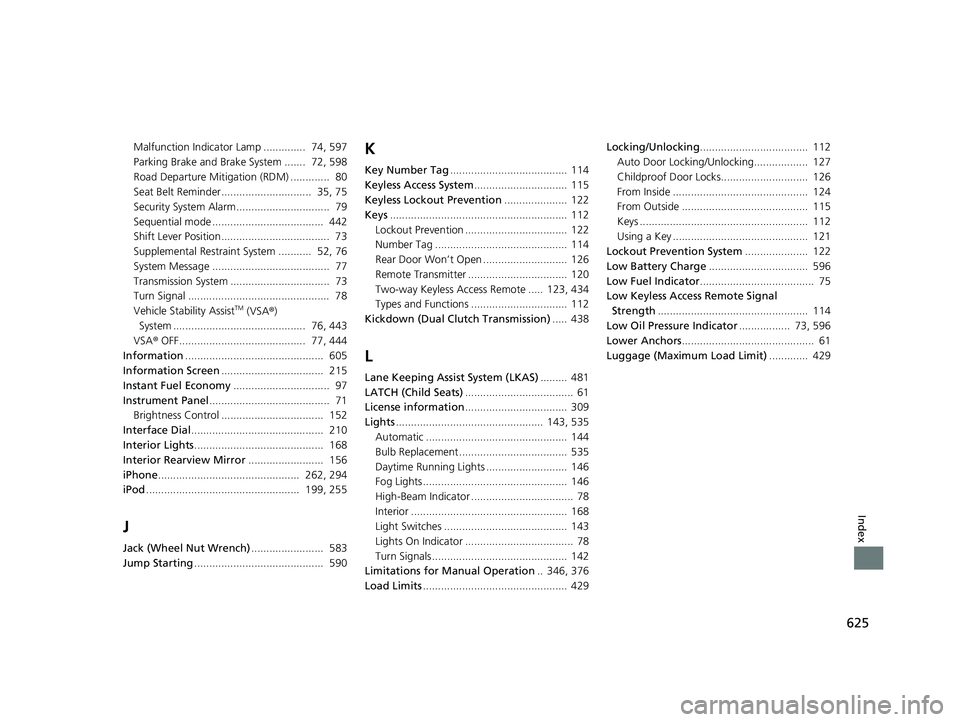
625
Index
Malfunction Indicator Lamp .............. 74, 597
Parking Brake and Brake System ....... 72, 598
Road Departure Mitigation (RDM) ............. 80
Seat Belt Reminder.............................. 35, 75
Security System Alarm............................... 79
Sequential mode ..................................... 442
Shift Lever Position.................................... 73
Supplemental Restraint System ........... 52, 76
System Message ....................................... 77
Transmission System ................................. 73
Turn Signal ............................................... 78
Vehicle Stability Assist
TM (VSA®)
System ............................................ 76, 443
VSA ® OFF.......................................... 77, 444
Information .............................................. 605
Information Screen .................................. 215
Instant Fuel Economy ................................ 97
Instrument Panel ........................................ 71
Brightness Control .................................. 152
Interface Dial ............................................ 210
Interior Lights ........................................... 168
Interior Rearview Mirror ......................... 156
iPhone ............................................... 262, 294
iPod ................................................... 199, 255
J
Jack (Wheel Nut Wrench) ........................ 583
Jump Starting ........................................... 590
K
Key Number Tag ....................................... 114
Keyless Access System ............................... 115
Keyless Lockout Prevention ..................... 122
Keys ........................................................... 112
Lockout Prevention .................................. 122
Number Tag ............................................ 114
Rear Door Won’t Open ............................ 126
Remote Transmitter ................................. 120
Two-way Keyless Access Remote ..... 123, 434
Types and Functions ................................ 112
Kickdown (Dual Clutch Transmission) ..... 438
L
Lane Keeping Assist System (LKAS)......... 481
LATCH (Child Seats) .................................... 61
License information .................................. 309
Lights ................................................. 143, 535
Automatic ............................................... 144
Bulb Replacement .................................... 535
Daytime Running Lights ........................... 146
Fog Lights ................................................ 146
High-Beam Indicator .................................. 78
Interior .................................................... 168
Light Switches ......................................... 143
Lights On Indicator .................................... 78
Turn Signals ............................................. 142
Limitations for Manual Operation .. 346, 376
Load Limits ................................................ 429 Locking/Unlocking
.................................... 112
Auto Door Locking/Unlocking.................. 127
Childproof Door Locks............................. 126
From Inside ............................................. 124
From Outside .......................................... 115
Keys ........................................................ 112
Using a Key ............................................. 121
Lockout Prevention System ..................... 122
Low Battery Charge ................................. 596
Low Fuel Indicator ...................................... 75
Low Keyless Access Remote Signal
Strength .................................................. 114
Low Oil Pressure Indicator ................. 73, 596
Lower Anchors ............................................ 61
Luggage (Maximum Load Limit) ............. 429
22 ACURA ILX-31TX66900.book 625 ページ 2021年4月26日 月曜日 午前11時27分
Page 630 of 632
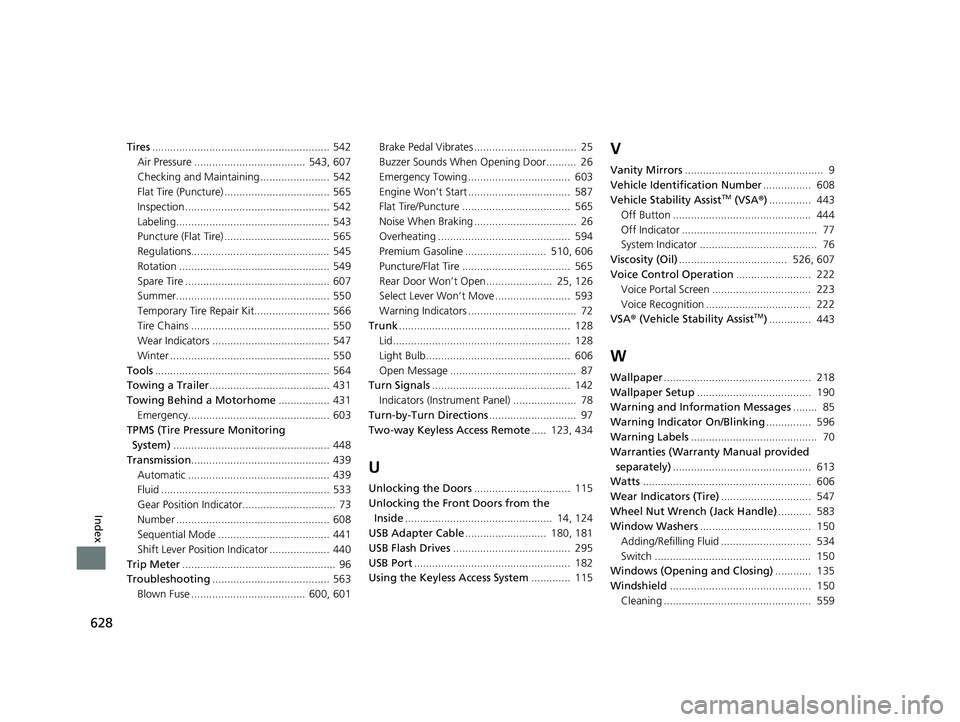
628
Index
Tires........................................................... 542
Air Pressure ..................................... 543, 607
Checking and Maintaining ....................... 542
Flat Tire (Puncture) ................................... 565
Inspection ................................................ 542
Labeling................................................... 543
Puncture (Flat Tire) ................................... 565
Regulations.............................................. 545
Rotation .................................................. 549
Spare Tire ................................................ 607
Summer................................................... 550
Temporary Tire Repair Kit......................... 566
Tire Chains .............................................. 550
Wear Indicators ....................................... 547
Winter ..................................................... 550
Tools .......................................................... 564
Towing a Trailer ........................................ 431
Towing Behind a Motorhome ................. 431
Emergency............................................... 603
TPMS (Tire Pressure Monitoring System) .................................................... 448
Transmission .............................................. 439
Automatic ............................................... 439
Fluid ........................................................ 533
Gear Position Indicator............................... 73
Number ................................................... 608
Sequential Mode ..................................... 441
Shift Lever Position Indicator .................... 440
Trip Meter ................................................... 96
Troubleshooting ....................................... 563
Blown Fuse ...................................... 600, 601 Brake Pedal Vibrates .................................. 25
Buzzer Sounds When Opening Door.......... 26
Emergency Towing .................................. 603
Engine Won’t Start .................................. 587
Flat Tire/Puncture .................................... 565
Noise When Braking .................................. 26
Overheating ............................................ 594
Premium Gasoline ........................... 510, 606
Puncture/Flat Tire .................................... 565
Rear Door Won’t Open...................... 25, 126
Select Lever Won’t Move ......................... 593
Warning Indicators .................................... 72
Trunk ......................................................... 128
Lid........................................................... 128
Light Bulb................................................ 606
Open Message .......................................... 87
Turn Signals .............................................. 142
Indicators (Instrument Panel) ..................... 78
Turn-by-Turn Directions ............................. 97
Two-way Keyless Access Remote ..... 123, 434
U
Unlocking the Doors................................ 115
Unlocking the Front Doors from the Inside ................................................. 14, 124
USB Adapter Cable ........................... 180, 181
USB Flash Drives ....................................... 295
USB Port .................................................... 182
Using the Keyless Access System ............. 115
V
Vanity Mirrors.............................................. 9
Vehicle Identification Number ................ 608
Vehicle Stability Assist
TM (VSA® ).............. 443
Off Button .............................................. 444
Off Indicator ............................................. 77
System Indicator ....................................... 76
Viscosity (Oil) .................................... 526, 607
Voice Control Operation ......................... 222
Voice Portal Screen ................................. 223
Voice Recognition ................................... 222
VSA ® (Vehicle Stability Assist
TM).............. 443
W
Wallpaper ................................................. 218
Wallpaper Setup ...................................... 190
Warning and Information Messages ........ 85
Warning Indicator On/Blinking ............... 596
Warning Labels .......................................... 70
Warranties (Warranty Manual provided
separately) .............................................. 613
Watts ........................................................ 606
Wear Indicators (Tire) .............................. 547
Wheel Nut Wrench (Jack Handle) ........... 583
Window Washers ..................................... 150
Adding/Refilling Fluid .............................. 534
Switch .................................................... 150
Windows (Opening and Closing) ............ 135
Windshield ............................................... 150
Cleaning ................................................. 559
22 ACURA ILX-31TX66900.book 628 ページ 2021年4月26日 月曜日 午前11時27分