Touch screen ACURA ILX 2022 Owners Manual
[x] Cancel search | Manufacturer: ACURA, Model Year: 2022, Model line: ILX, Model: ACURA ILX 2022Pages: 632, PDF Size: 20.56 MB
Page 216 of 632
uuAudio System Basic Operation uOn Demand Multi-Use DisplayTM
214
Features
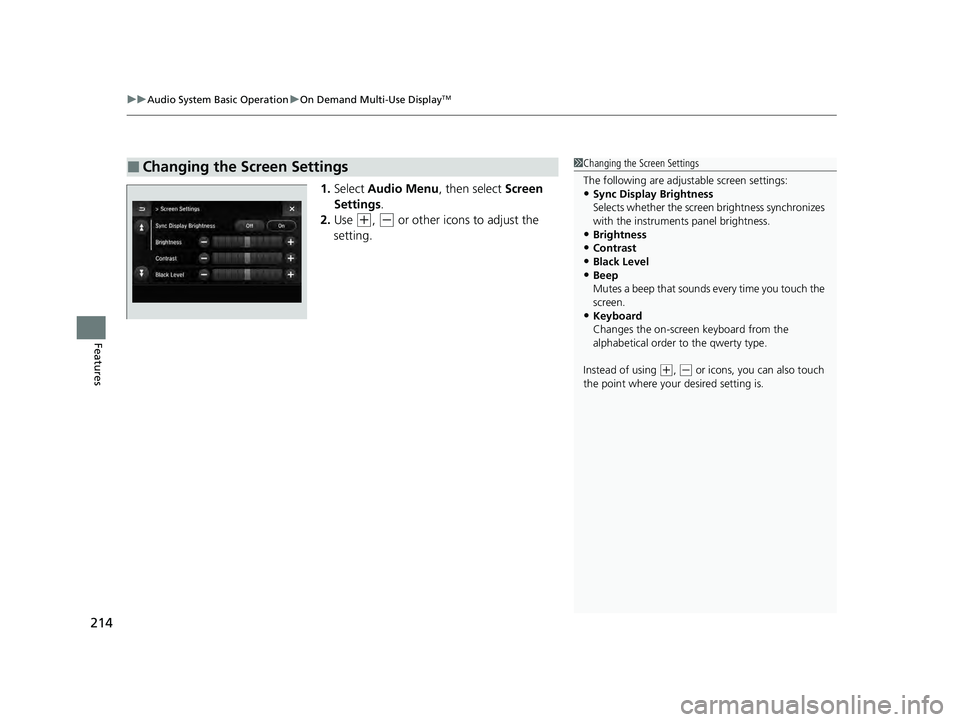
1. Select Audio Menu , then select Screen
Settings .
2. Use
(+, (- or other icons to adjust the
setting.
■Changing the Screen Settings1 Changing the Screen Settings
The following are adjustable screen settings:
•Sync Display Brightness
Selects whether the screen brightness synchronizes
with the instruments panel brightness.
•Brightness
•Contrast
•Black Level•Beep
Mutes a beep that sounds every time you touch the
screen.
•Keyboard
Changes the on-screen keyboard from the
alphabetical order to the qwerty type.
Instead of using
( +, (- or icons, you can also touch
the point where your desired setting is.
22 ACURA ILX-31TX66900.book 214 ページ 2021年4月26日 月曜日 午前11時27分
Page 229 of 632
227
uuAudio System Basic Operation uPlaying AM/FM Radio
Features
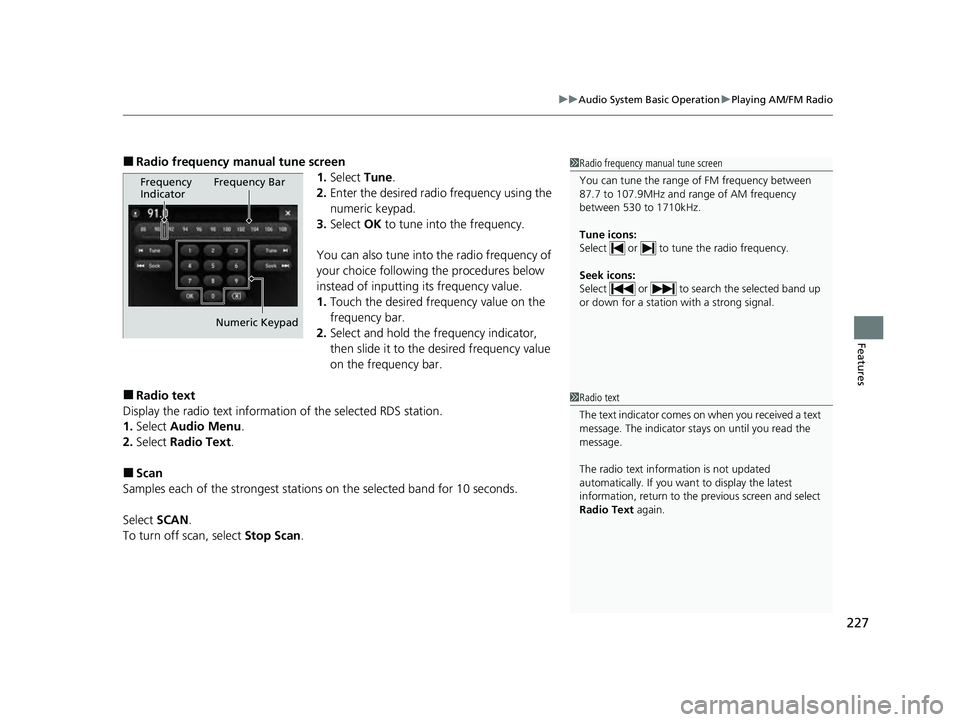
■Radio frequency manual tune screen
1.Select Tune.
2. Enter the desired radio frequency using the
numeric keypad.
3. Select OK to tune into the frequency.
You can also tune into the radio frequency of
your choice following the procedures below
instead of inputting its frequency value.
1. Touch the desired frequency value on the
frequency bar.
2. Select and hold the frequency indicator,
then slide it to the desired frequency value
on the frequency bar.
■Radio text
Display the radio text information of the selected RDS station.
1. Select Audio Menu .
2. Select Radio Text .
■Scan
Samples each of the strongest stations on the selected band for 10 seconds.
Select SCAN.
To turn off scan, select Stop Scan.
1Radio frequency manual tune screen
You can tune the range of FM frequency between
87.7 to 107.9MHz and range of AM frequency
between 530 to 1710kHz.
Tune icons:
Select or to tune the radio frequency.
Seek icons:
Select or to search the selected band up
or down for a station with a strong signal.
Frequency
Indicator Frequency Bar
Numeric Keypad
1 Radio text
The text indicator comes on when you received a text
message. The indicator stays on until you read the
message.
The radio text inform ation is not updated
automatically. If you want to display the latest
information, return to the previous screen and select
Radio Text again.
22 ACURA ILX-31TX66900.book 227 ページ 2021年4月26日 月曜日 午前11時27分
Page 231 of 632
Continued229
uuAudio System Basic Operation uPlaying SiriusXM ® Radio
Features
1. Select the SiriusXM® mode.
2 Audio Remote Controls P. 185
2 On Demand Multi-Use DisplayTM P. 211
2.Select a channel using the , icons or the preset numbers ( 1-12) on the preset
mode screen.
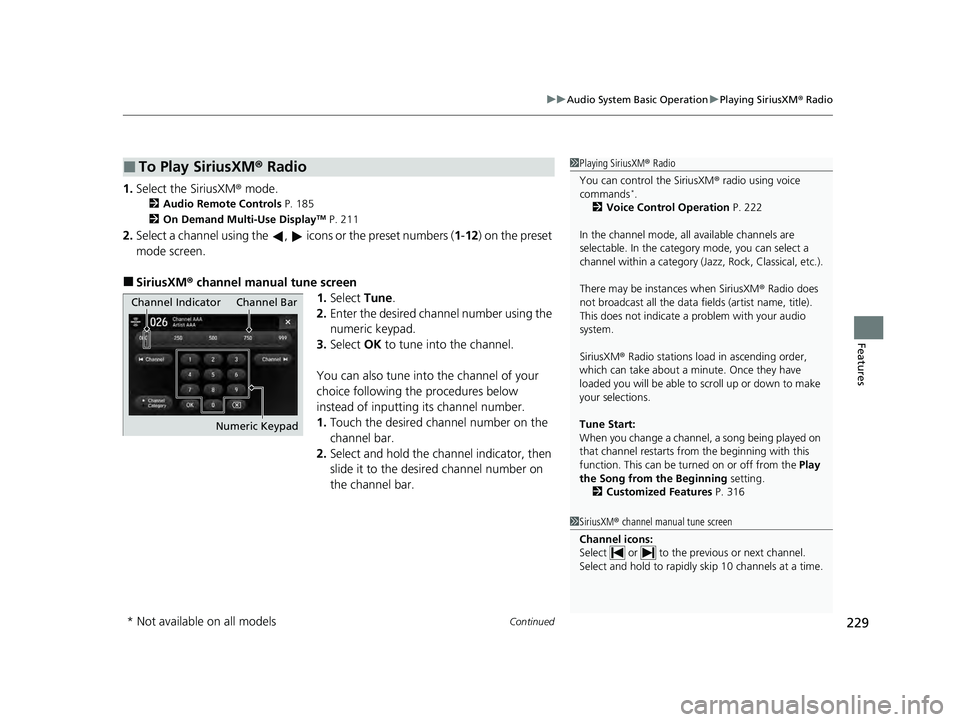
■SiriusXM ® channel manual tune screen
1.Select Tune.
2. Enter the desired channel number using the
numeric keypad.
3. Select OK to tune into the channel.
You can also tune into the channel of your
choice following the procedures below
instead of inputting its channel number.
1. Touch the desired channel number on the
channel bar.
2. Select and hold the channel indicator, then
slide it to the desire d channel number on
the channel bar.
■To Play SiriusXM® Radio1Playing SiriusXM ® Radio
You can control the SiriusXM ® radio using voice
commands
*.
2 Voice Control Operation P. 222
In the channel mode, all available channels are
selectable. In the categor y mode, you can select a
channel within a ca tegory (Jazz, Rock, Classical, etc.).
There may be instances when SiriusXM ® Radio does
not broadcast all the data fi elds (artist name, title).
This does not indicate a problem with your audio
system.
SiriusXM ® Radio stations load in ascending order,
which can take about a minute. Once they have
loaded you will be able to scroll up or down to make
your selections.
Tune Start:
When you change a channel, a song being played on
that channel restarts from the beginning with this
function. This can be turned on or off from the Play
the Song from the Beginning setting.
2 Customized Features P. 316
1SiriusXM ® channel manual tune screen
Channel icons:
Select or to the prev ious or next channel.
Select and hold to rapidly sk ip 10 channels at a time.
Channel Indicator Channel Bar
Numeric Keypad
* Not available on all models
22 ACURA ILX-31TX66900.book 229 ページ 2021年4月26日 月曜日 午前11時27分
Page 342 of 632

340
uuCustomized Features u
Features
*1:Default SettingSetup
Group Customizable Features
Description Selectable Settings
Audio
SettingsOtherHD Radio Mode*Selects whether the audio system automatically
switches to the digital radio waves or receives the
analog waves only. Auto*1/
Analog
Cover Art Turns on and off the cover art display. On
*1/Off
Screen Settings
Sync Display Brightness
Selects whether the screen brightness
synchronizes with the instruments panel
brightness.
Off /On*1
BrightnessChanges the brightness of the On Demand Multi-
Use DisplayTM.—
ContrastChanges the contrast of the On Demand Multi-
Use DisplayTM.—
Black LevelChanges the black level of the On Demand Multi-
Use DisplayTM.—
BeepMutes a beep that sounds every time you touch
the screen.Off /On*1
KeyboardChanges the on-screen keyboard from the
alphabetical order to the qwerty type.Alphabet /QWERTY*1
* Not available on all models
22 ACURA ILX-31TX66900.book 340 ページ 2021年4月26日 月曜日 午前11時27分
Page 410 of 632

uuBluetooth ® HandsFreeLink ®u HFL Menus
408
Features
The following options are available during a call.
Phone Call Active - Transfer to Mobile :
Transfer a call from HFL to your phone.
Mute: Mute your voice.
Transfer to Mobile : Transfer a call from HFL
to your phone.
Touch Tones: Send numbers during a call.
This is useful when you call a menu-driven
phone system.
The available options are shown on the On
Demand Multi-Use Display
TM.
Select the option. u The Mute icon is checked when Mute is
selected. Select Mute again to turn it off.
■Options During a Call1Options During a Call
Touch Tones : Available on some phones.
Information Screen
On Demand Multi-Use DisplayTM
Mute Icon
Information Screen
On Demand Multi-Use DisplayTM
22 ACURA ILX-31TX66900.book 408 ページ 2021年4月26日 月曜日 午前11時27分