battery Acura ILX Hybrid 2013 Owner's Guide
[x] Cancel search | Manufacturer: ACURA, Model Year: 2013, Model line: ILX Hybrid, Model: Acura ILX Hybrid 2013Pages: 365, PDF Size: 8.63 MB
Page 155 of 365
154
uuAudio SystemuAudio System Theft Protection
Features
Audio System Theft ProtectionThe audio system is disabled when it is disconnected from the power source, such as
when the battery is disconnected or goes dead.■Reactivating the audio system
1.Set the power mode to ON, and turn on the audio system.
uIf you set the power mode to ACCESSORY, you will be requested to enter the
audio security code. See step 3.
2.Press and hold the power button again for more than two seconds.
uThe audio system is reactivated when the system’s control unit recognizes that
the system is in your vehicle.
If the control unit fails to recognize, ENTER CODE appears on the audio/
information screen.
3.Enter the audio security code using the preset buttons. If you enter an incorrect
digit, continue to the last digit, then try again. If you do not enter the code
correctly after 10 tries, leave the system for one hour before trying again, or visit
a dealer to have the system reset.
1Audio System Theft Protection
Find the audio system's security code and serial
number label in your owner’s manual kit.
We recommend that you write down the serial
number in this owner’s manual.
Do not store the label in your vehicle. If you lose the
label, you must first retrieve the serial number, and
then obtain the code.
You can find out about your serial number and
security code from a dealer.
You can register the security code at My Acura
(owners.acura.com.), and find information on how to
retrieve the serial number and obtain the code at
radio-navicode.acura.com.U.S. models
Page 191 of 365
uuBluetooth® HandsFreeLink®uUsing HFL
190Features
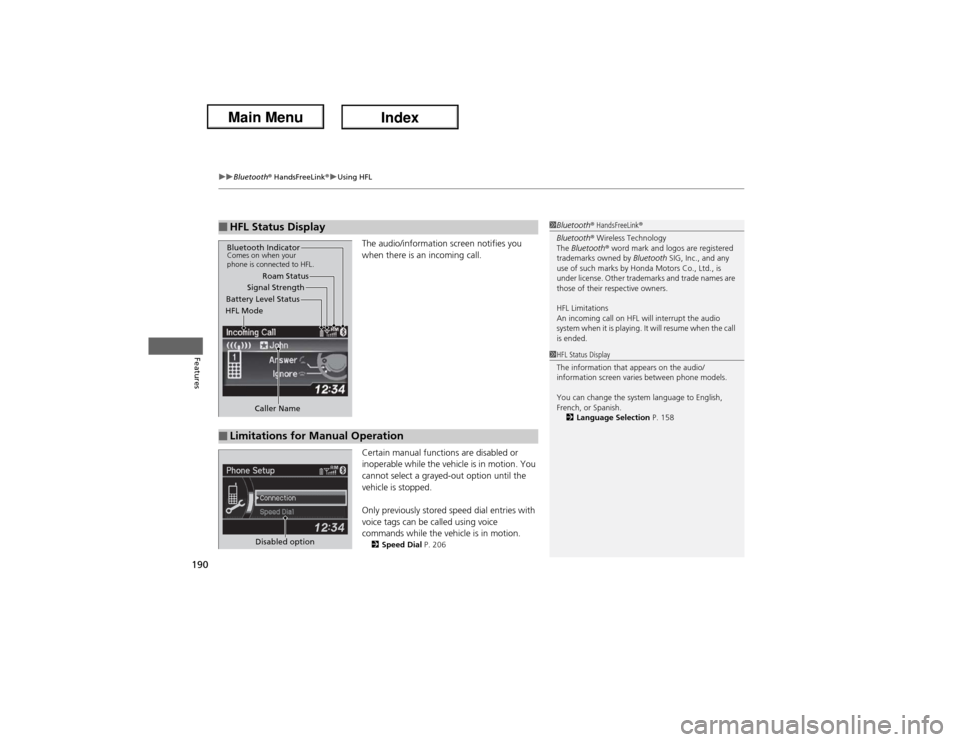
The audio/information screen notifies you
when there is an incoming call.
Certain manual functions are disabled or
inoperable while the vehicle is in motion. You
cannot select a grayed-out option until the
vehicle is stopped.
Only previously stored speed dial entries with
voice tags can be called using voice
commands while the vehicle is in motion.2Speed Dial P. 206
■HFL Status Display
1Bluetooth® HandsFreeLink®
Bluetooth® Wireless Technology
The Bluetooth® word mark and logos are registered
trademarks owned by Bluetooth SIG, Inc., and any
use of such marks by Honda Motors Co., Ltd., is
under license. Other trademarks and trade names are
those of their respective owners.
HFL Limitations
An incoming call on HFL will interrupt the audio
system when it is playing. It will resume when the call
is ended.
Signal Strength
HFL ModeBattery Level StatusRoam Status
Caller Name
Bluetooth IndicatorComes on when your
phone is connected to HFL.■Limitations for Manual Operation
1HFL Status Display
The information that appears on the audio/
information screen varies between phone models.
You can change the system language to English,
French, or Spanish.
2Language Selection P. 158
Disabled option
Page 197 of 365
uuBluetooth® HandsFreeLink®uHFL Menus
196Features
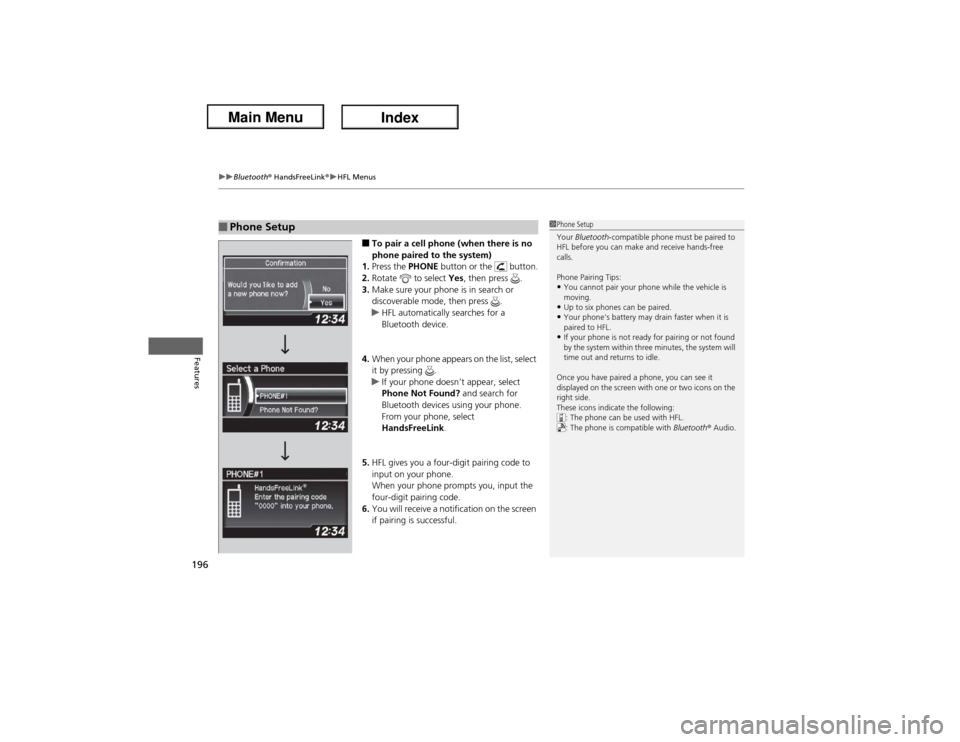
■To pair a cell phone (when there is no
phone paired to the system)
1.Press the PHONE button or the button.
2.Rotate to select Yes, then press .
3.Make sure your phone is in search or
discoverable mode, then press .
uHFL automatically searches for a
Bluetooth device.
4.When your phone appears on the list, select
it by pressing .
uIf your phone doesn’t appear, select
Phone Not Found? and search for
Bluetooth devices using your phone.
From your phone, select
HandsFreeLink.
5.HFL gives you a four-digit pairing code to
input on your phone.
When your phone prompts you, input the
four-digit pairing code.
6.You will receive a notification on the screen
if pairing is successful.
■Phone Setup
1Phone Setup
Your Bluetooth-compatible phone must be paired to
HFL before you can make and receive hands-free
calls.
Phone Pairing Tips:•You cannot pair your phone while the vehicle is
moving.•Up to six phones can be paired.•Your phone's battery may drain faster when it is
paired to HFL.•If your phone is not ready for pairing or not found
by the system within three minutes, the system will
time out and returns to idle.
Once you have paired a phone, you can see it
displayed on the screen with one or two icons on the
right side.
These icons indicate the following:
: The phone can be used with HFL.
: The phone is compatible with Bluetooth® Audio.
Page 227 of 365
226Driving
When DrivingStarting the Engine
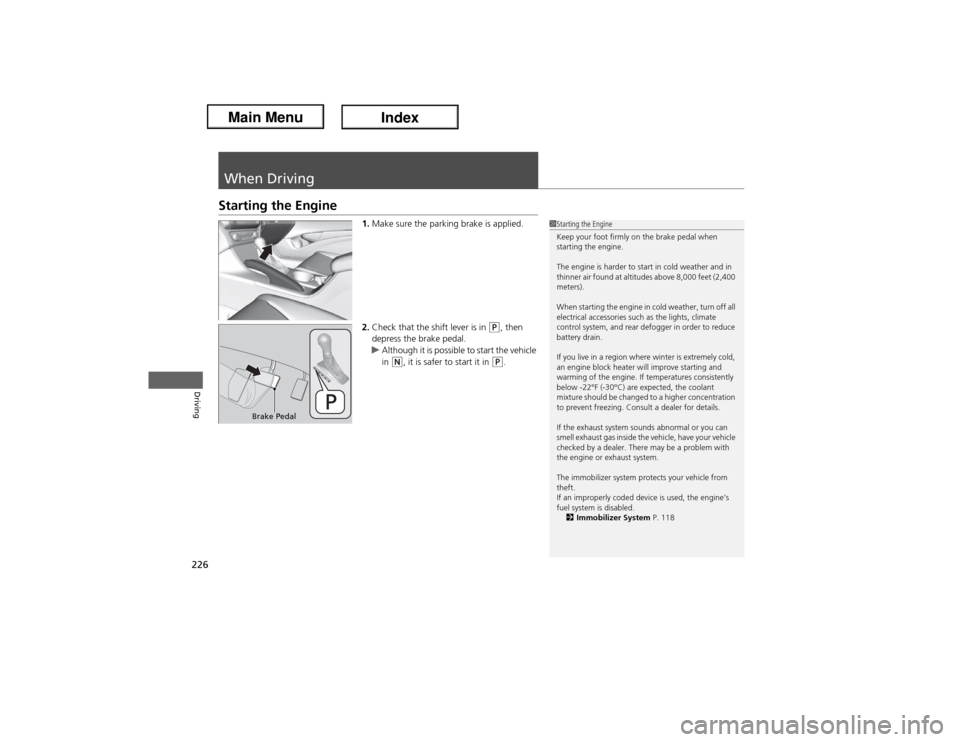
1.Make sure the parking brake is applied.
2.Check that the shift lever is in
(P, then
depress the brake pedal.
uAlthough it is possible to start the vehicle
in
(N, it is safer to start it in
(P.
1Starting the Engine
Keep your foot firmly on the brake pedal when
starting the engine.
The engine is harder to start in cold weather and in
thinner air found at altitudes above 8,000 feet (2,400
meters).
When starting the engine in cold weather, turn off all
electrical accessories such as the lights, climate
control system, and rear defogger in order to reduce
battery drain.
If you live in a region where winter is extremely cold,
an engine block heater will improve starting and
warming of the engine. If temperatures consistently
below -22°F (-30°C) are expected, the coolant
mixture should be changed to a higher concentration
to prevent freezing. Consult a dealer for details.
If the exhaust system sounds abnormal or you can
smell exhaust gas inside the vehicle, have your vehicle
checked by a dealer. There may be a problem with
the engine or exhaust system.
The immobilizer system protects your vehicle from
theft.
If an improperly coded device is used, the engine’s
fuel system is disabled.
2Immobilizer System P. 118
Brake Pedal
Page 228 of 365
Continued
227
uuWhen DrivinguStarting the Engine
Driving
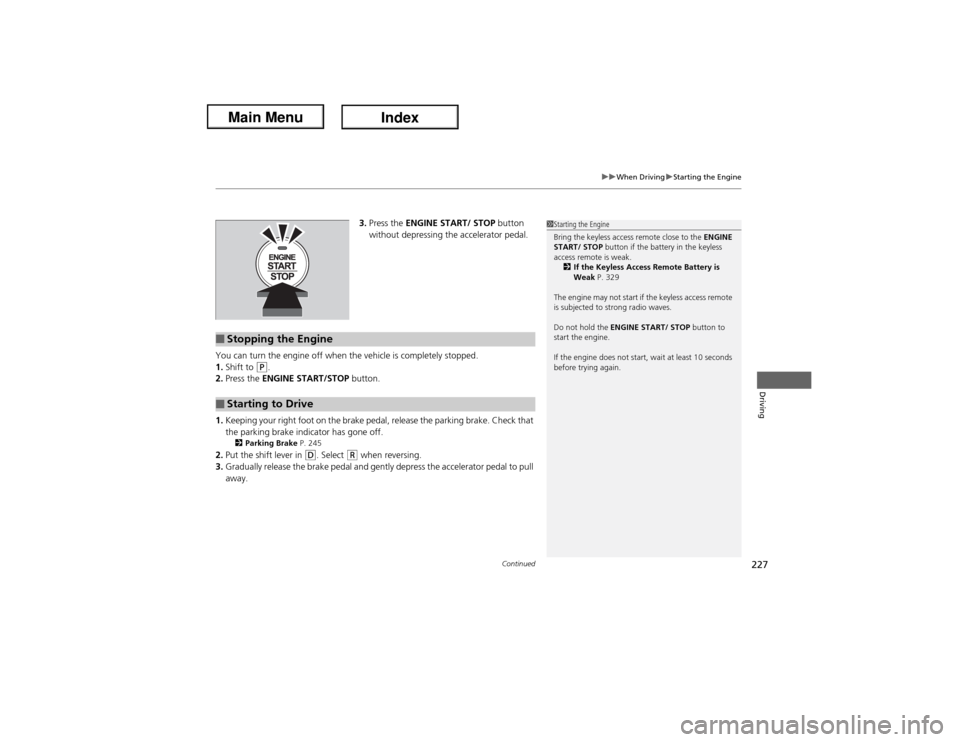
3.Press the ENGINE START/ STOP button
without depressing the accelerator pedal.
You can turn the engine off when the vehicle is completely stopped.
1.Shift to
(P.
2.Press the ENGINE START/STOP button.
1.Keeping your right foot on the brake pedal, release the parking brake. Check that
the parking brake indicator has gone off.
2Parking Brake P. 245
2.Put the shift lever in
(D. Select
(R when reversing.
3.Gradually release the brake pedal and gently depress the accelerator pedal to pull
away.
1Starting the Engine
Bring the keyless access remote close to the ENGINE
START/ STOP button if the battery in the keyless
access remote is weak.
2If the Keyless Access Remote Battery is
Weak P. 329
The engine may not start if the keyless access remote
is subjected to strong radio waves.
Do not hold the ENGINE START/ STOP button to
start the engine.
If the engine does not start, wait at least 10 seconds
before trying again.
■Stopping the Engine■Starting to Drive
Page 252 of 365
Continued
251
uuParking Your VehicleuAuto Idle Stop
Driving
The vehicle stops with the shift lever in
(D and the brake pedal depressed.
■Auto idle stop does not activate when:
•The low temperature indicator is on.
•The IMA battery charge is low.
•The bars of the IMA motor power flow monitor do not move when accelerating
or decelerating.
•The transmission fluid temperature is low.
•The vehicle comes to a stop again before the vehicle speed reaches 9 mph
(15 km/h) after the engine starts.
•Stopped on a steep incline.
•The shift lever is in a position other than
(D or
(N.
■Auto idle stop may not activate when:
•Even if the set temperature and the actual interior temperature are around the
same ambient conditions (strong sunlight, high or low temperature, etc.) can
prevent Auto Idle Stop from activating.
•The vehicle is stopped by braking suddenly.■Auto Idle Stop Activates When:
1Auto Idle Stop Activates When:
The auto idle stop may also activate when the brake
pedal is depressed, and the vehicle slows down to a
speed below 6 mph (10 km/h).
Page 253 of 365
252
uuParking Your VehicleuAuto Idle Stop
Driving
The brake pedal is released.■The engine restarts even if the brake pedal is depressed when:
•The shift position is changed to
(R.
•The accelerator pedal is depressed.
•The pressure to the brake pedal is reduced and the vehicle starts moving while
stopped on an incline.
•The IMA battery charge becomes low.
•The low temperature indicator comes on.
•Ambient conditions that may differentiate the interior temperature from the set
temperature can also be the cause to start the engine.
■The Engine Automatically Restarts When:
Page 260 of 365
259
Maintenance
This chapter discusses basic maintenance.
Before Performing Maintenance
Inspection and Maintenance ............ 260Safety When Performing Maintenance .... 261Parts and Fluids Used in Maintenance
Service ........................................... 262
Maintenance Minder
TM..................... 263
Maintenance Under the Hood
Maintenance Items Under the Hood ..... 268Opening the Hood ........................... 269
Engine Compartment Cover ............. 270
Recommended Engine Oil ................ 272
Oil Check ......................................... 273
Adding Engine Oil ............................ 274
Changing the Engine Oil and Oil Filter . 275Engine Coolant ................................ 277
Transmission Fluid ............................ 279
Brake Fluid ....................................... 280
Refilling Window Washer Fluid......... 281
Replacing Light Bulbs....................... 282Checking and Maintaining Wiper
Blades.......................................... 292Checking and Maintaining Tires
Checking Tires ................................. 294
Tire and Loading Information Label .. 295
Tire Labeling .................................... 295DOT Tire Quality Grading (U.S. Vehicles) .. 297
Wear Indicators ............................... 299
Tire Service Life ................................ 299
Tire and Wheel Replacement ........... 300
Tire Rotation .................................... 301
Winter Tires ..................................... 302
12 Volt Battery.................................. 303
Remote Transmitter Care
Replacing the Button Battery ........... 304Climate Control System Maintenance...... 305Cleaning
Interior Care .................................... 306
Exterior Care.................................... 308
Page 262 of 365

261
uuBefore Performing MaintenanceuSafety When Performing Maintenance
Maintenance
Safety When Performing MaintenanceSome of the most important safety precautions are given here.
However, we cannot warn you of every conceivable hazard that can arise in
performing maintenance. Only you can decide whether or not you should perform
a given task.
•To reduce the possibility of fire or explosion, keep cigarettes, sparks, and flames
away from the battery and all fuel related parts.
•Never leave rags, towels, or other flammable objects under the hood.
uHeat from the engine and exhaust can ignite them causing a fire.
•To clean parts, use a commercially available degreaser or parts cleaner, not
gasoline.
•Wear eye protection and protective clothing when working with the 12 volt
battery or compressed air.
•Engine exhaust contains carbon monoxide, which is poisonous and can kill you.
uOnly operate the engine if there is sufficient ventilation.
•The vehicle must be in a stationary condition.
uMake sure your vehicle is parked on level ground, the parking brake is set, and
the engine is off.
•Be aware that hot parts can burn you.
uMake sure to let the engine and exhaust system cool thoroughly before
touching vehicle parts.
•Be aware that moving parts can injure you.
uDo not start the engine unless instructed, and keep your hands and limbs away
from moving parts.
•Do not touch the IMA battery and wiring (orange).■Maintenance Safety■Vehicle Safety
1Safety When Performing Maintenance
3
WARNING
Improperly maintaining this vehicle or
failing to correct a problem before driving
can cause a crash in which you can be
seriously hurt or killed.
Always follow the inspection and
maintenance recommendations according
to the schedules in this owner's manual.
3
WARNING
Failure to properly follow maintenance
instructions and precautions can cause you
to be seriously hurt or killed.
Always follow the procedures and
precautions in this owner's manual.
Page 269 of 365
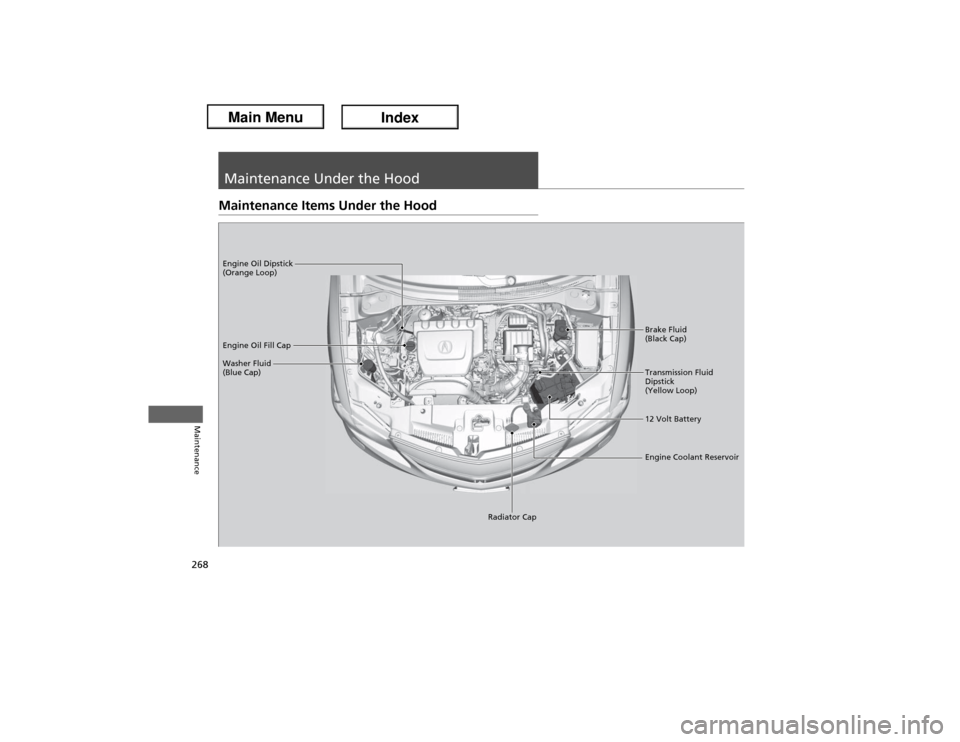
268Maintenance
Maintenance Under the HoodMaintenance Items Under the Hood
Brake Fluid
(Black Cap)
Washer Fluid
(Blue Cap) Engine Oil Dipstick
(Orange Loop)
Engine Oil Fill Cap
Transmission Fluid
Dipstick
(Yellow Loop)
12 Volt Battery
Engine Coolant Reservoir
Radiator Cap